
White Label vs Private Label Explained for Developers
Published on · Updated on
Tags:
You've shipped the social publishing feature, wired the OAuth callback, and watched the first post go out successfully. Then a beta customer opens the approval screen and asks, “Why does it say PostPulse?”
That question exposes a product decision many teams postpone. The integration may work technically, but the experience still belongs partly to someone else. Your choice between white label vs private label affects what users see, who owns support, how you price the feature, and how much integration work you'll carry as the product grows.
In software, the decision is less about labels than distribution and control. Private label gets a shared capability into users' hands quickly. White label makes that capability feel native to your application. Pick the wrong model, and you'll either overbuild before validating demand or discover too late that a third-party identity is embedded in customer-facing flows.
Table of Contents
The Moment You Realize You Need to Pick a Model
A SaaS team is three weeks from launching a social scheduling feature. The engineers have connected the publishing API, built a queue view, and tested posts across several networks. The beta looks ready until the first user reaches the approval screen and sees the PostPulse name.
The product manager checks the rest of the journey. The OAuth connection screen carries the provider's identity. The confirmation email does too. A failed publication sends the user to an error message that clearly belongs to another platform. Every marketing automation dashboard the team ships now has a third-party brand stamp somewhere in the workflow.
That becomes a problem during an enterprise review. The prospect isn't questioning whether the scheduler works. They're asking who handles the connection, where credentials move, which company appears in the user journey, and why their employees are being asked to trust a vendor they didn't select.
The team has reached the decision:
Private label: Let the underlying provider remain visible. Users connect accounts through the provider's interface, and your product publishes through its API or supported automation connectors.
White label: Absorb the rebranding and integration work so users experience the publishing workflow as part of your product.
Most builders start with private label because it ships faster. That's usually the correct move for an unproven feature. You can validate whether customers want social publishing before investing in a fully branded flow, custom domains, deeper account management, and every edge case around OAuth and support.
But the decision doesn't stay confined to a logo. It reaches into your pricing tiers, OAuth consent screens, support playbooks, customer contracts, and the duration of your relationship with the underlying provider. A private-label implementation can be a sensible launch vehicle, but it also creates a visible dependency. If your customers expect your application to own the entire experience, moving later takes more than changing CSS.
Practical rule: Choose private label when you're validating the capability. Choose white label when the publishing experience is part of the product promise.
The retail terms help explain why the language is confusing. Private-label products emerged in the 19th century, with historical accounts identifying retailers such as Brooks Brothers and Macy's among early adopters, while modern private-label goods are made or sourced by third parties and sold under a retailer's brand (historical overview of private label). Software uses the same broad idea, but the “product” is an interface, an account connection, an API workflow, and the trust surrounding each action.
What White Label and Private Label Actually Mean in Software
In developer terms, white label software is infrastructure that your customers experience as your product. The provider supplies the underlying capability, but your users see your logo, colors, domain, copy, and support identity across the customer-facing flow. A practical explanation of the software distinction is available in this guide to what white-label software means.
Private label software keeps the provider's identity visible while allowing you to package the capability inside your application. The provider may appear in the connection flow, footer, confirmation email, or account dashboard. You're still delivering a feature under your commercial relationship, but users can tell another platform powers it.
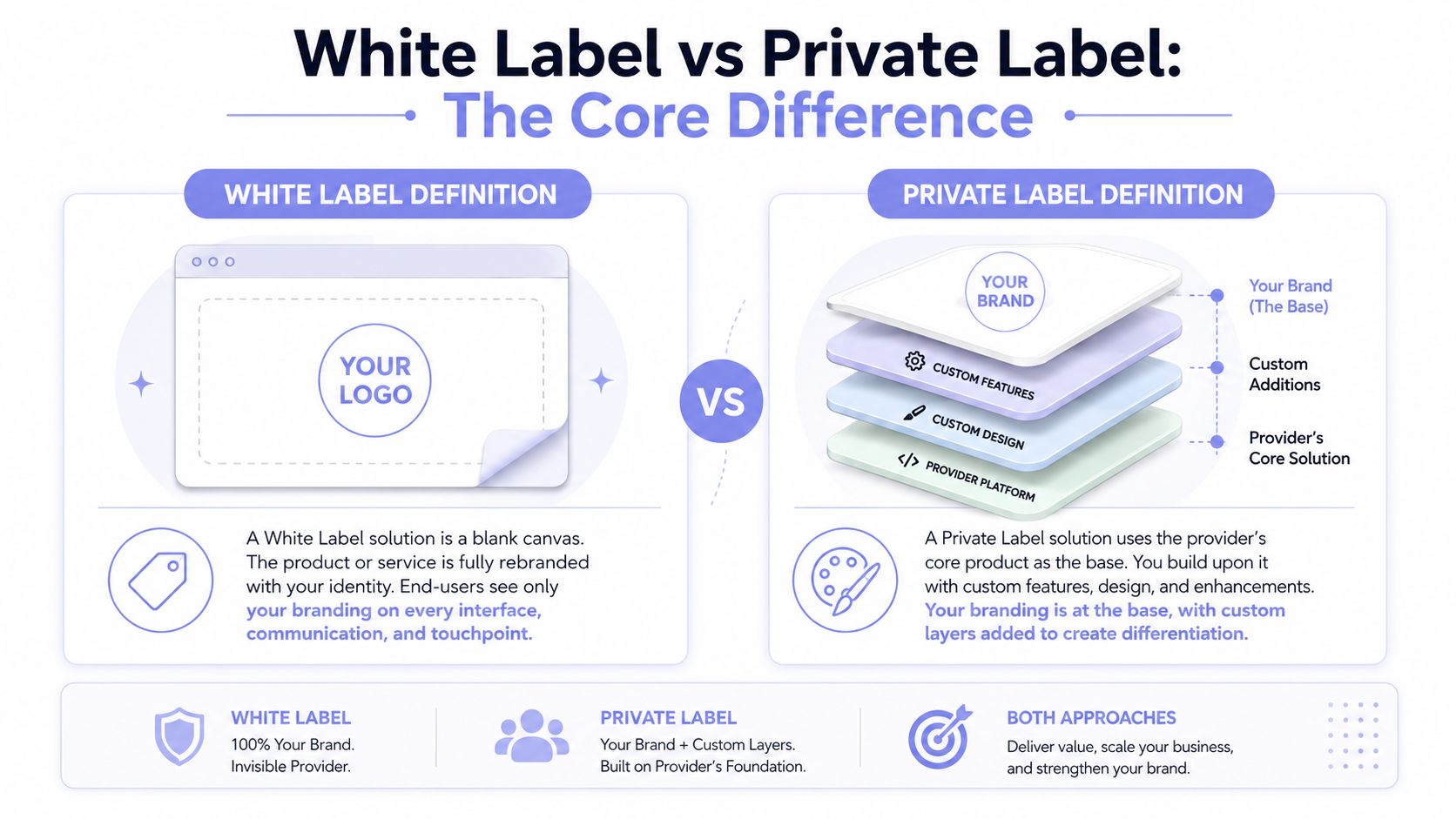 A comparison infographic explaining the differences between white label and private label business models with definitions.
The user interface is where the distinction becomes real
Take a social publishing integration. In a white-label flow, the OAuth consent screen can use your application's identity. The queue dashboard lives on your branded domain. Error messages, approval prompts, notification emails, and the published post byline use your terminology. PostPulse remains the infrastructure underneath, but your customer doesn't encounter its name.
In a private-label flow, the same user may connect accounts inside the provider's interface, see a provider-branded footer, receive confirmation emails carrying that provider's identity, and recognize which service handles publication. Your application can still control when the API call happens and how the resulting post appears in your own dashboard, but the underlying service remains part of the visible experience.
The distinction is especially important for social publishing because users don't just click a button. They authorize accounts, choose destinations, review content, handle failures, and interpret platform-specific errors. Every one of those moments is part of your product's perceived reliability.
The terms describe a spectrum
The labels aren't absolute implementation categories. A private-label integration can place most of the workflow inside your interface while leaving the provider visible in authentication or email. A white-label deployment can still rely on provider-hosted infrastructure and shared APIs.
The useful question isn't “Which label sounds better?” Ask instead: Which surfaces must carry my brand, and which surfaces can safely expose the infrastructure provider? That answer determines the scope, cost, and operational ownership of the integration.
Side by Side Branding, Exclusivity, and Integration Surface
A software buyer comparing white label vs private label should evaluate more than the visible logo. The important differences sit across five areas: brand surface, exclusivity, integration surface, pricing, and operations.
Dimension | White Label | Private Label |
Brand surface | Your identity covers the customer-facing flow | The provider remains visible in selected surfaces |
Exclusivity | Your product owns the customer relationship and presentation | Other customers can offer the same underlying capability |
Integration surface | Requires a broader UI, domain, OAuth, and notification strategy | API or connector integration can be narrower |
Pricing | Often tied to platform access and active usage | Easier to bundle into your existing tiers |
Operational burden | You own more first-line support and user education | The provider's identity can clarify infrastructure ownership |
Brand surface area
White label means auditing every place a user can see or read. That includes OAuth callbacks, publishing dashboards, post previews, bylines, notification emails, and failure messages. A private-label implementation can keep the provider footer and confirmation emails intact, which reduces launch work but makes the dependency visible.
Exclusivity
Neither model automatically gives you exclusive market access to the underlying capability. White label gives you presentation and relationship control, not a category lock. Multiple customers may still use the same infrastructure, even if each one presents it under a different brand.
That's why white label protects the product experience rather than the underlying technology. Your competitors can buy similar infrastructure, but they shouldn't be able to copy the customer journey you've designed without building their own product around it.
Integration surface
Private label often starts with a focused API call or connector. You might let users connect accounts in the provider's flow, then publish through a REST API, an official n8n node, Make.com, or an MCP server. White label expands the surface area. You need to control the branded dashboard, OAuth callbacks, webhook behavior, custom domains, and user-facing status states.
Permission boundaries matter here. If multiple teams or customers can manage connected social accounts, define who can connect, publish, approve, and revoke access. A practical reference for designing those boundaries is permission management for publishing workflows.
Pricing and operations
Private label keeps the provider's identity available when an incident occurs. Users may understand that a connection failure belongs to the publishing service. White label removes that visible distinction, so your support team becomes the first stop for token errors, failed jobs, rate limits, and network-specific behavior.
There's also a middle path. Co-branded software can show your logo alongside PostPulse's intentionally, using the provider's identity as a trust signal. That approach works when you want a cohesive product but don't want to hide the infrastructure relationship.
Pricing and Revenue Models Compared for App Builders
Labeling is a pricing architecture decision, not a branding checkbox. Your choice determines whether the publishing feature behaves like a bundled capability, a usage-based cost center, or a separate revenue line.
PostPulse's private-label options include $0.20 per publication with no subscription and unlimited connected accounts, or $5 per account per month, or $48 per year per account, with unlimited posts (PostPulse pay-as-you-go pricing). White-label pricing is $200 per month plus $1 per active social account, where an active account publishes at least one post during that month and connected but idle accounts are free. Startup support fees can be waived until launch through an individual arrangement.
Dimension | Private Label | White Label |
Commercial structure | Per-publication or per-account pricing | Platform fee plus active-account pricing |
Bundling | Easy to fold into existing SaaS tiers | Requires usage and platform costs in margin planning |
User visibility | Provider may appear in connection flows | Fully branded customer-facing experience |
Best economic fit | Internal tools, pilots, lower-volume products | Products where branded publishing drives retention |
Main risk | Provider costs can be hidden inside your margins | Low activity can make the platform fee harder to absorb |
Consider a no-code builder paying $49 per month for a private-label plan and selling the feature to 50 customers at $19 per month. The gross subscription revenue is $950 per month, before other expenses and before accounting for the exact upstream usage structure. That model is easy to understand because the builder treats publishing as a bundled feature.
Now compare the white-label calculation in the example you're considering: $0.15 per connected account multiplied by 500 active posters, producing $75 in variable usage cost. That figure doesn't include a platform fee, so it isn't a complete white-label quote. It does show the core planning issue: your margin changes with connected or active usage, depending on the provider's billing definition.
Before choosing a structure, document three ledgers:
Revenue attribution: Decide whether customer payments belong to your core MRR, a pass-through line, or a separate publishing add-on.
Reseller ownership: Define who owns a sub-client when an agency or reseller onboards accounts under your application.
Support cost: Price the engineering time required to maintain OAuth, queue, webhook, and incident workflows.
Teams comparing packaging options should also review practical SaaS pricing strategies before committing to a plan. The right label can still produce bad economics if your pricing meter doesn't match how customers consume the feature.
Skipping white label early can create another cost. You may end up supporting one OAuth flow for your application and another for the provider-branded experience, then reconciling different account identifiers and support paths. That's avoidable if you decide which identity owns the journey before you sell the feature broadly.
Which Model Fits SaaS, No-Code, and AI Agent Use Cases
A SaaS developer building marketing automation for paying marketers should choose white label when customers need to feel that social publishing is native. If the user buys your automation suite, they shouldn't have to mentally switch products every time they connect Instagram, review a queue, or investigate a failed post.
That isn't cosmetic. Cohesive identity reduces the number of ownership questions your support team must answer. It also lets your product define the permission model, onboarding copy, notification language, and recovery path. If the customer-facing value is the workflow, white label the workflow.
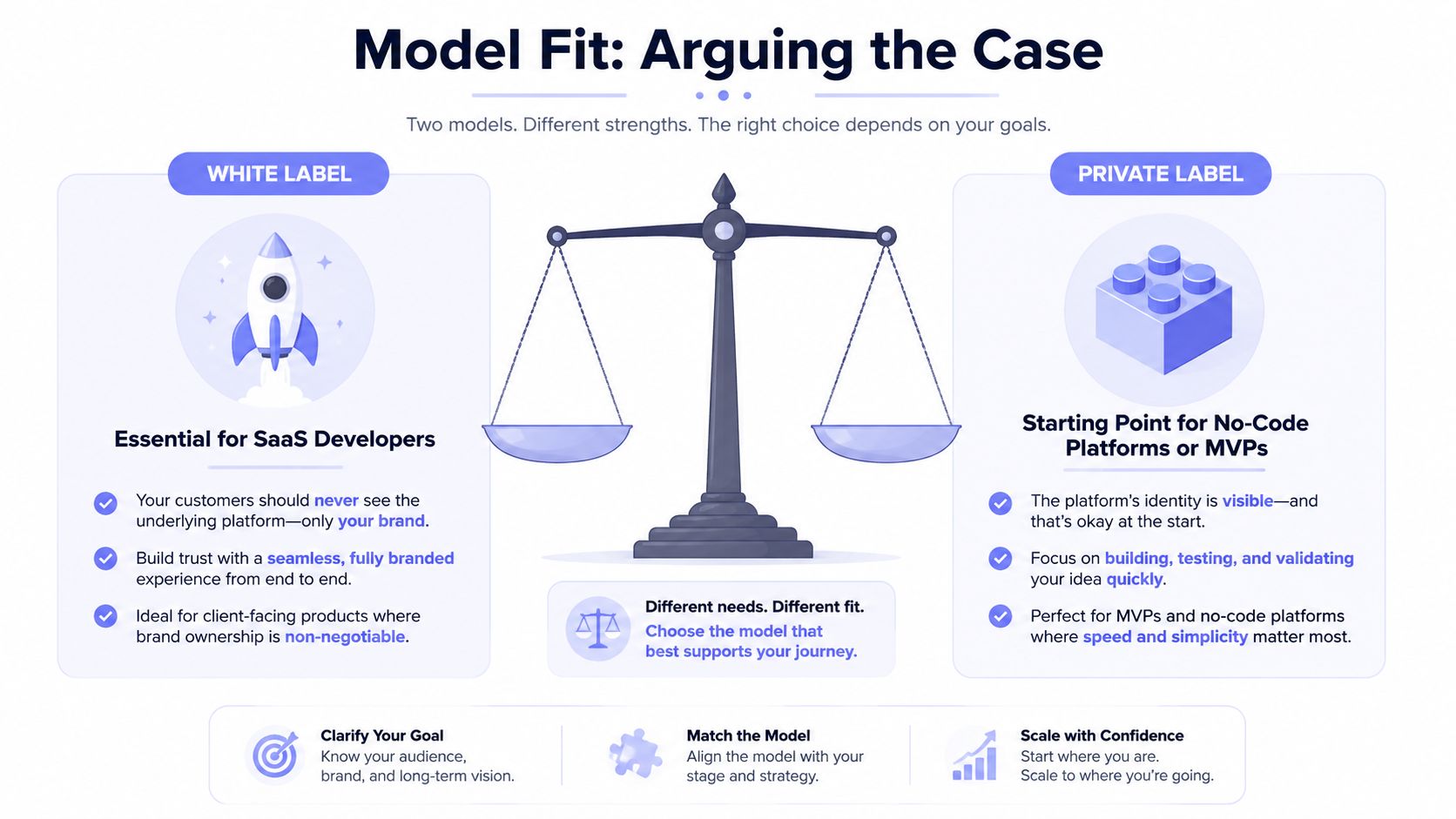 A comparison infographic between white label and private label business models for SaaS developers and startups.
A no-code builder has a different constraint. Suppose you're assembling a client portal in Bubble or Retool for yourself and a small internal admin group. The users already understand the project's plumbing, and you're still testing whether the workflow deserves a dedicated product surface. Private label is the better starting point. It keeps the build narrow, avoids premature re-skinning, and lets you validate account connections and publishing behavior before taking on a broader branded experience.
The economics reinforce that call for low-volume pilots. A no-code builder may not have enough activity to justify a platform-style white-label commitment, especially when the builder can absorb the provider identity without confusing the audience. Build the product loop first. Rebrand when customers, not aesthetics, create the requirement.
AI agent builders should be much more aggressive. An autonomous agent publishing on behalf of many users needs white label whenever users directly encounter the connection flow, error toasts, approval prompts, or rate-limit emails. Trust evaporates when an agent carries your name in one screen and an unfamiliar infrastructure vendor's name in the next.
The agent also needs predictable ownership boundaries. Users should know which application requested authorization, who receives support questions, and which brand is responsible when a post fails. A branded MCP integration can support that experience, but branding alone doesn't remove the need to design retries, permissions, audit logs, and tenant isolation.
PostPulse supports these product patterns through a unified social publishing layer, with REST API access, official n8n and Make.com nodes, and an MCP server for AI-agent workflows. The platform connects to 10 social platforms, including Instagram, TikTok, YouTube, LinkedIn, X, Threads, Bluesky, Facebook Pages, Telegram, and Pinterest.
The practical recommendation is simple:
SaaS products with external end users should default to white label.
Internal tools and no-code pilots should start private label.
AI agents with user-facing authorization should plan for white label from the beginning.
Migrating From Private Label Prototype to Full White Label
Migration works best as a runbook. Don't start by changing the logo. Start by finding every place where the old provider identity can leak into the experience.
1. Audit the visible contract
Search application strings, email templates, support macros, documentation, help-center links, browser titles, webhook descriptions, and failure states for provider references. Test both successful and unsuccessful paths. A token refresh failure or rejected post often reveals branding that the happy path hides.
Create a surface inventory with an owner for each item. Include the OAuth callback, account connection page, queue dashboard, post preview, publication confirmation, error notifications, and billing emails.
2. Rework OAuth deliberately
Register or configure the OAuth application so the consent screen uses your logo, privacy URL, and support email. Then plan for platform review on each social network. Approval timing varies by platform, so don't schedule your public launch around an optimistic review assumption.
Keep the old and new callback paths available during the migration window if your architecture permits it. Store the relationship between your tenant, your internal social account identifier, and the provider's identifier so reconnecting an account doesn't create a duplicate.
3. Normalize webhooks and tenant handling
Rebuild webhook handlers around your own event taxonomy rather than exposing provider-specific event names directly to customers. Your application should translate publication states into stable events such as queued, published, rejected, expired, or retrying.
Then review rate-limit handling. A shared worker that was acceptable for a private-label prototype may become a noisy neighbor problem in a multi-tenant white-label product. Separate tenant-aware queues, retry policies, and observability before one customer's burst of publishing affects another customer's jobs.
4. Reconcile billing and legal ownership
Update billing webhooks so per-account charges reconcile against your customer count and your definition of an active account. Agencies and resellers need special treatment because the person paying you may not be the person who owns the connected social accounts.
The migration also requires updated terms, privacy disclosures, support commitments, and data-processing language. Your customer now experiences the publishing workflow as yours, so your contracts should reflect that relationship.
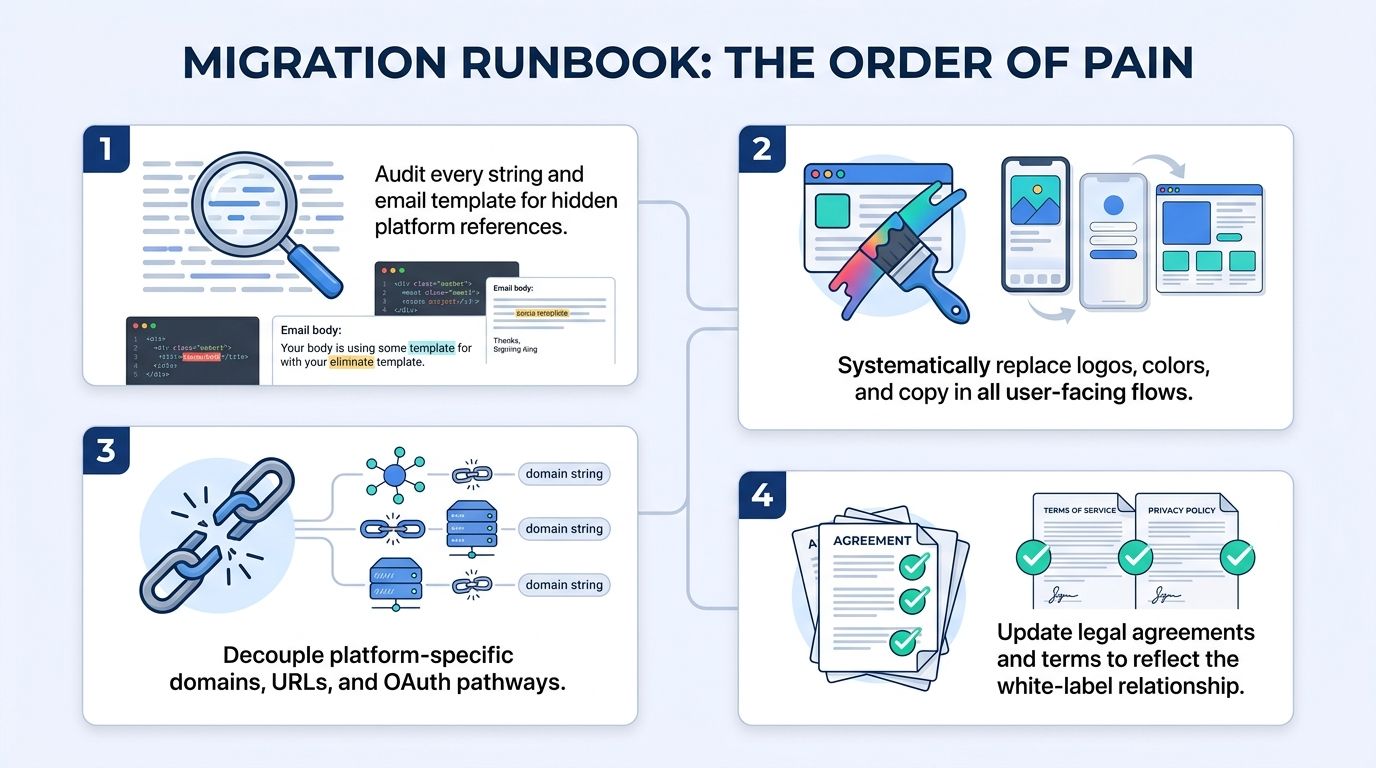 A migration runbook infographic showing four essential steps for transitioning a product to a white-label model.
One gotcha catches first-time migrators: social platforms can cache old branding for up to 30 days. Treat the old identity as a lingering production dependency. Keep support staff ready to explain the transition, and test what users see from fresh authorization, existing authorization, email links, and previously opened consent screens.
Choosing the Right Model Based on Your Stage and Audience
The right answer changes with two variables: how mature the product is and who touches the publishing flow. A developer-facing API can tolerate visible infrastructure. An end-user application usually can't.
Stage | End Users | Developers | Mixed Audience |
Idea | Start private label. Validate the first publishing path, then plan the branded OAuth surface before beta. | Start white label if branded docs, status pages, and SDKs are part of the product promise. | Keep the API private label, but reserve a branded UI boundary for end users. |
Beta | White label for paying pilots where renewals depend on a cohesive experience. | Private label while validating integration demand and implementation effort. | White-label the customer portal, private-label internal administration. |
Launched | White label unless support and margin constraints make the operational burden untenable. | Choose based on whether the provider identity helps users evaluate the integration. | Separate commercial and technical surfaces, with explicit ownership in each. |
Scaling | White label or a hybrid. Your brand should own onboarding, publishing, and incident communication. | White label the developer platform if partners resell your capability. | Keep advanced infrastructure details available to developers while hiding them from end users. |
For an idea-stage team targeting end users, private label is the fastest route to a working feature. The next concrete step is to embed the PostPulse publishing connection now and schedule the branded OAuth screen before the first paid rollout.
For an idea-stage team targeting developers, white label deserves earlier attention. Developers evaluate documentation, SDK behavior, status communication, and ownership boundaries more closely than a casual internal user. Build those branded surfaces before partners depend on provider-specific terminology.
Beta founders should split the decision by commercial evidence. Paying pilots justify white label because a branded flow can protect renewals. If you're still validating willingness to pay, private label keeps the implementation small and gives you cleaner product feedback.
Launched teams should white-label unless the platform fee, account costs, and support obligations would damage the feature's margins. Scaling companies almost always need white label or a hybrid. Keep infrastructure details available to technical operators, but make the customer's core connection, approval, publishing, and recovery journey belong to your product.
PostPulse gives app developers, no-code builders, and AI-agent teams a unified way to publish across social platforms through REST API, n8n, Make.com, or MCP integrations, with private-label and fully branded white-label paths. Visit PostPulse to choose the integration and branding model that fits your current audience, usage pattern, and launch stage.
About the Author

Founder of PostPulse — a social media scheduling platform for creators and teams. Software engineer with a passion for building developer tools and simplifying complex API integrations across social media platforms.