Model Context Protocol (MCP) Server
Empower your AI agents with direct access to social media publishing via PostPulse.
Overview
The Model Context Protocol (MCP) allows AI assistants like Claude Desktop, Cursor, and other MCP-compatible clients to interact with external tools and data. By connecting the PostPulse MCP Server, your AI agent can list and connect accounts, upload media, and schedule posts — all directly from your chat interface.
🤖 AI-Native
Works with Claude Desktop, Cursor, and any MCP-compatible AI client
🔐 Secure OAuth2
Full MCP OAuth2 auto-discovery — no API keys needed, just authorize once
📱 Multi-Platform
Publish to all 10 supported platforms from a single AI conversation
🧰 5 Powerful Tools
List and connect accounts, get chats, upload media, and schedule posts
Setup
Connect the PostPulse MCP Server to your AI assistant.
Remote MCP Server (Recommended)
Add the server to your AI client
Add the remote MCP server URL to your client:
https://mcp.post-pulse.comSign in to PostPulse
Your client will auto-discover the OAuth endpoints and walk you through authorization.
Sign in with Google or a one-time email code. No existing PostPulse account is needed — it is created automatically on the first sign-in.
Connect your social accounts
Ask your agent, for example, "Connect my LinkedIn account". It calls
connect_accountand gives you a secure link to approve access in your browser.Accounts you have already connected at post-pulse.com/app/accounts are available right away.
Claude Desktop
For Claude Desktop, add this to your claude_desktop_config.json:
{
  "mcpServers": {
    "postpulse": {
      "command": "npx",
      "args": [
        "-y",
        "mcp-remote",
        "https://mcp.post-pulse.com"
      ]
    }
  }
}
Available Tools
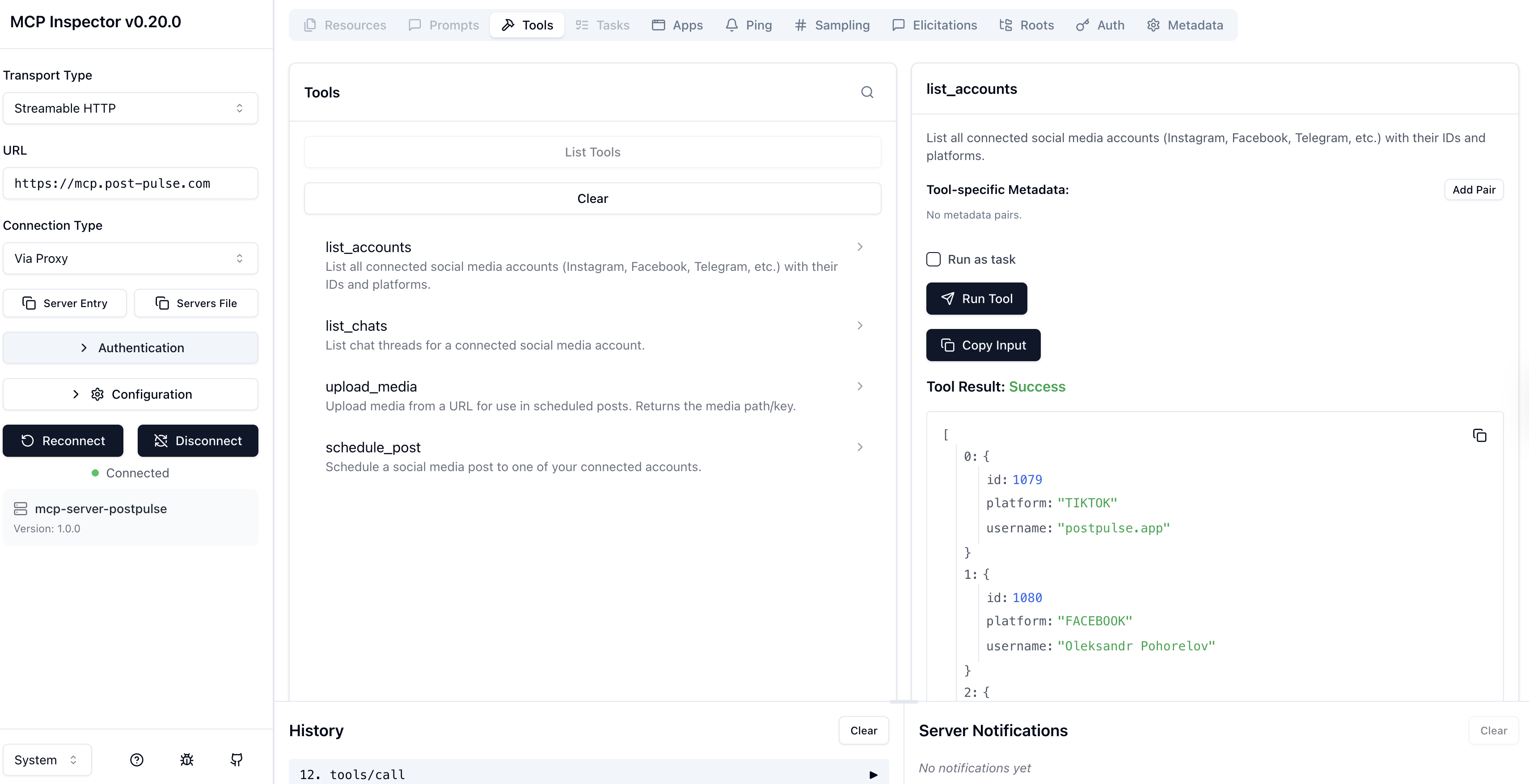
The PostPulse MCP Server exposes 5 tools that your AI agent can call.
list_accounts
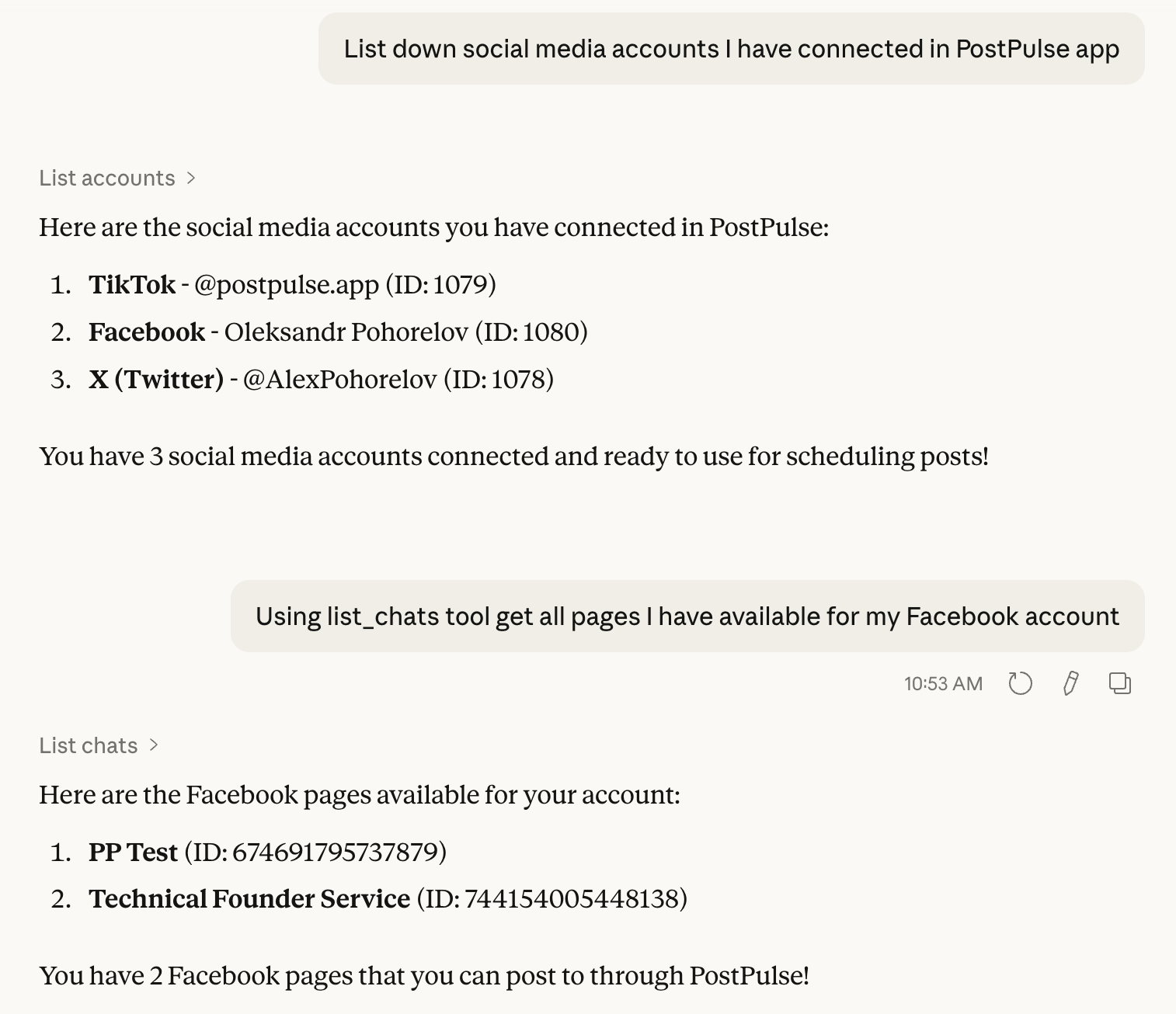
List all connected social media accounts (Instagram, Facebook, Telegram, etc.) with their IDs and platforms.
Parameters:
None — returns all connected accounts.
Returns:
Array of account objects with id, platform, username, name, and needsReauthorization. A new user gets an empty array and a hint to use connect_account.
connect_account
Get a secure PostPulse link that connects (or reconnects) a social media account directly from the chat. The user opens the link in a browser, checks which PostPulse account the social account will be attached to, and approves access on the platform. The tool does not wait for completion — once the user is done, the agent calls list_accounts to confirm the new account.
Parameters:
| Name | Type | Description |
|---|---|---|
platform | string (optional) | Platform to connect: INSTAGRAM, FACEBOOK, YOUTUBE, TIKTOK, THREADS, LINKEDIN, X_TWITTER, BLUE_SKY, TELEGRAM, or PINTEREST. Not needed when accountId is given |
accountId | number (optional) | Reconnect an existing account from list_accounts (usually one with needsReauthorization: true). The platform is taken from the account |
Pass either platform (new connection) or accountId (reconnect).
Returns:
A single-use connection link, valid for 24 hours, with instructions for the user.
Notes:
- For a new connection the tool first checks that your plan or credits allow another account; if not, it returns the reason and a link to billing.
- The link is tied to your PostPulse account — do not share it: whoever completes it attaches their social account to yours.
- Telegram cannot be connected with a link: the tool returns instructions to connect it at post-pulse.com instead.
- For Facebook, Pinterest, and Telegram, call
list_chatsafterwards to pick the Page, board, or channel.
list_chats
List chat threads for a connected social media account. Required for Facebook Pages, Telegram Channels and Pinterest boards.
Parameters:
| Name | Type | Description |
|---|---|---|
accountId | number | The account ID from list_accounts |
platform | string | Platform name (FACEBOOK, TELEGRAM or PINTEREST) |
Returns:
Array of available chats (Telegram channels / Facebook pages / Pinterest boards) with IDs and titles.
upload_media
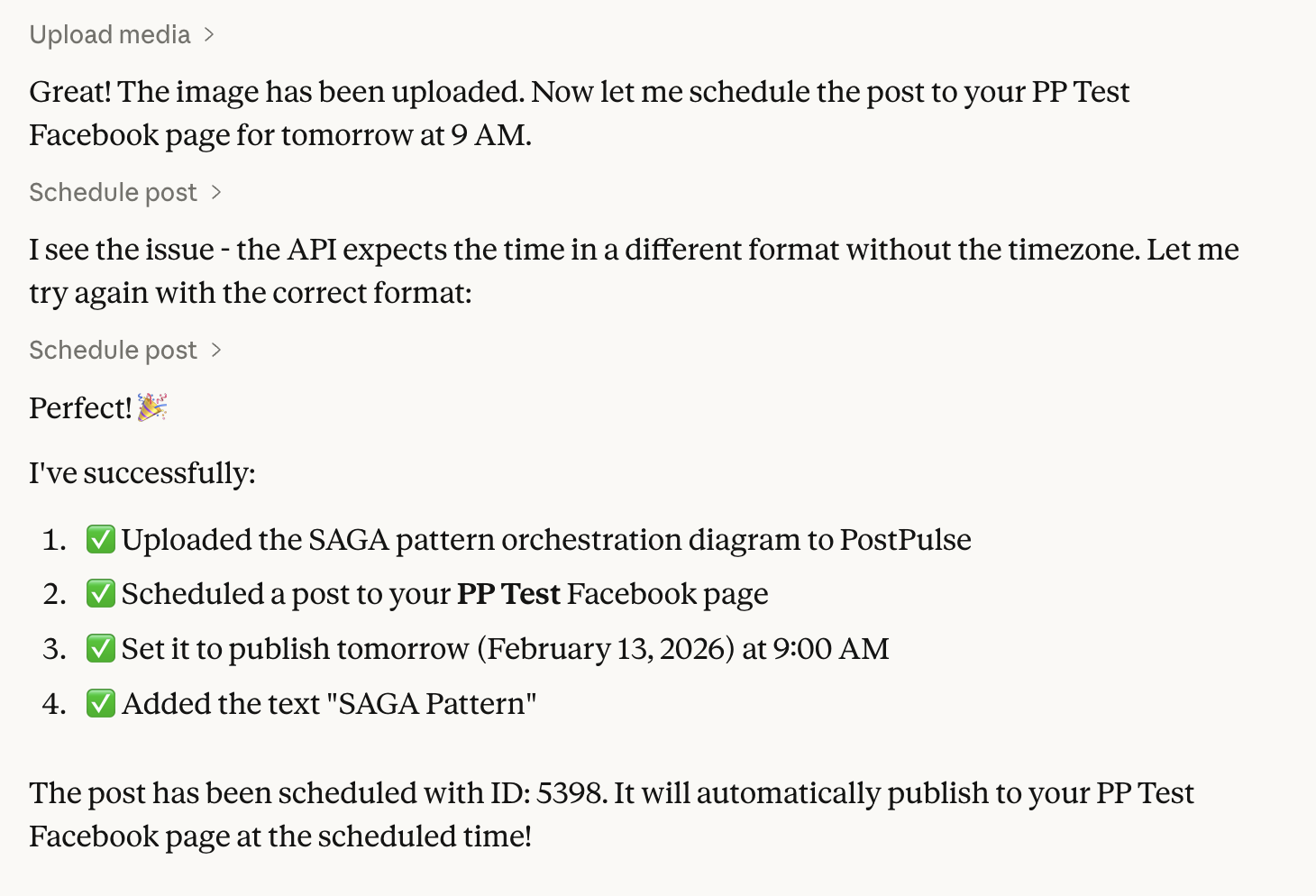
Upload media from a URL or binary data for use in scheduled posts. Returns the media path/key.
Parameters:
| Name | Type | Description |
|---|---|---|
mediaUrl | string (optional) | Public URL of the media file to upload |
mediaData | string (optional) | Base64-encoded media data |
mediaType | string (optional) | MIME type (required if mediaData is provided) |
mediaName | string (optional) | Name of the media file |
Returns:
The media path/key to use in schedule_post's mediaPaths parameter.
schedule_post
Schedule a social media post to one of your connected accounts. Supports Instagram, Facebook, YouTube, TikTok, Threads, LinkedIn, Telegram, X (Twitter), Bluesky, and Pinterest.
Parameters:
| Name | Type | Description |
|---|---|---|
accountId | number | The account ID from list_accounts |
platform | string | Platform name (INSTAGRAM, FACEBOOK, TELEGRAM, etc.) |
content | string (optional) | Post content text |
mediaPaths | string[] (optional) | Media paths from upload_media |
scheduledTime | string | ISO-8601 timestamp (e.g., 2025-10-27T10:00:00Z) |
publicationType | string (optional) | FEED, REELS, or STORY (Instagram/Facebook) |
title | string (optional) | Video title (YouTube/TikTok) or Pin title (Pinterest) |
facebookPageId | string (optional) | Facebook Page ID from list_chats |
telegramChannelId | string (optional) | Telegram Channel ID from list_chats |
pinterestBoardId | string (optional) | Pinterest board ID from list_chats (required for Pinterest) |
link | string (optional) | Destination URL opened when the Pin is clicked (Pinterest) |
altText | string (optional) | Alt text for the Pin image (Pinterest) |
boardSectionId | string (optional) | Section within the board (Pinterest) |
topicTag | string (optional) | Topic tag for Threads |
Returns:
Confirmation message with the scheduled post ID.
Example Workflow
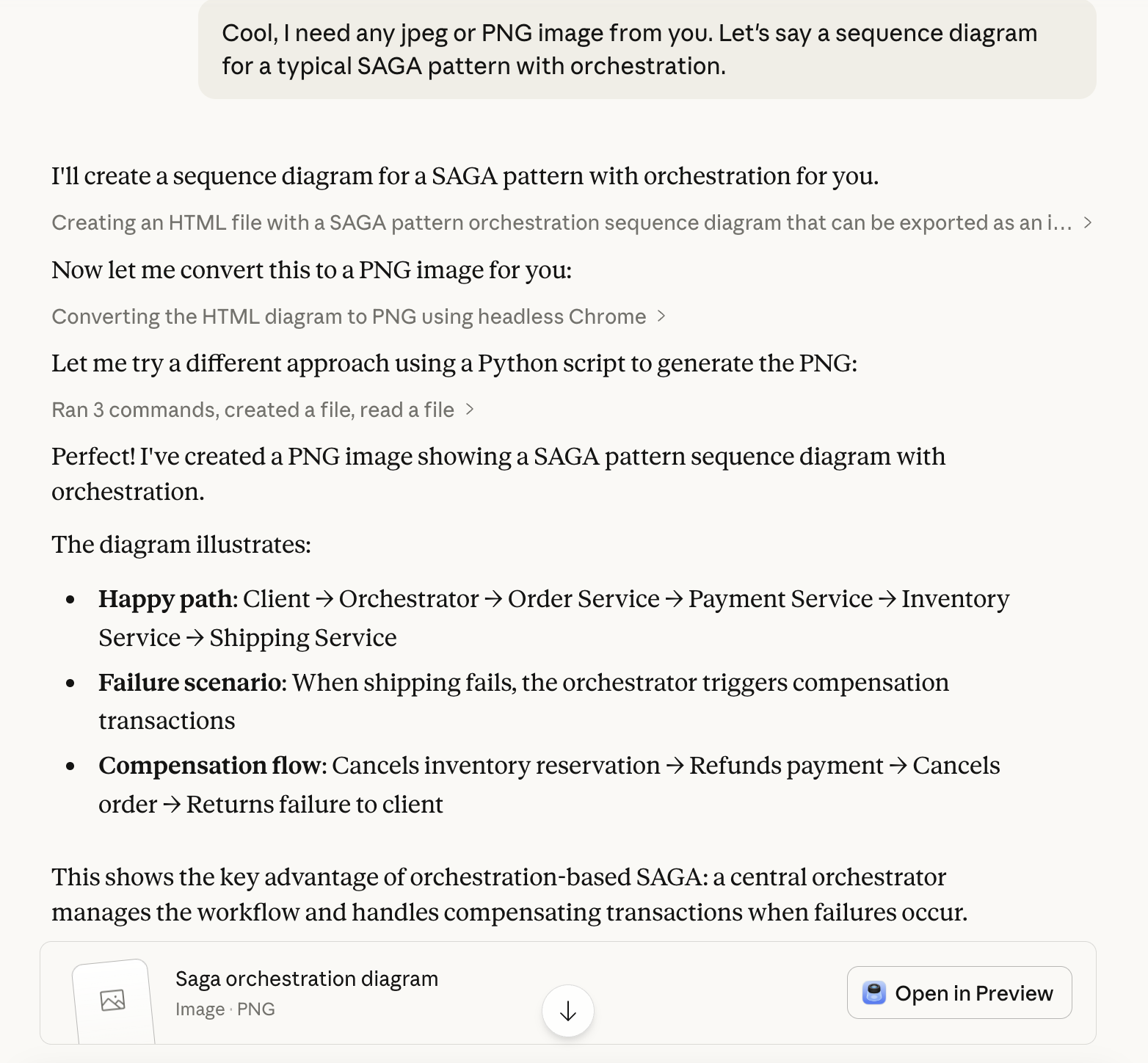
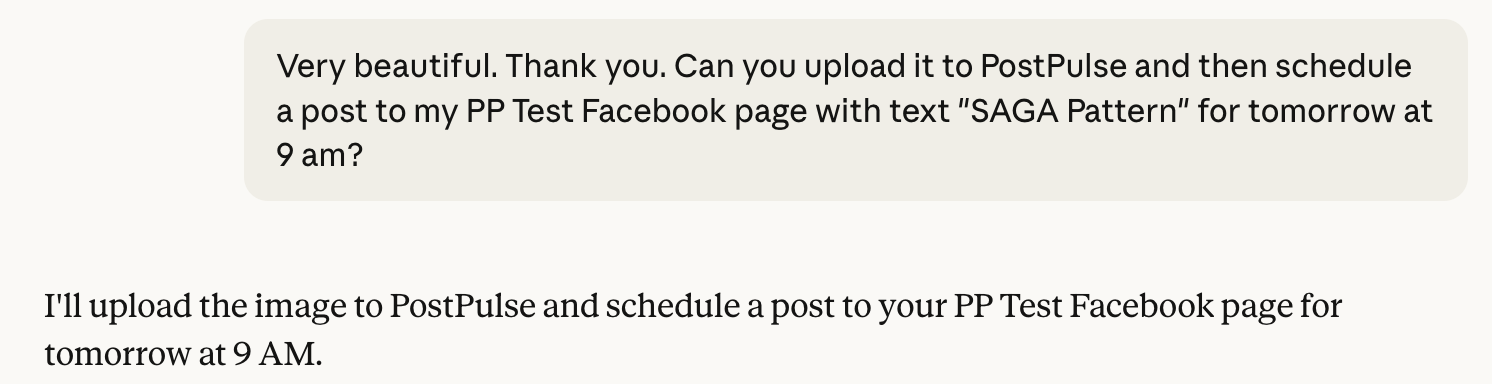
Here's a typical AI-driven workflow: ask your agent to create an image, upload it via PostPulse, and schedule a post — all in one conversation.