White Label Social Media Posting: How Publishing Works
Published on
Tags:
You shipped the Connect button three months ago and it works. A user taps it, approves access, comes back to your app, and their Instagram account appears in settings with the right handle and avatar. Then you shipped the Publish button, and the tidy abstraction in your head came apart.
The first post goes out fine. The second one sits in a state your database calls "published" while nothing appears on the account. The third fails with an authorization error even though the account still shows as connected. None of that is unusual. It's what happens when one button has to stand in for several different jobs that each platform defines on its own terms.
Table of Contents
Why One Post Becomes Several Different Jobs
A Publish button looks like one action to the person clicking it and like a small program of work to the team behind it. Instagram splits publishing into two calls, one to create a container and a second to publish that container, and every other network documents a different shape with its own scopes, media rules and quota model. The button stays the same. The jobs underneath don't.
White label social media posting means your product publishes to the social accounts your users connect, and the connection screen, the publishing calls and the account list all carry your brand rather than the provider's. Think of a shop stocking a supplier's product on its own shelf under its own label. The customer buys from the shop, pays the shop, and never learns the warehouse exists.
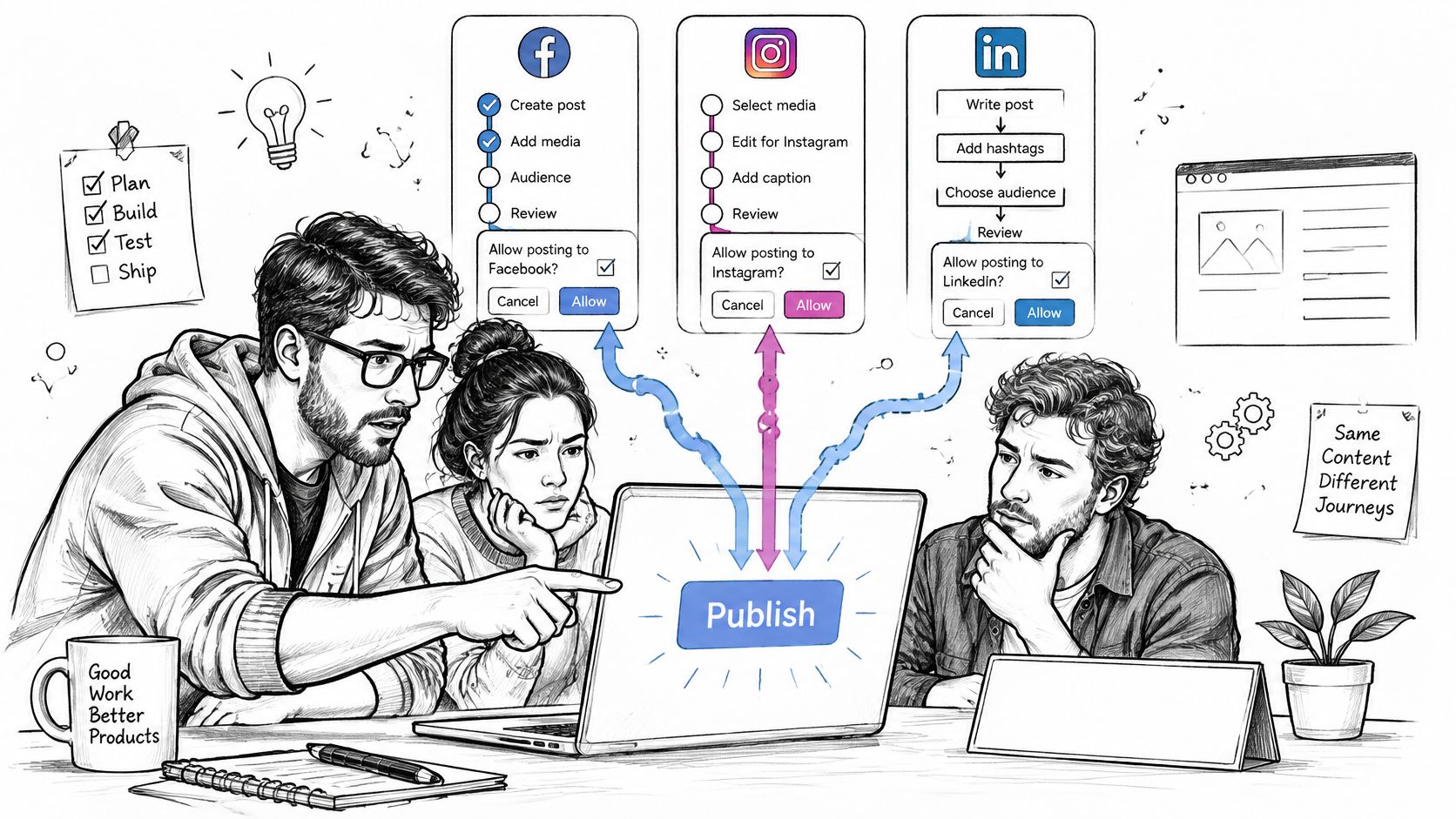 Three colleagues collaborating on a laptop to manage social media posting for Facebook, Instagram, and LinkedIn platforms.
Three people around one screen is the product in miniature, and the details that decide whether it holds up sit behind that screen.
The audience is not small. DataReportal counted 5.24 billion active social media user identities worldwide in January 2025, equal to 63.9% of the global population, in its Digital 2025 global overview report. Publishing to several networks at once is a mainstream product requirement, not a specialist workflow.
Authentication and token life. Each network issues its own tokens, refreshes them on its own schedule and revokes them on its own terms, so a working connection is a temporary state rather than a permanent one.
Media rules. Aspect ratios, file sizes and accepted formats differ per network, and a rejection reason on one tells you almost nothing about another.
Publishing permissions. Scopes are named differently and granted at different points, so a connection that succeeds can still lack the right to post.
Publishing flow. Some networks accept a post in a single call. Instagram makes you create an object first and publish it second, which turns one request into a tracked state machine.
This guide stays narrow on purpose. It covers the posting flow inside a white-labeled app, from the connect screen through the publishing calls to the retry logic after a failure. It isn't a buying guide for white-label platforms. Most of the core work is queue management rather than copywriting, and a guide to plan and batch social content covers the scheduling layer that sits on top of the API calls.
Build, Private-Label or White-Label Compared
Three models get called white label in the same conversation, and they put responsibility in different places. Set them against the same four questions and the choice gets easier.
Model | Who runs OAuth and tokens | Who the user sees connecting | Who handles platform changes | Best fit |
Build in-house | Your team, per platform | Your brand and your code | Your team | One or two platforms with a team to maintain them |
Private-label API | PostPulse, behind your app | Users connect inside PostPulse | PostPulse | Internal tools and self-serve builders |
White-label | PostPulse, behind your brand | Your branded OAuth screen; users never see PostPulse | PostPulse | Apps and agencies reselling publishing under their own brand |
In-house means your team builds and maintains one integration per platform, so your brand and your code are what users see. Private-label means your users connect their accounts inside PostPulse and you publish through the API, so the plumbing sits behind your app rather than in it. White-label gives you the same plumbing behind your name, and users authorize through a screen that looks like yours.
Demand for publishing inside someone else's product isn't hypothetical. In 2024, 94% of surveyed brand, retailer and agency professionals said their companies or clients used social media for marketing, according to Digiday+ Research. The white label vs private label comparison walks the difference through in more detail.
How the Branded Connection Flow Works
A connection flow is where white-label promises usually break, because it's the one screen where your brand and the platform's security requirements have to coexist.
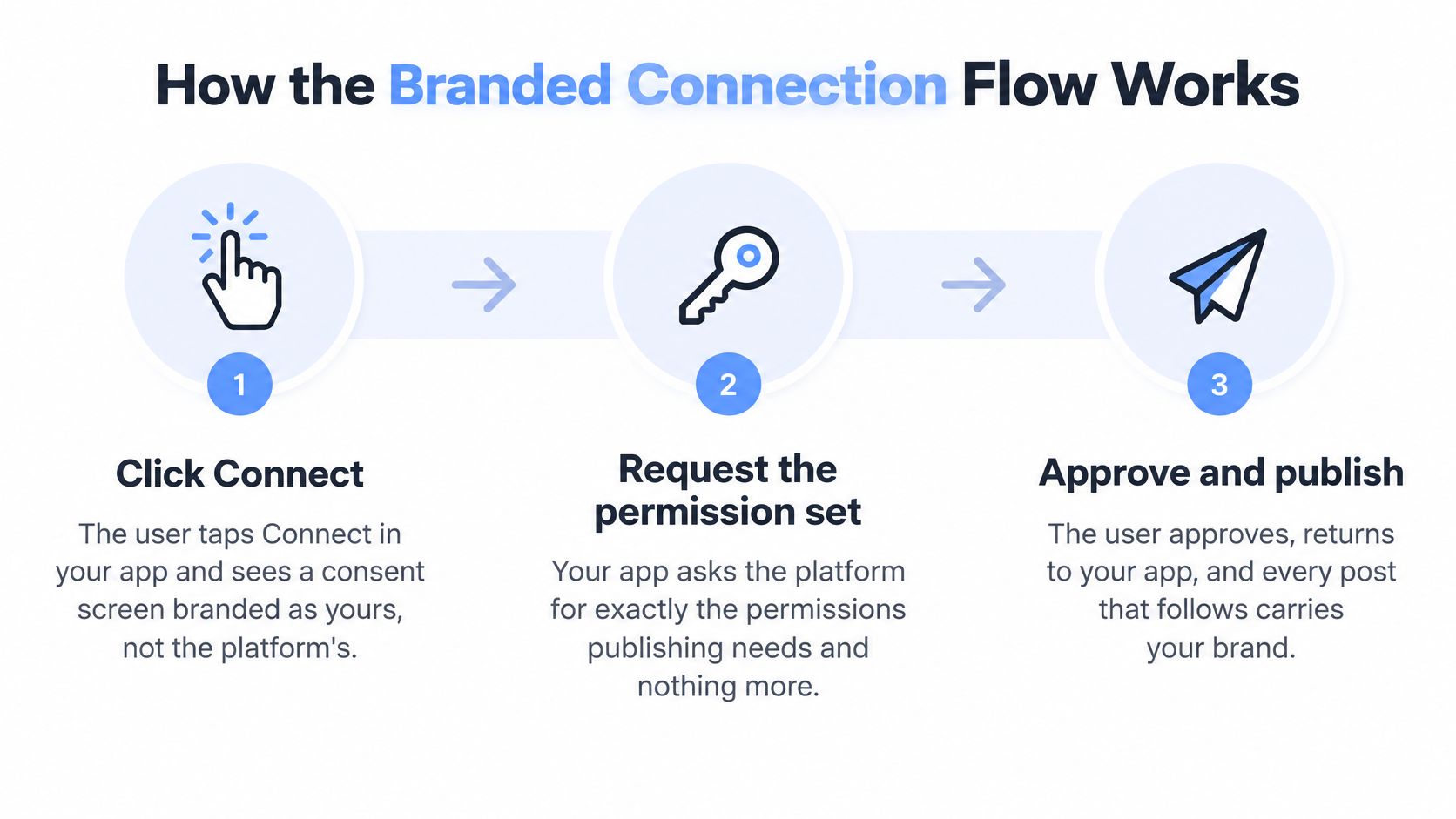 A three-step infographic showing how the branded connection flow works for social media publishing.
The user clicks Connect inside your app. The consent screen carries your logo, colors and product name rather than the platform's house style. The platform still hosts the actual authorization, which is what keeps the request trustworthy. Your job is the framing around it.
Your app requests the permission set that matches its publishing path. Meta's Instagram Platform overview lists instagram_business_basic and instagram_business_content_publish for the business-account path, while the container documentation names instagram_basic and instagram_content_publish for the applicable Instagram API path. Confirm which path you're on before writing consent copy, and say plainly why publishing access is being requested.
The callback returns and the backend completes the token exchange. Write the tokens against the account, and confirm token lifetime and refresh behaviour in Meta's docs for your path instead of assuming it. An expired token is the most common reason a connection that worked last month fails today.
Store the granted scopes, not just the success. A record that says "connected" tells you nothing when the first publish call comes back unauthorized.
Mark the account publish-ready only when the publishing permission is present. Linking and publishing are separate abilities, and the gap between them is where support tickets come from.
The failure mode to design against is a connection that looks successful and fails at the first post, because the user approved a scope set that never included publishing. Your UI shows a green tick, the API returns an authorization error, and support has nothing to go on. Treating granted scopes as the gate closes that gap.
A connection record worth keeping holds the account identifier, the owner user, the granted scopes, the time of connection and a status that separates linked from publish-ready. Everything downstream reads from that record.
Here's the same flow walked through end to end if you prefer watching to reading:
Publishing Calls, Container States and Failures
Instagram publishing is two calls, and the gap between them is where white-label schedulers lose track of a post. An app first creates an IG Container with a POST request to the app user's Instagram media endpoint, then publishes that container with POST /{ig-user-id}/media_publish, as Meta's content publishing documentation describes. The first call returns a container ID that the second call needs, so you have to persist it and tie it to both the connected account and the post job.
That's the structural point most integrations miss. Container creation and publication are separate states, and an app that reports success after the first request is lying to its own users.
The states your scheduler should expose
Give every post an explicit status rather than a boolean, and let the UI read from it directly:
Queued. Accepted, waiting for its scheduled time or for a worker to pick it up.
Container created. The media is staged on the platform side and the container ID is stored but nothing is public yet.
Published. The publish call returned and the post is live.
Deferred. Deliberately parked, either by quota or by a policy decision, and it will be tried again.
Failed. It will not be retried without a human or a changed input.
Retry the step that failed, not the whole post
Repeating the publish step is not the same as uploading the media again. If the container exists, a retry should call media_publish for that container ID, not recreate the container. Restarting from the top wastes a container against your allowance and can produce duplicate content when the first attempt succeeded but the response timed out.
The rule I'd draw: a retry button should never restart a post that already has a container. It should re-run the exact step that broke, with the failure recorded against that step.
Five failure classes and how to respond
Failure | Typical signal | What the system should do |
Expired or revoked token | Authorization error on a publishing call | Pause the account and ask the user to reconnect |
Quota exhausted | Publishing limit reached for the account in the current window | Defer the post and retry after the window resets |
Moderation rejection | Platform refuses the content | Mark the post failed, show the reason and do not retry automatically |
Unsupported media | File type, size or format outside platform rules | Reject before dispatch and tell the user what to change |
Provider outage | Platform error that is not specific to the account | Retry with backoff and keep the post queued |
The distinction matters because four of those five look identical in a log that only records "publish failed". If the social media management API pattern you're building on collapses them into one error code, you'll spend your support time guessing which cause you're looking at.
Keeping Disclosure and Ownership With Each Post
Compliance here is a data model question before it's a design question. If the fields aren't stored when the post is approved, no amount of polished UI will reconstruct them later.
On April 18, 2017, the U.S. Federal Trade Commission said it had reviewed Instagram posts by celebrities, athletes and other influencers and sent more than 90 letters reminding influencers and marketers to clearly disclose their relationships with brands. Its guidance applies when an endorser has a "material connection" with an advertiser, including financial, employment, personal or family relationships, and says the disclosure should be clear, conspicuous and placed with the endorsement itself. The same guidance notes that disclosures stay relevant when content appears in a platform-native format, so automating the publish doesn't remove the obligation to keep the context accurate.
For every post, the white-label layer should store the account owner, who approved it, the disclosure text or label used, the time of approval and the time of publication. That set is what lets you answer a question six months later without digging through email.
A system can hide its own infrastructure and still be compliant. It should never hide who is speaking, whose product is promoted, or what commercial relationship exists.
Branding the flow is your right. Obscuring the speaker is not. Keep approval and disclosure attached to the post record, keep an audit trail of who changed what, and read the social media compliance guidance for the parts that touch consent and record keeping.
Rules differ by country and by industry, so take jurisdiction-specific questions to your own legal counsel. The product requirement is the part you can build today.
Publishing for Ten Client Accounts
An agency runs a white-label scheduler for ten client Instagram accounts. One client asks for a burst of 60 container-based posts in a single day on a single account, because a product launch landed late and the whole calendar moved.
Meta's content publishing limit endpoint reports quota_total as 50 containers over a quota_duration of 86,400 seconds, which is 24 hours. The endpoint is GET /{ig-user-id}/content_publishing_limit, and its job is to return the app user's current publishing usage for the period.
So the first 50 containers go through and the last 10 don't. What happens to those ten is the whole design question. They should land in a deferred state with a reason of quota-blocked, not a failed state with an invalid-token error, because those two outcomes lead a support agent in opposite directions. One means the schedule was too dense. The other means the client has to reconnect an account that's perfectly fine.
The other nine accounts keep publishing throughout. The check runs per connected Instagram account, so one client's launch burst doesn't stall anyone else's queue.
What the scheduler should keep for diagnostics
The usage payload the endpoint returned. The counts at the moment of dispatch, not a number you recomputed later.
A timestamp on every container creation. It shows how the burst consumed the allowance and where the line fell.
The reason attached to every deferral. Quota, moderation or policy, recorded at the moment the decision was made.
The account ID on each record. Without it, quota data from one client gets read as another client's problem.
Tell the client the schedule before you accept the brief. A quota block only becomes a trust problem when it arrives as a surprise on launch day.
The practical lessons for the agency are unglamorous. Spread a 60-post burst across two days instead of arguing with the platform. Confirm the delivery plan with the client in writing before the calendar is locked. And never let the UI describe a quota block as a broken connection, because the account is fine and the connection is fine. The schedule exceeded a documented platform allowance, and saying so plainly is better service than a vague error message.
Who Owns Platform Changes
Every platform changes authentication, scopes, quotas and API versions on its own timetable, and a white-label layer inherits each change whether or not it was ready. The question worth answering in writing is who absorbs that work.
The limit models don't line up across networks. Instagram publishes against a fixed daily container allowance per account, which is a blunt cap. Meta meters other publishing against app- and user-based ceilings, while YouTube charges operations against quota units, as this comparison of social publishing APIs lays out. Reading one platform's limit and assuming the next behaves the same way is how schedulers end up stalling in production.
Build a capability matrix before you build the integration, one row per platform, with these columns:
Auth method. OAuth version, token lifetime and refresh behaviour, taken from the platform's own docs.
Required scopes. The exact permission names for publishing, and which ones you also need for media upload.
Publishing flow. Single call or staged container, and what has to be persisted between steps.
Quota model. Per account, per app, per window or per operation, and how you check usage before dispatching a batch.
Doc page checked. The URL and the date you last read it, so the next person knows what the matrix is based on.
Change notice. Whatever that platform's own documentation says about deprecations. Don't assume a universal timeline, because there isn't one.
Then set up monitoring. Subscribe to each platform's changelog or deprecation announcements, and record the API version every connection was created against so you can tell which accounts a change will hit first.
A platform change isn't an incident until it reaches a customer's post. Design the customer notice at the same time you design the fix.
Decide who tests after a change, who ships the patch, and how affected customers hear about it. Put that in your roadmap and, if you resell publishing, in your contract.
A removed or renamed scope is a reconnection event, not a bug report. The account drops from publish-ready back to pending reconnect, the post stays queued, and the failure handling described earlier takes over from there.
Confirm Whether to Build or Buy Before You Ship
Work through four questions for your own product and the build-or-buy answer usually falls out on its own.
Do you need publishing on one platform or many? A single network is a smaller, more contained job. Three or more multiplies the auth, media and quota work rather than adding it.
Must the connection screen and every publish carry your brand? A consent screen with somebody else's logo breaks the promise on the first screen a user sees.
Do you have a team to track token refresh, quota windows, scope changes and API version updates every quarter? This is ongoing maintenance, not a project milestone. Someone has to own it.
Do you need stored approval and disclosure records per post? If yes, the data model is part of the product, not an afterthought you can bolt on later.
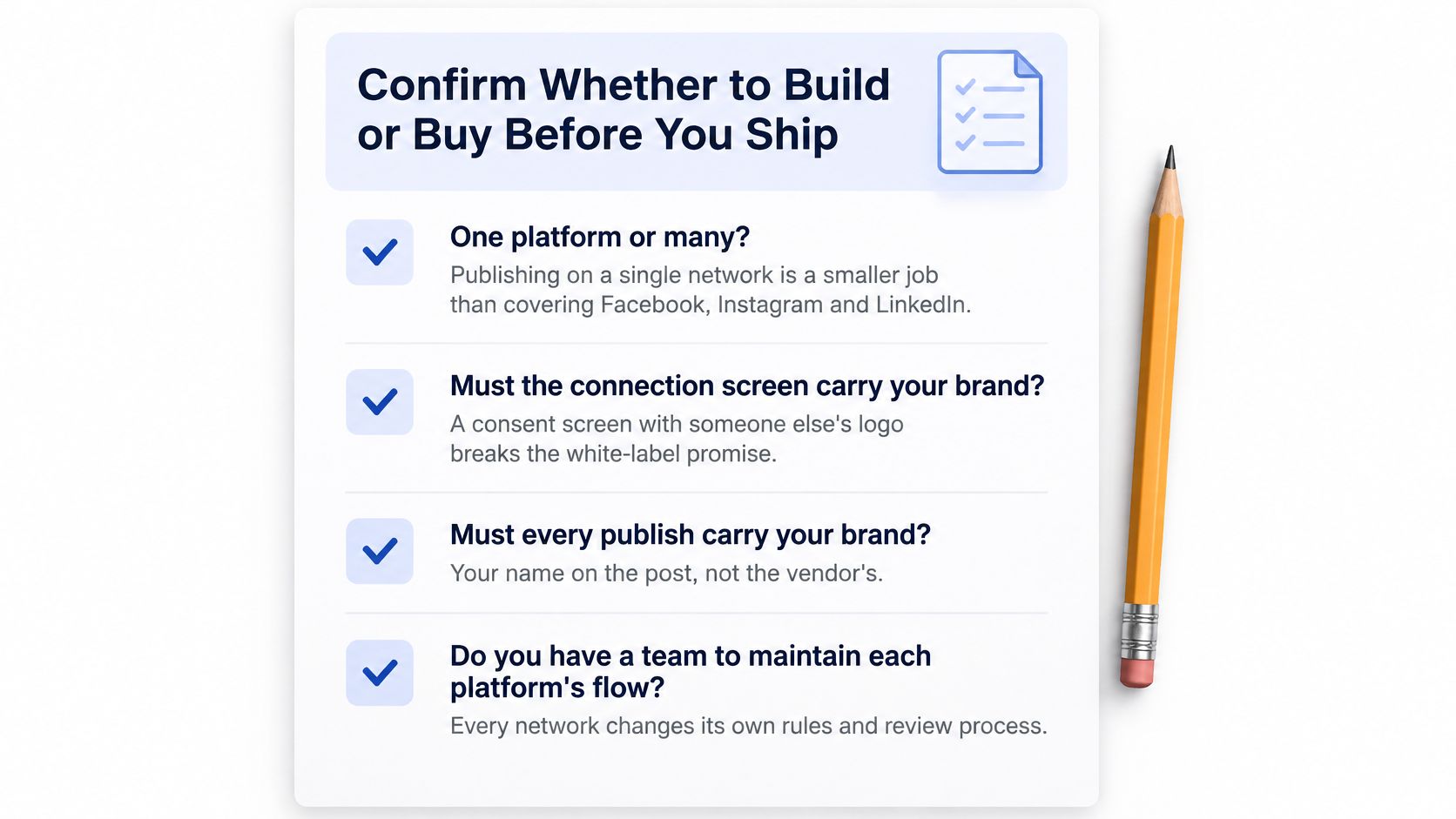 A checklist titled Confirm Whether to Build or Buy Before You Ship for white label social media.
A yes to the first two and a no to the third points at a white-label provider. A single-platform product with a stable team and no disclosure obligations can justify building in-house, and that's a reasonable call, not a cop-out.
PostPulse runs white label social media posting for agencies and SaaS companies, and the flow stays inside your product: users connect accounts through an OAuth flow branded as your own, publish from your interface, and never see PostPulse. The white label social media management page covers the wider offering, including what the admin side looks like when you're managing several clients.
The next step costs you an hour and saves weeks. List your target platforms, write down the permission set and quota model for each one straight from that platform's official documentation, and decide which of the failure states above your UI has to show. Ship the publishing code after that list exists, not before.
PostPulse publishes to 10 platforms from one integration, so container states, token refresh and quota checks sit behind your interface instead of inside your codebase. If you're building for agencies or shipping publishing inside a SaaS product, the white label flow keeps your users in your app from connect to publish, with branded OAuth and delivery logs you can debug. Visit PostPulse to see how the integration fits the stack you already run.
About the Author

Founder of PostPulse — a social media scheduling platform for creators and teams. Software engineer with a passion for building developer tools and simplifying complex API integrations across social media platforms.