What Is Social Media Publishing and How It Works
Published on · Updated on
Tags:
Your Instagram token expires after an hour. The carousel container is still IN_PROGRESS. TikTok accepted the upload, but the final post never appeared. Meanwhile, your scheduler has already marked the job as complete because the first HTTP request returned successfully.
That's the gap between clicking Publish and operating a reliable publishing system. Social media publishing isn't just writing a caption, selecting a time, and sending a request. It's a distributed workflow across different identities, media pipelines, API permissions, rate limits, processing states, and platform-specific rules.
This guide treats the problem the way an engineer encounters it in production. You'll get a practical model for what social media publishing includes, where implementations fail, how quotas and token lifecycles affect architecture, and when a direct integration, unified API, automation platform, or white-label layer makes sense.
Table of Contents
Why Social Media Publishing Feels Harder Than It Should
A prototype can look finished after it stores a caption, uploads an image, calls an endpoint, and saves the returned post ID. The first real account exposes the gaps. A token expires, media processing outlasts the request timeout, or a platform rejects the post after the account reaches a rolling quota.
The content is rarely the hardest part. The faulty assumption is that nine networks expose one interchangeable publishing operation.
Each API has its own identity model, permission scope, quota behavior, and media workflow. A Meta integration needs rate-limit handling. Instagram publishing uses a documented 24-hour content publishing cap, rather than a simple calendar-day counter. Instagram authentication also has a defined lifecycle. Short-lived Instagram User Access Tokens expire in 1 hour, while exchanged long-lived tokens expire in 60 days, according to the Instagram access token reference.
Production failures usually appear in the gaps between those steps:
A token works during development, then fails after deployment because no refresh or re-authentication path exists.
A media upload returns success, but the asset remains unavailable while validation or verification continues.
A retry creates duplicates, because the worker cannot determine whether the original request reached the platform.
A shared quota is exhausted, even though your application published little, because another API client uses the same creator account.
A “unified” composer copies one caption everywhere, although the media, length, mentions, and calls to action require different treatment.
Practical rule: Treat every publish request as a stateful job with an identity, target platform, media state, quota check, and audit trail.
The same rule applies to a SaaS product, internal marketing tool, n8n workflow, or AI agent. Cross-platform distribution increases coordination costs because each destination can accept related content while requiring different payloads, statuses, and completion checks. DataReportal reports 5.79 billion user identities worldwide, equal to 69.9% of the global population, with the average user actively using or visiting 6.5 platforms each month (DataReportal's social media user data).
A scheduler answers when to start a job. A publishing system must decide when the job is safe to call complete.
What Social Media Publishing Really Means Today
Social media publishing is the complete lifecycle of moving an idea into public distribution and learning from the result. It includes planning, creating, formatting, distributing, and analyzing content. Scheduling is one part of that lifecycle. Posting is another. Neither describes the whole operation.
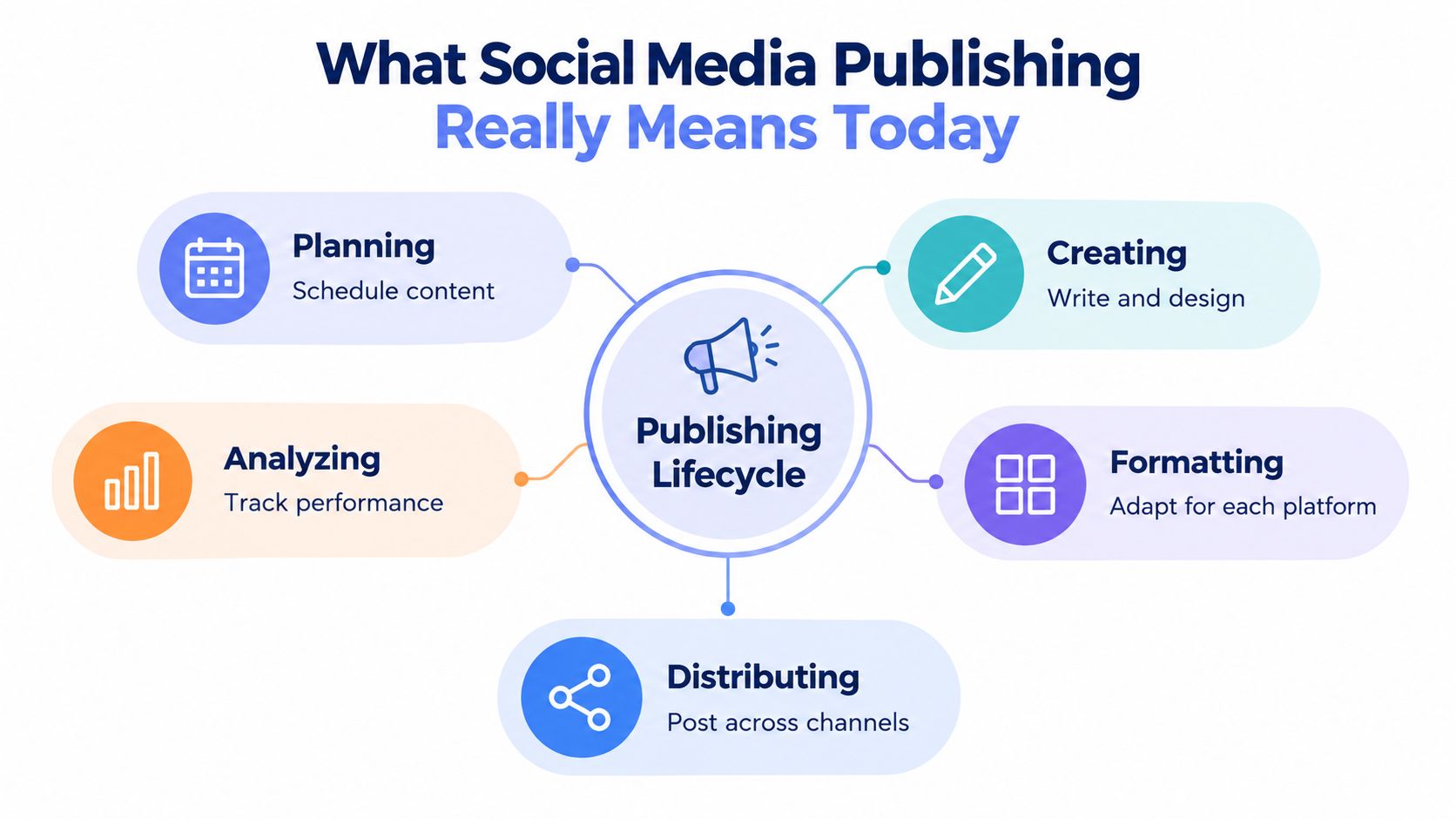 A diagram illustrating the five key stages of the social media publishing lifecycle: planning, creating, formatting, distributing, and analyzing.
A useful analogy is a print distribution system with nine different delivery trucks. The editorial team prepares one campaign, but each truck has a different loading bay, package size, route, receipt system, and delivery policy. Instagram, TikTok, YouTube, LinkedIn, X, Threads, Bluesky, Facebook, Telegram, and Pinterest may all receive related content, but they don't accept an identical payload or confirm delivery in the same way.
The five stages of publishing
Planning decides what should ship, for whom, through which channels, and under what approval rules. A campaign record might contain a canonical idea, target audiences, priority, embargo time, required review, and platform destinations.
Creating produces the raw material. That can include copy, images, short-form video, thumbnails, subtitles, links, and alt text. It also establishes the source asset from which platform-specific variants are derived.
Formatting adapts the source for each network. A vertical video may need different captions and metadata on TikTok, Instagram, and YouTube. A long explanation may become a concise post for X and a more detailed update for LinkedIn. A unified workflow should preserve the campaign relationship without pretending that one exact post fits every destination.
Distributing sends the prepared variants through the appropriate API or automation connector. This stage includes account authorization, quota checks, media transfer, processing-state polling, retries, and final publication.
Analyzing connects the published output to an outcome. You might track delivery status, platform post IDs, engagement, clicks, conversions, or editorial learnings. The point isn't to collect every metric. It's to know which content and distribution decisions deserve another iteration.
The historical shift explains why this lifecycle now needs software. Global social media user identities rose from 970 million in 2010 to 5.79 billion in 2026, nearly six times larger over roughly 16 years (DataReportal's Digital 2026 report). Publishing moved from niche sharing to mass distribution, so teams need reusable metadata, approvals, queues, and platform-aware delivery rather than a collection of manual posting tabs.
How the Publishing Workflow Actually Works
A reliable publish button is usually a job coordinator, not a single API call. The workflow must preserve state from account connection through final confirmation, because a successful upload doesn't necessarily mean a successful post.
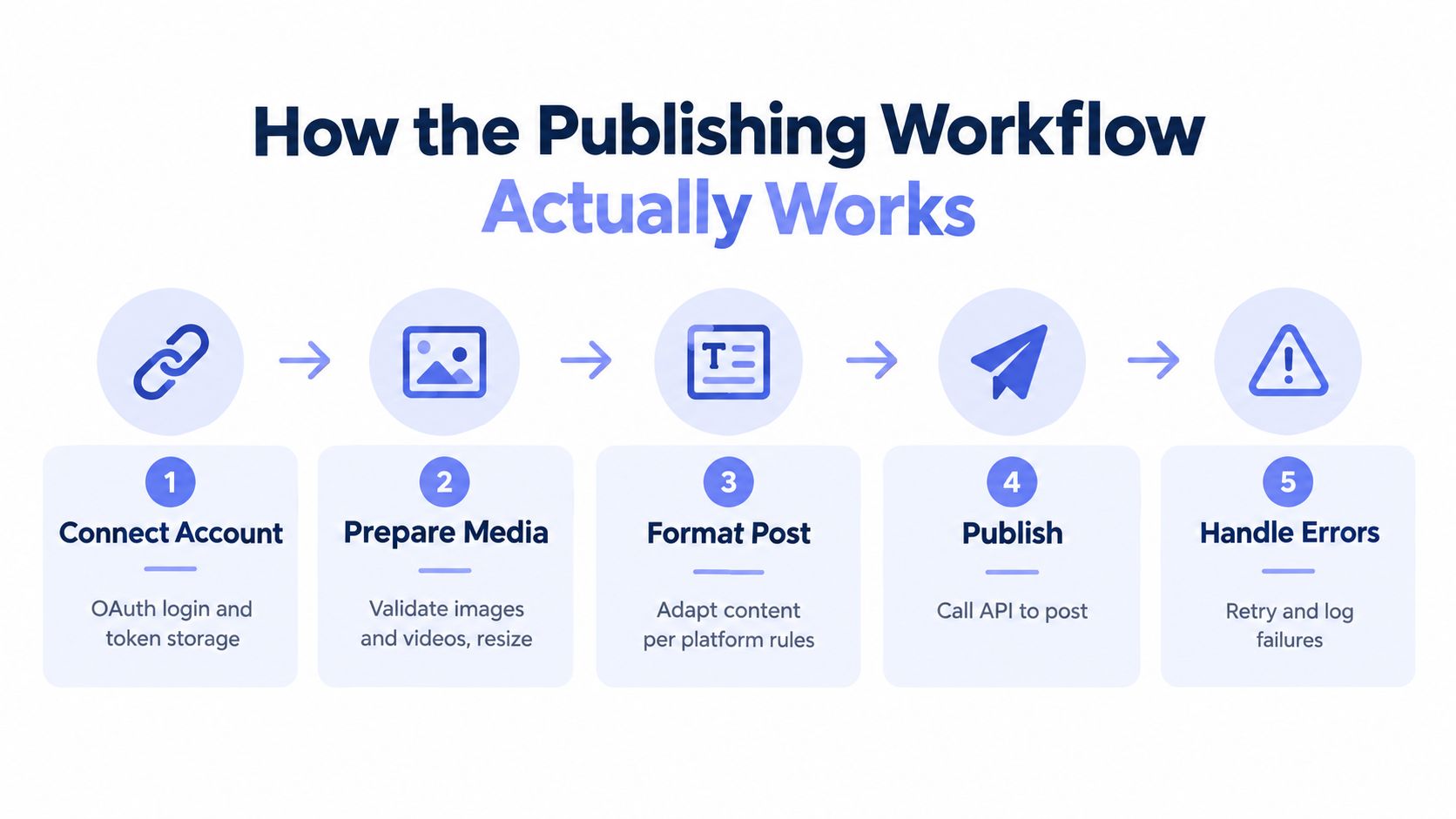 A five-step flowchart illustrating the technical workflow of publishing content to social media platforms.
Start with account and token state
The worker first identifies the destination account and checks whether its credential is usable. Don't store “connected” as a permanent boolean. Store the provider, account ID, token expiry, scopes, last validation result, and reauthorization status.
Instagram makes this especially concrete. A short-lived token expires in 1 hour, while a long-lived token expires in 60 days, so the integration needs token exchange and periodic re-authentication rather than a one-time setup screen (Instagram token documentation). The same principle applies broadly: credentials have lifecycles, and publishing jobs need to fail clearly when a user must reconnect.
Prepare and validate the media
Before calling a social API, validate the asset against the target platform and post type. Check content type, dimensions, duration, file size, and whether the media variant matches the requested operation. Rejecting an invalid asset before queueing it is much easier to debug than discovering the problem after several asynchronous requests.
Media publishing often requires a signed upload URL, an HTTP PUT, a verification step, and then final post creation. The social media media workflow guide describes this kind of presigned process, where the asset remains pending until confirmation. Your database should therefore track states such as created, uploading, uploaded, verifying, ready, failed, and published.
Create, poll, and publish
Some platforms use containers or processing resources before the final post exists. A worker should poll only when the platform requires it, use bounded backoff, and record the latest provider response. A container stuck at IN_PROGRESS isn't an invitation to retry the whole workflow blindly. It's a state that needs a timeout policy, diagnostic logging, and a decision about whether the media can be safely reused.
Idempotency matters here. Assign an internal publication ID and a deterministic operation key before the first provider request. If a worker crashes after the remote service accepts the request, a retry should inspect known provider state instead of creating a second post.
Make errors observable
Log the platform, account, operation, provider request ID when available, response status, retry count, media state, and final provider post ID. Handle transient failures separately from permanent failures. HTTP 429 responses generally require backoff, while invalid media or missing permissions usually need correction rather than repetition.
Teams choosing a scheduling layer should inspect whether it exposes these states instead of only offering a calendar view. The Xholic AI scheduling tool guide is useful background when comparing scheduler capabilities, while an engineering team may also benefit from understanding broader workflow automation patterns.
Platform Formats Quotas and Limits You Cannot Ignore
A publisher serving nine networks is operating a distributed system, not calling one generic publish() method. Each adapter needs its own capability model, media validator, token checks, quota bucket, and status mapping. The shared job record should unify the workflow without hiding the differences that cause failed posts.
Meta applies rate limits at the app-user scope, with different treatment for reading and publishing. Instagram also documents a 24-hour publishing cap, so the scheduler needs rolling-window accounting instead of a counter that resets at midnight. Keep the detailed quota rules in the connector documentation and treat them as account-specific configuration, not a universal platform constant. (Meta's rate-limiting documentation)
TikTok imposes a separate constraint. Its Content Posting guidance describes a direct-post limit that varies by creator and is typically around 15 posts per day per creator account. The allowance is shared across API clients using Direct Post, so another connected tool can consume capacity before your request arrives. (TikTok's Content Posting guidelines)
Media transfer adds another failure point. All creators can post 3-minute videos, while some can post 5-minute or 10-minute videos. The Upload Video initialization endpoint accepts a maximum duration of 10 minutes and a maximum file size of 4 GB. Validate duration and size before creating a transfer session, because these are API mechanics rather than optional recommendations. (TikTok media transfer guidance)
Platform Publishing Constraints at a Glance
Platform | Key Publishing Limit | Media Note |
A documented 24-hour publishing cap applies | Account type, media type, container processing, and token state affect the workflow | |
TikTok | Direct-post limits vary by creator and are typically around 15 posts per day | Upload Video supports videos up to 10 minutes and 4 GB through the documented endpoint |
YouTube | Media processing and channel authorization must be handled by the integration | Short-form and long-form video require different content preparation decisions |
Permissions and supported publishing objects govern the request | Personal profiles and organization destinations need separate account handling | |
X | Access level and account permissions affect publishing | Text, media, replies, and mentions should be modeled as distinct capabilities |
Threads | The API surface and supported media operations differ from other Meta destinations | Don't assume Instagram payloads can be reused unchanged |
Bluesky | Authentication and record creation follow a different protocol model | Store platform-specific identifiers and response states |
Page publishing differs from personal account behavior | Page identity and permission checks belong in preflight validation | |
Telegram | Channel or chat permissions determine whether the bot can publish | Delivery confirmation and message IDs should be stored separately from other networks |
The table describes architecture, not guaranteed universal limits. Documentation changes, account types differ, and the authenticated identity controls available capabilities. Verify each target operation against the platform's current developer documentation before implementing a connector.
Quota handling also needs account-level isolation. Track rate-limit headers, queue priority, and retry timing for each network and account. Apply exponential backoff to transient responses, while allowing unrelated destinations to continue when one platform is delayed. The API rate-limit guide provides useful context for designing that layer. A token can remain valid while its publishing quota is exhausted, so token state and quota state belong in separate checks.
Automation White Label and Unified API Options Explained
The integration choice changes who owns the hardest maintenance work. Building each platform directly gives maximum control, but it also makes your team responsible for every OAuth flow, app review, permission change, media rule, API version update, and support incident.
A unified REST API gives you one integration surface. That doesn't make platform differences disappear. It moves them behind an adapter layer that should still expose useful status, capability, and error information. The quality test is whether your application can tell a user “TikTok media validation failed” instead of returning an unhelpful “publish failed.”
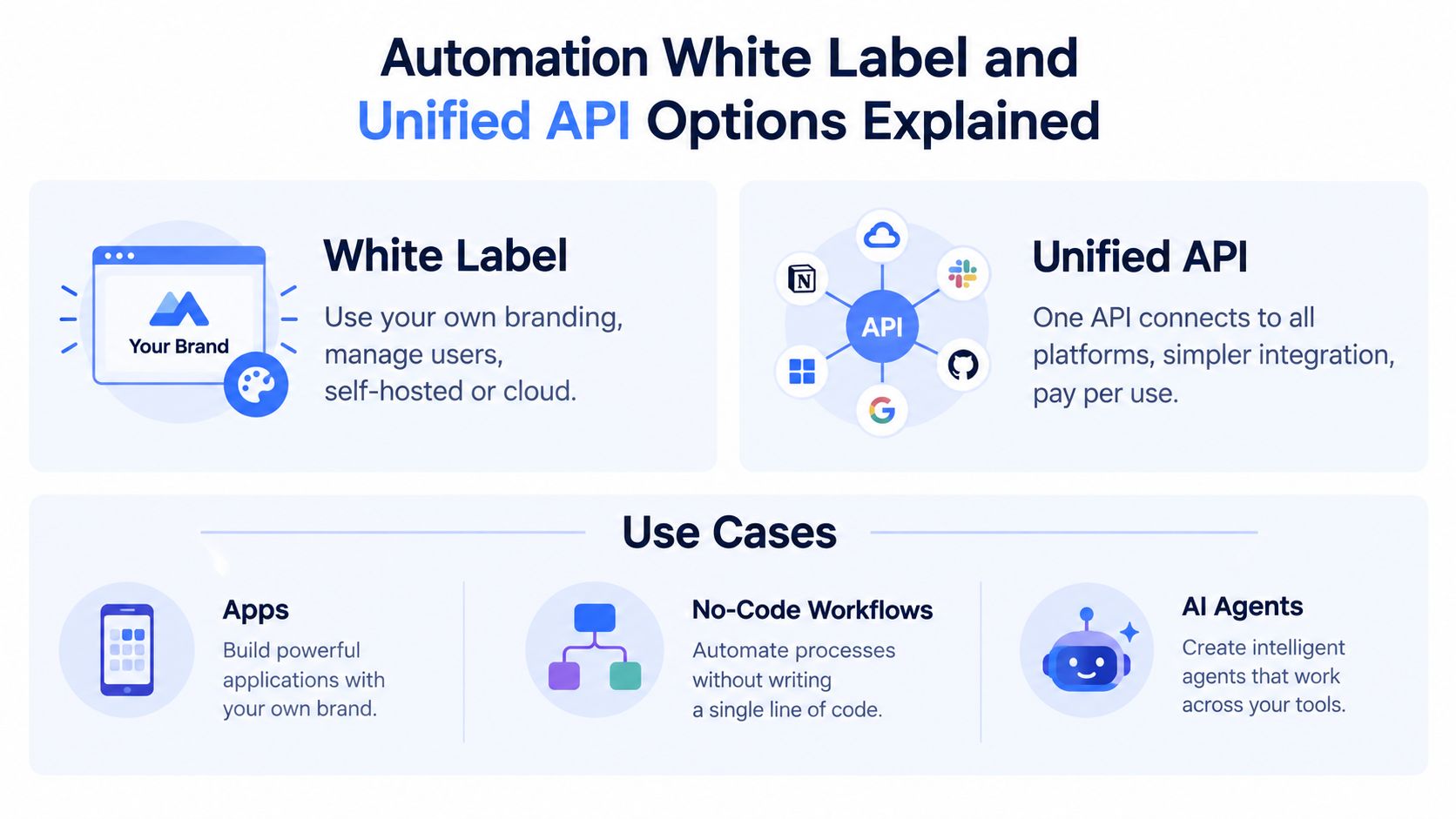 An infographic explaining white label automation and unified API options for various digital use cases.
Three integration paths
Direct platform integrations fit teams with unusual requirements, dedicated platform expertise, and a reason to own the entire stack. You'll need provider-specific credential storage, token refresh or reconnection, media adapters, quota tracking, webhook or polling logic, and continuous compatibility testing.
A unified API fits app developers who want to add publishing without making social infrastructure their core product. The integration can standardize account connection, publication records, scheduling, and error handling while preserving destination-specific fields where they matter.
Automation surfaces such as n8n, Make.com, and MCP servers fit workflows where the trigger and reasoning already live elsewhere. An Airtable record, form submission, CRM event, or AI decision can create a publication job without your team building a complete composer.
White-label and private-label are different operating models. Private-label means users may connect accounts through the provider's interface while your product calls the API or automation connector. White-label means the publishing experience carries your branding and users don't see the underlying provider.
Architecture decision: Choose the boundary that leaves your team owning the product behavior, not the platform maintenance treadmill.
A simple decision matrix helps:
Your situation | Sensible starting point | Main responsibility |
SaaS product adding native publishing | Unified API or white-label layer | Product UX, approval rules, customer support |
No-code workflow | n8n or Make.com connector | Trigger design, data mapping, exception handling |
AI agent publishing autonomously | MCP server with explicit tools and permissions | Agent guardrails, approvals, quotas, audit logs |
Specialized internal tool | Direct API or private-label unified API | Security, observability, provider compatibility |
For teams considering branded deployment, the white-label social media management overview provides relevant implementation context. PostPulse can also be evaluated in this category as a platform offering one REST API, official n8n and Make.com integrations, and an MCP server for publishing across ten supported networks.
Real World Publishing Examples From Apps to AI Agents
More channels don't automatically produce better distribution. A 2025 benchmark reported that brands averaged 9.5 posts per day in 2024, while inbound engagements rose from 70 to 83 per day and engagements per post rose from 12 to 14 (Sprinklr's social media publishing benchmarks). The useful lesson is not to chase those values as a target. It's that publishing quality, audience fit, and coordination can matter more than blindly increasing output.
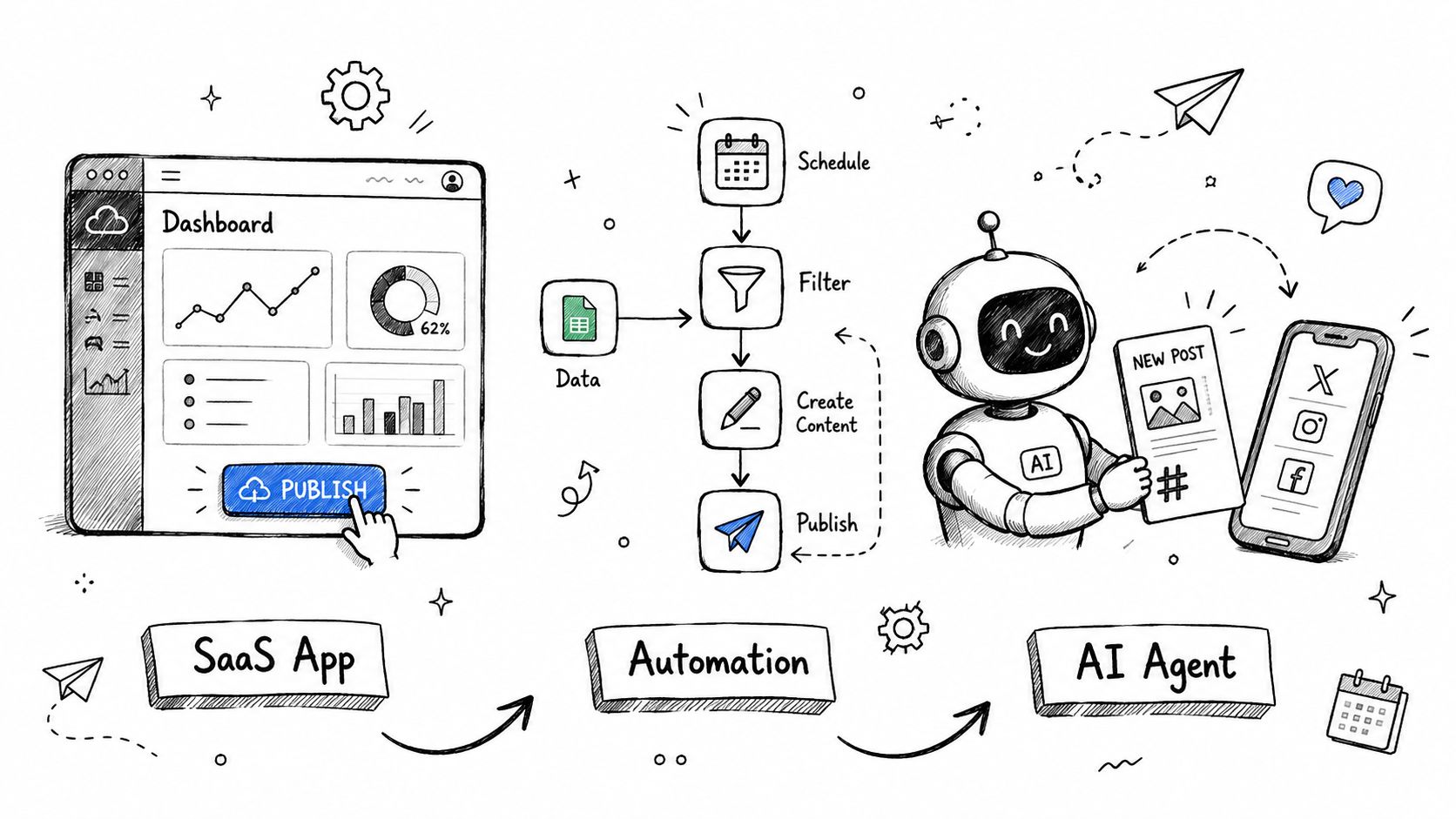 A hand-drawn illustration showing the workflow from a SaaS app to automation and an AI agent.
A SaaS app adds native publishing
A project-management product wants users to publish launch updates without leaving the app. The product stores a campaign, canonical copy, media references, selected destinations, approval status, and scheduled time. A unified publishing service handles account connection and sends platform-specific variants after approval.
The SaaS team still owns the product experience. It decides who can approve, which roles can publish, whether a post needs review, and how the activity appears in the customer's audit log. The publishing layer owns provider-specific authentication and delivery mechanics.
A no-code team turns a content table into a queue
A small team keeps ideas in Airtable. A workflow reads an approved record, asks Claude to produce channel variants, sends a prompt to an image generator, writes the resulting asset reference back to the record, and creates publication jobs through an n8n or Make.com connection.
The workflow needs guardrails. An AI-generated caption should enter a review state rather than publish immediately if the record contains sensitive topics, unverified claims, or missing campaign metadata. The automation also needs a deduplication key, because a retried scenario must not create repeated posts.
The trend is increasingly fragmented. Independent publishing data reported Bluesky usage rising 16 percentage points year over year, TikTok usage increasing, and YouTube usage declining in the measured period (Independent Publishers Guild social media report). That movement makes a reusable content model more valuable than a rigid “post everywhere” button.
The following video gives a visual example of how application logic, automation, and agent-based publishing can fit together.
An AI agent publishes with bounded authority
An AI agent can monitor an approved content queue, select a platform variant, schedule a post, and report the resulting provider ID. It shouldn't receive unrestricted publishing authority by default. Give it explicit tools, destination allowlists, media validation, spending or quota boundaries, and a human approval step for higher-risk content.
The agent's job is coordination. It shouldn't guess whether an upload is ready, infer that a failed request is safe to repeat, or switch accounts when authentication fails. Those decisions belong in deterministic workflow code.
Choosing the Right Publishing Approach for Your Needs
Start with the operational requirement, not the number of social icons in the composer. If you publish to one network, have unusual media needs, and can maintain the integration, direct development may be reasonable. If you support several destinations, need customer account connections, or want an app, workflow, and agent to share the same publishing surface, a unified API reduces duplicated infrastructure.
Use this checklist before choosing:
Time to launch: Do you need publishing in a live product soon, or can your team absorb provider reviews and integration work?
Account ownership: Who stores tokens, handles reconnection, and answers users when authorization expires?
Media complexity: Can your system validate assets, track processing states, and recover from failed verification?
Quota isolation: Does each platform and account have independent rolling-window tracking?
Workflow control: Do you need approvals, scheduled jobs, idempotency, and audit records?
Branding: Should users see a third-party connection flow, or must the experience remain fully branded?
Automation surface: Will triggers come from your application, n8n, Make.com, or an AI agent?
Maintenance budget: Who will handle API version changes and platform-specific regressions?
A simple scheduler is enough when a human reviews every post and the destination set is narrow. A publishing system becomes necessary when jobs run unattended, several identities share quotas, media processing is asynchronous, or one failure must not compromise the rest of a campaign.
The strongest approach is usually outcome-based. Coordinate the right content, for the right audience, in the right format, and measure whether the distribution achieved its purpose. More posts and more channels are inputs. They're not proof of a better publishing operation.
PostPulse gives apps, automations, and AI agents one publishing surface for Instagram, TikTok, YouTube, LinkedIn, X, Threads, Bluesky, Facebook, Telegram, and Pinterest, with REST API, n8n, Make.com, MCP, and white-label options. If you're tired of maintaining token lifecycles, quotas, media states, and platform changes separately, visit PostPulse and evaluate the integration path that fits your product.
About the Author

Founder of PostPulse — a social media scheduling platform for creators and teams. Software engineer with a passion for building developer tools and simplifying complex API integrations across social media platforms.