What Is Content Batching for Social Media APIs
Published on
Tags:
You trigger a scheduled post and get an OAuth error. You refresh the token, retry the request, and then discover that the Instagram carousel container has been sitting in IN_PROGRESS long enough to make the job look dead. Meanwhile, the next platform needs a different payload, the video upload needs another status check, and your supposedly simple daily publisher has turned into a small distributed system.
Content batching is the architectural answer to that mess. It means grouping ideation, drafting, asset production, review, and scheduling into deliberate production stages, then sending validated work to platform APIs through a controlled distribution queue. For developers, the value isn't merely finding uninterrupted creative time. It's reducing repeated setup, isolating failure domains, and making publishing capacity predictable.
Table of Contents
The Hidden Cost of Daily Social Media Publishing
Daily, ad-hoc publishing looks lightweight because each individual post is small. The software doesn't experience it that way. Every post can trigger authentication, media preparation, platform-specific validation, upload handling, status polling, retries, and logging. When those steps happen separately throughout the week, the integration repeatedly pays the same coordination cost.
A typical automation starts with a timer, loads a content record, refreshes credentials, transforms an asset, calls an API, and waits for a result. The next day, it repeats the same path for a different platform. A token expires during the request, a media container remains pending, or a rate limit interrupts the workflow. The developer then adds another retry branch, another polling loop, and another exception for a platform that behaves differently from the others.
That is context switching at both levels. The content operator moves from writing to design to publishing, while the system moves from authentication to media processing to delivery and monitoring. A useful introduction to the publishing process is social media publishing, but the operational problem goes deeper than pressing Publish. The problem is that the entire production and delivery lifecycle is being restarted for every asset.
Publishing one post at a time creates avoidable state
Reactive publishing also makes failures harder to diagnose. If one post fails, the team may not know whether the cause was an expired token, an invalid field, an unavailable media URL, a platform outage, or a temporary processing state. Since each post follows a slightly different path, the logs don't form a clean operational picture.
Batching changes the unit of work. Instead of asking, “Can this post go live right now?”, the system asks, “Which approved assets are ready, which platform payloads are valid, and which delivery jobs can run safely in this window?” That shift lets you validate content before distribution and move platform work into a queue with explicit states such as draft, approved, ready, scheduled, published, and failed.
Practical rule: Treat content as a build artifact before treating it as a network request.
Batching is a reliability pattern
The production team can create a group of related assets, review them together, and hand the distribution layer a consistent set of inputs. The API worker can then handle authentication, scheduling, retries, and platform responses without competing with the person who is still deciding what the post should say.
Batching won't eliminate token expiration or platform-specific behavior. It makes those problems containable. A token refresh becomes a queue concern instead of a creative-session interruption. A pending video becomes a tracked job instead of an unexplained delay in someone's daily routine. That separation is what turns social publishing from a fragile stream of manual triggers into an automation system you can inspect and operate.
Core Mechanics of a Content Batching System
A reliable batch is organized by production phase, not by individual post. The operator doesn't fully create post one, then post two, then post three. Instead, they collect ideas together, outline related pieces together, draft in one cognitive mode, edit as a group, and schedule only after the assets pass review.
A practical batching guide describes a benchmark in which two weeks of content can be produced in about 2.5 hours after the workflow is established. The same guide estimates roughly 2 hours for a 10-post batch and 3 hours and 10 minutes for a 20-post batch, divided into collect, outline, write, and assemble stages of 20 minutes, 20 minutes, 45 minutes, and 35 minutes respectively (batching workflow benchmarks). These figures aren't promises. They demonstrate that a batch can have measurable throughput and a repeatable shape.
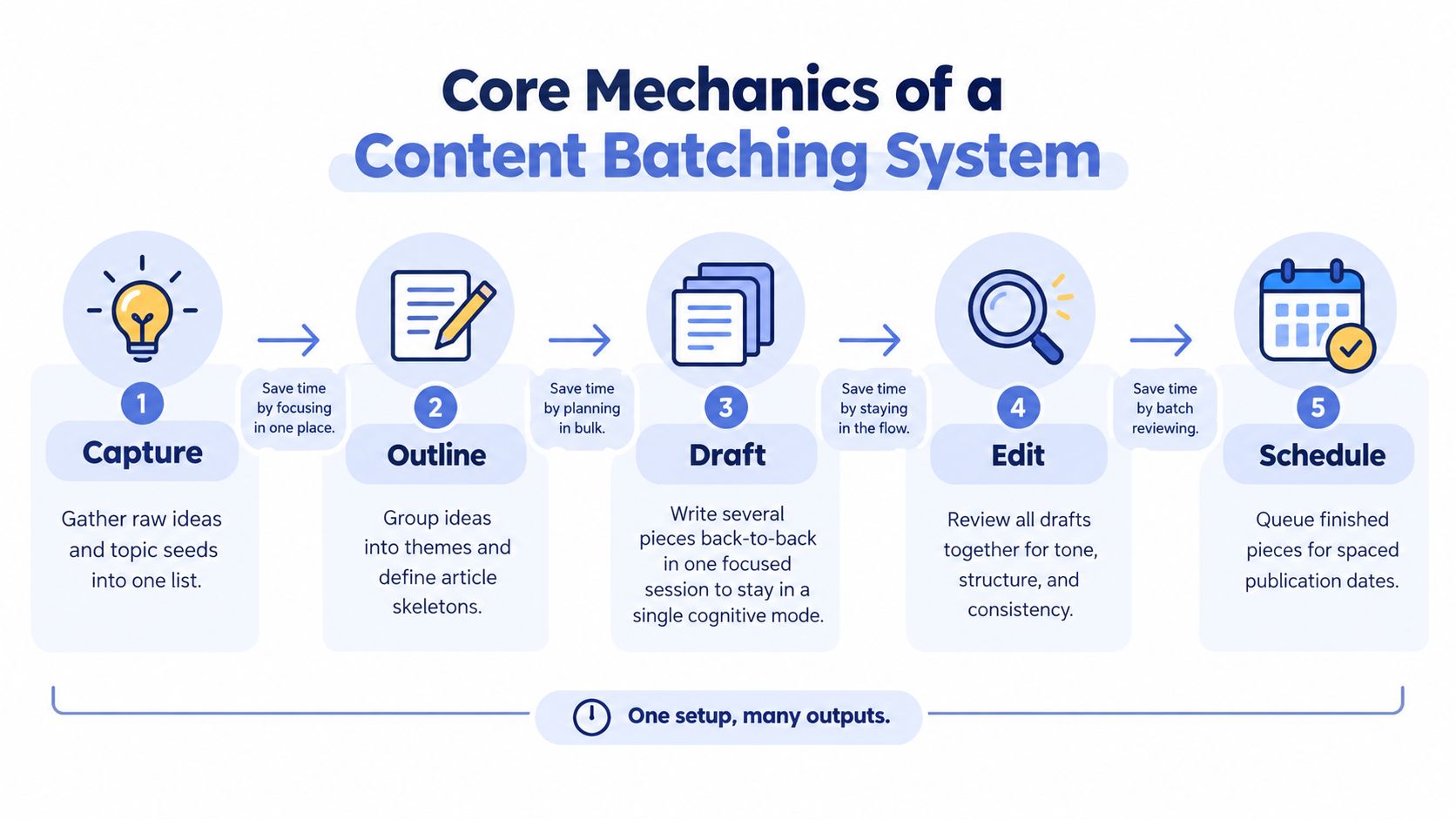 A five-step flowchart illustrating the core mechanics of a content batching system for efficient content creation.
The batch moves through distinct states
Capture gathers raw ideas, product changes, customer questions, and campaign inputs into one queue.
Outline groups those inputs into themes and decides which format fits each channel.
Draft produces captions, scripts, titles, and supporting copy without switching into scheduling work.
Edit checks accuracy, tone, formatting, media references, and platform-specific constraints.
Schedule converts approved records into delivery jobs with dates, destinations, and retry metadata.
Another implementation model assigns 2–4 hours to planning and research, 4–6 hours to drafting, 4–8 hours to production, 4–6 hours to editing, and 2–3 hours to review and scheduling (production-stage planning guidance). The important point isn't the total duration. It's the separation of cognitive phases, which gives the team a stable handoff between creative work and API distribution.
For channel-specific execution, how to batch LinkedIn content offers a useful reminder that a shared batch still needs platform-aware formatting. A LinkedIn post, a short video, and a carousel may share a message but not the same payload, asset requirements, or review criteria.
A batch record should therefore contain the canonical idea, channel variants, media references, approval state, target publication time, and delivery status. Your scheduler shouldn't need to infer missing information while making a live API call. By the time an item reaches the distribution queue, the system should know exactly what to send and what success looks like.
Designing a Repeatable Production Workflow
Start with a staging layer. A spreadsheet can work for a small operation, while Airtable, a database, or an internal CMS gives larger teams better validation, history, and automation hooks. The tool matters less than the state model. Every asset should have a clear owner, required fields, approval status, target channels, and a record of delivery attempts.
Build the workflow around focused windows
Technical guidance commonly recommends protected focus windows of about 90 minutes to 3 hours, with work organized around 3–5 content pillars (focus windows and content pillars). Use those windows for one type of work. Don't ask a writer to draft captions while also checking API responses, and don't ask a publishing worker to decide whether an unapproved asset fits the brand.
A practical sequence looks like this:
Define the pillars: Choose the recurring themes that make grouping possible, such as product education, customer problems, technical lessons, and company updates.
Capture inputs: Add ideas continuously, but keep them in one backlog rather than interrupting the current production session.
Create the batch: Select related ideas, assign formats, and prepare the copy and media together.
Validate before delivery: Check required text, dimensions, media availability, channel variants, permissions, and scheduled times.
Queue distribution: Send only approved records to the publishing worker, which owns API calls, retries, and status updates.
Reserve reactive capacity: Keep part of the calendar uncommitted so urgent or timely posts don't require dismantling the entire plan.
Creation and distribution should be separate queues, even if they live in the same application. The creative queue can contain incomplete drafts. The distribution queue should contain only records that satisfy every delivery requirement. That boundary reduces accidental publication and makes failures easier to replay.
For teams using workflow automation, this is the difference between a content calendar and a production system. A calendar tells you what should happen. A workflow records what has happened, why it happened, and what the system should do next. The principles behind workflow automation apply directly here, especially explicit states, deterministic transitions, and observable failures.
Automating the Distribution Layer with PostPulse
Building every platform integration yourself gives you control, but it also gives you a permanent maintenance surface. You have to manage separate authentication flows, media rules, payload formats, application reviews, rate-limit behavior, and API version changes. A unified publishing layer reduces that surface by putting platform-specific work behind one distribution boundary.
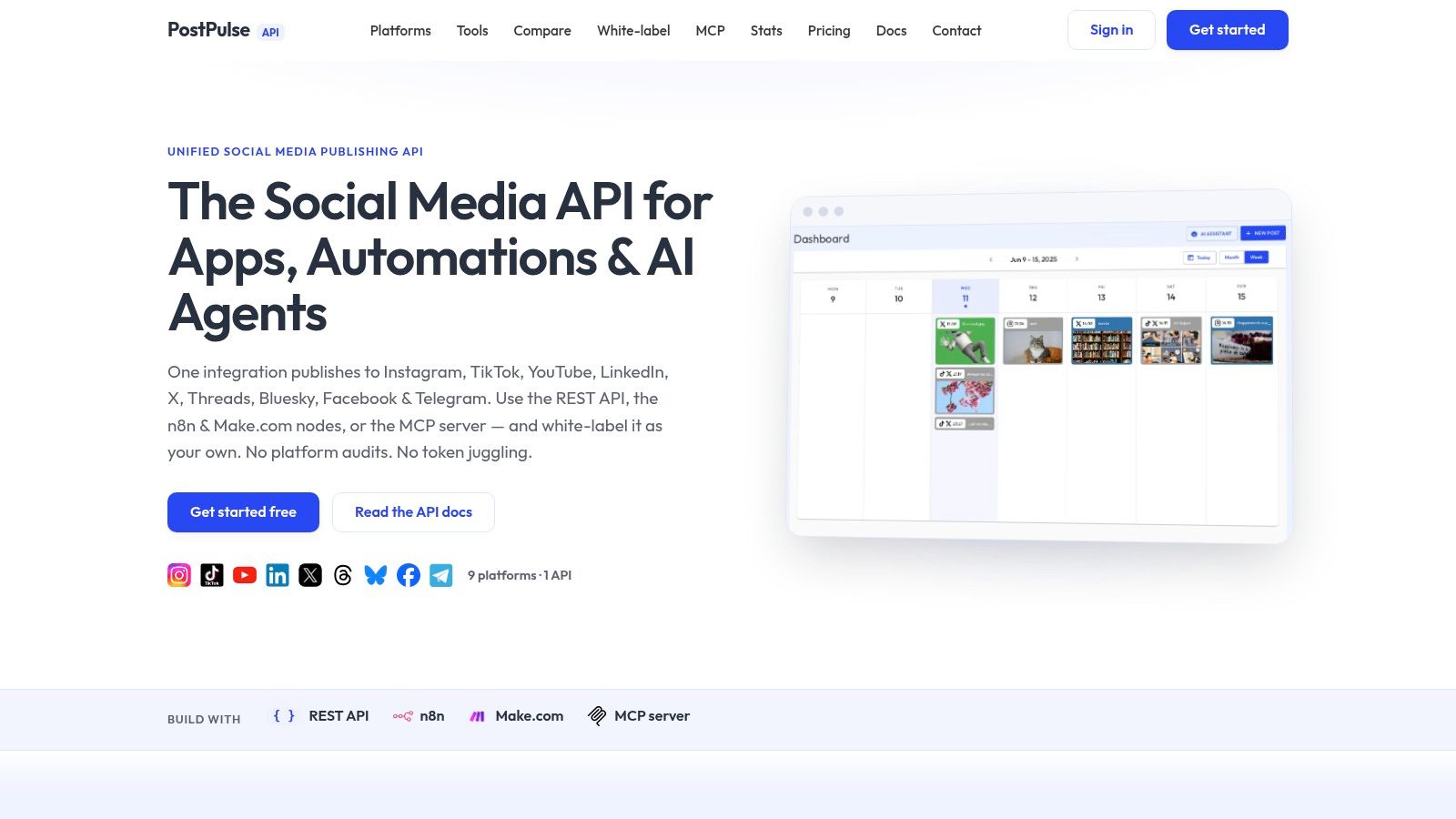
PostPulse can publish to 9 platforms through a unified REST API, official n8n and Make.com nodes, or an MCP server. That gives an application, no-code workflow, or AI agent one place to submit validated content while the publishing layer handles the differences between Instagram, TikTok, YouTube, LinkedIn, X, Threads, Bluesky, Facebook Pages, and Telegram.
Custom integrations versus a unified publishing surface
Approach | What you control | What you maintain |
Direct platform integrations | Payloads, storage, retries, and platform-specific behavior | OAuth flows, token refreshes, app reviews, quotas, API changes, and media state handling |
Unified publishing layer | Your content model and one application-level workflow | The integration contract and your own queue, while the provider maintains platform connectors |
No-code automation | Fast orchestration through tools such as n8n or Make.com | Workflow logic, field mapping, and operational monitoring |
The trade-off is straightforward. Direct integrations make sense when a platform capability is central to your product and you can support its operational burden. A unified layer makes more sense when publishing is a feature inside a broader product, especially when your team wants to avoid maintaining several platform connectors.
 Screenshot from https://post-pulse.com
Media creation can remain a separate concern. If your batch includes short-form video, a resource such as Nim AI video generator for creators can sit upstream of the staging layer. The important design decision is to store the resulting asset and metadata before it reaches the publishing queue, rather than generating media inside a time-sensitive API request.
PostPulse's role is the distribution node. Your system still needs content governance, approvals, scheduling rules, idempotency, and monitoring. The benefit comes from integrating those application concerns with one publishing surface instead of rebuilding the same platform plumbing repeatedly.
When Batching Breaks Down and How to Fix It
Batching isn't automatically efficient. It works when several pieces share enough structure to justify common setup, common decisions, or common tooling. It struggles when every asset needs a unique treatment, a different approval path, or a custom media pipeline.
The first failure mode is false grouping. Ten unrelated topics may technically fit in one calendar, but they don't belong in one creative session if each requires a different research context. The operator spends more time reconstructing context than benefiting from repetition. Group by task type and subject similarity, not just by publication date.
The second failure mode is front-loaded planning. A large batch can create a substantial queue, but that queue becomes a liability if the team spends too long organizing files, resolving missing approvals, or adapting content for channels that have different requirements. The practical guidance is to batch only decisions that repeat and leave exceptional work outside the batch (limits of batching as a grouping discipline).
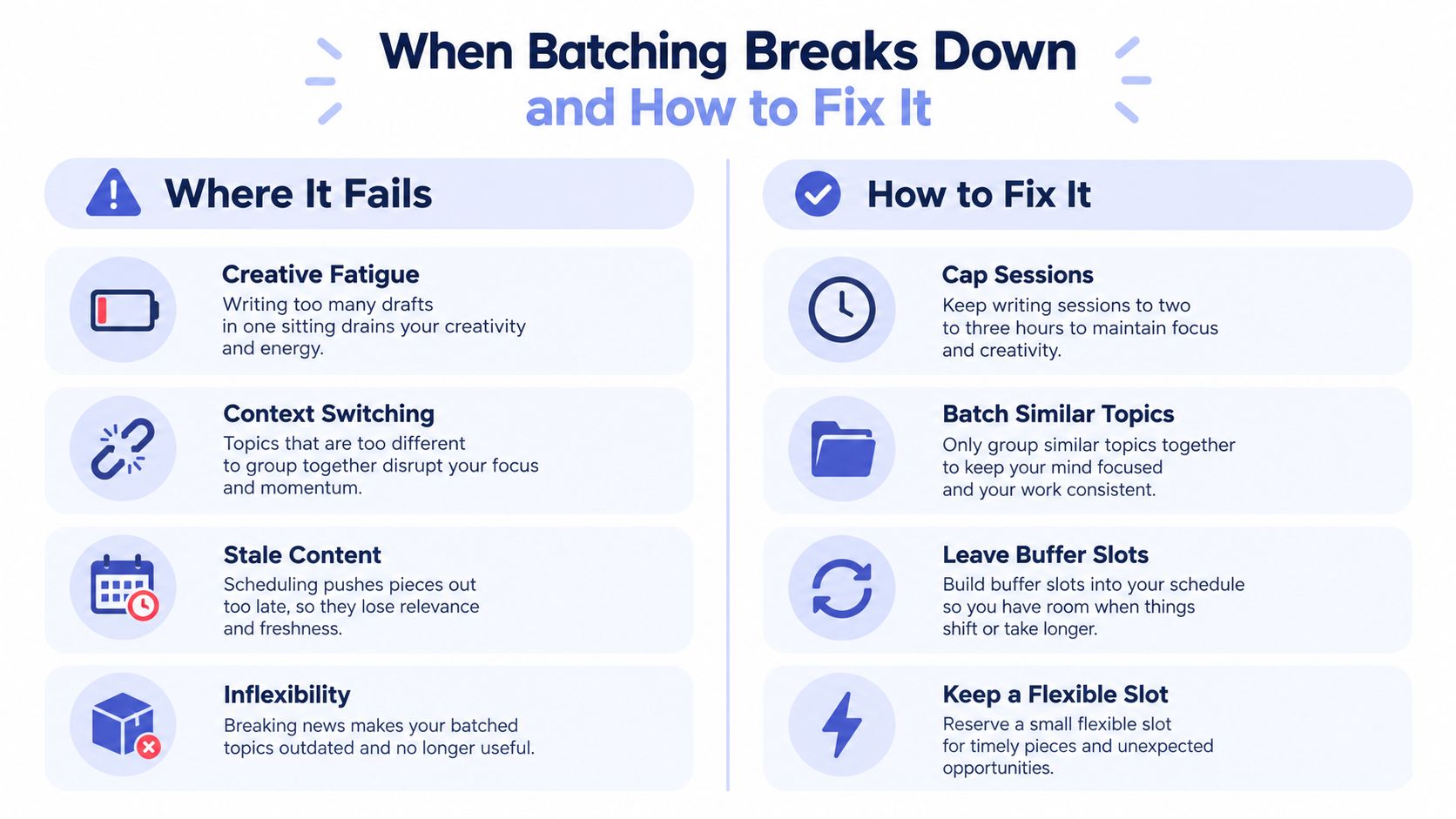 A visual guide illustrating the challenges of content batching and practical strategies to fix these common issues.
Use decision rules instead of loyalty to the calendar
Break the batch when a timely event materially changes the meaning of a scheduled post, when a platform outage requires a different delivery path, or when new information makes the queued copy inaccurate. Don't break it merely because a new idea feels exciting. Route that idea through a small reactive lane and preserve the approved queue.
Batching can also create creative fatigue. Protect the focus window, vary the work across related pillars, and stop when quality begins to fall. A stale queue is another risk, so schedule with a buffer rather than filling every available slot far into the future.
A batch should absorb repetition, not suppress judgment.
The right system is hybrid. Keep the repeatable baseline batched, maintain a flexible slot for urgent work, and let the distribution layer pause or reschedule safely. That gives you operational consistency without pretending that social channels are static publishing destinations.
Measuring Batch Performance and API Quotas
A batch succeeds only when approved content reaches the intended platforms with an auditable result. Track the production side and the network side separately. Production metrics can include how many records move from draft to approved, how often the queue clears on schedule, and where review bottlenecks occur. Delivery metrics should include successful publications, retry counts, platform errors, and jobs that remain pending beyond an expected processing window.
Quota accounting needs the same discipline. YouTube's Data API documentation states that uploading a video is a write operation costing 1 quota unit, while videos.insert carries a quota impact of 100 calls per day in the reference page (YouTube Data API getting started documentation). A batch worker should record the endpoint, operation, response, account, and quota-related result for every attempt rather than treating all API calls as interchangeable.
Design uploads for interruption
Large media transfers can fail after the request begins. YouTube supports resumable uploads, and its official guide says that when an interrupted upload needs to be checked, the client should send an empty PUT request to the same upload URL used earlier in the flow (YouTube resumable upload protocol). Store that upload URL and the associated job state so the worker can resume or reconcile the transfer instead of starting blindly from scratch.
Instagram also has a documented publishing constraint. Meta documentation summarized alongside the official API guidance describes a limit of 100 API-published posts within a moving 24-hour period, and a carousel counts as one post (Instagram API rate-limit guidance). Your scheduler should account for the account-level window before releasing a batch, especially when several assets could be consolidated into one carousel publication.
For broader rate-limit behavior and implementation patterns, keep a dedicated operational reference such as API rate limits beside your queue documentation. The measurement goal isn't to maximize calls. It's to publish the approved queue predictably while preserving enough quota for retries and reactive content.
Frequently Asked Questions About Content Batching
What is content batching for an API-driven workflow?
It's a production method that groups similar content work into focused stages, then sends approved assets to a distribution queue. The creative system produces a set of validated records, while the API worker handles scheduling, authentication, media transfer, retries, and final status updates.
Should breaking news bypass the batch?
Usually, yes. A breaking update has a short relevance window, so forcing it through a long approval or scheduling cycle can make the content stale. Keep a reactive lane with its own validation and publishing path, and pause scheduled items only when the new event changes their accuracy or context.
How should one batch handle different platform formats?
Store a canonical content object, then generate channel-specific variants before delivery. Keep captions, media references, aspect requirements, hashtags, permissions, and destination identifiers separate for each platform. The shared idea belongs in the parent record, while each publishable payload must pass its own validation.
Does a larger batch always cost less to operate?
No. Larger batches can reduce repeated setup, but they can also increase review overhead, asset-storage complexity, quota consumption, and the size of a failure replay. Measure queue clearance, error ratios, retry volume, and time from approval to successful publication. Increase the batch only when those signals remain manageable.
What should happen when an API job stays pending?
Don't keep polling indefinitely. Set a bounded polling policy, record the last response, and move the job into a recoverable pending state. For uploads that support resumability, preserve the provider's upload URL and resume according to the official protocol rather than creating a duplicate job.
How do you keep batching from becoming rigid?
Separate the baseline queue from the reactive queue. The baseline contains repeatable, approved content. The reactive queue handles timely posts, corrections, and platform-specific exceptions, so the calendar stays useful without becoming a constraint.
PostPulse gives apps, automations, and AI agents one publishing surface for batching content across social platforms through its REST API, n8n and Make.com nodes, or MCP server. If you're tired of maintaining separate token flows, payload mappings, and platform updates, visit PostPulse and evaluate whether a unified distribution layer fits your workflow.
About the Author

Founder of PostPulse — a social media scheduling platform for creators and teams. Software engineer with a passion for building developer tools and simplifying complex API integrations across social media platforms.