
Social Media SDK: A Developer's Guide to Integration
Published on
Tags:
You've probably seen the integration fail in a different way on every platform. An Instagram token expires after an hour, a media container remains IN_PROGRESS, a YouTube upload consumes a large quota allocation, and LinkedIn rejects media that worked elsewhere. None of these failures is especially mysterious on its own. The problem is that each one demands a different authentication flow, state machine, retry policy, and documentation trail.
That's the hidden cost behind the social media SDK versus direct API decision. An SDK can remove repetitive request code, but a good one also absorbs operational deadlines, token churn, media processing, and platform-specific behavior. A weak one merely adds another abstraction you'll have to debug.
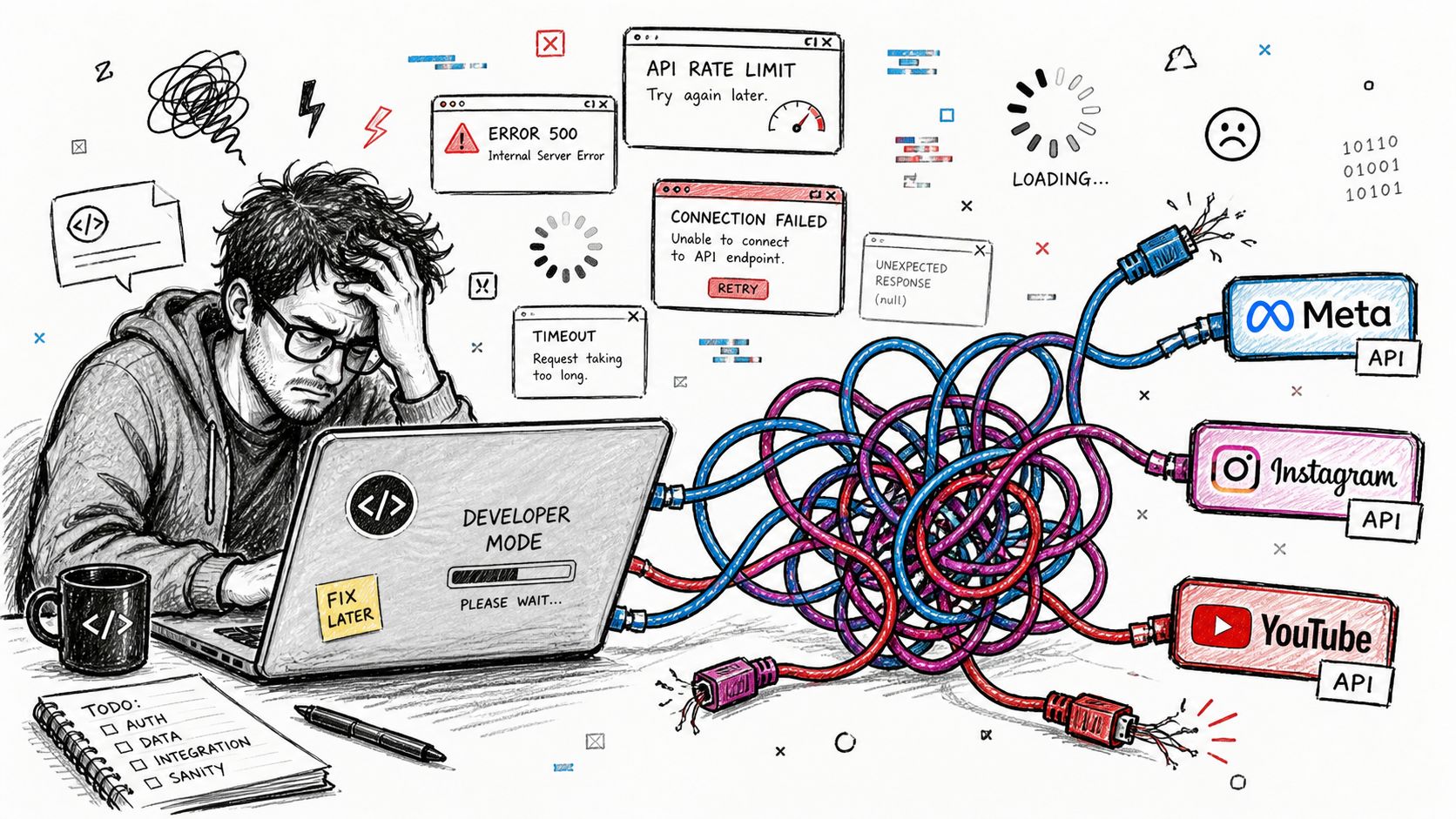 A frustrated developer sitting at a laptop tangled in cables connected to multiple social media API icons.
This guide focuses on the parts that hurt after the first successful API call. If you're evaluating a unified layer, compare it against the practical concerns in this social media API aggregator guide, not just the number of endpoints in its marketing page.
Table of Contents
Why Integrating Every Social Platform Yourself Hurts
A first integration can look like a short backend task. Register an application, complete OAuth, upload media, and publish a test post. The second platform introduces different scopes, token rules, and payload requirements. By the third, a basic publishing feature has become several adapters, each with its own deployment risk and maintenance calendar.
Every platform gives you a different failure surface
Instagram publishing illustrates the problem. The workflow creates a media container, waits for processing, checks its status, and publishes only after the container is ready. A failed container and a container still processing require different actions. Retrying every non-success response can duplicate work or create a polling loop.
Authentication adds a recurring operational deadline. Meta's Instagram documentation states that a short-lived Instagram User access token expires in 1 hour, while a long-lived token expires in 60 days. Its documented /access_token exchange converts the short-lived token into the long-lived form (Meta's access-token reference). Production code therefore needs encrypted token storage, expiry checks, refresh scheduling, and a recovery path for revoked access.
Token churn rarely appears in the first demo. It shows up later as failed scheduled posts, support tickets, and reconnect flows that differ by platform.
YouTube adds a resource-budget constraint. Google's documented quota model assigns videos.insert an upload cost of 1,600 quota units, while the commonly cited default project quota is 1,000,000 units per day (YouTube Data API quota reference). A publishing queue needs quota-aware scheduling, not only generic HTTP retries. It also needs a clear state model for uploads that started but have not completed.
Practical rule: An adapter is incomplete until it can classify partial progress, expired credentials, rejected media, throttling, and permanent policy failures.
LinkedIn has its own payload rules. Its UGC Post API requires the media field and defines shareMediaCategory values including ARTICLE, IMAGE, NONE, RICH, and VIDEO (LinkedIn's UGC Post API documentation). A unified interface can keep those fields out of product code, but it cannot erase the rules underneath. The abstraction must preserve enough information to create a valid request, while still exposing platform-specific options when needed.
The long-term cost is the changing schedule, not the initial request code. Permissions change, tokens behave differently, API versions retire, and publishing policies are revised. Meta's developer platform records the scale of that ecosystem, with 3.2 billion people using a Meta social app at least once per day, alongside Facebook SDK integrations in 414,204 mobile apps, Facebook Login in 305,220 apps, and Facebook Share in 269,750 apps (Meta developer platform). Those figures explain why platform maintenance remains active infrastructure work.
A unified layer earns its keep when it absorbs recurring deadlines, token rotation, processing states, and publishing quirks. Teams comparing options should assess those operational responsibilities alongside endpoint coverage in this social media API aggregator guide, rather than judging an SDK by boilerplate reduction alone.
What a Social Media SDK Actually Does
An API is the contract a platform exposes. An SDK is the code, conventions, and maintenance layer that helps your application use that contract. In practical terms, a social media SDK wraps platform requests so your application doesn't have to reproduce every authentication exchange, payload transformation, upload flow, and response parser.
The useful mental model is a database driver. Your application calls a stable driver interface instead of manually speaking the database's wire protocol. The driver doesn't eliminate database behavior, and a social media SDK doesn't eliminate platform behavior. It gives your team a narrower place to handle it.
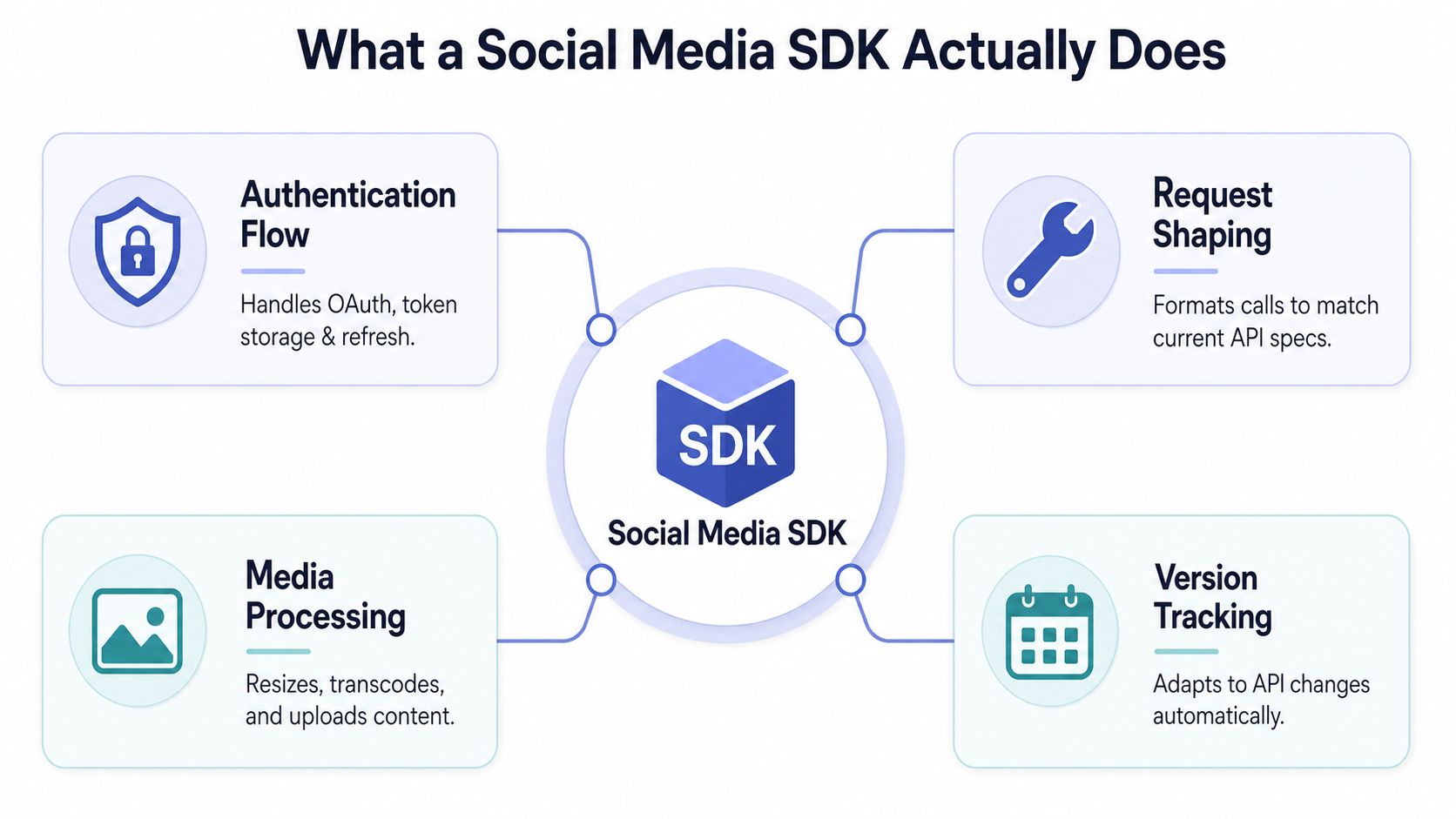 An infographic detailing the four key functional components of a Social Media SDK in software development.
The three jobs that matter in production
Surface normalization gives your application a common operation such as “publish this content to these connected accounts.” The SDK translates that intent into each vendor's request shape, media fields, identifiers, and response format. Good normalization doesn't pretend every platform is identical. It exposes common capabilities while retaining an escape hatch for platform-specific options.
Credential stewardship covers OAuth redirects, permission scopes, token storage, expiration checks, refresh behavior, and disconnect events. Many homegrown integrations become fragile here. Your product shouldn't scatter access-token logic across controllers, background jobs, and database records. Keep it behind a credential service with explicit states such as connected, expiring, refresh-required, revoked, and failed.
Operational continuity is the part developers underestimate. A serious SDK may provide request retries, backoff, upload polling, webhook parsing, delivery status, and version compatibility. It should also make failures inspectable. A single “publish failed” exception isn't enough for an operator who needs to know whether the user must reconnect an account or whether the queue should retry later.
Official SDKs and aggregator SDKs aren't the same
An official vendor SDK, such as Meta's Business SDK or Google's client libraries, usually gives you close access to one platform's native surface. That makes it appropriate when your product depends heavily on one vendor's advanced features and you want the platform's terminology and request model exposed directly.
An aggregator SDK spans multiple vendors. It trades some native depth for a common integration surface and centralized maintenance. That trade is attractive for scheduling products, content tools, internal automation, and AI workflows where publishing reliably across several platforms matters more than exposing every platform-only feature.
AI-driven systems add another interface consideration. If an agent needs to discover actions and invoke them safely, an AI agent SDK integration can be useful alongside ordinary REST clients. The important question is whether the interface returns structured, actionable errors and preserves account, media, and delivery context. A tool that only hides HTTP syntax hasn't solved the hard part.
SDK Versus Direct API Calls
Direct API calls give you maximum control. An SDK gives you a maintained boundary around recurring complexity. The right choice depends less on how many lines of code you save and more on who owns the operational work after launch.
Authentication and token lifecycle
With direct calls, your team owns every OAuth redirect, scope decision, token exchange, secure storage rule, expiry check, refresh job, and revocation path. That can be the right design for a single-platform product with a strong platform team. It becomes expensive when each vendor uses a different lifecycle.
An SDK can centralize those concerns behind an account connection service. The risk is delegation. You need to verify how the SDK stores credentials, how it reports refresh failures, whether users can reconnect without support intervention, and whether your application can inspect token status.
Version churn
Meta's versioning documentation says each Graph API version remains usable for at least two years from release, but a version expires two years after the next version is released (Meta Graph API versioning). That overlap helps, but it doesn't remove the need to track releases and test upgrades.
Meta released Graph API v22.0 and Marketing API v22.0 on January 21, 2025. The announced deadlines gave developers until April 21, 2025 for impacted Graph API usage and until January 21, 2026 for impacted Marketing API endpoints (Meta's v22.0 announcement). The operational lesson is simple: version retirement belongs on your engineering calendar, not in a forgotten dependency file.
Rate limits and retries
X documents endpoint-specific limits in both per-app and per-user scopes, commonly using 15-minute windows and sometimes 24-hour windows. Requests that exceed a limit return HTTP 429 until the relevant window resets, and response headers expose the active window and remaining budget (X rate-limit implementation guidance).
A direct integration can handle this very well if you implement separate buckets, queueing, backoff, and endpoint-aware metrics. An SDK earns its place when it does that work consistently across platforms instead of applying one generic retry loop everywhere.
Media quirks
Direct APIs expose the native details, which is useful when you need precise control over containers, transcoding, upload sessions, or platform-specific metadata. The downside is that your application must understand every state transition and validation rule.
An SDK can provide a common media pipeline, but inspect its behavior carefully. Does it preserve the original error? Does it expose processing status? Can you supply platform-specific captions or categories? A normalized request that discards important fields creates a debugging problem rather than solving one.
Maintenance cost
Direct calls win for deep platform-native behavior and single-vendor focus. An SDK wins when your product needs breadth, quicker delivery, and a team that doesn't want to become the permanent owner of every API change.
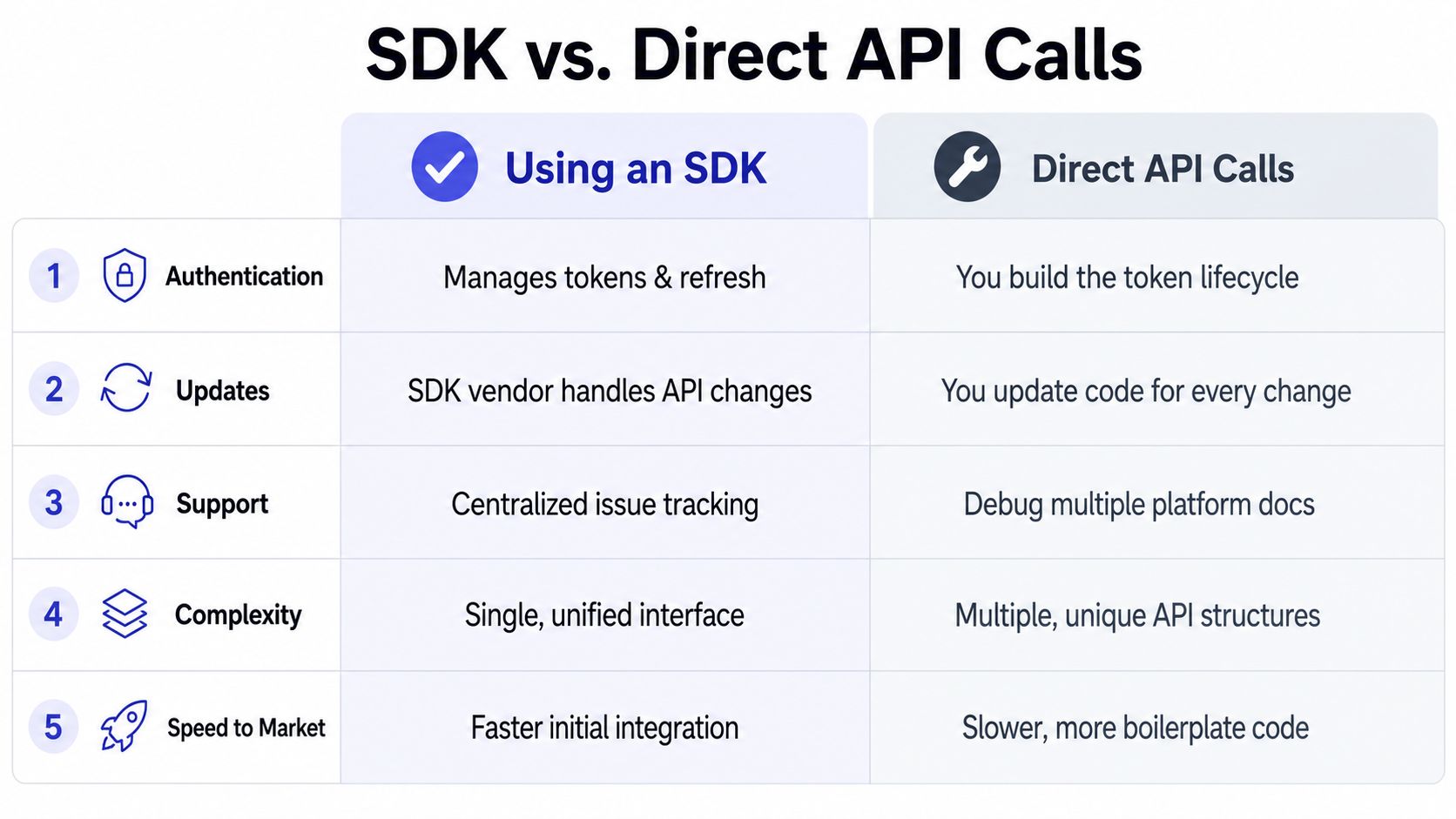 A comparison chart outlining the key differences between using an SDK and making direct API calls.
If you ship across more than two platforms and you're not a platform specialist, an SDK layer usually deserves serious consideration. Keep native calls for the features where abstraction would cost more than it saves.
For teams evaluating broader publishing infrastructure, the same criteria apply to integrations for brand discovery. Look for explicit ownership of credentials, version updates, media status, and delivery observability, not only a unified method name.
Two Platform Cases That Show the Gap
Instagram publishing exposes the hidden operational tax of platform integrations. Media preparation and publication are separate operations. Your application creates a container, waits for Instagram to process it, then submits the publication request only after the container becomes publishable.
That workflow needs a durable job record. Store the account, container identifier, requested media, current status, last poll time, error details, and next action. A worker can poll during processing, stop with an actionable error when processing fails, and publish after readiness is reported. Restarting from the beginning wastes work and may create duplicate containers.
Carousels add another layer. The application prepares child media items, associates them with a parent container, waits for processing, and publishes the parent. Platform-specific request details belong in an adapter. The state model belongs in the shared integration architecture.
Token expiry creates a separate clock
Meta's Instagram token model uses shorter and longer-lived credentials, so a production system must plan renewal before the current token expires. The exchange process extends operating time, but it does not remove credential churn or the need to handle renewal failures.
A token column is not enough. Schedule renewals before the deadline, record each result, alert on failure, and make reconnection safe to repeat. The publishing worker also needs separate handling for an expired credential and a temporary platform error. One requires account action. The other usually requires retry logic.
Token rotation is only one recurring deadline. Platforms also deprecate versions, change required fields, and introduce publishing rules that differ by media type. Those changes create maintenance work even when the application code still exposes a method named publish.
The SDK's practical value is owning the timers, polling loops, and state transitions that teams otherwise rebuild in slightly different forms.
A unified layer earns its place when it absorbs those recurring deadlines without hiding failure details. It may create resources, wait for asynchronous processing, translate media metadata, refresh credentials, and reconcile final status. Evaluate it by how clearly it exposes each stage, the retry decision, and the action required when a platform rejects the request.
Core Integration Patterns Worth Standardizing
A reliable integration starts with a small operational floor. The SDK can implement much of it, but your application still needs clear contracts for state, observability, and user-facing recovery.
Authentication
Use OAuth with the narrowest scopes that support the feature. Store credentials in a dedicated secret boundary, associate them with an account record, and persist expiration and refresh metadata. Don't let a controller decide whether a token is still valid. Make the credential service answer that question consistently.
Rate limits
Treat every platform and endpoint as a budget. X's per-app and per-user scopes are a useful reminder that one global counter isn't enough. Build queues with exponential backoff, parse reset information when available, and make publication jobs idempotent so a retry doesn't create an accidental duplicate.
The API rate-limit guidance is useful when designing that queue because the failure mode isn't just “too many requests.” It can be shared-account contention, endpoint-specific exhaustion, or a retry storm caused by workers that all wake at once.
Webhooks
Verify signatures before processing events. Record event identifiers or equivalent replay keys, make handlers idempotent, and send malformed or repeatedly failing events to a dead-letter path. A webhook should update a durable state machine, not directly trigger an irreversible action without a recorded transition.
Batching
Batch only where the platform supports it and where the failure semantics remain understandable. Grouping uploads can reduce request overhead, but one rejected item shouldn't make operators guess which other items succeeded. Persist per-item status even when the transport request is batched.
Error handling
Use typed errors with at least three practical categories: retryable, reconnect-required, and non-retryable. Preserve the platform code and response body for diagnostics, but return a stable application-level reason to calling services. Parse Retry-After or reset headers when the platform provides them, and never retry authentication failures as if they were network timeouts.
Platform | Token Model | Rate Limit Scope | Media Quirks |
Instagram through Meta | Short-lived and long-lived Instagram User access tokens | Follow the platform and endpoint rules exposed by Meta | Container creation, processing status, and final publication |
X | Per-app and per-user request budgets | Endpoint-specific windows, including 15-minute and sometimes 24-hour windows | Content and request behavior varies by endpoint |
YouTube | OAuth-based API access with project quota accounting | Project quota and operation cost |
|
OAuth access for authorized posting | Follow the applicable API and application limits |
|
The table isn't a substitute for platform documentation. It's an architecture prompt. Your abstraction is doing real work only if it preserves the differences that affect retries, user experience, and delivery guarantees.
How PostPulse Collapses the Operational Tax
A unified publishing layer is useful when it owns more than payload normalization. The recurring costs usually come from platform app reviews, credential maintenance, multiple publishing surfaces, and the product work required to expose social features under your own brand.
PostPulse provides verified Meta, TikTok, and Google apps, so the application team can avoid maintaining those developer-app review surfaces itself. It handles OAuth, refresh, rate limits, and API version changes behind a unified interface, then exposes publishing through a REST API, official n8n and Make.com integrations, and an MCP server for AI agents.
Its publishing surface supports 9 platforms, including Instagram Business and Creator accounts, TikTok, YouTube, LinkedIn personal profiles, X, Threads, Bluesky, Facebook Pages, and Telegram channels and chats. That doesn't mean every platform has identical capabilities. The right evaluation is whether the shared operations cover your product and whether platform-specific failures remain visible.
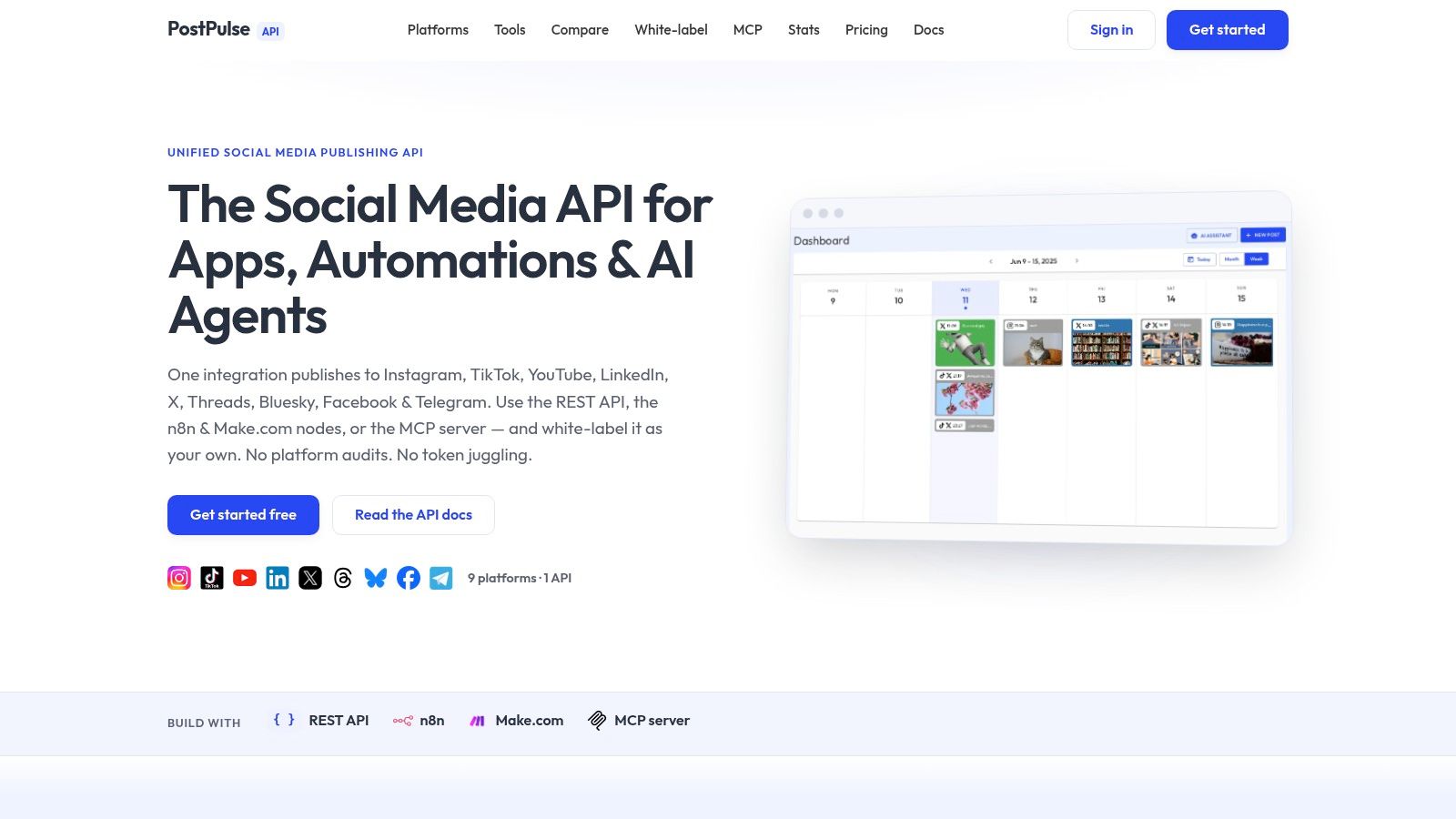 Screenshot from https://post-pulse.com
For a SaaS product, white-labeling changes the integration boundary. PostPulse offers an optional white-label tier where the end user doesn't see PostPulse branding, while private-label usage lets developers connect accounts and publish through the available API and automation interfaces. The practical benefit isn't a shorter function call. It's fewer recurring deadlines owned by your team.
The PostPulse integration guides are the place to check how the REST API, automation nodes, and agent-facing interface fit together. Direct native calls are still the better choice when your product depends on a platform-only feature, requires complete control over a single vendor's API, or needs behavior the unified layer intentionally doesn't expose.
Pre-Integration Checklist and Pricing Notes
Before writing integration code, answer these questions:
Platform scope: Which networks do your users need, and which features are essential on each?
Brand boundary: Do users need a private-label connection flow, or a fully white-label experience?
Account ownership: Will your server publish through user-owned accounts, or through accounts your organization controls?
Failure policy: What happens when a post is rejected, delayed, rate-limited, or partially completed?
Change tracking: Who monitors token rules, policy updates, API versions, and deprecation dates?
PostPulse pricing separates those deployment models. Private-label pay-as-you-go costs $0.20 per publication, while the subscription option costs $5 per account per month. White-label costs $200 per month plus $1 per active social account, and its startup support program can waive fees for builders still in beta. These figures are published in the PostPulse product information provided for this integration context.
An SDK is worth adopting only if it turns unpredictable platform work into a smaller, observable, and maintainable system. Measure that outcome against PostPulse or any alternative before you commit.
PostPulse provides a unified REST API, official n8n and Make.com integrations, and an MCP server for publishing across 9 social platforms, with private-label and white-label options for different product boundaries. Visit PostPulse to evaluate the connection flow, publishing surface, and pricing against the operational work your team would otherwise maintain.
About the Author

Founder of PostPulse — a social media scheduling platform for creators and teams. Software engineer with a passion for building developer tools and simplifying complex API integrations across social media platforms.