Posting TikTok Videos on Instagram Without Losing Quality
Published on
Tags:
You finished the TikTok, it looks sharp in the app, and then you try to get that same file onto Instagram. The text sits under the Reel interface, the audio disappears without a useful error, or your container just sits in progress while your code waits for a state that never arrives. That frustration is familiar to anyone who has shipped cross-posting, because Posting TikTok Videos on Instagram isn't a file copy. It's a reformatting job, a rights check, and a two step API publish, all wrapped in account rules you don't discover until production traffic hits them.
Table of Contents
Why Posting TikTok Videos on Instagram Is Harder Than It Looks
The naive flow sounds reasonable. Download the TikTok, strip anything you don't want, upload it as a Reel, move on. Then the first real upload lands and the caption you burned into the lower third is hidden behind Instagram's buttons, the song that was fine on TikTok is muted, and the video looks softer than the source you started with.
None of those failures mean your code is broken. They mean each platform treats the same asset as a different product. TikTok built the file for its player, its interface chrome, and its music library. Instagram expects its own framing, its own audio clearance, and, if you're automating, its own publishing sequence.
The map below breaks the problem into the three parts that cause trouble.
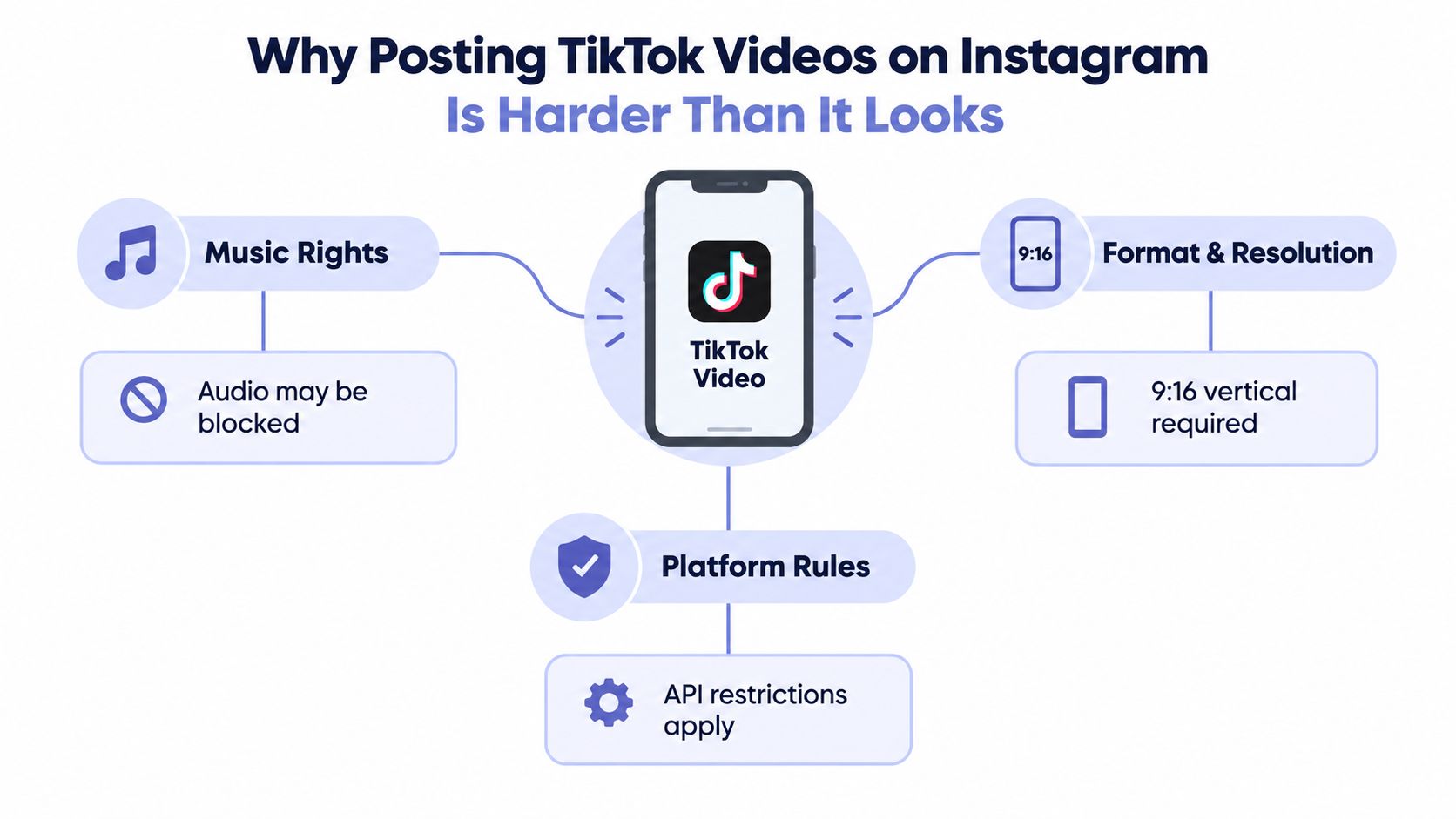 An infographic detailing the challenges of sharing TikTok videos to Instagram, including music rights, format, and platform rules.
Why Bother With Both Platforms
The audience case is real, even if performance never transfers one to one. In Pew Research Center's survey of 5,733 U.S. adults from May 19 to September 5, 2023, 47% reported using Instagram and 33% reported using TikTok, with TikTok up from 21% in 2021. Pew's 2024 teen research also found roughly six in ten U.S. teens used both platforms.
Brands have historically split effort rather than picking one winner. An Emplifi analysis of matching accounts for 330 brands from January through June 2022 found 68% of posting activity on Instagram and 32% on TikTok, with reach and total interactions higher on Instagram and video engagement stronger on TikTok, as summarized in Pew's Instagram topic coverage. Those are adoption and posting figures, not a promise that one video performs identically in both places.
Practical rule: Treat Instagram as a distinct destination with its own audience, not as a backup folder for TikTok exports.
That mindset changes the engineering. You stop asking how to forward a post and start asking how to produce a platform specific variant from a shared source. Watermark removal is only part of that work. SyncStudio's breakdown of Instagram's originality direction is useful background on why recycled looking content can be recommended less, but vendor claims about exact reach penalties shouldn't be treated as universal benchmarks. Re-editing the opening, fixing safe areas, rewriting the caption, and choosing native audio matter at least as much as removing a logo.
In practice you've got a small distributed systems problem. One source asset, two transcode targets, two rights regimes, and two publishing APIs that fail in different ways.
Reformatting a TikTok Video Into an Instagram-Ready Master
Start from the cleanest source you can get, ideally the original edit before TikTok touched it. Downloading the published TikTok and re-uploading it stacks compression on compression. That's generation loss, and you see it first in burned in text, skin tones, and audio transients. Repeated encoding softens edges and introduces ringing and block artifacts that no upscale step will undo.
The four step flow below is the shape of a reliable pipeline, from clean export to a reusable master.
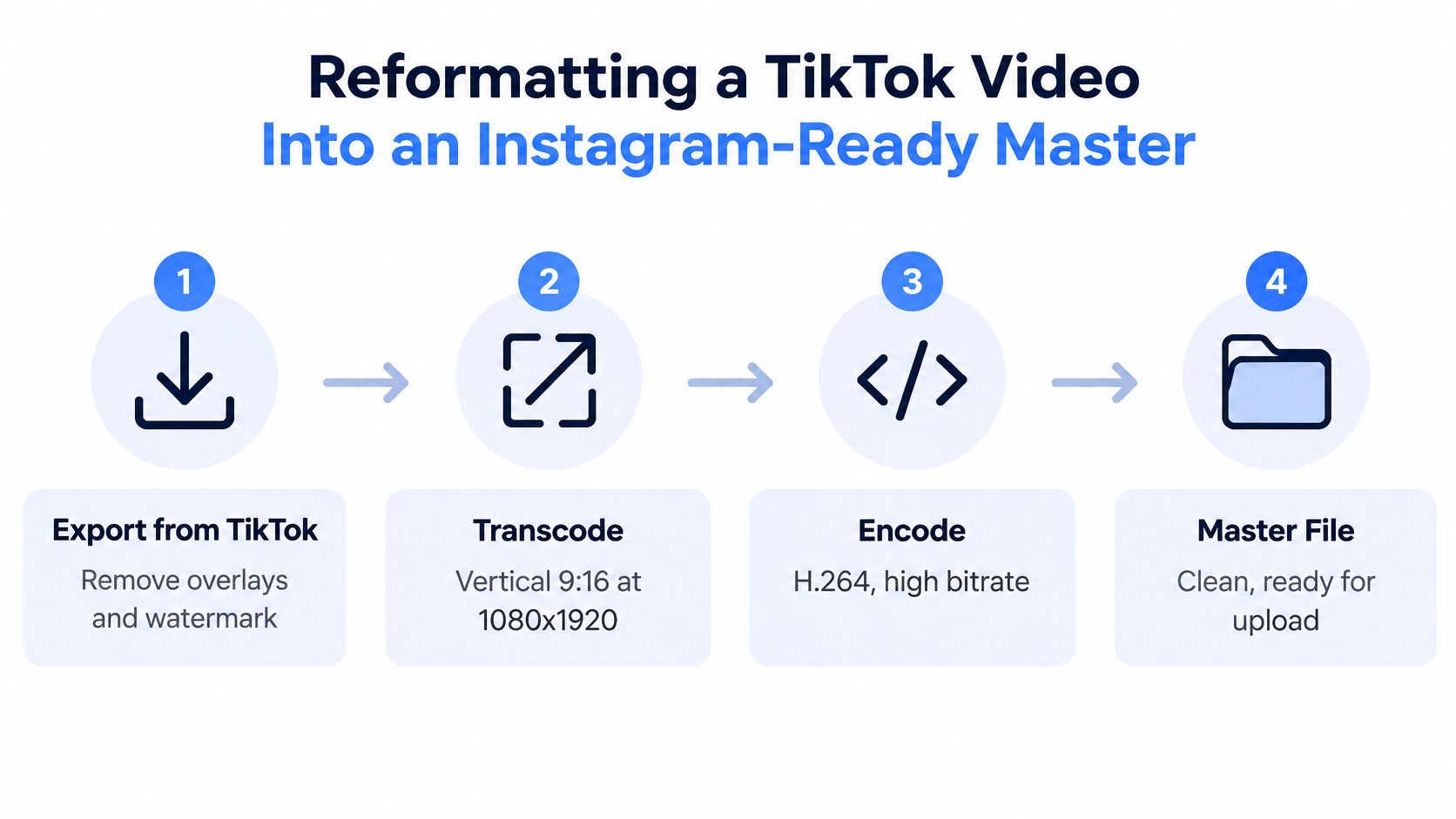 A four-step infographic illustrating the process of reformatting a TikTok video into an Instagram-ready master file.
The Transcode Target Worth Standardizing On
Build one vertical master and derive platform files from it. The documented recipe in the OpenNolan video specifications reference is concrete enough to encode against:
Dimensions: Transcode to 9:16 at 1080×1920, with Instagram allowing video from 3 seconds to 15 minutes and capping the horizontal dimension at 1,920 pixels.
Video codec: Encode progressive H.264 or HEVC in an MP4 or MOV container, fixed frame rate between 23 and 60 fps, closed GOP, and 4:2:0 chroma subsampling.
Bitrate and audio: Stay under the specified 25 Mbps maximum variable bitrate and use 128 kbps AAC audio.
For sizing decisions across surfaces, our own guide to vertical video dimensions for short form platforms covers how that master maps to other placements. If you want a deeper walkthrough of encoder settings and export choices, RenderIO's guide on how to format video for Instagram without quality loss is a solid companion read.
Don't assume TikTok's acceptance proves Instagram will accept the same bytes. TikTok's Content Posting API media transfer guide lists MP4, WebM, and MOV with H.264 recommended, frame rates between 23 and 60 FPS, and a 4 GB maximum, plus chunk rules of 5 MB to 64 MB per chunk and a 1,000 chunk limit. Validate or transcode per destination instead.
The short video below shows the export and reframing mechanics in practice.
Safe Areas Are Not Cosmetic
Keep faces, subtitles, logos, and calls to action away from the top and bottom interface regions. Meta's creative guidance warns against placing essential elements near the edges and recommends leaving the lower 40% clear when disclaimers or critical text are used, per the specs reference above. Test at least one upload per account type before automating, because cover extraction, caption formatting, and music licensing can differ by account and region. Then verify the published Reel on mobile and desktop, not just in your preview player.
The Music Rights Trap Most Repost Guides Skip
Here's the failure that wastes the most debugging time. The video publishes, the thumbnail looks right, and the Reel is silent. Your upload code didn't break the audio. Instagram decided the track wasn't cleared for that account, in that region, for that use.
A song available inside TikTok's library is licensed for TikTok. That permission doesn't automatically travel with the exported file. Soundstripe's explainer on TikTok music and copyright covers the platform specific nature of these libraries. Instagram can independently detect the audio and mute, block, or restrict the Reel.
The illustration below captures the end state users report back to you, usually as a bug against your uploader.
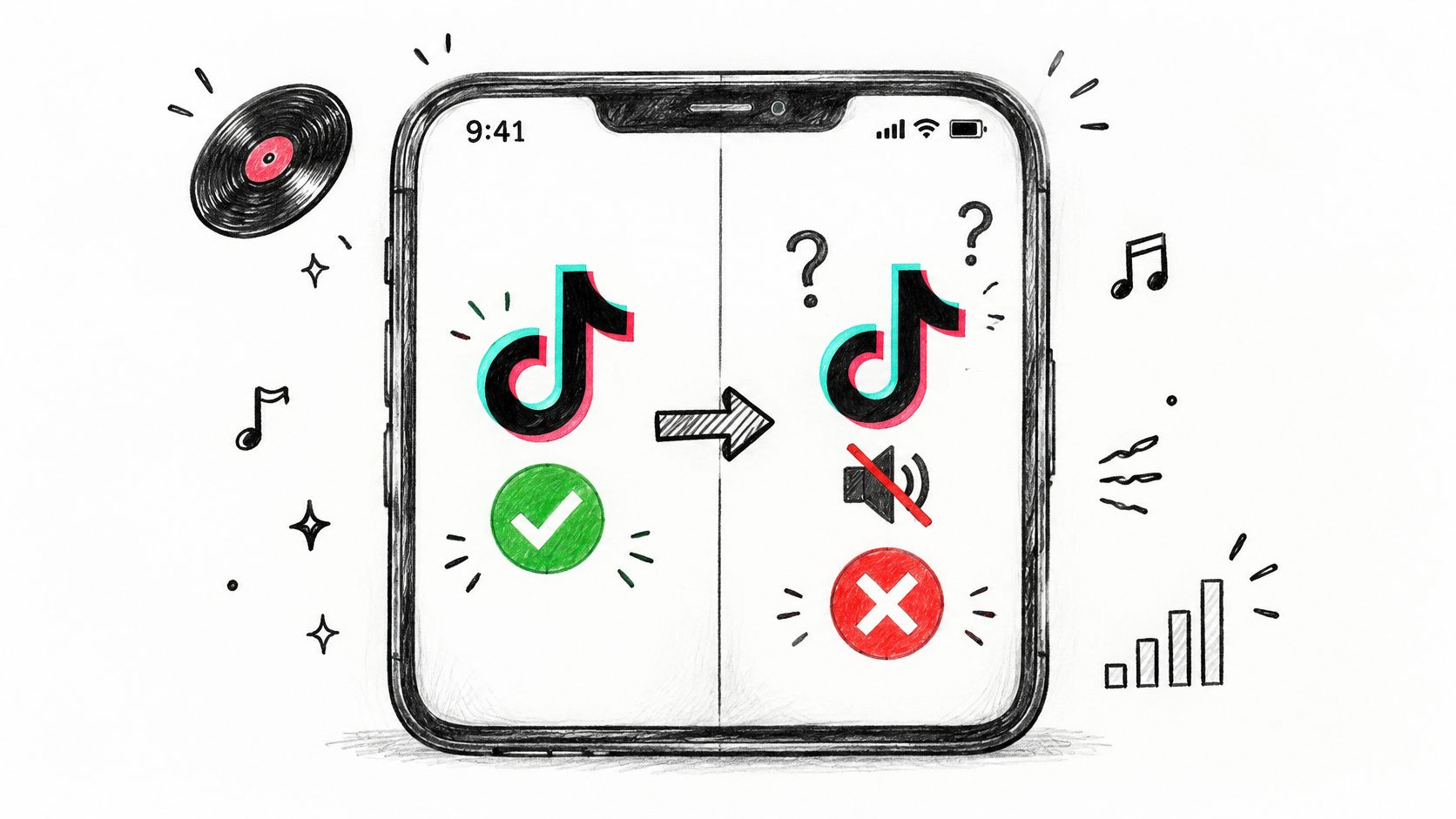 A hand-drawn illustration showing a TikTok logo transition from sound enabled to muted with a red cross.
Why Business and Creator Accounts Get Hit Harder
Personal accounts often have broader consumer music access. Brands and business accounts can face narrower library access and commercial use restrictions, so a track that works on your test profile fails on a customer's account. Region compounds it. A track cleared in one market may not be cleared in another, and your pipeline won't know until the destination platform acts on the published asset.
If you're sourcing music outside platform libraries, Drumloop AI's overview of royalty free music explained for creators helps clarify what a license grants and what it doesn't. For the broader policy side, our notes on social media compliance for automated publishing cover how to document these decisions.
Keep a muted master as your canonical asset. Attach audio per destination, per account, per region.
The Destination Aware Pattern
Separate the video asset from the soundtrack in your data model. Store the clean visual master, the original TikTok audio reference, and the Instagram audio decision as different fields. Before publishing, verify whether the track is cleared for that specific Instagram account. If it isn't, add Instagram approved audio natively or swap in independently licensed music you can document.
That design feels slower than blind duplication. It's faster than handling takedown reports, muted launches, and support tickets asking why a campaign video has no sound. One video everywhere is a fine slogan. One visual master, platform native audio is the version that survives contact with real accounts.
How the Instagram Graph API Actually Publishes Your Video
Instagram doesn't work like an API where you POST a video URL and get a live post back. You create a container, wait for Meta to process it, then publish that container in a second call. If your code assumes a single synchronous request, you'll build timeouts and retries in exactly the wrong places.
The sequence below shows the container based flow you'll be implementing.
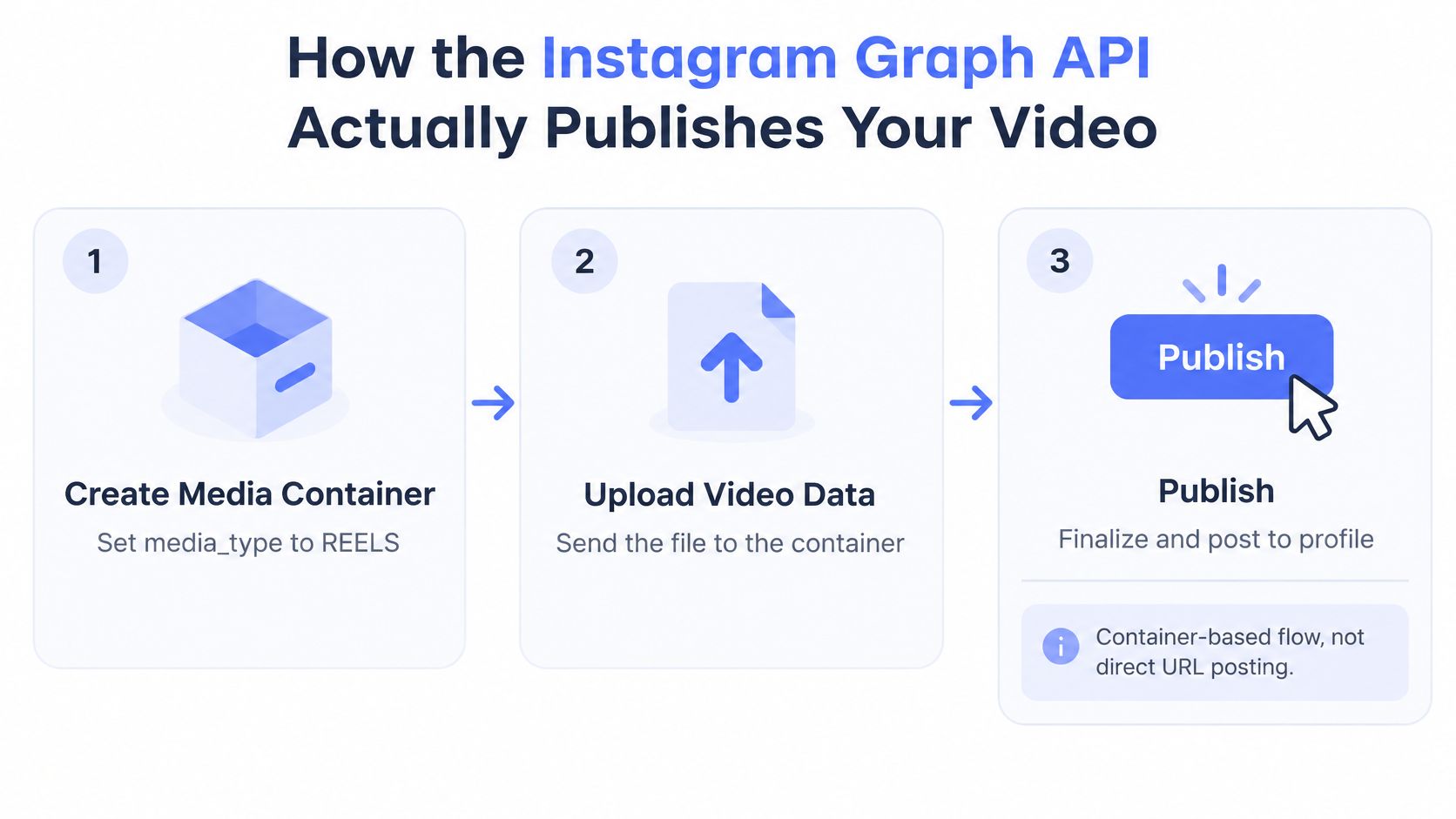 A three-step infographic illustrating the Instagram Graph API process for uploading and publishing video content.
Step One Create the REELS Container
First, forget the legacy value. Meta's Instagram Graph API media reference states that VIDEO for media_type is no longer supported for feed video publishing. You must use REELS.
You create an Instagram media container with media_type=REELS and either a publicly reachable video_url or Instagram's resumable upload option. That public URL requirement catches people out. A signed URL that expires quickly, a localhost path from your dev machine, or a TikTok post URL won't do the job. Meta's servers need to fetch or receive the actual video bytes.
Our deeper walkthrough of the Instagram Graph API publishing flow goes endpoint by endpoint if you're building this integration from scratch.
Step Two Poll, Then Publish
The container creation call returns an Instagram container ID. That ID is not a published post. It's a processing job you now have to watch.
Create: POST the container with
media_type=REELSand yourvideo_urlor resumable upload session.Check status: Poll the container until processing finishes. Handle in progress states patiently and error states explicitly, with the container ID logged on every attempt.
Publish: Call
/{ig-user-id}/media_publishwith the requiredcreation_idset to that container ID and your access token.
Publish too early and the call fails. Lose the container ID and you can't finish or debug the job. Treat that ID like a transaction identifier in any other distributed system, because that's what it is.
Debug habit: Log the container ID, status responses, and publish response together. Most stuck Reel reports become trivial once those three records sit in one place.
Reels Are Not Carousel Items
Decide the format before you create anything. Meta's documentation distinguishes Reels containers from carousel containers, and Reels are not supported as carousel items. Your workflow chooses up front between publishing the video as a Reel or building a carousel from supported media containers. There's no mid flight conversion.
If scheduling is part of your product surface, Klap's guide on how to schedule Instagram posts automatically shows the creator facing side of this same plumbing. Underneath, it's still containers, polling, and a publish call, just hidden behind a calendar UI.
Account Types, Rate Limits, and Retry Pitfalls
Your integration can be technically correct and still fail for every user who connects the wrong kind of profile. Account eligibility is an API constraint, not a settings toggle you can work around. Detect it during onboarding, not at first publish.
Meta's June 2023 Content Publishing API announcement says Instagram Creator accounts were added in June 2023, alongside existing Business account support, for developers with the appropriate permissions. Meta's current reference describes the publish endpoint in terms of an Instagram Business user, which is exactly why you should verify account type and granted permissions during authorization instead of assuming a connected profile is publishable.
The 25 Publish Daily Ceiling
Batching changes once you read the limit carefully. In Meta's May 2023 Stories publishing announcement, Meta states Business accounts can publish up to 25 single images, videos, Reels, or carousel posts per day through third party developer platforms. That's a combined ceiling across those formats. It isn't 25 Reels plus 25 carousels.
Constraint | What Meta Documents | Why It Matters for Automation |
Account type | Business accounts supported, Creator accounts added June 2023 with appropriate permissions | Personal profiles shouldn't be treated as API publishable during onboarding |
Daily publishing limit | Up to 25 single media or carousel publications per day via third party platforms | Count successful publishes per account across formats, not per media type |
Media type |
| Old integration code breaks silently until you migrate the value |
Carousel composition | Reels are not supported as carousel items | Format choice has to happen before container creation |
Retry behavior | Failed requests may still have created a container | Blind retries can consume capacity or publish duplicates |
Retries That Create Duplicates
A timed out request doesn't tell you whether Meta created the container. If your worker retries blindly, you can stack up orphaned containers or, worse, publish the same video twice and burn two slots from that daily 25.
Make retries state aware. Before retrying creation, check whether you already stored a container ID for that job. Before retrying publish, confirm whether the container was already published. Use your own idempotency key per intended post, persist it alongside the container ID, and refuse to create a second container for the same key without an explicit reset.
Queue design follows from the same logic. Count successful publications per Instagram account per day inside your scheduler, spread bursts rather than firing a backlog at midnight, and surface the limit to users as a product constraint instead of a mysterious failure. Boring bookkeeping, but it's the difference between a pipeline that degrades gracefully and one that double posts during an outage.
Automating the Whole Flow With PostPulse
At some point the per platform work stops being a feature and becomes maintenance. OAuth flows, token refresh, app reviews, container polling, rate limit counting, and API version changes, multiplied by every network your users ask for. That's the point where a unified publishing layer earns its place.
PostPulse is one option in that category. It's a social media publishing platform for apps, automations, and AI agents, exposing a REST API, official n8n and Make.com nodes, and an MCP server for agents that publish autonomously. One integration covers nine platforms, including Instagram for Business and Creator accounts, TikTok, YouTube Shorts, LinkedIn, X, Threads, Bluesky, Facebook Pages, and Telegram.
What the Developer Flow Looks Like
You don't register your own Meta, TikTok, and Google apps or sit through each platform's review process. PostPulse provides the verified platform apps, so your users connect their accounts inside PostPulse and you publish through a single endpoint. Token storage, refresh, rate limit handling, and API version churn sit on the PostPulse side of that boundary.
REST API: Send one publish call with your media and per platform options instead of implementing each network's container or chunked upload sequence.
n8n and Make.com: Use the official nodes when the workflow starts in a no code automation rather than your codebase.
MCP server: Let an AI agent call the same publishing surface through Model Context Protocol tools.
For products embedding publishing into their own UI, there's a white label mode where end users connect accounts and publish under your brand without seeing PostPulse at all. That matters for agencies and SaaS tools whose customers would be confused by a third party name in an OAuth screen.
Pricing, Stated Plainly
Private label usage runs $0.20 per publication on pay as you go with no subscription, or $5 per account per month on subscription with unlimited posts. White label is $200 per month plus $1 per active social account, where an account counts as active only if it publishes at least once that month. A startup program waives fees for pre-launch builders, discussed individually.
Run the comparison. If you're publishing to one Instagram account from a cron job, hand rolling the container flow is a weekend project you'll maintain happily. If you're adding publishing as a feature for hundreds of customer accounts across several networks, the maintenance cost of reviews, token edge cases, and breaking changes usually exceeds a per publication fee quickly. The build versus buy line sits wherever API upkeep starts displacing your actual product work.
A Practical Cross-Posting Checklist
Before your next TikTok to Instagram publish, run through the decisions in order. Most failures trace back to skipping one of them.
Keep a clean muted master: Export without platform overlays and never use a downloaded TikTok as your source of truth.
Transcode to spec: Target 9:16 at 1080×1920, progressive H.264 or HEVC, AAC audio, and keep critical text out of the edge regions.
Decide audio per destination: Verify clearance for the specific Instagram account and region, or attach Instagram approved audio natively.
Adapt beyond the watermark: Refresh the opening seconds, caption, cover, and call to action for Instagram instead of shipping an identical file.
Use the REELS container flow: Create the container, poll status, then publish with the
creation_id, logging every step.Respect account guardrails: Publish only to supported Business and Creator accounts, and count against the combined 25 per day ceiling.
Make retries idempotent: Persist container IDs so a timeout never turns into a duplicate post.
The honest take on tooling is simple. A solo creator posting one video a week should re-edit manually and upload in the app. It's cheap, it's fast, and native audio selection takes seconds. An app, agency, or AI agent publishing at volume has the opposite math. Once container polling, rights swaps, and retry logic enter your codebase, automation through a maintained publishing layer pays for itself in incidents you never have to debug.
Stop rebuilding container polling, token refresh, and per platform upload quirks every time you add a network. PostPulse gives you one REST API, n8n and Make.com nodes, and an MCP server to publish Reels, TikToks, and Shorts across nine platforms, with white label options when your users should see only your brand. Connect an account, send your first publish call, and spend your debugging time on your product instead of Meta's status codes.
About the Author

Founder of PostPulse — a social media scheduling platform for creators and teams. Software engineer with a passion for building developer tools and simplifying complex API integrations across social media platforms.