Instagram Graph API: Your End-to-End Developer Guide
Published on June 14, 2026
Tags:
You're probably here because one of three things happened.
Your Instagram integration worked in a test account and then failed in production. Your token looked fine until it wasn't. Or you opened Meta for Developers, clicked through five dashboards, and still weren't sure which app, permission, and account connection mattered.
That's normal with the Instagram Graph API. The rough part isn't making one successful request. The rough part is building something that survives real users, expiring auth, asynchronous publishing, and permissions that look available in docs but are hard to get approved in practice. Most tutorials show the happy path. Production work lives in the parts they skip.
Table of Contents
Why Is the Instagram Graph API So Painful
Friday afternoon is when this API likes to teach its lessons. Posting worked in your test app, the demo account looked fine, and then production starts failing because the Instagram profile is linked to the wrong Facebook Page, the token is no longer usable, or a permission you assumed was available is still blocked behind review.
That pattern frustrates teams because the hard parts are not the endpoints themselves. The hard parts sit around the edges: account state, Meta app configuration, review requirements, token hygiene, and asynchronous publishing behavior. If you estimate this like a normal social API integration, the schedule will slip.
The pain starts in the gaps between systems
Instagram Graph API work spans several moving parts that fail independently. Instagram account type matters. Facebook Page linkage matters. App mode matters. Approved scopes matter. A request can look correct and still fail because one dependency outside your code is misconfigured.
That changes how to scope the project. API access is not the expensive part. The work that matters is account linking, token handling, retries, monitoring, and support playbooks for the cases your logs will not explain clearly.
A lot of guides flatten that reality into a clean checklist. Production does not behave like the checklist.
App Review is often the first serious blocker
The docs can make a feature look straightforward long before Meta agrees that your app should have access to it. That gap is where many small teams get stuck.
Reading insights for the business account a user connects is one class of problem. Requesting access patterns that touch external professional account data is a different class entirely, with more scrutiny and a higher chance of rejection. Meta expects a clear business case, a credible user flow, and review materials that match what the app really does. If those pieces are weak, development stops at the policy layer, not the code layer.
This catches developers off guard because the API reference reads like capability documentation, not likelihood-of-approval documentation.
Publishing feels awkward because the workflow is asynchronous
The publish flow is another source of confusion. Instagram does not treat publishing as a single request. You create a media container, wait while Instagram processes it, then publish the finished container. That design is workable, but it punishes naive implementations.
A few failure modes show up again and again:
Auth drift: The integration passes QA, then breaks later because token refresh and reauth paths were never treated as product features.
Processing lag: Media takes longer than expected, and aggressive polling wastes quota without improving reliability.
Permission mismatch: The endpoint exists in the docs, but your app still cannot use it in live mode.
Weak observability: Error payloads are often too vague to help unless you log request context, account state, and permission state together.
None of this makes the Instagram Graph API a bad API. It makes it an API that demands operational discipline. The clean demo path is only a small part of the build. The production version is about handling all the messy cases Meta leaves for you to sort out.
Navigating the Setup Maze of App Creation and Permissions
The cleanest Instagram Graph API integrations start with boring account plumbing done correctly. If that foundation is wrong, every later error looks like a code bug even when it isn't.
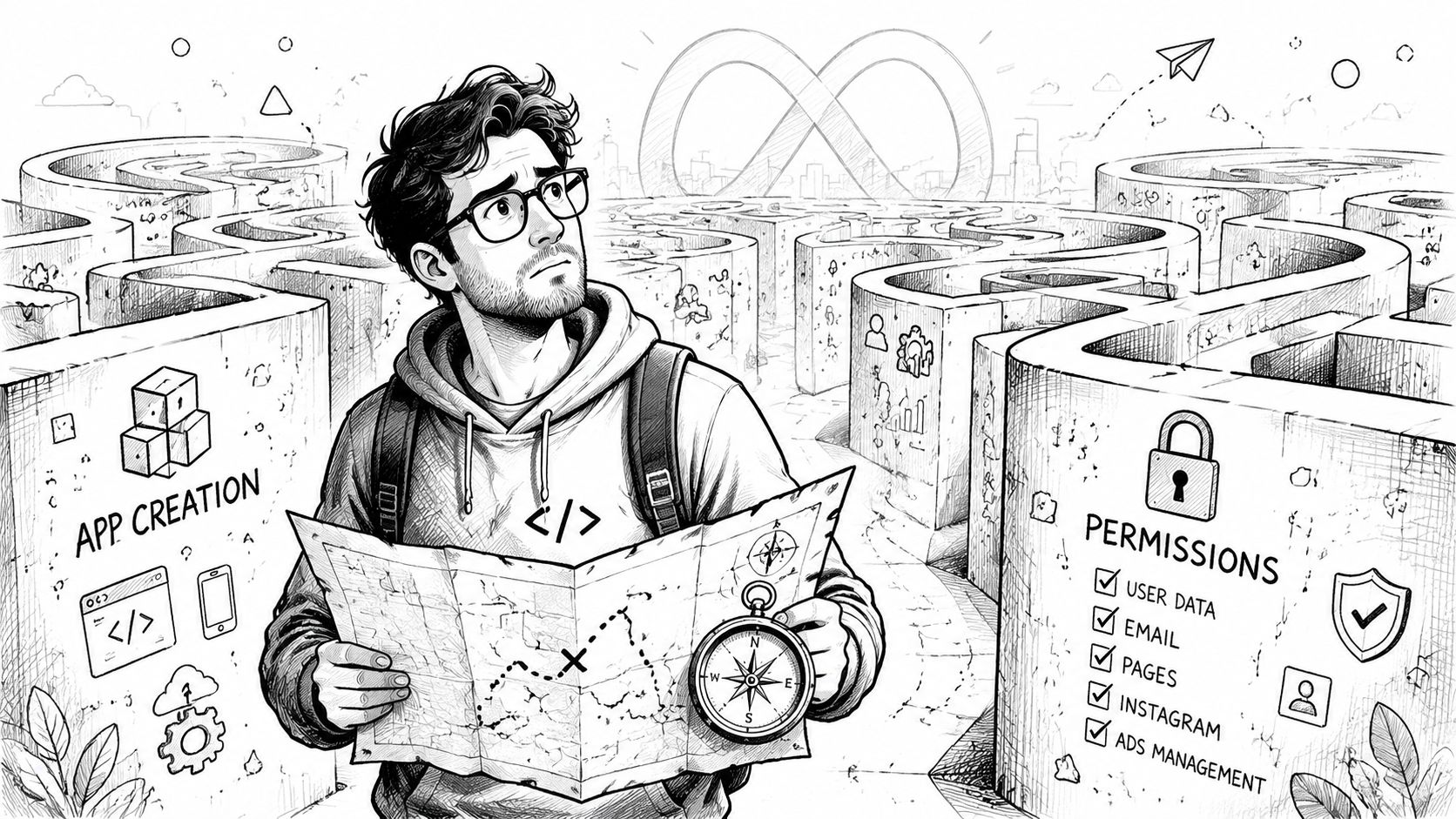 A young developer navigating a complex maze, illustrating the challenges of integrating with the Instagram Graph API.
Start with the right account model
The Instagram Graph API is not a general-purpose API for every Instagram account state. It's designed around a privacy boundary. It can return follower counts, aggregated audience demographics, and public metrics, but it does not expose individual follower or following lists. It also requires a Business or Creator account, because the API is built for managing a business presence rather than extracting the social graph, as explained in this Instagram Graph API privacy boundary reference.
That single fact explains a lot of setup confusion.
If someone is trying to use a personal Instagram account, or expecting raw follower lists, they're already outside the shape of the product. You can save hours by validating that up front.
A reliable setup checklist looks like this:
Professional account first: Confirm the Instagram account is Business or Creator.
Facebook Page linked: Confirm the Instagram profile is connected to a Facebook Page.
Meta app in place: Create the app in Meta for Developers before touching auth code.
OAuth redirect exactness: Use the exact redirect URI you configured. Near matches still fail.
Ask for the minimum useful permissions
Developers often over-request scopes at the start. That creates more review friction and more confusion during testing. For a basic publishing integration, keep the permission set narrow and tied to your actual feature.
The practical way to think about it is simple:
Integration goal | What matters most |
Publish content | The publishing-related Instagram permission and working account linkage |
Read owned account metrics | Access to your authenticated business account fields and insights |
Read external account data | Approval reality, not just endpoint availability |
When an app asks for broad access before it has a clear user-facing need, Meta tends to push back. Even if approval eventually happens, your debugging surface gets much worse.
Build the smallest useful app first. Add surface area only after the owned-account workflow is stable.
Another setup trap is treating the Facebook Page link as a formality. It isn't. That linkage is part of how Meta maps the Instagram professional account into the Graph model and permission system. If that relationship is broken or attached to the wrong Page, you'll chase phantom auth and permission issues.
By the time you finish setup, you should be able to answer four questions without guessing:
Which Meta app is making the requests?
Which Instagram professional account is being authorized?
Which Facebook Page is linked to that account?
Which exact permissions does the feature require?
If any of those are fuzzy, stop there and fix them before writing more code.
Mastering the Token Lifecycle Forever
The failure usually shows up at 2 a.m. A scheduled post misses its slot, the job log says OAuthException, and everyone blames publishing. In production, the root cause is usually token handling.
You can get through setup, publish a test image, and still have a weak integration. Meta auth needs ongoing maintenance if jobs run without a user present.
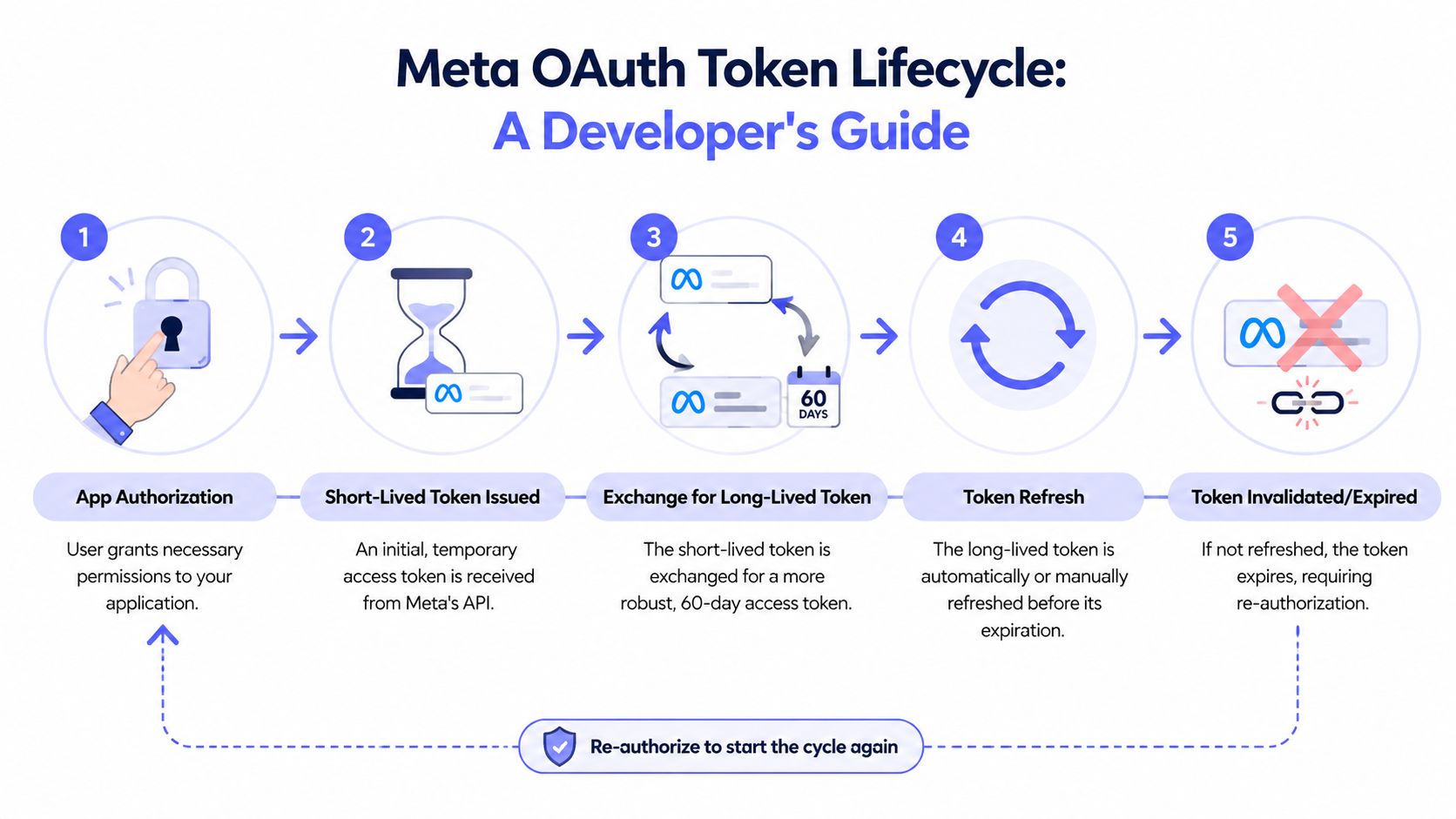 A five-step infographic showing the lifecycle of a Meta OAuth token, from authorization to expiration and re-authorization.
What breaks in production
The common mistake is treating “long-lived token acquired” as the finish line. It is only the start of operations work.
Meta gives you a longer window, but unattended systems still fail if you refresh too late, lose track of expiry metadata, or keep using a token after the account state changed. That is why scheduled publishing, cron-driven sync jobs, and agent workflows fail in ways that look random from the outside.
The ugly part is silent degradation. The token sits in your database. The app keeps queuing work. Then one day refresh fails, a permission changed, or the account connection no longer matches the token record you thought you had.
If you want the full mechanics, this guide on the Meta OAuth token lifecycle covers the refresh path and expiry model in more detail.
The strategy that survives real traffic
Use pre-rotation. Store expiry data, refresh before the last few days, and make every worker ask a token manager for credentials instead of reading raw tokens from storage.
That pattern matters more than any single endpoint call.
A practical setup looks like this:
Store issue and expiry metadata. Save more than the token string.
Refresh before the deadline. Do not wait until the final day.
Run refresh in the background. Scheduled jobs should not depend on an interactive user session.
Alert on refresh failure. Treat it like an incident, not a warning you will check later.
Here's the shape I prefer in production pseudocode:
That code is simple on purpose. The important part is where it lives. Every publish job and every read job should go through one accessor that can validate, refresh, and fail cleanly.
Keep feature code away from stored tokens. Put a token manager in the middle and force every request through it.
Teams building autonomous posting flows run into the same pattern in other API stacks too. This write-up on how to post to API in 2026 is useful context if your system is heading toward scheduled or agent-driven execution.
Keep ownership and account mapping explicit
Multi-account apps get messy fast. A token is never just a token. It belongs to a specific Meta app, tenant, Instagram professional account, and Facebook Page relationship.
Store that mapping directly:
Meta app
workspace or tenant
Instagram business account
Facebook Page linkage
current token record
A lot of “intermittent auth bugs” come from stale account associations or the wrong token attached to the wrong brand. The OAuth code is fine. The data model is wrong.
Separate refresh failure from reconnect required
Refresh does not solve every auth problem. Users revoke access. Permissions change. The linked account changes underneath you.
Model those states explicitly:
State | Meaning |
Active | Token is valid and automation can proceed |
Refreshing | Background renewal is in progress |
Reconnect required | User action is needed before publishing resumes |
This saves time during incidents. If a refresh call fails because of a transient error, retry with backoff. If the account needs user action, stop retrying, mark the integration as disconnected, and tell the user exactly what to fix.
That state machine is not glamorous. It is the difference between a demo that works once and an integration that keeps publishing six months later.
The Three-Step Dance for Publishing Media
Instagram publishing feels strange until you accept one thing. You are not publishing the asset directly. You are asking Instagram to process a container, waiting for that work to complete, and then promoting that finished container into a post.
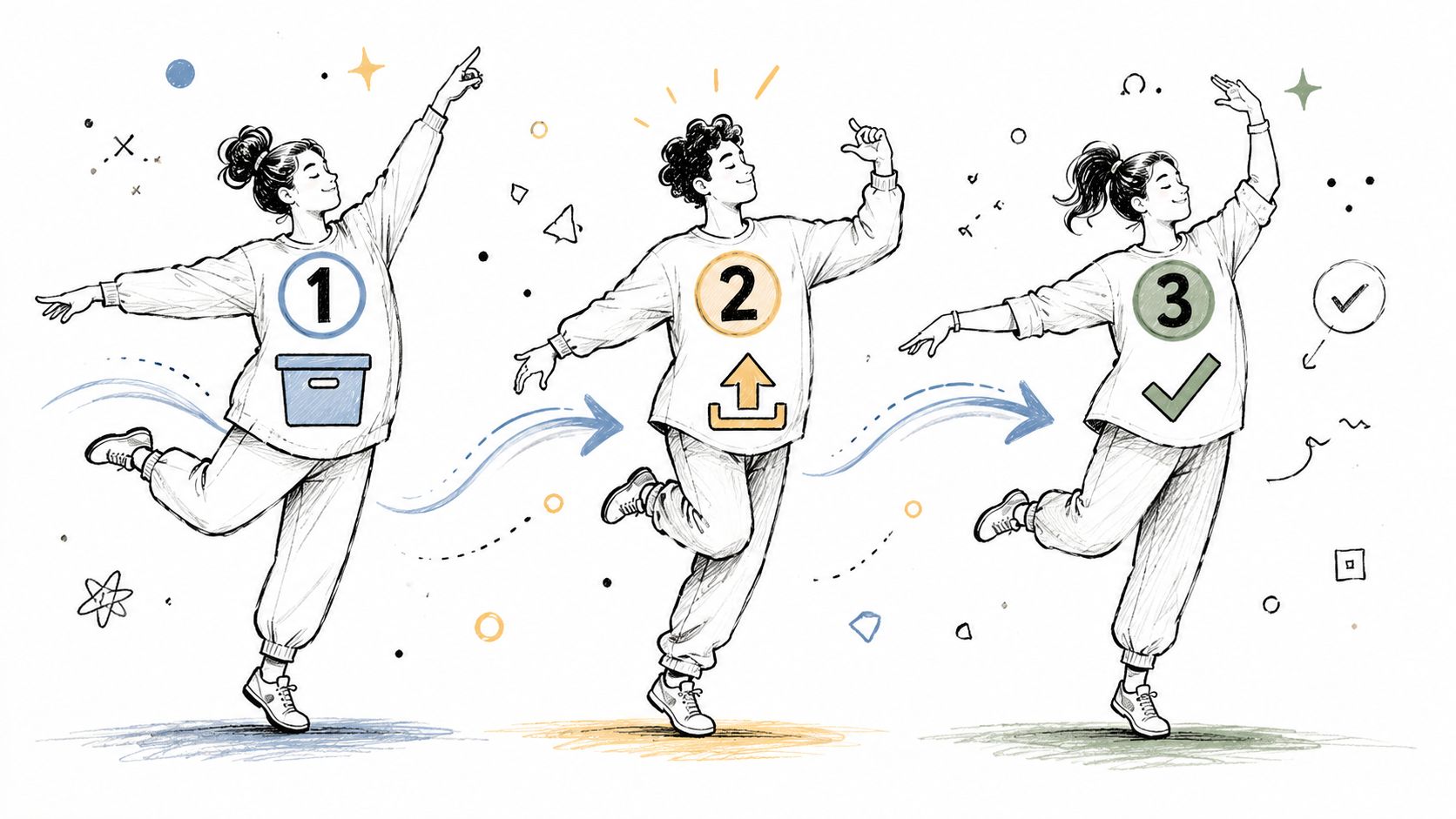 A hand-drawn illustration showing a three-step workflow process with figures performing an active dance move.
That model is the source of most “why is my post stuck” support tickets.
If you want another take on the underlying pattern, this write-up on Instagram container-based publishing maps well to what you'll handle in a real integration.
Step one creates the container
Your first request creates a media container. The asset must be available on a public URL that Instagram can fetch. For images, that's straightforward. For video and Reels, processing takes longer and deserves more patient status handling.
Typical Node.js code for an image container looks like this:
For a carousel, the mental model changes again. You don't upload a carousel directly. You create child containers first, then create a parent carousel container that references those children.
That's where rushed implementations often break:
Asset URL problems: Instagram can't fetch the media.
Wrong media type assumptions: Image logic gets reused for video.
Carousel sequencing mistakes: Parent created before all children are ready.
A good external explainer for modern API posting workflows is this guide on how to post to API in 2026. It's broad, but the emphasis on workflow shape is useful.
Step two waits without wasting quota
The second step is where patience pays off. After container creation, you query the container status until it's ready. Don't hammer the API every second. Polling too aggressively just burns quota and increases your chances of failure under load.
Here's a simple polling pattern:
That pattern gives Instagram room to process while avoiding a noisy loop. For higher-throughput systems, put these jobs on a queue and let a worker handle the wait state instead of tying up request threads.
Here's a quick visual summary before the final publish step:
Step three publishes the finished container
Once the container status is ready, publishing is a separate API call. That final call points to the finished creation ID.
The safest production flow is:
Validate account and token before touching media.
Create the right container type.
Poll status conservatively.
Publish only after completion.
Persist both the container ID and published media ID for support and retries.
If publishing fails, keep the container history. Support gets much easier when you can tell whether the failure happened at creation, processing, or final publish.
Handling Rate Limits and Errors Like a Pro
Friday night is when weak Instagram integrations show their real shape. A scheduled publish job stalls, workers keep polling, retries pile up, and the same account burns through quota while support gets a flood of "why didn't my post go out?" tickets.
Rate limits and error handling decide whether your integration survives production traffic. The painful part is that many failures are self-inflicted. Teams usually create them with noisy polling, oversized field lists, duplicate fetches across workers, and retry logic that treats every Graph error like a temporary hiccup.
Meta does not reward that approach. As noted earlier in the Instagram Graph API developer guide, the practical fixes are simple: ask for less data, prefer webhooks where they fit, and back off on 429s instead of hammering the same endpoint.
Cut request volume before you tune retries
The cleanest way to stay under limits is to stop making unnecessary calls.
In production, four changes usually make the biggest difference:
Keep field lists tight. If the job needs
id,caption,media_type, do not request analytics, thumbnails, and timestamps "just in case."Cache account metadata aggressively. Username, profile picture, and account type do not need fresh reads on every request.
Separate hot data from cold data. Engagement metrics change more often than profile metadata, so cache them on different schedules.
Deduplicate concurrent reads. If five workers need the same media status, one worker should fetch it and the others should wait on shared state.
That gives you a policy that is boring and effective:
Request type | Safer behavior |
Profile and account metadata | Cache longer and refresh on a schedule |
Metrics and recent media state | Cache shorter and fetch only where the product needs freshness |
Publish status changes | Use webhooks or queue-driven polling with backoff |
Collection endpoints | Page deliberately and keep requested fields narrow |
If you are building your own integration layer, document these rules next to the client code, not in a wiki no one reads. Teams that need a reference point for a higher-level abstraction can compare that approach with the Instagram publishing API docs from PostPulse.
Retry logic should classify the failure first
Blind retries waste quota and hide the underlying problem. A 429 needs delay. A 5xx usually needs retry with jitter. A permissions error needs code or app review changes. An expired token needs a reconnect or refresh path.
Start by making the retry decision explicit:
Then wrap API calls with bounded backoff:
That wrapper is a decent start, but production code usually needs two additions.
First, add jitter so a fleet of workers does not retry in lockstep. Second, log the Graph response body in structured form, including HTTP status, Graph error code, subcode, user-facing message, app user ID, Instagram account ID, and request correlation ID. Without that, every incident turns into guesswork.
Treat Graph errors as operational categories
The teams that handle this well do not store errors as raw strings. They map them into actions.
Use a classification model like this:
Retry later:
429, timeout, transient5xx, temporary upstream failureReconnect account: expired token, revoked permissions, disconnected Facebook Page or Instagram account
Fix code or config: invalid field set, unsupported media format, missing permission, wrong endpoint, bad app mode setup
That split helps support, too. A reconnect problem should produce a user action. A code problem should page engineering. A transient problem should stay in the queue and retry automatically.
One more gotcha. Polling loops and retries interact badly. If a media container is still processing and three workers all poll every few seconds, then each retry path can multiply the read volume. Put ownership of status checks in one worker or one scheduled job per container. Everybody else should read from your database.
For teams already running Meta-heavy workflows, the same operational discipline shows up in adjacent tools like ShortGenius Meta ad creator. The lesson is the same. Platform APIs punish waste, and the recovery path is always easier when you classify failures before you retry them.
The Fork in the Road When to Use a Unified API Instead
By the time you've dealt with Meta app setup, account linkage, permissions, token rotation, asynchronous publishing, and rate-limit discipline, the architectural question becomes obvious. Is this complexity part of your product, or is it scaffolding you had to build to reach your product?
That's a critical fork in the road.
Build it yourself when control matters
A direct Instagram Graph API integration still makes sense when Instagram is central to your business logic and you want full control over every workflow detail. If your team needs platform-specific features, custom observability, and tight ownership of the auth model, native integration is the cleanest long-term choice.
That path is also easier to justify when the team can absorb compliance and maintenance overhead. If you already run app review processes, token ops, and platform-specific support queues, owning another direct integration may be reasonable.
A nearby example is ad creative tooling. If your stack already includes platform-specific workflows, a tool like ShortGenius Meta ad creator can fit naturally into a more specialized content pipeline.
Use abstraction when shipping speed matters more
If your actual goal is “let users publish reliably,” native integration can become a detour. The same is true if you need multiple networks, no-code automation, or AI-agent publishing and don't want each platform's auth and review system to become its own engineering project.
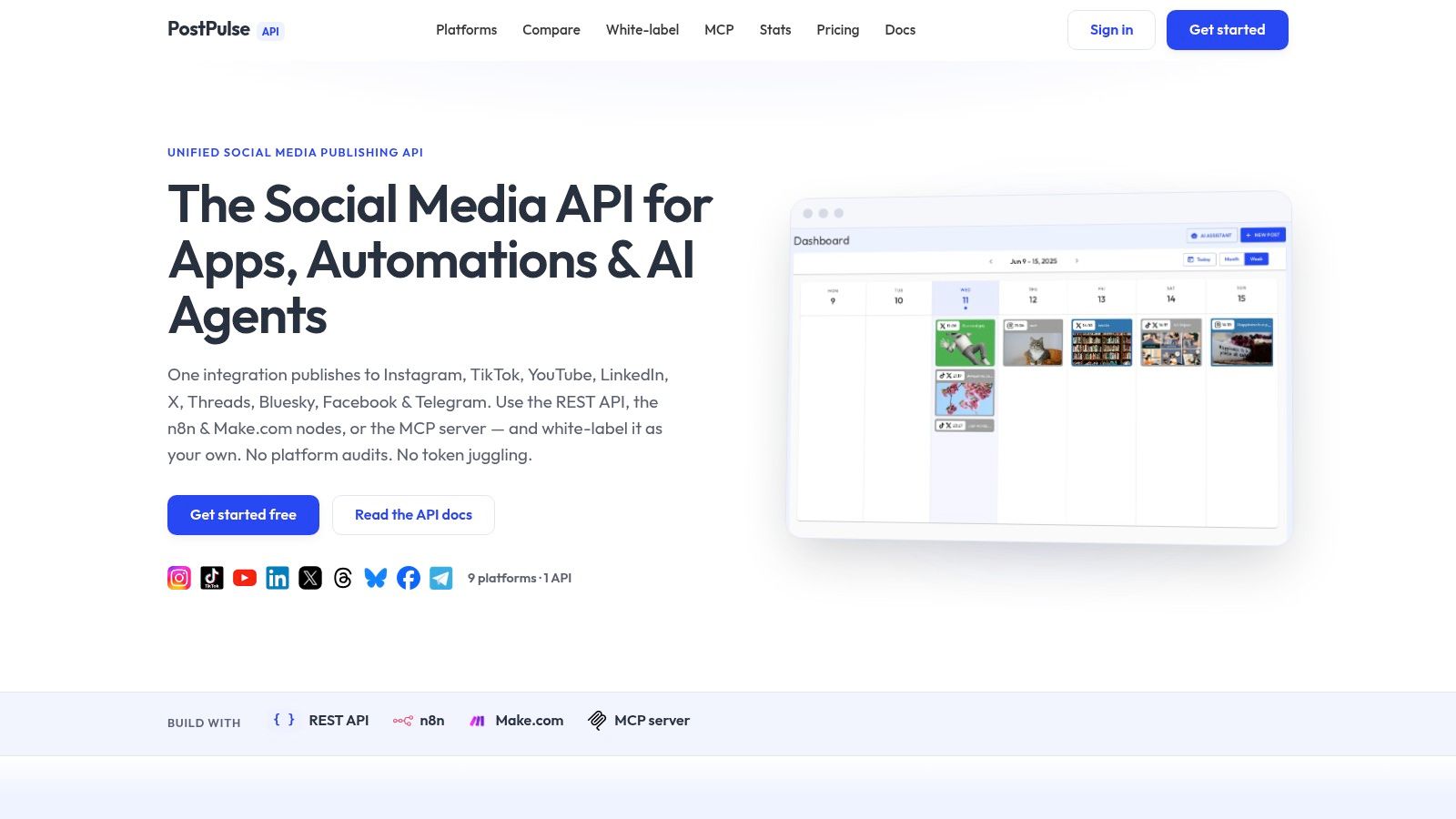 Screenshot from https://post-pulse.com
That's where a unified publishing layer starts to make engineering sense. Instead of building a Meta-specific operational system, you delegate the account connection, token rotation, and cross-platform differences to a provider and integrate once. If you're comparing what that abstraction surface looks like, the PostPulse API docs show the shape clearly.
The trade-off is straightforward:
Choice | You gain | You give up |
Direct Instagram Graph API | Maximum control | More maintenance and platform friction |
Unified publishing API | Faster shipping and less auth plumbing | Some platform details are abstracted away |
For most product teams, this isn't a philosophical decision. It's a backlog decision. Do you want engineers spending time on social platform infrastructure, or on the feature your users bought?
If you want the fastest path to reliable social publishing without owning all the OAuth, token refresh, app review, and multi-platform maintenance yourself, PostPulse is worth a look. It gives you one integration surface for publishing across platforms, which is a much better fit for apps, automations, and AI agents than rebuilding each network from scratch.
About the Author

Founder of PostPulse — a social media scheduling platform for creators and teams. Software engineer with a passion for building developer tools and simplifying complex API integrations across social media platforms.