Post on Instagram API: Container Steps, Errors and Fixes
Published on
Tags:
Your OAuth callback succeeds, the account shows as connected, and the first publish still fails. Or the media container exists, but your worker keeps checking it while nothing appears on Instagram. The frustrating part isn't sending the request. It's knowing whether you're waiting on processing, missing permission, or retrying something that can't succeed.
To post using Instagram API endpoints, start with the container lifecycle, not the publish button. Authorization, media readiness, processing, and publication are separate checkpoints. Your integration needs to distinguish them.
Table of Contents
Why OAuth Success Is Not Publish Readiness
Connected isn't the same as publishable. OAuth establishes access, but it doesn't prove that the account is eligible, the required publishing permission was granted, or the media is ready.
Meta launched the Content Publishing API on January 26, 2021, as an extension of the Instagram Graph API, initially supporting Business-account Feed publishing and requiring App Review for access, according to Meta's launch announcement. That history matters because publishing isn't an extra operation available to every authenticated Instagram user.
Operationally, think in terms of create, check, publish. Create through POST /{ig-user-id}/media, check that processing has finished when required, then submit the container to POST /{ig-user-id}/media_publish as creation_id. That's a workflow, not a scheduling request that somehow creates its own media.
Account and permission cases before a publish call
The account and scope checks belong in onboarding. Meta's permissions reference identifies instagram_business_content_publish as the permission for organic photo and video publishing; the publishing flow described here also requires its instagram_business_basic dependency.
Case | Eligibility status | Required before the call | What goes wrong without it |
Business account | Eligible since the launch |
| The publish call fails without the permission |
Creator account | Eligible since June 2023 | Same permissions, granted through the authorization flow | The publish call fails without the permission |
Personal account | Not established as eligible | Convert to a professional account first | Publishing is not expected to succeed |
Page Publishing Authorization pending | Eligible but blocked | Complete authorization on the Page | Publication stays blocked until done |
For Business accounts, inspect the granted permissions rather than assuming the authorization screen supplied everything. For Creator accounts, apply the same publishing checks. For personal accounts, fix the account type before debugging your request payload.
Treat pending Page Publishing Authorization as an account-level blocker, not a transient publish failure. Repeated submission won't complete that authorization for the user.
Separate connection failures from publishing failures
Our authorization flow requests the required permissions when users connect, but it can't make an ineligible account publishable. We store platform access and refresh tokens encrypted in the PostPulse database; OAuth token management is a separate concern from whether an individual post can publish.
There's also a distinct connection-policy failure: connecting a social account already used by another PostPulse user returns HTTP 402 with the error 'Social media account has already been used previously'. Don't diagnose that as an Instagram container problem.
An Instagram post also needs media before scheduling. A caption and timestamp alone aren't a publishable Instagram asset.
Before accepting work into your publishing queue, check:
Account type: Confirm Business or Creator eligibility.
Granted permissions: Inspect actual access, not just callback success.
Page authorization: Resolve any pending publishing authorization.
Media readiness: Require an uploaded asset or a reachable media URL.
How to Publish a Post Step by Step
A successful POST to /media returns a container ID, and a container ID is not a post. Each step below moves the job through Meta's container lifecycle, and each has a failure mode the step before it cannot detect. Meta's content-publishing documentation describes the container creation and publication flow, public-media requirements, and processing checks that underpin this sequence.
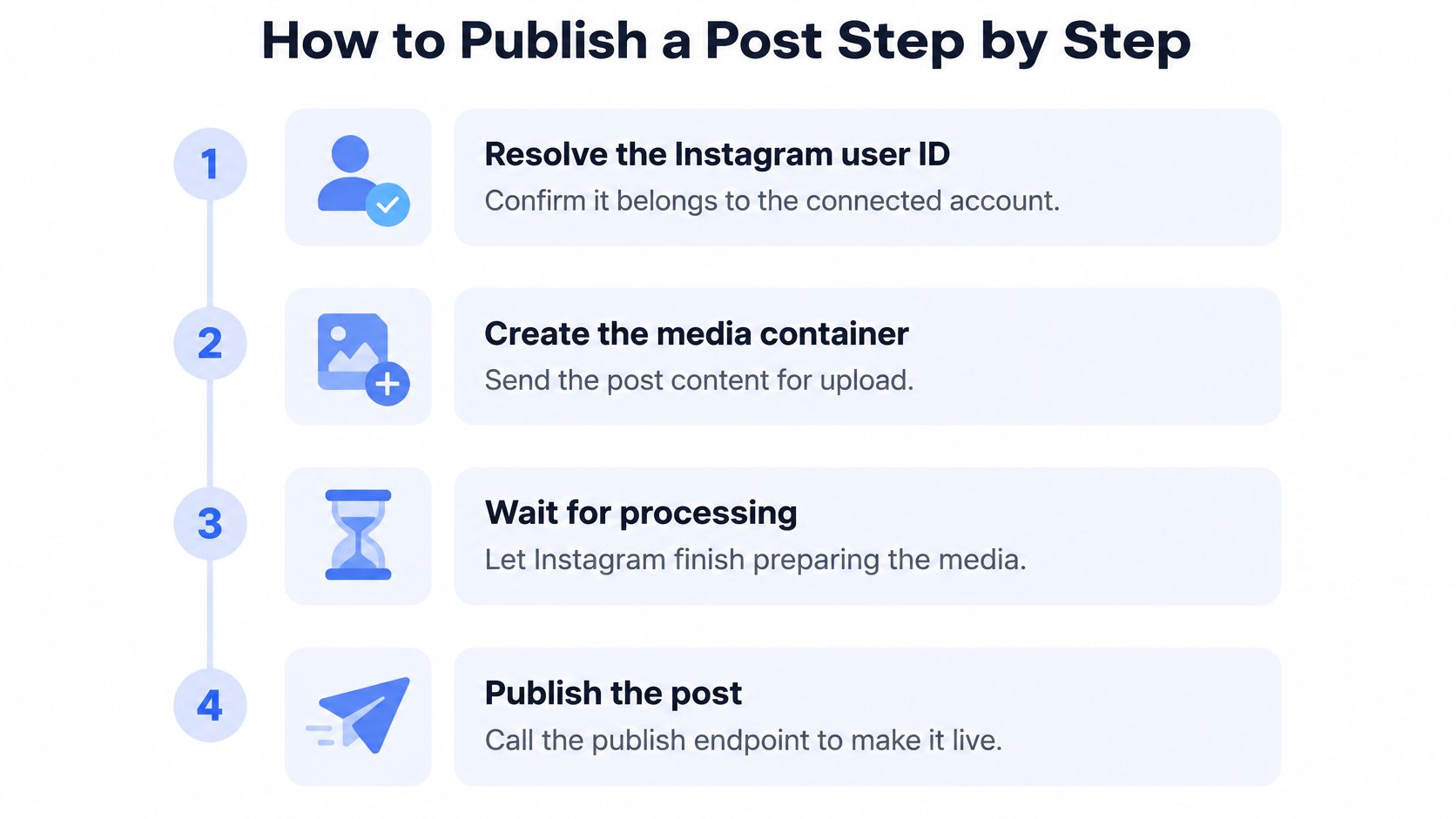 A four-step infographic illustrating the process of publishing an Instagram post using the API.
The diagram covers the platform operations. Your application still needs durable records around each one, because a retry with no record of the first attempt is how duplicate posts happen.
Resolve the Instagram user ID. Confirm it belongs to the connected professional account. Keep this separate from your application's user ID and from the media-container ID you'll receive later. These identifiers represent different objects.
Prepare a stable public media URL. Meta fetches the asset, so accessibility from your browser isn't enough. Private URLs, expiring signed URLs, redirects, and files deleted before retrieval are failure candidates. Keep the asset available throughout processing and publication.
Create the media container. Call
POST /{ig-user-id}/mediawith the parameters appropriate to the media type and its URL. Save the returned container ID immediately. That returned ID becomes thecreation_idparameter when you publish; don't confuse the response field with the later request parameter.Wait for video processing. Poll or verify the container's processing status before proceeding. A successful container-creation response doesn't establish that the video is publishable. Give your worker a waiting state rather than treating every unfinished check as a failed job.
Publish the prepared container. Call
POST /{ig-user-id}/media_publishwithcreation_idand the user access token. The official media-publish endpoint reference explicitly requires the container identifier and token. Scheduling metadata can't substitute for an existing container.Persist the result against your application idempotency key. Associate the logical publishing job, container ID, and returned post ID. Your database key is an application safeguard, not a claim that Meta accepts an idempotency parameter on this endpoint.
Make recovery part of the sequence
A local idempotency key doesn't automatically guarantee exactly-once delivery across a network boundary. If a request times out after Instagram accepts it, reconcile the recorded state before issuing another publication attempt.
Practical rule: A timeout means the outcome is unknown, not necessarily that publication failed.
Treat a container that never reaches a finished state as a different retry class than a publish call that timed out. The first keeps waiting on the same container ID; the second reconciles state before creating anything new. Whatever media path your tooling exposes, the platform-side container operations still have to satisfy Instagram's media requirements.
Success means retaining the returned platform post ID and confirming the post is live on the intended account, not just that media_publish returned a 200.
Carousels, Reels and Single Images Compared
Say you're preparing a five-slide carousel. Using the child-and-parent model in Meta's carousel publishing documentation, that job needs five child containers plus one parent, six containers altogether, and the same source material cites up to 10 tagged items, including images, videos, or a mixture.
That tagging limit isn't evidence of a universal carousel-size cap across every Instagram publishing surface. Keep its scope attached to the figure.
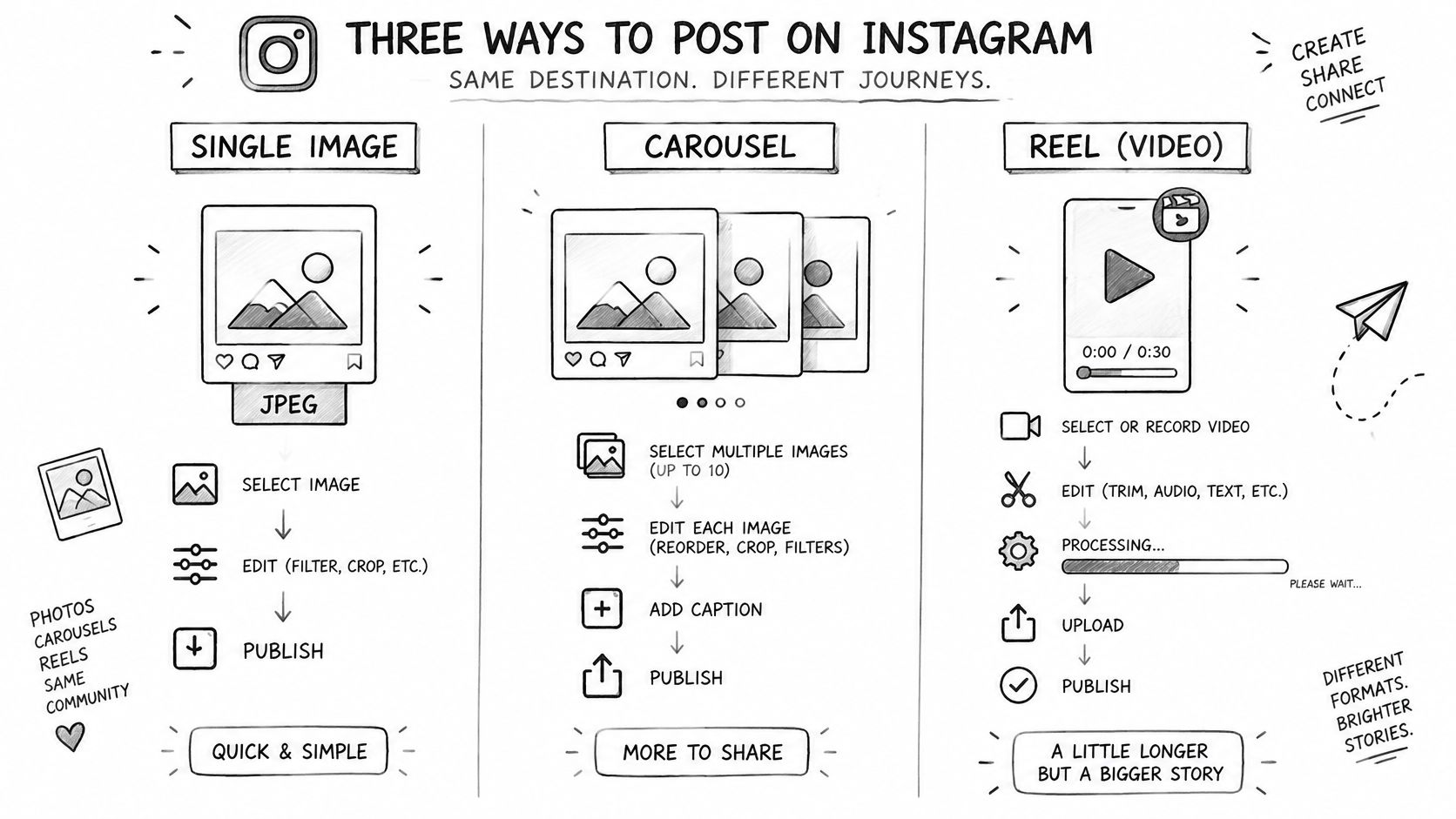 A hand-drawn infographic explaining the three different ways to post content on Instagram: images, carousels, and reels.
Container requirements by media type
Media type | Containers needed | Format or limit | Wait before publishing |
Single image | One | JPEG only, public URL | Container reports finished |
Video or Reel | One | Public URL; resumable upload available for large files | Processing finishes |
Carousel | One child per item plus one parent | Up to 10 tagged items, images, videos, or a mix | All children finish, then the parent |
The carousel mistake is advancing because the parent exists. Existence isn't readiness. Track each child independently, wait for required child processing, and publish the parent only when the complete group is ready. A parent record with a child still processing gives you a container ID that fails at media_publish, so read each child's status rather than inferring it from the group.
Single images remove the child-container coordination, but still require a supported file and a retrievable asset. Videos and Reels add processing latency; resumable uploads offer a recovery path for large video transfers interrupted by network failures. Our Instagram Reels format guide can help with asset preparation without turning every video issue into a retry experiment.
Treat a carousel as a group of dependent media jobs, not as an image with extra attachments.
Support for a media type on one surface doesn't let you borrow another type's container parameters or format limits. Confirm the requirements for the specific type you're sending before reusing a working configuration.
Rate Limits and Retry Rules That Keep You Live
The ceiling to design your queue around is 100 API-published posts per Instagram account within a moving 24-hour period, with each carousel counting as one post, as documented in Meta's Instagram developer updates. The older 25-post daily allowance belongs to Meta's earlier material rather than the current ceiling, and those updates also record Creator access in June 2023 and Stories eligibility in May 2023.
Don't copy an old tutorial's allowance into a permanent configuration constant. Record the platform rule your queue enforces, and review it whenever you update the integration. The allowance is a ceiling. Instagram can restrict or ban an account over unwanted content, so a posting budget never licenses spam.
Retry by failure class
A rate-limit response calls for queueing rather than immediate resubmission. Preserve the job and resume when capacity becomes available. Keep that scheduling logic separate from the status polling you run on an already-created container.
A transient internal error is a candidate for exponential backoff with a cap. Increase the delay between attempts, stop after a configured attempt budget, and alert someone when the job remains unresolved.
Authorization or permission failure: reauthorize or repair the missing access. An unchanged request won't grant itself permission.
Media-validation failure: correct the asset or its hosting, then create a replacement container. Resubmitting invalid media isn't recovery.
For a model of how another API communicates request budgets to its consumers, see the RedirHub rate limit documentation. It documents a different service's limits, so read it for how clearly it presents them rather than for the values themselves. Our API rate-limit guide covers the integration-side difference between pacing work and retrying failures.
Resume rather than restart
Persist creation_id and any returned platform post ID so recovery picks up from the last known state. A failure after container creation shouldn't route back through creation by default: that path leaves orphaned containers, and if the ambiguous attempt succeeded, a retry produces a duplicate post.
Retry boundary: retry only when the same operation can plausibly succeed without changing its inputs.
Exhausted retries should leave a visible trail, never a pending job. A temporary failure, a missing permission, an invalid asset, and an ambiguous publish outcome each demand a different response, and your queue should expose which one stopped the job so a human can act on it.
Stuck Containers and Failed Publishes, Fixed
A container sitting at IN_PROGRESS is frustrating because the request succeeded but the user still has no post. For a large video, unfinished processing is a plausible explanation, not proof that you should create another container.
Use patient polling with an application timeout. If that timeout expires, inspect the job rather than automatically publishing an unfinished container or launching duplicate uploads.
Stuck and failed publishes
Symptom | Likely cause | Fix |
Container stays | Large video still processing | Keep polling with a timeout; don't publish yet |
Publish call rejected as not ready | Publishing before the container finished | Wait for the finished status, then publish |
Container reports | Media isn't publicly reachable or fails validation | Fix the URL or file, then create a new container |
Image rejected | Non-JPEG file or a redirected URL | Serve a JPEG from a stable direct URL |
Carousel parent never finishes | A child container failed or is still processing | Inspect each child; recreate failed children and wait for unfinished ones |
Duplicate post after a retry | Retry ran without stored IDs | Persist and reconcile container and post IDs before retrying |
These are diagnostic candidates, not an exhaustive mapping of every error to a single cause. Read the returned error and inspect status before deciding which row applies.
The word container also causes confusion. Instagram's media container is a publishing object, not a runtime for your application. The container fundamentals from Beam explain the infrastructure meaning, which is useful precisely because these are different concepts.
Run checks in a consistent order
Public access: Fetch the media from outside your authenticated environment. Check whether access relies on cookies, credentials, or a URL that has expired.
Actual file: Inspect the asset rather than trusting its extension. Fix unsupported image formatting before attempting publication again.
Container state: For carousels, inspect children individually. An unfinished child needs waiting; a failed child needs repair.
Token and permissions: Verify access when the response points to authorization rather than media processing.
Retain the platform error alongside your job record. In PostPulse, post details expose account-level status and the platform post ID and public link, or the failure message.
Deleting a published post from PostPulse doesn't remove it from the social platform. That's important during duplicate cleanup: deleting the local record isn't an undo operation.
A container reporting ERROR needs a corrected replacement workflow, not repeated attempts to publish the same failed object.
Build the Publish Flow Yourself or Simplify It
Writing the HTTP calls is the easy part. The key decision is whether your team should manage every operational state around them: the container that sits in PROCESSING overnight, the retry that must never produce a duplicate post, the access token that expired weeks after OAuth succeeded.
A direct integration suits teams that need detailed control and have engineers available to maintain authentication, container processing, retries, account-level pacing, and API-version compatibility. You keep the platform interaction in-house, and you also own recovery when a worker crashes between container creation and publication. That crash is where idempotency earns its keep: your retry logic has to recognize a half-finished job rather than submit a second container for the same content.
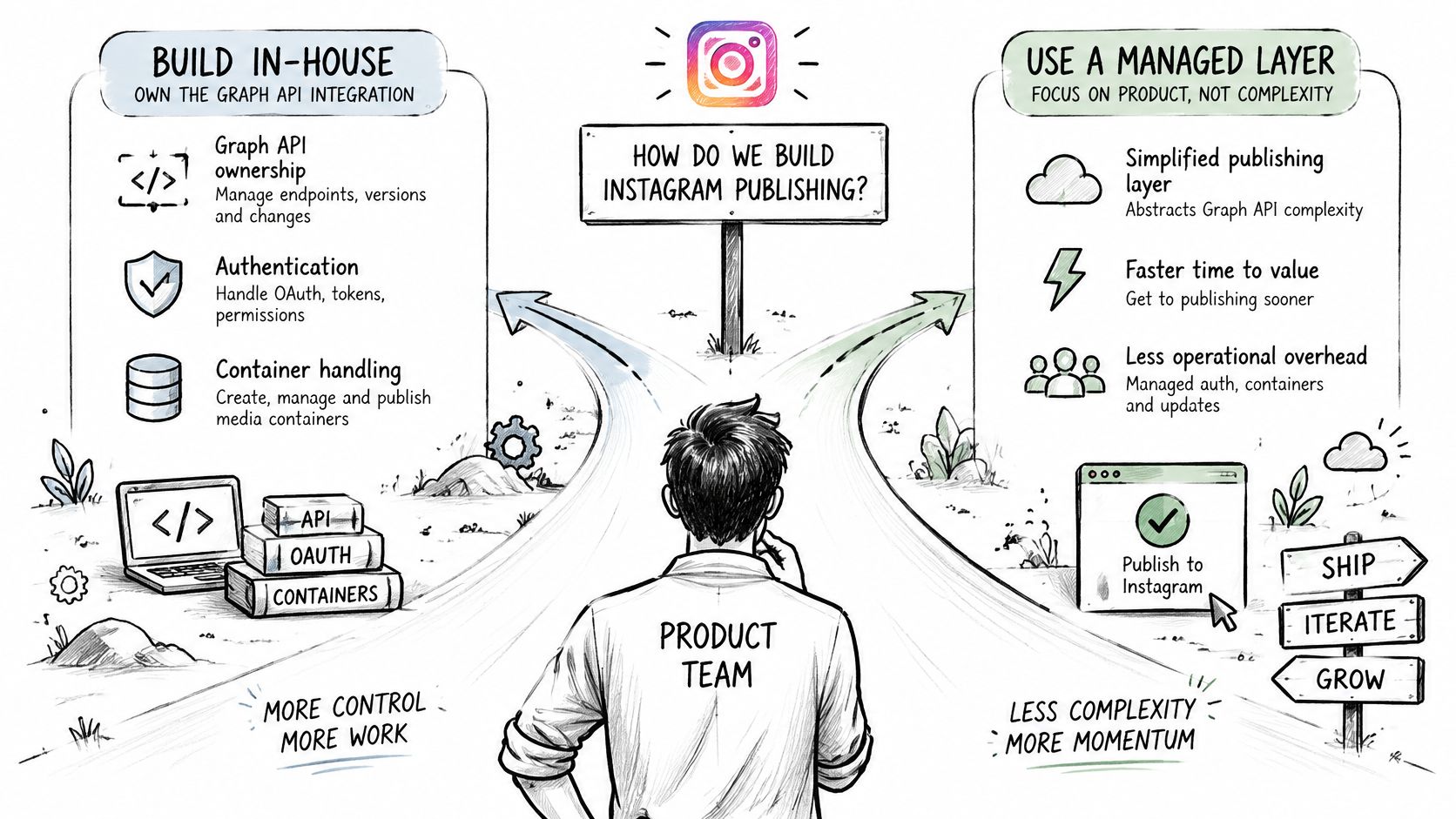 A visual guide illustrating the choice between building an in-house Instagram API integration versus using a managed service.
Choose what your team maintains
With PostPulse, you retain your content and scheduling logic while the platform-side publishing mechanics are handled for you. A single POST sends content to every connected account, applies each platform's media rules, and calls your webhook on success or failure. Post details report a status per connected account plus the platform's post ID and public link, or the error message when publishing fails, so your reconciliation job reads one response instead of polling each platform separately.
When evaluating alternatives, distinguish publishing access from data retrieval. The resource to compare Instagram data APIs for 2026 is useful for that separate evaluation, since data access alone doesn't establish the ability to publish on behalf of an account.
Your application's responsibilities don't disappear behind a managed layer. You still decide which account receives the content, preserve your logical job identity so a retried request maps to one post, and act on the success and failure notifications your webhook receives.
Start with a narrow test
The setup path is short: sign up, create an OAuth application in the PostPulse Developer Portal to get your client credentials, connect the Instagram account, and publish a first post. New users complete that path in minutes. Because PostPulse provides the verified Meta app, you skip the months-long developer-app review process that a direct integration requires and go live in days.
In private-label deployments, users connect their accounts inside PostPulse, and you publish through the API, n8n, Make.com, or MCP. Pick the surface that fits your existing worker or automation instead of adding another orchestration layer.
This week, confirm the account type and submit a test post using a stable public media URL. Check the returned platform post ID and the live account before adding recurring schedules, carousel coordination, or cross-platform fan-out.
PostPulse handles Instagram's publishing mechanics so your app can focus on content, scheduling, and delivery outcomes. Visit PostPulse, connect an eligible Instagram account, and run a public-media test post before building out the rest of your publishing workflow.
About the Author

Founder of PostPulse — a social media scheduling platform for creators and teams. Software engineer with a passion for building developer tools and simplifying complex API integrations across social media platforms.