Best No Code Automation Tools for Social Publishing in 2026
Published on · Updated on
Tags:
Why did the workflow stop immediately after authentication? Why is the carousel container still processing when the rest of the scenario has finished? Why does adding one more social network create another token flow, media rule, quota, webhook, and maintenance surface?
Those are the production problems behind social publishing automation. A workflow can look perfect in a visual builder and still fail when a platform changes an API version, expires a token, rejects a media combination, or applies a quota you didn't model. Instagram User Access Tokens can last about one hour, while Meta's documented long-lived exchange returns a token valid for about 60 days, so storing the first token and forgetting refresh handling isn't a publishing strategy, it's a delayed outage. Meta's access-token documentation makes that lifecycle explicit.
This list evaluates no code automation tools as orchestration layers for social publishing, not the social networks themselves. For every API, authentication, media, quota, and integration claim, check the platform's official documentation before shipping. YouTube, for example, documents daily quota allocations and reset behavior, while TikTok publishes limits that vary by endpoint, so a generic “post everywhere” promise needs an execution design behind it. YouTube's quota guidance and TikTok's rate-limit documentation are the kind of references I keep beside the workflow editor.
The practical criteria are workflow control, integration method, observability, pricing model, implementation effort, and fit for publishing through PostPulse. Some tools are ideal for triggering a campaign, transforming content, or routing approvals. Others are better when the hard part is publishing reliably across several networks through one maintained interface.
Table of Contents
1. PostPulse
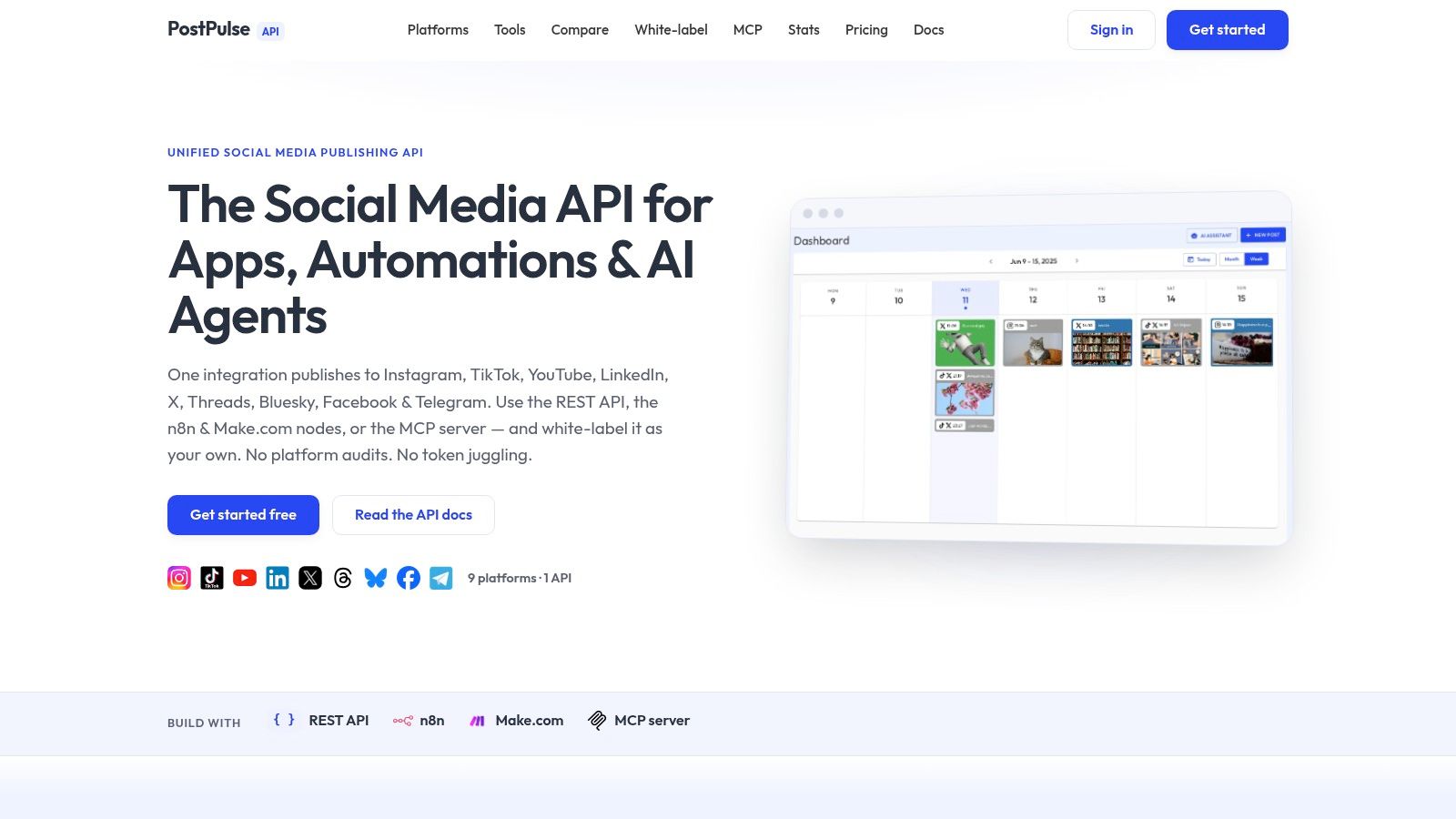
PostPulse is the strongest fit when social publishing itself is the part you don't want to rebuild. Instead of maintaining separate Instagram, TikTok, YouTube, LinkedIn, X, Threads, Bluesky, Facebook Pages, Telegram, and Pinterest integrations, you connect one publishing surface through the PostPulse REST API. The platform also provides an official n8n node, a Make.com app, and an MCP server for agent workflows.
That distinction matters. Zapier, Make, n8n, or Pipedream can orchestrate a campaign, but they don't automatically remove the platform-specific work inside the publishing step. PostPulse is designed to handle OAuth, token refreshes, rate limits, API-version changes, media rules, and webhook callbacks behind one integration. You still need to validate your content and account permissions, but you aren't forced to repeat the same maintenance work for every network.
Practical rule: Use the orchestration tool to decide what should happen, and use a unified publisher to execute the platform-specific publishing operation.
The integration options cover different implementation styles. REST works well for a product backend or internal service. The n8n node and Make.com app fit visual workflows. MCP lets tools such as Claude or Cursor call publishing actions as part of an agent loop, though autonomous publishing should still include approval states, validation, and failure handling.
For a branded product, PostPulse supports white-label OAuth and a native user experience. Users can connect accounts without seeing the PostPulse brand. Private-label users can choose pay-as-you-go pricing at $0.20 per publication, or an unlimited plan at $5 per account per month, with an annual option of $48 per account. White-label pricing is $200 per month plus $1 per active social account, while connected but idle accounts are free. These figures come from the PostPulse product site.
The trade-off is commercial rather than architectural. Per-publication or per-account costs can become less attractive at very high volume than owning every integration, and teams with strict procurement requirements should validate security, compliance, analytics, and service-level needs before committing. Still, for SaaS developers, agencies, AI-agent builders, and no-code makers, avoiding separate app reviews and token maintenance can be more practical than building a social API department.
Read this guide to no-code automation if you want the broader model before choosing the workflow layer.
 PostPulse
2. Zapier
Zapier is the easiest starting point when the publishing workflow begins in a familiar business app. A form submission, CMS event, spreadsheet row, approval record, or calendar trigger can feed a multi-step Zap, and the final action can call PostPulse through REST or a webhook. Its main advantage is connector breadth, with 9,000+ app integrations listed on the Zapier website.
For social publishing, Zapier works best as the outer control plane. Use filters or paths to decide whether content is approved, transform simple fields, notify a team, and then send a structured request to the publishing endpoint. Tables and Forms can also support lightweight intake, while team features such as shared connections, SSO, and administration help when several people manage campaigns.
The weakness appears when every publishing action becomes a billable task. A workflow that validates content, looks up assets, calls an AI step, posts through an API, records the response, and sends notifications can consume tasks at each stage. The exact cost depends on your plan and workflow design, so model the complete run rather than pricing only the final publication.
Where Zapier fits
Choose Zapier when the surrounding workflow matters more than custom execution logic. It has a gentle learning curve and a large template ecosystem, which helps non-specialists own campaign operations without waiting for engineering support. It also supports AI, code, SDK, and MCP steps, but those steps still belong in the usage model.
Zapier isn't the best choice for branching media pipelines or workflows that need low-level control over retries and payloads. For those, Make, n8n, or Pipedream usually gives a technical team more room to inspect and shape execution. Pairing Zapier with PostPulse keeps the final social action consistent while preserving Zapier's strength in app-to-app coordination.
 Zapier
3. Make
Make is the better visual choice when a social publishing workflow has branches, iterators, aggregators, and data transformations. Its scenario canvas exposes the path content takes, which is useful when one campaign needs different copy, assets, or destinations depending on account type. The Make platform lists 3,000+ app modules, and its HTTP modules and webhooks let you call a publishing API even when a native app doesn't cover the exact operation.
For a PostPulse pipeline, Make can receive a content event, normalize the payload, route it through approval logic, and invoke the publishing action. Its routers and filters are more expressive than a simple trigger-action chain, while its data tools help handle arrays of media, platform-specific metadata, and response mapping.
Make's billing is credit-based, so the important question isn't only how many campaigns you publish. Count the modules that execute during a normal run, including branches, searches, transformations, and error paths. That model can be efficient for complex scenarios, but it rewards deliberate design.
The useful trade-off
Make's canvas gives you more control than Zapier, but it also asks you to understand more of the execution model. A scenario with routers and iterators can be powerful, yet it can become difficult to debug if each route lacks clear logging and failure handling. Keep raw API responses, publication identifiers, and error payloads in a durable record rather than relying only on the visual run history.
Make also offers AI tools and an MCP server for agent workflows. Those features can help with content preparation or tool access, but they don't eliminate the need to validate media and account permissions. For a deeper implementation pattern, see this Make.com workflow automation guide.
4. n8n
n8n is the pick for developers who want a visual workflow engine without giving up infrastructure control. You can use its cloud service or self-host it, then connect PostPulse with an HTTP Request node, webhook, or official node where available. The n8n platform also exposes API and CLI control, execution logging, collaboration features, projects, roles, and higher-tier governance options.
The execution-based usage model is particularly relevant to social pipelines. A long workflow with several internal steps can be easier to forecast when billing follows workflow executions rather than every individual action, although self-hosting shifts the cost into infrastructure, monitoring, upgrades, backups, and incident response. You don't get control for free. You get responsibility.
When control is worth the work
Self-hosting makes sense when data location, network access, custom nodes, or vendor independence matters. It also suits teams that already operate containers, secrets management, observability, and deployment pipelines. If nobody owns those responsibilities, the cloud version may be the more reliable engineering choice.
n8n's flexibility supports JavaScript and custom HTTP logic when an API edge case falls outside a node's interface. That makes it useful for approval queues, scheduled publishing, webhook reconciliation, and retry policies. It can also expose agent-oriented workflows, but autonomous actions should be isolated behind explicit permissions.
A common mistake is to treat self-hosting as the same thing as owning a social integration. n8n gives you the workflow runtime. PostPulse can provide the maintained publishing surface, leaving your team to operate the workflow rather than every platform adapter. This n8n social media automation reference shows the relevant pattern.
5. Microsoft Power Automate
Power Automate belongs on the shortlist when Microsoft 365, Dynamics 365, Azure, and enterprise identity already define the operating environment. Cloud flows can trigger from business systems, while desktop flows support attended or unattended RPA for processes that still depend on legacy interfaces. External publishing services such as PostPulse can be called through HTTP actions or webhooks, subject to the connector and licensing configuration your organization uses.
The platform's strength is governance. Managed environments, standard and premium connectors, Dataverse entitlements, SSO, and administrative controls give IT teams a familiar way to control who can build and run automation. Process mining and task mining can also help identify candidates for automation before a team builds a flow.
Where it can become expensive to reason about
Power Automate's licensing matrix is more complex than the simple visual builder suggests. Premium connectors and certain capabilities may require higher-tier licensing, so validate the exact connector path and execution model with your Microsoft administrator. Don't assume that an HTTP call is commercially equivalent to a standard Microsoft connector.
For social publishing, Power Automate is strongest when the trigger and approval state live inside the Microsoft ecosystem. A SharePoint content record can move through review, a Teams approval can gate release, and the final request can go to a unified publisher. It is less attractive when you need a lightweight, portable workflow with minimal enterprise administration.
The platform can combine API automation and RPA, but browser or desktop automation should be the fallback, not the first choice for a supported API. APIs provide clearer authentication, payloads, and failure responses than screen-driven actions. Use Power Automate for the governance context it solves well, then keep platform-specific publishing behind a documented API boundary.
 Microsoft Power Automate
6. Workato
Workato is designed for organizations that need one governed automation layer across departments, APIs, data, and business processes. Its recipes can call external publishing services through HTTPS or webhooks, while centralized administration, auditability, SSO, and observability support larger operating models. The Workato platform positions its editions from Standard through Workato One, with agentic capabilities included in the broader platform scope.
For a social publishing pipeline, Workato makes sense when publishing is one step inside a larger enterprise process. A campaign may originate in a marketing system, pass through approval and compliance checks, enrich data from internal systems, and then invoke a publisher. Workato's API management and B2B capabilities can matter more than social-specific convenience in that environment.
Enterprise strength, enterprise overhead
Workato's usage model is credit-driven across features, so sizing requires more than counting posts. Include recipe executions, data movement, AI actions, retries, and operational volume in the initial estimate. Pricing is also more sales-assisted than the SMB tools on this list, which can slow down evaluation but supports a more structured procurement process.
This is overkill for a founder who needs an RSS trigger and a scheduled post. It becomes more defensible when multiple teams need shared governance, audit trails, role separation, and consistent integration standards. Workato can orchestrate the process, while PostPulse reduces the number of social adapters your enterprise team must evaluate and maintain.
Don't confuse broad governance with complete publishing coverage. Confirm the required networks, account types, media formats, reporting fields, and retention expectations during technical validation. A platform can be excellent at enterprise orchestration while still requiring a dedicated publishing service for the final network-specific operation.
7. Pipedream
Pipedream sits between no-code workflow building and conventional development. You can start with components, HTTP requests, webhooks, and event sources, then add JavaScript, Python, Go, or Bash when a publishing workflow needs custom logic. The Pipedream platform uses compute credits, with billing based on execution time and memory rather than a simple per-step count.
That model changes how you design a social pipeline. A short request that validates a payload and calls PostPulse can be economical, while a long-running transformation or oversized memory operation consumes more compute. Measure real execution behavior with representative content, including failed requests and retries, before assuming the cost will remain stable.
Pipedream Connect and its SDK and APIs are useful when you're embedding integrations in a product. You can expose actions to users or agents while retaining code-level control over request construction, normalization, and response handling. This is a good fit for technical teams that want a visual starting point but don't want to wait for a connector to support an unusual field.
Why developers choose it
Pipedream gives you a clean escape hatch when no-code abstractions stop being expressive enough. You can sign requests, reshape nested media data, implement idempotency keys, and write custom reconciliation logic without moving the entire system into a separate codebase. It also supports agent and MCP-oriented scenarios, but agent calls still need bounded tools and explicit authorization.
The trade-off is obvious in the editor. Non-technical operators may find code steps and compute accounting less approachable than Zapier or Make. For a small marketing team, that friction can outweigh the flexibility. For a developer building a product feature around social publishing, it can be exactly the right boundary.
8. Parabola
Parabola, branded as Prowork on its site, is a specialist option for data-heavy operations. Its flow-based model is useful when the publishing request begins with messy operational data, such as product feeds, inventory records, campaign exports, or finance-owned spreadsheets. You can import, clean, transform, enrich, and then send the prepared payload to PostPulse through HTTP.
That makes Parabola less of a trigger-and-action tool and more of a data preparation layer. A social team could use it to turn a product catalog into a structured content queue, normalize image references, or prepare campaign metadata before a separate workflow submits approved posts. The Parabola platform focuses on operations and finance workflows, so its templates and support model reflect those use cases.
Use it before publishing, not as the publisher
Parabola's credit-based usage model means AI actions and data transformations need to be included in capacity planning. The platform can be a strong fit when the value lies in repeatable batch processing, but it isn't the obvious choice for a simple event-driven notification or a small set of direct API calls.
Its narrower focus is an advantage for operations teams that already think in flows and datasets. It can be less comfortable for a social manager who wants a broad app marketplace and immediate account-level publishing controls. Pairing Parabola with PostPulse separates data quality from network delivery, which makes failures easier to diagnose.
Keep the handoff explicit. Store the source record, transformed payload, approval state, publication response, and any rejection reason. That record lets an operator correct the data and retry the publishing action without rerunning every upstream transformation.
9. Bardeen
Bardeen is strongest before the publishing step, especially when the source material lives in a browser. Its agents can support web research, scraping, enrichment, and browser-native workflows, then send structured outputs through webhooks or APIs to a system such as PostPulse. The Bardeen platform is built around browser automation, a Chrome extension experience, and templates for research, recruiting, and lead sourcing.
That makes it useful for content discovery rather than reliable social delivery. For example, a research workflow can collect article candidates, extract relevant fields, enrich a content brief, and place approved items into a publishing queue. The final request should still use a documented API rather than relying on browser clicks against a social dashboard.
Know the browser boundary
Browser automation is sensitive to page structure, login state, permissions, and UI changes. Those are different failure modes from an API returning a clear status code. If Bardeen's output feeds a publishing workflow, validate the extracted data before it reaches the approval stage.
Its credit-based model also means scraping and enrichment can consume usage quickly, particularly when a workflow processes many rows or repeats research steps. Plan the pipeline so browser work happens only when needed, and cache approved research rather than collecting the same information on every run.
Bardeen and PostPulse solve different parts of the problem. Bardeen gathers and enriches inputs. PostPulse handles the publishing surface. That separation is more maintainable than asking a browser automation tool to impersonate every social platform's native publishing experience.
10. Activepieces
Activepieces appeals to teams that want an open-source, self-hostable alternative with an approachable visual builder. Its Community Edition is available under an MIT license, and the platform supports cloud and on-premises deployment, projects, SSO, RBAC, audit logs, and embeddable automation capabilities on higher tiers. The Activepieces website documents its credit-based run model and SaaS-oriented embedding options.
For social publishing, an HTTP or webhook step can send approved content to PostPulse. That keeps the workflow portable and gives teams control over deployment, secrets, and data paths. If you're building a SaaS product that wants embedded automation under its own brand, the embedding and branding options deserve close evaluation.
Open source doesn't remove operations
Self-hosting can improve control and cost predictability, but your team still owns upgrades, backups, monitoring, security patches, and incident response. The connector marketplace is smaller than Zapier's or Make's, so check the exact trigger and action coverage before committing to a full migration.
Activepieces is a good fit when vendor independence matters and the team can operate the platform. It's also attractive for smaller workflows where a straightforward credit model is easier to forecast than per-step pricing. It becomes less compelling when you need a mature connector ecosystem, a highly specialized enterprise support model, or a social publishing layer that already handles platform-specific maintenance.
Use Activepieces for orchestration and embedding, then keep publishing outcomes observable. Record the remote publication identifier, status, error response, and retry count. A self-hosted workflow without durable outcome records is still difficult to operate when a campaign fails.
Top 10 No-Code Automation Tools Comparison
Tool | Core features | UX (★) | Price & Value (💰) | Target & USP (👥 ✨) |
PostPulse 🏆 | Unified REST API + official n8n/Make nodes + MCP server; publishes to 10 platforms | ★★★★☆, managed OAuth, webhooks & media rules | 💰 PayGo $0.20/post or $5/account/mo (or $48/yr); White‑label $200/mo + $1/active acct | 👥 App devs, no-code builders, AI agents, ✨ white‑label UX, verified platform apps, single-call multi‑platform |
Zapier | 9,000+ connectors, multi-step workflows, templates | ★★★★☆, very easy, excellent docs | 💰 Task-based; great for low-volume, can scale costly | 👥 SMBs & non-technical teams, ✨ huge template ecosystem |
Make (Integromat) | Visual scenario builder, routers, transformers, 3,000+ modules | ★★★★☆, powerful, steeper learning | 💰 Credit‑based; cost-efficient for complex flows | 👥 Advanced no-code builders, ✨ granular control, efficient high-volume |
n8n | Low-code/workflow engine; self‑host or cloud; extensible nodes | ★★★☆☆, developer-friendly, needs setup if self-hosted | 💰 Execution-based billing; predictable for long flows | 👥 Dev teams & privacy-focused orgs, ✨ self-hosting & custom nodes |
Microsoft Power Automate | API flows + RPA, Dataverse, enterprise governance | ★★★★☆, enterprise-grade, integrated with M365 | 💰 License tiers; premium connectors may add cost | 👥 Microsoft-first enterprises, ✨ RPA + governance |
Workato | Enterprise iPaaS, governance, API mgmt, B2B/EDI | ★★★★☆, strong security & observability | 💰 Higher price; credit-driven enterprise model | 👥 Large enterprises, ✨ scalable orchestration & auditability |
Pipedream | No-code + code steps, eventing, compute-credit billing | ★★★★☆, dev-friendly, generous free tier | 💰 Compute credits (time/memory); cost-efficient for devs | 👥 Developers & technical no-coders, ✨ code + no-code bridge |
Parabola (Prowork) | Flow-based ops/finance automation, applied-AI templates | ★★★☆☆, purpose-built for data ops | 💰 Credit-based; plans for ops workflows | 👥 Ops/finance teams, ✨ data-heavy preprocessing & AI |
Bardeen | Browser-native agents, scraping & enrichment via extension | ★★★★☆, smooth browser UX | 💰 Credit model; team-friendly pricing | 👥 GTM & research teams, ✨ browser automation & scraping agents |
Activepieces | Open-source, cloud/on‑prem, embeddable automation | ★★★☆☆, growing ecosystem, self-hostable | 💰 Credit runs; Community (MIT) edition free | 👥 Startups/devs wanting OSS, ✨ self-host & white-label options |
Choose the Workflow Surface You Can Maintain
There isn't one universal winner among no code automation tools. The right choice depends on where complexity lives. If the hard part is reliably publishing one piece of content across ten supported networks, PostPulse is the practical default because it gives your workflow one REST, n8n, Make.com, or MCP surface instead of ten separate platform integrations.
Choose Zapier when connector breadth and fast setup matter more than low-level control. It works well for teams that need to connect a CMS, approval form, spreadsheet, notifications, and a publishing request without building infrastructure. Choose Make when the workflow contains visible branching, iterators, transformations, or multiple campaign paths that benefit from a canvas.
n8n is the better fit when you want self-hosting, custom nodes, API control, and developer-oriented extensibility. Power Automate fits Microsoft-first organizations that need identity, governance, cloud flows, and desktop RPA in one ecosystem. Workato is aimed at enterprise integration programs where auditability, security, API management, and centralized administration justify the additional procurement and implementation effort.
Pipedream works when you need code-assisted workflows without abandoning visual orchestration. Parabola is the specialist for data-heavy operational preparation. Bardeen belongs in browser research, scraping, and enrichment stages, not as the foundation of a dependable server-side publisher. Activepieces is worth evaluating for open-source control, on-premises deployment, and embeddable automation.
The market context supports taking these tools seriously, but it doesn't justify ignoring their boundaries. One market estimate places global no-code AI platforms at USD 4.9 billion in 2024, up from USD 3.3 billion in 2023, and projects USD 24.8 billion by 2029, implying a 38.2% CAGR from 2024 to 2029. MarketsandMarkets' estimate indicates that automation has moved beyond a niche productivity category, but adoption doesn't eliminate governance or maintenance work.
A separate estimate places the market at USD 4.28 billion in 2024 and projects USD 44.15 billion by 2033, with a 30.2% CAGR between 2025 and 2033. Grand View Research's market report points to the same broad direction, specialized products and connector ecosystems are becoming normal. The operational question is still yours: which layer will your team maintain when a token expires, an endpoint changes, or a media job fails?
Build the pipeline around failure states
Start by defining the trigger and approval state. A new CMS item, content database row, or agent decision shouldn't automatically become a public post unless the workflow has a clear transition from draft to approved. Store the source content, target accounts, media references, scheduled time, and approval identity before the publishing call.
Next, validate media and platform requirements against official documentation. YouTube's documented default allocation includes 100 search.list calls, 100 videos.insert calls, and 10,000 units per day for other endpoints combined, with quotas resetting at midnight Pacific Time. Google's quota and compliance documentation makes quota exhaustion a predictable operational constraint, not a mysterious failure.
TikTok also publishes endpoint-specific limits. Its API documentation lists broader tier limits and identifies 600 requests for /v2/video/list/ in the API v2 rate-limit guidance. TikTok's endpoint documentation is why you should avoid designing one generic retry policy for every request.
A maintainable workflow should do the following:
Define approval explicitly: Separate draft, approved, scheduled, published, failed, and cancelled states.
Validate before sending: Check media, account permissions, text fields, destinations, and scheduling requirements against official platform documentation.
Choose the integration surface deliberately: Use REST for application code, the official n8n node for self-managed workflows, Make.com for visual scenarios, or MCP for bounded agent actions.
Record every outcome: Save request identifiers, publication identifiers, timestamps, response status, and failure details.
Test retries safely: Use idempotency or deduplication logic where supported, and confirm that a retry won't create duplicate posts.
Plan token and quota behavior: Refresh credentials, surface re-authentication requirements, track quota consumption, and avoid treating rate limits as exceptional events.
Keep a human review path: Autonomous publishing should have a controlled fallback when content interpretation, account context, or platform response is ambiguous.
The practical advice in these workflow automation tips from HarvestMyData is useful here because automation quality depends on process design as much as tool selection. No-code platforms are excellent at deterministic handoffs, but they remain weaker when a workflow needs judgment, interpretation, or context spread across documents and team history. Use them as execution layers inside a broader operating process, not as substitutes for defining that process.
If you're building a social feature into a product, the cleanest architecture is often a separation of concerns. Your application or automation tool owns content, approvals, scheduling, and business rules. A unified publisher owns the unstable network-specific boundary. That arrangement gives you a smaller surface to observe and a clearer place to investigate failures.
Start with one representative campaign, not a perfect platform-wide rollout. Send a draft through approval, validate its media, publish to a test account, capture the response, force a controlled failure, and verify the retry path. Only enable autonomous publishing after the workflow can explain what happened at every step.
PostPulse gives apps, no-code workflows, and AI agents one publishing integration for Instagram, TikTok, YouTube, LinkedIn, X, Threads, Bluesky, Facebook Pages, Telegram, and Pinterest through REST, n8n, Make.com, or MCP. Visit PostPulse to evaluate the unified API, white-label options, token handling, and usage model against the maintenance cost of separate social integrations.
About the Author

Founder of PostPulse — a social media scheduling platform for creators and teams. Software engineer with a passion for building developer tools and simplifying complex API integrations across social media platforms.