N8n Social Media Automation: A Practical 2026 Guide
Published on · Updated on
Tags:
Your scheduled post fails at 8:00 a.m. The X token was revoked after an app permission change, Meta returns a 429 halfway through the fan-out, and LinkedIn says the first request succeeded but gives you an opaque asset_id mismatch when n8n retries it. The workflow looked simple in the canvas. Production isn't.
That's the challenge with n8n social media automation. Sending an HTTP request is easy. Keeping tokens valid, respecting different quotas, preventing duplicate publishing, and recovering from partial failures requires an operations design. n8n gives you the orchestration layer, but it can't make inconsistent platform APIs behave like one system.
Table of Contents
Why n8n Social Media Automation Is Harder Than It Looks
The first version usually has a trigger, a content node, several platform nodes, and a success notification. It works with one test post, then fails under normal conditions. A long-lived X token can stop working after a permission change without producing a useful explanation. A scheduled Meta fan-out can hit a rate limit while other branches are still running. A LinkedIn upload can complete successfully, then fail on replay because the second request refers to an asset state that has already changed.
Those aren't three unrelated integration bugs. They're state-management problems. The workflow needs to know whether authentication is valid, whether a platform accepted the request, whether an upload is still processing, and whether a retry would create a second post.
Practical rule: Treat every publish operation as a stateful transaction, not as a button click.
Direct API integrations expose the team to separate authentication models, quota rules, request bodies, media requirements, and error formats for each destination. Even when a unified n8n node or publishing service hides that surface, the underlying platform limits still apply. A unified node reduces maintenance work, but it can't bypass an API that rejects a token, throttles a request, or refuses a media type.
n8n is useful here because it can coordinate the surrounding system: a schedule trigger selects eligible content, a data-normalization step creates platform-specific payloads, a publish request runs with controlled retries, and a database or sheet records the result. Its adoption also shows that this orchestration pattern has moved beyond small experiments. In March 2025, n8n said it had grown to more than 200,000 users and over 3,000 enterprise customers, figures also reported by TechCrunch in its coverage of n8n's Series B.
The practical fix is to separate the workflow into explicit responsibilities:
Authentication: Refresh credentials before publishing and log rotation events.
Scheduling: Select only rows that are eligible and not already sent.
Publishing: Serialize requests where a platform's quota makes parallel fan-out unsafe.
Recovery: Retry transient failures with bounded backoff and idempotency keys.
Auditability: Store the platform response, external post ID, error, and final status.
n8n's integration footprint had already expanded sharply by April 2021, when the company described 130+ new integrations and a community of around 16,000 enthusiasts in its Series A announcement. That ecosystem makes cross-service workflows practical, but it also creates a temptation to connect everything before defining ownership of state. Build the state model first. Add platforms second.
What You Need Before Building the Workflow
Start with the infrastructure, not the canvas. You'll need an n8n instance, either self-hosted or cloud, running a recent version. You'll also need administrator access to each target social account, a Google Sheet or Postgres table as the content source of truth, a Slack channel or webhook endpoint for failure alerts, and an HTTPS callback URL for services that require OAuth or asynchronous media processing.
Prepare the account and application details before creating nodes:
Create platform applications and identify the scopes required for publishing.
Confirm account eligibility, especially for Instagram, Facebook Pages, TikTok, YouTube, and LinkedIn.
Decide where content state lives, rather than using n8n execution history as your queue.
Choose an alert destination that someone monitors.
Create separate test credentials so experiments can't touch a client's production accounts.
The key architecture decision is whether to build separate HTTP Request nodes for every platform or use a unified publishing node. Direct nodes give you maximum control and transparent access to each official API. They also leave you responsible for every token refresh, schema change, upload sequence, quota rule, and platform-specific retry.
A unified service such as PostPulse can provide one publishing surface for Instagram, TikTok, YouTube, LinkedIn, X, Threads, Bluesky, Facebook, Telegram, and Pinterest. That reduces the number of credentials and request shapes in n8n, but you still need to handle content validation, workflow state, approvals, and the possibility that one destination succeeds while another fails.
Dimension | Direct API Nodes | PostPulse Unified Node |
Coverage | You choose and implement each platform | One integration surface for supported platforms |
Authentication | Separate OAuth or token setup per platform | A single workflow credential pattern with connected platform accounts |
Maintenance | Your team tracks API versions and schema changes | The integration layer maintains platform-specific changes |
Error handling | You receive each platform's native errors | You handle unified responses plus destination-level results |
Control | Maximum control over requests and media flows | Faster orchestration with less platform-specific code |
Best fit | Teams with platform API expertise and narrow coverage | Teams publishing across multiple platforms that value operational consistency |
n8n had already reached hundreds of connected applications during its earlier ecosystem expansion, which is why it works well as the coordination layer. If you publish to more than two platforms and uptime matters, centralize the integration layer. Keep n8n responsible for business logic, content state, approvals, and alerts.
Setting Up Authentication That Does Not Expire on You
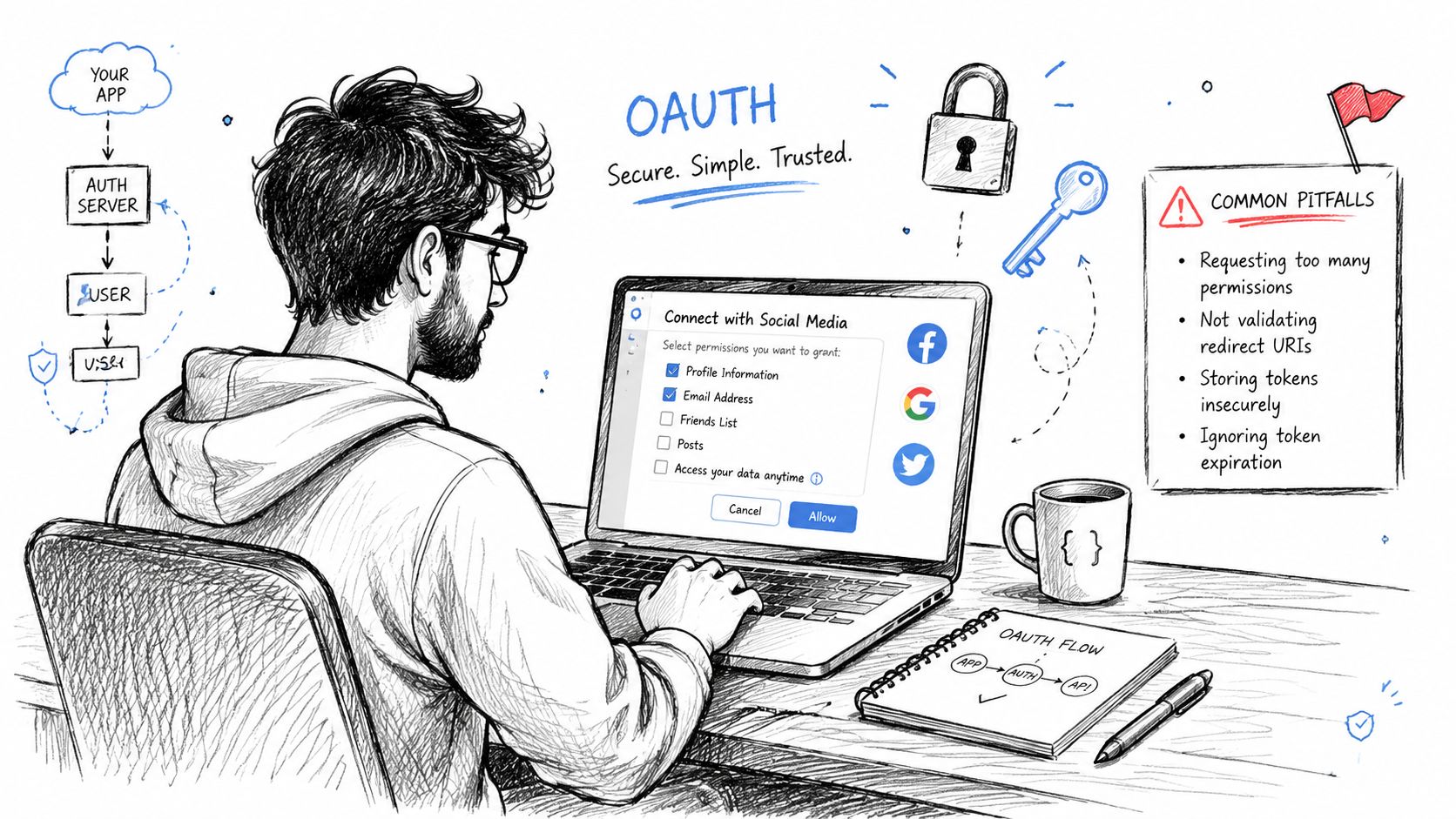
Authentication setup starts with least privilege. Create an OAuth application for each platform, request only the scopes needed for publishing, and keep unrelated permissions out of the consent flow. Don't request mailbox access or broad page-management permissions when the workflow only needs to publish content.
Store credentials in n8n's credential store, never inside expressions, Set nodes, or Code nodes. Put environment-level secrets in environment variables, encrypt n8n credentials at rest, and record every rotation so an overnight failure has a traceable cause. For a useful comparison of credential-handling patterns, the NotFair authentication reference is a practical companion to the platform documentation.
Authentication isn't uniform. Instagram publishing requires a Business or Creator account, and the Instagram Graph API publishing flow creates a media container before calling the media publish endpoint, as documented in n8n's Instagram integration reference. TikTok's Content Posting API requires approval for the video.publish scope, user authorization for that scope, and a POST request to /v2/post/publish/video/init/, according to TikTok's Content Posting API documentation.
Use a small credential inventory so every workflow knows what it depends on:
Instagram and TikTok: Track access-token lifetime and refresh behavior explicitly. Don't assume a token that worked during setup will remain valid.
X: Use OAuth 2.0 with PKCE where the application flow requires it, and test what happens after permissions change.
Threads: Treat its Facebook-derived token dependencies as part of the same lifecycle, not as an isolated credential.
Bluesky: Store app passwords as revocable secrets, and revoke them immediately if they leak.
Telegram: Bot tokens don't expire automatically, but they must be revoked if exposed.
 Screenshot from https://docs.n8n.io/_images/credentials/credentials-modal.png
A PostPulse credential pattern can reduce the number of OAuth handshakes inside n8n by returning refreshable tokens per connected platform and handling refresh server-side. That doesn't remove the need to monitor account status, but it keeps token renewal out of individual workflow branches. For Meta-specific lifecycle details, keep the OAuth token lifecycle guide beside your implementation notes.
Building Your First Multi-Platform Publishing Workflow
Start with a Manual Trigger while developing, then replace it with a Schedule Trigger or webhook once the payload is stable. The workflow should have four logical stages: select content, normalize the payload, publish through one controlled request, and persist the result.
A normalized input can look like this:
The Set or Code node should turn that one item into a deterministic platform map. Keep overrides explicit. Threads needs a shorter caption, LinkedIn may receive a document rather than the video used elsewhere, and TikTok requires a video publishing path. YouTube uploads use the videos.insert method for video and metadata, with media uploads supported by the API documentation. The documented YouTube upload reference also describes files up to 256 GB and a daily limit of 100 calls in the linked documentation, although quota accounting must still be checked for the actual operation.
A unified publish request should be boring. That's a feature. The n8n HTTP Request node can send a Bearer token, the normalized JSON body, and an idempotency key derived from post_id.
The content-selection and transformation patterns in these n8n workflow examples are useful when you want to add AI drafting, approval, or repurposing before the publish node. A related comment-to-content automation workflow shows how engagement inputs can become structured content rather than entering the queue as unreviewed text.
Use a persistent hosted asset, not a transient signed URL. We've had the same failure more than once because each destination re-fetches and validates media independently. If the link expires while a platform is processing the upload, the first request may be accepted and a later branch may fail. Upload the asset to storage with a stable, authorized retrieval path, validate the MIME type before fan-out, and keep the asset reference in the post record.
Scheduling Posts and Tracking What Went Out
A production queue needs one source of truth. A Cron node can run on a fixed cadence, read rows from Google Sheets, filter for records whose status is queued and whose scheduled time is due, then pass only those records to the publisher. After the response arrives, update the row with the final status and platform identifiers.
The simplest reliable state machine is:
draft → pending_approval → queued → published
A failed operation should move to failed, not disappear from the queue. The If node must exclude published rows before the publish call, and the workflow should mark a row as published only after the response confirms success. If a multi-platform request returns mixed results, store the outcome per destination instead of flattening everything into one green or red status.
Column | Type | Purpose |
| Text | Stable idempotency and deduplication key |
| Date-time | Determines when the row becomes eligible |
| JSON or text | Lists destinations for the post |
| JSON | Stores normalized text, overrides, and media |
| Enum or text | Tracks draft, approval, queue, publish, and failure state |
| Text | Stores the external publishing identifier |
| Long text | Preserves the latest failure detail |
Google Sheets works well for a small team because everyone can inspect the queue and edit approval state. It becomes awkward when several workers claim rows simultaneously or when you need transactional updates. Postgres gives you row locking and stronger consistency. Airtable offers a friendlier interface with more structured records, but you still need to define how concurrent executions claim work.
Use n8n workflow static data for short-lived deduplication within one execution window. It can remember that a post_id was already processed during the current run, while the sheet or database remains the durable record across runs.
For reporting, a separate analytics layer is cleaner than overloading the queue. If you're considering how to build a B2B social media dashboard, keep publishing state, delivery results, and engagement metrics as distinct datasets. That separation makes failed delivery easier to diagnose.
An approval gate needs only a small addition. Set the row to pending_approval, send a preview to Slack or an internal review endpoint, and wait for a webhook callback that changes the row to queued or rejected. The scheduler can continue running without a human babysitting every execution.
Handling Errors and Rate Limits the Right Way
Error handling belongs in the design before the first live publish. APIs expose different scopes, windows, and response formats, so the n8n workflow should serialize sends per destination, track remaining quota, budget usage before publishing, and cap retries. Otherwise, a temporary outage can create a retry storm that consumes the quota the workflow is trying to recover.
One technical guide notes that X applies limits per endpoint with separate application and user scopes. Instagram and Meta-style limits can vary with account activity, while YouTube Data API v3 uses a 10,000-unit daily budget with operation costs that vary by endpoint. The rate-limit implementation guide recommends per-platform queueing, exponential backoff with jitter after 429 responses, and quota checks before a publish call.
Do not copy quota values from a generic infographic into production logic. Verify each limit in the official documentation for the exact endpoint, account type, and application state. API behavior can change, and a stale hardcoded value creates false confidence by making a failed pre-flight check look reliable.
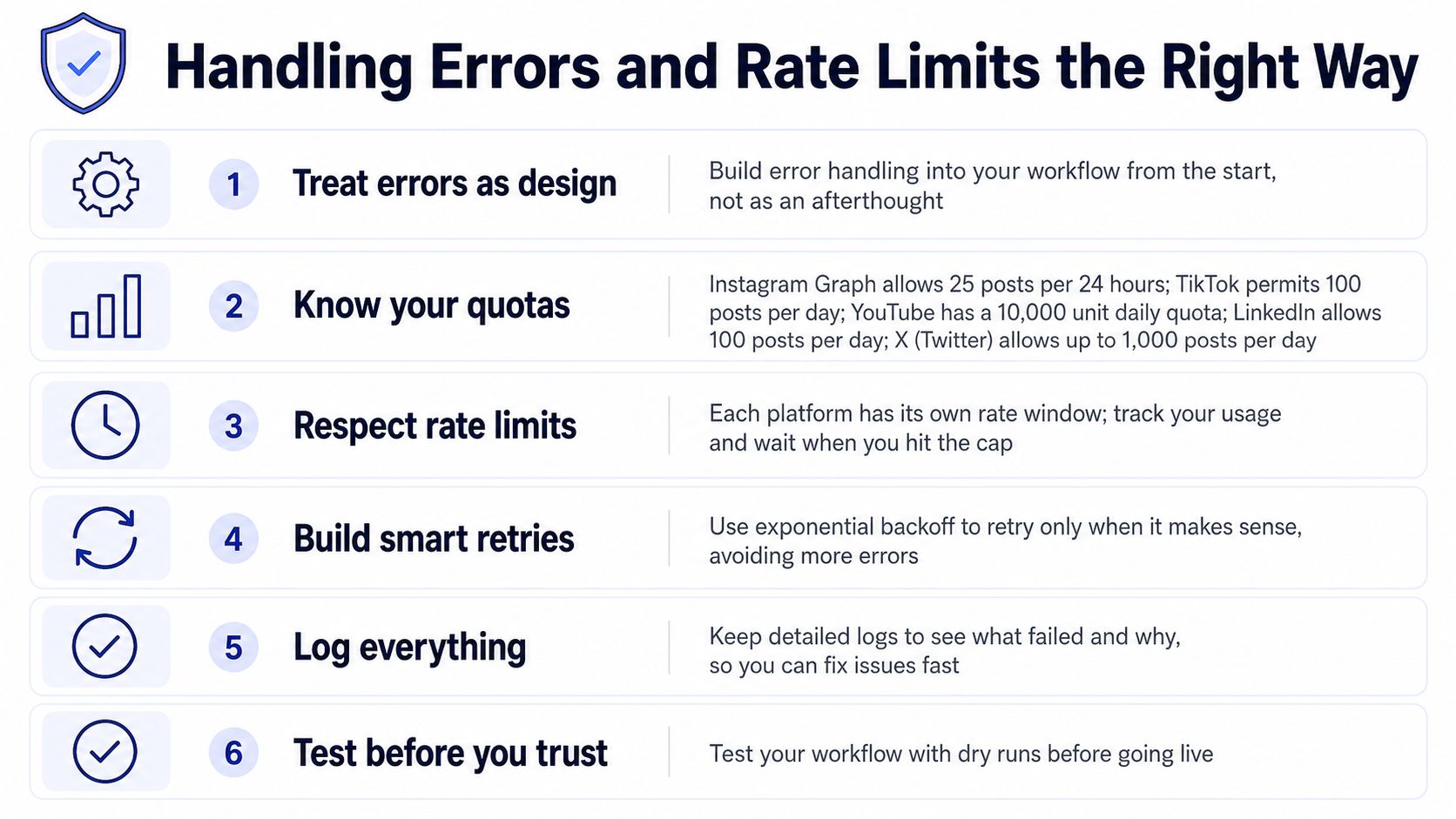 A guide listing six best practices for managing API errors and social media platform rate limits efficiently.
A practical retry branch should follow this order:
Inspect the response. Retry transient status codes such as 429 or a clearly temporary server error.
Read
Retry-After. If the platform provides it, use that value instead of guessing.Add jitter. Randomize the wait slightly so parallel workflows do not resume together.
Cap attempts. Stop after a bounded number of retries and record the failure.
Preserve the idempotency key. Every replay of the same logical post must carry the same key.
Serialize destinations. A queue or controlled loop is safer than firing nine branches at once.
The n8n Wait node can implement the delay. Use an expression that prefers the Retry-After header and falls back to bounded exponential backoff. Set “continue on fail” only when a downstream alert and state update are guaranteed. A hard workflow failure can hide which platform completed successfully. A structured failure record lets the next run resume from the correct checkpoint.
The community workflow pattern for scheduled topic selection, content generation, media creation, and publishing shows why a stateful pipeline lasts longer than a one-shot action. The useful lesson is architectural: retries help only when the workflow has idempotency and replay handling. Store content state, mark it sent only after confirmed success, and maintain a checkpoint per channel.
Keep the API rate-limit guide for PostPulse near the queue logic for implementation reference.
Testing, Monitoring, and Shipping With Confidence
Testing should happen against isolated credentials and a controlled receiver. Create a separate n8n credential set for test accounts, add a dryRun boolean to the normalized payload, and use it to bypass the publish node. Route the request to a stub webhook instead, then assert that the platform map, media references, overrides, and idempotency key have the expected shape.
Pinned test data makes replay practical. If a media upload fails, replay the same execution with the original payload instead of generating new content or uploading a new asset. Test the awkward cases deliberately:
Missing media: Confirm the workflow rejects a video-only destination without sending text.
Partial success: Verify that successful platform IDs remain stored when another destination fails.
Duplicate execution: Run the same payload twice and confirm the second run doesn't create another post.
Expired credentials: Test the alert and reauthorization path with a revoked test credential.
Malformed responses: Make the stub return missing fields and confirm the parser records a useful error.
After launch, use a separate health-check workflow. A daily run can query token validity, inspect each platform's quota endpoint where available, and write a row to a workflow_health sheet. Add an n8n Error Workflow that posts a formatted Slack message containing the failed execution URL, platform, error code, and a retry action.
The production runbook should be short enough to use under pressure:
Expired OAuth refresh: Reauthorize the affected account, confirm the new credential is stored, then replay only the failed checkpoint.
Rejected media MIME type: Inspect the asset metadata, transcode or replace the file, update the stored media reference, and replay the media step.
Rate-limit exhaustion: Stop the batch, preserve completed platform IDs, wait for the documented window, and resume from the next uncompleted destination.
PostPulse offers a unified REST API, official n8n and Make.com integrations, and an MCP server for app developers, automation builders, and AI agents that need one publishing surface across supported platforms. If you want to remove platform-specific token refresh and publishing code from the n8n canvas, visit PostPulse, connect your accounts, and keep the workflow focused on content state, approvals, retries, and monitoring.
About the Author

Founder of PostPulse — a social media scheduling platform for creators and teams. Software engineer with a passion for building developer tools and simplifying complex API integrations across social media platforms.