How to Manage Multiple Instagram Accounts Like a Pro
Published on
Tags:
You've connected the client accounts, queued the campaign, and clicked publish. Then one token expires, a carousel container stays in progress, and a team member discovers they've posted the regional offer to the corporate profile. Managing multiple Instagram accounts looks like a scheduling problem from the outside. In production, it's an access, identity, publishing-state, and measurement problem.
Instagram's scale makes that distinction more important. Mark Zuckerberg announced that Instagram had reached 3 billion monthly active users in September 2025, after reaching 1 billion in 2018 and approximately 2 billion by 2021. CNBC reported the milestone and the earlier benchmarks. Businesses now separate accounts by country, language, product, campaign, and audience, so a reliable operating model has to preserve those differences instead of flattening them into one publishing queue.
Table of Contents
Why Managing Multiple Instagram Accounts Feels Like a Chore
A morning publishing queue can include a personal profile, a creator account, three client brands, and regional pages for several markets. The native app makes switching convenient, but it does not provide an audit trail. A notification arrives, someone needs access to direct messages, and the team cannot quickly confirm who owns the recovery email or which connected app still holds publishing permission.
Instagram formalized easier account switching in February 2016, reflecting the platform's expansion beyond personal photo sharing. The Instagram timeline documents that switching milestone. The feature removed repeated logout cycles for ordinary users. It does not replace business asset management, approval workflows, role separation, or agency-grade access controls.
 A tired woman sits at a desk surrounded by multiple phones and computer screens showing Instagram login pages.
Native switching supports up to five accounts on one device, according to Hootsuite's explanation of Instagram's multi-account setup. That limit describes device convenience, not ownership or operational capacity. Teams serving several brands or markets soon need clearer account boundaries, controlled permissions, and a reliable record of publishing activity.
Operational rule: If your workflow depends on remembering which profile is active, it already needs stronger controls.
Scale adds operational variation. A portfolio serving India, the United States, and Brazil may require separate calendars, languages, offers, moderation rules, and owners. Account switching does nothing to enforce those distinctions.
The practical question is not “How do I switch faster?” It is “How do I make the wrong account difficult to select, the wrong permission difficult to grant, and a failed publication easy to diagnose?” Teams comparing publishing workflows with alternatives such as sites like Instagram for events should make that distinction early. The channel matters, but access control, governance, and automation determine whether the operation remains dependable.
Setting Up Your Multi-Account Workflow
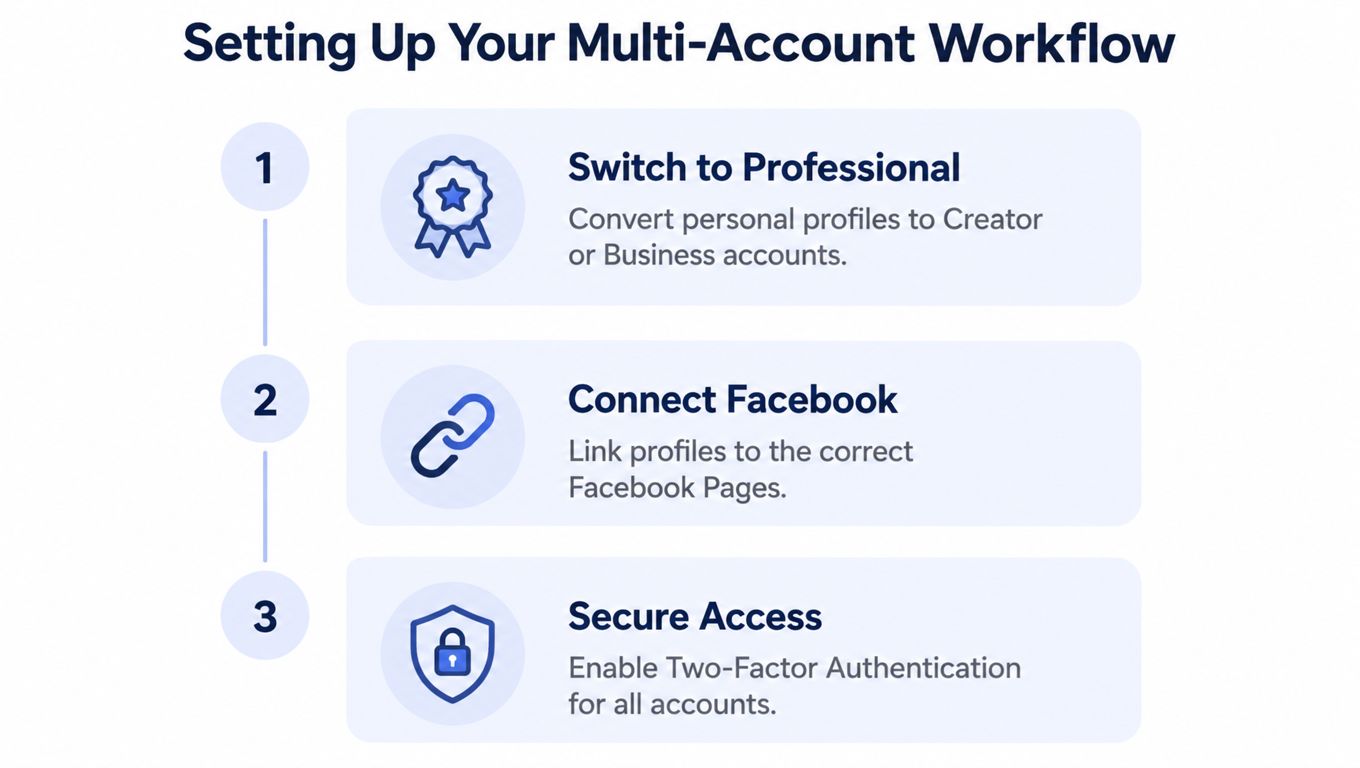
A new client account can look ready in minutes, yet its ownership, recovery path, and approval chain may remain unclear. Establish those controls before connecting a scheduler or internal tool. Each Instagram profile needs a defined purpose, owner, audience, market, and business relationship.
Make every account professionally manageable
Convert each relevant profile to a Creator or Business account. Meta's platform documentation bases Instagram API access on professional accounts rather than personal profiles. Check The official Instagram Platform overview when account type or permissions affect your integration.
Connect each profile to the correct Facebook Page and Meta business portfolio. This is an operating control, not administrative cleanup. A regional profile linked to the wrong Page can route approvals to the wrong team and make ownership difficult to verify during an incident.
Maintain an account inventory with fields such as:
Account identity: Instagram username, Instagram user ID, purpose, market, and language.
Ownership: Legal owner, Meta business portfolio, connected Facebook Page, and recovery contacts.
Operations: Assigned administrator, publisher, community manager, analyst, and last successful publication.
Security: Two-factor authentication status, connected applications, and offboarding state.
Treat this inventory as the source of truth when someone leaves, ownership changes, or a token stops working. Without a documented record, teams often restore access by sharing passwords. That removes accountability and makes emergency revocation harder.
 A three-step infographic showing how to set up a multi-account workflow for professional social media accounts.
Separate human roles from account ownership
Assign administrators responsibility for ownership and security. Publishers should prepare or release approved content. Community managers need controlled access to comments and messages, while analysts need reporting access without publishing authority.
Tool labels differ, but the control should remain consistent: a person should receive only the permissions needed for their work. Require two-factor authentication for every administrator, and record who can revoke access if an account is compromised.
For a small portfolio, native switching works for setup and account-specific review. As the portfolio grows, keep the mobile app out of the control plane. Use it for profile checks, while the business portfolio and publishing system manage ownership, permissions, approvals, and operational history.
Handling Access and Permissions at Scale
Access failures become expensive when teams treat login rights as permission to operate everywhere. A contractor may sign in successfully yet have no business publishing for every client, reading every inbox, or changing connected assets. Separate authentication from authorization before connecting another account.
Meta distinguishes Standard Access from Advanced Access in its Instagram API model. Standard Access supports apps used by people who hold roles on the app during development or testing. Advanced Access applies when an application serves professional Instagram accounts that the developer does not own or manage, including customers with no role on the app or on a business portfolio that has claimed the account. Meta documents the access levels, App Review, and Business Verification requirements in its Instagram Platform guidance.
Build an access matrix before connecting accounts
Create a matrix that maps every person and service to each account and permission category. Keep the decisions visible in a shared record rather than relying on team memory.
Actor | Publishing | Messaging | Analytics | Administration |
Account owner | As required | As required | Yes | Yes |
Publisher | Approved content | No, unless assigned | Limited | No |
Community manager | No | Yes | Limited | No |
Analyst | No | No | Yes | No |
Automation service | Scoped publishing | Only if required | Only if required | No |
The matrix also defines agency boundaries. A client can retain ownership while an agency receives the permissions needed for daily operations. Regional teams can publish for their market without opening another region's messages. Remove the specific relationship when an employee or agency leaves. Rotating a shared password across every account obscures responsibility and makes emergency response slower.
Guidance on role-based access in community platforms provides a useful parallel: permissions should follow responsibilities, not seniority or convenience. Your permission management workflow should record ownership transfers, emergency revocation, connected-app reviews, and the person authorized to make each decision.
Treat tokens as expiring infrastructure
A production integration should track connection state, token health, the last successful refresh, and the account tied to each authorization. Meta's documentation indicates that third-party management depends on permissions and access tokens. A successful developer test therefore does not confirm that customer onboarding will work.
When a token expires, identify the affected account, stop retries that cannot succeed, notify the correct operator, and retain the failed job for reprocessing. Store connection status per account. A single global “Instagram connected” flag hides partial failures and slows support investigations.
Automating Multi-Account Publishing with PostPulse
Once access is clean, publishing becomes a state-management problem. Instagram's Content Publishing API uses a two-endpoint flow: create an unpublished media container through /{IG_ID}/media, then publish it through /{IG_ID}/media_publish using the container ID. Meta also requires the media file to be available at a publicly accessible URL when the publishing attempt occurs. Meta documents the content publishing flow here.
 Screenshot from https://post-pulse.com
For several accounts, create an independent job record for every destination. Store the Instagram user ID, media container ID, upload state, publication result, error response, and retry state. One campaign can produce several jobs, and one account can succeed while another remains pending or fails.
A useful internal representation looks like this conceptually:
Campaign: Shared creative, campaign name, approval state.
Destination: Account ID, account purpose, language, market, and adapted caption.
Publication job: Container ID, current state, timestamps, response, and retry decision.
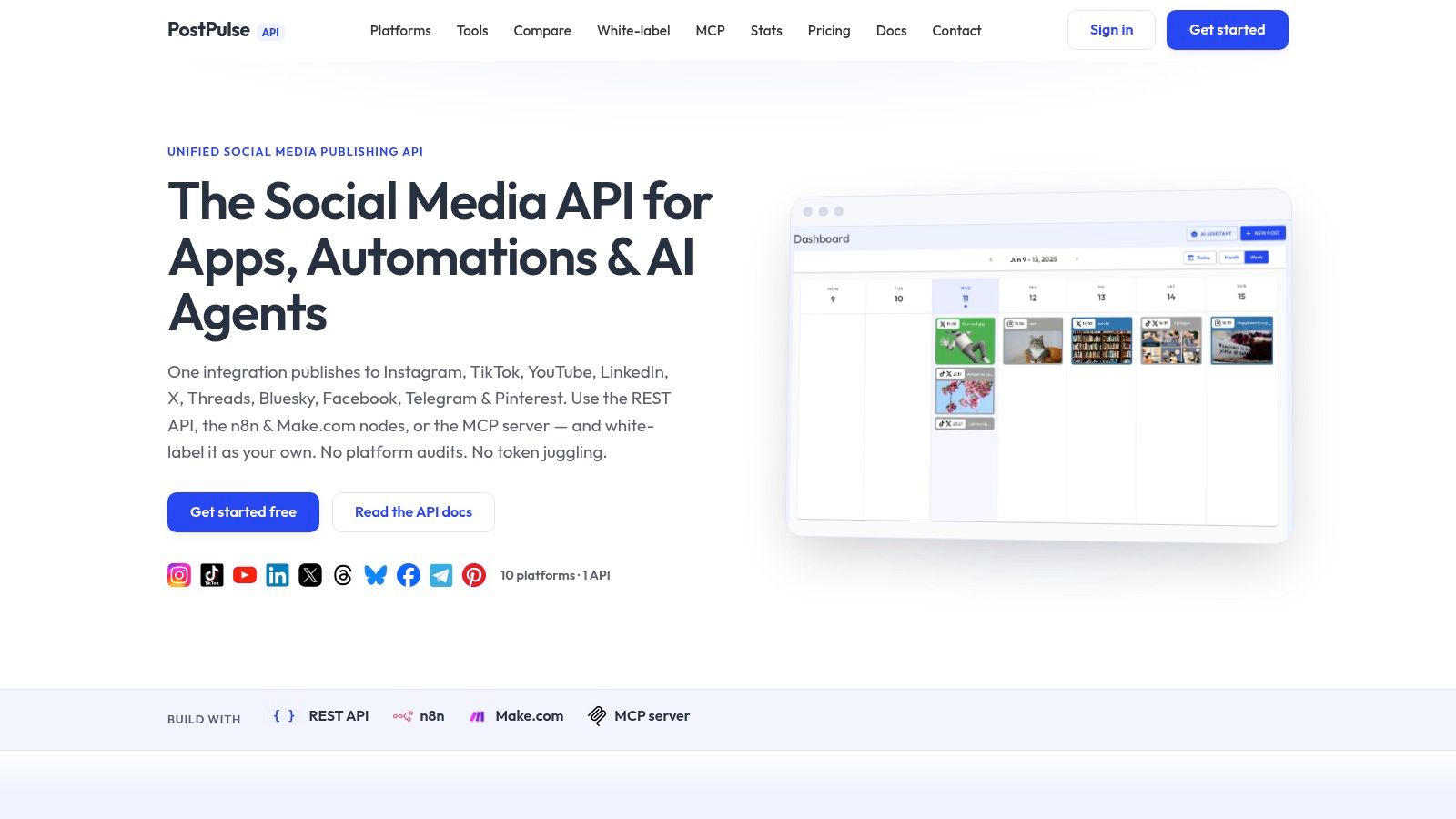
PostPulse fits this kind of workflow as a publishing surface for apps, automations, and AI agents. It provides a unified REST API, official n8n and Make.com nodes, and an MCP server, while handling the connected platform applications and OAuth lifecycle for its integration. That means your application can keep account selection and content rules in its own data model without implementing each platform connection from scratch. The PostPulse integration guides are the practical place to map those connection patterns to your stack.
The sequence should remain account-aware:
Select the approved destination accounts.
Generate or retrieve the media URL for each job.
Create the media container for the specific Instagram user ID.
Poll or record the container state according to the integration's supported behavior.
Publish the container for that account.
Store the result independently and alert only the affected operator.
Don't assume that one request means one successful publication. Don't reuse a container ID across accounts. Don't mark the campaign complete because one destination succeeded.
Teams building surrounding automations can also use Fluidwave's Instagram posting tips as a useful comparison point for scheduling patterns. The implementation decision should still follow your access model, account-specific content rules, and failure-handling requirements.
The strongest automation doesn't blindly duplicate a post. It centralizes the mechanics, then lets each destination retain its own caption, call to action, approval status, and publishing window.
Building a Sustainable Multi-Account Operation
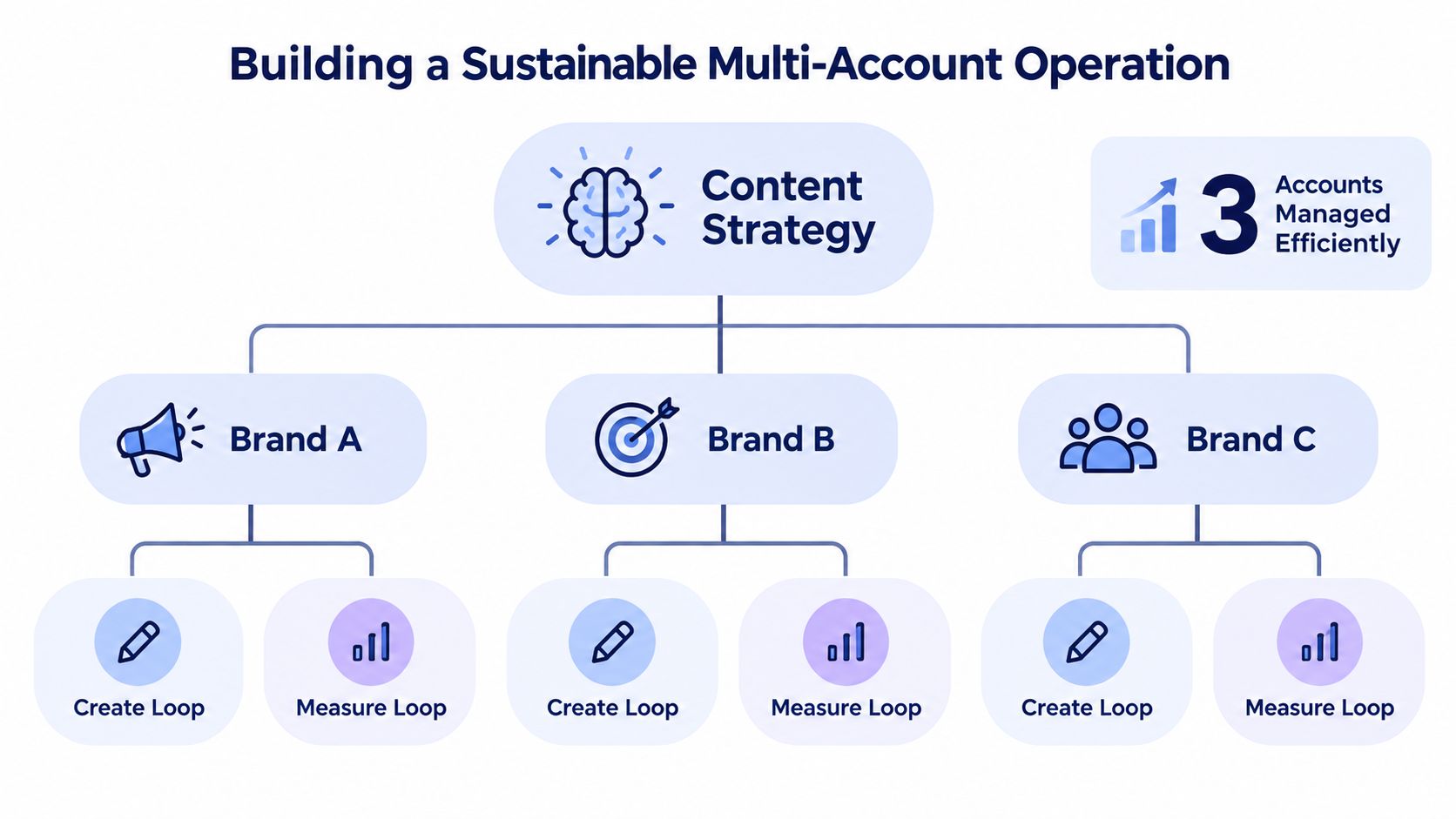
A durable portfolio has one production system and several account-specific decision loops. Centralize reusable assets, templates, approvals, and reporting definitions. Decentralize the final choice about whether a post belongs on a corporate, regional, product, creator, or support account.
Create once, adapt deliberately
A shared campaign can include a common visual, product fact, and legal approval. The final publication should still account for audience, market, language, offer, format, and comment-response policy.
The “one post, everywhere” approach fails when the accounts represent different jobs. A local account may need a location-specific call to action. A support account may need troubleshooting context. A creator-led account may need a different voice from the corporate profile. Reusing the asset is efficient. Reusing every publishing decision is careless.
Use a per-account content record with:
Purpose: What the account helps the audience do.
Audience: Who receives the message and what context they expect.
Variant: Caption, language, call to action, disclosure, and media adaptation.
Approval: Account owner, reviewer, release condition, and expiry.
Measurement: Reach, saves, shares, profile visits, and engagement rate by account and content type.
Meta provides account and media-level insights, so reporting should preserve those boundaries. The official Insights reference supports treating each account as its own measurement surface rather than blending every result into one portfolio score.
 A diagram illustrating a sustainable multi-account operation strategy, showing three distinct brands utilizing content creation and measurement loops.
Test cadence without worshipping benchmarks
One large analysis reported an average Instagram publishing frequency of 17 posts per month, approximately one post every two days, and a median engagement rate of 4.3%. Buffer presents those figures as benchmarks, not guaranteed targets. The same research found that higher frequency didn't consistently produce higher engagement, and some industries performed more strongly below the median frequency.
Use the benchmark as a starting hypothesis, not a mandate. Run a 4–6 week controlled test with creative quality and audience held as consistently as practical, vary cadence by account, and calculate engagement rate using a consistent denominator such as meaningful interactions divided by reach or followers. The test should preserve operational quality, because a schedule that creates wrong-account posts, late approvals, or unhandled comments isn't sustainable even if its dashboard numbers look attractive.
Measurement principle: Compare accounts against their own purpose before comparing them against each other.
A weekly review should ask whether each account reached the intended audience, whether people saved or shared the content, whether profile visits followed, and whether the team handled responses within its agreed process. Keep the winning cadence only when it improves useful outcomes without increasing publishing errors.
For teams that need a centralized calendar around this model, a social media scheduler for multiple accounts can reduce repetitive coordination. The scheduler should support the operating rules, not erase account differences.
The mature workflow is straightforward: secure the assets, assign least-privilege access, create account-specific publication jobs, adapt shared campaigns, and measure every destination independently. That structure lets a small team manage a broader portfolio without turning every post into a risky manual login session.
PostPulse gives apps, automations, and AI agents one publishing integration for Instagram and other supported platforms, with REST API, n8n, Make.com, and MCP options. If you're replacing password-based workflows or building multi-account publishing into a product, visit PostPulse and connect the workflow to your existing account and approval model.
About the Author

Founder of PostPulse — a social media scheduling platform for creators and teams. Software engineer with a passion for building developer tools and simplifying complex API integrations across social media platforms.