How to Post a Video: A Complete 2026 Guide
Published on
Tags:
You upload the file, receive a successful response, and expect a public post. Then Instagram leaves the container processing, TikTok gives you an upload URL that isn't a published post, or YouTube accepts the transfer while the video remains private. The frustrating part isn't usually the video file. It's the gap between uploading media and confirming publication.
A dependable workflow treats video publishing as a small distributed system. You validate the asset, authorize the account, prepare platform-specific metadata, transfer the media, poll processing state, handle transient failures, and capture the final permalink. That model works whether you're building an app, wiring an automation, or learning how to post a video manually through a publishing service.
Table of Contents
Why Posting a Video Is Harder Than It Looks
A cross-platform publisher often starts with an innocent assumption: one file goes in, one public post comes out. That assumption holds just long enough to make the first prototype feel complete. The failures appear later, when an expired token, unsupported account type, inaccessible media URL, or moderation state breaks the path after the initial request.
The audience itself is distributed. DataReportal's Digital 2025 Global Overview reported 5.24 billion social-media user identities worldwide, equal to 63.9% of the global population, while also warning that the figure represents identities rather than necessarily unique people. A video workflow therefore has to deal with several destinations, not just one upload screen.
 Stressed young man struggling with slow video upload progress on his computer at a messy workspace.
The first response isn't the final result
YouTube's official videos.insert documentation describes an authenticated HTTP POST that accepts video/* or application/octet-stream, supports files up to 256 GB, and has a documented quota cost of one unit in the video-upload quota bucket. Those details matter, but they don't eliminate asynchronous processing. A successful upload response still doesn't prove that viewers can play the video.
Instagram creates a media container before a separate publication call. TikTok initializes a transfer and returns an upload_url, then expects the client to complete the transfer. In both patterns, the initial response is an intermediate state, not a reliable publication receipt.
Practical rule: Treat every video post as a state machine, not a single request.
A useful state model is queued, uploading, processing, published, and failed. Each state needs an observable result and a recovery path. This makes it possible to tell a user, “TikTok accepted the transfer and is still processing it,” instead of incorrectly saying, “Your video is live.”
The same principle applies outside APIs. Pew Research Center found that 52% of U.S. adult TikTok users had ever posted a video, but only 40% had posted videos that were publicly visible. The most active 25% of adult users produced 98% of publicly accessible videos in that study, which shows why repeatable publishing operations can matter more than a one-off upload. Pew's TikTok usage study also found that 95% of adult users cited entertainment as a reason for using TikTok, and 81% called it a major reason. The platform is consumption-heavy, so reliable public delivery is part of the product experience.
Preparing Your Video Before Any API Call
The cheapest failure is the one you catch before authentication or media transfer. Treat the source asset like production code, with a preflight step that rejects bad inputs before they reach a platform-specific endpoint.
Start by checking the MIME type, file size, container metadata, duration, and whether the file can be decoded end to end. Normalize the title, description, tags, privacy setting, and thumbnail fields into a platform-neutral object, then map that object into each destination's schema. Don't assume a field accepted by YouTube has an equivalent meaning on Instagram or TikTok.
Build a preflight contract
A practical preflight contract should answer these questions:
Media type: Is the file a supported video MIME type?
Reachability: Can the destination retrieve the asset independently if the API expects a URL?
Metadata: Are title, description, tags, privacy, and thumbnail values present and valid?
Rendering: Do captions, overlays, faces, and logos remain visible in the target aspect ratio?
Authorization: Is the token fresh, and does the connected account support the requested action?
For format planning, compare the destination requirements before generating derivatives. The latest video size cheat sheet from Veo3 is useful for checking platform dimensions, while this guide to vertical video dimensions helps when a master edit needs a mobile-first version.
YouTube's official upload documentation supports resumable uploads, which are safer than treating a large transfer as one fragile request. Persist the returned upload status, retry only transient failures, and use exponential backoff. A retry should continue or recover the known upload rather than blindly creating a second publication.
Separate transfer from playability
After media transfer, verify the platform response and independently poll the published object until processing completes. A server accepting bytes means only that the server accepted bytes. It doesn't guarantee that transcoding, moderation, privacy application, or playback preparation has finished.
YouTube adds a particularly easy trap. Unverified API projects set uploaded videos to private by default and require an audit before they can make videos public through the API. Your application should surface that warning instead of presenting a private upload as a failed or publicly published post.
The sequence I use is:
Authorize through OAuth.
Check token refresh and expiration state.
Validate destination-account capabilities.
Run media and metadata preflight.
Start the platform-specific upload.
Persist transfer identifiers and status.
Poll processing until a terminal state.
Capture the final permalink and publish result.
That sequence catches expired credentials, unsupported account types, size constraints, and review states before they become silent production failures.
How Instagram and TikTok Actually Process Video Publishes
A video job can report “uploaded” and still not be published. Instagram and TikTok both split the work into stages, but they split it differently, and that difference shows up in production failures.
Instagram uses a container model. Your app creates a media container from a video URL, waits for that object to become usable, then calls /{ig-user-id}/media_publish to turn it into a post. The account requirements are strict: Meta requires a User access token, and the destination must be an Instagram Business account connected to a Facebook Page. The official Instagram Content Publishing documentation also states a rolling limit of 50 API-published posts per Instagram account in any 24-hour period. For a side-by-side view of scopes and endpoint behavior, see this Instagram and TikTok publishing workflow comparison.
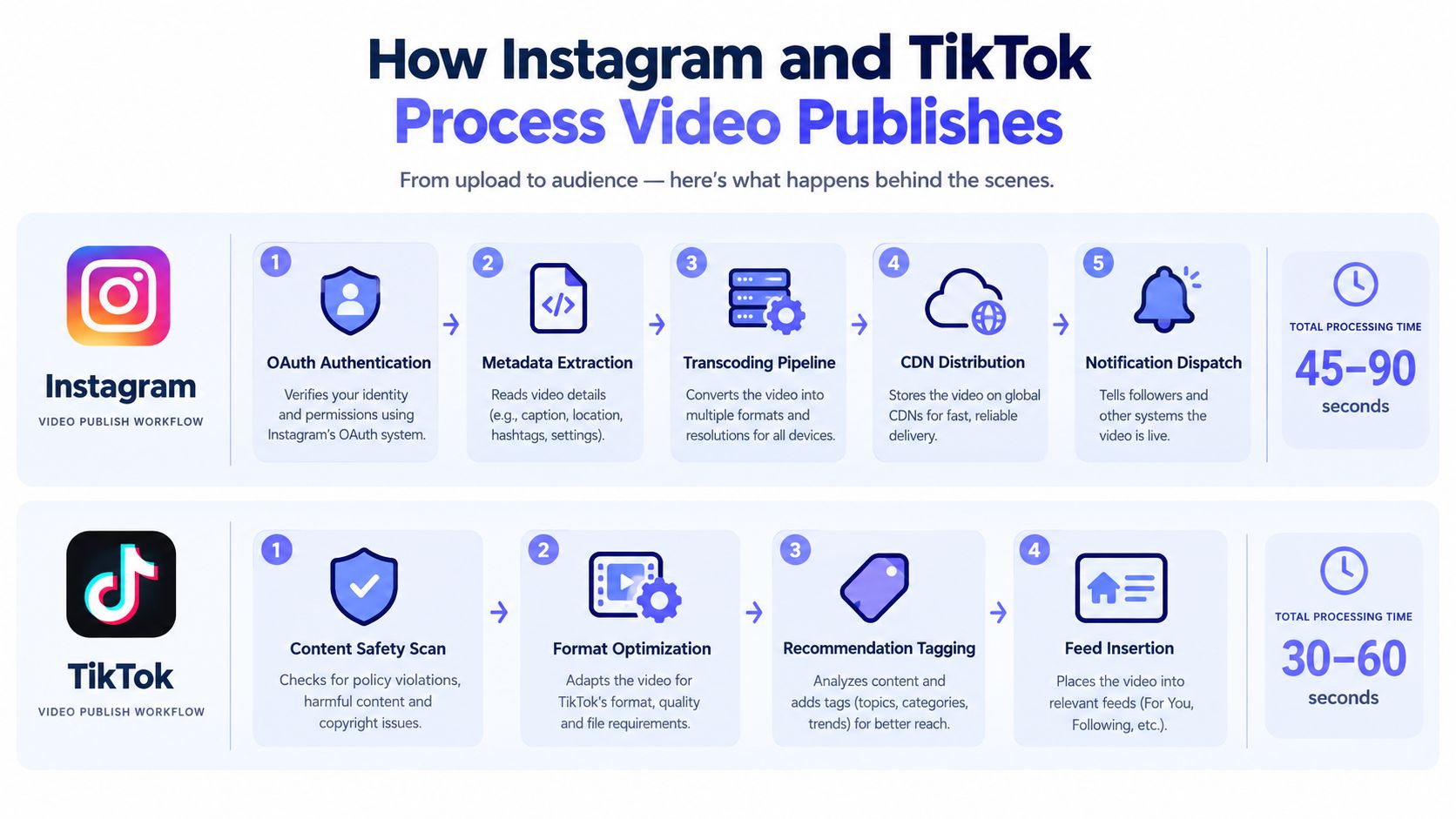 A diagram comparing the backend video publishing workflows of Instagram and TikTok with total processing times.
Instagram fetches the media itself
This is the part many integrations miss. Instagram does not ingest bytes from your server in the publish call. It fetches the file from the URL you provide, so the asset has to stay publicly reachable long enough for Meta to retrieve and process it. A localhost address fails. A short-lived signed URL often fails. A link that only works in your logged-in browser also fails.
That is why container creation can succeed while publication stalls. The API accepted the request to create the container, but Meta could not fetch the video later. In practice, store the source video at a stable public URL for the full publishing window, then persist the container ID, fetch status, and publish response separately. Silent videos need attention here too. If the file has no audio track, treat captions and on-screen text as part of the publish pipeline, not a content afterthought.
TikTok separates Direct Post from upload-only flows, and they are not interchangeable. In Direct Post, the client checks creator info, initializes POST /v2/post/publish/video/init/ with the video.publish scope, and transfers media to the returned upload_url. TikTok supports both local transfer and URL-based fetch in that flow, as described in the TikTok Direct Post API reference.
The inbox-upload path uses POST /v2/post/publish/inbox/video/init/ with the video.upload scope. For local files, TikTok returns an upload_url and expects the media over HTTP PUT. Its upload-video API documentation documents a rate limit of six requests per minute for each user access token on that endpoint.
The operational lesson is simple: uploading is not publishing. Store the operation type, granted scope, transfer method, returned IDs, and final publish state as separate fields, or ordinary auth mistakes will look like random network errors.
Building a Unified Publishing Workflow
A unified workflow should standardize the lifecycle while preserving platform-specific behavior. The cleanest design is a state machine with explicit transitions:
State | What the system has confirmed |
Queued | The request passed validation and awaits transfer |
Uploading | The platform accepted an upload operation |
Processing | Media transfer completed, but publication is not final |
Published | The platform returned a verified public object or permalink |
Failed | The operation reached a terminal error with actionable details |
The API surface can expose one publish command, but the worker behind it shouldn't assume that every platform performs the same steps. Instagram needs a publicly reachable URL and separate container publication. TikTok needs initialization followed by a transfer. YouTube needs upload completion and processing verification.
Make failures useful
A useful error says more than “publish failed.” It identifies whether the token expired, the account lacks the required capability, the media URL was unreachable, the file format was rejected, the platform rate limit was reached, or processing ended in moderation or review.
Idempotency matters here. Give each requested publication a client-generated operation key, persist it before starting the transfer, and make retries consult that record. If a worker crashes after initialization, it should resume or reconcile the existing operation instead of creating a duplicate post.
A unified API should remove repeated implementation work, not erase the constraints that make each platform different.
A service such as PostPulse can sit in the architecture. Its REST API, official n8n and Make.com integrations, and MCP server can centralize account connections and publication orchestration across supported destinations, while the application still needs to respect public media reachability, authorization scopes, processing states, and platform-specific limits.
The result is operational consistency. Your product can show one queue, one audit trail, and one retry policy, while the platform adapter handles the correct endpoint and status model underneath.
Automating Video Posts with APIs and Workflows
There are three sensible automation paths, depending on who owns the workflow.
An app developer can call a REST API from a backend job. A no-code builder can connect official n8n or Make.com nodes. An AI agent can use an MCP server to request media preparation, account selection, and scheduling through a controlled tool interface. The transport differs, but the safety checks should remain the same.
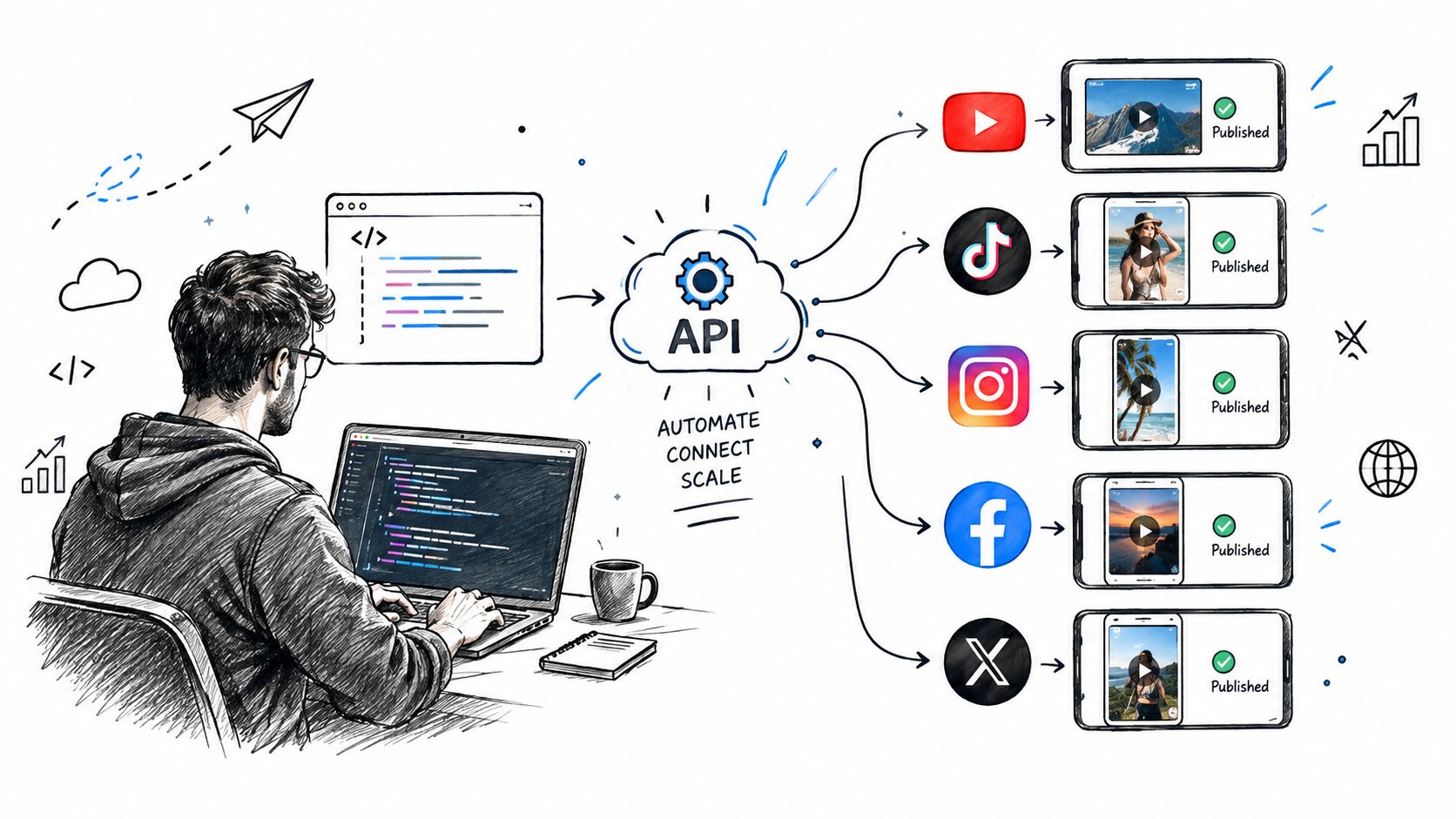 A developer using an API to automate and publish video content across multiple social media platforms simultaneously.
For an API integration, create a publication record before making the external call. Include the source asset reference, destination, account identifier, metadata, requested privacy, idempotency key, and current state. Return an operation identifier to the caller, then let a worker handle transfer, polling, and final reconciliation.
Choose the automation boundary
With n8n or Make.com, keep the workflow modular:
Trigger: Receive a new approved video or scheduled content item.
Transform: Generate destination-specific metadata and derivatives.
Publish: Invoke the platform connector or unified API.
Observe: Poll the operation and capture platform warnings.
Notify: Report published, failed, or still-processing states.
A video creation tool such as an AI video generator from ClipNova can produce source material, but generation and publication should remain separate stages. That separation lets you review captions, inspect the first frame, and reject a defective asset before it reaches every connected account.
This embedded walkthrough shows the kind of automation flow developers commonly need to reason about:
Let agents request, not improvise
An MCP-based agent can select an account and request a publication, but the server should enforce allowed destinations, metadata validation, approval rules, and idempotency. Don't let an agent infer that an initialization response means the post is live. Return structured states and require the agent to wait for a terminal result or report that processing remains in progress.
The same architecture supports white-label products. Your interface owns the brand and user experience, while the integration layer manages OAuth connections, refreshes, rate limits, and platform changes. A detailed automated social media posting workflow is useful when deciding which operations belong in your product and which belong in the publishing infrastructure.
Why Posting Everywhere Requires Platform-Specific Adaptation
A single master file is valuable. A single identical post is often lazy engineering.
The operational case for distribution is strong. The creative case depends on context. HubSpot's 2025 survey found that 28% of marketers expect tailoring content to each platform's distinct voice to become more important, while the same source discusses short-form publishing growth and saturation signals across major feeds in its social media video trends analysis. More destinations don't automatically mean more useful reach.
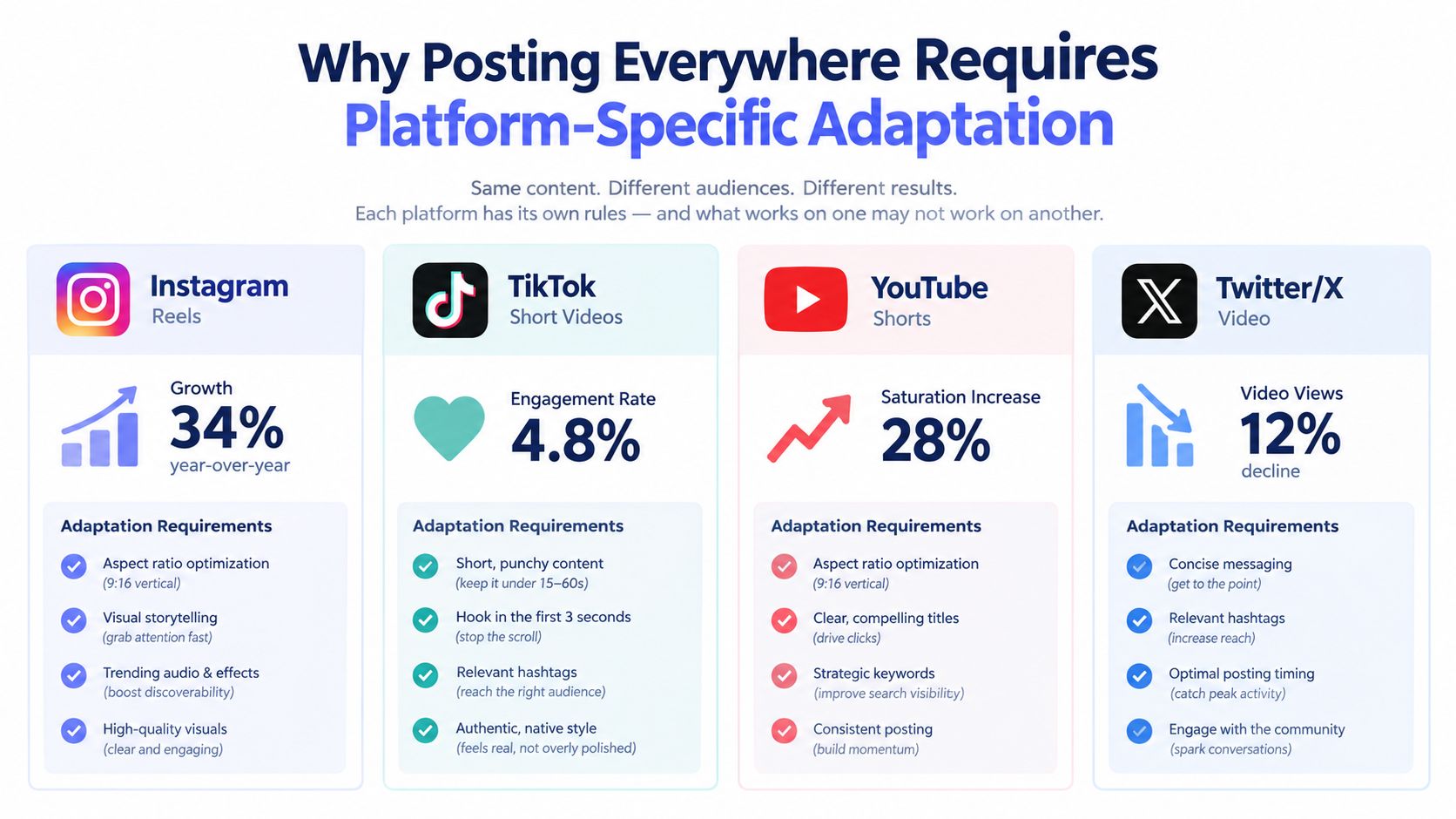 An infographic illustrating why social media content requires platform-specific adaptation for platforms like Instagram, TikTok, YouTube, and X.
Start with the viewer's conditions
Sound-off viewing changes the edit. A 2025 industry report cited by Adweek states that 85% of Facebook videos are watched without sound, so the visual layer needs to communicate the promise without relying on narration. Adweek's report discussion supports treating captions and visual explanation as reach considerations, not decorative additions.
Use accurate captions, readable contrast, and safe-area placement. Test the rendered result on a mobile device with audio muted. Check that interface controls won't cover the text, that the opening seconds make sense visually, and that the clean master doesn't contain another platform's watermark or overlay.
Wistia's video analysis reports average engagement of approximately 50% for videos under one minute, 48% for videos from one to three minutes, 38% for videos from five to 30 minutes, and 25% for videos from 30 to 60 minutes. Those are averages, not guarantees, and the Wistia State of Video report recommends matching length to the goal, with under one minute suited to social awareness and one to five minutes suited to education or explanation.
A useful decision rule looks like this:
Reuse the master: Low-risk destinations where the framing, length, and call to action already fit.
Create a derivative: Feeds that need a different aspect ratio, opening, caption treatment, cover, or duration.
Change the message: Destinations where the audience expects professional context, conversation, or a different conversion action.
Measure completion rate, average watch time, click-through rate, saves, shares, and conversions alongside views. If early retention is weak, re-edit the first three seconds instead of assuming that publishing more copies will solve the problem.
A Practical Checklist for Reliable Video Publishing
Reliable video publishing comes from a checklist that runs before and after the network call. Keep it close to the worker code and the operational dashboard, not in a forgotten project document.
Before transfer
Account capability: Confirm that the destination account type supports the requested publication.
Token freshness: Check access-token validity and refresh state before starting.
Media access: Verify that a URL-based platform can fetch the file without a browser session.
Format compatibility: Validate MIME type, file size, dimensions, metadata, and thumbnail inputs.
Caption readiness: Proof subtitles, burned-in text, contrast, and safe-area placement with audio muted.
Privacy intent: Store the requested privacy state and surface platform defaults or restrictions.
Idempotency: Create a durable operation key before initialization or upload.
During and after transfer
Persist identifiers: Save container IDs, upload URLs, upload sessions, and platform object IDs.
Retry selectively: Use exponential backoff for transient failures, not for permanent validation errors.
Poll processing: Keep the operation in processing until the platform reports a terminal result.
Log the cause: Preserve platform-specific codes and human-readable warnings.
Verify publication: Capture the final permalink and confirm the object is viewable under its intended privacy.
Notify accurately: Report queued, processing, published, and failed states distinctly.
The most important habit is resisting false success. An initialization response is not a public post, a completed transfer is not always a playable video, and a successful API call can still produce a private object. Build those distinctions into the interface and your users will trust the workflow when a platform behaves unpredictably.
PostPulse provides a unified publishing layer for apps, automations, and AI agents, with REST API, n8n, Make.com, and MCP access for distributing video across supported social platforms. If you want to avoid rebuilding OAuth handling, transfer orchestration, polling, and per-platform status logic, visit PostPulse and evaluate the workflow against your own publishing stack.
About the Author

Founder of PostPulse — a social media scheduling platform for creators and teams. Software engineer with a passion for building developer tools and simplifying complex API integrations across social media platforms.