How to Do a Collaborative Post on Instagram
Published on
Tags:
You've built the carousel, checked the caption, and sent the brand partner a message saying, “Accept the collab when it goes live.” Then the post publishes on your profile, the partner's grid stays empty, and someone asks whether Instagram's API has a missing parameter.
Usually, the problem isn't the creative. It's the publishing workflow. Instagram Collabs aren't the same as tagging an account, mentioning a partner in the caption, or publishing the same asset twice. A Collab is an invitation-based co-authoring flow that starts in Instagram's mobile composer and completes only when the other account accepts.
Table of Contents
Why Creators Use Collaborative Posts on Instagram
A single Instagram Collab can replace two coordinated publishing jobs. The creator publishes the product carousel, invites the brand as a collaborator, and gives both accounts one post to manage. If the brand accepts, the post appears on both profiles and reaches both audiences, as described in Instagram's official Help Center.
That workflow differs from tagging. A tag identifies a person or business inside the post, while a collaborator becomes a co-author. An @mention in the caption has the same limitation. Publishing the asset separately creates another post, another caption, another comment stream, and another set of performance data. A Collab keeps the partnership attached to one publishing object.
Practical rule: Use a Collab when both accounts should appear as publishers. Use a normal tag when one account is only being referenced.
The distinction matters in agency production. The asset, caption, approval status, invite, acceptance, and reporting all belong in one workflow. That makes the Collab useful for repeatable brand and creator campaigns, but it also creates a dependency: the second account must accept the invitation before the shared distribution is complete.
Instagram introduced the feature in June 2021, initially for Feed posts and Reels through the tagging screen. Current publishing guidance describes support for up to five additional collaborators, or six accounts in total, although teams should confirm the available controls in the mobile app before promising a specific configuration. Vista Social provides additional practical context for planning multi-account Collabs.
Adoption has also become a planning consideration for brand teams. Emplifi's benchmark discussion, covered by Buffer's coverage of the benchmark, reflects the shift from treating co-authored posts as an experiment to treating them as a repeatable distribution option. That does not make every post a Collab. The format works best when both audiences have a credible reason to see the same content and both partners can respond to the resulting comments.
For ecommerce teams, partner selection should happen before the publishing request is sent. Teams can try influencer analytics for ecommerce to compare audience fit and engagement quality instead of choosing a partner from surface relevance alone. Then set the approval and release window, using a process for choosing the best time to post on Instagram today, while keeping the invite and acceptance steps visible in the campaign record.
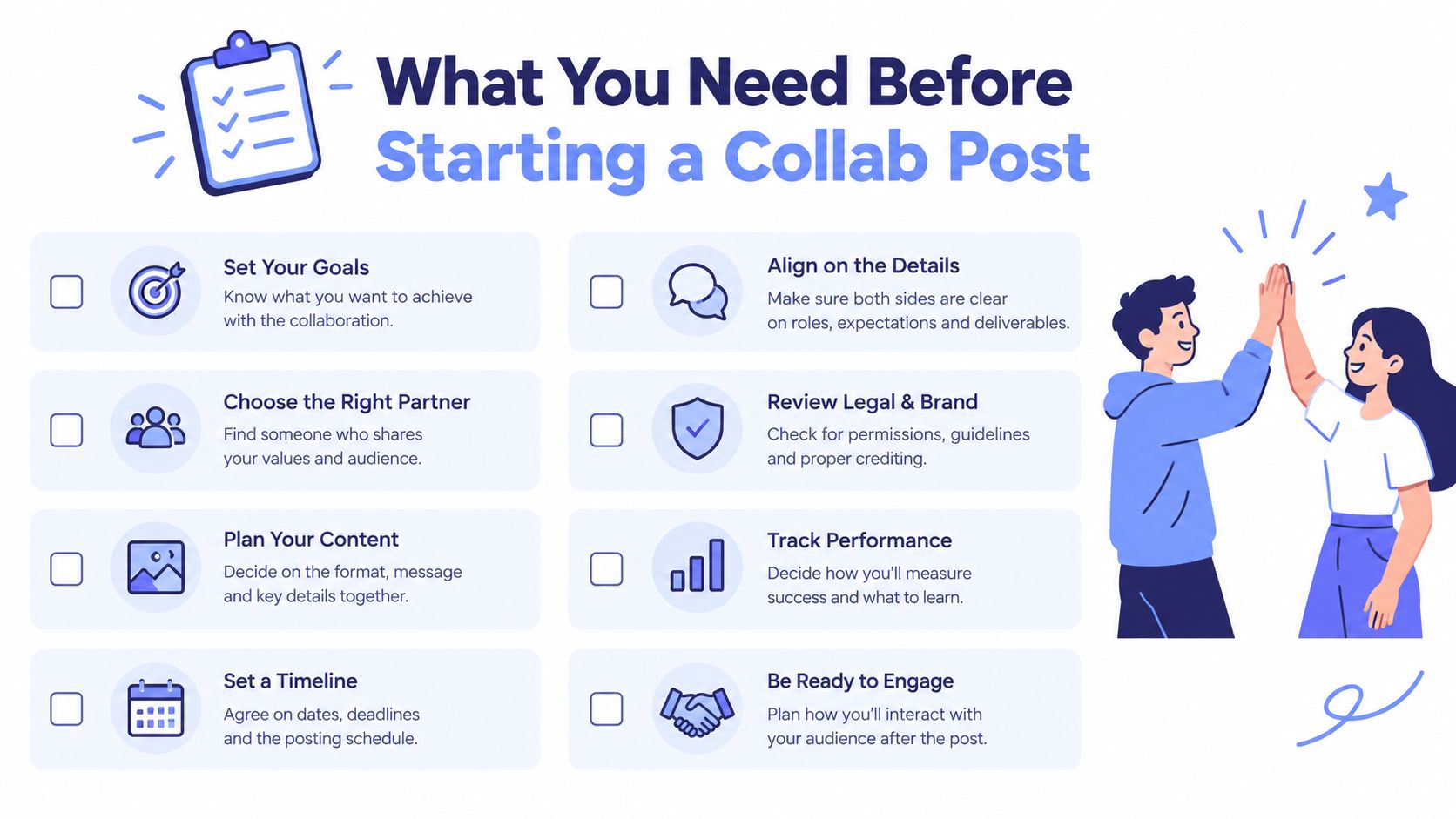 A checklist infographic illustrating eight essential steps for successfully planning and executing a social media collaborative post.
Use this pre-flight checklist:
Choose the original author: Assign the account that will create and publish the post.
Confirm the partner handle: Copy the exact username and check the profile before selecting it.
Choose a supported format: Start with a photo, carousel, or Reel.
Prepare the mobile handoff: Give the publisher the approved assets and caption.
Agree on the acceptance step: Name the person responsible for reviewing the invitation.
Set ownership expectations: Decide who handles edits, comments, and follow-up.
Review the creative: Secure approval from both accounts before publishing.
Keep a fallback: Decide whether a standard tag or separate share is acceptable if the invite fails.
If the partner only needs attribution, use a normal mention and follow this guide on how to tag someone. That distinction keeps a reference from becoming an unnecessary co-authorship request.
Inviting a Collaborator and Accepting the Invite
A Collab can fail at the publishing step even when the creative and caption are approved. The invitation is created in Instagram's mobile composer, so treat the process as a handoff between the publishing account and the partner account, not as a shared dashboard workflow. Instagram's desktop publishing flow does not provide the same collaborator invitation control.
Create the invitation
Open Instagram on the account that will own the original post and start a new photo, carousel, or Reel. Apply the edits, continue to the final sharing screen, tap Tag people, then select Invite collaborator. Choosing Tag people alone gives attribution, not co-author status.
Search for the partner's account and verify the exact handle before selecting it. Finish the post setup and publish. Instagram sends the invitation to the selected account. The partner is not a co-author until they accept, even though their handle appears in the composer.
 Screenshot from https://help.instagram.com/assets/helpcenter/articles/442690872499598/invite-collaborator-tag-screen.png
For a repeatable agency workflow, send the approved media and caption to the partner before publishing. Confirm which account will publish, then have the partner monitor its Instagram notifications immediately afterward. This avoids a common handoff failure: the campaign is live, but nobody owns the acceptance step.
Accept the invitation
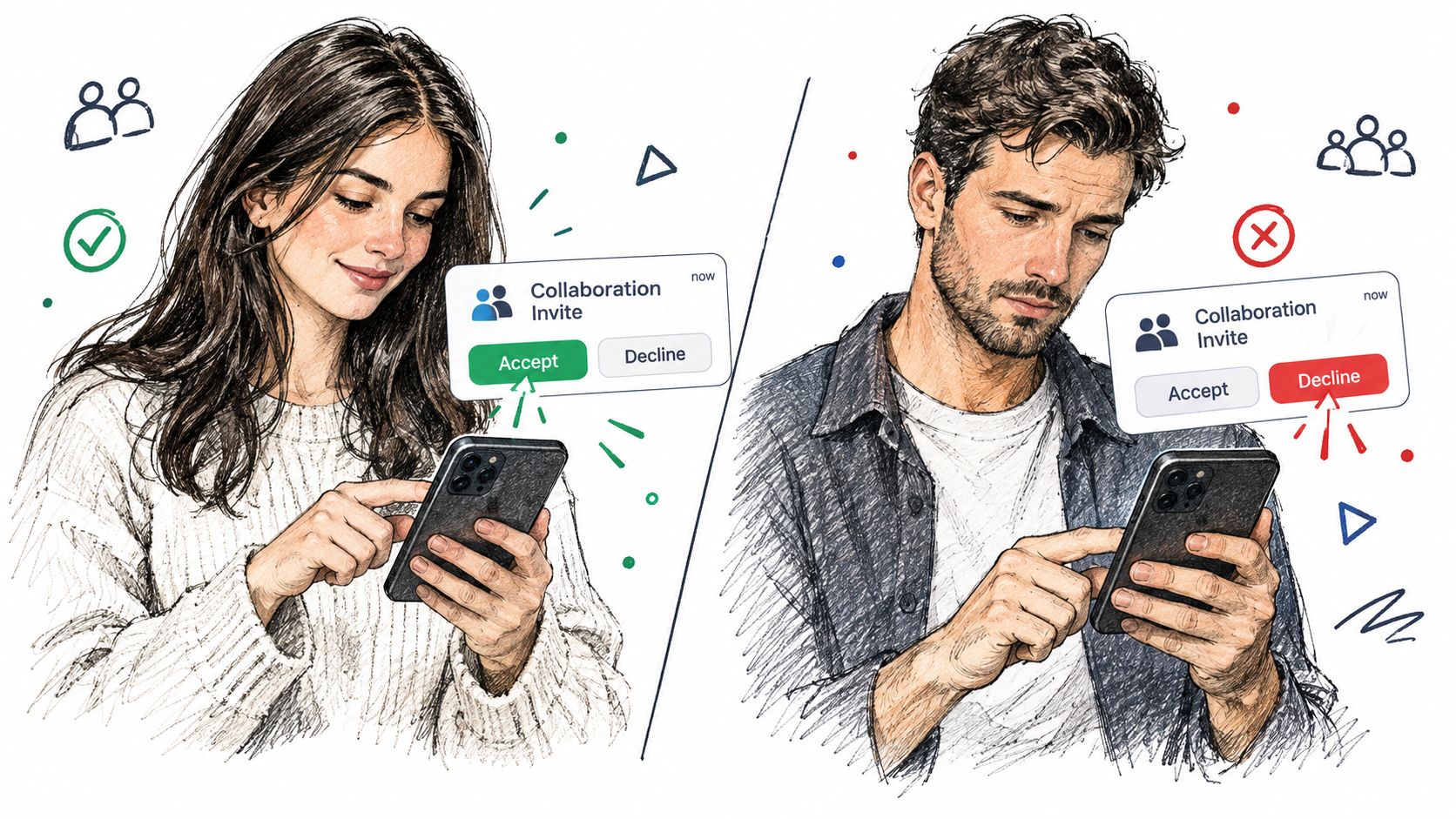
The invited account must open Instagram, review the collaboration request, and choose accept or deny. Acceptance changes the post from a pending invitation into a shared publication. Instagram's Instagram Help Center explains that the collaborator's username is added and the post can appear on both profiles and reach both audiences after acceptance.
A denial leaves the original creator in control of the original post. If the invitation is still pending, report the post as a single-account publication. Do not tell a client that the collaboration is live until the partner confirms acceptance and the post is visible from that profile.
Use three status checks in the handoff:
The publisher selected Invite collaborator, not only Tag people.
The partner accepted the invitation.
The post appears on the partner's profile.
A successful tap only confirms that Instagram sent an invitation. It does not confirm acceptance or an immediate profile update. Record those states separately in the campaign tracker so the workflow remains auditable across accounts and clients.
How the Post Appears on Both Profiles
After the collaborator accepts, Instagram connects the post to both accounts. The co-authoring relationship appears on the post, which can then show on both profiles and reach both audiences through one shared publication (Instagram Help Center).
That single post object is the practical advantage over publishing the same carousel twice. Captions, comments, tags, media, and timing stay attached to one publication instead of requiring two accounts to remain aligned. People who discover the post from either profile can also see the partnership clearly.
Treat the result as a publishing pipeline with separate checkpoints. Sending an invitation is one state. Acceptance is another. Profile visibility is the state to verify before reporting the campaign as live. The invitation and acceptance flow must be completed in Instagram's mobile app. Desktop publishing does not handle this workflow reliably, so agencies should assign the mobile verification step to a specific person.
Shared distribution does not create identical reporting views. Each account retains its own profile context and access to account-specific information. Capture relevant results from both sides when preparing a report, rather than treating one account's view as the complete campaign record.
Facebook cross-posting is a separate decision. An Instagram Collab does not automatically guarantee that every collaborator's Facebook presence receives a matching publication. Check the destination identity and confirm the Facebook distribution separately before describing the campaign as live everywhere.
Capability | Inviter | Collaborator |
Creates the original post | Yes | No |
Sends the collaboration invitation | Yes | No |
Accepts or denies the invitation | No | Yes |
Appears as a co-author after acceptance | Yes | Yes |
Can end the collaboration through blocking | Yes, if the other account blocks them | Yes, if the other account blocks them |
For agency delivery, record the publisher, invitation status, acceptance status, and profile visibility in the campaign tracker. The original author starts the publication, while the collaborator decides whether the co-author relationship becomes active. That record makes the handoff auditable across clients and accounts.
Managing Collaborators After the Post Goes Live
Once a Collab is live, manage it as an account relationship with a defined state. A collaborator can leave, and Instagram's guidance says the collaboration ends if either account blocks the other (Instagram Help Center). The post's media remains published by the original author, while the co-author relationship can change.
That distinction matters in agency workflows. “Invite sent” is an intermediate status, not a completed delivery milestone. Track draft approved, invite sent, invite accepted, and visible on both profiles in the campaign record. The final status gives the client a usable answer about publication, rather than merely confirming that someone sent a request.
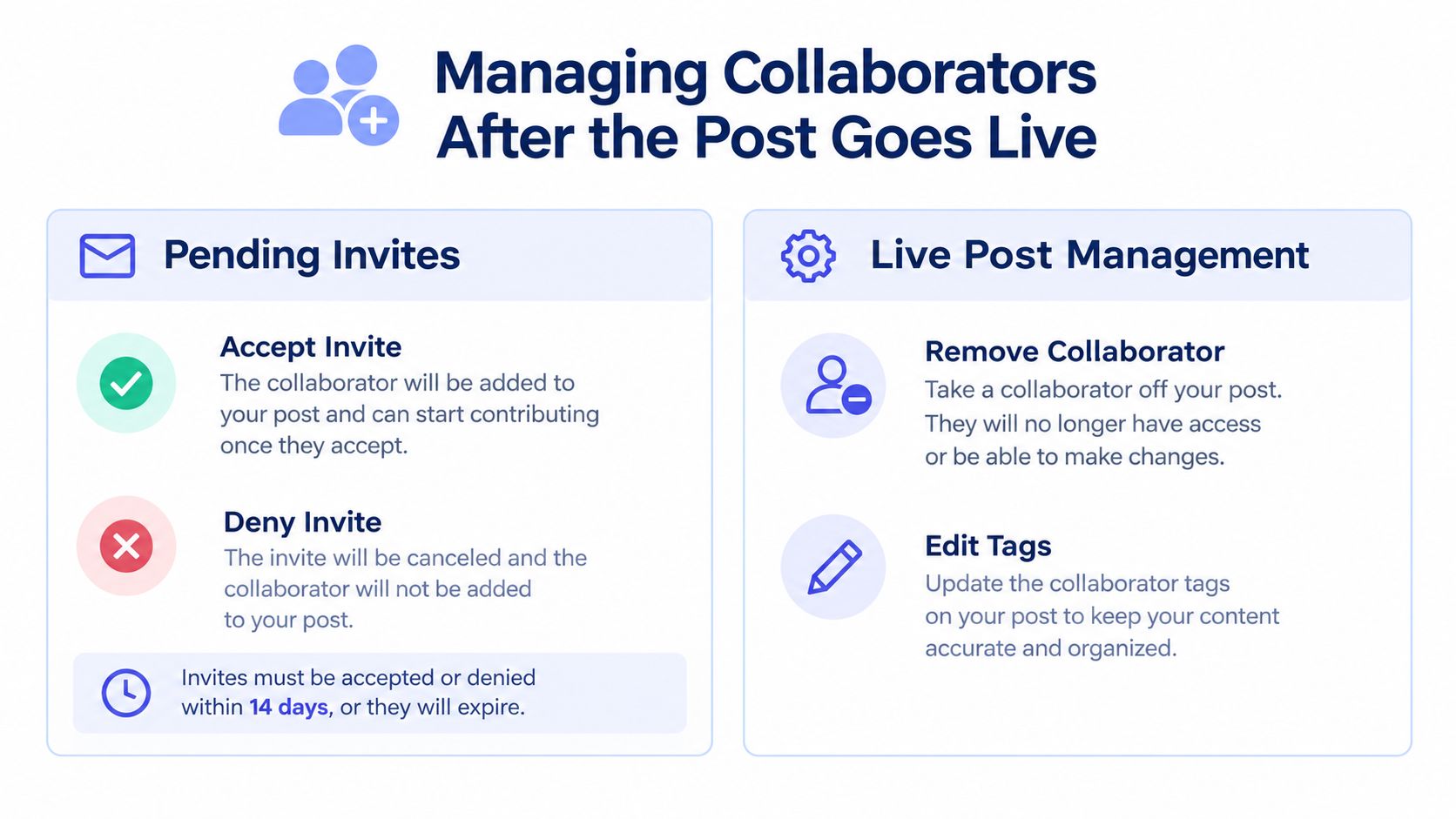 An infographic detailing how to manage collaborators on a live post through pending invites and post management.
A declined invitation leaves the original post with its author. If the collaborator accepts and later leaves, the original author's post remains on that profile, while the shared authorship ends. Record that change before reporting profile visibility or co-author performance.
Use a short decision tree when a partner requests an update:
Before acceptance: Confirm whether the partner intends to accept or deny the invite.
After acceptance: Identify which account owns the requested change and confirm whether the post should continue as a Collab.
After the partner leaves: Report the original author as the source publication and remove the partner profile from co-author reporting.
After blocking: Check the current account state before promising that the collaboration can be restored.
Instagram's workflow supports multiple collaborators, and each invited account must accept its own request. For paid campaigns involving several creators, maintain one acceptance field per account. A single “approved” label can hide an unresolved invitation and create inaccurate delivery reports.
Organic co-authoring can also support a paid media plan. Review partnership sender ad types separately from the Collab status. The shared post confirms an organic publishing relationship, while advertising authorization governs paid distribution. Keep both states in the campaign tracker so the publishing pipeline stays auditable.
Fixes for Common Collaborative Post Problems
Most Collab failures come from a broken handoff in the publishing pipeline. The team may have the wrong username, an unresolved invitation, or a profile view that does not show the result they expect. Check each state in order instead of treating the post as published as soon as the invite is sent.
The invite isn't delivered
Start by verifying the exact username and account selected. Then check the account relationship and whether the partner can receive Instagram notifications or messages. An invitation does not create shared authorship until the invited account accepts it.
Update Instagram on both devices, especially the device creating the post and the device accepting the invite. If the account still does not appear correctly, close and reopen the app, confirm that both people are using the intended accounts, and resend the invitation from the original author's mobile device. Keep the account activity within Instagram's community guidelines while troubleshooting.
The partner can't see the post on their profile
Ask the partner to open the invitation and confirm acceptance, then inspect the profile directly. A partner who has left the collaboration no longer shares authorship, although the original author's post remains available.
Teams often check the tagged-post area and conclude that the Collab failed. Accepted collaborative posts should be checked in the profile location where shared publications appear, because a Collab records a shared authorship relationship rather than a standard tag.
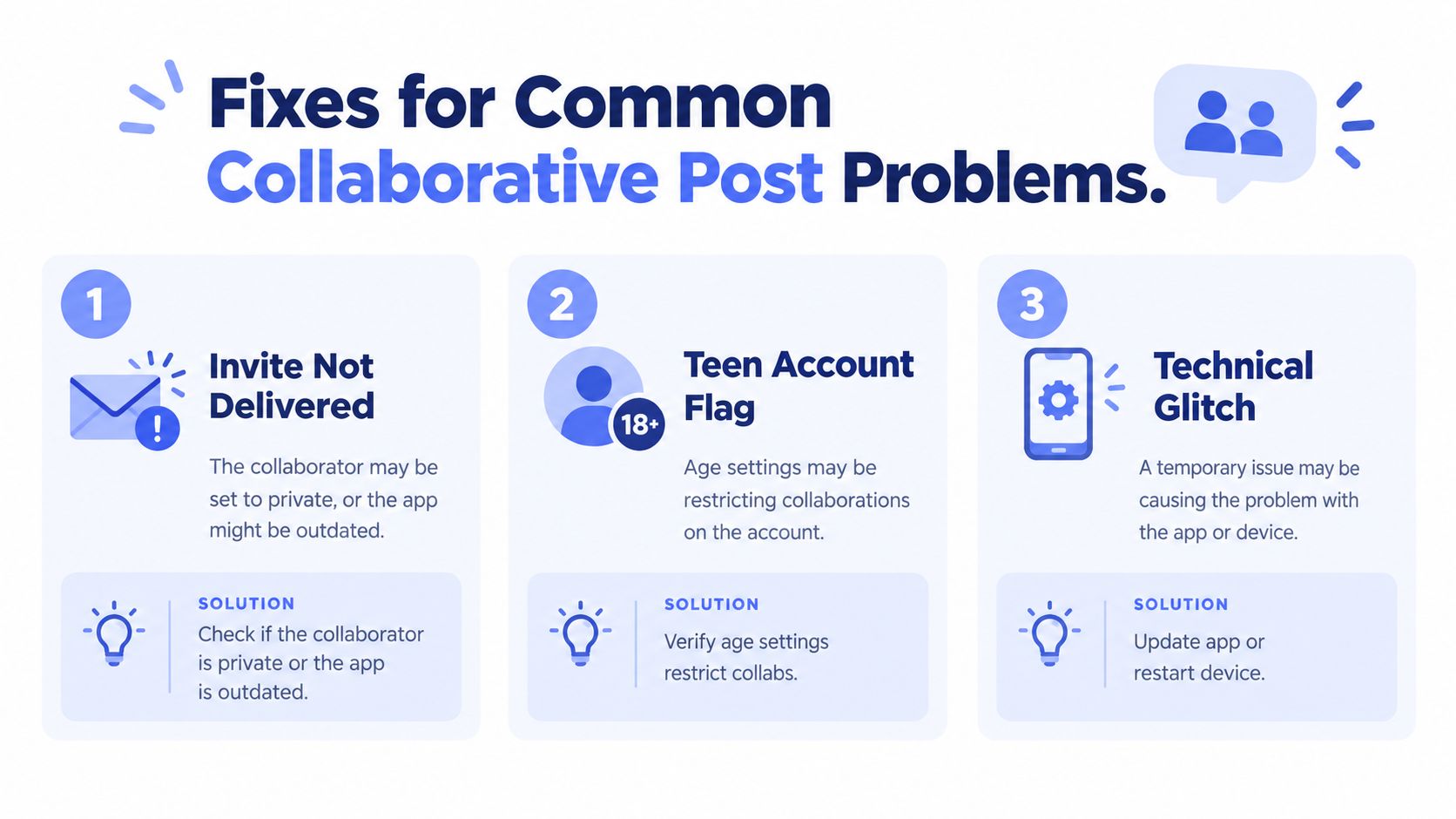 A graphic titled Fixes for Common Collaborative Post Problems explaining three solutions for failed Instagram collaborations.
Desktop shows no invite control
Complete the invitation step on a supported mobile device, while using desktop for caption preparation, asset review, and approval records.
Status looks stuck
Use this troubleshooting order:
Update the Instagram app on both devices.
Verify the selected account and exact collaborator handle.
Check the invitation state in the partner's notifications and messages.
Confirm acceptance, rather than relying on a screenshot showing that the invite was sent.
Recheck both profiles after acceptance.
Resend from the original device only after confirming that the first request remains unresolved.
Reporting can differ between the two profiles without indicating a failed Collab. Each account has its own profile context and reporting view, while the post remains the shared publication. Record the invite state, acceptance result, and profile verification separately so the campaign record reflects what happened. For the broader publishing sequence, use this guide on how to share a post on Instagram, then retain the acceptance check in the team's runbook.
Running Collab Workflows at Scale With PostPulse
A Collab becomes difficult at agency scale when the team treats it as one button instead of a small publishing pipeline. The asset needs approval, the original author needs to create the post, the partner needs to accept, and someone needs to verify both profiles. Each handoff can fail independently.
PostPulse can sit above that process as a scheduling and orchestration layer for teams publishing through apps, automations, and AI agents. Its workflow can prepare scheduled Instagram publications, coordinate the asset and caption handoff, and track whether the collaboration step is complete before the team considers the post ready. The useful design principle is simple: don't publish a half-approved post just because the calendar says the time has arrived.
The platform doesn't remove Instagram's own rules. The initial collaboration invitation still originates in Instagram, and the collaborator still has to accept it. It can organize timing and preparation, but it shouldn't be presented as a way to bypass account eligibility, acceptance, or mobile-only constraints.
For repeatable client work, store these fields with every Collab campaign:
Original author: The account responsible for creating the post.
Collaborator handles: The exact accounts to invite.
Approval state: Whether the media and caption are cleared.
Invite state: Sent, accepted, denied, or unresolved.
Verification state: Whether the post appears on both profiles.
Fallback action: The agreed response if the collaboration doesn't complete.
This structure also makes AI-assisted workflows safer. An agent can prepare the content package and schedule the internal handoff, but a human still needs to verify that the correct account accepted the invite. Teams experimenting with automated creative preparation can also try LunaBloom AI's app, while keeping Instagram's co-author acceptance as an explicit checkpoint rather than assuming automation completed it.
PostPulse provides a unified publishing layer for social apps, automations, and AI agents, including Instagram content workflows that need consistent scheduling and account handoffs. Use PostPulse to organize the asset, invitation, acceptance, and verification steps before your next collaborative post goes live.
About the Author

Founder of PostPulse — a social media scheduling platform for creators and teams. Software engineer with a passion for building developer tools and simplifying complex API integrations across social media platforms.