How to Share a Post on Instagram: 2026 Guide
Published on
Tags:
You tap the paper airplane on an Instagram post, expecting a simple share flow. Instead, the option you want is missing, the Story reshare doesn't appear, the post won't travel the way you expected, or your attempt to automate the same action runs into platform constraints that the UI never explains.
That mismatch is what frustrates people. The app makes sharing look trivial, but the actual behavior depends on privacy settings, account configuration, distribution surface, and whether you're talking about a manual share, a Story reshare, a DM send, a repost, or a co-authored post. If you're a developer, it gets worse because the user-facing tap path doesn't map cleanly to something you can reproduce in code.
Table of Contents
Why Is Sharing an Instagram Post So Complicated
Users often discover the problem the same way. They can see a post, they can like it, they can comment on it, but when they try to share it, Instagram suddenly starts enforcing rules that weren't obvious a second earlier. That feels inconsistent until you realize the share action sits on top of Instagram's privacy and distribution model, not just its interface.
 A frustrated developer looking at a computer screen showing the complex backend logic of Instagram posting.
The reason this matters isn't cosmetic. Instagram is large enough that sharing changes who sees content, not just how content gets copied. Hootsuite reports that Instagram has around 3 billion monthly active users, that Reels are shared more than 4.5 billion times per day, and that about half of Instagram users discover new brands while browsing the app, which is why sharing affects discovery as much as distribution (Hootsuite's Instagram statistics roundup).
The button is simple, the rules are not
At the UI level, the action looks binary. Tap the paper airplane or don't. In practice, Instagram distinguishes between a few very different outcomes:
Private delivery through DMs
Public-ish amplification through Story resharing
External distribution to other apps
Persistent co-distribution through formats like Collabs
Platform-limited actions that a user can do manually but a developer can't assume are available in an API
That last point causes most of the engineering pain. Teams often start with the assumption that if a user can do something in the app, there must be a supported programmatic equivalent. Instagram does not make that assumption safe.
Practical rule: Treat “share” as a family of actions, not one feature. If you don't define the destination surface first, the implementation will get muddy fast.
Why developers get tripped up
The normal user question is “how do I share this post on Instagram?” The developer question is closer to “what exact artifact is being shared, under which permissions, to which surface, with what fallback when the surface is unavailable?”
Those are very different problems.
If you're building tooling around Instagram, it is beneficial to understand the platform layer before you touch automation. Meta's publishing model, account requirements, and integration constraints are part of the reason social workflows feel brittle in production. A good starting point is this breakdown of the Instagram Graph API, because it highlights why even basic publishing and sharing flows become more rigid once you move from the app to code.
The Manual Sharing Workflows Every User Should Know
Before you automate anything, it's worth getting precise about the in-app behavior. Instagram gives you three practical manual paths: reshare to Story, send through DMs, or pass the post into another app. Each is useful, and each has limits that people usually notice only after the post is live.
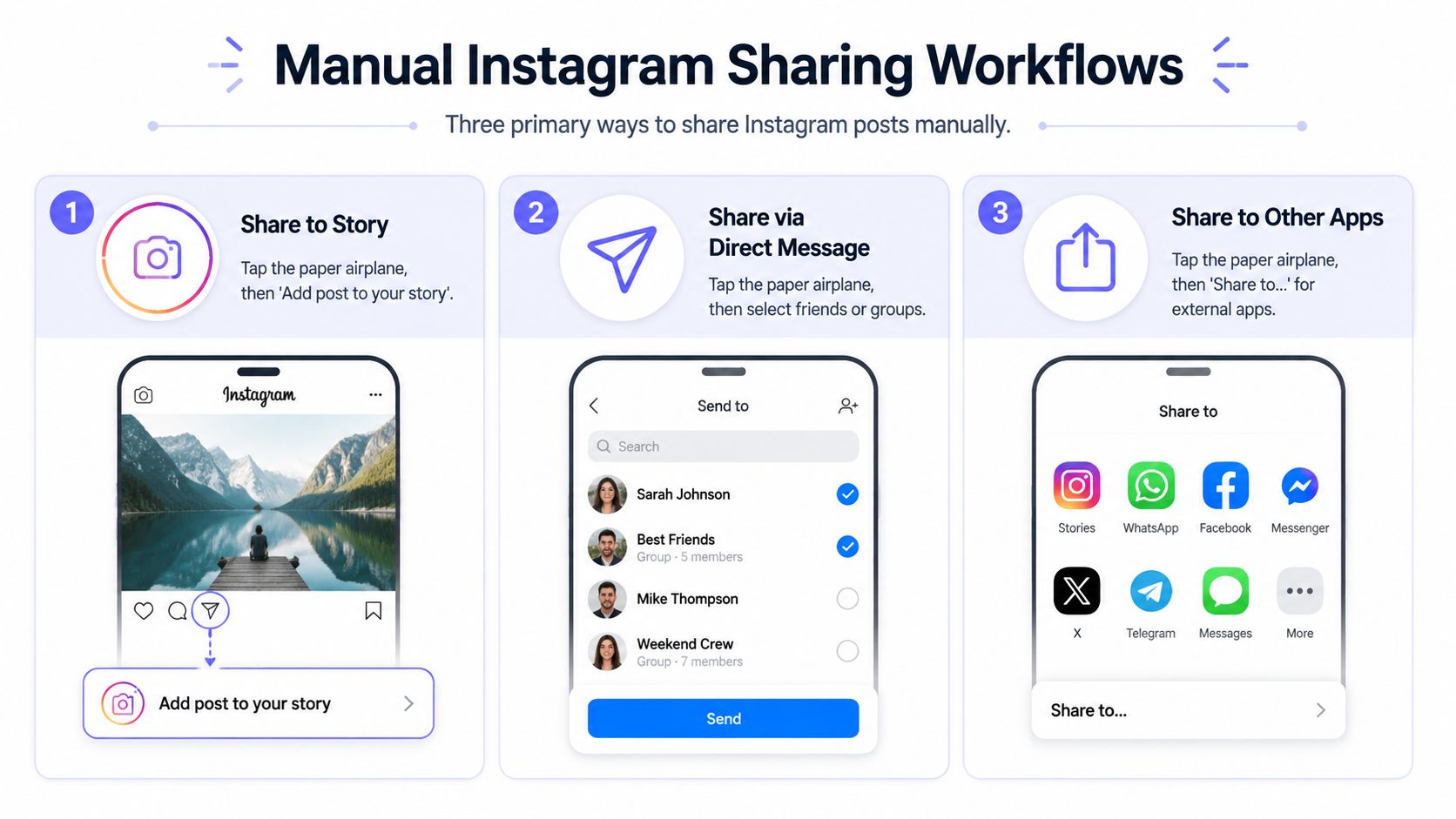 An infographic showing the three manual ways to share an Instagram post to stories, messages, or apps.
Sharing to Stories
Instagram's official Help Center flow for a Story reshare is straightforward: open the post, tap the paper-airplane icon, choose Add post to your story, use the Story editor, then tap the arrow to publish (Instagram Help Center instructions for adding a post to your story).
That workflow is low friction for a reason. It lets you add commentary, stickers, or context while still preserving the original post as the object being shared. For creators and brands, it's often the fastest way to point followers back to a feed post without building a separate Story asset from scratch.
A few practical notes matter here:
Story resharing is fast, not flexible. It's great when you need immediate visibility.
The original post stays central. That's useful when you want attribution to stay obvious.
Editing is lightweight. Good for speed, not for heavy customization.
If your goal is sending people somewhere after the Story view, placement and link strategy matter more than most tutorials admit. If you need a cleaner handoff from Story attention to an external destination, this Instagram Story link guide from lnk.boo is useful because it focuses on how people structure that jump.
Here's the second thing to keep in mind. A Story reshare is still a Story. It's built for quick circulation, not long shelf life.
Sharing through Direct Messages
DM sharing is the most controlled built-in route. Instagram's share sheet lets you select up to 15 recipients in one action, and you can add a message before sending, which makes it the platform's native private distribution path (WikiHow's walkthrough of Instagram sharing options).
That matters more than it sounds. Story resharing is about ambient reach. DM sharing is about intent.
Method | Best use | Main trade-off |
Story | Fast audience amplification | Less private, shorter-lived |
DM | Targeted sharing with context | Doesn't create public visibility |
External app share | Off-platform distribution | Loses some native Instagram context |
If you're handling content operations across teams, creators, or clients, DM sharing also reveals a scaling limit. It works well for person-to-person or small-group distribution, but it doesn't become a reliable operational workflow once volume rises. That's one reason many builders eventually look at a dedicated Instagram image posting workflow or similar tooling for repeatable publishing patterns rather than trying to stretch DMs into a system.
Sharing outside Instagram
The external share path is easy to overlook because it feels less “Instagram native,” but it's useful when the goal isn't engagement inside Instagram at all. Tapping the share icon can pass the post into other apps through the device share sheet.
That's convenient, but it's also the weakest option if you care about preserving the Instagram viewing experience. Once the post leaves the app ecosystem, attribution, context, and user behavior get less predictable.
If you need the share to remain measurable inside Instagram, keep the action inside Instagram. External sharing is distribution, not platform-native amplification.
Troubleshooting Why You Cannot Share a Post
The most common failure isn't a crash. It's ambiguity. The option to share to Story isn't there, or the paper airplane appears but the behavior is more limited than expected. Users assume Instagram is glitching. Sometimes it is. More often, the platform is enforcing a rule that the interface doesn't explain well.
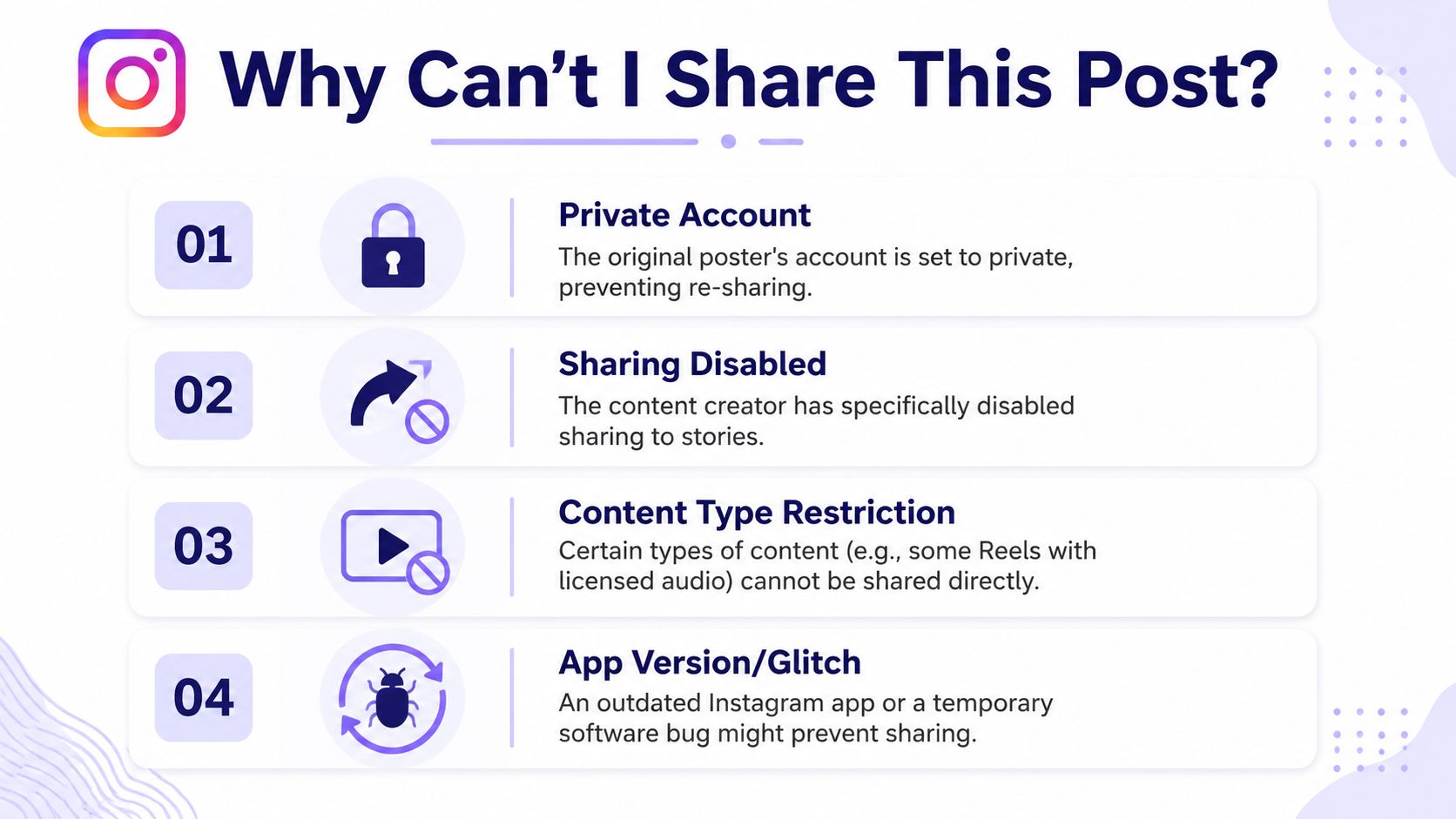 An infographic titled Why Can't I Share This Post? listing four reasons why Instagram sharing might be restricted.
When the Story option is missing
Instagram's own guidance is the clearest answer here: you can only share someone's feed post to your Story if the account is public and has allowed resharing. Users can also disable re-sharing of their own posts in Sharing and reuse settings (Meta's help page on who can share your posts to their stories).
That explains a lot of “Instagram won't let me share this post” reports in one shot. The missing option usually isn't random. It's permission logic.
The symptoms often look like this:
You can view the post but can't add it to your Story. The source account may be private.
One public account works, another doesn't. The creator may have disabled resharing.
A teammate can share it but you can't reproduce the same path elsewhere. You may be dealing with different content settings, app state, or account context.
The platform exposes fewer clues than it should. If the Story reshare option is absent, assume permissions first and bugs second.
What to check before blaming the app
When I troubleshoot this with product teams, I try to remove guesswork. Run through the checks in order instead of tapping around randomly.
Check account visibility: If the original post comes from a private account, Story resharing won't work under Instagram's own rules.
Check creator settings: A public account can still disable re-sharing in Sharing and reuse.
Check what kind of share you're attempting: Sending a post in DMs is not the same as adding it to a Story. Different surfaces, different permissions.
Check app freshness: Temporary UI issues do happen, especially when app versions drift or cached state gets messy.
Check whether you're solving the wrong problem: Sometimes you don't need a Story reshare at all. You may need a fresh post, a collaboration flow, or an external share.
There's another practical trap here. People use “repost,” “share,” and “reshare” interchangeably, but Instagram doesn't treat them as identical concepts. If your team writes support docs or product copy, that distinction is worth being explicit about because vague wording creates vague bug reports.
The limitation users feel but can't name
What makes Instagram sharing frustrating is that the platform exposes the action before it exposes the eligibility rules. The user sees a share icon and expects universal availability. Instagram applies conditional access.
That's not just a UX annoyance. For developers, it means support incidents often show up as “feature broken” when the system is working as designed.
Strategic Sharing to Maximize Your Reach
A share isn't automatically good distribution. The method has to fit the goal. If you treat every sharing action as interchangeable, you'll get a lot of activity that looks busy and doesn't move the result you wanted.
Instagram's own product guidance is useful here because it separates plain sharing from Collabs and points out that sharing surfaces can drive meaningful non-follower exposure. In one in-app example, 57% of views came from non-followers after sharing activity (Instagram guidance on sharing and Collabs).
Story reshare versus Collabs
A Story reshare is fast and lightweight. It works when you already have audience attention and want to redirect some of it toward a post. That makes it good for reminders, launch nudges, event mentions, and creator amplification that doesn't need to live on the grid.
A Collab is a different move. It's closer to co-authorship than reposting. You use it when two accounts should share distribution and ownership of the post itself.
The trade-off is simple:
Option | Use it when | Don't use it when |
Story reshare | You need quick visibility and minimal production | You need the content to live as a shared feed asset |
Collab | Two accounts should jointly distribute one post | You only need a temporary mention |
Standard feed post | You want full control over the asset | You're trying to borrow another account's audience directly |
Distribution choices that actually fit the goal
The most effective teams decide backward from the outcome.
If the goal is existing audience engagement, a Story reshare usually does the job with less friction. If the goal is cross-audience reach, Collabs are often the better fit because they formalize shared distribution instead of layering temporary visibility on top.
If the goal is repurposing content from another platform, the creative work matters as much as the sharing mechanic. A lot of YouTube content fails on Instagram not because it was shared incorrectly, but because it wasn't adapted for the surface. This guide to sharing YouTube videos on Instagram from Taja AI is a good example of thinking in terms of format translation instead of blind reposting.
A share should answer one question first: are you trying to notify people, distribute to new people, or preserve a long-lived asset? Pick the surface after that.
One more practical note. Mentions, tags, and timing still matter, but they matter after you choose the right vehicle. Good metadata can improve a sound sharing plan. It can't rescue the wrong one.
How to Automate Instagram Post Sharing Programmatically
Manual sharing is fine until it becomes operational. The moment a team wants repeatability, triggers, workflows, or app-driven publishing, the tap-based model starts to collapse. You can teach a person to reshare a post in seconds. You can't scale that across users, clients, or product features without deciding what “share” means in your system.
 Screenshot from https://post-pulse.com
What breaks when you try to scale manual sharing
The first problem is conceptual. A manual Instagram share can mean a DM send, Story reshare, external app handoff, repost, or collaborative publishing pattern. Those aren't one API operation.
The second problem is platform reality. Social developers run into token handling, review requirements, publishing constraints, and account-type boundaries quickly. That's why engineering teams usually stop talking about “share button automation” and start talking about supported publishing flows, approved integrations, and workflow abstractions.
A clean implementation usually starts by narrowing the use case:
User-triggered distribution: Someone in your app chooses to publish or distribute content.
Rule-based automation: A workflow sends content when a condition is met.
Agent-based execution: An AI agent decides what to publish and when.
White-labeled social features: Your product needs branded social publishing without exposing the integration plumbing.
If you're evaluating tooling broadly, this roundup of tools for Instagram post automation from REACH is a useful market scan because it shows the range between native schedulers, lightweight automations, and more developer-oriented systems.
Practical automation paths for developers
The most reliable mental model is this: don't try to reproduce every tap in the Instagram app. Model the business outcome you want, then map it to a supported publishing or distribution workflow.
For example:
Custom app flow Your app collects caption, media, and target account context. You publish through a social publishing API. You store status, retries, and webhooks separately from the UI.
No-code workflow A trigger fires from Airtable, Notion, a CMS, or a webhook. The workflow formats the media and caption. A publishing node sends the content to Instagram under a connected account.
Agent workflow An agent gathers approved assets. A policy layer checks whether the content should publish. A publishing tool executes the post and returns status to the agent.
The reason this works better than trying to “automate sharing” is that publishing APIs are usually designed around content creation and delivery, not around imitating every consumer UI surface. If what you need is scheduled or triggered Instagram publishing, something like auto-publishing to Instagram is usually a closer fit than chasing a brittle reproduction of a Story tap path.
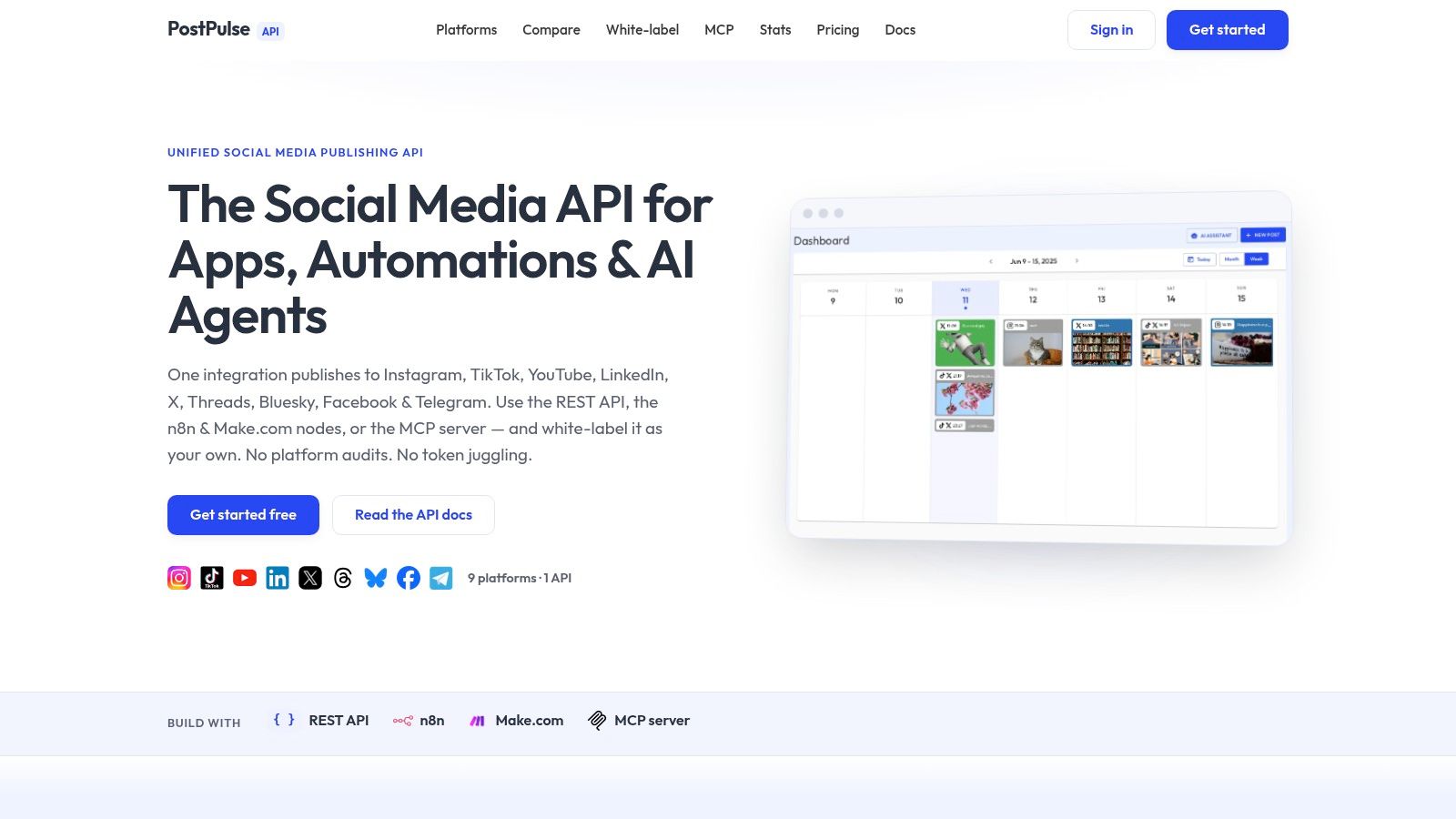
For teams that want one abstraction layer rather than maintaining multiple platform-specific integrations, PostPulse is one option. It provides a social publishing API, official n8n and Make.com integrations, and an MCP server for agent-based workflows across multiple platforms, including Instagram. That's relevant if your product needs publishing infrastructure rather than a one-off script.
A practical architecture tends to look like this:
Need | Better approach | Why |
One-off personal share | Manual Story or DM | Lowest friction |
Repeatable team publishing | API or workflow automation | Auditable and consistent |
Customer-facing social feature | White-labeled publishing layer | Cleaner product experience |
AI-assisted content ops | MCP or workflow-driven publishing | Easier policy control |
Build for supported outcomes, not UI mimicry. Social platforms change interface details often, but stable publishing primitives are what keep systems maintainable.
The hidden trade-off is support load. The closer your product gets to promising “Instagram works exactly like the app,” the more edge cases you inherit. The closer you stay to documented publishing flows, the fewer mysteries you have to debug later.
Choosing the Right Sharing Method for Your Goal
If you just need to get a post in front of people quickly, use the in-app tools. Story resharing is fast. DMs are private and intentional. External shares are fine when Instagram itself isn't the destination.
If you're trying to grow reach, think harder about the surface. A quick reshare and a Collab aren't substitutes. One is lightweight distribution. The other changes how the post is authored and seen.
If you're building a product, stop framing the problem as “how to share a post on Instagram” and start defining the exact workflow. Are you enabling user-triggered publishing, private distribution, scheduled content, client approvals, or agent-driven automation? That decision shapes everything that follows.
The shortest useful answer is this: the right sharing method depends on whether you want speed, privacy, reach, or scale. Instagram gives you different tools for each. Most of the frustration comes from expecting one button to do all four.
If you're building social publishing into a product or automation stack, PostPulse is worth a look. It gives developers a single way to publish across platforms through a REST API, official n8n and Make.com nodes, or an MCP server, which is often simpler than maintaining separate social integrations yourself.
About the Author

Founder of PostPulse — a social media scheduling platform for creators and teams. Software engineer with a passion for building developer tools and simplifying complex API integrations across social media platforms.