How to Tag Someone: A Developer's Guide to 9 Platforms
Published on
Tags:
You're probably staring at a post payload that looks fine in logs. The caption includes @username, the publish call returns success, the post goes live, and the tagged person never gets notified. No exception. No validation error. No obvious failure mode.
That's the part that trips up developers who are learning how to tag someone programmatically. Social platforms treat tagging as structured metadata, not just text decoration. The UI hides that complexity. APIs usually don't.
The practical headache is inconsistency. One platform wants a tap point on an image. Another wants a user ID. Another accepts a mention in body text but won't resolve it the way the native app does. If you're building a scheduler, an automation flow, or a white-labeled publishing feature, tagging turns into one of those details that subtly breaks trust in your product. Users assume “tagged” means “notified.” The platforms don't always agree.
Table of Contents
Why Your Automated Tags Are Failing Silently
A silent tagging failure usually means your app submitted content that was valid enough to publish, but invalid for mention resolution. The platform accepted the post. It just didn't bind your intended person, page, or profile to the post in the way its native client would.
That gap exists because a visible @handle and a functional tag are often separate things. Developers see the UI and assume the platform parses text the same way across clients, API versions, and media types. It usually doesn't. Photo tags, caption mentions, story mentions, and page references often sit on different code paths.
Text that looks right can still be structurally wrong
Instagram is the clearest example of why this matters. In the app, image tagging is tied to a coordinate on the media, not just text. For a new feed post, you must tap Tag People on the final screen before sharing, then tap the specific location in the photo, search the username, and select it. That pre-share flow matters because the tag is anchored to the image itself, not inferred from plain text, as shown in this Instagram tagging walkthrough on YouTube.
That same pattern shows up elsewhere in different forms. LinkedIn-style systems often bind mentions to profile identifiers. Facebook distinguishes between entity types. X treats body-text mentions differently from image or conversation metadata. TikTok and Threads add their own quirks. The common theme is simple: rendered text is not the source of truth.
Practical rule: If your integration stores only the string the user typed, you haven't stored enough to tag reliably.
UI flows expose the hidden model
The easiest way to reverse-engineer tagging behavior is to study the native app flow before you touch the API. Every extra tap tells you something about the data model. If the user has to tap a spot on an image, the backend probably expects spatial context. If the app makes the user choose between similar entities, the backend probably needs a stable identifier rather than a display label.
That's also why teams end up building normalization layers or routing logic in front of native APIs. If you don't, each platform-specific edge case leaks into your publishing system, your retry queue, and your support inbox. A good API proxy service pattern exists for exactly this reason. It isolates the weird parts before they spread across your codebase.
Manual Tagging Mechanics on Major Platforms
A common failure mode looks harmless in the UI. A social manager types @brandpartner, sees the name appear in the native app, and assumes your scheduler can reproduce that behavior later through the API. Then the published post goes live with plain text, no profile link, no notification, and no obvious error. The manual flow explains why.
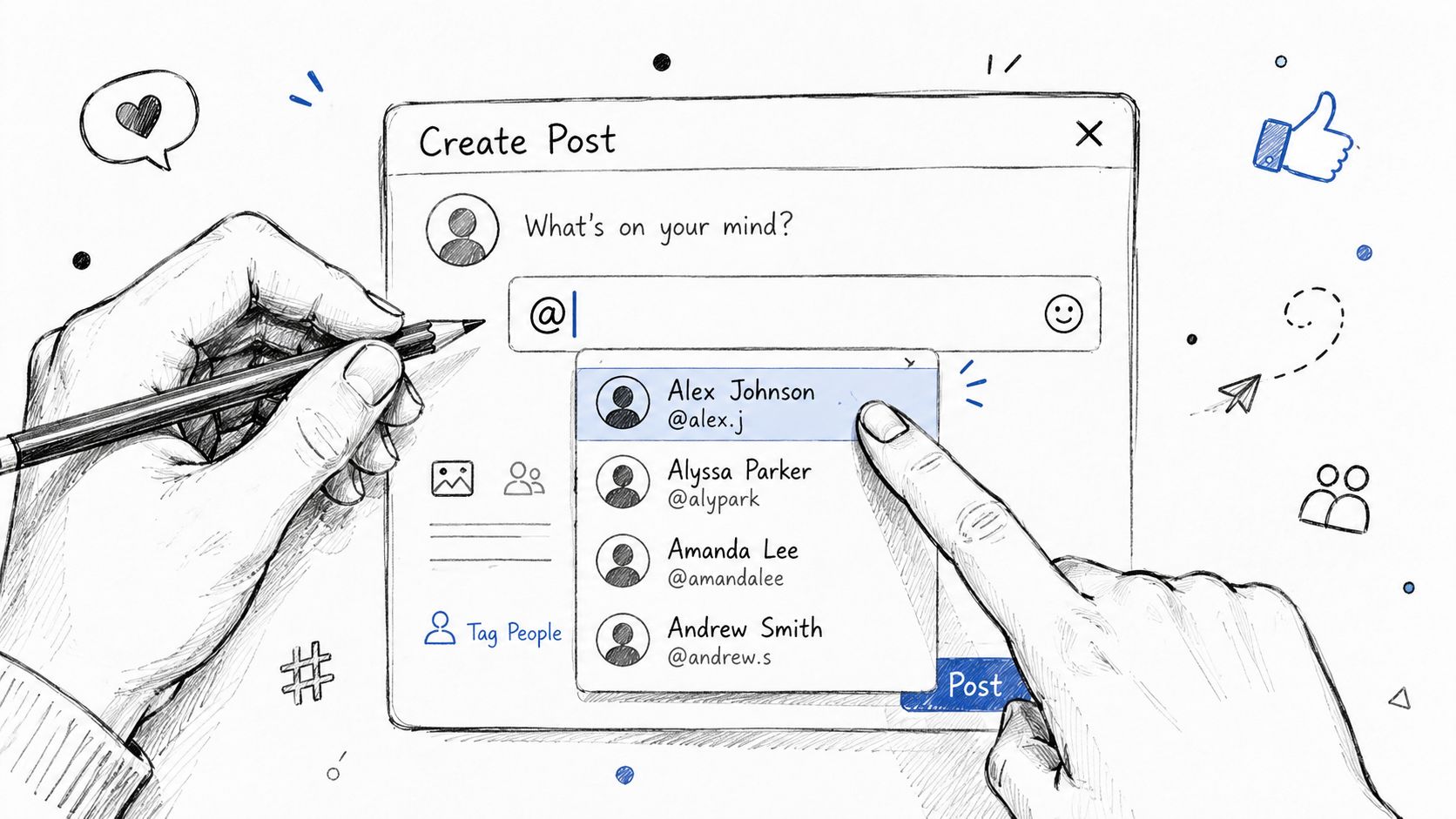 A hand-drawn illustration showing a user tagging a friend in a social media post interface.
Native clients expose the contract. They force a search step, a profile selection step, or a tap target on media because the platform needs more than visible text. If you are building automation, study that path first. It will save time in payload design, retries, and support triage.
Instagram feed posts
Instagram feed tagging is a good example because the UI makes the hidden structure obvious. During post creation, the tag control appears near the end of the composer. The user taps Tag People, taps a location on the image, searches for the account, and confirms the match. That flow means the tag is tied to media coordinates plus an account identity.
For an existing post, Instagram routes the user through Edit before tag controls appear. That matters. The product treats tag changes as a post-edit operation, not as a caption tweak. Meta's help documentation for editing photo tags reflects that distinction.
For developers, three implementation details matter:
Image tags carry placement data. You need more than a username.
Create and edit flows are separate states. Do not assume the same API operation supports both.
Account resolution happens before publish. Store the platform user reference, not just the display handle.
If your team is mapping these rules into publishing workflows, the Instagram Graph API tagging constraints and publishing model are worth reviewing before you design your internal schema.
Instagram stories and hidden tags
Stories are messier because tagging sits inside a layout editor, not a simple composer. A story mention can be visible, tiny, covered by another element, or placed where it is hard to notice. The important technical point is straightforward. Presentation and mention state are separate concerns.
That separation affects product design. If your tool promises attribution, "show this prominently" and "attach a working mention" should be different settings in your model and your UI. Treating them as one field creates edge cases the first time a creator wants credit without visual clutter.
Here's a short demo before moving to the other networks:
Facebook, X, TikTok, and LinkedIn
The manual mechanics differ, but the pattern stays consistent. Users do not just type text. They select an entity from a platform-owned identity system.
Facebook often asks users to choose the right profile, Page, or place. That extra chooser exists because display names are ambiguous.
X makes mentions look simpler because handles live in body text, but developers still run into differences between rendered text, linked mentions, and metadata attached to replies or media workflows.
TikTok relies heavily on account selection inside the app. What looks freeform to an end user often resolves through search and explicit account association behind the scenes.
LinkedIn behaves like a stricter identity graph. The visible company or member name is secondary to the underlying URN or profile reference that the platform expects.
Here, a normalization layer earns its keep. PostPulse stores the resolved identity, mention type, and any placement metadata in one internal shape, then maps that shape to each network's quirks at publish time. That keeps platform-specific tagging behavior out of your core composer logic and reduces the number of silent failures you have to debug later.
The API Behind the @ Symbol
The @ symbol is presentation. The API work starts after that.
When developers first implement mentions, they often treat them like markdown or plain-text enrichment. Put @alice in the body, send the payload, and assume the platform will resolve it. Sometimes it does. Sometimes it renders as text. Sometimes it links visually but doesn't notify. Sometimes the same payload behaves differently in a first-party client and a third-party integration.
Text mentions and object tags are different systems
The easiest way to reason about tagging APIs is to separate them into two buckets:
Text mentions that live inside a caption, post body, or comment body.
Object tags that attach to media, coordinates, cards, or profile entities.
Instagram's feed tagging mechanics make that distinction obvious. The app requires the user to tap a point on the image before selecting the username, which means the platform is storing more than text. It's storing a relationship between a user identity and a location on media, as demonstrated in the Instagram feed tagging flow.
For developers, that means a normalized internal model should usually include:
a platform user reference
a display string
a tag type such as text or media
optional placement metadata
a resolution status so you can tell “rendered text” from “confirmed mention”
Here's a neutral internal shape many teams use before mapping to platform specifics:
That doesn't claim any one platform accepts this exact payload. It gives your app a stable representation before the platform adapter converts it.
A comparison developers can actually use
The hard part isn't adding mentions. It's surviving inconsistency without turning your publishing service into a pile of if platform == ... branches.
Platform | Method | Required Data |
Image tag anchored to media | Username selected through tag flow, plus image tap location | |
Entity association through picker-style tagging | Correct entity selection, often person vs Page | |
X | Text-based mention in post body | Handle in text, plus platform-specific resolution behavior |
Identity-based mention model | Stable profile reference such as a URN-style identifier | |
TikTok | In-app account selection pattern | Account selection rather than raw display text |
The table looks simple. Production code isn't. The adapter for each row has to answer different questions:
Can this mention be resolved before publish?
Does the platform need a mutable handle or a stable ID?
Is mention placement part of the payload?
Does editing preserve notification behavior?
If the platform lets a user search and select an account in the UI, assume your backend should preserve the result of that resolution, not just the original text input.
Payload design that survives platform drift
The most durable pattern is to split composition into phases.
First, collect intent from the user. They want to tag Alice on Instagram and mention Bob on LinkedIn. Second, resolve each mention into platform-native identity data. Third, build the post with explicit mention metadata where the platform supports it. Fourth, log whether the mention was submitted as text only, resolved structurally, or downgraded because the platform path didn't support what the user asked for.
A minimal publish abstraction might look like this:
The important piece isn't the exact JSON. It's the contract. Your application should know whether a mention is merely decorative text or a confirmed platform-native tag.
Best Practices and Common Pitfalls
A tagging flow can look successful in logs and still fail in the product. The post publishes. The text renders. Nobody gets notified, the tagged account never receives attribution, and support tickets show up two days later.
The pattern is predictable. Teams optimize for getting @name into the caption, but platforms often treat tagging as identity resolution plus placement metadata plus permission checks. If one of those pieces is wrong, the publish call may still succeed.
The mistakes that cost the most time
A common failure is treating a display name as a resolvable account reference. Developers see "Alice Chen" in the UI, store that string, then try to publish it as a mention target. That breaks as soon as the platform expects a username, an internal user ID, or a page-specific reference. Store the user input for auditability, but publish from the resolved platform identifier.
Another expensive mistake is assuming edited tags behave like tags created at publish time. They often do not. Notification behavior, ranking, and attribution can differ by platform and by post type. If your workflow supports pre-publish resolution, make that the default path and treat post-publish edits as a fallback with weaker guarantees.
Over-tagging creates a different class of problem. The API call may succeed, but the result still harms the account. Irrelevant mentions look spammy, trigger user complaints, and make creators less likely to approve future collaborations. Good tagging logic should enforce relevance rules, not just syntax rules.
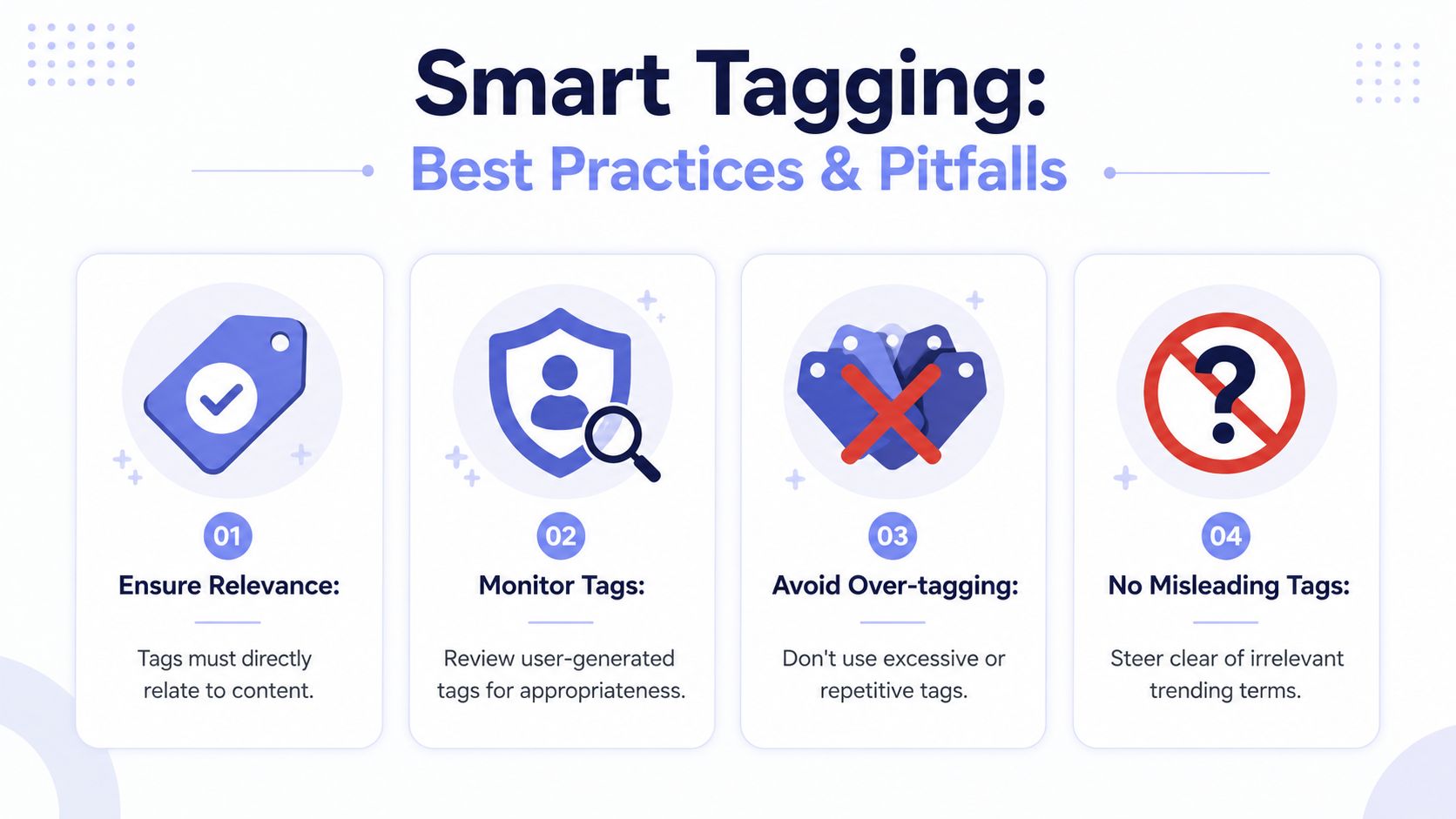 A visual guide titled Smart Tagging showing four best practices for effective and accurate content tagging.
A practical checklist:
Resolve identities before publish: Convert typed handles or search results into the platform-native reference your adapter needs.
Store both raw input and resolved value: This makes retries, debugging, and support work much easier.
Validate mention relevance: Tag collaborators, featured accounts, or content owners. Do not treat mentions as reach hacks.
Log downgrade paths: If a requested tag becomes plain text because the platform does not support the requested mention type, record that explicitly.
Test edit behavior separately: Use a different test case for post edits than for first publish.
When invisible tags help, and when they create trouble
Hidden or low-visibility tags can be useful when the goal is credit rather than discovery. Creator tools and repost workflows sometimes need attribution without putting a visible mention on the asset itself. That is a presentation choice, not a different identity model.
The implementation detail matters. If your product supports hidden tags, keep the mention object intact and vary only the rendering option. Do not collapse it into plain caption text just because the user wants less visual clutter. Otherwise you lose the only part the platform can use for attribution or notifications.
There is also a policy trade-off. A hidden tag can satisfy collaboration requirements while keeping the creative clean, but it is weaker for public discovery and easier for end users to misunderstand. Label that option clearly in the UI.
For teams building their own adapter layer, the maintenance burden starts to sprawl. Platform-specific mention rules rarely stay still, which is why many teams eventually centralize them behind a social media platform integration layer instead of scattering mention logic across schedulers, webhooks, and composer code.
If your tagging workflow also feeds monitoring, moderation, or entity extraction pipelines, keep the resolved mention data available to downstream systems that use social data for RAG and listening.
Treat mentions as structured entities with rendering options. Once you reduce them to caption text, you lose the part that platforms use to connect identity, attribution, and notification.
A Unified API for Cross-Platform Tagging
Once you've implemented tagging on more than two networks, the pattern is obvious. Each platform mixes identity, visibility, and notification differently. The business requirement stays simple. “Tag these people when I publish.” The engineering requirement sprawls.
That's why teams eventually build a normalized mention model, whether they planned to or not. The adapter layer becomes the product.
 Screenshot from https://post-pulse.com
What a normalized mention model looks like
A unified API should let the caller express user intent once, then delegate platform-specific translation to the integration layer. The clean version of that contract looks something like this:
The value isn't that every platform accepts this format directly. The value is that your app, automation, or agent can speak one language while the backend maps it to each native requirement.
If you're building downstream AI or search features, this normalization also helps your data layer. Mention metadata becomes easier to join with publishing history, moderation signals, and social data for RAG and listening, instead of being buried inside provider-specific payloads.
A good integration layer should also isolate platform churn. That means your app calls one endpoint, and the adapter owns token refresh, field mapping, and whatever odd validation the current platform version requires. For teams evaluating that pattern, social media platform integration approaches are worth studying before you commit to a direct-build path.
Why this abstraction matters in production
The biggest gain isn't fewer lines of code. It's fewer failure modes with user-visible consequences.
Without a unified layer, you end up maintaining separate flows for:
Identity resolution: Handle lookup, ID storage, and stale-reference recovery.
Media placement: Coordinate-bearing tags for image-oriented platforms.
Fallback logic: Text-only mentions when native tagging isn't available through your path.
Support diagnostics: Explaining why a mention rendered but didn't notify.
With a unified layer such as PostPulse, that complexity sits behind one API surface instead of leaking into your product. That's the right place for it. Developers integrating publishing into a SaaS app or automation stack usually want consistent behavior, not a crash course in every network's mention semantics.
Frequently Asked Questions About User Tagging
Production tagging failures usually show up after launch, not during the happy-path demo. A mention renders in the caption, the post publishes, and support still gets the ticket: “Why didn't the tagged user get notified?”
Can I just put @username in the caption
You can, but caption text and a native tag are often different API paths.
On some platforms, @username is only parsed as text unless you send a structured mention entity or a platform-specific tag object with the post payload. The result is confusing because the post looks correct to the user while the platform skips the actual association behind the scenes. For developers, that means “visible mention” and “successful tag” should be treated as separate outcomes.
This gap shows up a lot when teams automate posts that were originally created by hand.
What if the user changes their username
Store the raw handle the customer entered and the resolved platform identifier if the API gives you one.
Handles are useful for search, display, and support. Stable IDs are what keep references intact after a rename. If you only persist @username, you are building a failure case into your system because old handles drift, accounts get rebranded, and mention lookups start failing long after the original post flow shipped.
A practical pattern is to resolve mentions at publish time, save the platform ID, and keep the original input for audit logs.
Do private accounts and edited posts behave the same way
Usually not.
Privacy settings can limit whether a tag is visible, reviewable, or notification-worthy. Edit flows also vary by platform. Some preserve the original mention object. Some re-parse the text. Some allow caption edits but restrict changes to native tags after publishing. If your product treats all post edits as equivalent, users will hit inconsistent behavior that looks random from the UI.
Model those cases explicitly in your backend.
A useful status model includes:
Resolved and submitted
Rendered as plain text only
Skipped because the account could not be matched
Blocked by platform visibility or permission rules
Needs user confirmation
That extra state saves time in support and QA because it tells you whether the problem was identity resolution, permissions, or a platform rule your app cannot override.
Why does tagging work on one platform and fail on another
Because “tagging” is not one feature. It is a shared UI label applied to different underlying systems.
Some networks treat a mention as text with metadata offsets. Others require a user ID in a dedicated mentions array. Image-centric platforms may attach tags to media objects or coordinates instead of the caption itself. The same input, @name, can map to three different request shapes depending on the destination.
That is the inherent cost of direct integrations. You are not normalizing one behavior. You are translating between several incompatible ones.
How should an app report tagging results to users
Do not collapse everything into “post published.”
Return tagging status alongside publishing status, and expose partial success clearly. A post can publish while one mention falls back to text or fails resolution entirely. If your API or UI hides that distinction, users assume the platform is broken.
PostPulse handles that translation layer so your app can send one tagging request and still get platform-specific outcomes back in a consistent format, instead of forcing your team to decode each provider's mention semantics, auth edge cases, and validation rules.
If you're building publishing into an app, automation, or AI agent, PostPulse gives you one integration for social posting across multiple platforms without owning every platform-specific tagging, OAuth, and API-version headache yourself.
About the Author

Founder of PostPulse — a social media scheduling platform for creators and teams. Software engineer with a passion for building developer tools and simplifying complex API integrations across social media platforms.