How to Automate Social Media Posts with AI
Published on
Tags:
Why does your token die an hour after launch, why is the Instagram container still sitting there in IN_PROGRESS, and why did the last “simple” social bot publish a caption that sounded like it was written by a compliance bot with a migraine? That's usually the moment developers realize how to automate social media posts with AI isn't one problem, it's two, content generation and platform publishing, and the second one is where the weekend goes to die.
The gap between a demo and production shows up fast. AI can draft decent copy, but the work is keeping accounts connected, handling refreshes, surviving rate limits, and making sure the post still sounds like your brand after three teammates and one model rewrite have touched it. A practical scheduler like linkedin post scheduler is useful precisely because it sits closer to the operational side than the glossy “write a post in one click” fantasy, and the same mindset applies if you're building your own pipeline through the API surface described in PostPulse's social media API overview.
Table of Contents
Why Automating Social Media with AI Is Harder Than It Looks
Plumbing breaks first. Prompts are usually the easier part.
A developer can get a caption generator working in an afternoon, then spend the next three evenings chasing token expiry, missing permissions, and platform-specific publish states that do not resolve the way the docs suggest in a happy-path example. If you have built against more than one social API, the pattern is familiar, one platform wants a long-lived token, another wants a refresh flow, another wants a different media upload sequence, and the publish step is often a small part of the core work.
AI usage has already moved past experiments in social teams. In a 2026 survey, 30.8% of respondents said AI touches 1 to 25% of their posts, 23.1% said 26 to 50%, 10.3% said 51 to 75%, and 17.9% said 76 to 100% of posts, which means more than 82% said AI touches at least some of their posting process, according to Sociality.io's 2026 report. That is not a toy use case anymore, it is operational.
The two jobs hiding inside one phrase
“AI social automation” sounds like one feature. It is really two separate systems that need to cooperate.
One side is content generation, where the model writes a draft, adapts tone, and maybe repurposes long-form content into platform-specific formats. The other side is publishing, where your service authenticates, queues, retries, logs, and ships the post. The friction comes from pretending those are the same problem.
That is why most prototypes feel great until they meet reality. They can generate a nice caption, but they do not know what to do when a token expires, a media upload stalls, or the platform wants one format for a profile and another for a page. A real workflow usually starts feeling less like “AI writing” and more like backend ops with a language model attached.
Practical rule: if your automation cannot explain what happens on token refresh failure, it is not production-ready yet.
For context on the publishing side, the surface area gets much cleaner when you use a unified layer rather than wiring every platform yourself. The same reason social media API integration patterns matter to teams shipping this for real also explains why a dedicated linkedin post scheduler can save time, it handles the awkward publishing details that a prompt will never fix.
The Core Building Blocks of an AI Social Pipeline
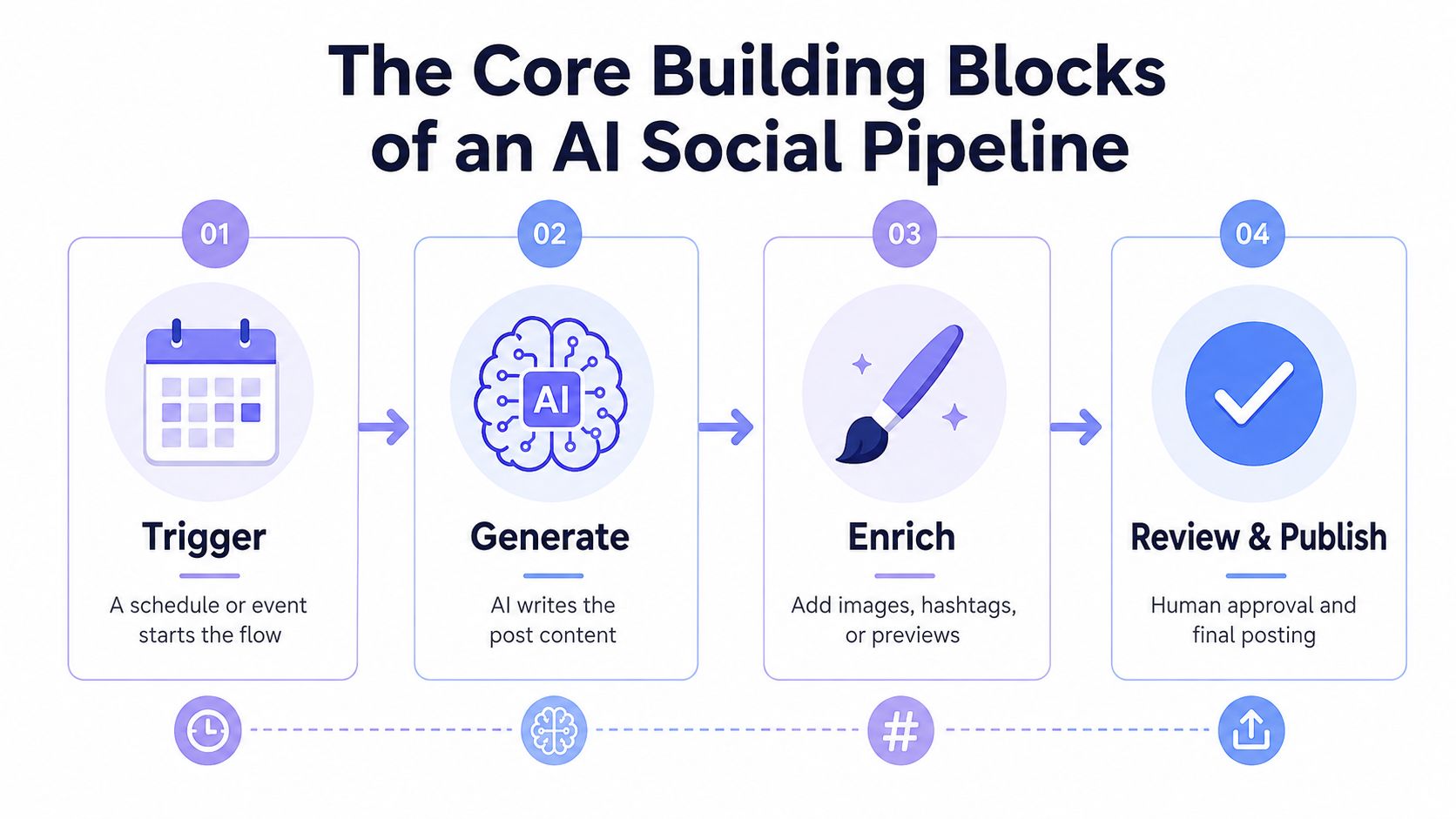 A four-step infographic illustrating the workflow for automating social media content creation using AI tools.
Every working pipeline I've seen has the same skeleton, even if the labels differ. A trigger starts it, AI generates the draft, something enriches it, and a review or publish step decides whether the post survives.
Trigger and generation
The trigger can be an RSS item, an Airtable row, a CMS webhook, or a schedule. One practical guide recommends a webhook for CMS-publish events and an hourly trigger for queued items, then an AI step, then review, then publishing, which is the boring structure that holds up in production Christopher Alarcon's automation guide.
Generation works better when it's narrow. A single giant prompt that tries to invent the topic, tone, CTA, hashtags, and compliance language usually gives you mush. A small, focused prompt for each platform gives you something you can debug.
Enrichment and review
Enrichment is where the pipeline stops being “just text.” You might add an image, a link preview, or platform-specific hashtags. Contentstack describes content atomization as extracting key points from a long-form asset and reformating them for each platform's requirements, which is exactly what you want when one article needs to become many native posts Contentstack on content atomization.
A human review gate still matters because brand voice drifts fast once the model starts improvising. The most dependable systems I've wired use AI to draft options, then let a person approve or edit the final version. That's slower than pure autopilot, but it's the version that survives audits, campaign changes, and “why did the bot say that” messages in Slack.
The pipeline that lasts is usually the one that makes the model do fewer things, not more.
If you want a concrete model for turning one asset into many posts, the workflow in PostPulse's guide to creating social media posts with AI aligns with this same architecture, source material in, structured content out, then publish through a controlled surface.
Writing Prompts and API Calls That Hold Up in Production
A useful prompt starts with constraints. The model needs the platform, the voice, the target length, and the job the post is supposed to do. Leave those out, and it will produce a polished paragraph that sounds fine in isolation but fits nowhere in your social workflow.
Prompt template that doesn't wander
Use something like this:
Role: You are writing a post for [platform].Brand voice: [voice rules].Audience: [who this is for].Goal: [educate, drive clicks, announce, repurpose].Length: [short, medium, long].Include: [CTA, link, hook, hashtags, emoji style].Avoid: [phrases, claims, tone mistakes, banned topics].
Feed it one source artifact at a time, not your entire content library. A narrow brief plus one source article has produced better output for me than a “be creative” prompt packed with every instruction at once. The model needs enough room to write, but not enough freedom to invent the topic, the angle, or the compliance language.
Content governance belongs in the prompt flow too. If your pipeline touches sensitive brand claims, legal exposure, or regulated content, the review layer is part of the system, not an optional polish pass. policy enforcement for AI development matters here because once the model starts improvising, the failure mode is usually a brand or compliance problem, not just a bad sentence.
What the publish call really looks like
The API side usually collapses to a POST request with auth, a JSON payload, and error handling. The exact fields vary by provider, but the pattern stays the same.
A minimal publishing flow looks like this in practice. Fetch or generate the content, build the payload for the platform target, send the request, record the response ID, then retry only when the failure is safe to retry. The hard part is rarely the POST itself. It is deciding what to do when the request succeeds but media processing is still running, or when the token is valid but the account has lost permission.
That separation matters. The prompt owns content quality. The API call owns transport and state.
For teams that want the AI side to be more structured, the AI agent build pattern helps define who decides what, but the publishing step still needs boring backend discipline.
Choosing Your Integration Path REST API n8n Make or MCP
Different teams should wire this differently. The right path depends less on taste and more on who's going to maintain it when something breaks at 2 a.m.
Approach | Best for | Setup effort | White-label friendly |
REST API | Developers building custom apps or internal tools | Higher | Yes |
n8n | Ops teams and builders who live in workflows | Medium | Yes |
Make | Non-developers and visual automators | Low to medium | Sometimes |
MCP | AI agents that need autonomous publishing actions | Medium | Yes |
The REST API path gives you full control. It's the cleanest option when you need to own the whole request lifecycle, wrap retries the way your system expects, and hide the publishing layer inside your own product. It also fits white-label work well, because you control the UI, the orchestration, and the error messages.
n8n is a good fit when your team already thinks in nodes and webhooks. The n8n workflow for multi-platform social creation shows the shape clearly, platform-specific generation, hashtag handling, CTA handling, and the rest of the posting logic broken into pieces that are easier to inspect than a giant script.
Make is the friendliest on-ramp for non-developers. It's visually easier to explain to a marketer or ops lead, but the trade-off is usually more hidden complexity as the workflow grows, especially once you start caring about retries, branch logic, and platform-specific output.
MCP is the newer path and the most interesting one for agentic workflows. It fits cases where an AI agent receives a task, assembles the post, and publishes it without a human building every transition manually. The catch is the same as always, autonomy increases the need for governance, because an agent that can publish also needs bounds.
Pick the path your team can actually support, not the one that looks clever in a demo.
If you want one concrete backend to anchor that decision, PostPulse exposes the same publishing surface through REST, n8n, Make, and MCP, which is exactly the kind of shared core that reduces duplicate integration work.
Handling Tokens Errors and Content Governance in Production
This is the section that decides whether your pipeline survives a month or becomes a forgotten repo.
Tokens and retries
OAuth is where many social automations fail. Tokens expire, refresh flows drift, permissions change, and one platform's error response doesn't match another's, so your code needs to treat auth as a living dependency, not a one-time setup step. If you're publishing through an API layer that already handles refresh and rate limits for you, you've removed one of the ugliest failure classes from your own stack.
Retries need discipline too. A failed post isn't always a failed publish, and a publish response isn't always a finished media state. I've learned to log the outbound payload, the returned object ID, the retry reason, and the final state separately, because that's the only way to debug the weird middle cases.
Governance and semi-automation
The bigger trap is content governance. A model can write something that sounds confident and still contain a bad claim, a stale reference, or a tone mismatch that annoys the brand team. That's why the most stable pattern is semi-automation, generate options, then batch-review and approve them before anything goes live.
The evidence points the same way. The recurring advice across automation guides is to create a brief, define content pillars, document forbidden phrases, train on example posts, and keep human review in the loop, which is a strong signal that quality comes from inputs and review structure, not from blindly turning on autoposting AgentMinds on automation and governance. A separate set of guides also emphasizes platform-specific formatting and separate prompts per channel, which reinforces the idea that governance and adaptation are part of the workflow, not afterthoughts Make's workflow guidance.
What to log and watch
Use a checklist like this:
Token refresh events: track when refresh succeeds, fails, or needs reauth.
Publish responses: store platform IDs, timestamps, and final status.
Retry reasons: separate transient network issues from hard permission failures.
Content review flags: record what the reviewer changed and why.
Model output errors: keep a copy of the draft that caused the problem.
That last one saves hours when somebody asks why the bot posted the wrong product name. Logs won't fix bad content, but they will keep the failure from becoming mysterious.
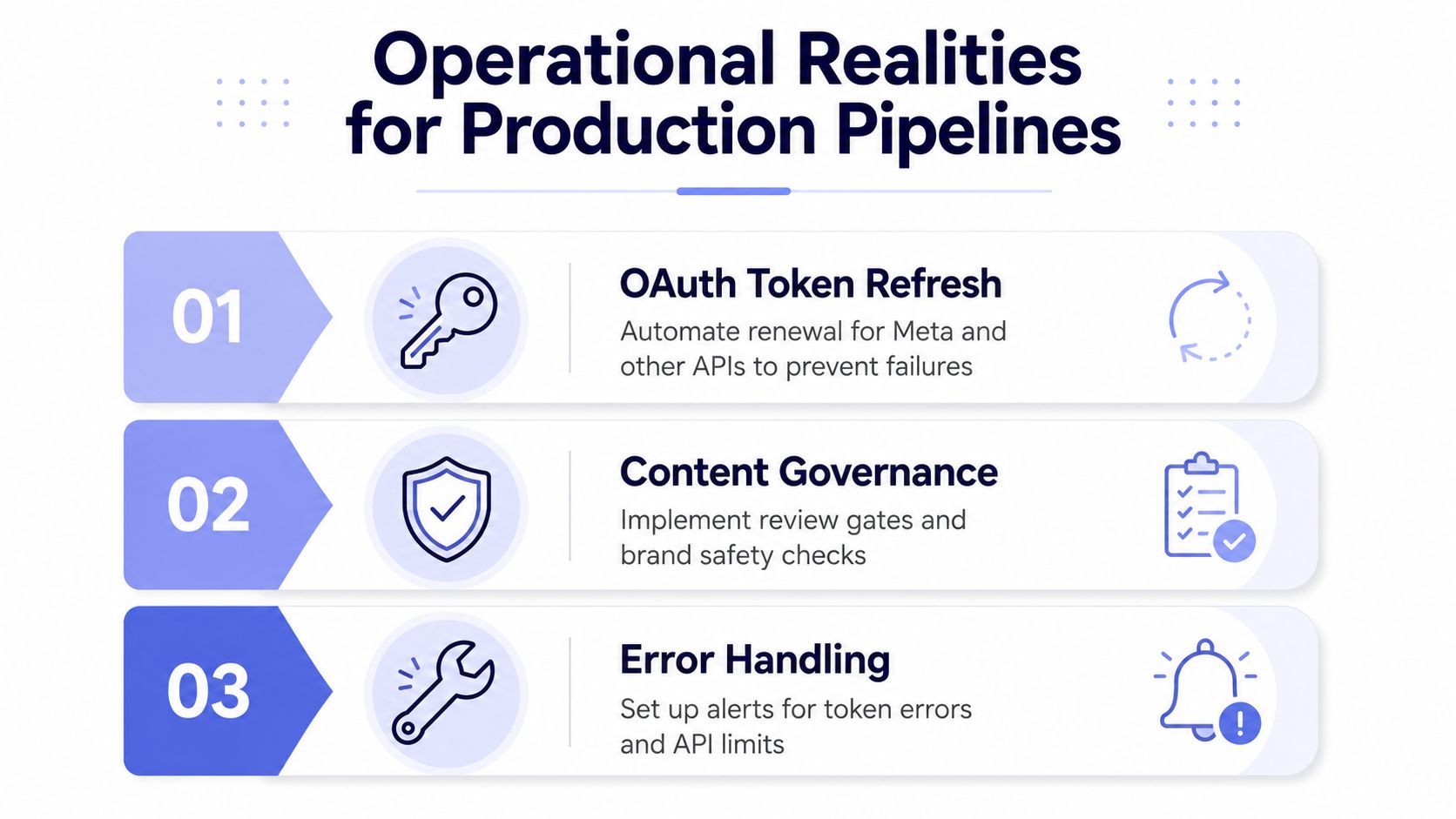 A graphic titled Operational Realities for Production Pipelines, highlighting OAuth token refresh, content governance, and error handling steps.
A Full Walkthrough Daily Posts with n8n Claude and PostPulse
An Airtable row lands with a topic, a target platform, and a campaign note. That row triggers the workflow, Flux generates an image from the prompt context, Claude writes the caption in the right format, and the PostPulse HTTP call publishes the result across Instagram, LinkedIn, X, and Threads from one request.
The useful part is the separation of responsibilities. Airtable stores the brief, Flux handles the visual, Claude handles the wording, and the publishing layer handles the platform mess so you don't have to hand-roll every integration. If the post fails, you debug the stage that failed instead of guessing which monolith swallowed the problem.
A practical node setup usually includes a content source field, a platform field, a reviewer field, and a status flag that moves from draft to approved to published. I'd also log the generated prompt, the returned caption, the image ID, and the outbound publish response, because those are the only artifacts that matter when a daily job starts drifting.
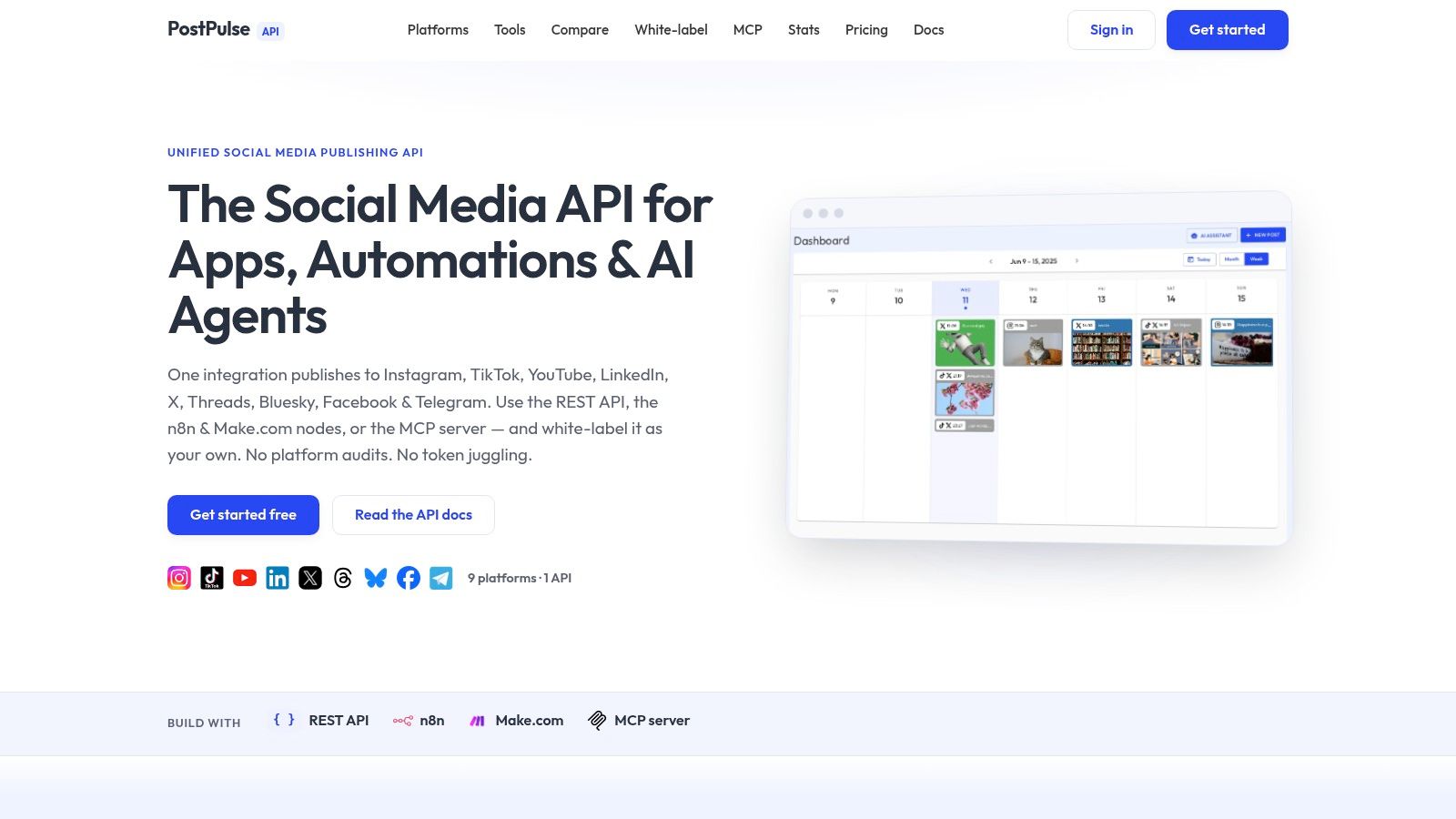 Screenshot from https://post-pulse.com
PostPulse gives you one publishing surface for social media automation, whether you want to call it from code, wire it into n8n or Make, or let an MCP-based agent publish for you. If you're building how to automate social media posts with AI without owning every token refresh, platform audit, and API change yourself, visit PostPulse and map your workflow to a single publishing backend.
About the Author

Founder of PostPulse — a social media scheduling platform for creators and teams. Software engineer with a passion for building developer tools and simplifying complex API integrations across social media platforms.