Mastering the API for Social Media in 2026
Published on
Tags:
You're probably here because something that worked last week stopped working today.
A scheduled post didn't publish. A token expired earlier than expected. Instagram accepted the media container but never moved it out of IN_PROGRESS. X authenticated fine in staging and then failed under real user traffic. You fixed the code, pushed a patch, and then discovered the bug wasn't your code at all. It was a permission mismatch, an app review limitation, a token lifecycle issue, or a platform rule hidden three layers deep in docs.
That's the core story behind the API for social media. The hard part usually isn't sending the first request. The hard part is keeping the integration alive after launch, across multiple platforms, changing API versions, OAuth flows, app reviews, and rate limits that don't behave like normal infrastructure.
Table of Contents
Why Your Social Media Integration Just Broke Again
The usual failure mode is boring, expensive, and hard to explain to non-developers. Your system says “connected account,” your queue says “ready to publish,” and production behaves unexpectedly. Then support gets the ticket.
I've seen this a dozen times. The app works for the developer account, maybe even for a small internal pilot, and then public users start connecting real accounts with real permission differences. That's when the cracks show. A user reconnects Facebook but not Instagram. A page token is valid but the downstream asset relationship changed. A media workflow completes on one platform and stalls on another.
Social integrations also fail in ways normal backend systems don't. They fail because consent changed. They fail because the user connected the wrong account type. They fail because the API accepted your request but won't complete the background processing step. They fail because a platform moved a capability behind review or changed how access is granted for production apps.
Practical rule: If your social publisher only works in the happy path, it isn't production-ready.
A lot of teams treat these outages like isolated bugs. They aren't. They're symptoms of the ecosystem itself. Social APIs sit at the intersection of auth, permissions, user-owned assets, policy review, async media processing, and platform-specific business rules. That mix creates brittle systems unless you design for failure from day one.
If Meta is part of your stack, the token lifecycle alone can eat a surprising amount of engineering time. This breakdown of the Meta OAuth token lifecycle is worth reading because it maps the practical difference between “user connected successfully” and “this account will still publish next month.”
The Unspoken Rules of Social Media APIs
A team gets publishing working in staging, ships it, and then spends the next month chasing failures that never appeared in the docs. I've seen this a dozen times. The endpoints were valid. The assumptions were not.
Social API documentation usually explains request shape. It rarely explains the operating model you inherit after launch. That operating model is what drives the long-term burden: tokens that age out on different schedules, permissions that change what a user can do, async jobs that fail after your request already returned 200, and version changes that subtly turn stable code into support work.
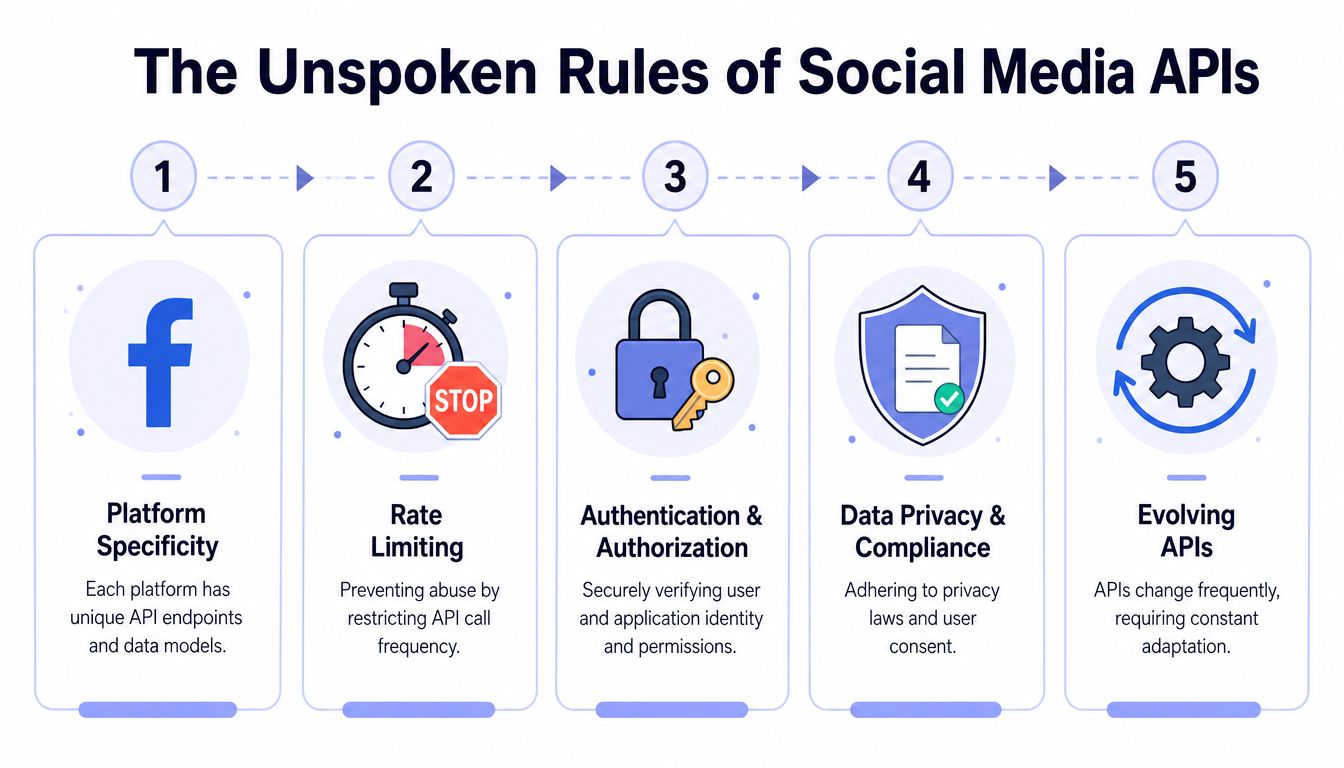 An infographic outlining the five essential rules for working with social media application programming interfaces.
Each platform has its own culture
Social platforms expose APIs. They do not share the same rules, product assumptions, or definitions of a valid account.
That mismatch is where integrations get expensive to maintain. One platform treats business identity as a prerequisite. Another ties capabilities to a page, channel, or app review state. Another supports posting but not the inbox workflow your product roadmap assumed. The result is a pile of special cases that keeps growing long after initial setup is done.
A few patterns come up repeatedly:
Account types matter: Instagram automation through the Graph API is limited to Business or Creator accounts connected to a Facebook Page. Personal accounts are outside that path, as explained in Interakt's write-up on Instagram API limitations and setup tips.
Asset relationships matter: A valid token can still fail at publish time if the page, profile, or channel linkage changed underneath it.
Capability labels mislead: “Connected” is not the same as “ready to publish,” and “authorized” is not the same as “approved for production use.”
Those are not edge cases. They are the day-to-day reality of shipping against an API for social media.
Publishing is often asynchronous
A social publish call often starts a job. It does not finish the job.
This catches teams that model publishing like ordinary CRUD. Rich media flows often require asset upload, processing, status checks, and a final publish step. If processing stalls or the platform rejects media later in the workflow, your first request can still look successful while the post never appears.
That behavior changes how the system should be designed. You need idempotency, retry rules, polling or webhook handling, and UI states that reflect “processing” instead of pretending the action is complete. If a product manager or founder on your team keeps mixing up push requests and event-driven callbacks, this guide for non-technical founders on webhooks is a useful explainer.
Treat publishing as a state machine, not a single endpoint.
That mindset reduces a lot of mystery bugs.
Permissions are part of the product
Permissions are not backend plumbing. They shape onboarding, support tickets, release timing, and the amount of maintenance your team signs up for.
Meta is a good example. You can register an app, request scopes, and get tokens working in development, but public use often depends on review status and approved access levels. That means engineering work extends beyond code. Someone has to prepare review steps, record screencasts, explain the use case, verify the requested scopes, and retest after policy feedback or platform changes.
This is the part many setup guides skip. Initial integration speed matters, but the bigger decision is operational fit over time. If every platform has its own permission ladder, token behavior, and review process, your team is not just building features. It is running a small compatibility program.
The Integration Gauntlet You Must Run for Each Platform
A team ships its first scheduler, tests with one account, and gets a green checkmark. Two weeks later, support starts seeing expired tokens, missing posts, and one platform returning 200 while another queues the media for review. I've seen this pattern enough times that I no longer judge a social integration by the first successful publish. I judge it by how much care it needs after launch.
That is the gauntlet. Every platform gives you a different mix of auth rules, media constraints, review steps, and quota behavior. The initial API call is usually the easy part. The expensive part is keeping the integration alive for months while the platforms keep changing underneath you.
Token maintenance turns into ongoing operations
OAuth is standardized on paper. In production, every provider adds its own behavior.
Some tokens expire. Some refresh flows break after a permission change. Some accounts need users to reconnect after a policy or app setting update. If your product supports multiple networks, you are not managing one auth system. You are running a fleet of small auth edge cases with different failure modes.
That work rarely shows up in setup guides. It shows up in cron jobs, reauth prompts, support tickets, and alerts at odd hours.
A unified layer matters here because it can absorb some of that churn. If you are still evaluating whether that trade-off fits your product, this breakdown of managing all social media in one app gets into the operational side better than the usual "ship faster" pitch.
Rate limits change your architecture
Rate limits are not just a quota problem. They affect queue design, retry policy, polling cadence, and which features are even safe to offer on low-volume accounts.
Meta's Instagram Graph API is a good example. It uses Business Use Case limits tied to account activity, so smaller accounts can have much less room than teams expect for polling, analytics sync, retries, and publishing, as outlined in Blotato's summary of Instagram API pricing and BUC limits.
That pushes real design decisions:
Concern | Bad default | Better approach |
Publish retries | Blind retry loops | Backoff based on platform response and job age |
Status polling | Fixed frequent polling | Sparse polling with stop conditions |
Analytics sync | Pull every metric on every run | Fetch only the metrics tied to product features |
Queue design | Shared worker rules for every network | Per-platform workers and budgets |
Teams usually discover this late, after they have already written generic job code that assumes every platform behaves roughly the same. They do not.
Media validation belongs in the same bucket. TikTok, Instagram, and YouTube Shorts reject different combinations of aspect ratio, duration, codec, and caption metadata. Catch that before the publish worker runs. A simple preflight validator saves more time than another retry loop. I still keep Keyvello's TikTok video specs handy because format mismatches are still one of the fastest ways to waste an afternoon.
App review creates schedule risk
Direct integrations also carry process risk that engineering teams tend to underestimate.
Meta is the usual example because the split between development access and public use is so sharp. You can get a prototype working with test users and app roles, then hit a wall when you need broader access, extra scopes, or a review outcome that matches your product's real workflow. At that point, progress depends on documentation, screencasts, policy wording, reviewer interpretation, and resubmission cycles.
Code can be done and the feature can still be blocked.
That is why the main decision is not just "can we integrate this API." The harder question is whether your team wants to own token churn, quota math, media validation, and platform review debt for every network you add. For one platform, maybe. For several, that burden becomes part of the product whether you planned for it or not.
Choosing Your Path DIY vs A Unified API
A lot of teams reach this decision after the second or third preventable outage.
The first integration ships. Then a token expires on one network, a scope changes on another, and a background job starts failing because one platform tightened validation without much warning. I have seen teams call that bad luck. It is usually an ownership problem. If you integrate directly, you are signing up for long-term platform maintenance, not just initial development.
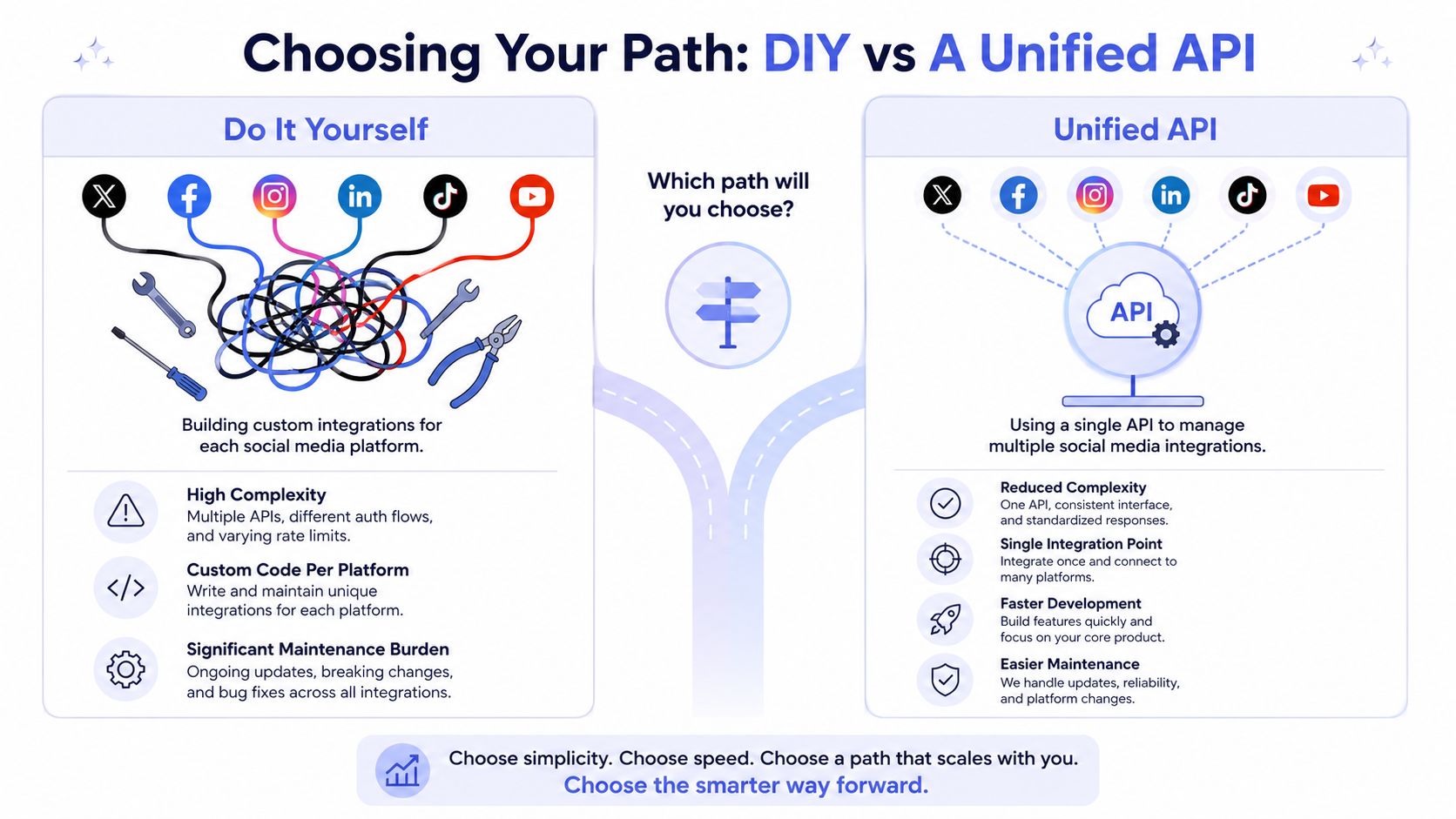 A comparison chart showing the complexities of DIY social media integrations versus using a single unified API.
When DIY still makes sense
DIY is a good choice when the surface area is small and likely to stay small.
If you support one network, one publish flow, and a controlled set of internal users, direct integration can be cleaner than adding another dependency. You keep full control over request payloads, retry behavior, logging, and rollout timing. That matters if your team already has strong platform expertise or needs features a unified layer will not expose yet.
It also makes sense when platform-specific behavior is the product. A tool built around YouTube workflows, for example, may need metadata options, upload states, or review steps that a generic abstraction would smooth over too aggressively.
When a unified layer earns its keep
The decision changes once social posting stops being a side feature and starts becoming operational infrastructure.
A unified API does not just save setup time. It reduces the recurring work that saps roadmap capacity: token refresh handling, permission mismatches, normalized publish requests, webhook inconsistencies, and version drift across multiple platforms. Those costs show up months after launch, when the original integration work is done but the maintenance never stops.
The comparison that matters in practice looks like this:
Speed to first release: Unified API usually gets there faster because your team integrates one surface instead of several.
Control over platform-specific behavior: DIY gives more flexibility when you need every network's edge cases exposed.
Ongoing maintenance: Unified API usually lowers support load because one provider absorbs a chunk of the auth and compatibility work.
Platform approval risk: DIY carries more process overhead when access depends on app review, scope approval, or policy interpretation.
Engineering focus: Unified API lets the team spend more time on scheduling, collaboration, reporting, and product logic.
The trade-off is not abstraction versus purity. It is whether your team wants to keep owning failure modes that are predictable, recurring, and mostly unrelated to your differentiator.
That is why teams evaluating a unified layer should look past the demo. Ask who handles token churn, who watches for API deprecations, who updates publish flows when a platform changes review requirements, and who gets paged when queued posts start failing on a Saturday. Those answers usually make the decision clearer than any feature matrix.
If you want the product-level framing for that shift, this piece on managing all social media in one app explains why consolidation changes both the user experience and the maintenance burden.
How PostPulse Solves The Integration Gauntlet
The most practical use of a unified API is to stop owning infrastructure that isn't your differentiator.
That's where PostPulse fits. It gives apps, automations, and AI agents one integration surface for publishing across multiple networks through a REST API, official n8n and Make.com integrations, or an MCP server. For a team building scheduling or embedded social features, that means less time spent wiring up platform-specific auth and more time spent on your own product.
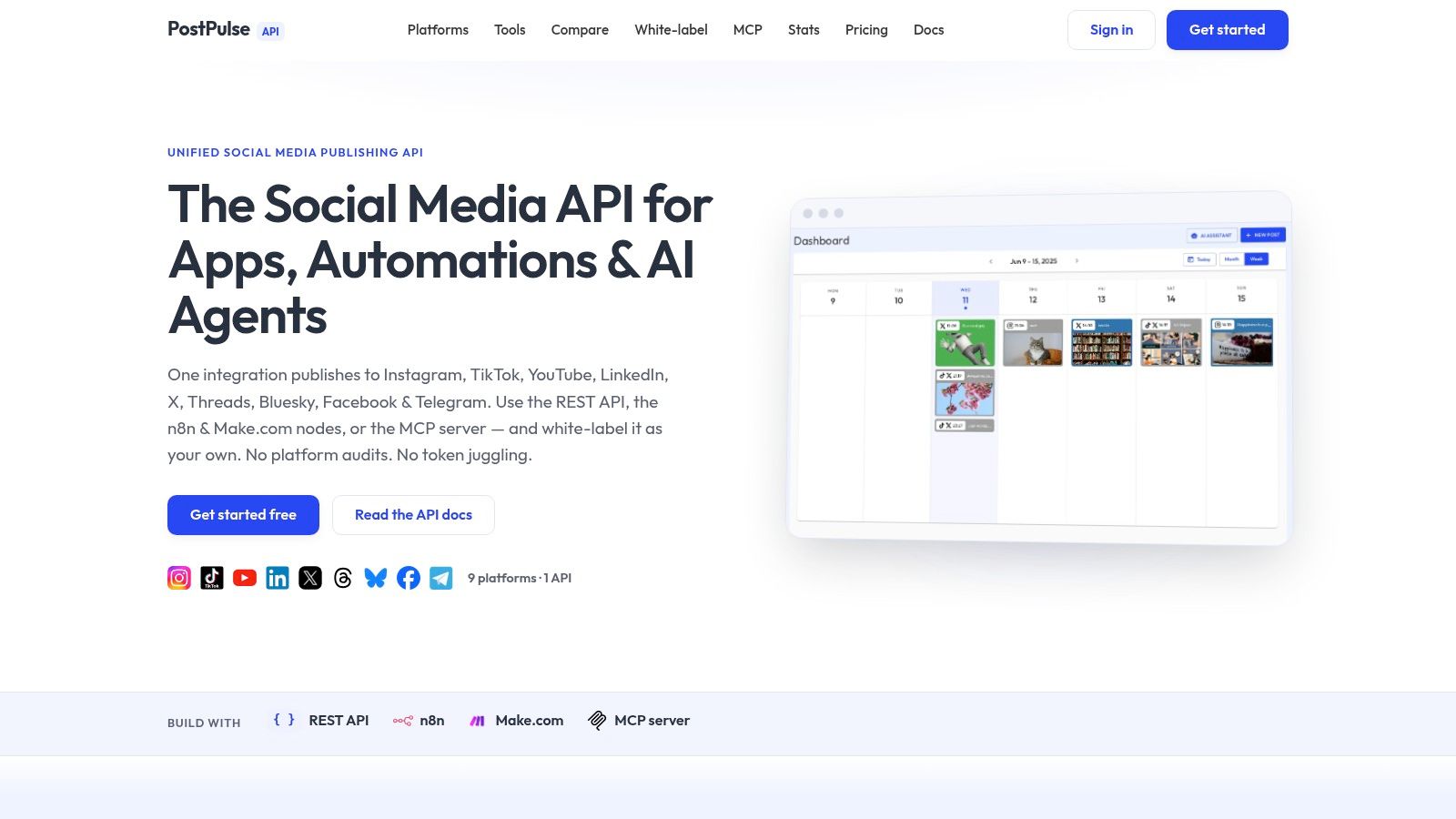 Screenshot from https://post-pulse.com
It removes the maintenance work you probably should not own
A unified layer matters most after launch.
If your team integrates each network separately, you inherit token refresh behavior, platform quirks, app review bottlenecks, and API version changes as ongoing operational work. If you use a service that already maintains verified apps and the auth lifecycle, that burden moves off your roadmap.
That's especially relevant for AI agents and embedded publishing tools, because reliability matters more than the elegance of your internal adapter classes. The feature has to keep posting when no human is watching.
It also solves the branding problem most guides skip
There's another issue that developers feel as soon as the integration leaves internal tooling and enters a product. Users don't want to feel like they've been kicked out into someone else's stack.
Outstand's review of unified social API options points out that most content ignores this white-label gap. It notes that only 12% of unified API guides explicitly cover white-label workflows, and cites ABNetwork data showing 74% of B2B SaaS buyers reject integrations that reveal third-party API layers, which makes branding continuity a product requirement, not a cosmetic preference, in their overview of white-label social publishing for developers.
If social publishing appears inside your SaaS, users judge it like your feature, not like middleware.
That changes what “good integration” means. It's not enough to publish successfully. The connection flow, account linking, and post status experience need to feel native. For embedded social features, white-label support is often more important than a few extra low-level knobs.
From Chaos to Clarity A Code Example
A team usually hits the wall on the third platform.
Instagram works after a few rounds of token debugging. TikTok adds a different upload flow. YouTube wants different media handling and longer async waits. The feature still looks simple in the UI, but the code underneath starts collecting platform checks, retry branches, and half-documented edge cases.
 A hand transforming complex, messy spaghetti callback code into clean, organized, maintainable asynchronous JavaScript for social media publishing.
What native publishing really looks like
Say you need to publish one short-form video with a caption to Instagram, TikTok, and YouTube.
On paper, that sounds like one feature. In production, it becomes three different implementations that happen to share a button label. Each platform has its own auth context, media rules, upload sequence, and completion model. One accepts a direct publish call. Another splits creation and publish into separate steps. Another expects upload registration first, then metadata, then status polling until processing finishes.
A rough native flow usually looks like this:
Fetch or refresh the correct token for each platform.
Confirm the connected account still has publish permission.
Upload or register the media asset using each platform's required flow.
Poll for processing where publishing is asynchronous.
Finalize the post on each platform.
Map every response into one internal status model.
Handle partial success without creating duplicates on retry.
That list is the baseline. It does not include idempotency keys, dead-letter handling, support tooling, or the cleanup work after a token expires mid-job.
I have seen teams underestimate that last part more than anything else. The first version gets built around happy-path posting. Six months later, the actual work is keeping retries safe and explaining to support why Instagram succeeded while TikTok is still "processing" for the same job.
What a unified call looks like instead
A unified API reduces the amount of platform ceremony your application has to own.
For example, your app code can look more like this:
The complexity still exists. Your team just stops carrying all of it in product code.
That distinction matters. A thin wrapper that only shortens the request is not enough. The useful abstraction is the one that also absorbs token refresh behavior, platform workflow changes, status normalization, and the long tail of operational quirks that pile up after launch. If you want to inspect the request and response model directly, the PostPulse API documentation for social publishing endpoints shows the actual interface.
A good unified layer should still expose per-platform errors, asynchronous job states, and webhook events. You still need visibility. You just do not need every service in your stack to understand each platform's publishing ritual.
A quick demo helps make the difference concrete:
The win is not cosmetic. Fewer platform-specific states in your codebase usually means safer retries, simpler support workflows, and fewer midnight investigations into why one post became three jobs across two workers and only reached one network.
Stop Juggling APIs and Start Building
Direct social integrations look manageable when you're reading docs in a quiet environment with one test account and no customers.
They get messy when real users connect real accounts across multiple platforms and expect publishing to work every day. That's where the API for social media stops being an endpoint problem and turns into an operations problem. Tokens expire. permissions drift. platform review blocks releases. version changes break assumptions you forgot you had.
The strategic choice isn't about shaving a few hours off setup. It's about avoiding a long tail of maintenance work that doesn't improve your product. If social publishing is a feature inside a larger app, owning every platform integration yourself often means your team becomes part-time API janitor.
Use direct integrations when the scope is narrow and the platform-specific control is worth it. Use a unified layer when reliability, scale, and team focus matter more than reinventing adapters.
If you want one integration surface for social publishing across multiple platforms, PostPulse is built for apps, automations, and AI agents. It supports REST API access, n8n and Make.com workflows, and white-label use cases where your users stay inside your product instead of feeling pushed into someone else's tool.
About the Author

Founder of PostPulse — a social media scheduling platform for creators and teams. Software engineer with a passion for building developer tools and simplifying complex API integrations across social media platforms.