How Many Hashtags for Instagram in 2026
Published on
Tags:
Five highly relevant hashtags per Instagram post or Reel is the practical maximum in 2026, even though the historical platform limit was 30. Current distribution data also points toward selective tagging, so treat five precise tags as an upper bound, not a target you must always fill.
That answer conflicts with years of advice telling creators and developers to append 30 hashtags to every caption. If you automate Instagram publishing, the confusion gets worse because documented API capabilities, changing platform behavior, and third-party performance studies don't always line up. A payload can be technically valid and still produce weaker distribution when its metadata is noisy.
The useful question isn't only “how many hashtags for Instagram?” It's which tags add a clear signal to this specific post, and how can you test that choice without turning your publishing pipeline into a manual spreadsheet?
Table of Contents
The Outdated 30-Hashtag Myth
The 30-hashtag rule was easy to remember, which made it easy to automate. A developer could build a caption template, attach a long list of broad and niche tags, and assume that every additional tag created another discovery opportunity. That approach treated Instagram like a directory where more labels automatically meant more entrances.
The current reality is narrower. Several 2026 publications report that Instagram enforces a maximum of five hashtags per post or Reel, across account types, whether those hashtags appear in the caption or comments. Later's updated Instagram hashtag guide documents the shift from the older 30-tag guidance to the newer five-tag ceiling.
That doesn't mean the historical 30-tag limit never existed. It means developers shouldn't confuse an older technical allowance with a current publishing strategy. A system designed around a 30-item array may still reflect old assumptions, even when the platform now expects a much smaller set.
From reach lottery to metadata
High-volume tagging also creates a measurement problem. If every post receives the same large bundle, you can't tell which tags describe the content, which tags attract the right viewers, and which tags merely add clutter. The list becomes a static payload rather than an intentional part of the experiment.
A better model is to treat hashtags as content metadata. The caption, visual subject, on-screen wording, and selected tags should all point toward the same topic. A post about native plants, for example, needs tags that describe the plant category, growing context, and audience, not a random mix of global lifestyle terms. A focused set such as the one explored in this guide to nature hashtags for Instagram is easier to audit than a pasted catalogue.
Practical rule: Use the smallest tag set that accurately describes the post. Don't fill unused capacity just because an older guide says you can.
The performance evidence supports that caution. A 2026 roundup reports that smaller accounts can benefit from using hashtags, but it also shows that outcomes vary by account size and tag count. At the same time, large-scale analyses associate hashtag use with lower average views and interactions in some datasets. The sensible conclusion isn't “hashtags are dead” or “always use five.” It's that relevance, audience fit, and testing matter more than inherited volume rules.
If you want a broader editorial perspective on updating old conventions, Trendy's guide to optimize your Instagram strategy provides useful context. The implementation decision remains yours: make the tag list deliberate, keep it within the current practical cap, and store it as structured metadata rather than appending it blindly.
Hard API Limits and Surface Constraints
Before tuning tag selection, separate what Instagram historically allowed from what current guidance says users can publish. Platform-adjacent guidance commonly cites 30 hashtags for a post or video and 10 for a Story, while several 2026 publications report a five-tag maximum for posts and Reels. Those statements describe different points in Instagram's changing behavior, so a production integration should validate current responses instead of assuming that one number applies to every surface.
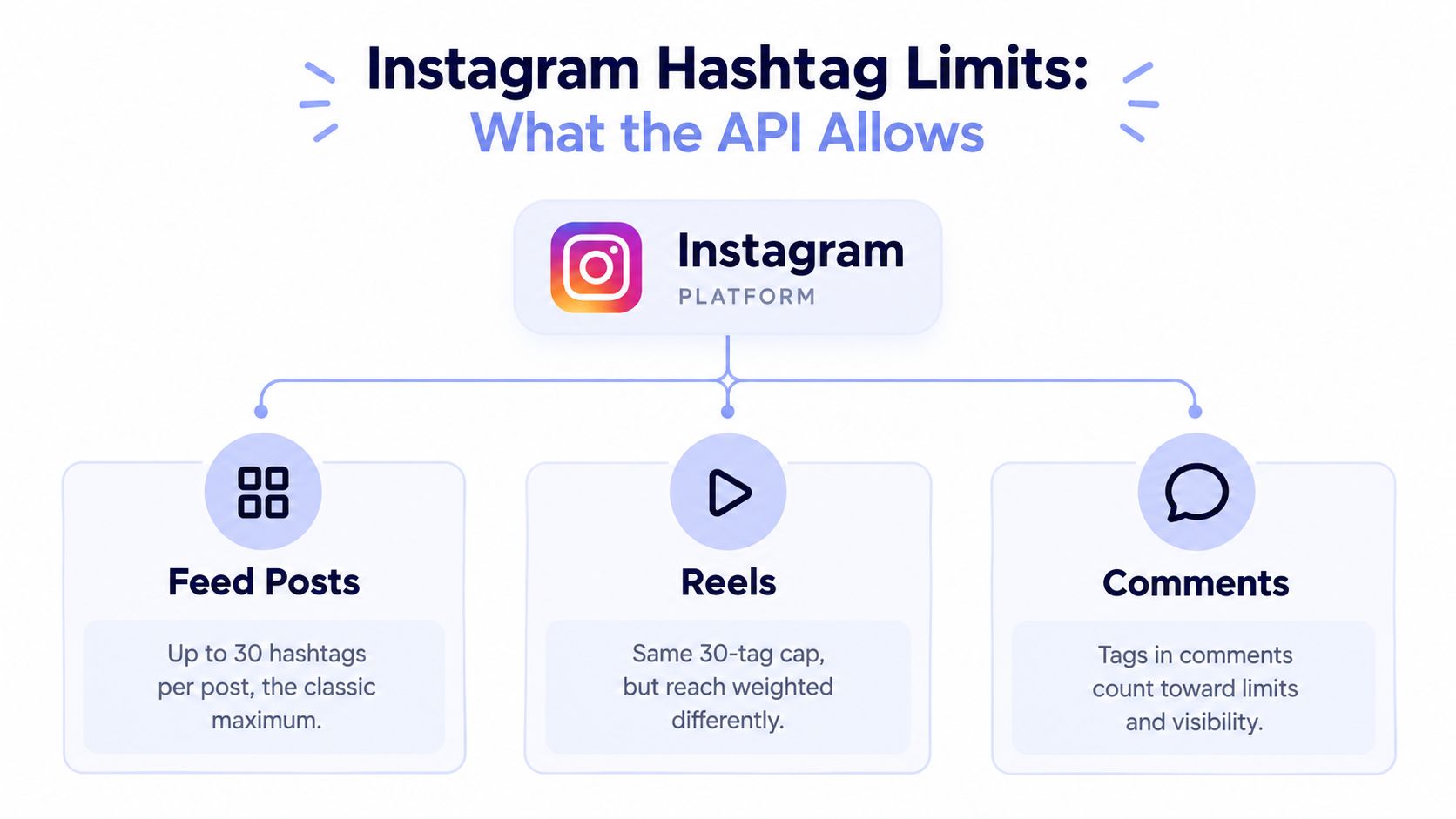 A diagram explaining Instagram hashtag limits for feed posts, reels, and comments on the platform.
The official Meta documentation confirms the important architectural distinction: Instagram's Content Publishing API supports publishing single images, videos, Reels, and carousel posts for professional accounts. Meta also documents publishing to Instagram Feeds through its Graph API ecosystem. That means your workflow should model the media type explicitly rather than treating every Instagram post as an interchangeable caption string. The Instagram Business API overview is a practical reference for thinking through that integration boundary.
Validate before creating containers
A publisher should validate at least four things before sending a request.
Surface: Is the content a feed image, carousel, video, Reel, or Story workflow?
Tag count: Does the selected list fit the current product behavior for that surface?
Caption construction: Are tags included intentionally in the caption rather than duplicated across caption and comments?
Response handling: Does the application log rejected, incomplete, or pending publication states?
Don't promise that the API will gracefully truncate an oversized caption or tag list. Official documentation supports the publishing surfaces and API ecosystem, but the verified material here doesn't establish a universal truncation rule. Your application should therefore reject or revise an invalid payload before submission, then preserve the platform response for diagnosis.
The Hashtag Search API has its own gate. Meta says access requires App Review approval for the Instagram Public Content Access feature and the instagram_basic permission. The documented endpoints include /ig_hashtag_search, /{ig-hashtag-id}, /{ig-hashtag-id}/top_media, /{ig-hashtag-id}/recent_media, and /{ig-user-id}/recently_searched_hashtags. These aren't a generic search box. They form a structured workflow for finding a hashtag ID and retrieving supported media data.
That distinction matters for automation. A publishing token isn't automatically a research token, and a working content-publishing flow doesn't prove that hashtag discovery is available to your app. For a plain-language summary of Instagram caption and hashtag limits, compare the article's platform guidance with the official Meta permissions and endpoint requirements before designing your data model.
What 2026 Data Reveals About Tag Counts
The 2026 evidence rejects a universal hashtag formula. Count alone does not predict distribution, and some large datasets associate hashtag use with weaker average performance.
Metricool's 2026 study analyzed 24,364,803 Instagram posts from 375,118 accounts. Posts with hashtags averaged 32% fewer views and 34% fewer interactions than posts without them, according to Metricool's hashtag analysis. Metricool's published summaries do not use identical figures, but they point to the same operational conclusion: adding a hashtag does not automatically expand reach. The tag must fit the content, audience, and account context.
Small accounts produce a different signal. One 2026 roundup found that posts with 11 or more hashtags generated the strongest interactions for accounts with fewer than 1,000 followers, with a 79.5% increase. Posts with at least one hashtag received 29% more interactions for those accounts, while profiles under 5,000 followers could see 36% more reach per post when using hashtags. These findings appear in Search Logistics' hashtag statistics roundup. The results are not directly comparable with Metricool's study because the datasets, account groups, and measurement conditions differ.
Read the pattern, not just the headline
Fanpage Karma examined 1.6 million Instagram posts and found that five hashtags produced the highest reach and engagement in its dataset. One to three hashtags performed worse than no hashtags, while more than five performed worst. Fanpage Karma's analysis supports a practical reading: relevance and saturation may matter more than maximizing the count.
Hashtag count | Performance outcome | Operational interpretation |
0 | Can outperform tagged posts in some large-scale datasets, including Metricool's analysis | The caption, creative, and account context must carry the topic without hashtag metadata |
1 to 3 | Underperformed against no hashtags in the Fanpage Karma dataset | A small set may describe too little of the post or fail to reach a useful discovery group |
5 | Produced the highest reach and engagement in Fanpage Karma's analysis | A compact, relevant set is a reasonable test baseline |
11 or more | Strongest interactions among accounts under 1,000 followers in one 2026 roundup | Historical small-account evidence conflicts with the current five-tag cap, so do not treat it as a default |
More than 5 | Performed worst in Fanpage Karma's analysis | Extra tags may introduce irrelevant signals or dilute the post's subject |
The older evidence does not justify stuffing 11 tags into a post now. Current platform guidance reported by How Sociable places the practical limit at five, even though older datasets continue to shape creator advice. Treat the older findings as test context, then work within the limit your account currently receives.
Testing also requires control over timing and creative variables. Keep the asset, caption structure, audience, and publication conditions as consistent as the workflow allows. The best time to post on Instagram today is a separate scheduling variable, so a timing change can mask the effect of a hashtag variation. Each test should log the tag set, publish time, reach, interactions, and account size before drawing a conclusion.
Building a Signal-Based Tagging Strategy
A useful tagging system starts with the post, not a global hashtag dictionary. For each asset, identify the subject, intended audience, format, and specific promise. Then select tags that describe those attributes without stretching the meaning of the content.
Start with a candidate set
Build candidates in three tiers:
Niche tags describe the precise subject or use case. A tutorial about container gardening needs a tag that reflects that practice, not only a general gardening label.
Category tags identify the broader topic, such as gardening, photography, or software development.
Branded tags connect the post to a product, recurring series, campaign, or community when that tag applies.
With a five-tag ceiling, the tiers are a selection framework, not a requirement to include every tier on every post. A highly specific Reel may need mostly niche tags. A product announcement may justify a category tag plus a branded tag. The content should determine the mix.
Score for fit before popularity
A tag with enormous usage isn't automatically valuable. The 2026 roundup lists #love at 1.835 billion uses, #instagood at 1.150 billion, and #fashion at 812.7 million uses, illustrating how attention concentrates around a few global tags. Those figures come from Search Logistics' published statistics, and they also show why generic scale can bury a specialized post.
Score each candidate against practical criteria:
Relevance: Would a human viewer describe the post with this tag?
Specificity: Does it distinguish the content from a broad category?
Audience fit: Are the people using or browsing it likely to care about this post?
Saturation: Is the tag so broad that the post disappears into an enormous stream?
Test value: Does including it help answer a question about discovery or categorization?
The final set should be short enough to review in a code review or content approval screen. Don't let an AI generator add tags without a relevance check. Tools that generate captions and hashtags with AI can speed up candidate creation, but a human or validation rule still needs to remove tags that don't describe the actual media.
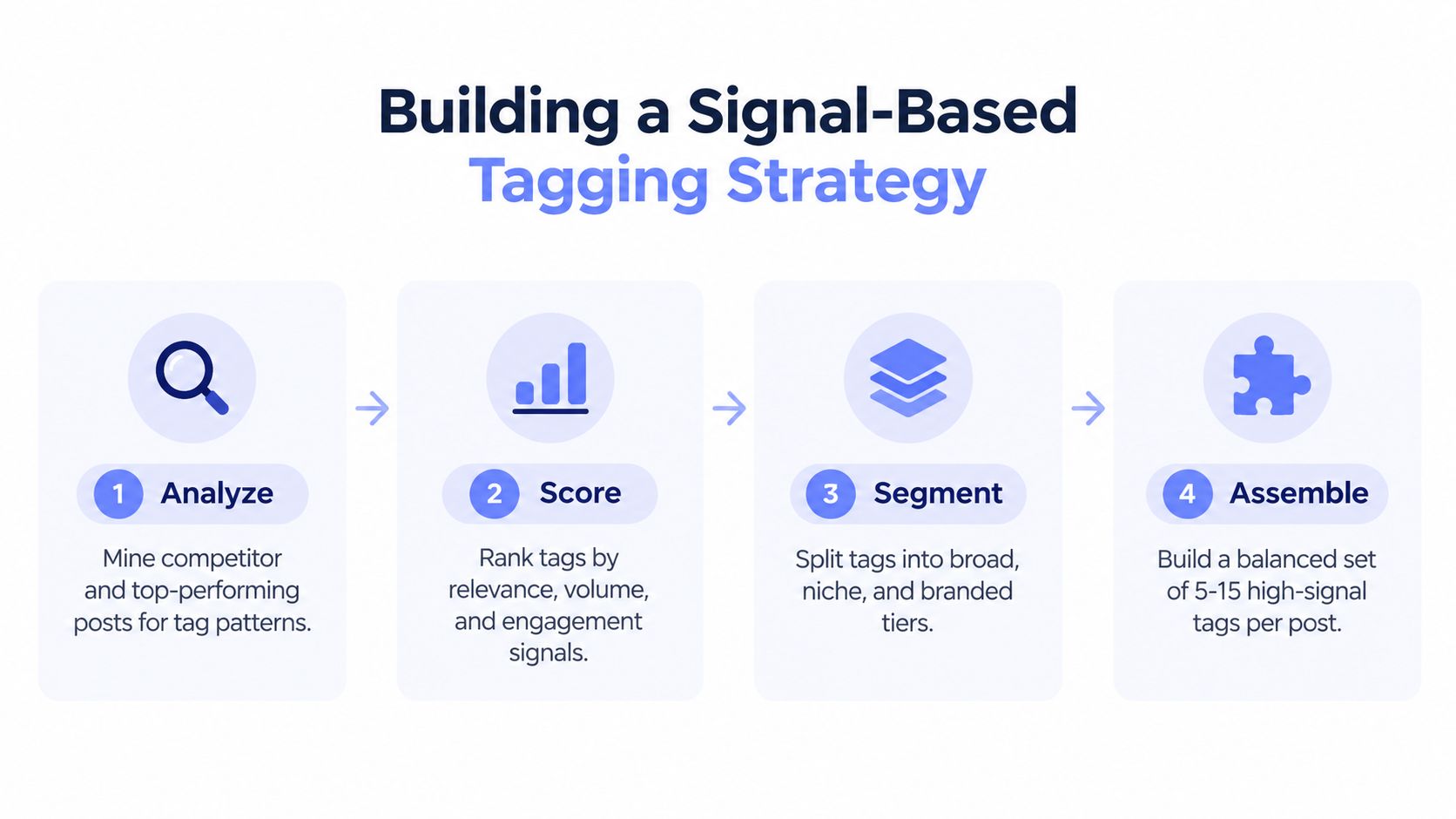 A four-step infographic illustrating a signal-based tagging strategy process for social media optimization.
Store the result as structured data, for example a set of tag IDs, labels, source rationale, and content category. Keep Reel, carousel, and image candidates separate where the creative intent differs. That makes later testing cleaner and prevents a single evergreen list from leaking irrelevant metadata into every publishing surface.
Automating and A/B Testing with PostPulse
A hashtag experiment fails when the team changes everything at once. If the caption, creative, publication time, audience, and tag set all vary, the resulting metric can't tell you what caused the difference. The engineering answer is to define a controlled experiment and make the metadata the only deliberate variable.
Define the experiment contract
Start with a content record containing the media reference, caption, surface, account, tag variant, and scheduled time. Create variants such as:
Control: No hashtags, when the account's publishing policy permits it.
Focused set: A small group of highly specific tags.
Mixed set: Niche, category, and branded tags selected for the same topic.
Don't use a variant that violates the current publishing behavior merely to reproduce an old benchmark. Historical datasets may discuss larger tag counts, but an automated production test should stay within the limit your account and surface accept.
Record the publication ID, request status, final URL where available, and the observation window you use for comparison. Avoid declaring a winner from one post. Organic distribution changes with creative quality and audience response, so a useful test needs repeated, comparable observations and a predefined success metric.
Keep OAuth and publication state out of experiment logic
Meta publishing involves account permissions, professional account requirements, media creation, and publication states. Your test runner shouldn't mix token refresh code with tag selection code. Keep authentication, retries, rate handling, and API response logging in the publishing layer. Keep the experiment layer responsible for selecting a variant and attaching it to a valid content record.
A unified REST API, an official n8n node, or a Make.com app can all serve as the execution surface. The important design choice is the same in each case: assign a stable experiment ID to every publication, persist the exact tag payload, and make retries idempotent so a transient failure doesn't create an accidental duplicate.
 A robotic arm placing a hashtag symbol on a social media post for marketing optimization and analysis.
PostPulse can sit in that publishing layer for teams that need one integration for social posting. It provides a REST API, official n8n and Make.com connections, and an MCP server, while handling OAuth, refreshes, rate limits, and platform API changes for supported publishing workflows. Treat it as infrastructure, not as the experiment itself. Your experiment still needs clean hypotheses, consistent inputs, and honest reporting.
A practical run looks like this:
Generate candidate tags from the content topic.
Validate relevance and count before submission.
Assign a variant ID.
Publish through the selected integration.
Store the exact payload and platform response.
Compare views, interactions, and meaningful actions using the same reporting rules.
That approach turns “should I use three or five hashtags?” into a measurable question for your own audience rather than a permanent argument between old guides.
Shadowban Myths and Algorithmic Penalties
“Shadowban” is often used as a catch-all explanation for a reach drop. That label is too broad to debug. A developer investigating a distribution change should first check the concrete inputs, publication response, account status, content eligibility, and recent audience behavior.
The verified material here doesn't establish a universal rule that a specific hashtag count triggers a shadowban. It does establish that studies disagree on performance and that current guidance has changed. So don't tell a client that five tags guarantee reach, or that using a larger historical allowance permanently damages an account.
Audit the payload instead of guessing
A useful audit checks:
Tag relevance: Does each tag describe the media and caption?
Surface fit: Was the payload built for the actual post type?
Duplication: Did an automation step add the same tag in multiple fields?
Variant integrity: Did the system publish the intended experiment set?
Response status: Did Meta accept and publish the media, or did the workflow stop earlier?
A restricted or deprecated tag can create a content-level problem, but don't generalize from one flagged term to an account-wide penalty. Likewise, repeated tags aren't automatically harmful. Repetition becomes difficult to interpret when every post uses an identical, irrelevant bundle and the team has no control group.
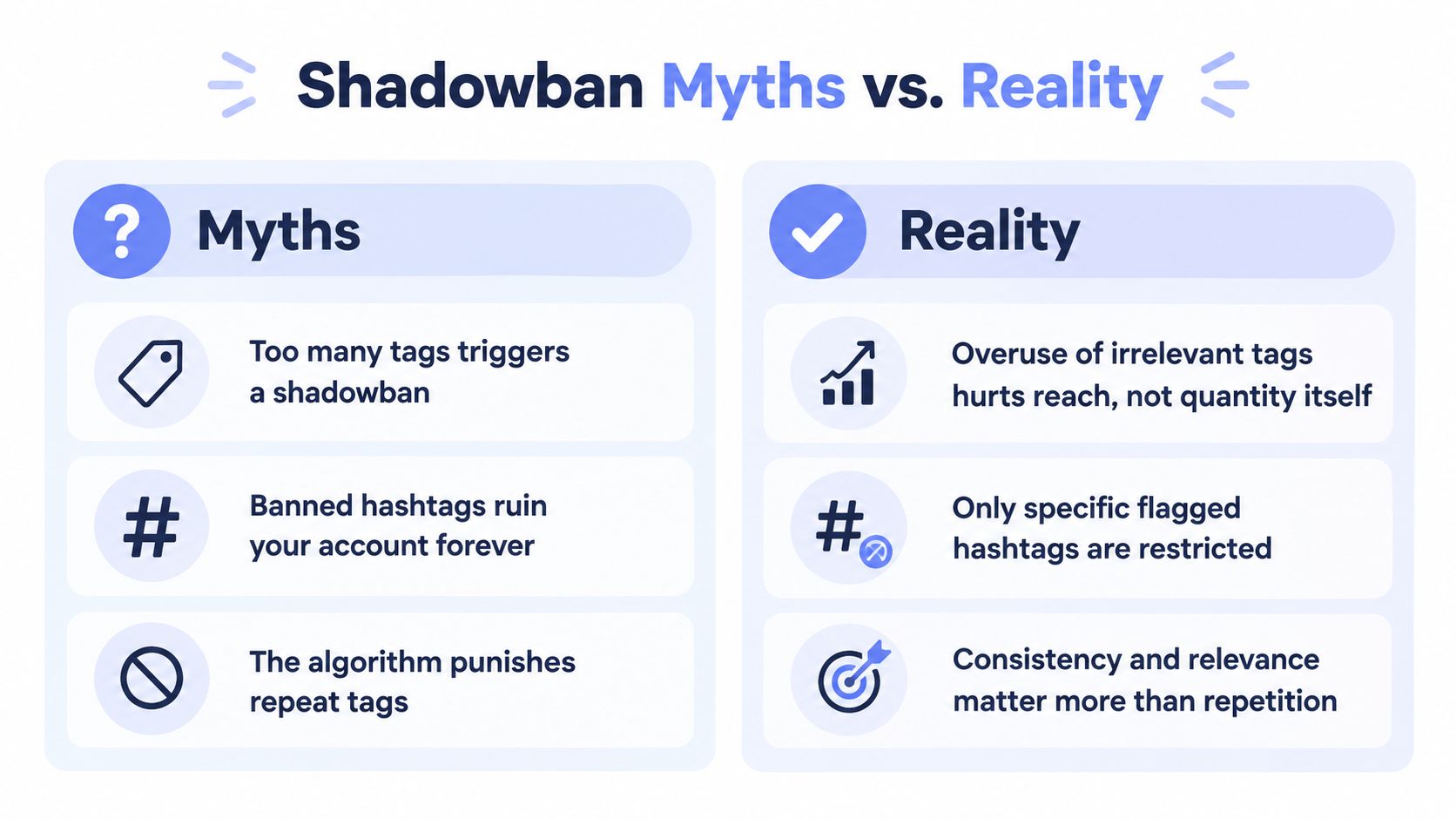 An infographic comparing Instagram shadowban myths versus reality regarding hashtag usage and algorithmic performance.
The better operating principle is consistency with meaningful variation. Keep recurring brand or series tags where they apply, but rebuild topical tags around each asset. Log every payload so you can distinguish a reach change from a publishing failure, an audience shift, or a creative problem.
This video offers another visual explanation of the shadowban discussion:
Don't hide a failed publish behind a successful API request. A request that creates a container isn't the same as a post that reaches an audience. Your monitoring should follow the full lifecycle and expose the exact state that stopped the workflow.
Next Steps for Your Publishing Pipeline
A reliable Instagram hashtag workflow is smaller than the old one. It begins with a current surface limit, chooses tags for meaning rather than volume, and measures outcomes without pretending that every dataset agrees.
Run an audit on your existing content library. Export the tag payload attached to each post, group tags by topic, and mark tags that are broad, branded, niche, duplicated, or no longer relevant. Then compare posts with no tags against posts with focused sets, but keep the comparison fair by recording the media type, caption pattern, account, and publishing context.
A practical rollout
Use this sequence for a production pipeline:
Normalize content records: Store the surface, caption, media, account, and tag set as separate fields.
Add a validation gate: Reject tags that exceed the currently accepted count or fail your relevance rules.
Create controlled variants: Compare no tags, focused tags, and a mixed set only where each variant fits the platform behavior.
Persist every response: Save the publication identifier, status transitions, error details, and final payload.
Review performance by context: Separate Reels, carousels, images, account sizes, and content categories instead of combining everything into one average.
Retire weak candidates: Remove tags that repeatedly add no useful signal or attract the wrong audience.
Don't let a dashboard report “hashtag performance” without showing the underlying payload. If you can't inspect the exact tags used for a post, you can't reproduce the result or debug a failed test. The data model matters as much as the caption generator.
The final decision rule can stay simple. Use up to five relevant tags when they clarify the post, use fewer when the content is already unambiguous, and test no-tag variants rather than assuming tags are mandatory. Captions and creative context should carry the explanation, while hashtags provide a compact categorization layer.
For teams building an app, an AI agent, or a no-code workflow, isolate that decision layer from platform plumbing. Let the automation publish the assigned variant, capture the response, and return the results to your reporting system. That gives marketers room to improve the strategy without asking developers to rewrite authentication and publishing code for every experiment.
PostPulse gives developers and automation teams a unified way to publish social content through a REST API, n8n, Make.com, or MCP, including Instagram professional accounts. If you want to test focused hashtag variants without rebuilding OAuth and publication handling for each platform, visit PostPulse and connect the publishing layer to your existing workflow.
About the Author

Founder of PostPulse — a social media scheduling platform for creators and teams. Software engineer with a passion for building developer tools and simplifying complex API integrations across social media platforms.