Social Media and Publishing: How APIs Actually Work
Published on
Tags:
Your first social publishing calls work. Then an Instagram carousel stays in processing, a later request returns an OAuthException, and your scheduler reports success even though nothing is live. The frustrating part is that “publish” isn't one operation across networks. Each platform has its own authorization, media-handling steps, and definition of completion.
Social media and publishing work best as two connected decisions: what to send to each platform, and how to verify that platform finished the job. Treat each destination as its own state machine, and a failed TikTok upload doesn't have to stop a YouTube post. Treat every destination as a copy of one generic post, and you lose both the platform-specific checks and the editorial choice that makes the content fit.
Table of Contents
Why a Simple Post Call Falls Apart
A typical failure starts with a content item that publishes successfully to one account. An hour later, another Meta call returns an OAuthException, while a carousel container still says it's processing. If your system stores only a single published: true flag, it can't tell you whether the item is live, still being processed, expired, or blocked by authorization.
Social media publishing means preparing, sending, scheduling, and validating content across platforms. It doesn't mean copying one caption to every profile and assuming the job is done. A useful record tracks the canonical item, its destination-specific assets, the authorization used, each remote request, and the actual completion status.
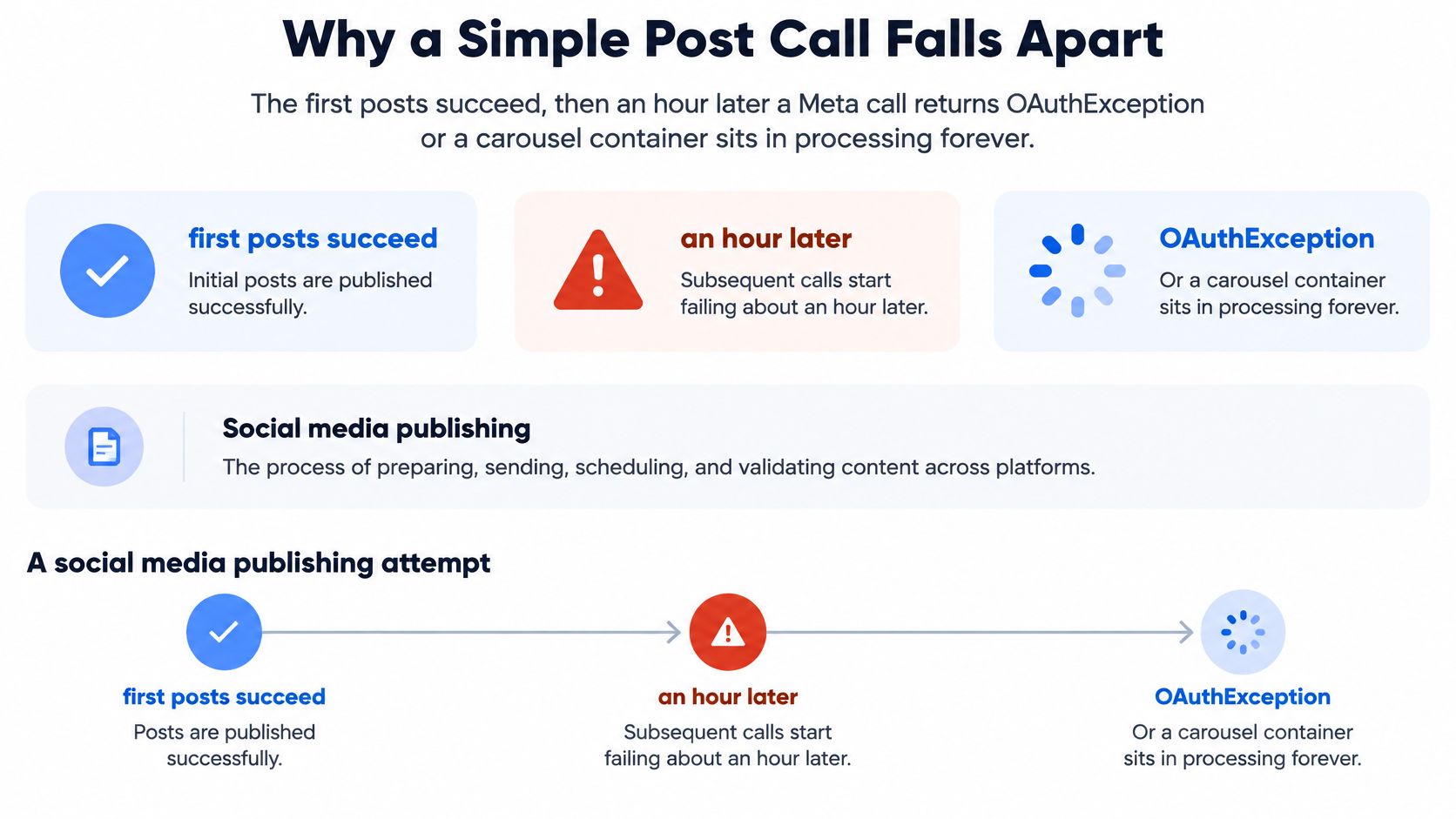 A diagram illustrating why social media publishing calls fail after one hour due to OAuthExceptions.
The distribution problem is real, but audience scale needs careful wording. DataReportal's 2025 Global Overview counted 5.24 billion active social media user identities worldwide, equal to 63.9% of the global population, with the total increasing 4.1% over the preceding 12 months. These are user identities, not a count of unique people, and they're spread across platforms with different publishing conventions.
For journalism, publishing on a website alone doesn't guarantee discovery. The Reuters Institute's 2024 Digital News Report, based on more than 95,000 people in 47 countries, found that 22% named news websites or apps as their main online news source, down 10 percentage points from 2018. Social media, search, and aggregators remained key gateways. The practical question isn't whether to post everywhere. It's how each destination accepts a post and how your system knows the post finished.
How Each Platform Actually Publishes
Destination | Publish model | Documented constraint | How you know it finished |
Instagram container | Create a container, then publish after processing | Expires if unpublished within 24 hours |
|
TikTok video |
| Requires the | Check status using |
TikTok photos |
|
| Don't treat |
YouTube | Insert video media | Up to 256 GB; MIME type | Track daily upload quota, not only HTTP success |
The Instagram row is the classic source of false alarms. Publishing is asynchronous: after the media-publish call, the API doesn't return the published media ID. You query the container with GET /<IG_CONTAINER_ID>?fields=status_code and handle the returned state. Meta's Instagram publishing documentation names EXPIRED, ERROR, FINISHED, and IN_PROGRESS. An unpublished container expires after 24 hours, and IN_PROGRESS means processing is still underway. Meta recommends polling about once per minute for no more than five minutes.
That gives your worker a finite state transition to implement: create the container, request publishing, poll the status, and stop polling when the documented window ends. Don't retry indefinitely, and don't call a container finished while it's still processing.
TikTok video publishing also has distinct stages. Its Content Posting API documentation specifies initialization through /v2/post/publish/inbox/video/init/, with the video.upload scope, followed by either FILE_UPLOAD or PULL_FROM_URL. The initialization response provides a publish_id for tracking the posting action. Save it before moving on; without it, your system can't reliably associate later status checks with the original attempt.
TikTok photos need an additional editorially meaningful distinction. DIRECT_POST publishes to the user's account, while MEDIA_UPLOAD uploads content for the user to finish inside TikTok's editing flow. The TikTok photo-post documentation says the media-upload flow sends an inbox notification. It's an upload handoff, not proof that a live post exists.
YouTube's official videos.insert reference specifies accepted MIME types and file-size limits, as well as the endpoint's quota impact. A successful HTTP response doesn't grant unlimited future uploads. Validate the media before sending, and track the relevant daily quota separately.
For an implementation walkthrough of publishing to two common Meta destinations, use this guide to posting on Instagram and Facebook. Keep other destinations' numeric constraints out of your code until their official documentation establishes them.
Adapt the Asset Before You Dispatch
A rendering pipeline beats a copy step. If every platform gets the same text and media, the system may be easy to operate, but it ignores the differences in how audiences consume content and how each destination accepts it.
A peer-reviewed study of social-media engagement found that posts containing visual content, including images and video, significantly improved engagement. Visual communication and audience size also recurred as drivers of interaction. That makes visual adaptation an editorial and measurement choice, not decoration.
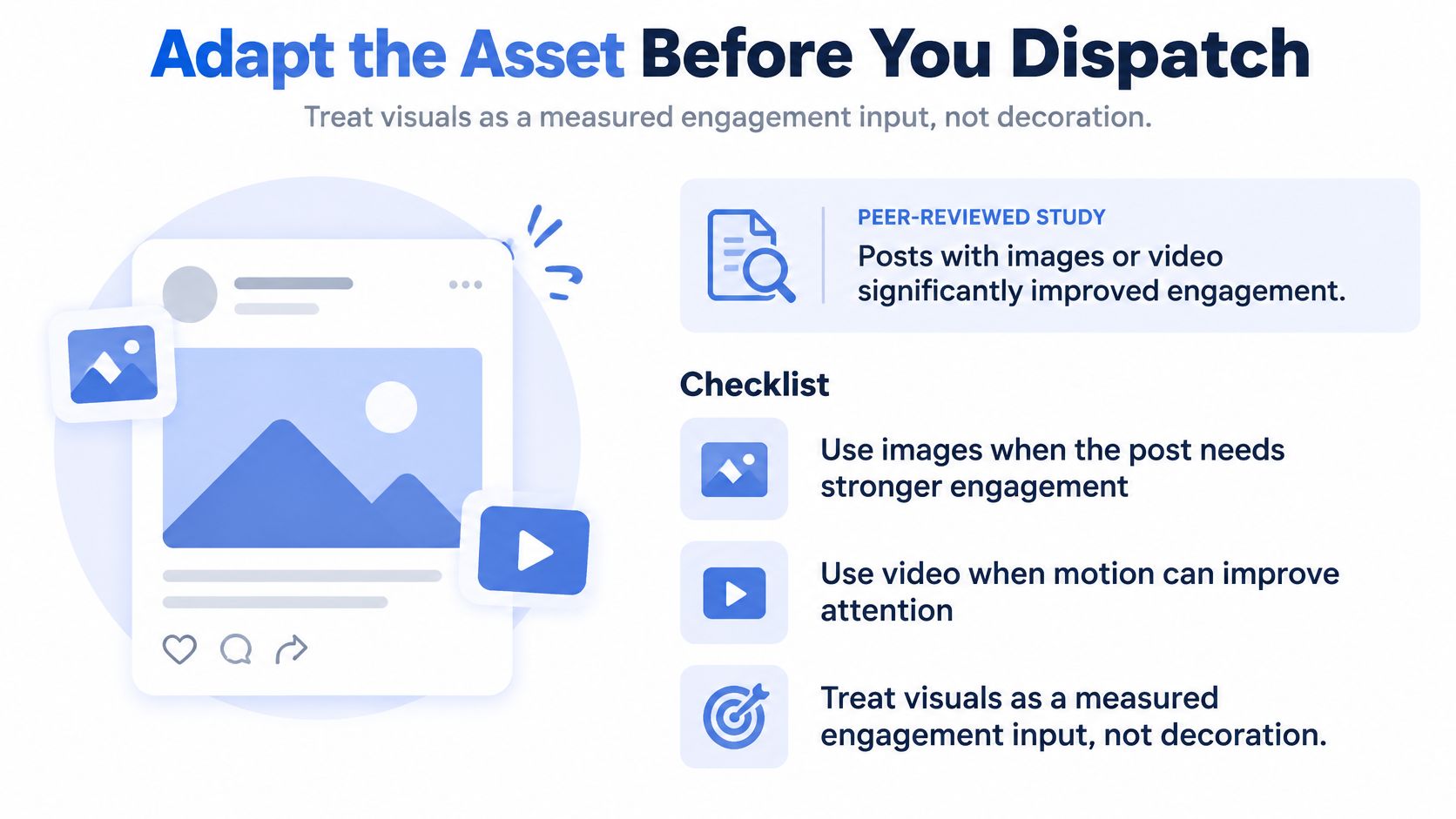 An infographic titled Adapt the Asset Before You Dispatch, illustrating tips for using images and videos for engagement.
Start with one canonical campaign item, then render destination-specific derivatives before dispatch. A practical pipeline can create:
A vertical short-form video for a video-first placement.
A thumbnail and aspect-ratio variant that suit the destination.
A caption cut with an appropriate call to action and length.
Subtitles and accessibility text so the visual has useful context without sound and can be understood with assistive technology.
Validate each derivative against the destination's documented media requirements. Keep the canonical item separate from the rendered files, and store metadata linking each derivative to the same campaign ID. That lets your reporting compare outcomes by asset and platform instead of collapsing every version into one post record.
Say a product demo becomes a YouTube video with a longer title and an Instagram Reel with burned-in captions. Both belong to the same campaign, but they're different assets with different jobs. The orchestrator should handle dispatch and status. Your application or agent should choose the variant, caption, call to action, and timing.
Measure whether an asset earns attention that matters, not just whether it collects likes.
Track engagement rate per impression or reach, video completion rate, and conversions. Raw likes are difficult to compare across destinations because audience size and distribution differ. A useful scheduler can answer a specific question: which derivative earned the qualified click?
A Workflow That Survives Rate Limits
Treat multi-platform publishing as a distributed-systems problem, not one shared queue with one global limit. Each network has its own quotas, authorization rules, and failure meanings. Your workflow needs to isolate those differences while keeping one canonical campaign item.
The social publishing API guidance from Blotato describes the operational pattern: store quota state per platform, classify failures by destination, and retry only the stage that failed. Build the job around that pattern:
Keep a canonical item and stable fingerprint. Give the content a durable identity so retries can be idempotent instead of creating duplicates.
Render a destination-specific derivative. Prepare the media and caption before dispatch, but don't use one platform's readiness as a proxy for another's.
Store quota state per platform. Instagram publishing uses a rolling 24-hour account quota, while X exposes endpoint limits and reset windows in HTTP response headers. Parse
Retry-Afterwhere the platform supplies it rather than hard-coding one shared cap.Classify HTTP 429 by destination. A throttled network should pause its own work without blocking unrelated destinations.
Retry with exponential backoff and jitter. Spread retries out so multiple workers don't create a synchronized burst when a service recovers.
Persist each remote identifier. Save the remote post ID, container ID, or
publish_idas soon as the relevant stage returns it.Retry only the failed stage. If media upload completed but publication failed, don't replay the whole workflow and risk creating a duplicate upload or post.
Return useful per-platform results. Include delivery status, retryability, and the platform's error metadata instead of returning one overall success flag.
Authorization belongs in this state machine. Confirm each destination's required scopes before its first request. TikTok's video initialization endpoint, for example, requires the video.upload scope. If authorization fails for TikTok, record the destination-specific error and stop that destination's work, not the whole campaign.
A unified API can simplify orchestration, but it can't remove the destination's underlying quota behavior. The abstraction is safe only if it exposes enough state to make the right next decision. For a deeper treatment of backoff and throttling patterns, see these rate-limiting best practices.
One integration surface can still fan out work across multiple networks. PostPulse offers a REST API, n8n and Make.com paths, and an MCP server for publishing across its supported destinations, while the caller still needs to branch on delivery status. Test the failure boundary directly: throttle TikTok and confirm YouTube still proceeds.
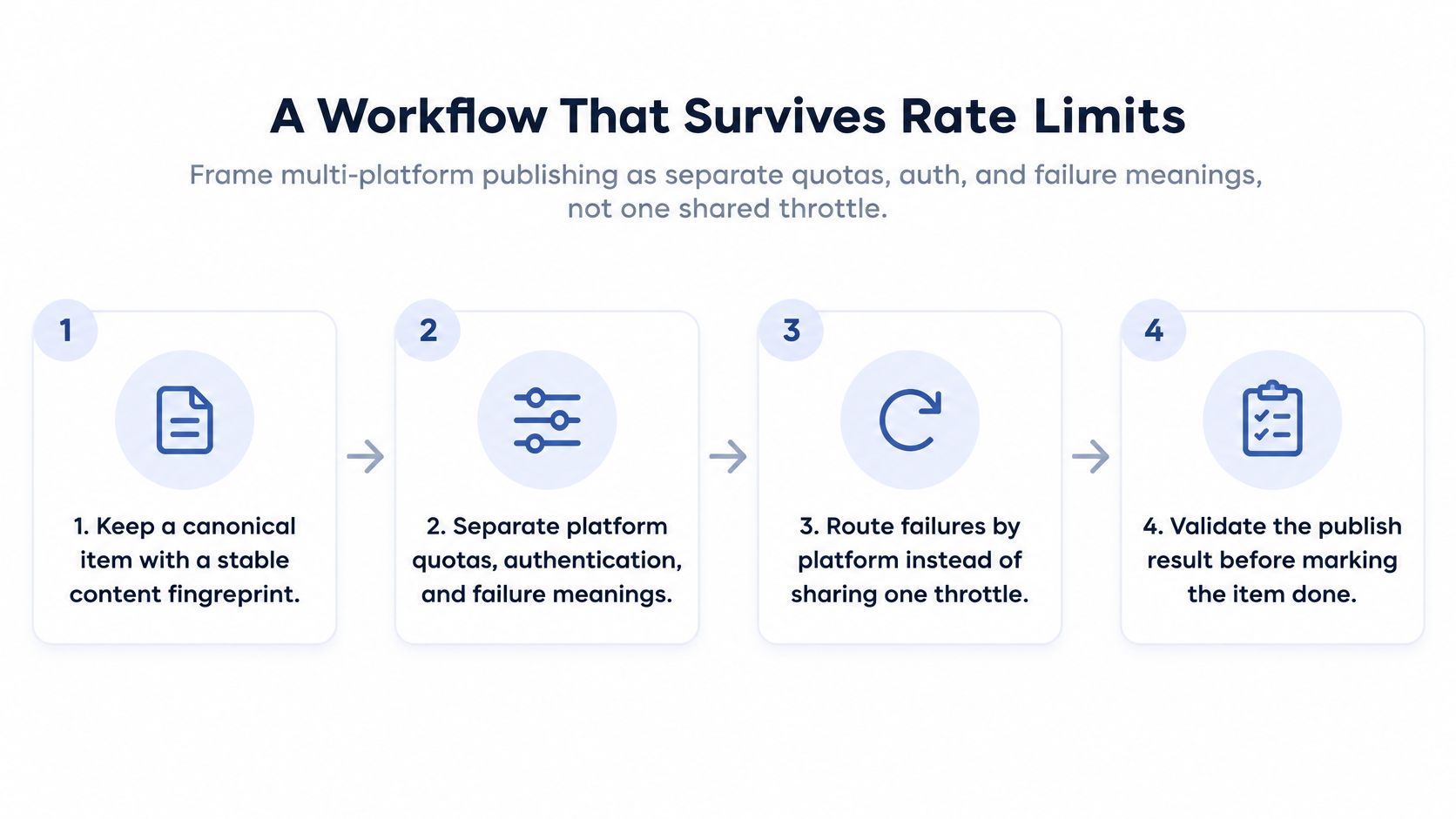 A diagram outlining a four-step workflow designed to effectively manage and survive platform rate limits.
Diagnosing Publishes That Look Stuck or Falsely Successful
An Instagram container that sits in IN_PROGRESS isn't necessarily broken. It may still be processing. The important distinction is between an expected asynchronous state and a result your application can safely call complete.
What you see | Destination | What to check | What to log |
Container sits in progress |
|
| |
Upload succeeded but nothing is live | TikTok photos |
|
|
Later inserts fail after earlier successes | YouTube | Daily upload quota is 100 calls per day, at 1 unit per call, tracked separately from HTTP success. | Upload units used per day |
Use the Instagram status_code as a state value, not a string to display and ignore. Poll at the documented interval, stop at the documented polling window, and handle EXPIRED as an expired container rather than resubmitting the same container ID.
For TikTok, don't map every successful photo API response to live. The TikTok photo-post flow documentation distinguishes DIRECT_POST from MEDIA_UPLOAD; the latter sends an inbox notification so the user can complete the post in the editing flow. Store post_mode and publish_id with the result so your product can report the handoff accurately.
YouTube can fail later in a batch even when earlier uploads succeeded and the file itself passed validation. File size and MIME type don't tell you whether the daily upload quota has room. Keep the per-day upload-unit count in your operational record, and don't infer available quota from the previous request's HTTP status.
A single published boolean can't represent an upload, an inbox handoff, a completed post, and a still-processing container.
Log the identifiers and fields that describe the actual platform state. If your system also uses callbacks, make sure the callback event updates the destination-specific record rather than overwriting it with a generic success flag. This webhook guide can help frame how event delivery fits into that design. Map these states in your own client before adding more networks.
Reach Versus a Relationship You Own
More networks don't automatically mean more useful attention. The Reuters Institute's 2025 Digital News Report, based on more than 97,000 online news consumers across 48 markets, found that 48% of social-media users under 35 pay most attention to news creators, compared with 41% for mainstream media and journalists. The same report found that social video consumption rose from 52% in 2020 to 65% in 2025, while total video-news consumption rose from 67% to 75%.
Those findings point to an editorial decision, not a mandate to syndicate every item. Choose the format and voice that suit the audience and the purpose:
Publish an authoritative explainer when your organization's credibility and clarity are the point.
Pair with an identifiable creator when the audience follows a person and that person's voice helps the material land.
Cut a short video when the content benefits from a visual demonstration or the destination is video-first.
Every automated post should have a job. It might provide a useful native update, or it might invite a consented next step, such as a visit to your site, a newsletter signup, or a connected account. Measure that job through qualified clicks, saves, subscriptions, or account connections rather than impressions alone.
Identical copy sent everywhere can raise distribution without preserving editorial identity. It can also make attribution harder when each platform renders links, media, or calls to action differently. Varying the format and voice gives your team a way to test what works without treating every network as interchangeable.
That choice matters operationally, too. An API, algorithm, or platform policy can change, so white-label products and agent workflows need a fallback plan. Account connections also need a clear consent trail, so users can understand what they authorized and your system can manage those permissions deliberately.
Ship One Integration Instead of Nine
Build direct integrations when you're deliberately supporting one or two networks and can own app review, token refresh, API-version changes, and each platform's status machine. For a product, a no-code automation, or an AI agent that needs to reach many networks, a maintained publisher can reduce the number of platform-specific systems your team has to operate.
Option | Best when | You own |
Direct integration | One or two networks with a custom client | App review, token refresh, version changes, status machines |
Maintained publisher, including PostPulse | Many networks through a product, n8n, Make.com, or an AI agent | Derivative choice and per-platform status handling |
PostPulse supports publishing through a REST API, official n8n and Make.com integrations, and an MCP server. Its supported destinations are Instagram Business and Creator, TikTok, YouTube Shorts and video, LinkedIn personal profiles, X, Threads, Bluesky, Facebook Pages, and Telegram channels and chats. It handles OAuth, token refresh, and rate-limit handling, while your application still chooses the media derivative and reads the per-platform result.
For teams weighing scheduling workflows and campaign coordination, Social Media Scheduler for marketing teams is another resource to consider alongside the integration model. Compare the operating responsibility you retain, not just the number of networks on a feature list.
Private-label pricing is $0.20 per publication with no subscription, or $5 per account per month and $48 per account per year for unlimited posts. White-label pricing is $200 per month plus $1 per account that publishes that month; connected but idle accounts are free, and startup fees may be waived until launch.
PostPulse provides one publishing surface for apps, automations, and AI agents, with REST API, n8n, Make.com, and MCP options across supported platforms. Start with one canonical item, implement the Instagram status poll and TikTok post_mode check, then visit PostPulse to evaluate adding the remaining destinations through a maintained integration.
About the Author

Founder of PostPulse — a social media scheduling platform for creators and teams. Software engineer with a passion for building developer tools and simplifying complex API integrations across social media platforms.