Share Facebook API Guide to Posting Without Headaches
Published on · Updated on
Tags:
You've got a Facebook access token, your request works in development, and then production starts returning authentication errors. Or you follow an older tutorial that promises profile publishing, send a request to a familiar endpoint, and discover that the posting surface you expected no longer exists. That's the normal starting point for a project built around the share Facebook API.
The hard part isn't the first POST. It's choosing the correct sharing method, obtaining the right Page token, surviving token expiry, respecting quota behavior, and routing each media type through the endpoint Meta currently documents. Facebook sharing also changed considerably over time. Facebook moved from link-level sharing analytics in 2009 to the Graph API and social plugins in 2010, a progression documented in its platform history.
This guide focuses on the practical reality of Facebook publishing today. It covers user-initiated link sharing, server-side Page publishing, OAuth, quotas, media handling, and the point where maintaining the integration yourself stops being worth the operational cost. For a broader comparison of platform integrations, see this guide to API options for social media.
Table of Contents
Why Sharing to Facebook via API Feels Broken at First
The first failure usually looks deceptively simple. A developer authenticates successfully, stores the returned token, publishes a test post, and assumes the integration is finished. Later, the same token stops working, the customer's Page doesn't appear, or an old Open Graph example produces an ordinary link share instead of the custom story the tutorial promised.
That confusion comes from treating Facebook as one generic publishing destination. It isn't. The browser-based Share Dialog and server-side Page publishing solve different problems, and the Graph API's publishing capabilities are much narrower than older articles often imply. Personal profiles aren't the general-purpose API destination many legacy guides describe. The practical publishing surface is Facebook Pages, with different operations for feed posts, photos, videos, and Reels, as outlined in this current Facebook posting overview.
The platform changed underneath older tutorials
Meta's Open Graph documentation records a major change by May 1, 2019. Newly published Open Graph stories rendered as plain link shares in the news feed, and apps could no longer publish custom Open Graph stories because the publish_actions permission had been removed on August 1, 2018. The same documentation describes versioned API request paths, which means an integration must account for ongoing version maintenance rather than assume an endpoint will behave permanently.
That history explains why search results can be misleading. A code sample may be syntactically correct and still describe a permission or publishing model that no longer applies. Developers often waste more time debugging the wrong product surface than debugging their request body.
Practical rule: Start by deciding whether a person is sharing a link or your server is publishing to a Page. Don't write code until that distinction is clear.
What this guide will help you avoid
A reliable implementation needs a narrower mental model:
A user sharing a URL in a browser usually needs the Share Dialog.
An automated publisher needs a Page access token and the appropriate Page permissions.
Token validity is temporary state, not a permanent configuration value.
Publishing and read-back verification compete for quota.
Media types can require different endpoints and processing flows.
Meta documentation is the authority because API behavior and permissions evolve.
Once those assumptions are in place, Facebook publishing becomes less mysterious. You're not integrating a universal “share” button. You're operating a permissioned, versioned Page publishing system.
Choosing the Right Way to Share on Facebook
Most projects asking about the share Facebook API are choosing between two products. The first lets a person share a link from a browser. The second lets an application publish content directly to a Facebook Page. Both can appear in the same product, but they have different authentication models, triggers, and failure modes.
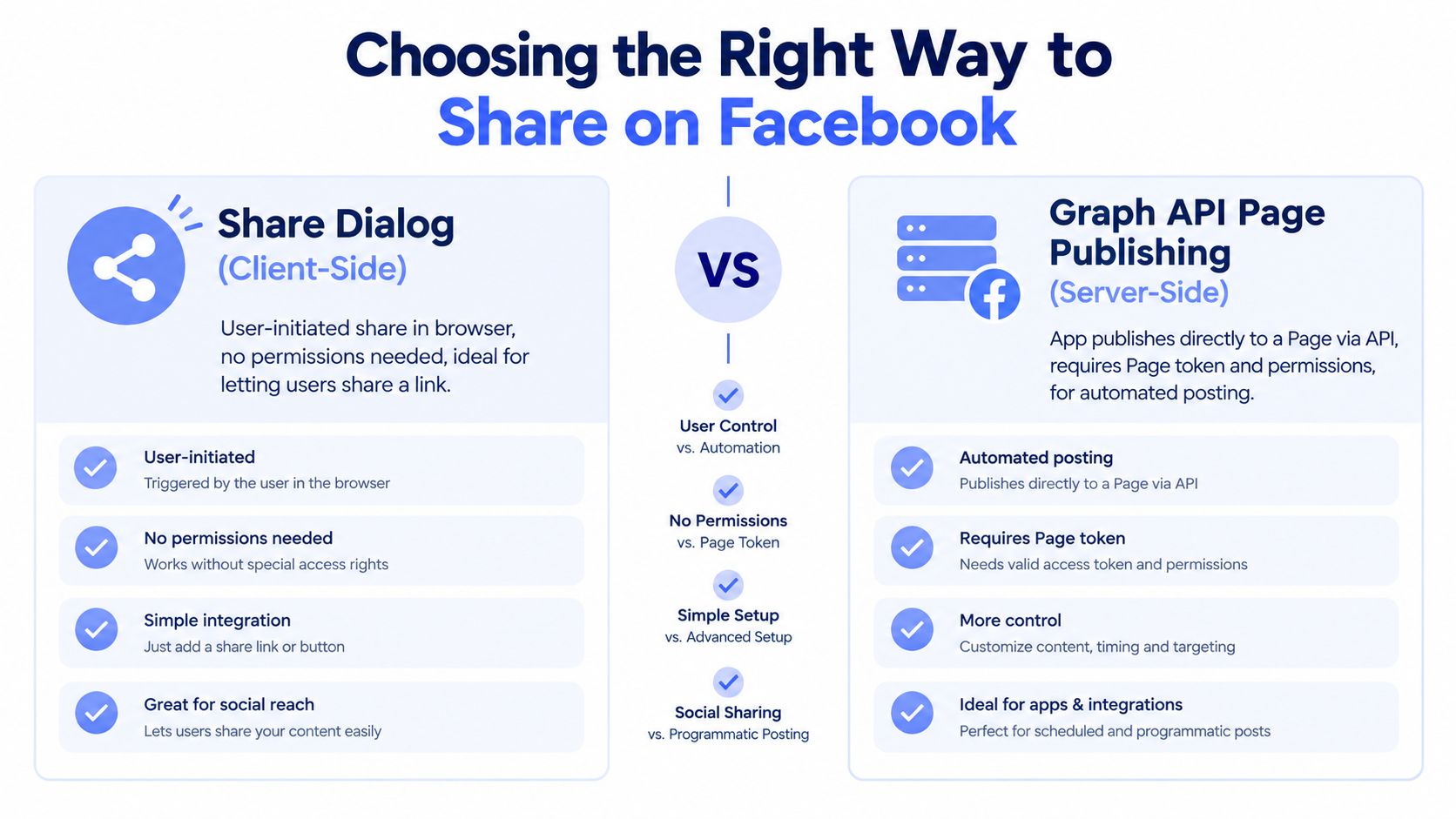 A comparison infographic between the Facebook Share Dialog for user-initiated sharing and the Graph API for server-side publishing.
Share Dialog versus Graph API publishing
The Share Dialog is the simpler choice when a user clicks a button and chooses to share a URL. Your application starts the browser flow, Facebook handles the interaction, and the user remains the person initiating the share. This avoids building a background publisher when all you need is a human-controlled link share.
The Graph API is appropriate when your backend, scheduler, workflow, or application needs to publish directly to a Page. Meta's documented Page flow uses a Page ID, a Page access token, and the Page feed endpoint. It's the right model for scheduled editorial content, product notifications, or a social publishing feature where the user connects a Page once and your system handles delivery.
Method | Best For | Auth Needed | Limitation |
Share Dialog | User-initiated link sharing from a browser | User interaction in the Facebook sharing flow | It isn't a server-side publishing queue |
Graph API Page Publishing | Automated posts to a Facebook Page | Page access token and approved permissions | It doesn't provide broad personal-profile publishing |
The distinction matters because personal profiles cannot be treated as equivalent to Pages for API publishing. The practical Page surface includes separate paths for feed content, photos, videos, and Reels. A product that promises “post anywhere on Facebook” without explaining the destination type is hiding the most important implementation constraint.
A quick decision test
Choose the Share Dialog if the user must review or initiate each share and you're distributing a URL. Choose Graph API Page publishing if your server must create Page content without another browser interaction. If the requirement is personal-profile publishing, stop and reassess the product requirement rather than searching for another undocumented endpoint.
For a Page publisher, expect permission configuration, Page-token handling, version maintenance, and quota management. For a Share Dialog, expect a lighter integration, but less control over autonomous publishing, retries, scheduling, and delivery verification.
What You Need Before You Can Publish to a Page
A successful first Page post depends on three things lining up: the app configuration, the permission set, and the token type. A valid user token alone doesn't mean your backend can publish to a selected Page. Your flow must obtain Page access in the context of the Page and the permissions your operation requires.
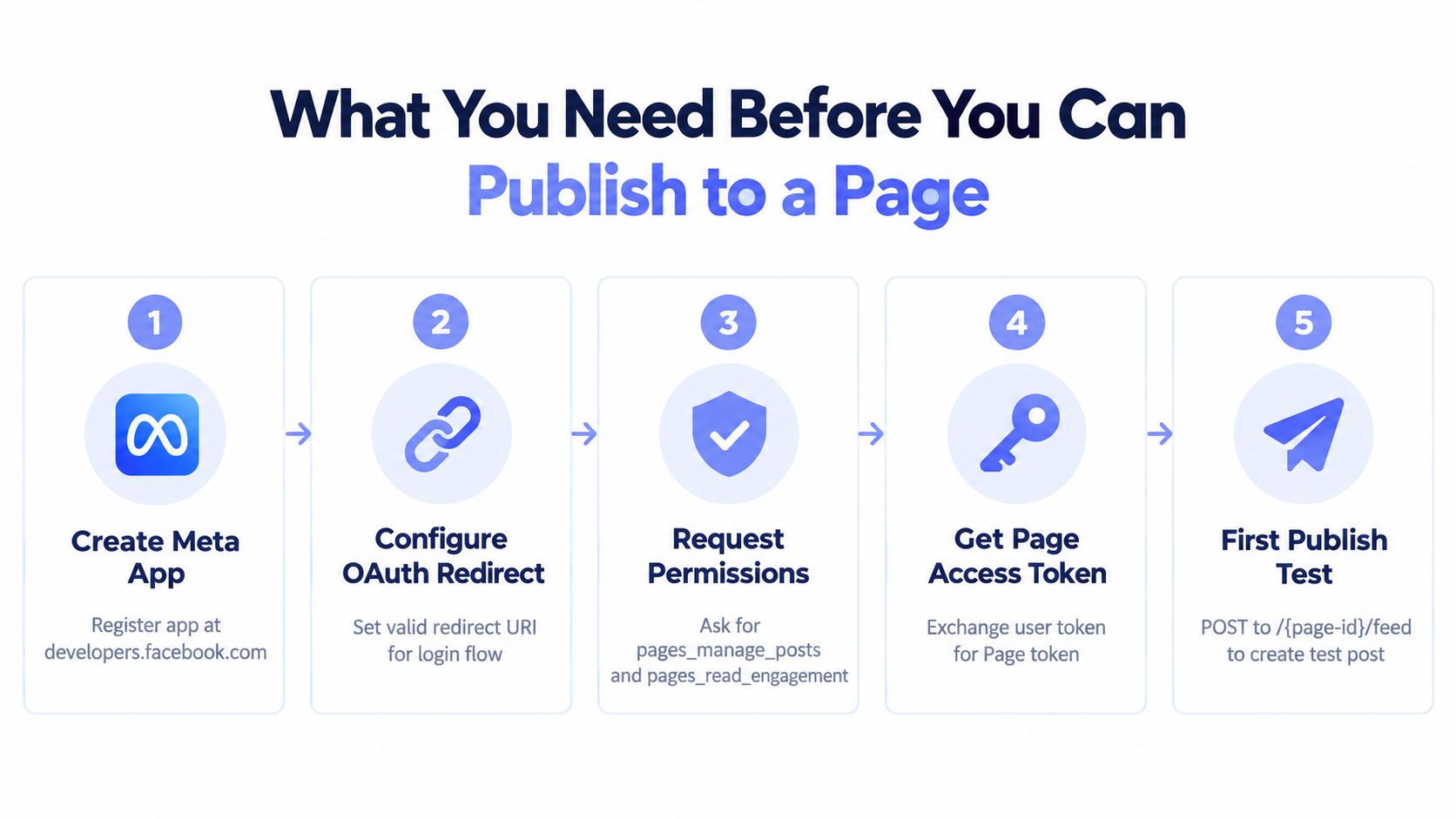 A five-step infographic guide detailing the essential requirements for publishing content to a Facebook page via API.
Set up the app and permissions
Create the Meta app, configure the OAuth redirect used by your login flow, and request the permissions that match your behavior. Meta's permissions reference says pages_manage_posts allows an app to create, edit, and delete Page posts, while pages_read_engagement allows reading Page content and related Page data. Don't request permissions just because an old tutorial includes them. Request what your product uses, then account for any review requirements that apply to your app and use case.
Page status also matters. Meta's Page reference states that Page-owned data access depends on the Page's status, access token, and permissions. Unpublished Pages don't have the same access path as published, unrestricted Pages, so a test Page can behave differently from a customer's live Page.
Obtain and verify the Page token
The usual sequence is:
Authenticate the Page administrator or authorized user through your OAuth flow.
Retrieve the Pages that user can manage.
Select the intended Page.
Obtain the Page access token associated with that Page.
Store the Page ID and token metadata securely.
Verify the token type before making a publishing request.
The important detail is that the publishing call needs a Page access token, not an arbitrary token copied from a browser session. Treat the token response as structured data. Record its expiry information where available, identify the Page it belongs to, and make the selected Page explicit in your internal records.
Make the documented first call
Meta's Pages API getting-started documentation defines the minimal text-post operation as a POST request to /{page_id}/feed, with a message parameter and a Page access token. The endpoint is the documented path for publishing a text post to a Page, as shown in the Meta Pages API getting-started guide.
A conceptual request looks like this:
Path:
/{page_id}/feedMethod:
POSTAuthentication: Page access token
Payload:
message
Keep the first test deliberately small. Publish plain text, capture the response, and verify that the returned post identifier maps to the intended Page. Only after that should you introduce links, media, scheduling, or concurrent workers. A minimal first call isolates permissions and token issues from media processing and queue behavior.
Don't debug OAuth, media uploads, scheduling, and retries in one request. Prove the Page identity and text-post path first.
Handling Meta OAuth Tokens Without Losing Sleep
“Why does my token expire after one hour?” is usually an architecture question, not a mysterious Facebook bug. Meta documents two user access-token categories. Short-lived user tokens usually last about an hour or two, while long-lived user tokens usually last about 60 days, although Meta warns that lifetimes can change without warning and tokens may expire earlier. Those durations come directly from Meta's access-token documentation.
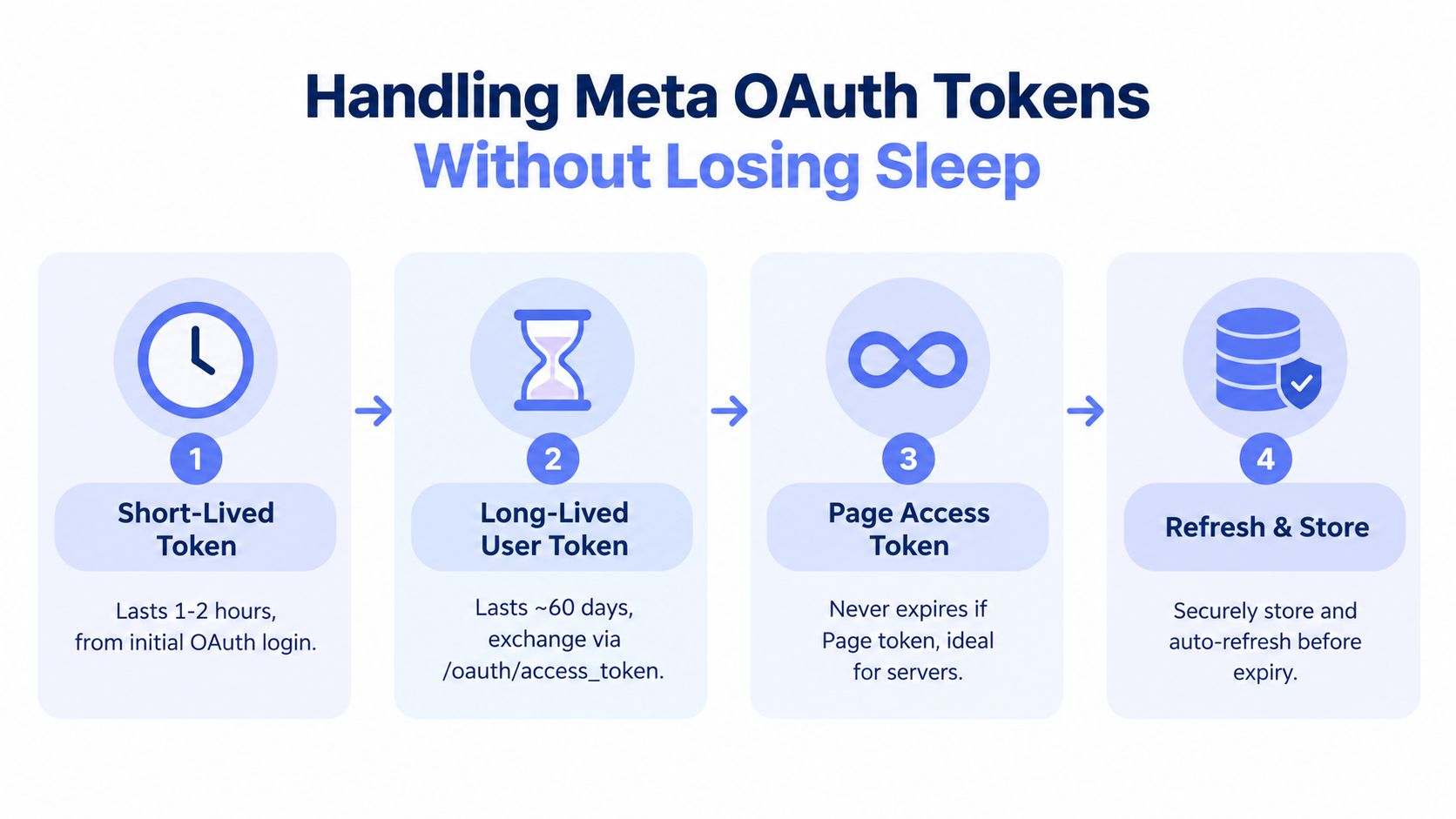 A four-step infographic explaining the process for managing Meta OAuth access tokens for Facebook API integration.
Treat authentication as a lifecycle
The initial OAuth callback is only the beginning. A production system needs to exchange or obtain the token form appropriate for its server-side flow, associate the resulting Page token with the correct Page, and track expiration as operational state. Never make the login callback the only place where your system thinks about authentication.
A token record should answer practical questions:
Which customer and Page does this token belong to?
What token type did the system receive?
When should the system attempt renewal or reconnection?
Which API version and permission scope were used?
What should happen to queued posts if the token becomes invalid?
Store tokens in protected server-side storage, not in source code, logs, client-side bundles, or job payloads that ordinary users can inspect. Your application should pass token references into workers, retrieve the secret only when needed, and redact authentication values from error output.
Refresh before the failure reaches the queue
Build a refresh or reconnect path before you build a large publishing queue. A worker shouldn't discover expired credentials only after it has claimed a customer's post and marked it as “sending.” Check token health ahead of scheduled delivery, and leave enough room for a human or customer reauthorization flow when automatic renewal can't recover the connection.
Meta's warning about early expiration is important here. A timestamp-based scheduler is useful, but it can't replace handling an authentication error from the API. Your system needs both proactive checks and reactive recovery:
Save the token metadata after authentication.
Set a refresh or validation job before the recorded expiry.
Attempt a low-risk validation or renewal path.
Mark the connection as degraded if Meta rejects the token.
Pause affected jobs and request reconnection instead of retrying forever.
This Meta OAuth token lifecycle guide is useful when documenting the same approach for a wider social stack. For teams that also need governance around credentials, approvals, and auditability, API controls for enterprise compliance provides a helpful reference point.
Authentication rule: Never hardcode a token. Store it securely, track its lifecycle, and make reauthorization a supported product state.
Avoiding Rate Limits Media Traps and Scheduling Gotchas
A publisher that can create one post isn't necessarily ready for production. Page and system-user token requests are governed by Business Use Case rate limits, while app or user token requests use Platform Rate Limits, according to Meta's rate-limiting documentation. The quota model is not a universal daily post allowance. Meta publishes the Page-level formula as 4,800 calls per 24 hours multiplied by the number of engaged users for that Page in its rate-limit documentation.
That formula changes how you design a scheduler. A Page with modest recent engagement can encounter throttling sooner than a static content calendar suggests, while a busy Page may have more available capacity. Follower count isn't the value to use as a substitute for engaged users.
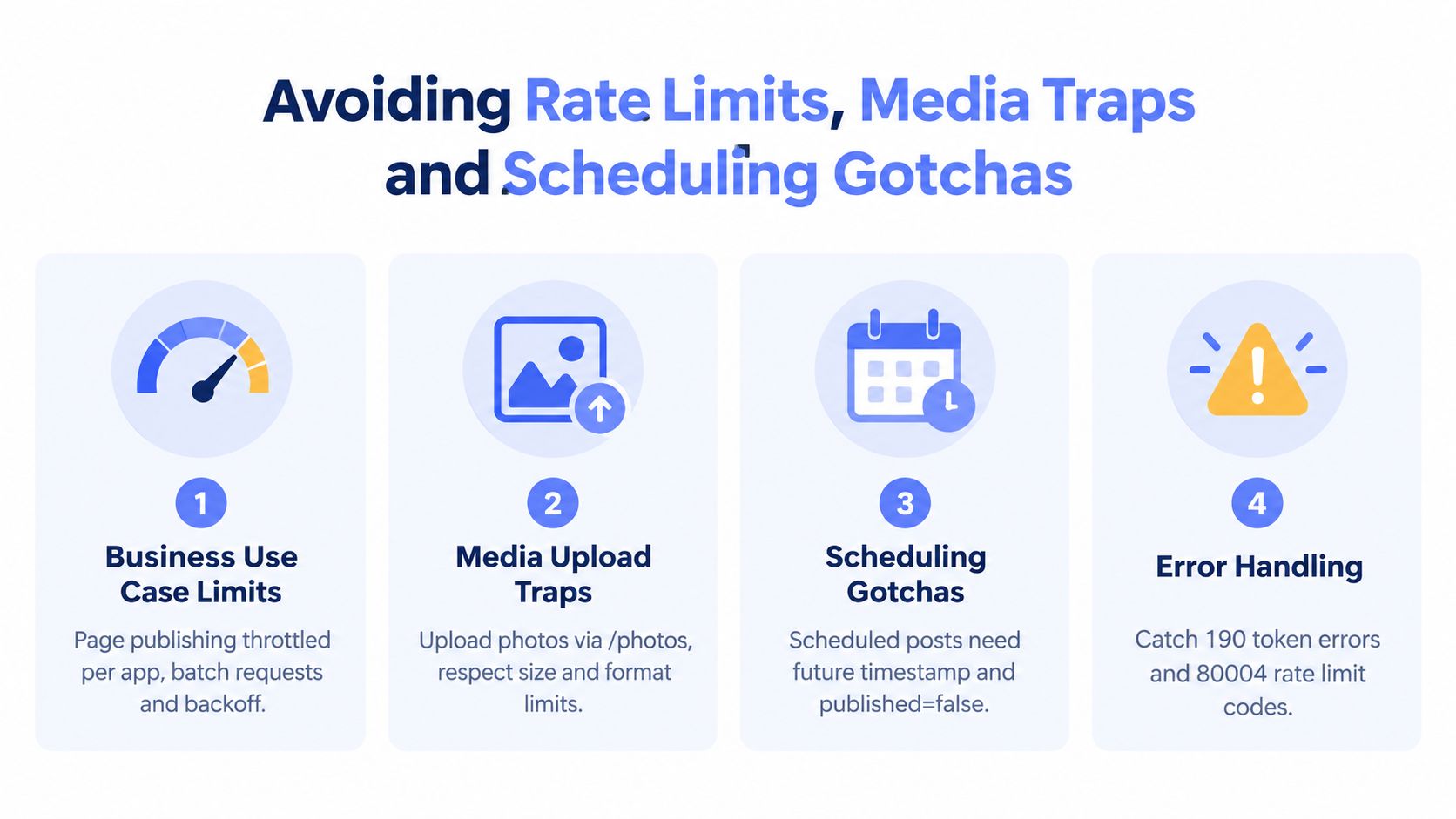 A graphic illustration detailing four tips to avoid rate limits, media traps, and scheduling errors with Facebook APIs.
Design the queue around quota
Publishing and verification traffic should have separate budgets. Aggressive polling after every write can consume the same Page quota as publishing, especially when several workers check the feed repeatedly. Meta's published-posts reference also documents a retrieval ceiling where the limit field shouldn't exceed 100, and it identifies Page-account error code 80001 as a signal that too many calls are being made to the Page account.
Use a queue that understands pressure rather than treating every API failure as a reason to retry immediately:
Read usage headers: Inspect response headers and record quota signals with each request.
Batch work carefully: Group compatible operations where the API supports it, but don't create bursts that overwhelm a Page.
Back off on pressure: Increase retry delays after throttling and honor the server's signal.
Separate traffic classes: Keep publishing, status checks, and historical reads on distinct queues.
Degrade gracefully: Pause nonessential verification before sacrificing new publishing capacity.
Media and scheduling need their own paths
Feed text posts are a useful baseline, but media workflows introduce endpoint-specific behavior. Photos, videos, and Reels don't belong in a single generic “post” abstraction unless your internal layer knows how to route them correctly. Reels use a different publishing path from ordinary feed posts, and upload processing can be asynchronous, so your worker should model states such as accepted, processing, published, and failed rather than assuming the initial response means the content is visible.
Scheduling also needs explicit validation. Independent implementation guidance describes scheduled-post windows of roughly 20 minutes to 29 days, with documentation varying toward 10 minutes to 30 days depending on the guide, as discussed in this Facebook Graph API posting guide. Because that guidance can vary, validate the timestamp against the current endpoint documentation instead of baking one window into a permanent rule.
Version changes create another trap. Keep Graph API version selection in configuration, record the version used for each request, and test publishing against the version your app calls. A graceful system can report “unsupported media flow” or “reauthorization required” clearly. A brittle one retries an invalid request until the Page is throttled.
For additional quota-focused implementation patterns, see this guide to API rate-limit handling.
A Simpler Path to Reliable Facebook Publishing
A Page post can succeed in testing and still fail in production. The durable system must handle OAuth consent, Page selection, token storage, permission changes, quota-aware queues, media routing, scheduling validation, delivery status, and recovery when Meta changes an API version or rejects a credential.
Teams should compare direct Graph API work with an abstraction layer before committing. Direct integration preserves control and keeps requests visible, but your team owns permission reviews, token failures, endpoint migrations, retry policy, and every customer-specific Page issue. It fits products where Facebook publishing is a core capability and the engineering team can maintain it.
A unified publishing service moves that maintenance boundary. PostPulse supplies verified Meta, TikTok, and Google apps, manages OAuth and refresh behavior, and exposes publishing through a REST API, official n8n and Make.com integrations, or an MCP server. One integration can publish across 10 platforms, including Facebook Pages, Instagram Business and Creator accounts, TikTok, YouTube, LinkedIn personal profiles, X, Threads, Bluesky, and Telegram, as described in the PostPulse platform overview.
Build or delegate
Use this checklist before choosing a path:
Build directly when Page publishing is central to your product and each request needs custom control.
Use an abstraction when social publishing supports the product but is not its main engineering advantage.
Define media scope first. Feed posts, photos, videos, Reels, and scheduling require explicit support decisions.
Price maintenance, not only development. Account for OAuth recovery, API versions, review work, observability, retries, and customer support.
Test failure states. A successful post represents only one stage of delivery.
The right implementation makes failures understandable. Whether your team owns the Graph API integration or delegates it, users should see which Page was selected, whether a token needs attention, whether Meta throttled the request, and whether media remains in processing.
PostPulse provides a unified publishing API for Facebook Pages and eight other platforms, with OAuth, token refresh, rate-limit handling, and delivery maintenance managed through REST API, n8n, Make.com, or MCP workflows. If maintaining each platform integration would distract from your product, evaluate PostPulse against the same build-versus-buy checklist.
About the Author

Founder of PostPulse — a social media scheduling platform for creators and teams. Software engineer with a passion for building developer tools and simplifying complex API integrations across social media platforms.