How to Gain Twitter Followers with a Smart Plan
Published on
Tags:
You publish a few thoughtful posts, follow people in your niche, and check your profile the next day. The numbers barely move. It's tempting to post more, add hashtags, or automate replies, but none of those fixes the core problem if readers don't understand what you offer or have a reason to keep seeing your posts.
A useful way to approach how to gain Twitter followers is to treat it as an experiment, not a posting-volume race. Make your subject clear, earn attention through useful content and real conversation, then measure whether that attention turns into profile visits and follows. Automation can keep publishing organized, but the human voice is what gives people a reason to care.
Table of Contents
Why Most Twitter Accounts Stall After the First Few Posts
The stall usually looks ordinary. A developer shares a few useful observations, follows relevant accounts, and waits for a response. Some posts get likes from familiar names, but few people visit the profile, and follower growth feels random. The natural reaction is to publish more. Yet more posts won't fix unclear positioning or content that gives readers no reason to reply, share, or follow.
Follower count is a lagging outcome, not a daily control. A longitudinal study of 507 Twitter users and approximately 500,000 tweets over 15 months found that message content, social behavior, and network structure all contributed to follower formation. The implication is practical: account age and posting volume alone don't explain growth. A clear subject, useful original analysis, and participation in relevant conversations give people more ways to discover and remember an account (the longitudinal study of Twitter follower predictors).
Reach and conversion are different problems
A post can reach people and still fail to attract followers. Someone may read a useful reply, tap your profile, and leave because the bio is vague or the pinned post doesn't show what you share. Another post may get fewer likes but bring in relevant visitors who follow because the account consistently answers questions they care about.
Track those steps separately. Look at content design (what the post offers), reply behavior (how you contribute to conversations), and profile intent (whether the profile makes a clear promise). If reach is weak, examine the post and where you're participating. If profile visits arrive without follows, review the profile before increasing output.
Practical rule: Don't scale a tactic until you know which step it improves. More impressions aren't the same as more relevant followers.
Treat each week as a small test. Keep the audience and subject stable while trying a different opening, format, or reply approach. When you use automation, use it to schedule and distribute work you've already shaped for a human audience. Repetitive posts may fill a calendar, but they don't build the relationships that make an account worth following.
Profile Setup Decisions That Earn the First Click
A profile has one job: help a visitor decide whether they should follow. They'll scan the handle, bio, avatar, header, link, and pinned post together, so make those pieces tell one coherent story. A profile makeover doesn't need elaborate graphics. It needs to make the account's topic and value obvious.
 A woman thinking about social media strategy next to a smartphone displaying a profile and interface icons.
Start with the handle and display name. Keep the handle stable and easy to associate with your work. If you're choosing a new account name, this guide to Twitter account name ideas can help you compare options before you commit.
Make the profile promise concrete
A bio full of labels like “builder,” “founder,” and “curious thinker” gives visitors little to act on. Replace it with a simple description of what you work on, who it helps, and what you share. For example, “Building tools for developer workflows. Sharing what I learn about APIs, publishing, and product decisions” sets a clearer expectation than “Entrepreneur. Builder. Dreamer.”
Choose an avatar people can recognize at a glance, whether that's a clear personal photo or a consistent company mark. Let the header reinforce the same topic rather than compete with it. A product screenshot, a concise description, or a relevant visual can help, but decorative elements that don't explain the account are optional.
Your pinned post should demonstrate the promise in action. Pin a useful explanation, a thoughtful introduction, or a strong example of your work, not an unrelated announcement. Then check the link in your bio: it should lead to something that makes sense for a new visitor, not a general homepage with no clear next step.
BAMF's Twitter profile optimization tips offer another perspective on making a profile clearer to prospective followers. Use that kind of advice as a prompt to check whether each field earns its space. Then change the bio or pinned post during your next experiment and watch whether profile visits convert more often. Don't spend the afternoon perfecting a banner while the account's actual promise remains unclear.
Content Pillars That Out-Pull Generic Posting
The most useful content strategy is one you can repeat without making every post sound alike. Choose a narrow audience and a few pillars that give you a steady supply of relevant ideas. A software developer might focus on API design, integration failures, and lessons from shipping tools. Those themes are easier to recognize than an account that jumps between unrelated hot takes.
Educational content has a strong case behind it. In a retrospective study of an academic infectious-disease fellowship account, researchers analyzed 64 tweets published during its first year. Educational posts made up 41% of the tweets and averaged 3,662 impressions and 458 engagements, while promotional posts made up 59% and averaged 2,449 impressions and 130 engagements. The reported engagement-to-impression rates were 9.6% for educational posts and 5.3% for promotional posts. The account's posting frequency could have influenced the results, so treat this as evidence for testing an educational mix, not a guarantee for every niche (the fellowship account's retrospective study).
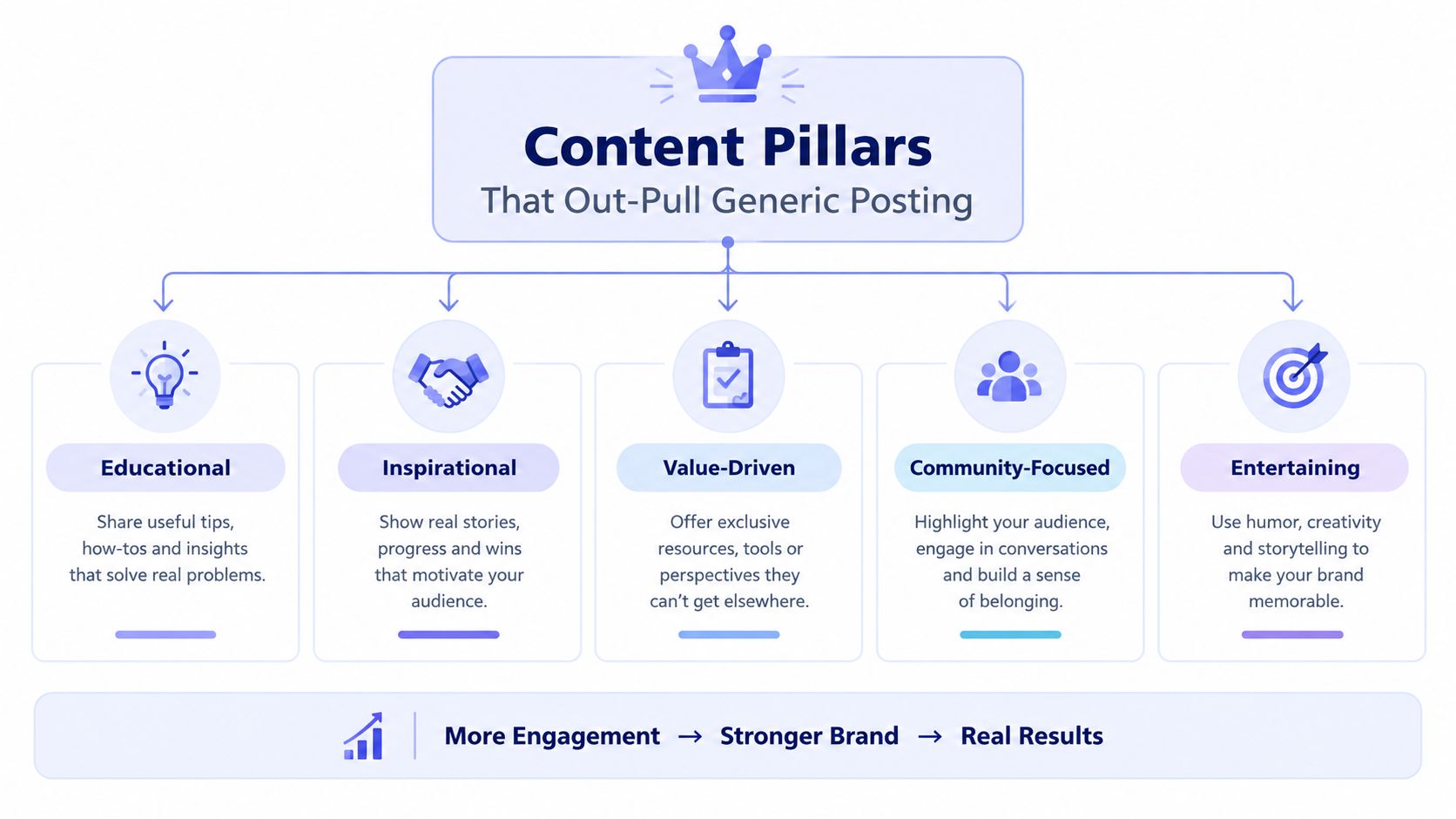 A diagram illustrating five essential content pillars for social media: Educational, Inspirational, Value-Driven, Community-Focused, and Entertaining.
Turn pillars into repeatable formats
A pillar is a subject area. A format is a repeatable way to express it. For instance, an API-focused account could share a concise debugging lesson, a before-and-after explanation of a design choice, and a question about a trade-off developers face. Each post should make one central point and include enough context for someone outside your immediate circle to understand it.
Useful formats include:
A specific problem and fix: Explain what broke, what you tried, and what you'd do differently.
A short analysis: State a clear claim, then support it with reasoning or an example.
A question grounded in experience: Ask about a real decision, not a generic “What do you think?”
A selective product mention: Show what a feature does in context, rather than turning every post into a pitch.
Recycling an insight is fine when you adapt its angle. A short post can state the core lesson; a follow-up can unpack a trade-off; a reply can add an example. Copying the same wording repeatedly is different. It offers the audience no new reason to engage.
For further planning ideas, this social media content strategy playbook can help you think through formats and distribution across channels. For your own account, audit recent posts and note which ones led to thoughtful replies or profile visits. Keep the formats that start useful conversations, not just the ones that collect quick reactions.
A video can make a process easier to show than a text explanation:
Manual Engagement Loops Versus Automation That Actually Helps
Automation is useful when it removes repetition from publishing. It becomes a problem when it tries to imitate attention. A scheduling tool can send a carefully written post at the right time; it can't decide whether a reply is relevant, whether a quote-post adds value, or whether a sensitive topic needs a human's judgment.
Work | Better handled by | Why |
Scheduling approved posts | Automation | It reduces routine publishing work. |
Adapting a post for another platform | Human review, with tool support | The idea can travel, but tone and context often need edits. |
Replies and quote-posts | A person | The response should reflect the actual conversation. |
Reviewing sensitive topics | A person | Context and judgment matter more than speed. |
Collecting performance metrics | Automation | Consistent records make comparisons easier. |
Keep targeting and conversation human. Read the original post before replying, make a specific contribution, and respond to people who engage with your own work when you have something useful to add. Generic copy-paste comments, mass follow-unfollow behavior, and engagement groups may create visible activity, but that activity doesn't necessarily build trust or attract people who care about your subject.
Automate the repeatable parts
Scheduling, cross-platform publishing, recycling an idea into a different format, and collecting analytics are good candidates for a workflow. The important safeguard is review: check the message, audience, platform fit, and timing before anything goes live. A post that makes sense on one network may read awkwardly on another.
For a practical breakdown of that boundary, see how automated Twitter posts fit into a publishing workflow. The test is straightforward: if an automated step saves time while preserving your judgment and voice, it's helping. If it sends replies or posts you wouldn't stand behind personally, it's impersonating you.
Cross-Platform Publishing Without Sounding Like a Blast
Cross-posting works best when you reuse the idea, not necessarily the exact copy. A clear lesson from X might need more context on LinkedIn, a shorter conversational opening on Threads, or a different framing on Bluesky. Publish the core insight where it fits, then edit each version to sound native rather than treating every network as another box to check.
 Screenshot from https://post-pulse.com
Pick an integration surface that fits the job
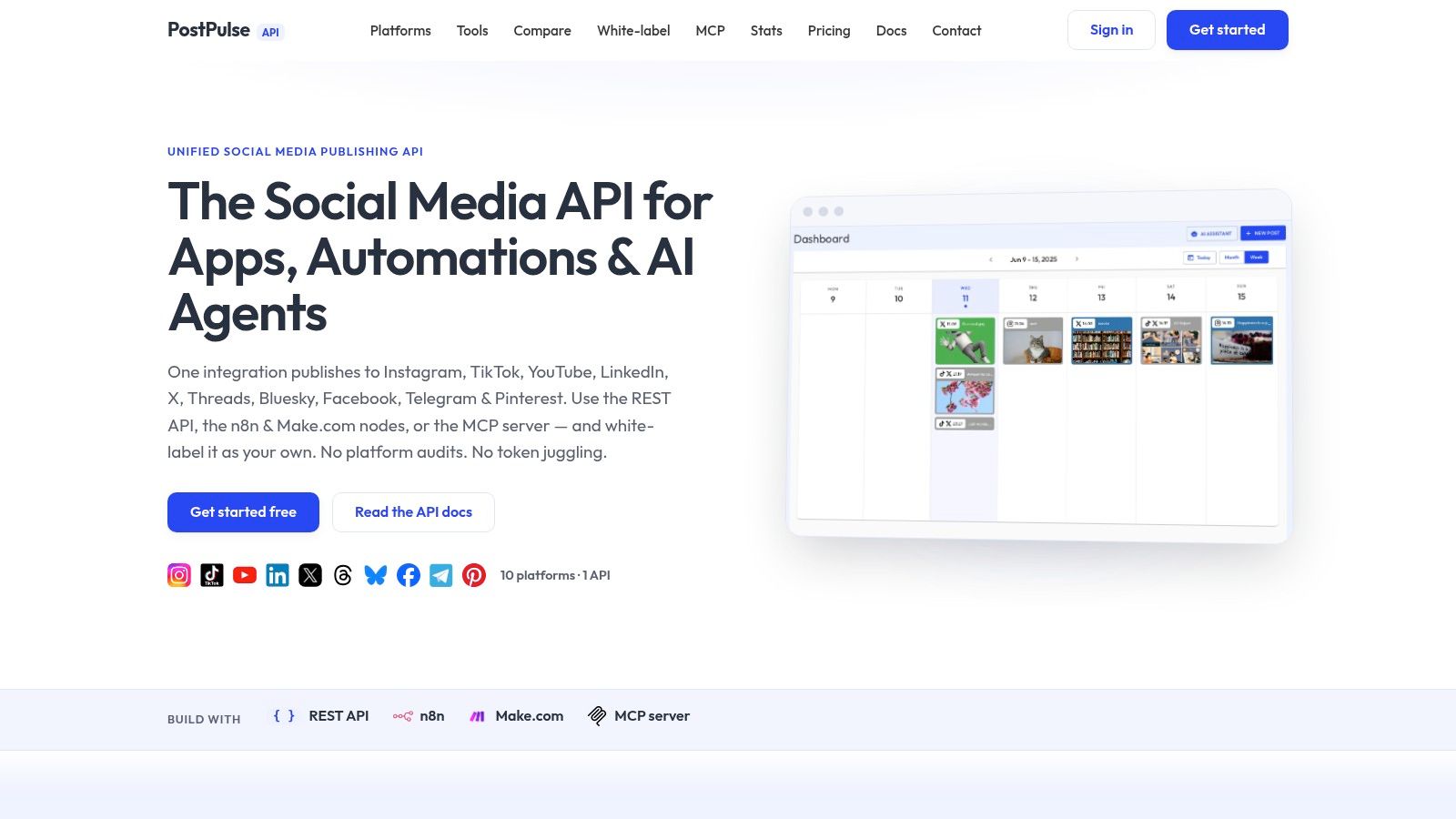
PostPulse provides a publishing service for apps, automations, and AI agents, with access through a REST API, official n8n and Make.com integrations, or an MCP server. The service supports publishing to X alongside Instagram, TikTok, YouTube, LinkedIn, Threads, Bluesky, Facebook Pages, and Telegram. That gives developers a shared publishing surface; it doesn't remove the need to tailor the message for each audience.
Surface | Best For | Typical Use |
REST API | Developers building apps or internal tools | Send approved content from a product workflow. |
n8n node | No-code and low-code builders | Connect publishing to other workflow steps. |
Make.com app | Automation builders | Route content through a visual scenario. |
MCP server | AI agent builders | Let an agent prepare publishing actions within a defined workflow. |
Start with one source idea, then create a platform-specific version for each destination. Keep the strongest context in the post itself when it helps readers understand the point without leaving the feed. Use an external link when the destination adds real value, and make the surrounding copy explain why someone should click.
Timing also deserves a platform-by-platform decision. Schedule each version for when its intended audience is likely to see it, and check the results instead of assuming one posting window works everywhere. If you're evaluating a broader workflow, this guide to posting to multiple social networks can help you plan the distribution side without losing sight of the audience.
For a small team or personal project, compare the product's private-label options: pay-as-you-go publishing costs $0.20 per publication, while the subscription option costs $5 per account per month or $48 per account per year. A fully branded white-label setup costs a $200 monthly platform fee plus $1 per active social account, with connected accounts that don't publish during the month counted as inactive for that fee. These are product pricing details, not a reason to publish identical messages everywhere. The editorial work still determines whether the content feels like it belongs on X.
Reading the Algorithm Signals That Actually Matter
Don't treat likes as a proxy for follower growth. A post can attract attention from people who never visit your profile, while a smaller conversation can bring in readers who match your audience. The useful question is what happened after someone saw the post: did they reply, visit the profile, follow, or come back for another conversation?
Buffer's benchmark describes X as testing a post with a small portion of followers, roughly 5–15%, and associates early replies and saves with broader distribution. The same source reports median engagement rates of 3.56% for text, 3.40% for images, 2.96% for video, and 2.25% for links, and says replies to comments are associated with an 8% engagement lift. These are third-party benchmark figures, not an official platform guarantee, and they don't prove that a person followed (Buffer's X timeline algorithm analysis).
 A diagram illustrating a marketing funnel showing how algorithm signals lead to better social media results.
Separate engagement from conversion
Record results by post so that you can tell which step needs attention. For a weekly comparison, calculate:
Visitor-to-follower conversion: new follows divided by profile visits.
Follows per impression: new follows divided by impressions.
Net follows: new follows minus unfollows.
Compare similar posts when possible. If you change the topic, format, opening, and timing all at once, you won't know which change affected the outcome. Keep enough of the setup stable to learn something from each experiment.
Watch for patterns, not isolated winners. A post with high engagement but no profile visits may be entertaining without making your account's focus clear. A decline in replies or profile visits across comparable posts is a useful prompt to review the content and profile, not proof that a platform has changed its ranking system. Benchmark data can suggest what to test, but your own audience's behavior should guide the next decision.
Your 6–8 Week Growth Experiment Checklist
A longitudinal study of Twitter users supports a test-and-learn approach: content, social behavior, and network structure each contribute to follower formation. It doesn't guarantee a particular growth rate, especially as platform conditions change. Use the 6–8 week period below as a practical experiment window, not a promise of results.
Choose one audience: Write down who the account is for and the problem you help them understand or solve.
Set three repeatable pillars: Pick topics you can return to without repeating the same post.
Publish and participate consistently: Keep a record of posts and substantive replies.
Log the right signals weekly: Track impressions, profile visits, new follows, replies, reposts, bookmarks, and unfollows per post.
Change one variable at a time: Test an opening, format, topic, or timing while keeping other choices steady.
Review quality, not just volume: Pay attention to relevant replies and follows per impression, not likes alone.
Stop and reassess if you're changing several variables at once, copying identical copy across platforms, or writing only for reactions. For ideas on adapting your approach across social channels, AI-powered Instagram growth strategies offers a related perspective. For your next action, choose one audience and draft one useful post. Let its results inform the next test.
PostPulse offers a REST API, official n8n and Make.com integrations, and an MCP server for publishing to multiple social platforms, including X. Use it to reduce repetitive distribution work while keeping your content and replies grounded in a human voice. Visit PostPulse to explore the publishing options for your workflow.
About the Author

Founder of PostPulse — a social media scheduling platform for creators and teams. Software engineer with a passion for building developer tools and simplifying complex API integrations across social media platforms.