What Is Api Endpoint: A Full Guide
Published on
Tags:
An API endpoint is the combination of a URL and an HTTP method, so a call like GET https://api.example.com/users/42 tells the server both where the request is going and what action to take. The server reads the request, runs its logic, and returns a response.
That's the clean definition, but the confusion usually starts when a token suddenly stops working, a Postman request returns 401, or a webhook call lands on 404 and you're left wondering which part of the request is broken. If you've ever stared at a URL and thought, “Is this the endpoint, the base URL, or just the path?”, you're in the right place.
Table of Contents
The Moment You Realize a URL Is Not the Whole Story
You usually don't think about endpoints until something breaks. A bearer token that worked yesterday starts returning 401, or a clean-looking request in Postman comes back with 404, and the first instinct is to blame the URL because that's the only visible piece on screen.
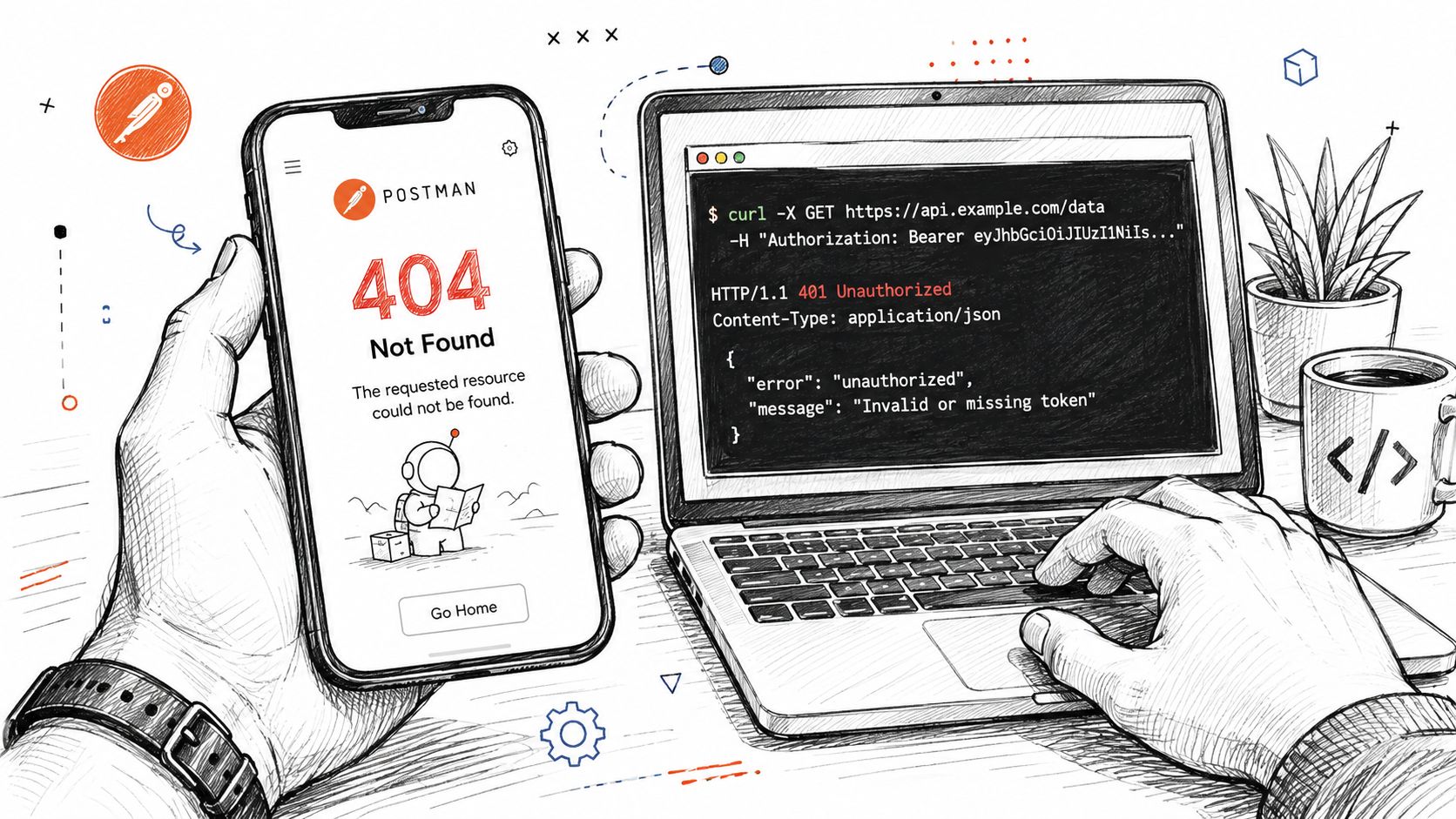 A hand holding a phone displaying a 404 error next to a laptop showing API authentication error codes.
The useful mental model is smaller and sharper. An API endpoint is the specific network-accessible place where an API receives requests and returns responses, and in practice it's usually represented by a URL combined with an HTTP method such as GET or POST, according to IBM's overview of API endpoints (IBM).
What usually gets mixed up
A lot of beginners hear “endpoint” and picture the whole API. That's too broad. The API is the interface, while the endpoint is one addressable access point inside it.
Practical rule: if you can change the method from GET to POST and the server does something different, you're looking at an endpoint, not just a URL string.
That distinction matters in real debugging. If the path is correct but the method is wrong, the server may route you to a different handler or reject the request entirely. If the token is missing or expired, the server can still recognize the endpoint but refuse to return the resource.
This is why endpoint conversations often feel slippery at first. The visible URL is only one part of the request, while the server decides what happens based on the full combination of location, verb, and request context. Once you see it that way, a failing request stops feeling mysterious and starts looking like a contract violation.
Breaking Down an Endpoint URL Piece by Piece
A good way to read an endpoint is to treat it like an address with instructions attached. The URL tells the server where to listen, and the method tells it what to do when the request arrives.
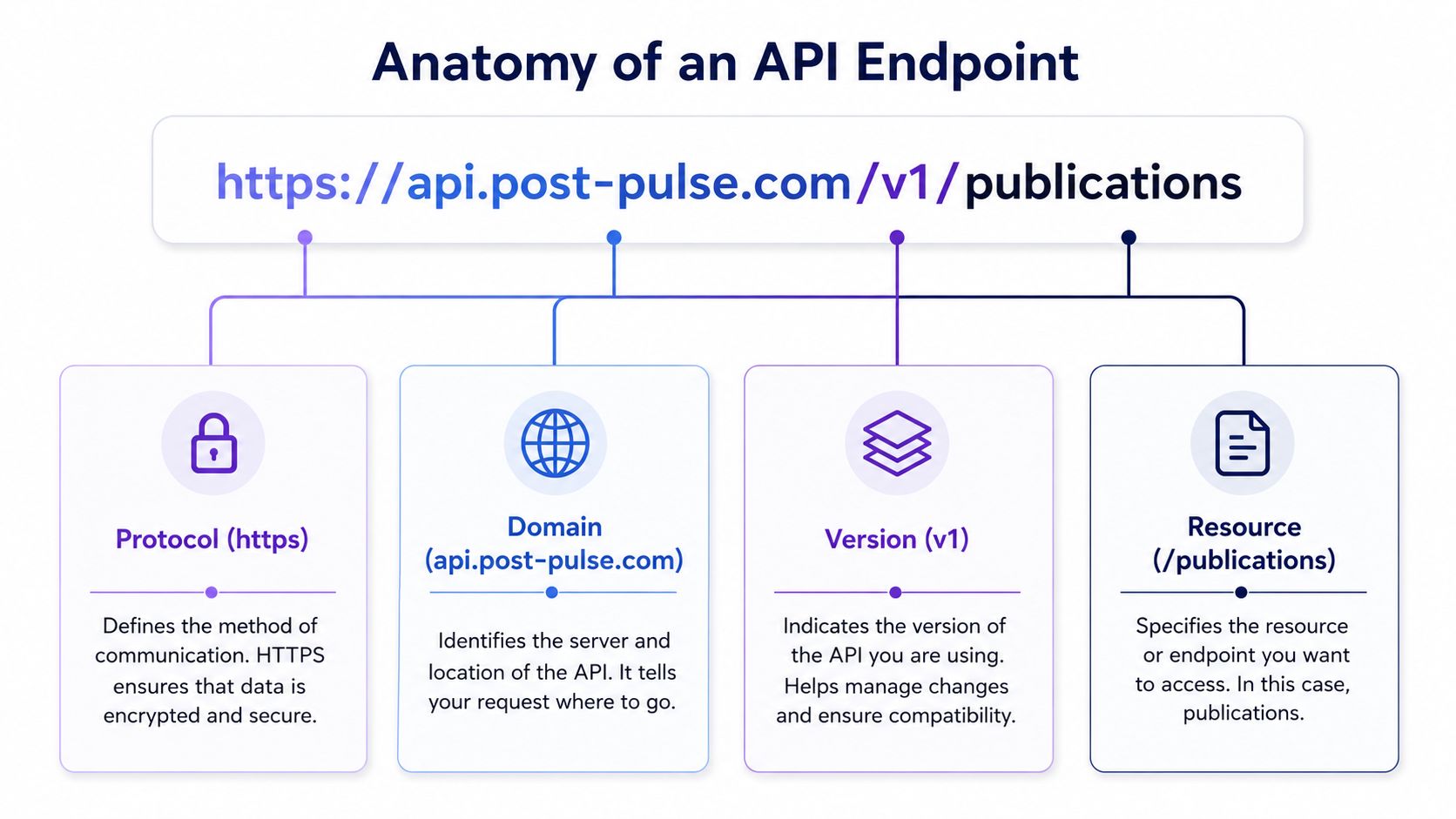 A diagram breaking down the components of an API endpoint including protocol, domain, version, and resource.
Using https://api.post-pulse.com/v1/publications as a working example, the protocol is https, the domain is api.post-pulse.com, the version segment is v1, and the resource path is /publications. That layout is easier to read if you consider it like a restaurant. The building is the domain, the counter is the resource path, and the menu choice is the method.
Base URL versus endpoint URL
The base URL is the reusable root, usually the scheme plus the host, while the endpoint URL adds the version and resource path that point to one specific operation surface. That's why SDKs often let you swap environments by changing just the base URL, while keeping the endpoint paths the same.
The same route can also support multiple actions. Postman's endpoint guidance notes that an endpoint is formed by combining the resource URL and the HTTP method, so the same path can behave differently depending on the verb, for example GET /users reads data while POST /users creates data (Postman).
Where query and path parameters fit
Path parameters are part of the address itself, while query parameters refine what comes back. If you ask for /publications/42, you're naming one item. If you ask for /publications?platform=instagram, you're filtering a set.
That's the piece most docs leave too vague. Buildwithfern points out that beginners often hear “specific URL” and miss the separate roles of base URL, resource path, and HTTP method, which is exactly where request construction errors start (Buildwithfern). Once you separate those pieces in your head, the endpoint stops being a blob of text and becomes a readable contract.
The cleanest shortcut is this. Base URL tells you where the API lives, path tells you which resource you want, and method tells you what action you're asking for.
The Anatomy of an HTTP Request and Response
The URL alone doesn't make a request useful. The server also looks at the HTTP method, headers, parameters, and body before it decides whether to return data, reject the call, or throw an error.
Reading the request like a server
Think of the request as a complete sentence. The method says whether you're reading, creating, updating, or deleting. Headers carry metadata such as authentication and content type. The body holds the payload when the operation needs one.
If the request shape is wrong, the server can't guess your intent. It can only answer the contract it received.
That's why a misplaced header or missing token can feel like a “URL problem” even when the path is fine. Contentful puts it plainly, an endpoint is not the resource itself, it's the place in the API architecture where clients and servers communicate, and if the request is wrong or unauthenticated, the server returns an error instead of the resource (Contentful).
A simple GET request might look like this:
GET /v1/publications/42 HTTP/1.1Host: api.post-pulse.comAuthorization: Bearer YOUR_TOKENAccept: application/json
The response is just as important to read. 200 means the server returned the resource, 201 means it created something new, 400 means the request itself was invalid, 401 means the request wasn't authenticated, 404 means the server didn't find that resource, and 429 means the client hit a limit. Those codes aren't decoration, they're the server telling you which layer failed.
Two curl calls you can reason about
curl -X GET "https://api.post-pulse.com/v1/publications/42" -H "Authorization: Bearer YOUR_TOKEN" -H "Accept: application/json"
curl -X POST "https://api.post-pulse.com/v1/publications" -H "Authorization: Bearer YOUR_TOKEN" -H "Content-Type: application/json" -d '{"platforms":["instagram","linkedin"],"mediaUrl":"https://example.com/post.jpg","caption":"Launch day"}'
The first call asks for one publication. The second creates one. Same API family, different endpoint behavior, because the method changes the contract.
If you want a practical checklist for auth setup and failure handling, the API authentication methods guide is a useful companion when you're tracing a request from client to server.
A Real Endpoint Call With the PostPulse REST API
A full create call is the fastest way to make the pieces stick. A POST to a publishing endpoint usually includes the endpoint URL, an auth header, and a JSON body that tells the server what to publish and where.
 Screenshot from https://post-pulse.com
Here's the shape in plain terms:
POST https://api.post-pulse.com/v1/publicationsAuthorization: Bearer YOUR_TOKENContent-Type: application/json
The response should reflect what the server accepted, not just what you asked for. A create endpoint often returns a resource ID, a status field, and any platform-specific job state, because publishing can involve work that finishes after the request returns.
Why the response shape matters
A lot of teams get stuck here. They assume the endpoint is “working” if the POST doesn't error, but the actual question is whether the returned object tells you enough to track the publication through its lifecycle. If the job is asynchronous, the same endpoint can create the record first and complete platform delivery later.
A follow-up GET usually reads the publication status from the same resource family:
GET https://api.post-pulse.com/v1/publications/12345
That pattern matters because it separates creation from inspection. You don't need to re-send the whole payload just to check progress.
For a good external reference on keeping those checks healthy in production, the guide to endpoint monitoring with Blackbox Exporter is worth a look when you're thinking about uptime and response validation.
If you want the exact request and response shapes for a real implementation, the PostPulse API docs are the right place to compare your client against the published contract.
Production Habits Every Endpoint Needs
A working endpoint in a local test isn't the same thing as a safe production endpoint. In real systems, the request has to survive auth failures, burst traffic, version changes, and retries without creating duplicate work.
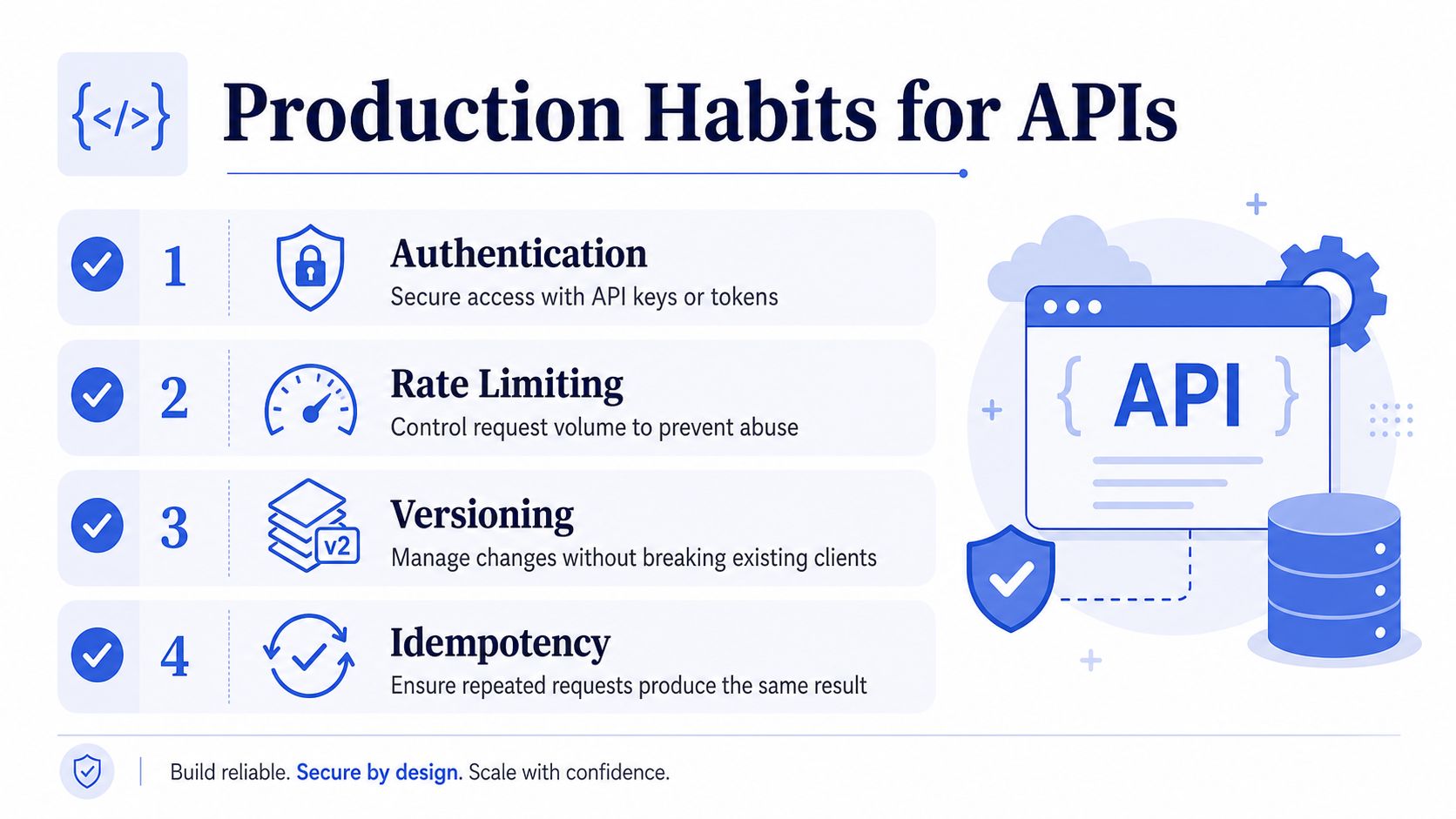 An infographic titled Production Habits for APIs outlining four key practices: authentication, rate limiting, versioning, and idempotency.
Authentication, limits, versions, retries
Authentication is the first gate. Bearer tokens are common, but tokens can expire or be revoked, so a request that worked yesterday can fail today if the credential lifecycle changed. That's a normal production condition, not a mystery.
Rate limiting protects the service when a client sends too much traffic. If the server responds with 429 and a Retry-After header, it's telling the caller to slow down instead of hammering the endpoint again.
Versioning is the long game. When you see /v1/ in a path, that's not decoration, it's a promise that the server can evolve without breaking old clients.
Idempotency matters for POST endpoints that trigger side effects. If a client retries after a timeout, an Idempotency-Key helps the server recognize the duplicate and avoid publishing the same content twice.
DreamFactory's 2026 compilation reported over 40,000 API incidents in the first half of 2025, which is a loud reminder that exposed endpoints need to be authenticated, rate-limited, versioned, and monitored (DreamFactory).
A practical way to think about failure
When an endpoint breaks in production, ask which habit failed first. Did the token age out? Did the client exceed a limit? Did a breaking change land in a path that was supposed to stay stable? Did a retry create duplicate work because the server had no idempotency guard?
If you build or operate endpoints often, it helps to keep your own housekeeping tight. The REST API best practices guide is a solid internal reference when you want to compare request behavior, error handling, and path design against a predictable pattern.
The Three Mistakes That Waste the Most Debugging Hours
The worst endpoint bugs are usually boring, not exotic. They come from assumptions that felt reasonable in a hurry.
Mistake one, endpoint and base URL are treated as the same thing
That shows up when a teammate swaps environments and the app still points at the old host, or when an SDK builds bad URLs because the path got concatenated twice. The fix is simple, keep the base URL in one place and the resource path in another.
Mistake two, endpoints are treated like static URLs
Endpoints are living contracts. They change through versioning, deprecation, security rules, and response shape updates. If you treat them like bookmarks instead of interfaces, your integration will break the moment a handler evolves.
Mistake three, internal endpoints get a free pass
That's a dangerous shortcut. Internal traffic still crosses trust boundaries, and a missing auth check on a private route can leak far more than a public docs page ever would. The mental model to keep is blunt, if a request can touch sensitive data, it needs explicit protection.
Debugging shortcut: if a call works in one environment but not another, compare the base URL, auth headers, and version segment first. Those three values cause more confusion than the path itself.
The trap here is that all three mistakes feel like “API problems,” but each one lives in a different layer. One is configuration, one is lifecycle, one is security. Separate them before you start chasing the wrong logs.
Designing and Documenting Endpoints That Survive Contact With Users
Good endpoint design is mostly about making the next developer's job obvious. If the path reads like a sentence, uses nouns consistently, and returns predictable error shapes, people can guess the API before they even open the docs.
What strong route design looks like
Use plural nouns for collections, keep actions in HTTP methods, and avoid naming that leaks implementation details. /publications is easier to reason about than /createPublication, and /publications/42 says more than a long comment ever will.
Clear documentation matters just as much as the route itself. A solid docs page should show the full endpoint, the required headers, a sample body, and the error format so nobody has to reverse-engineer the server by trial and error.
If you want a good model for how a structured docs page supports real integration work, check the Fivenines documentation and notice how much easier it is to follow an endpoint when the request and response examples are close to the route.
A small checklist before you ship a route
Name it as a resource: Use nouns in the path, not verbs.
Keep it stable: Put breaking changes in a new version.
Return useful errors: Let callers tell validation failures from missing auth.
Document the happy path and the failure path: Both matter in production.
Separate stable and beta surfaces: Developers need to know what's safe to build against.
That's the whole answer in plain English. An API endpoint is the specific place where a client sends a request to a server, usually identified by a URL and an HTTP method, and the server uses that combination to decide what to do and what to send back. If you can read the base URL, path, method, headers, and response together, you can debug endpoints with a lot more confidence.
If you're building social publishing into a product, PostPulse gives you one REST API surface for publishing workflows across multiple platforms, plus docs, auth handling, and operational pieces like retries and versioning in one place. Take a look at PostPulse if you want to compare your endpoint design against a real publishing integration and see how the request and response flow is structured in practice.
About the Author

Founder of PostPulse — a social media scheduling platform for creators and teams. Software engineer with a passion for building developer tools and simplifying complex API integrations across social media platforms.