LinkedIn Posting Size: Dimensions, Limits, and Specs
Published on
Tags:
You've probably seen both failure modes: a carefully designed square image arrives in the LinkedIn feed with its subject cropped, or a video upload reaches the end and never becomes publishable. The frustrating part is that your CMS can accept the asset without complaint while LinkedIn rejects it later, often through a server-side validation response that your publishing workflow doesn't surface clearly.
That's why LinkedIn posting size isn't one measurement. Text posts, long-form articles, images, documents, videos, and link previews use different publishing surfaces and different constraints. The practical job is to keep the user-facing specifications aligned with the limits enforced by LinkedIn's APIs.
Table of Contents
Why LinkedIn Posting Size Is Harder Than It Looks
A social publishing integration usually starts with a simple assumption: prepare content, send a payload, wait for a post ID. LinkedIn quickly disproves that assumption. A feed post has a text ceiling, an image has display and file requirements, a document uses its own upload path, and a video requires a multipart process that must be finalized correctly.
The surface fragmentation creates predictable operational problems. A designer may provide a visually sound asset, but the feed can crop it differently from the original canvas. A developer may validate text in a content editor but omit spaces or line breaks from the counter. A video can appear to upload successfully while the underlying asset remains unready for publication.
LinkedIn's official documentation confirms that the Posts API supports text-only posts for organic and sponsored content, and that oversized text fields can produce the FIELD_LENGTH_TOO_LONG error in the request flow (LinkedIn Posts API documentation). That distinction matters. A local validation rule is only useful if it mirrors the server's interpretation of the payload.
The surface changes the rule
Treat each format as a separate contract rather than as one universal “post” object:
Feed text has a hard character ceiling.
Articles use a distinct long-form publishing format.
Images and link previews depend on aspect ratio, dimensions, and file type.
Documents have page and file-size limits that differ from image uploads.
Videos require duration, file-size, format, and multipart-upload checks.
The cleanest architecture validates the content before it reaches LinkedIn, then records the API response and asset state after submission. That gives operators a useful error instead of a post that looks accepted in the dashboard but never appears correctly in the feed.
Practical rule: Validate the payload at the boundary where you publish it, not only where someone drafts it.
Character Limits for Feed Posts and Long-Form Articles
A post can pass a composer's visual check and still fail at publish time. The usual cause is a counter that ignores spaces, line breaks, or the serialized text sent in the request.
For a standard LinkedIn feed post, the user-facing ceiling is 3,000 characters, including spaces and line breaks, according to LinkedIn Help. Apply that rule in the editor, API client, and preflight validator. Count the final payload, not the draft as it appears on screen.
The first 200 to 210 characters also need deliberate editing. That opening commonly appears before the reader selects “See more,” so put the problem, promise, or point of tension there. A slow introduction uses the most visible part of the post without explaining why the reader should continue.
Long-form LinkedIn articles use a separate publishing format. Current references place their limit at approximately 110,000 to 125,000 characters, depending on the publishing context (LinkedIn Formatter's LinkedIn character limit guide). Treat that range as an article-planning boundary, not as permission to send article content through a feed-post payload.
Choose the publishing surface before counting:
Classify the content as a feed update or long-form article.
Serialize and count the final text, including spaces and line breaks.
Reserve the opening window for the hook.
Reject oversized feed copy before the API request.
Store article content separately from feed copy.
For a second view of character-counting rules across social platforms, the taap.bio character limit guide provides useful context. LinkedIn's documented limit still governs LinkedIn delivery. Teams can also run drafts through a caption length checker before submission.
Surface | Hard Limit (chars) | Visible Before Truncation | API Endpoint | Enforcement |
Feed post | 3,000 | About 200 to 210 | Posts API | Server validation |
Long-form article | About 110,000 to 125,000 | Article-specific rendering | Article publishing flow | Separate article format |
The API response is the final check. LinkedIn's Posts API documents FIELD_LENGTH_TOO_LONG when a text field exceeds its allowed maximum (LinkedIn Posts API documentation). Treat that response as a validation failure, preserve the request ID, and return actionable feedback to the system or person that generated the post. That linkage explains why a post may look acceptable in a draft interface yet be rejected server-side.
Image Dimensions, Aspect Ratios, and File Types
A post can pass upload validation and still look broken in the feed. LinkedIn may crop the image differently across surfaces, while the API can reject an asset that exceeds its format or size rules. Treat the canvas and the uploaded file as separate checks.
For a URL-shared image, LinkedIn recommends a 1.91:1 aspect ratio and a minimum width above 200 pixels. For Page and Career Page assets, the same LinkedIn image specifications require PNG or JPEG files no larger than 3 MB. Per LinkedIn's image specifications, Page cover images use 1512 × 256 pixels, Page logos require at least 268 × 268 pixels, and Life tab main images use 1128 × 376 pixels.
For feed creative, export at 1200 × 627 pixels when the image follows the link-preview ratio. Square files are easier to reuse across placements. Portrait files can take up more vertical space on mobile, but they also need stricter safe-area checks. Keep faces, logos, and text away from the edges. A server-side crop can remove the context that makes the image understandable.
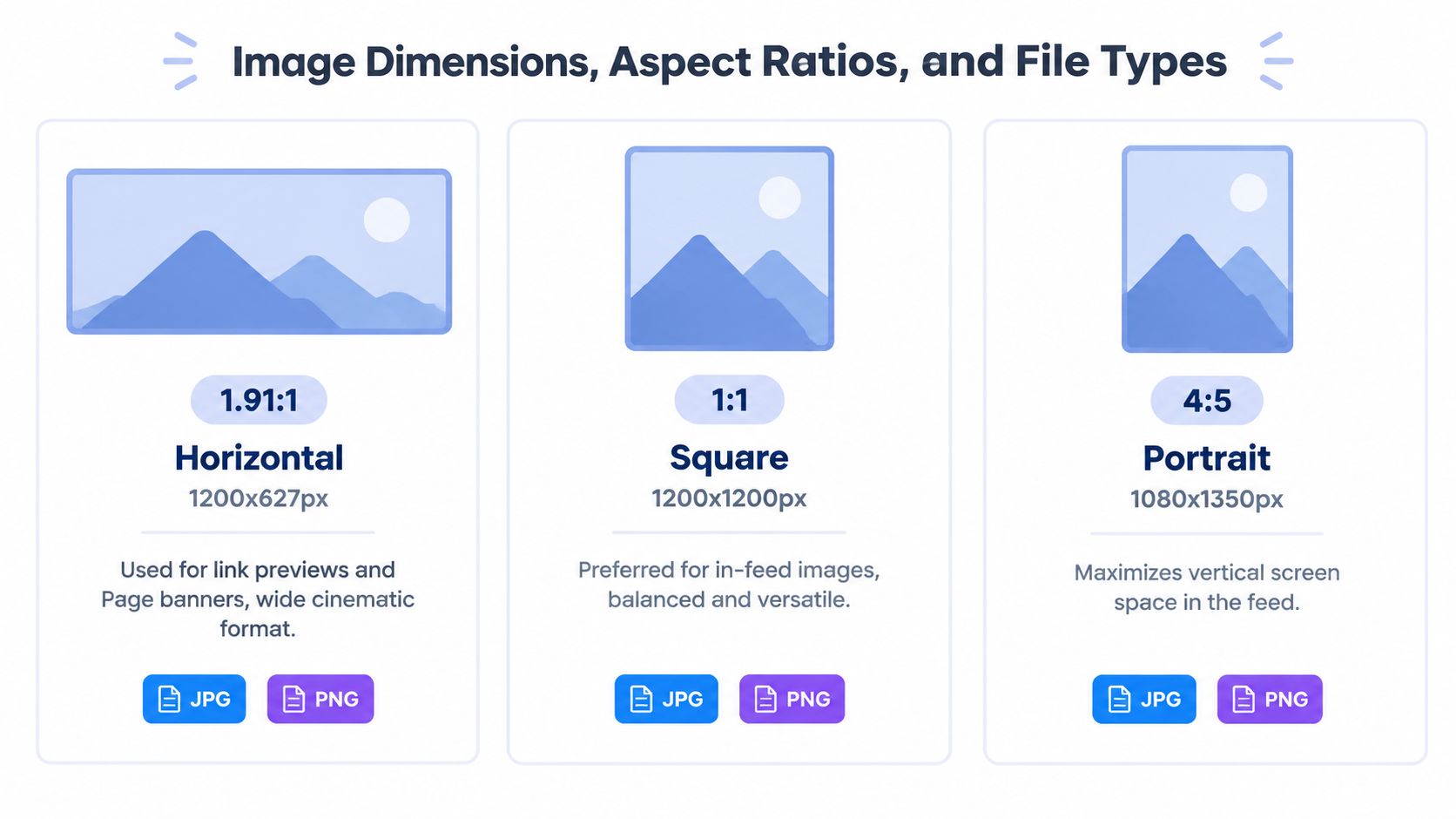 A visual guide comparing standard social media image dimensions, aspect ratios, and file formats for posts.
PostPulse can normalize assets before the publishing request. The validation path should:
Inspect dimensions: Read the actual pixel width and height, not the filename.
Check the ratio: Compare the source ratio with the target LinkedIn surface.
Validate the MIME type: Confirm that the detected type matches the extension.
Protect the safe area: Keep important visual information within the central composition.
Create a surface-specific derivative: Generate a version for each placement instead of forcing one preset everywhere.
For people-focused creative, batch headshot tips for sellers addresses composition choices before the file reaches the API. That does not replace deterministic checks when assets come from multiple contributors.
Use LinkedIn's published values as the baseline, then render-test the result on the surfaces your audience uses. A correct source file is only the first condition for a reliable post.
Video Specs and the Multipart Upload Trap
A video can reach the end of its transfer and still fail to publish. The file renders correctly, each request returns success, and the feed receives an asset that remains unavailable because the integration stopped before LinkedIn completed its upload lifecycle.
LinkedIn's documented video constraints allow a duration between 3 seconds and 30 minutes and a file size between 75 KB and 500 MB. The upload is split into 4 MB parts, then finalized before the asset can be used in a post (LinkedIn Videos API guidance). Treating a completed transfer as publication is the common mistake. The Posts API needs a usable, finalized asset reference.
Use an explicit state machine:
Validate duration, file size, and accepted format locally.
Register or initialize the video asset.
Split the file into the required parts.
Send every part with the required request metadata.
Finalize the upload.
Wait for the asset to become available.
Create the post with the finalized asset identifier.
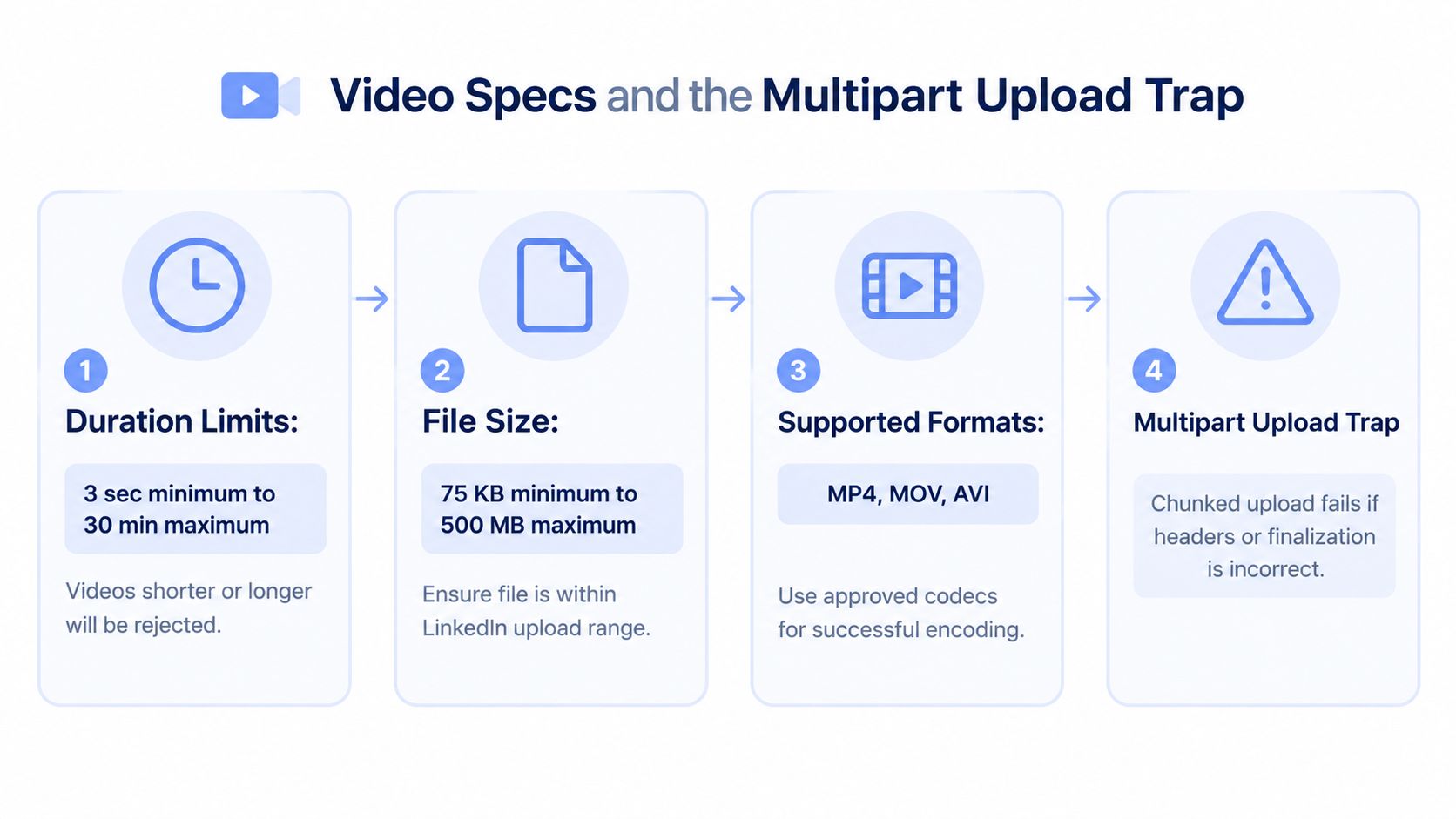 A four-step infographic explaining LinkedIn video upload specifications including duration, file size, formats, and technical trap.
Debug the state, not just the HTTP response
Record the asset URN, upload status, response for each part, and finalization response. A successful part request proves only that LinkedIn accepted that transfer. If the feed shows a frozen frame or unavailable video, check finalization and confirm that the post references the correct asset identifier. Apply the documented video constraints to the part-size logic rather than hard-coding assumptions in a generic uploader.
Keep the encoding profile consistent across your production pipeline, and generate captions through the supported caption path. The video posting tips for LinkedIn can guide production choices. For implementation details, use the PostPulse LinkedIn media upload guide, which organizes validation, multipart transfer, finalization, and post creation into a reusable workflow.
Document Posts and File Size Ceilings
A document can pass your storage checks and still fail when LinkedIn validates it. Document posts use a dedicated upload path, with supported formats limited to PPT, PPTX, DOC, DOCX, and PDF. The LinkedIn Documents API documentation sets the maximum at 100 MB and 300 pages.
Validate the file extension, detected MIME type, byte size, and page count before requesting an upload. Extension checks alone are unreliable: a renamed file can reach the API and fail after transfer, while a generic content system may accept files LinkedIn will reject.
Keep document handling separate
Give documents their own asset type, registration step, upload state, and publication logic. A document may appear as a visual card in the feed, but image rules do not define its upload contract.
Automation should reject an oversized file or a PDF beyond the documented page limit locally, with an actionable error. Per the Documents API documentation, page count is part of the validation boundary. Failing before upload avoids a long transfer that ends with a vague “upload failed” message.
For carousel-style education, review legibility and page order separately from technical validation. The API ceiling describes what LinkedIn can accept. It does not determine whether readers can comfortably consume the document. PostPulse can keep those checks distinct, so a valid asset still receives an editorial review before publication.
Reach vs. Engagement: How Post Length Performs
LinkedIn post length serves different goals, so public recommendations can appear inconsistent. The available 2026 analysis compares several benchmarks: about 150 words for reach, 250 or more words for engagement, 1,300 to 1,900 characters as another performance range, and 2,000 to 3,000 characters in a separate engagement-focused claim (LinkedIn 2026 post-length analysis).
These ranges are working hypotheses, not API rules. A short announcement needs immediate comprehension. A technical explanation needs enough context for a reader to form a useful response. The right length depends on the action the post should prompt.
Length | Word Count | Best Use Case | Reach Pattern | Engagement Pattern |
Short | About 150 words | Announcements and traffic prompts | Associated with stronger reach in the cited analysis | Less room for developed discussion |
Medium | 1,300 to 1,900 characters | Thought leadership and discussion prompts | Depends on the opening and audience | Cited as a strong engagement range |
Long | 2,000 to 3,000 characters | Narrative and detailed technical posts | Requires a strong visible opening | Cited as another engagement-oriented range |
The cited 2026 analysis therefore supports a practical trade-off. Compact copy can make the intended action obvious, while longer copy can provide the context needed for considered replies. Neither range guarantees distribution or discussion.
Decision rule: Choose length based on the reader's next action. For a quick click or announcement, keep the copy compact. For considered replies, earn the space with relevant context.
Test the same topic in different formats and compare outcomes against the goal. Track reach for awareness posts, then examine comments and other engagement signals for discussion posts. Keep performance guidance separate from delivery validation: LinkedIn still rejects a feed post that exceeds the documented character limit, regardless of how well the draft might perform. PostPulse can apply those checks before publishing, so content experiments do not become avoidable API failures.
API Pitfalls and How PostPulse Normalizes Specs
A LinkedIn integration can report success before LinkedIn has accepted the post. Your form may save the draft, object storage may accept the file, and a queue may mark the job complete. The final API response is the authority. Until then, the asset may be unrecognized, the media reference may be wrong, or a multipart upload may still be incomplete.
Text failures usually return a structured validation error. The FIELD_LENGTH_TOO_LONG error documented in section 1 means the submitted field exceeds its permitted limit. Treat that response as a payload defect, not a temporary outage. Retrying the same body will produce the same failure.
Normalize before submission
A publishing adapter should validate the final request against the target contract:
Text: Count the complete feed body, including formatting characters.
Images: Detect the file type, dimensions, aspect ratio, and applicable asset ceiling.
Documents: Check the extension, file size, and page count before upload.
Videos: Validate duration and file size, then record each multipart stage through finalization.
References: Match the media category to the uploaded asset type and identifier.
PostPulse applies this normalization layer before platform submission, so applications do not need to reproduce every LinkedIn-specific check. Its role here is narrower than the broader product description: convert user-facing content into requests that match the expected media category, field limits, and upload state. Developers reviewing the surrounding integration model can use this LinkedIn API guide for developers.
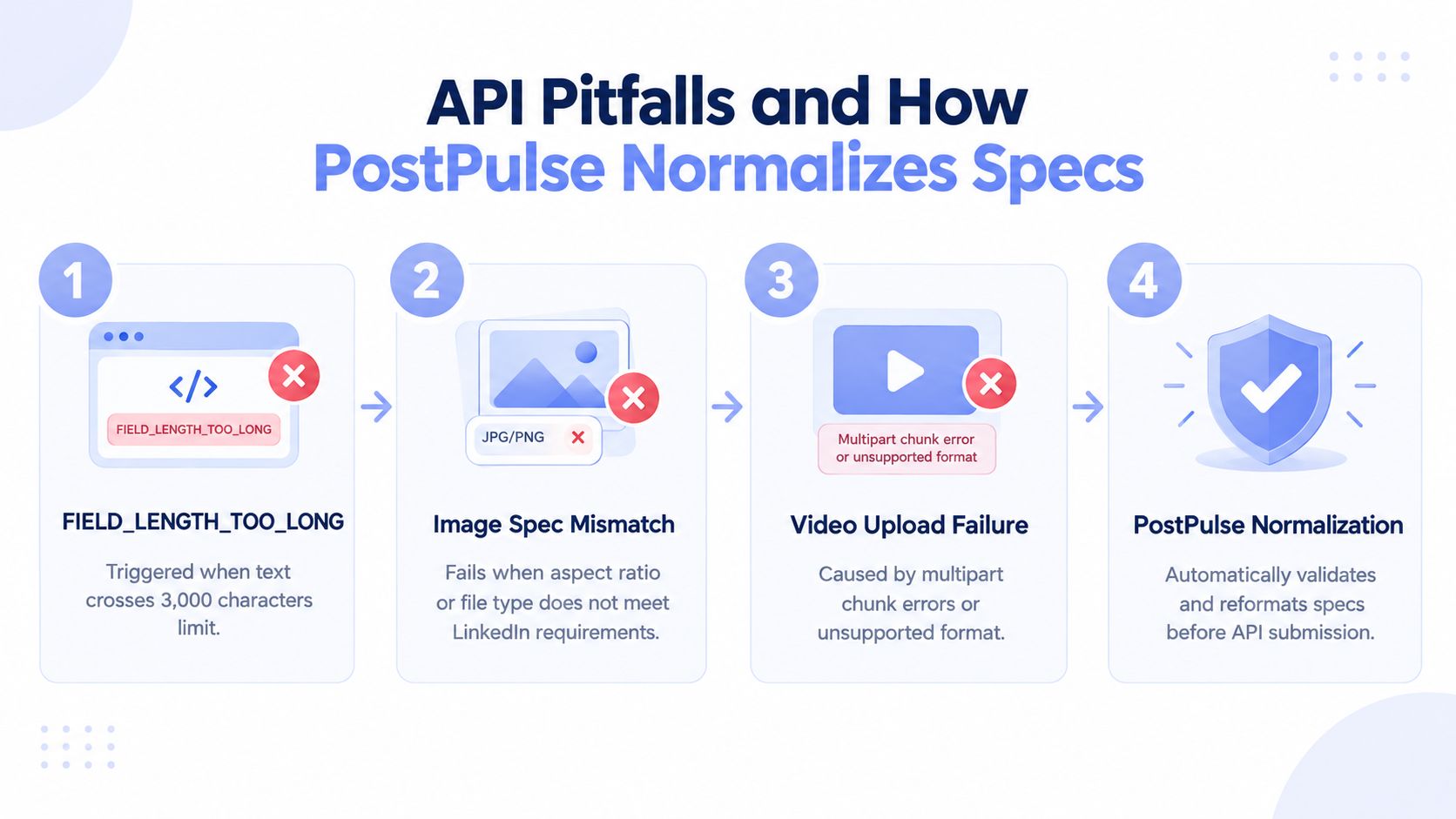 An infographic illustrating API posting pitfalls and the PostPulse normalization process for optimizing LinkedIn content.
Observability determines whether these checks help in production. Record the outbound payload shape, asset URN, media category, upload state, and final API response. A successful queue acknowledgement is not evidence of successful publication. If finalization fails, expose that failure with the relevant response instead of leaving a frozen video or missing image in the publishing queue.
Quick Reference Table for Every LinkedIn Format
這張表適合放進團隊操作手冊,但只能作為起點。實際提交仍要依目標端點、媒體類型與 API 版本驗證。使用者介面上的規格,並不總能直接反映 Posts API 的處理方式,因此資產可能被裁切、文字被截斷,或在伺服器端遭拒絕。
格式 | 尺寸 | 長寬比 | 最大檔案大小 | 字元限制 | API 類別 |
Feed 貼文 | 不適用 | 不適用 | 不適用 | 3,000 |
|
長篇文章 | 文章專用 | 文章專用 | 文章正文沒有文件化的檔案大小上限 | 110,000 至 125,000 | Article publishing flow |
單張圖片 | 依發布介面輸出 | URL 分享自訂圖片為 1.91:1 | Page 與 Career Page 資產為 3 MB | 套用 Feed 文字限制 |
|
多圖輪播 | 依個別資產 | 依個別資產 | 逐一驗證資產 | 評論文字套用 Feed 文字限制 |
|
原生影片 | 依個別資產 | 依個別資產 | 75 KB 至 500 MB | 評論文字套用 Feed 文字限制 |
|
文件或 PDF | 依文件格式 | Feed 顯示由平台控制 | 100 MB | 評論文字套用 Feed 文字限制 |
|
投票 | 不適用 | 不適用 | 不適用 | 依目標投票端點確認 |
|
連結預覽 | 實務目標 1200 × 627 | 1.91:1 | 驗證預覽資產 | 評論文字套用 Feed 文字限制 |
|
來源規格可對照 LinkedIn Help、LinkedIn Formatter、LinkedIn Help、Videos API guidance 與 LinkedIn Documents API。
API 類別不能只看成標籤。LinkedIn 會用它解讀被引用的資產。URN 正確,類別錯誤,請求仍可能在處理階段失敗。PostPulse 可先把內容映射到相應類別,再交給提交流程,讓規格表與實際 API 請求保持一致。
Pre-Publish Checklist for Correct Delivery
A reliable publish job validates content before it reaches the upload queue, then checks asset state after LinkedIn accepts each request. That separation catches failures that a size check alone cannot, including incomplete uploads, invalid media references, and server-side rejection.
Validate the content contract
Count the feed text: Keep the final post within the 3,000-character limit noted earlier.
Strengthen the opening line: State a clear benefit or pose a question, so the visible opening gives readers a reason to continue.
Check the image: Match the intended ratio, confirm the detected file type, and keep important design elements away from crop-sensitive edges.
Check the video: Confirm the documented 3-second to 30-minute duration and 75 KB to 500 MB file-size range, as noted earlier.
Check the document: Allow only PDF, PPT, PPTX, DOC, or DOCX, and enforce 100 MB and 300-page ceilings, as noted earlier.
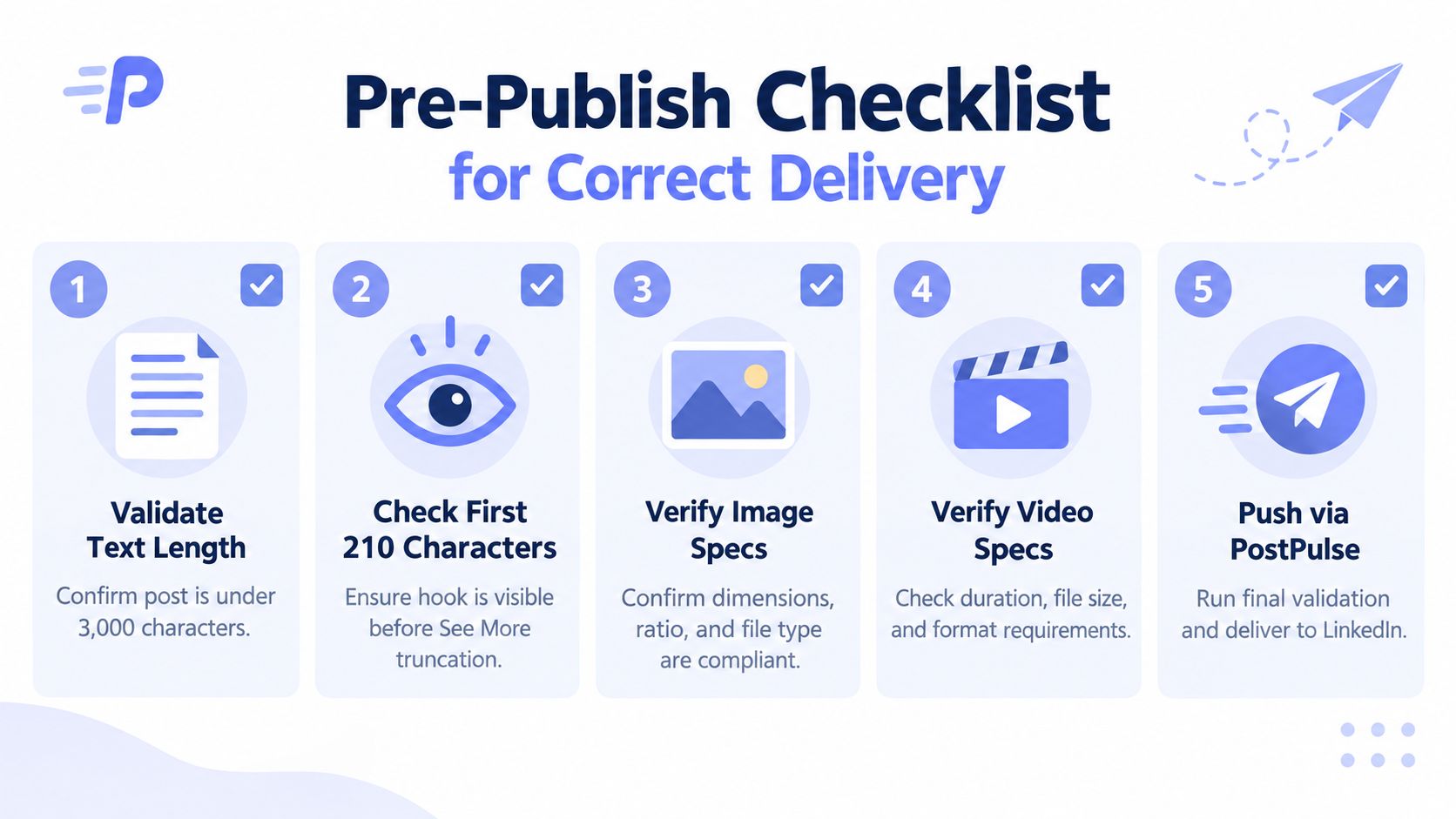 A five-step pre-publish checklist infographic for ensuring correct content delivery on LinkedIn platforms.
Confirm the API state
Check that the authorization scope includes w_member_social for the publishing scenario you support. Confirm media registration, every upload part, and finalization succeeded before creating the post that references the asset. Multipart video uploads are especially easy to mark complete too early, leaving a valid-looking asset that cannot render.
Verify that shareMediaCategory matches the asset URN type. A text post, image, video, and document require different media handling. For link previews, confirm that the destination exposes usable Open Graph metadata so LinkedIn can construct the preview consistently.
PostPulse can centralize these validations, asset-state checks, and platform-specific publishing calls through its REST API, n8n, Make.com, and MCP options. Use it as a delivery gate before content enters production, rather than relying on a queue to expose malformed content after submission.
About the Author

Founder of PostPulse — a social media scheduling platform for creators and teams. Software engineer with a passion for building developer tools and simplifying complex API integrations across social media platforms.