Video Posted on Facebook: What Happens After You Hit Post
Published on
Tags:
You hit publish, the upload bar finishes, and then nothing. No post on the Page, no clear error, just a video sitting in processing while your job queue waits for a status that never seems to change. If you're building this into a product, that silence is the worst part. You can't tell whether to retry, wait, or tell the user something broke.
That uncertainty comes from treating a video posted on Facebook as one action. It isn't. It's a pipeline with separate stages, and each stage has its own failure mode. Your file uploads first. Meta then processes it and prepares it for playback. Only after that can publishing finish, and distribution is a separate decision again. A file can pass the first three stages and still reach almost nobody.
I'd debug it stage by stage rather than re-uploading and hoping. Check whether the container and placement profile are valid before you send anything. Confirm the Page token can perform the publish action, not just log in. Then look at originality and captions, because those decide whether a live post gets recommended and understood. Specs get you through the door. Permissions, processing status, and creative signals decide what happens next.
Table of Contents
Why Your Video Sits in Processing and What Happens Next
Say your API call returns success, your logs show the bytes arrived, and the Page still shows nothing twenty minutes later. You're refreshing, checking the video ID, wondering if a retry will create a duplicate. That's the processing gap, and it's where most Facebook video debugging gets vague.
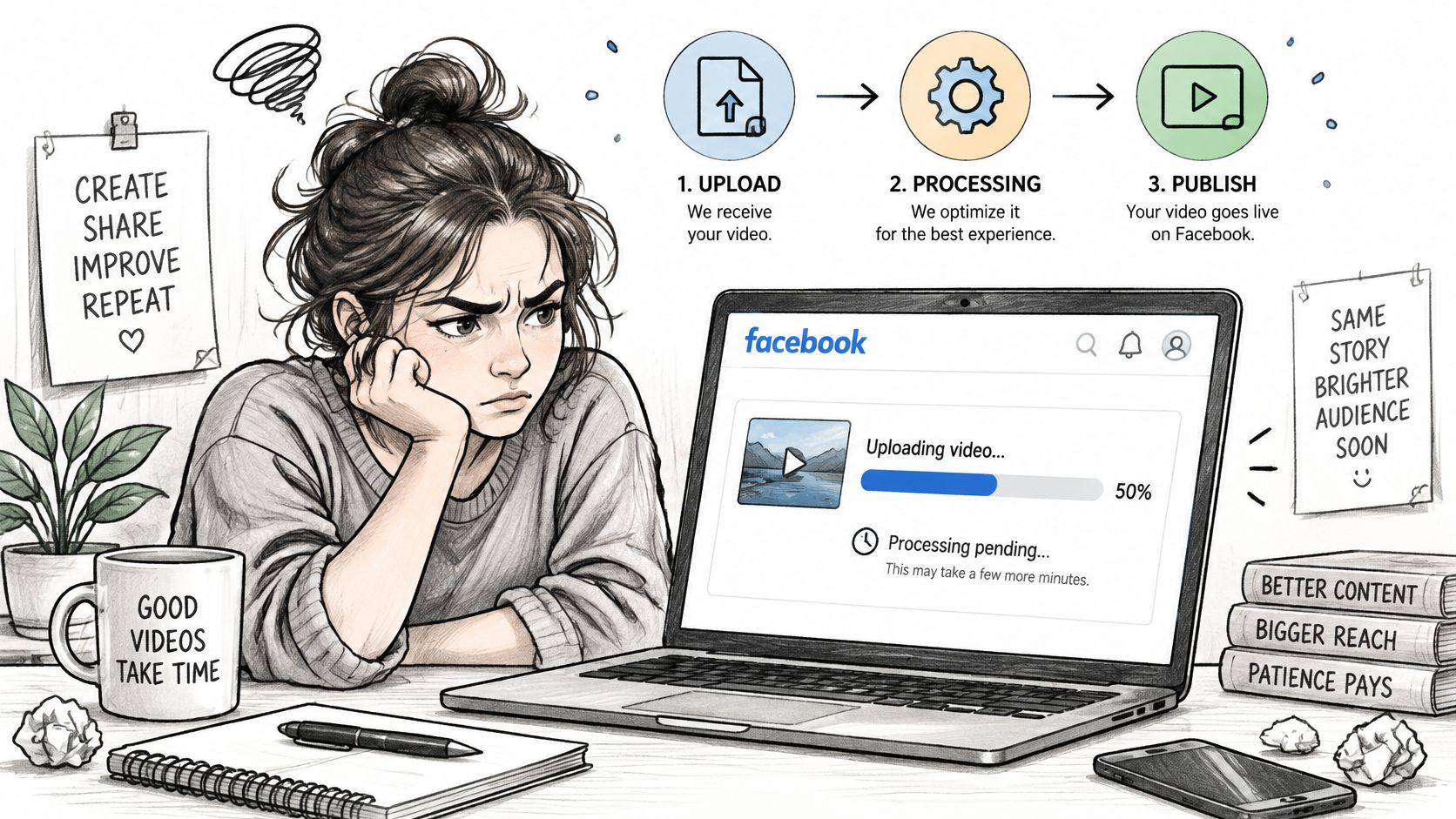 A frustrated content creator waits for a video to finish uploading and processing on a Facebook laptop.
Upload is like handing a parcel to the courier. Processing is the depot checking the label, weighing it, and repacking it for the vehicles that will carry it. Publishing puts it on a route. Distribution is the route itself, which determines how many doors it reaches. A parcel can be accepted at the counter and still sit in the depot.
Why the wait has no fixed timer
I wouldn't promise users a set processing time, because Meta's documented flow separates upload completion from a published, playable post. What you can do is expose the stage you're in, store the identifiers each stage returns, and avoid blind retries. If you need status changes pushed to your app instead of polling in the dark, our notes on Facebook webhook notifications cover that side of the integration.
The stakes are worth the plumbing. Facebook had reached approximately 3 billion monthly users worldwide by early 2024, according to Pew Research Center's two decades of Facebook facts. A video that clears processing and earns distribution can travel through a very large network.
Uploaded doesn't mean published, and published doesn't mean recommended. Log each stage separately or you'll debug the wrong one.
Everything that follows covers Page publishing through Meta's documented API and Meta's published distribution rules, not the in-app upload screens. For the human side of running a Page well, this social media guidance for small businesses from SimpleLab Digital is a useful companion. The practical questions are simple. Which file settings pass for each placement, how do the API calls fit together, and why do some videos reach more people than others?
Video Formats and Specs Facebook Accepts by Placement
A file can pass upload validation and still be wrong for its destination. Feed, Reels and Stories apply different limits, so prepare placement-specific exports from a clean master. For the master, use progressive H.264 in an MP4 container with AAC audio, square pixels and a fixed frame rate, following Meta's video requirements one sheet. Normalize files before submission. Variable frame rate exports and unusual audio layouts can complicate processing.
For short-form publishing, keep a 9:16 vertical master alongside the horizontal version. It avoids last-minute crops that cut off faces or captions. Advertisers creating placement-specific versions can explore Nereo's AI video tools for advertisers.
The placement table
Placement | Aspect ratio | Duration | File size | Container and audio |
Page feed video | 16:9 to 9:16 | Up to 240 minutes for eligible placements | Up to 4 GB | MP4, progressive H.264, AAC audio |
Reels | 9:16 (minimum 540 × 960, recommended 1080 × 1920) | 3 to 90 seconds | Up to 4 GB | MP4 with H.264 or H.265, AAC-LC 44.1 or 48 kHz, at least 128 kbps |
Page Story version of a Reel | 9:16 | Up to 60 seconds | Up to 4 GB | MP4, H.264 or H.265, AAC-LC audio |
Stories | 9:16 | Up to 60 seconds | Up to 4 GB | Stereo AAC at 128 kbps or higher, subtitles rendered into the video |
Meta's requirements allow aspect ratios from 16:9 through 9:16, files up to 4 GB, and durations up to 240 minutes for eligible placements, according to its video requirements one sheet. Those upper limits do not apply to every placement. A feed-ready file may exceed Reels or Stories duration limits.
For Reels, Meta's Reels specifications recommend 1080 × 1920 pixels, 24 to 60 frames per second, H.264 or H.265 video, and AAC-LC audio at 44.1 or 48 kHz. Meta also recommends a closed GOP interval of 2 to 5 seconds and 4:2:0 chroma subsampling. These settings support predictable decoding and seeking during processing.
The trap that rejects valid-looking files
Use a separate validation profile for each placement. A wide video may meet feed requirements but fail the Reels aspect ratio check; a Reel may exceed the Page Story duration limit when reused without trimming.
Stories also need a distinct caption treatment: render subtitles into the video, since a separate subtitle upload is not available there. Include that step in the export workflow rather than treating captions as metadata.
Before upload, check the target placement, aspect ratio, duration, container, audio settings and caption method against its profile. File compliance gets a video through the technical gate; originality, captions and permissions still affect whether it can be published and how it performs.
How the Upload and Publish Calls Fit Together
The API flow makes more sense once you stop expecting one POST to do everything. Permissions come first, then an upload session, then a publish call that references what you uploaded. Skip the ordering and you'll get errors that look like file problems when they're authorization issues.
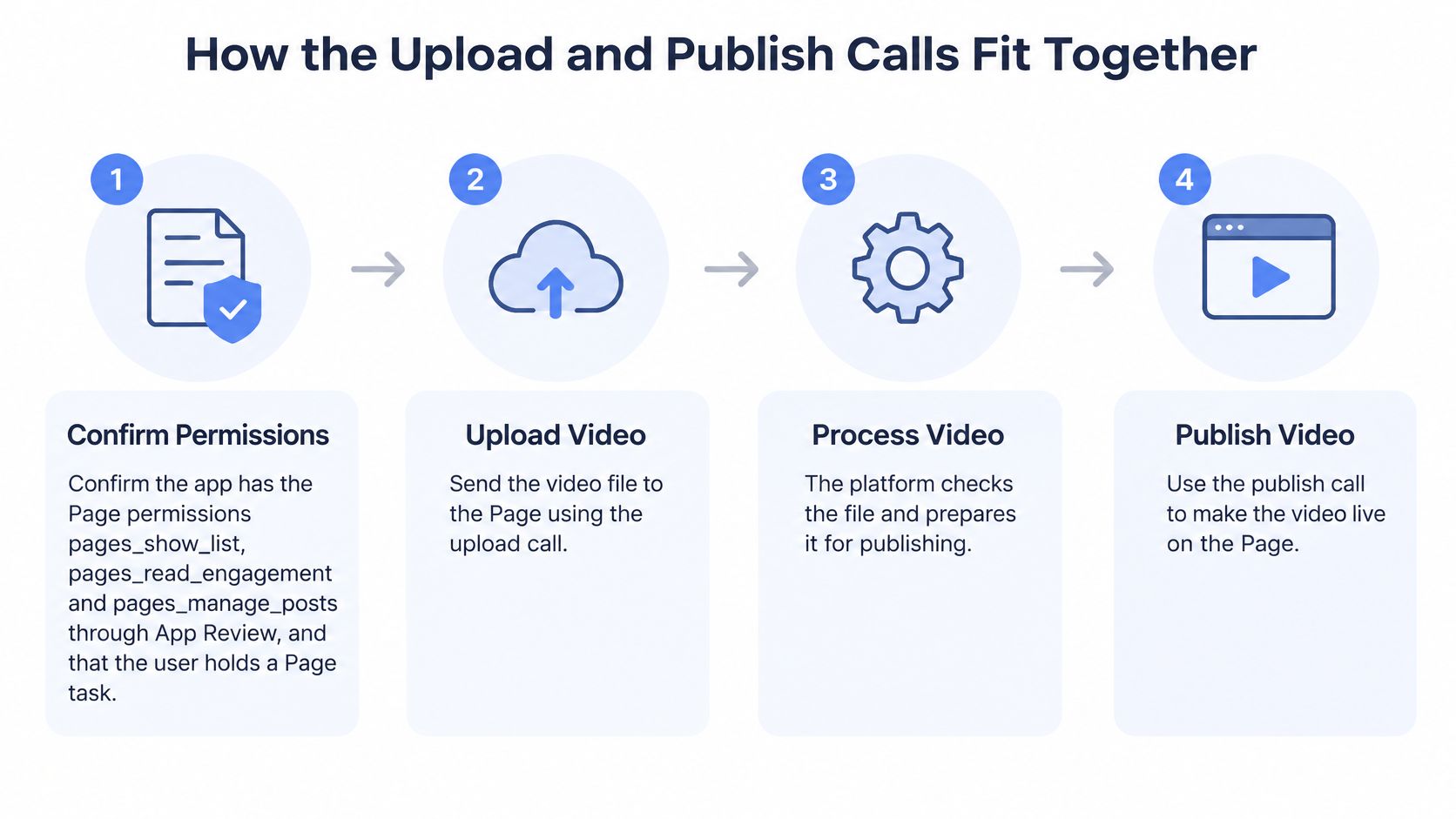 A diagram illustrating the four-step process for uploading and publishing a video on a Facebook Page.
The sequence I would implement
Confirm permissions and Page tasks. Meta lists pages_show_list, pages_read_engagement, and pages_manage_posts as required permissions for Page video publishing, and these permissions require App Review, according to Meta's Video API overview. The app user also needs admin equivalent capability on the Page, through Page tasks or an Admin role in Business Manager. A successful OAuth login alone isn't enough.
Start a resumable session for large files. Send
POST /<APP_ID>/uploadswithfile_name,file_lengthin bytes, andfile_type, wherevideo/mp4is a documented accepted MIME type in Meta's Resumable Upload API guide. This gives you a session instead of betting a big file on one uninterrupted request.Upload from offset zero. Send the file to the session endpoint with
file_offsetinitially set to0. Store the session details with your job record so a worker restart doesn't orphan the transfer.Resume after an interruption. Query the session with
GETto obtain the current offset, then send the next upload request from that position. Restarting from zero wastes bandwidth and muddies your logs.Keep the returned file handle. Meta returns a file handle on completion, and the subsequent publishing request uses it. Treat that handle like a required foreign key in your database, not a debug value.
Use the Reels specific flow for Reels. Initialise a session at the Page's
/video_reelsendpoint, upload the video withapplication/octet-stream, then finish by calling/video_reelswith the uploaded video identifier and a published state. For Page publishing the audience is implicitly public, so expose only the Public option in your UI.Read the publish response properly. A token can authenticate the user and still fail publication if the Page capability is missing. Meta separately identifies the publish_video permission when publishing a video to a Page, and Page tasks such as CREATE_CONTENT, MANAGE, or MODERATE depending on the operation, in Meta's Pages API documentation. When a call fails, inspect the Page role before you blame the file.
If you're planning posts ahead rather than publishing immediately, our guide to Facebook video scheduling covers how that timing layer sits on top of this flow.
Practical rule: persist the upload session, offset, file handle, and video ID at every step. Stateless retries are how duplicate posts happen.
Success looks boring, and that's good. You get a returned post or video ID you can confirm, then you can pull video insights for measurement. If you can't name the ID, you don't have a published video yet. You have a hope and a log line.
Why Some Videos Reach More People Than Others
Say you have a 45 second product clip that performed well once. You repost it with a coloured border, a slight speed change, and fresh captions. It publishes fine. Views barely move. Nothing in your upload code is broken, but Meta has little reason to recommend it.
Now take the same clip and add 20 seconds of spoken analysis. You appear on screen, explain what changed in the product, and restructure the opening around that point. Same source material, different outcome. The second version gives Meta original creative value to evaluate.
Posting is not the same as being recommended
Meta evaluates whether the publisher created the video or added substantial creative value, and says duplicated videos, minor edits, simple reposts, and low value additions such as borders, speed changes, or basic captions can be deprioritized, according to Meta's guidance on original content and distribution. Meaningful commentary, analysis, on-screen presence, or a substantially improved storyline can preserve recommendation eligibility.
That's the distinction most upload guides skip. Your API call controls posting. It doesn't control recommendation. Automation makes this sharper, because a pipeline that cross posts the same asset everywhere can manufacture duplicates at scale without anyone noticing.
Before distribution, I'd classify every asset into one bucket:
Original: you created it, and you can show source files or production records.
Licensed: you have permission to use it, with the licence or approval stored against the asset.
Transformed: you've added commentary, analysis, or a substantially reworked storyline, not just a border.
Flag anything that doesn't fit cleanly. A human should look at those before a scheduler sends them to five Pages.
Reach and copyright are separate gates
Don't blur these two tests. A video can be transformed enough for recommendation and still infringe copyright. It can also be fully licensed and still receive limited distribution because it looks unoriginal. Passing one gate says nothing about the other.
Rights holders also have their own tools. Meta's rights systems can detect matching video, audio, and image content across Facebook and Instagram, and rights holders can choose actions such as allowing or hiding matches. That means a clip can publish successfully and later be hidden by someone else's rights claim.
Keep attribution and permission records with the media asset, not in someone's inbox. When a match or a reach drop happens, you'll need to answer two different questions fast. Did we have the right to use this, and did we add enough original value to earn recommendation? Store the evidence for both before you post, because reconstructing it afterwards is miserable work.
Designing Videos That Work With the Sound Off
A viewer opens your Facebook video in a quiet room, on a commute, or while audio is muted by default. If the key information lives only in the soundtrack, the video has already lost them. Many Facebook viewers watch without sound, so captions and on-screen text should carry the message, not merely decorate it.
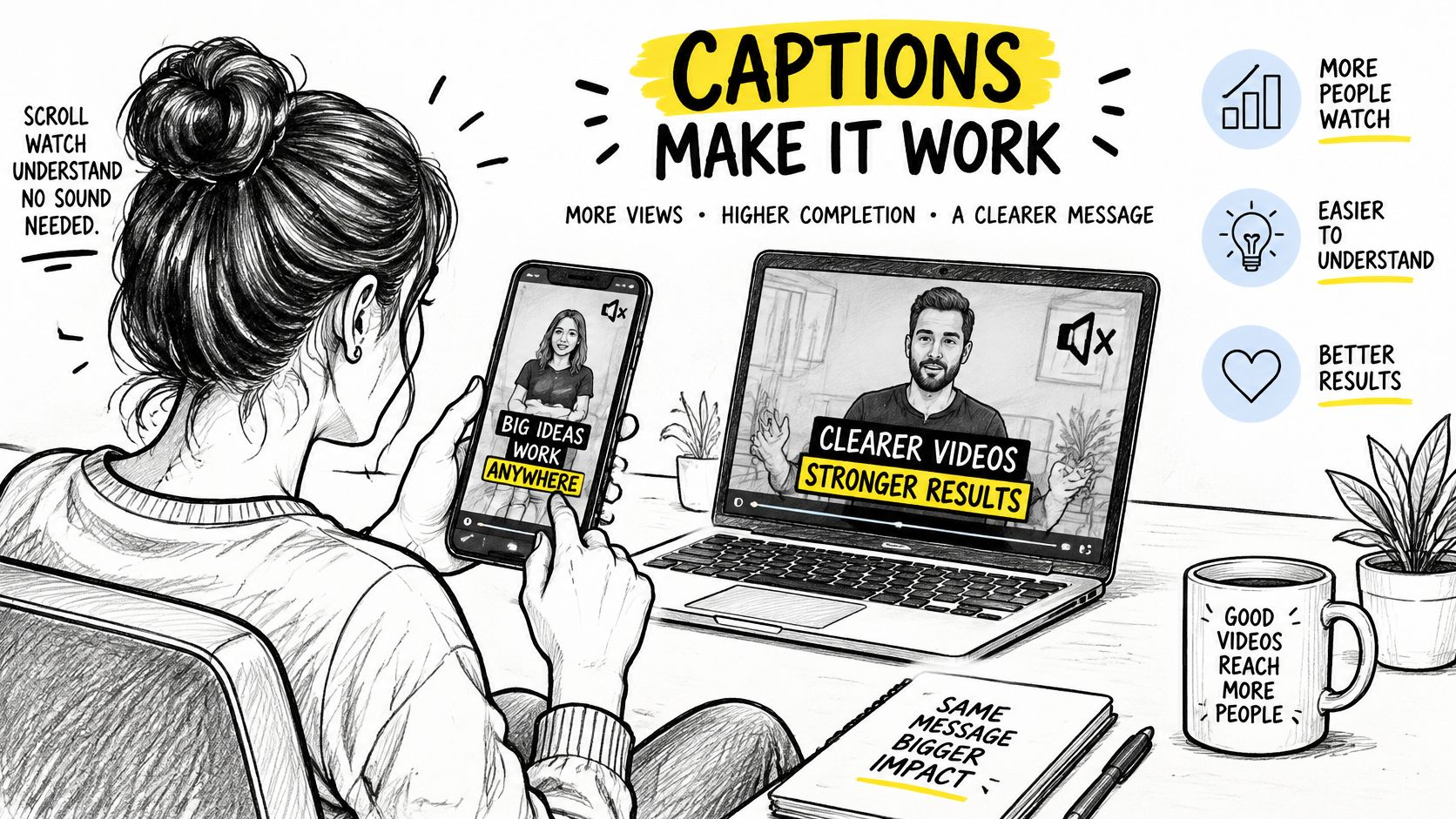 A woman using a smartphone and laptop to watch video content with captions shown on screen.
Design for muted playback from the first edit. Put names, numbers, prices, and dates on screen so viewers can follow without hearing the narration. Use burned-in or platform-rendered captions for speech, and add a separate subtitle track when the placement supports one. Keep text within safe areas where interface elements will not cover it.
Automatic captions save time, but errors can change the meaning. Accents, code switching, specialist terminology, and noisy recordings are common trouble spots. Review the transcript before export, especially product names and technical terms.
A sound off checklist you can run today
Watch muted from start to finish. Add on-screen text wherever a point depends on audio.
Check every number and name. Make sure each appears visually and is spelled correctly.
Test on a phone. Check contrast, caption timing, and text size at normal viewing distance.
Review the transcript line by line. Correct names and technical terms before export.
Export a burned-in version for Stories. Bake captions into that version rather than relying on a separate subtitle file.
The short walkthrough below shows the muted viewing experience to design for.
Make the story clear on screen first. Sound can add emphasis, but captions and visual cues keep the message understandable when audio is off.
Fixing Stuck, Rejected and Failing Videos
Start with the failure you can fix in minutes. An upload that stops partway usually doesn't need a restart. Query the session for its current offset and resume from there. A Reels rejection is often just geometry, so export 9:16 at 1080 × 1920 and trim into range. For a broader catalogue of rejection patterns, FindClout's rundown of common reasons clips get rejected is a handy cross check before you re-export.
Permission failures need a different mindset. Meta documents a maximum of 30 API-published posts during a moving 24-hour period for Reels publishing in Meta's Reels Publishing API documentation. Retrying past that limit in a loop won't help. Queue the work and spread it across the window.
Symptoms, causes, and fixes
Symptom | Likely cause | Fix |
Upload stops partway | Interrupted transfer | Query the session for its offset and resume from that position |
Reels submission rejected | Landscape or non-9:16 file, or duration outside 3 to 90 seconds | Export 9:16 at 1080 × 1920 and trim to the duration range |
Page Story version of a Reel rejected | Duration over 60 seconds | Trim the Story version to 60 seconds or less |
Publish fails while login works | Page task or pages_manage_posts permission missing | Check the Page role and App Review status for the permission |
Publishing stops after many posts | Limit of 30 API-published posts in a moving 24-hour period | Queue posts and spread publishing across the window |
Subtitles missing on Stories | Subtitles not rendered into the video | Burn captions into the master before upload |
Video publishes but reaches few people | Duplicate, reposted or minimally edited source | Add original commentary or substantial edits and keep permission records |
Minute fixes versus permission fixes
Minute fixes live in your editor. Wrong aspect ratio, a Story version running long, captions that were never burned in, a transfer that needs resuming. Re-export, trim, resume, resubmit. These shouldn't need a ticket.
Permission fixes take longer because they involve Page roles and App Review. If login works but publishing fails, check whether the user holds the right Page task and whether pages_manage_posts has passed review. Don't burn an afternoon re-encoding a file that was never the problem.
Wait fixes are mostly about volume. Once you've hit the publishing window, queue instead of retrying. Build that queue into your scheduler so a bulk run degrades gracefully instead of hammering the API.
If a video publishes cleanly but reaches almost nobody, run the originality test before you touch the upload code. Distribution problems wear a convincing technical disguise.
The pre-publish pass for bulk runs
Before any bulk run, I'd make one final pass per asset:
Placement profile: aspect ratio, duration, and codec match the target surface.
Page capability: the Page role and reviewed permissions cover the publish action.
Captions: burned in where the placement needs them, reviewed for names and numbers.
Originality record: classified as original, licensed, or transformed, with evidence stored.
Publishing window: the run fits inside the daily API limit without retry storms.
Resume support: sessions persist offsets so interruptions don't restart transfers.
If you publish across several platforms, PostPulse covers much of this checking for you. For videos, our confirm step verifies that the video container is readable before publishing, and you can hand over a public URL while we pull the file into storage asynchronously and return an import job to poll for completion. Post details then show a status for each connected account, with the platform's post ID and public link, or the error message if publishing failed. Our overview of media validation explains how those checks run. Use that as a shortcut for the mechanical checks, not a replacement for reading Meta's rules.
If you're tired of hand rolling upload sessions, permission checks, and per placement validation for every video posted on Facebook, PostPulse lets you publish to Facebook Pages and nine other platforms through one API, with readable container checks and per account post IDs or error messages built in. Send your first video through the API, the n8n node, or Make, and spend your debugging time on the content instead of the plumbing.
About the Author

Founder of PostPulse — a social media scheduling platform for creators and teams. Software engineer with a passion for building developer tools and simplifying complex API integrations across social media platforms.