
How to Plan a Week of Social Media Content in 30 Minutes (or Less)
Published on · Updated on
Tags:
You’ve got a product to grow, a brand to build — and only so many hours in the day. Sitting down every morning to write a caption or scramble for a photo isn't just stressful, it’s unsustainable.
That’s why the most innovative solo founders, creators, and small teams are turning to AI-powered tools like PostPulse to plan weeks of content in minutes — without sacrificing quality or creativity.
Here’s how you can do it too.
Open the AI Assistant
From the dashboard, click the AI Assistant button in the top right corner.
Submit a Prompt
Ask the assistant something like, "Generate a content plan for the next week." The AI will analyze your connected accounts (e.g., Threads, Instagram) and create a personalized schedule with post ideas, hashtags , and recommended times .
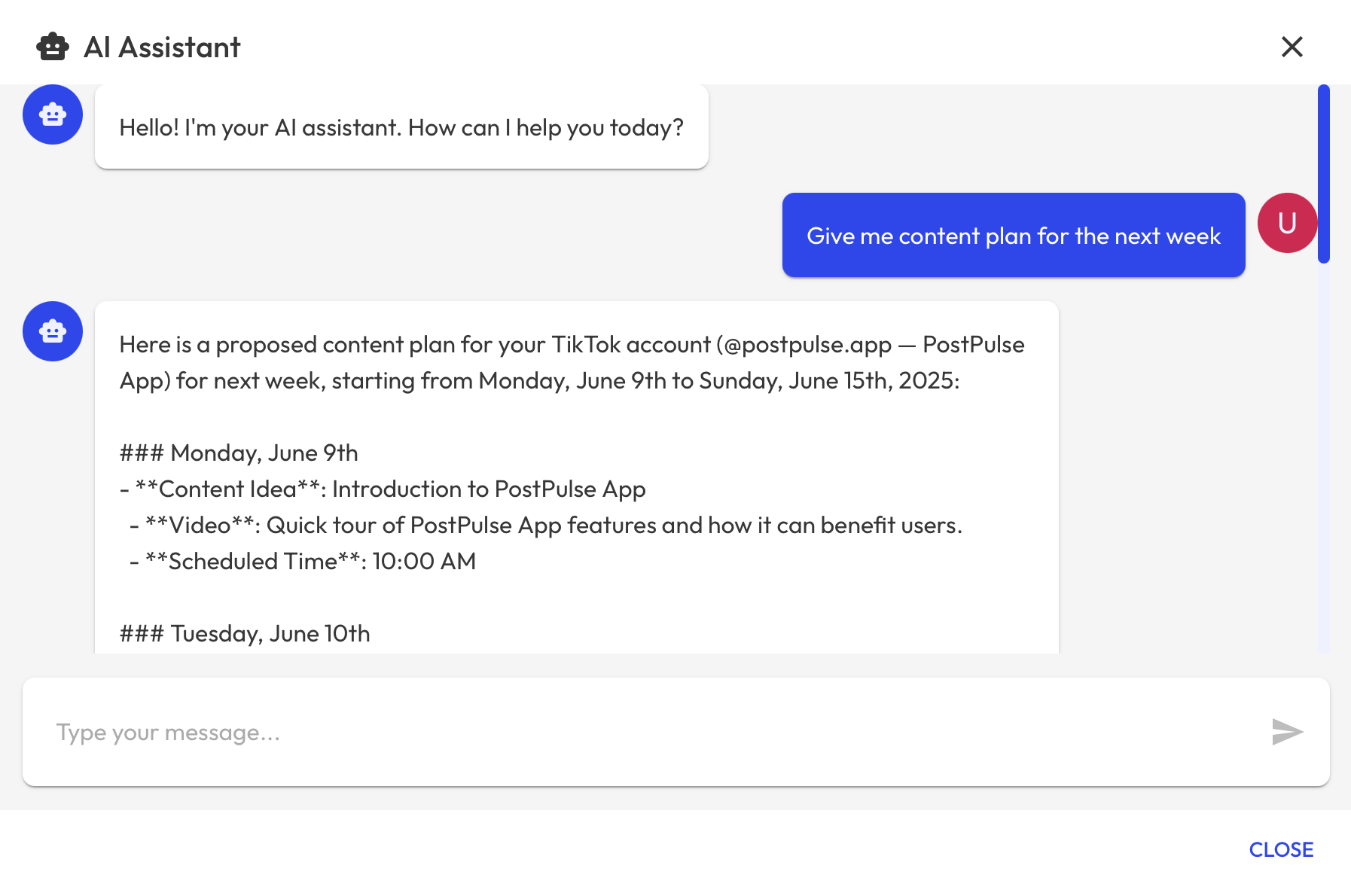 Content Plan Request Chat
Review the Generated Plan
Each post is clearly outlined with: • The date it's intended for • The content caption • The scheduled time
Save and Schedule
If everything looks good, just respond with something like "LGTM! Save it!" and the assistant will automatically schedule the posts into your calendar.
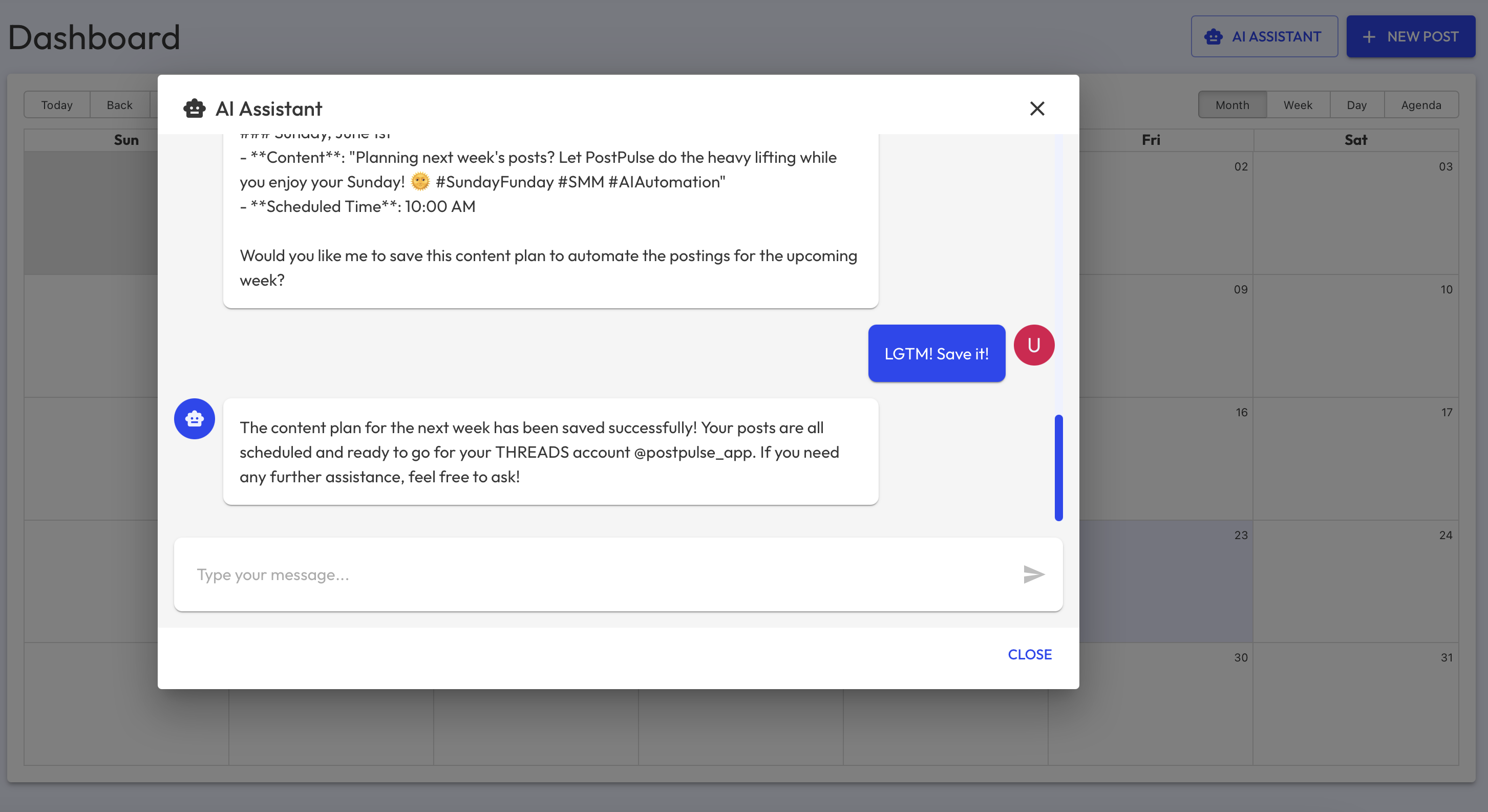 Save Content Plan AI
What Happens Next?
Once saved, your calendar updates with scheduled posts - AI-generated content ready for the week. Posts can be edited later from the Dashboard page.
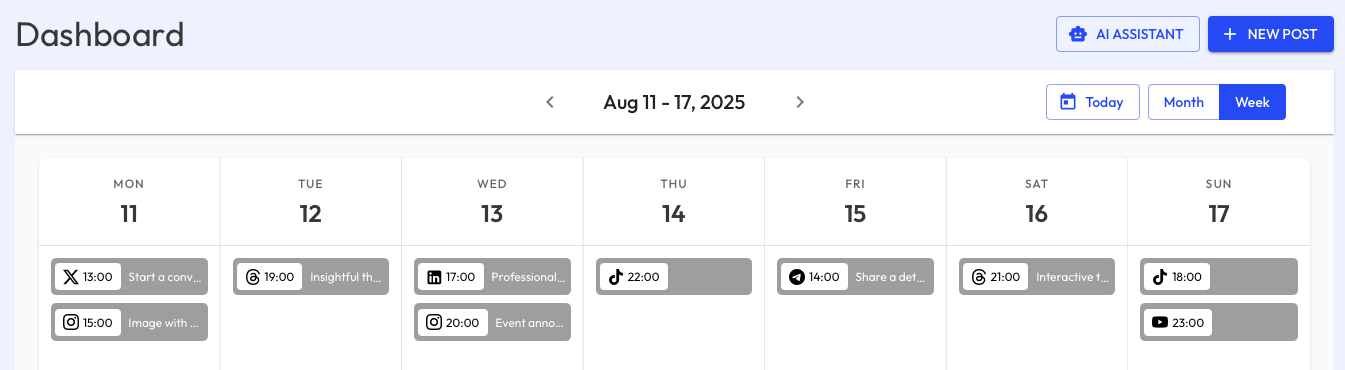 Draft Content Plan Week
Why Use the AI Assistant?
Saves Hours of Planning
Tailored to Each Social Platform
Context-Aware Hashtags and Timing
Easy Edits and Overrides
Automated Scheduling in One Click