What Is Backward Compatibility: Guide to Versioning in 2026
Published on
Tags:
You shipped a clean integration on Friday. By Saturday morning, posts started failing, a webhook payload no longer matched your parser, and the only clue was a vague 400 response that looked exactly like yesterday's healthy traffic. If you build against third-party APIs, especially social platforms, you already know this feeling. The code that broke wasn't sloppy. The contract changed underneath it.
That's why backward compatibility matters. Not as a textbook term, but as the thing that keeps your app, automation, or agent alive when another team ships an update. It protects dashboards, schedulers, n8n flows, Make.com scenarios, and all the quiet glue code nobody wants to rewrite during a sprint.
Table of Contents
That Breaking Change That Wrecked Your Weekend
A common failure pattern looks boring right up until it hurts. Your app calls an endpoint, expects a field, deserializes the response, and moves on. Then a platform removes a field, renames something without an alias, or changes the shape of a response enough to trip your client. Suddenly your publishing queue stalls, your retry worker gets noisy, and support asks why scheduled posts are stuck.
The worst part isn't the bug itself. It's the investigation time. You scan changelogs, compare payloads, and replay requests in Postman or Insomnia trying to figure out whether the platform changed behavior, your token expired, or some undocumented edge case just surfaced. When you're integrating social APIs, those problems stack up fast because every platform evolves on its own timeline.
The real issue isn't just change
Backward compatibility exists to stop exactly this class of pain. In API work, it means a newer version preserves the public contract well enough that clients built for the older version keep working. If the provider adds fields, that's usually fine. If the provider removes or mutates fields that existing clients depend on, that's where weekends disappear.
Practical rule: If an upstream platform can break your production workflow without requiring you to change your own code, you don't have an integration problem. You have a compatibility problem.
This is also why change detection matters outside your codebase. If a platform updates docs, auth behavior, schemas, or publishing requirements before you notice, you end up debugging blind. A tool like how website change monitoring helps AI is useful because it helps catch upstream changes early, before your queue processor becomes your monitoring system.
Why this hits harder in social integrations
Social publishing stacks are fragile in a very specific way. They sit at the boundary between your product and someone else's rules. Tokens rotate. Endpoints get deprecated. Payload rules evolve. One subtle adapter change can ripple into your automations, webhook consumers, audit logs, and internal admin tools.
That's why developers who've been burned by platform changes stop treating backward compatibility as a nice-to-have. They start treating it like incident prevention.
The Core Concept Explained
At its simplest, backward compatibility means a new system still works with things built for the old one.
A simple way to think about it
The classic analogy is game consoles. A newer console that can still run older games is backward compatible. That mental model works because it captures the core promise: users upgrade without losing what they already invested in.
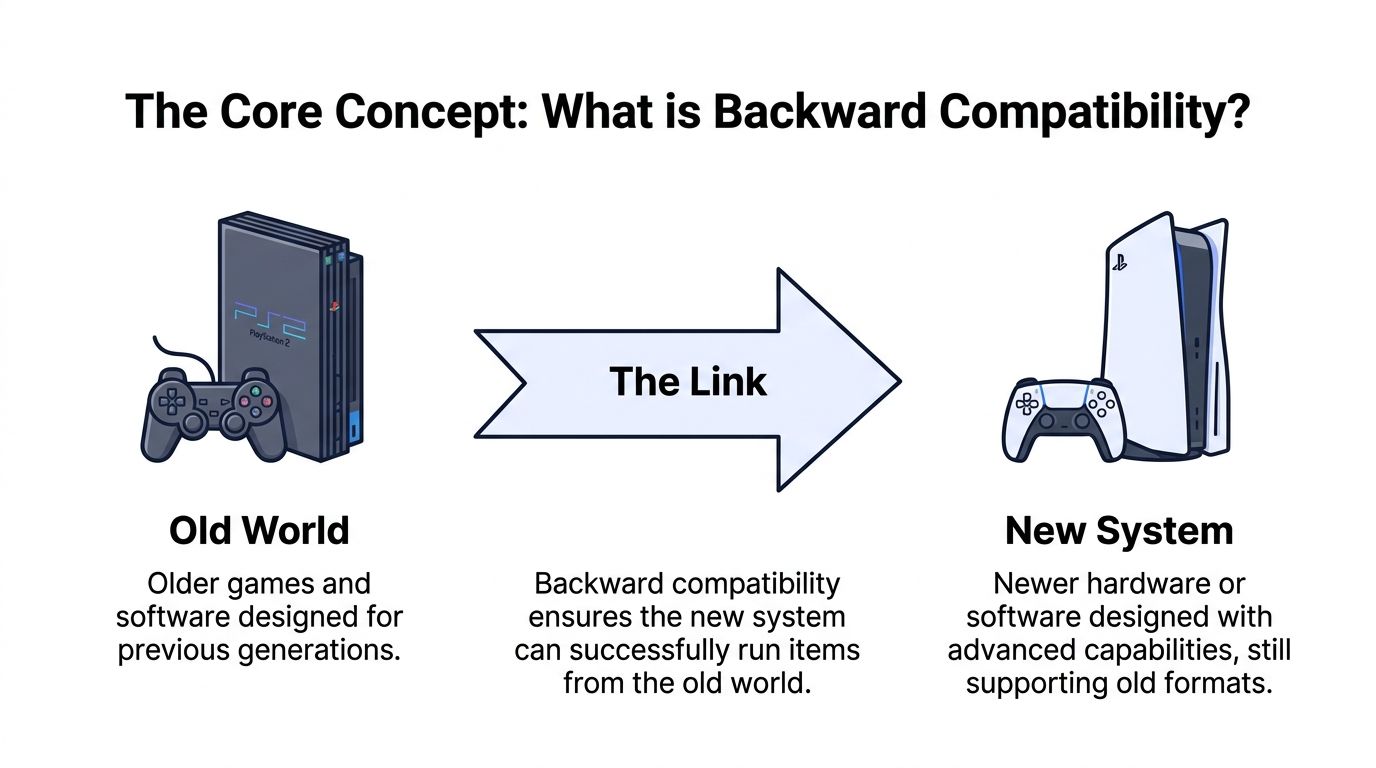 A diagram explaining backward compatibility, showing a PS2 console connecting to a modern PS5 gaming console.
In software, the same idea applies to files, schemas, protocols, and APIs. A newer system should still read older data and serve older clients correctly. In practice, that means preserving the public interface: functions, endpoints, field types, request formats, and response structures. In data systems, it also means newer schema versions can read data created by older schema versions without breaking clients, dashboards, or downstream models. When teams break that promise, enterprise migrations can be delayed by 6 to 18 months, according to this schema evolution guide on backward compatibility.
Compatibility types at a glance
Type | What It Means | Example |
Backward compatibility | The new version still supports clients, data, or inputs built for the old version | An API v2 server still accepts requests expected by existing v1 clients |
Forward compatibility | The old version can handle something produced by the new version, usually in a limited way | An older reader can open a newer file if new fields are safely ignored |
Incompatibility | One version breaks the assumptions of another | A renamed field causes existing client deserialization to fail |
A couple of practical examples help:
Backward compatible API change: adding a new optional response field.
Forward-compatible design choice: teaching old clients to ignore unknown fields.
Breaking change: changing a field from string to object without versioning.
Backward compatibility protects existing consumers. Forward compatibility makes older consumers more tolerant. They are related, but they aren't the same thing.
If you're asking what is backward compatibility in one sentence, here it is: it's the discipline of changing a system without breaking the people and software that already rely on it.
Backward Compatibility in the Wild
Backward compatibility is one of those ideas that sounds abstract until you see where it changed user behavior at scale.
 An illustration showing various retro game cartridges and controllers connecting into a modern gaming console device.
Why consoles taught everyone the lesson first
Gaming made the trade-off visible because consumers immediately understood the cost of losing access to old purchases. The clearest example is the PlayStation 2. It sold over 155 million units and was widely adopted specifically because it was backward compatible with the PlayStation 1, which permanently shifted consumer expectations and made the feature a requirement for later console generations, as noted in this Kellogg analysis of backward compatibility in consoles.
That same analysis also describes a real market trade-off. Backward compatibility helps incumbents transfer network effects from an old generation to a new one, but when technological progress between generations is high, it can reduce the supply of new software by approximately 15 to 20% because publishers have less incentive to build exclusives for incompatible hardware.
So the feature is powerful, but it isn't free.
The API version of the same problem
Developers run into the same logic with APIs. If a platform preserves old contracts, clients can upgrade infrastructure without rewriting every integration. If it doesn't, every consumer pays the migration cost separately.
This is why stable public interfaces matter so much for publishing APIs, webhook systems, and automation tools. A working integration isn't just a piece of code. It's usually tied to scheduled jobs, approval flows, analytics, retries, alerting, and internal tooling. When an upstream change breaks compatibility, all of those dependencies wobble at once.
A good way to see the social API angle is this write-up on a social media API for developers. The important idea isn't the vendor. It's the pattern. Developers want one dependable contract while the messy platform-specific behavior changes behind the scenes.
It also shows up in boring file formats
You don't need to be in gaming or social APIs to care. Office files are a simple example. People expect modern software to open older documents without drama. If that stops working, users feel it immediately, even if they couldn't define backward compatibility by name.
That's the broader lesson. People may never ask for compatibility explicitly, but they absolutely notice when it's gone.
The Benefits and Painful Trade-Offs
Teams love backward compatibility right up until they have to maintain it. Then the arguments start, and both sides usually have a point.
What teams gain
The upside is straightforward.
Lower switching cost: Users and integrators don't need to rebuild everything when you ship a new version.
More trust: Third-party developers keep building on your platform when they believe upgrades won't wreck their production flows.
Safer automation: Jobs in cron, CI pipelines, n8n, Make.com, and internal scripts keep running because the interface they rely on doesn't suddenly disappear.
Cleaner adoption path: Explicit versioning lets teams move on their own schedule instead of in a panic window.
In API design, this stability is the entire point of a public contract. Newer versions preserve the exact interface closely enough that older consumers continue functioning without modification, as described in this backward compatibility glossary for API development.
The strongest compatibility strategy isn't "never change anything." It's "change things without making your users pay the cost all at once."
For platform teams, that often means version boundaries, deprecation periods, and a lot of patience.
What teams pay for
The cost shows up in the codebase first. You carry old fields, old endpoint behavior, aliases, transform layers, and awkward edge-case logic because somebody still depends on them. Testing also gets heavier because you aren't validating one system anymore. You're validating the current implementation plus its promises to older consumers.
Compatibility can also slow product design. In console markets, backward compatibility can reduce the supply of new software by approximately 15 to 20% when generational progress is high, because publishers see weaker incentives to create exclusives. Software teams experience a similar tension. Old contracts shape what new designs are allowed to become.
If you work on an API proxy or integration layer, that tension gets sharper because you're absorbing somebody else's churn too. The design pressure is familiar in services that sit between apps and unstable providers, including this perspective on an API proxy service for external platforms.
The honest answer is that backward compatibility creates technical debt on purpose. Sometimes that's exactly the right decision. Sometimes it's the thing that stops you from building a better protocol.
Designing and Testing for Compatibility
Good compatibility doesn't happen by accident. Teams get it by drawing hard boundaries around contracts, then testing those boundaries every time they ship.
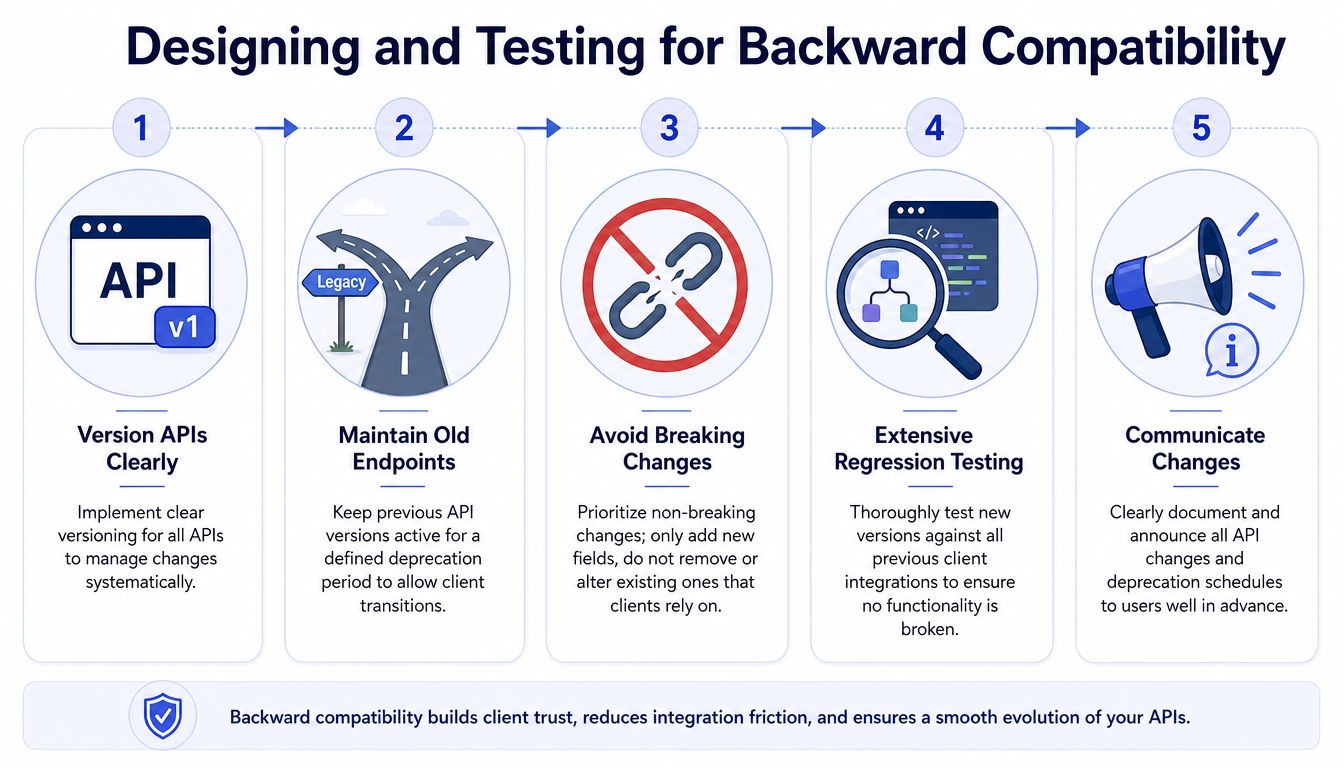 A five-step infographic illustrating essential practices for designing and testing APIs to ensure backward compatibility.
Version boundaries that actually work
Start with explicit versioning. From day one.
A clean approach is URL versioning such as /v1/ and /v2/. Another is header-based versioning such as Accept: application/vnd.api+json;version=2. The point isn't which one looks prettier. The point is creating a hard boundary so a v2 change can't alter existing behavior for v1 consumers, which is how Docsie describes backward compatibility versioning boundaries.
For REST APIs, backward compatibility also means additive change by default. Keep old response shapes stable. Add optional fields. Deprecate carefully. Avoid turning successful old requests into fresh 4xx failures. That pattern matters in automation systems because workflows in tools like n8n or Make.com keep running when the backend changes are handled with versioning and graceful degradation, as summarized in this Wikipedia overview of backward compatibility.
If you want a deeper implementation view, this guide on API versioning best practices is worth reading alongside your own contract design rules.
Testing that catches breakage before users do
Versioning without testing is theater. You also need regression coverage against legacy behavior.
A practical stack usually includes:
Contract tests: Validate that old request and response shapes still behave as promised.
Golden master comparisons: Compare current output against known-good legacy output for high-risk endpoints.
Simulated legacy clients: Run old client expectations in CI so a change fails before release.
Deprecation tests: Confirm deprecated endpoints still return functional responses until the retirement window closes.
A useful companion for that work is this test case creation guide, especially if your team needs more structure around scenario coverage and edge cases.
One rule that saves pain: if you're removing a deprecated field or endpoint, assume some forgotten automation still depends on it until a failing test proves otherwise.
At the platform level, semantic versioning reinforces the same discipline. Helm's policy is explicit: minor and patch releases must remain 100% backward compatible, so CLI users and Go API consumers don't need code changes when moving to a compatible release, according to the Helm compatibility policy.
The Future When Compatibility Becomes a Cage
Backward compatibility is usually the right answer for human-facing APIs. But it has a failure mode people don't talk about enough. At some point, protecting old human workflows can trap new machine workflows inside assumptions they never asked for.
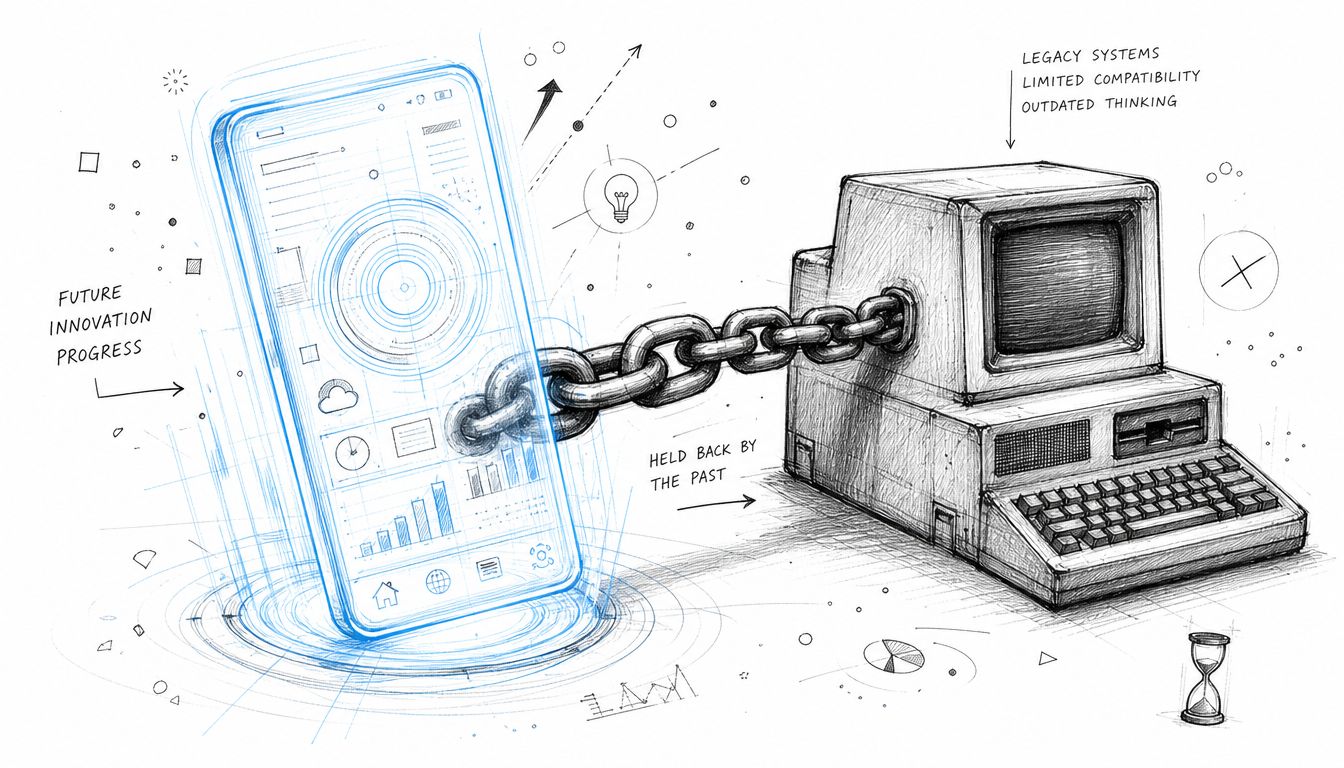 A conceptual sketch showing a modern digital smartphone chained to an old vintage computer monitor.
Why human-friendly APIs frustrate autonomous agents
Most public APIs were designed for developers building human-operated apps. That shapes everything: authentication flows, pagination styles, approval patterns, endpoint granularity, and assumptions about how a user initiates work. AI agents inherit those constraints even when they don't make sense for autonomous publishing.
That matters because the friction isn't theoretical. A 2025 study found that 42% of AI agent failures in social publishing stem from legacy API constraints designed for human users, not machine autonomy, which suggests backward compatibility can become a barrier to AI innovation, according to this discussion of escaping the trap of backwards compatibility.
An autonomous agent doesn't want to mimic a person clicking through old UI-driven assumptions. It wants a machine-native contract: structured context, stable capabilities, predictable permissions, and low-friction execution.
What AI-first protocols need instead
The usual advice, however, flips. For traditional apps, the safest move is often preserving old contracts. For AI-first systems, the better move may be creating a new protocol that intentionally stops inheriting every legacy assumption.
That doesn't mean "break everything carelessly." It means drawing a clear line between compatibility for human clients and a separate interface for machine autonomy. In practice, AI-native protocols need to:
Expose intent clearly: Agents need capability-based actions, not hidden workflow assumptions.
Reduce human ceremony: Less manual auth choreography, fewer UI-shaped steps.
Return machine-usable context: Responses should optimize planning and execution, not just display.
Avoid pretending old patterns are enough: A backward-compatible wrapper can help temporarily, but it won't fix a protocol that was never designed for agents.
The contrarian takeaway is simple. Backward compatibility is a lifeline when humans and existing apps depend on stability. But if you're building autonomous systems, permanent compatibility with human-era contracts can become a cage.
If you're building a product, automation, or agent that needs to publish reliably across social platforms, PostPulse is worth a look. It gives you one integration surface for publishing to multiple networks, plus official n8n and Make.com nodes and an MCP server for AI agents, so you don't have to keep chasing platform-specific API changes yourself.
About the Author

Founder of PostPulse — a social media scheduling platform for creators and teams. Software engineer with a passion for building developer tools and simplifying complex API integrations across social media platforms.