URL to Video: A Developer's Guide to Automated Content
Published on · Updated on
Tags:
You got asked to “just turn this URL into a video.” It sounds like a weekend script until the first real page hits your pipeline. The article has a hero image inside a lazy-loaded component, the pull quote gets scraped as body text, your voiceover runs longer than your slide timing, and the version that looks fine on desktop gets butchered when you crop it for a vertical feed.
That's the core url to video problem. It isn't conversion. It's extraction, normalization, asset generation, rendering, and distribution under conditions that break naive automation fast.
The reason teams keep coming back to this problem is obvious. The average person spends about 2.5 hours per day on social media, with a significant portion of this time dedicated to video consumption according to Wix's social media statistics roundup. If your content starts as URLs and your audience consumes video, the gap between those two formats becomes an engineering problem worth solving properly.
Table of Contents
Why Turning a URL to Video Is Harder Than It Looks
A lot of broken automation starts with a perfectly reasonable assumption. If a page already contains text and images, you should be able to scrape it, feed the copy into a template, render an MP4, and ship it. That works on the cleanest demo input. It falls apart on real content.
The request sounds simple because the hard parts are hidden
The first issue is HTML isn't content. It's presentation plus content plus cruft. Navigation labels, newsletter CTAs, cookie banners, related-post modules, and embedded widgets all sit next to the material you want. If your parser doesn't separate those cleanly, your script happily turns “accept cookies” into an on-screen caption.
Then media handling starts to bite. Many pages don't expose a neat list of source assets. Images might be lazy-loaded, transformed through a CDN, hidden in srcset, or embedded in galleries with captions that matter more than the image filename. If your workflow assumes one hero image and three body paragraphs, it won't survive a content library with mixed layouts.
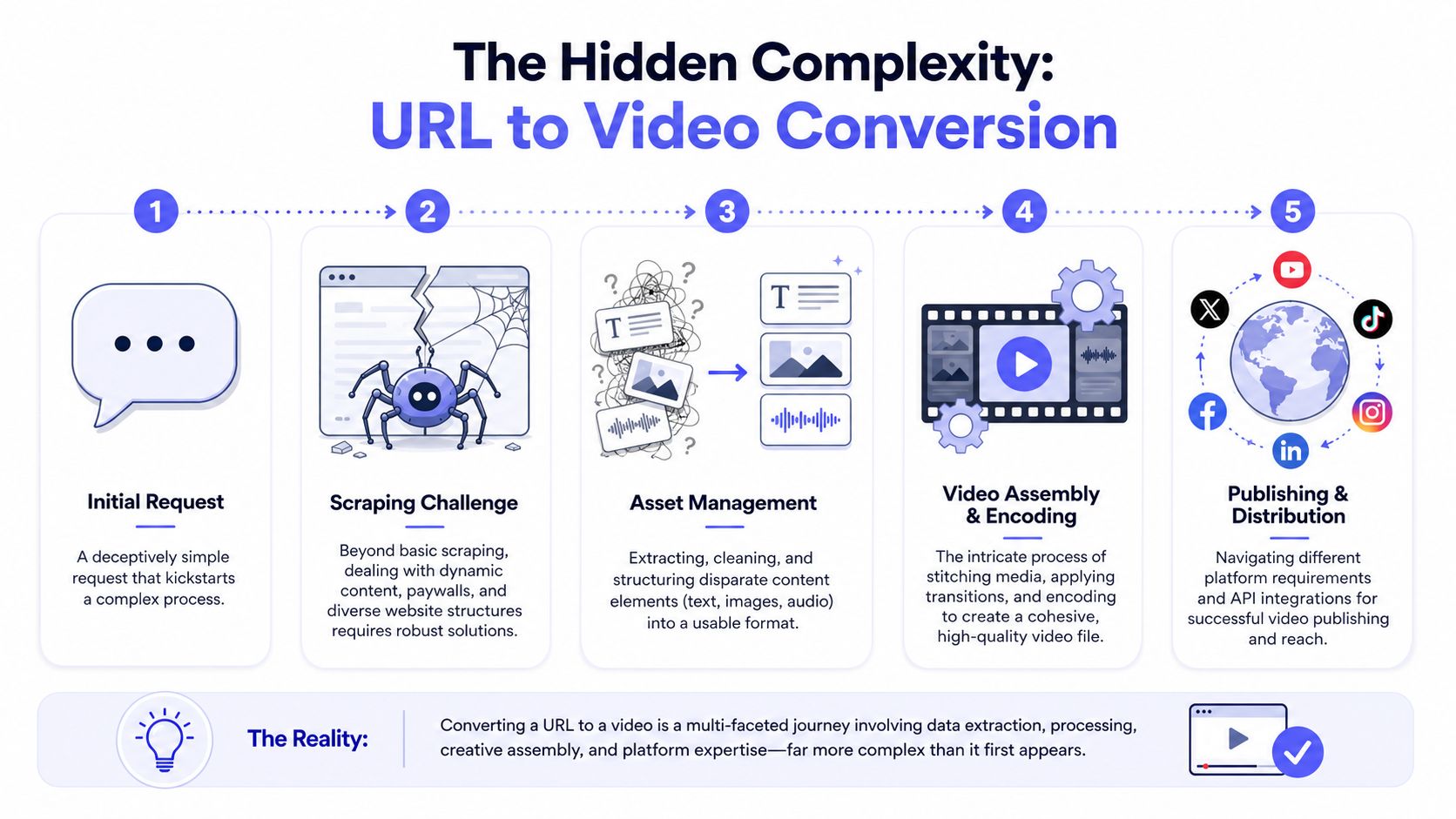 A five-step infographic illustrating the complex technical process of converting a web URL into a video file.
Practical rule: Don't start by asking how to render the video. Start by asking whether you can reliably extract a structured narrative from the URL.
A durable pipeline has more stages than most people expect
The next trap is thinking “a video” is one output. In practice, you need a chain that looks more like this:
Ingest the URL and classify it. Blog post, product page, gallery, feed item, or something else.
Extract structured content such as title, sections, image candidates, and metadata.
Generate assets like slide backgrounds, narration audio, subtitles, and thumbnails.
Assemble a timeline with explicit durations, transitions, overlays, and fallback behavior.
Package for publishing with stable URLs, metadata, and downstream delivery logic.
That's before distribution. Publishing often becomes the hardest stage because every platform has its own expectations around orientation, pacing, and post payload shape.
The engineering advantage is that once this pipeline is real, it compounds. A reliable url to video system lets a content team, internal tool, or AI agent turn a single source URL into repeatable outputs instead of hand-editing every post from scratch.
Extracting Content and Generating Raw Assets
The extraction step decides whether the rest of the workflow is clean or miserable. If you produce a good intermediate representation, rendering gets predictable. If you skip that and pass raw scraped text downstream, every later stage becomes defensive programming.
Treat each URL type as a different input contract
Don't build one parser and hope selectors generalize. Build separate handlers by content shape.
For a standard article URL, the minimum useful payload usually includes:
Primary title from the page's main heading, not the browser title if those differ
Section headings in document order
Candidate summary paragraphs selected for readability rather than raw length
Media references with resolved image URLs and any useful captions
Canonical metadata such as source URL and publication context
For galleries, the extraction strategy shifts. The image order matters more than paragraph flow. For feed-driven sources, the feed may be the right entry point, while the linked page provides richer assets. The point is simple. The parser should know what kind of page it's looking at before it decides what “content” means.
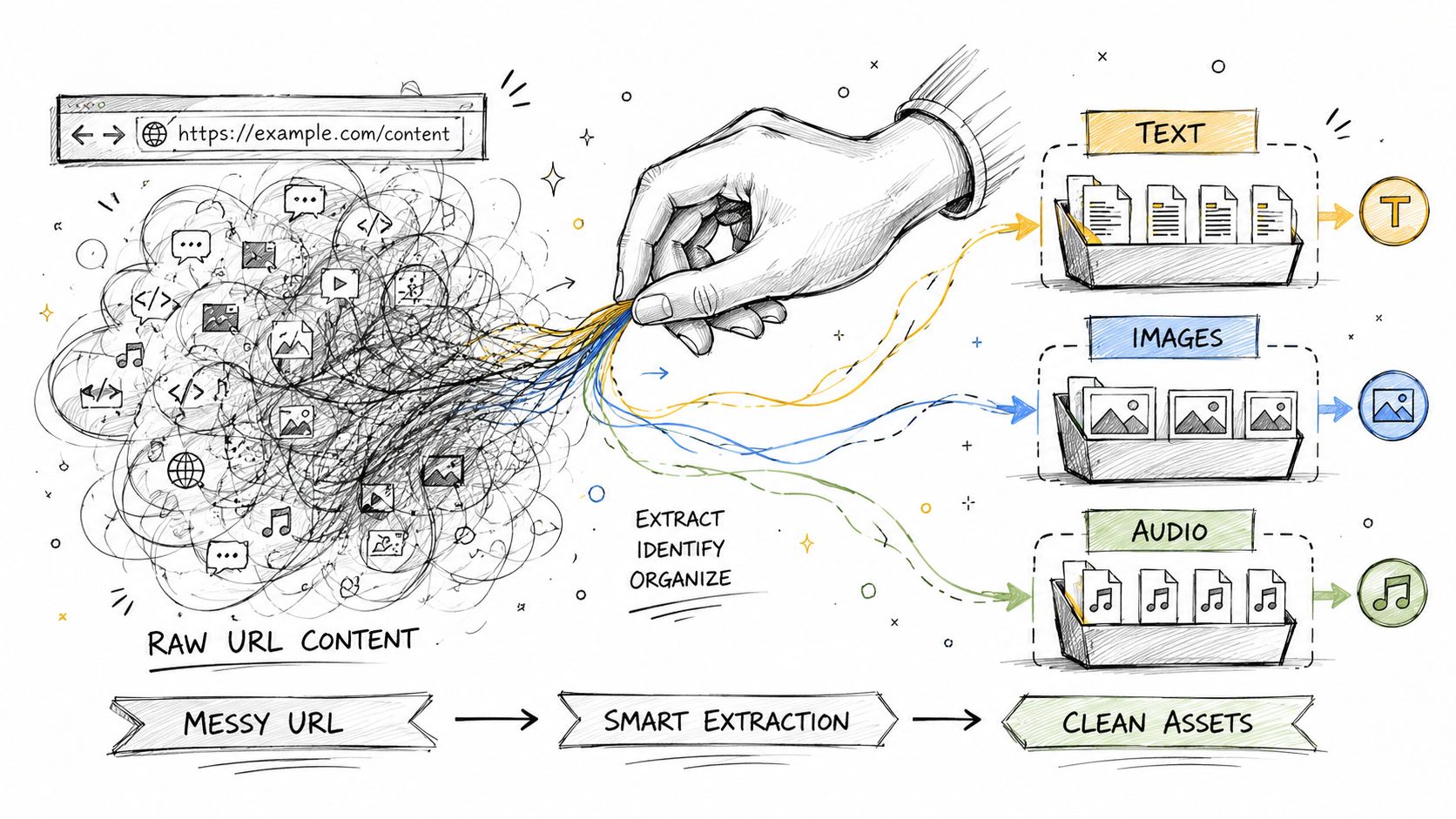 A conceptual drawing illustrating a hand transforming messy raw URL content into organized text, images, and audio assets.
A practical approach is to normalize everything into one JSON asset manifest. Something like:
Field | Purpose |
| Original URL for traceability |
| Main narrative hook |
| Ordered chunks of text for scenes |
| Candidate visuals with resolved URLs |
| Final narration text after cleanup |
| Input for preview generation |
That intermediate format saves you from reparsing HTML every time you tweak a template.
Build an asset package before you render anything
Once content is structured, generate raw assets, not the final video. At this point, a lot of pipelines get cleaner.
Start with text. Rewrite extracted body copy into scene-sized narration blocks. Web prose rarely works as-is because sentences that read well on a page often sound stiff in voiceover. Keep each scene centered on one idea. If your slide is doing too much, your narration almost always is too.
For media, produce assets that can survive reuse:
Slide images with safe text zones
Narration audio from your TTS provider of choice
Subtitle files or timestamp-ready caption text
Fallback backgrounds for sections with weak source imagery
If you're choosing tools for this stage, it helps to look at how video-first systems package text, visuals, and pacing together. The Auralume AI video guide is useful for comparing text-to-video workflows and seeing where template logic helps versus where it gets in your way.
Clean extraction beats clever rendering. A mediocre renderer can still ship from a strong asset package. A perfect renderer can't rescue garbage inputs.
A small but important gotcha is asset ordering. Don't trust scrape order blindly. Rank images by relevance, dimensions, and proximity to the text block they support. Then write that ordering into the manifest. If your render job depends on sorting filenames later, you're one refactor away from scene drift.
Assembling and Publishing Your First Video via API
Rendering gets much easier when the previous step already produced ordered text, visuals, and audio. At that point, you're not “making a video.” You're converting a structured timeline into a file.
Render from a timeline not from a folder of files
The common beginner mistake is to point ffmpeg at a directory of images and hope fixed durations line up well enough. That's fragile. Narration length varies. Title cards often need shorter exposure than quote slides. Some scenes want motion, while others look better static.
Build a timeline object first. Each scene should specify:
visual asset
start time
end time or duration
text overlay rules
transition behavior
audio segment reference
From there, ffmpeg is a strong option because it gives precise control over concatenation, timing, subtitles, and export settings. A cloud video API can also work well if you need job queues, retries, and rendering at scale. The decision usually comes down to how much control you need versus how much infrastructure you want to own.
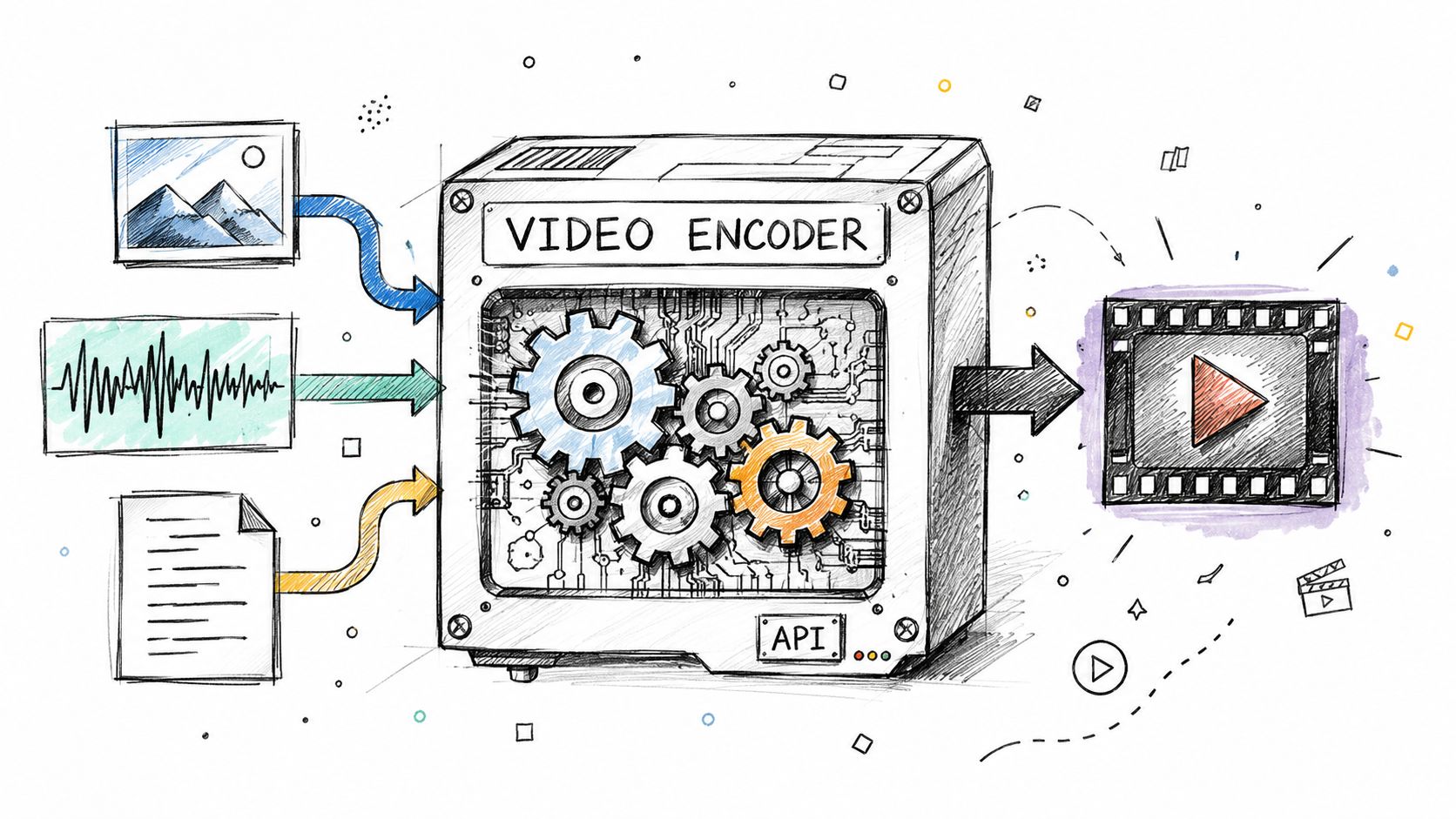 A conceptual diagram showing multimedia files like image, audio, and text entering a video encoder to produce video.
A barebones publishable output is usually an MP4 with:
H.264 video
AAC audio
burned-in or sidecar captions
thumbnail asset generated separately
That gives you a broadly usable file for further packaging.
Publish through one authenticated surface
Distribution is where teams lose time. Instead of pushing custom logic into each destination, it's cleaner to publish through a unified API surface. One reason this matters is scope. PostPulse enables developers to publish to exactly 10 platforms, Instagram (Business/Creator), TikTok, YouTube (Shorts & video), LinkedIn (personal profiles), X (Twitter), Threads, Bluesky, Facebook (Pages), and Telegram (channels & chats), through a single REST API integration, as described in the PostPulse social media API overview.
For machine-driven publishing, the authentication flow is also straightforward. PostPulse uses Machine-to-Machine OAuth via Auth0, where you exchange clientId and clientSecret for a bearer token and send it with each API call, according to the PostPulse API docs.
A practical request shape looks like this:
Fetch an access token from the OAuth token endpoint using your M2M credentials.
Upload or reference the final video asset from a stable location your publisher can access.
Send one publish request containing the caption, media reference, and destination account mappings.
Example payload structure:
The exact endpoint details belong in your implementation docs. The useful pattern is this. Render once, publish from one integration point, and keep your pipeline stateless between render completion and publish dispatch.
No-Code Recipes with n8n and Make.com
A lot of teams don't need another custom worker service. They need a workflow that someone can inspect at a glance, patch quickly, and hand off without writing backend code. That's where visual automation tools fit well.
Near the start of the workflow, keep the shape visible.
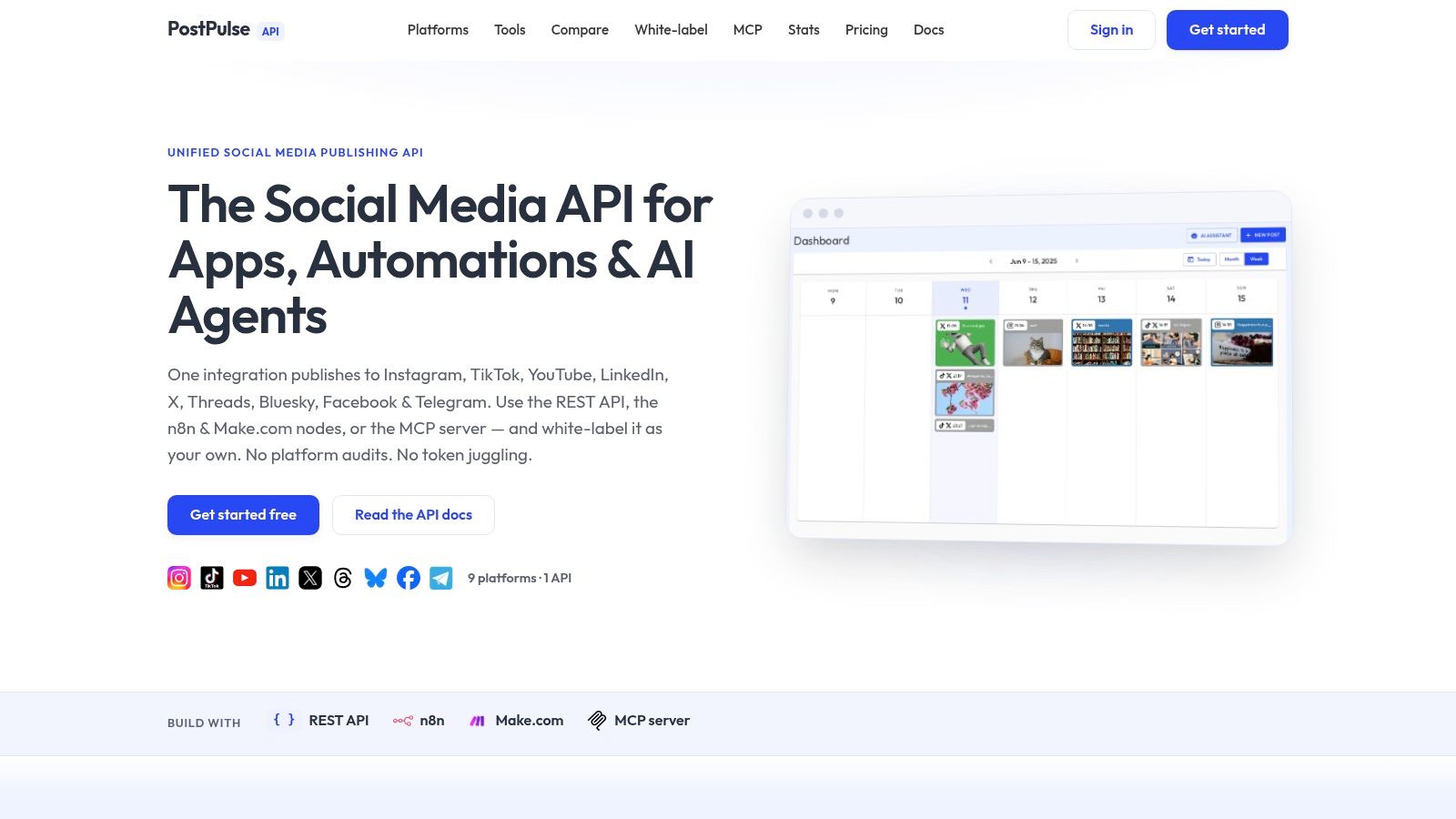 Screenshot from https://post-pulse.com
Map the pipeline into nodes
The easiest way to build a no-code url to video flow is to mirror the stages from the coded version.
A practical n8n or Make.com recipe might look like this:
Trigger: New Airtable row, new CMS item, or new RSS item
Fetch URL content: HTTP module retrieves page HTML or feed entry
Summarize and structure: AI node turns extracted content into title, short script, and scene list
Generate visual assets: image generation or template rendering step
Create narration: TTS step outputs audio file
Render video: external render API or a webhook into your own rendering service
Publish: send the final media and caption to your publishing layer
The main design choice is where rendering happens. n8n and Make.com are great for orchestration. They're less pleasant as actual media processors. In practice, I'd keep scraping, summarization, and routing inside the visual workflow, then hand off heavy rendering to a service built for job execution.
The no-code version shouldn't be a toy. It should produce the same intermediate manifest your code pipeline uses.
Keep state between steps
The most common failure in visual workflows isn't bad logic. It's lost context. One node outputs a title, another rewrites it, a third stores a file URL, and by the time the render webhook fires, half the useful metadata is gone.
Use a single structured object through the workflow. Even in no-code tools, that usually means carrying fields like:
Field | Why it matters |
| lets you trace the generated video back to the original page |
| gives renderers and caption builders one source of truth |
| avoids regenerating timing decisions mid-workflow |
| keeps media references stable between modules |
| lets one workflow branch cleanly by destination |
If you want examples of how that kind of orchestration is typically laid out, the n8n workflow examples from PostPulse are a useful reference point for node sequencing and handoff design.
Later in the flow, once the assets exist, embed the final output review step so a human can spot obvious failures before the publish node runs.
That review can be manual or conditional. If the source page lacks enough visuals, you can route the item to a queue instead of forcing a weak video out the door.
From Generic Video to Platform-Native Variants
A single exported MP4 is usually the wrong answer. It's the convenient answer. Those aren't the same thing.
A significant jump in quality comes when one source URL turns into several platform-native outputs. That matters because data from 2026 shows that 73% of automated social posts fail to gain traction because they use a single "generic" format across platforms like TikTok and YouTube Shorts, which each demand distinct visual constraints and narrative structures, as noted in Vibecom's automation analysis.
One source URL should produce several outputs
The generic pipeline usually does this:
extract article
generate one script
render one horizontal video
crop it later if needed
That last step is where the quality drops. Cropping is not adaptation. It's damage control.
A stronger pipeline generates a variant plan up front. The source URL creates one core narrative, then that narrative branches into multiple layouts and pacing rules. Vertical versions can lead with larger text and tighter framing. Square versions can keep captions centered and denser. Wide-format versions can preserve more of the original imagery and breathe a little more.
If you're building this into an app or agent workflow, it helps to think in output contracts rather than templates. The LunaBloom AI video app is a useful reference for how productized AI video tools package reusable generation logic into an app-shaped workflow instead of a one-off script.
A practical variant matrix
You don't need a massive spec engine to start. You need a small table and the discipline to use it.
Platform | Recommended Aspect Ratio | Max Duration | Notes |
TikTok | 9:16 | Varies by platform workflow | Vertical-first composition usually works best |
YouTube Shorts | 9:16 | Varies by platform workflow | Strong hook in the opening frames matters |
LinkedIn feed | 1:1 | Varies by platform workflow | Dense overlays can work better than tiny captions |
Instagram feed | 1:1 | Varies by platform workflow | Center-safe layouts reduce awkward crops |
YouTube video | 16:9 | Varies by platform workflow | Wider framing gives source visuals more room |
I'm leaving duration values qualitative here on purpose. Platform limits change, and if the official docs aren't in front of you, don't hardcode assumptions into your article or your software.
A sensible variant strategy often includes:
Vertical cut for short-form surfaces
Square cut for feed-based distribution
Horizontal cut for standard video destinations
From there, tune each version independently. Change font scale. Move text blocks. Rewrite the opening line for the first seconds of vertical playback. Shorten narration where the platform rewards speed. That's the difference between automation that feels native and automation that looks exported.
For teams publishing into Instagram-heavy workflows, the Instagram ad specs guide from PostPulse is a practical place to sanity-check layout assumptions before you freeze templates.
Production-Ready Tips for Robust Video Automation
Once the pipeline works, the boring parts become the important parts. Production systems don't fail because rendering is conceptually hard. They fail because edge cases pile up and nobody defined what should happen next.
Failure handling matters more than the happy path
Start by making every stage idempotent. If extraction retries, it shouldn't create duplicate jobs. If rendering retries, it shouldn't overwrite a good asset with a broken one. If publishing retries, it should know whether the previous attempt already succeeded.
A short production checklist helps:
Validate input early: reject dead URLs, unsupported pages, or missing assets before expensive processing starts.
Store intermediate artifacts: keep the structured manifest, generated script, and asset URLs so you can replay failed jobs without reparsing everything.
Use explicit job states: queued, extracted, assets-ready, rendered, publish-pending, published, failed.
Route weak inputs safely: if a page has poor visuals or malformed content, send it to review instead of forcing full automation.
For output quality, compression and file size always involve trade-offs. Smaller files upload faster and move through automation more smoothly, but aggressive compression can ruin on-screen text and make captions ugly. If you need a practical refresher on what compression choices do to final platform output, LesFM's YouTube video guide is a solid reference.
A production pipeline doesn't need perfect inputs. It needs predictable behavior when inputs are messy.
Don't skip discoverability
If your generated video lives on the web, metadata matters. For search visibility, you must implement a JSON-LD VideoObject schema containing four mandatory properties: name, description, thumbnailUrl, and either contentUrl or embedUrl if you want the video discoverable via rich results, according to ClusterMagic's video technical SEO guide.
That requirement drives a few practical design decisions:
Keep the thumbnail stable and large enough for the schema requirements.
Expose a real media URL or player URL depending on how the video is served.
Generate metadata during rendering so title and description aren't afterthoughts.
Make hosted assets fetchable if you expect crawlers to validate them.
The cleanest systems treat SEO metadata as part of the output package, not a CMS chore someone remembers later.
If you're building url to video automation into an app, an internal tool, or an AI agent, PostPulse is worth a look for the last mile. It gives you one publishing surface for social distribution, plus options for REST API, no-code workflows, and agent-based publishing, so you can spend your time on extraction, rendering, and platform-native variants instead of wiring nine different posting stacks yourself.
About the Author

Founder of PostPulse — a social media scheduling platform for creators and teams. Software engineer with a passion for building developer tools and simplifying complex API integrations across social media platforms.