Instagram Ad Specs 2026: Complete Guide for Developers
Published on
Tags:
You pushed a creative through the API, the request returned fine, and then the ad either got rejected, cropped in the wrong place, or rendered with text hiding under Instagram UI. That's the part most spec roundups skip. The payload can be valid and the ad can still be unusable.
The messy reality is that Instagram ad work lives at two levels at once. First, you have the canonical media constraints: aspect ratio, resolution, file size, and duration. Then you have the runtime constraints: safe zones, placement-specific UI overlays, async media processing, and the odd behavior you only notice after a preview or live delivery. If you're building this into your own app, that gap is where most debugging time goes.
Table of Contents
Why Your Instagram Ad Just Got Rejected
A lot of rejections don't come from dramatic mistakes. They come from tiny mismatches. A feed image is technically uploadable but falls outside the accepted aspect ratio range. A vertical video is the right size but has text pushed into the lower UI area. A Story looks perfect in Premiere or Figma and then gets split into cards in a way that kills the message.
That's why Instagram ad specs matter more than they seem at first glance. Instagram ads reached a global audience of 1.74 billion users in January 2025, representing 21.3% of the total world population, according to Instagram ad reach data. At that scale, small rendering mistakes aren't cosmetic. They directly affect whether your creative gets seen the way you intended.
If an ad only works in your design tool and not in the placement UI, it doesn't work.
The common developer trap is trusting a generic “1080 by something” checklist and treating all placements as variants of the same media object. They aren't. Feed, Stories, and Reels each impose different display behavior, and the API layer doesn't save you from bad creative assumptions.
Three failure patterns show up constantly:
Aspect ratio drift: The asset is close enough for a human, but not for the placement.
Safe zone violations: Text and logos land under captions, CTA buttons, or profile chrome.
Async processing surprises: Media uploads succeed, but child assets or containers never become publishable in time.
The fix is boring, which is good news. Build placement-aware validation before upload. Store specs in code, not in team memory. Preview with UI overlays, not just raw media. That's the difference between “accepted by the API” and “shippable.”
The Quick Reference Chart for All Instagram Ad Specs
If you just need the canonical numbers, use this chart first. Then debug the weird parts after the asset is already structurally correct. For broader cross-platform planning, Sovran also keeps a useful round-up of social media video specs, which is handy when your pipeline needs to publish beyond Instagram.
Placement | Aspect Ratio | Resolution (Recommended) | Max File Size | Video Duration |
Feed ad vertical | 4:5 | 1080×1350 | Image: 30MB, Video: 4GB | 1 second to 60 minutes |
Feed ad landscape to vertical range | 1.91:1 to 4:5 | Varies by creative, 1080×1350 is the recommended vertical format | Image: 30MB, Video: 4GB | 1 second to 60 minutes |
Stories ad | 9:16 | 1080×1920 | Image: 30MB, Video: 4GB | 1 to 60 seconds |
Reels ad | 9:16 | 1080×1920 | Video: 4GB | Up to 90 seconds |
A few caveats matter immediately:
Feed is flexible: Feed supports a range, but vertical 1080×1350 is the cleanest default when you want more screen coverage.
Stories and Reels are not flexible: Build for full-screen vertical or expect compromise.
Duration limits don't equal good creative length: A placement may allow longer media while still rewarding much shorter cuts in practice.
Keep this table close to your upload code and to your design handoff docs. Most ad issues can be caught before the first API request if these values are enforced early.
Core Technical Rules and Common Pitfalls
A lot of Instagram ad failures happen before placement-specific specs matter. The asset uploads, the API accepts the request, and then processing stalls, the preview looks wrong, or the ad renders with text buried under Instagram's own UI. That is the gap between “valid media” and “usable ad creative.”
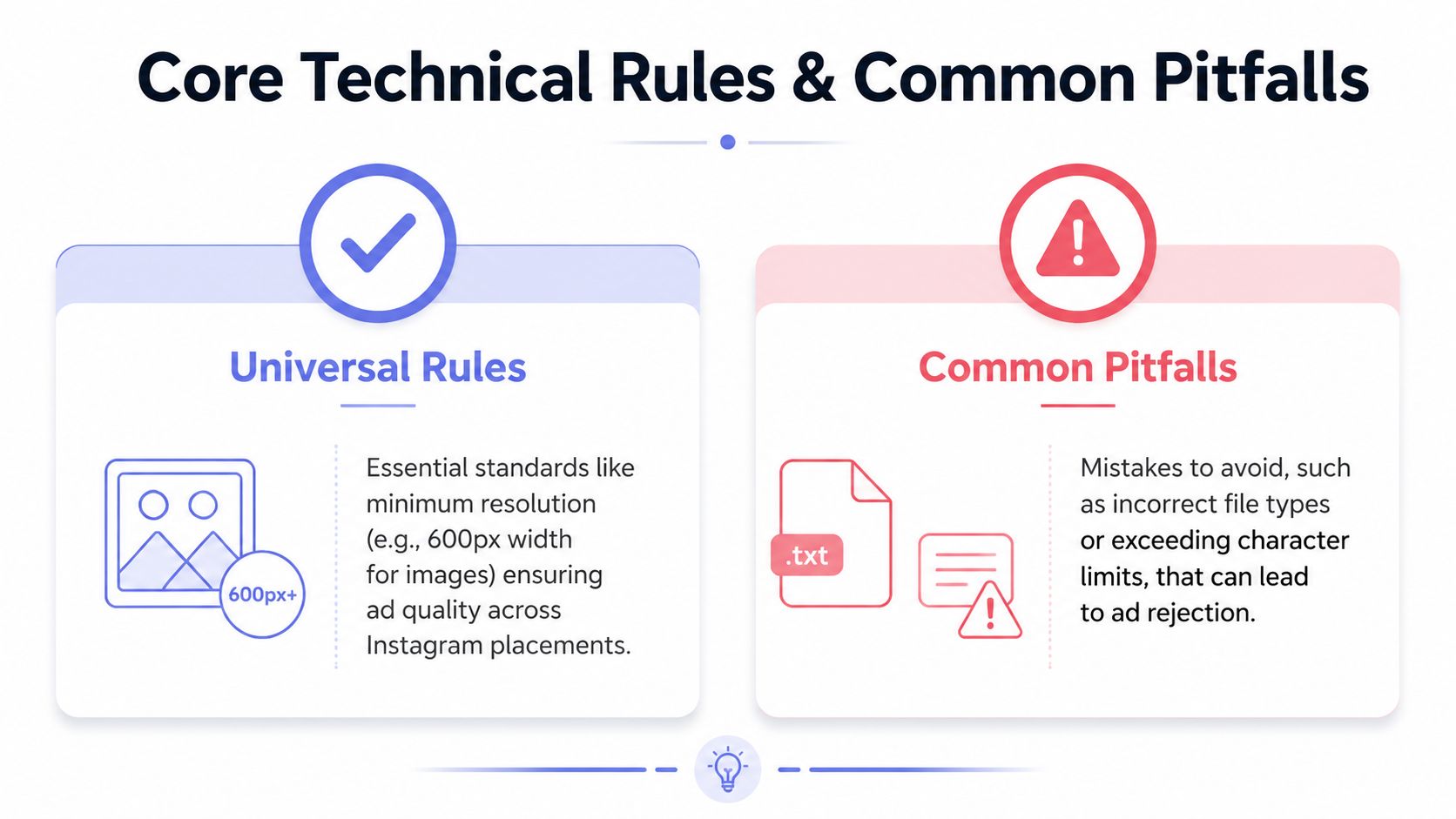 An infographic titled Core Technical Rules & Common Pitfalls for creating effective Instagram advertisements.
What Instagram enforces
Start with hard validation rules. Feed media has to stay inside the supported aspect ratio range, and file size and duration still have upper bounds even if your encoder can produce much larger masters. Meta's Marketing API and Instagram publishing flow are strict about structural compliance first, then inconsistent about how bad assets fail later in the pipeline. Some get rejected immediately. Others process slowly, degrade in preview, or break only after placement rendering.
That is why media validation belongs in your app before upload, not after the API call. If you are building that workflow, this guide to Instagram media upload via API covers the container-based mechanics that usually surface these failures.
The canonical limits used across common placements are:
Images: up to 30MB
Videos: up to 4GB
Feed video duration: 1 second to 60 minutes
As noted earlier, feed also has aspect ratio constraints and minimum size requirements. Those numbers belong in your preflight checks, not in a QA spreadsheet someone remembers to open later.
Why safe zones break otherwise valid creatives
Ads that are technically valid can still be visually wrong in-app due to UI overlays.
This shows up most often in vertical video. Stories and Reels may accept the file, but captions, CTA chrome, profile UI, and disclosure elements can cover the exact areas designers like to use for headlines, lower-thirds, and product labels. Official Meta docs describe recommended safe areas for vertical placements, and practical references such as Sprout Social's Instagram ad size guide summarize those overlay-heavy regions for top, bottom, and edge clearance.
The implementation takeaway is simple. Safe zones are not a design preference. They are part of the render environment.
For teams automating creative production, the clean approach is to treat overlay clearance as a template rule:
Validate dimensions before upload
Apply safe-zone masks in design templates
Preview assets in the intended placement, not just in a raw video player
Reject assets with text or logos inside overlay-prone regions before creating the ad
One more gotcha shows up in production systems. Large files that pass size limits can still perform badly if the encode is inefficient or the bitrate is excessive for mobile playback. The ad may process, but playback quality and start rate can decay in real placements after recompression. Keeping source exports clean, appropriately compressed, and placement-aware saves time later, especially when the API gives you a technically successful response and a visually poor result.
Feed Ad Specs for Image Video and Carousel
Feed ads are usually where API work looks easy in the docs and turns brittle in production. A single image or video will often pass on the first try. Carousel builds are the ones that expose weak validation, bad polling logic, and card mismatches you do not notice until the parent container fails or the rendered unit crops badly.
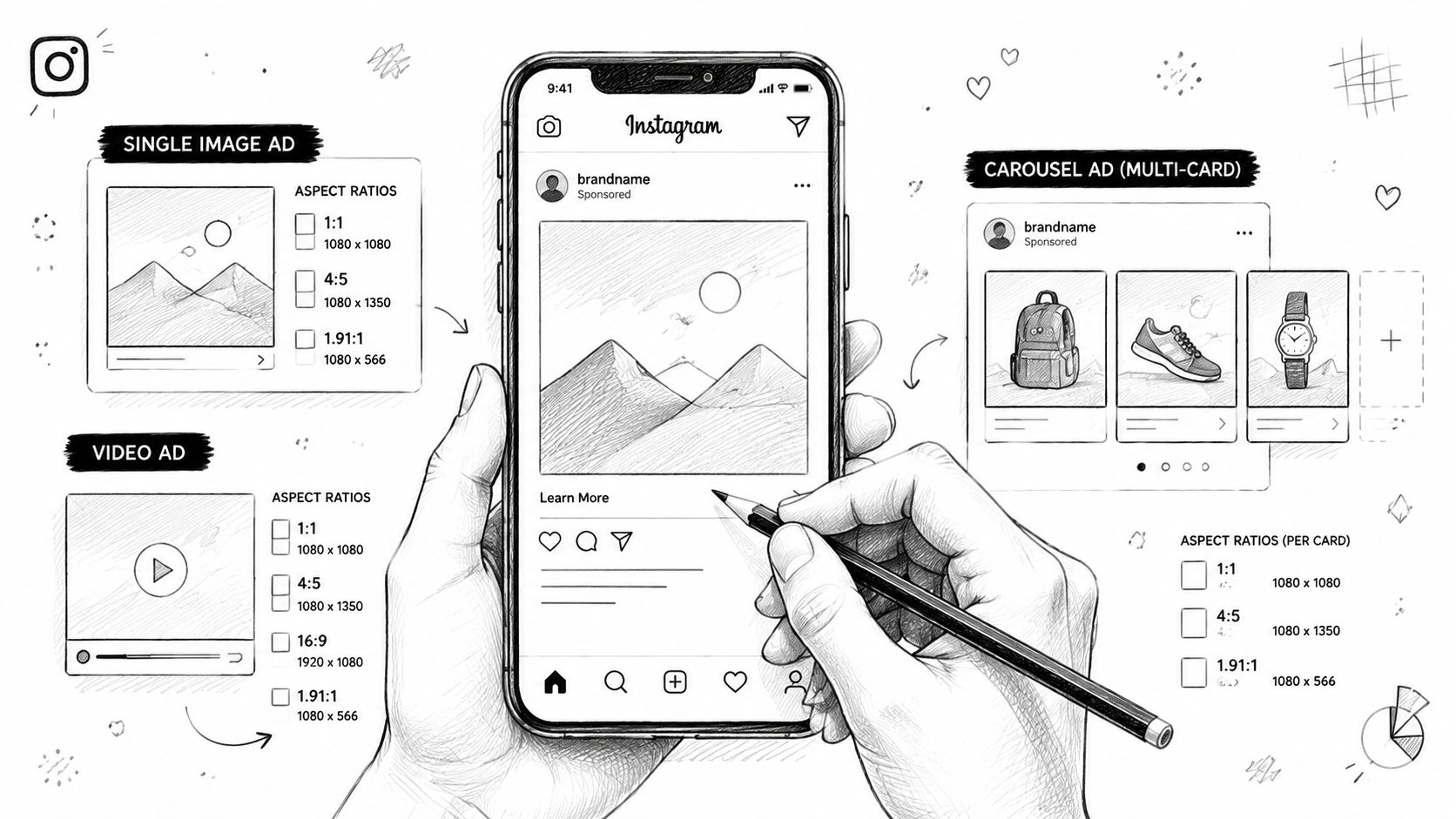 A hand-drawn illustration showing Instagram advertisement specifications for single image, video, and carousel ad formats.
The canonical feed specs
For feed placement, the safest default is 1080×1350 at 4:5. Meta's placement guidance allows a wider range, commonly from 1.91:1 up to 4:5, but 4:5 is the format that gives you the most vertical real estate without drifting into full-screen placements.
Use this as the clean baseline:
Feed format | Best use | Recommended build |
Single image | Product, offer, static promo | 1080×1350 at 4:5 |
Single video | Demo, testimonial, feature clip | 1080×1350 at 4:5 |
Carousel | Multi-frame story, product set, step flow | Keep every card in the same ratio |
That last row matters more than it looks.
Carousel cards should share the same dimensions, framing logic, and export profile. If one card is square, one is tall, and one is wide, the API flow may still let you get far enough to think the set is valid. The final presentation is where the mess shows up.
If you are building this into a product, a documented Instagram media upload workflow helps standardize preprocessing before assets ever hit the publishing step.
The main carousel problem is the async chain
Carousel publishing uses a multi-step container flow. Each child asset is created first. Each child then needs time to process. Only after every child is ready should the parent carousel container be created and published, following the pattern described in the official Meta Marketing API and Instagram publishing docs.
That sequence creates a few predictable failure points:
Child media exists but is still processingThe create call returned an ID, but the asset is not ready for use in the parent container.
One child asset is invalidA single bad image, unsupported video encode, or malformed parameter can poison the whole carousel build.
Cards do not match each otherMixed aspect ratios or inconsistent media handling lead to ugly crops, review issues, or parent creation failures.
Retries create duplicate stateIf your worker retries parent creation without checking child readiness or idempotency, you can end up debugging the retry logic instead of the media problem.
Poll child containers until they are clearly finished processing. A successful create response only means the container exists.
A reliable implementation usually includes:
Per-card validation before upload
Polling with timeout and retry limits
Logging tied to each child container ID
Parent creation gated on all children reaching a ready state
Consistent dimensions and export settings across the full set
One more trade-off is worth calling out. Feed video can be more forgiving than Stories or Reels on layout, but weak encodes still hurt. If one carousel card is a heavily recompressed video while the rest are clean images, the unit feels uneven in-feed even when every API request succeeds. That is a rendering and playback quality problem, not just a spec-sheet problem.
In practice, the parent container is rarely the true source of the bug. It is just the point where the earlier mistake becomes visible.
Stories Ad Specs for Full Screen Verticals
You upload a Story video, the API accepts it, review passes, and the live ad still looks wrong. The usual failure is not the upload itself. It is layout. Stories fill the entire device, so weak crops, low-resolution exports, and bottom-heavy text get exposed fast.
The clean baseline is simple. Stories ads use a 9:16 aspect ratio. The standard build is 1080×1920, and the lower bound is 600×1067. Stories video can run from 1 to 60 seconds, but anything over 15 seconds may be split into sequential story cards during playback, as summarized by Proven SaaS's Instagram ad size guide.
For API work, that split matters more than the headline duration limit. A single uploaded asset can turn into multiple viewing units, which means timing, captions, and CTAs need to survive the cut. If you are already building automation for short-form placements, the same production discipline you use for Instagram Reels API publishing flows applies here too. Validate the media, then validate the viewing experience the placement will create.
A few practical rules save a lot of rework:
Build at 1080×1920 from the start. Upscaling a smaller asset may pass validation and still look soft on device.
Keep the subject and text away from the edges. Stories UI chrome and device-specific overlays make edge placement risky.
Make every 15-second segment work on its own. If card one cannot communicate the offer without card two, expect drop-off.
Do not hide the CTA at the end of a long sequence. Many viewers never reach the final card.
Design for sound on and sound off. Voiceover can support the ad, but the frame still has to carry the message.
The trade-off is straightforward. One longer video is easier to manage in your asset pipeline, but the platform can segment it in ways your editor did not preview. For Stories, I usually treat every 15-second block as a separate unit during review, even if the source file is a single export.
This is the safer way to build:
Story build choice | What usually happens in delivery | Better implementation choice |
One sentence spread across a long clip | Auto-splitting interrupts the thought | Put the core message in the first card |
CTA appears only in the last seconds | Viewers drop before the ask appears | Introduce the offer earlier |
Text sits low near the bottom UI | Interface elements cover part of it | Keep text higher and centered |
Export starts from a smaller canvas | Playback looks soft on modern screens | Render natively at 1080×1920 |
Stories are simple on paper. At the API level, they are less forgiving. Treat the placement as a stack of possible full-screen cards, not as one uninterrupted video, and a lot of the usual rejection and performance problems disappear.
Reels Ad Specs and Video Performance Secrets
A Reel can pass validation, render correctly, and still fail for reasons that never show up in a marketing spec sheet. The common failure pattern is familiar. The video is exported at 1080×1920, the API upload succeeds, but the hook sits under the top UI, the offer drops into the lower overlay area, and the creative team reviews a clean master instead of the in-app composition the user sees.
That gap matters more on Reels than almost anywhere else in Instagram placements.
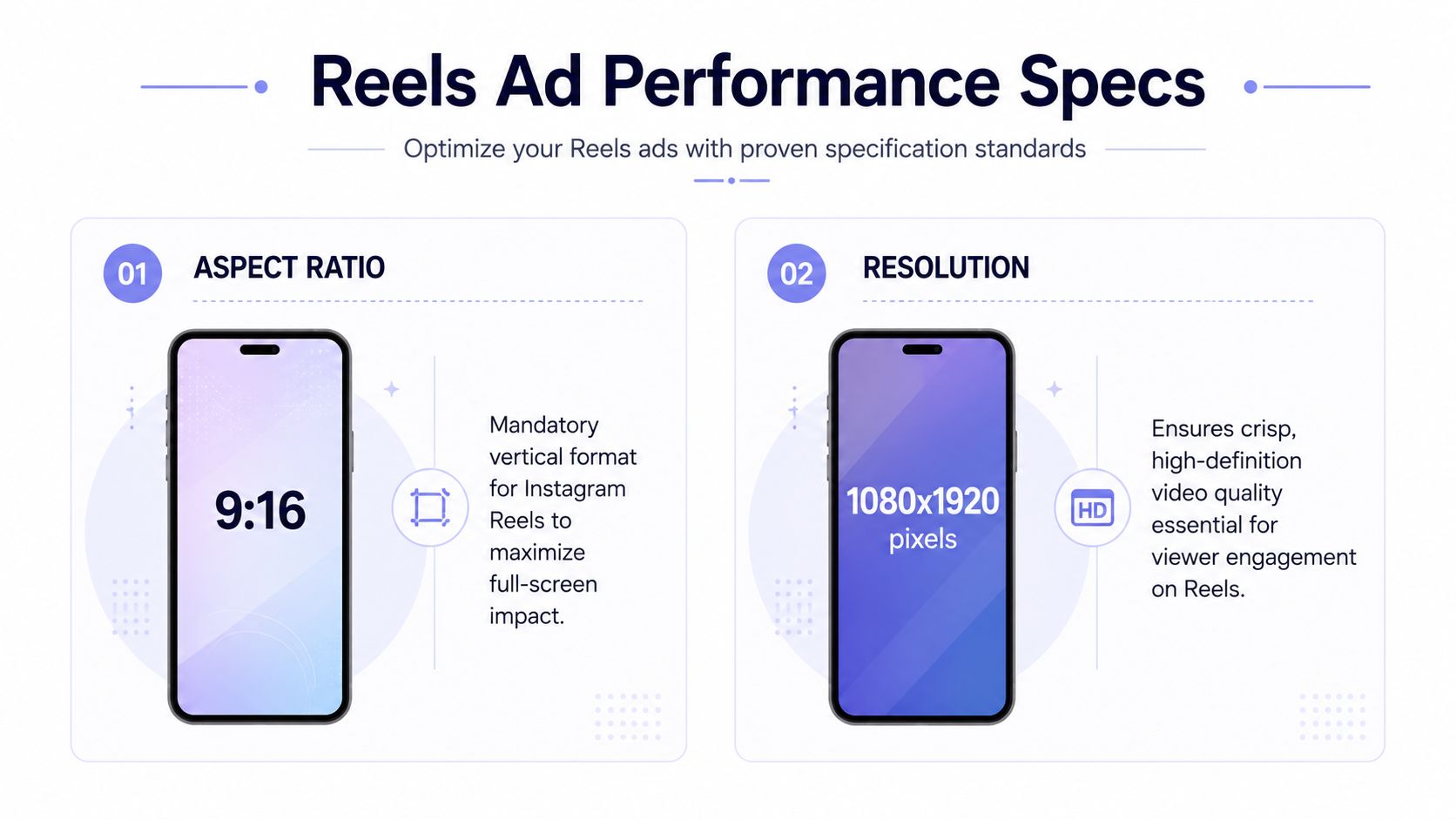 An infographic detailing essential Instagram Reels ad performance specifications including 9:16 aspect ratio and 1080x1920 resolution.
Technical Reels specs
The canonical format is simple. Use a 9:16 vertical asset at 1080×1920. Keep the creative readable without relying on text that sits near the top, bottom, or extreme side edges. In practice, Reels has aggressive UI competition, so safe zone discipline matters more than the raw file spec.
The bottom area causes the most avoidable damage. Captions, CTA treatment, and interface chrome can sit over the exact place designers like to put pricing, product names, and subtitles. If the ad only works with text anchored low on screen, expect either poor readability or a rushed redesign after QA.
Copy has less room here too. Reels does not give long setup copy much help. If the message needs a paragraph to make sense, the placement is doing the creative no favors.
If you are building placement-specific publishing logic, use a Reels API integration workflow for Instagram ads instead of treating Reels like a feed variant with taller dimensions. The asset rules overlap. The review and rendering constraints do not.
A quick visual walkthrough helps if you need to show this to teammates or clients:
Shorter Reels usually win
The official cap gives you room. It does not give you attention.
Ad Library's Instagram video ad specifications note that Instagram video ads can run up to 90 seconds. That is a technical ceiling, not an editing recommendation. In delivery, longer Reels often decay because the first seconds carry nearly all the selection pressure. Weak openings get skipped before the product, offer, or payoff appears.
I usually review Reels with one question first. Would the ad still make sense if the viewer left before the ten-second mark?
That changes how good edits are built. Hooks need to arrive in the first frames. Product context should show up early. Motion has to support the message, not delay it. A slow branded intro that might survive in another placement usually burns too much attention here.
A practical way to choose length:
Product demo: Show the product in use immediately.
Offer-led ad: Put the offer on screen early and keep the claim legible inside the safe area.
Narrative creative: Use the extra runtime only if the first seconds already earn the rest.
Reels rewards clarity more than duration. Teams that keep shipping thirty-second cuts because that is the default editing template usually get better results from a tighter version built for swipe-speed viewing, not for a stakeholder review room.
How to Automate Ad Creation Without the Headaches
The failure pattern is familiar. The first test publish works. The second one works too. Then a scheduled creative swap hits a placement-specific validation rule, a video container stays in processing, or the payload that passed for feed gets rejected for Stories.
Knowing the instagram ad specs does not protect you from that class of problem. Automation breaks at the API boundary, where media prep, container creation, async processing, and placement rules all have to line up in the same request chain.
 Screenshot from https://post-pulse.com
What makes native integrations fragile
On paper, the flow is simple: authenticate, upload media, create a container, poll for readiness, publish. In production, each step carries Instagram-specific assumptions that are easy to miss until a release goes sideways.
The messy parts usually show up here:
OAuth and token lifecycle handling: Getting a user connected is straightforward. Keeping tokens valid across long-lived jobs and account changes is ongoing operational work.
Async processing management: A successful media upload does not mean the asset is ready for ad creation or publishing.
Placement-specific payload branching: Feed, Stories, and Reels often need different media preparation, validation logic, and request construction.
Error normalization: The API often returns generic errors that are technically correct and operationally unhelpful.
Container-based publishing adds another layer. If your team needs a refresher on the underlying flow, this breakdown of the Instagram Graph API publishing workflow is the useful starting point.
None of this is conceptually difficult. It is just the kind of work that keeps expanding. If your product is supposed to create campaigns, review assets, or manage approvals, spending engineering time on token refresh edge cases and container polling is rarely the best use of the roadmap.
What a sane automation layer should handle
The goal is not to hide the rules. The goal is to centralize the plumbing while keeping media validation explicit.
A good setup still checks dimensions, aspect ratio, safe-zone fit, file format, and placement compatibility before a request leaves your system. What it should stop making you rewrite is the repeated infrastructure: auth refresh, upload orchestration, processing-state polling, retries, idempotency, and failure recovery when one asset in a batch goes bad.
A practical split looks like this:
Concern | What your app should own | What the publishing layer should own |
Creative intent | Placement choice, media selection, copy rules | N/A |
Spec validation | Dimension checks, safe-zone templates, placement fit | Can assist, but your app should still validate |
Delivery plumbing | Minimal orchestration | OAuth, refresh, upload handling, polling, retries |
Platform drift | Alerting and adaptation | API version maintenance and edge-case handling |
Teams often move to a unified publishing layer once the first direct integration ships. The hard part is not getting one publish through. The hard part is keeping the tenth variation reliable across placements, asset types, and API updates.
PostPulse is useful in that setup because it abstracts account connection, publishing workflows, and multi-network delivery into one layer. If your app needs Instagram plus other social channels, the trade-off is usually clear. Keep the product-specific logic in your codebase. Stop spending cycles babysitting publishing infrastructure.
Troubleshooting Common Instagram API Ad Errors
Instagram API errors often tell the truth in the least helpful possible way. The code might say “invalid parameter,” but the underlying issue is a media asset that doesn't match the placement assumptions.
When invalid parameter really means media mismatch
(#100) Invalid parameter is the classic catch-all. If you hit it during media or container creation, start with the media itself before touching auth or permissions. In practice, the most common culprits are wrong aspect ratio, unsupported dimensions for the placement, or payload fields that don't align with the media type.
A useful debugging order looks like this:
Inspect the actual asset Check rendered width, height, and file type from the source file, not from what your app expected to generate.
Confirm placement assumptions Don't send a feed-oriented asset through a Stories or Reels path and hope the platform adapts.
Reduce the payload Strip optional fields and retry with the smallest valid request. If that works, add fields back one at a time.
When processing never seems to finish
A container stuck in IN_PROGRESS is usually a signal, not a mystery. The media may still be processing, but it can also mean the source file is malformed, the encoding is awkward, or one child asset in a larger flow never reached a usable state.
If a container stays in progress far longer than expected, inspect the media chain behind it. The visible failure often sits one step earlier.
For ERROR states, separate retryable failures from structural ones:
Retryable patterns: transient upload or polling issues
Structural patterns: wrong dimensions, wrong aspect ratio, broken source file, bad media references
(#200) Permission error is another one that wastes time because the token can look fine at first glance. When that happens, check the connected account type and the exact capabilities exposed in your integration path before assuming your scopes are wrong.
If you need a broader implementation walkthrough, this Instagram Graph API guide is a useful companion for the debugging side of the work.
Frequently Asked Questions for Ad Specs
Can you edit creative after publishing
Treat published ad creative as immutable for planning purposes. If you need a new crop, new subtitle placement, or a different video cut, the clean path is usually to create a new asset and republish through the appropriate flow. That's less glamorous than “editing in place,” but it's much easier to reason about in production systems.
Is boosting a Reel the same as creating a Reels ad
Not really. A boosted Reel starts from existing content and promotes it. A formal Reels ad is usually designed and validated as an ad asset from the beginning, with tighter attention to placement-specific constraints like safe zones, caption limits, and edit length. If you care about predictable rendering, treat them as distinct workflows.
What about product tagging and shop ads
Shop-related ad workflows add another layer of requirements because the media object is only part of the job. You also need the commerce setup, catalog alignment, and valid product references to match the ad context. The usual mistake is assuming media publication and product association are one problem. They're two.
A practical rule helps here:
Validate media first
Validate commerce data second
Only then wire them together
If you reverse that order, debugging gets noisy fast.
If you're building social publishing into a product and don't want to spend your roadmap maintaining token refreshes, media polling, and platform-by-platform edge cases, PostPulse is the pragmatic shortcut. One integration gives apps, automations, and AI agents a unified way to publish across Instagram and other networks, with REST API access, official n8n and Make.com nodes, and white-label options when you need the whole flow under your own brand.
About the Author

Founder of PostPulse — a social media scheduling platform for creators and teams. Software engineer with a passion for building developer tools and simplifying complex API integrations across social media platforms.