10 Social Media Posting Best Practices for Devs in 2026
Published on
Tags:
You've built the fun part already. Your app can generate content, your AI agent can summarize a podcast, your workflow can turn a product update into a week of posts. Then you try to publish, and social APIs remind you they were not designed to make your life easy.
One platform wants a create step, then a polling step, then a publish step. Another gives you an OAuth token that expires after exactly 1 hour by default unless you handle refresh correctly, which is a common pain point called out in this developer guide to integrating social media APIs. Meta adds another layer of fun with dynamic, usage-based limits that require you to inspect headers on every response and honor Retry-After, as covered in this overview of social media API rate limit handling.
That's why reliable social publishing feels less like “add a share button” and more like operating a small distributed system. You're dealing with token lifecycles, queued jobs, media processing, retries, platform-specific caption rules, and users who assume the post should “just work.”
Good social media posting best practices aren't only about better marketing. They're about building a system that publishes consistently, survives bad API days, and doesn't wake you up because one carousel never left PROCESSING.
If you're also building creative automation upstream, this is the same problem space as teams that integrate AI for ad creatives. Generation is easy. Distribution is where the engineering starts.
Table of Contents
5. 5. Prioritize First-Hour Engagement (The Human-in-the-Loop)
6. 6. Repurpose One Asset into a Dozen Platform-Native Posts
1. 1. Post When Your Audience Is Actually Online
A scheduler that fires every post at 9 AM server time isn't a strategy. It's a bug with a calendar.
Platform cadence already varies enough that one global rule doesn't hold. Buffer's social posting frequency guide says brands tend to do best with 3–5 posts per week on Instagram and LinkedIn, 1–2 posts daily on Facebook, 3–4 times daily on X, 2–5 posts weekly on TikTok, 1–3 YouTube Shorts weekly, once-weekly long-form YouTube, and 15–25 pins daily on Pinterest. That's the first clue that timing logic needs to be per platform and per account.
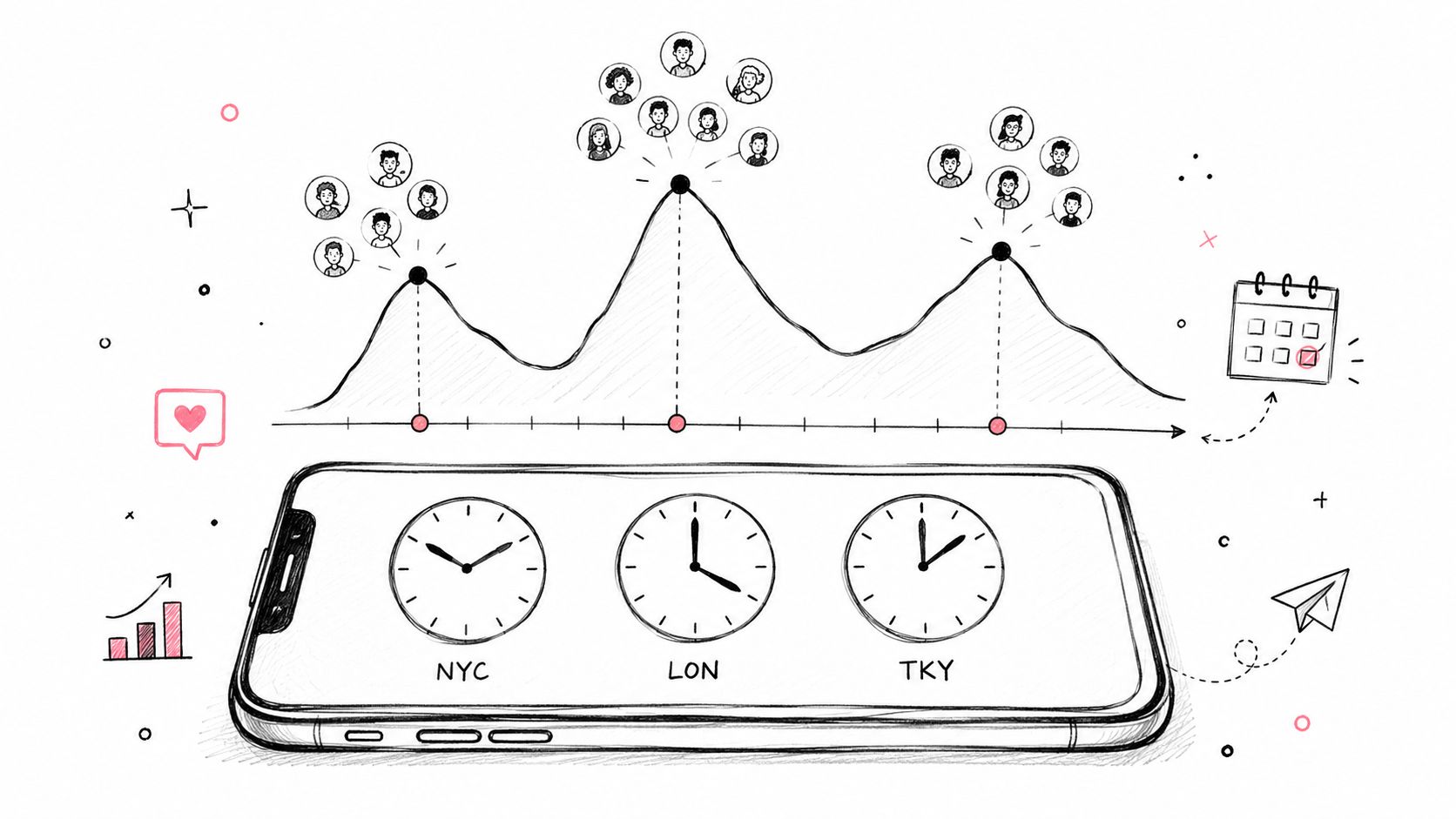 A hand-drawn illustration showing a trend graph with audience profiles and world clocks on a smartphone screen.
Per-platform timing beats one global scheduler
From an engineering perspective, “post when your audience is online” means your data model needs more than publish_at. You want account timezone, preferred windows, blackout periods, and platform-specific cadence rules. If a creator posts to LinkedIn and TikTok, those should be separate scheduling decisions, not one timestamp copied twice.
A simple version works well:
Store account-local preferences: Save timezone and preferred posting windows per connected account.
Queue platform jobs separately: Split one editorial item into per-platform publish jobs.
Support staggered rollout: Publish to one region first, then others later if the audience is global.
Practical rule: Don't ask humans to remember timing nuance. Put it in your scheduler.
I've seen teams manually coordinate this in Slack for far too long. It works until someone takes a day off, daylight saving time shifts, or a campaign spans multiple regions. Good social media posting best practices start with automation that respects when each audience is present.
2. 2. Master Native Video (and Container-Based Publishing)
If you've only posted text and images so far, video is where the abstractions crack. Native upload matters because platforms treat uploaded media differently than outbound links, but native upload also means transcoding, async processing, and format validation.
That's why I don't treat video publishing as a single API call in system design. I treat it like a workflow with checkpoints and failure states. Especially on platforms that use a container model, “upload complete” is not the same thing as “publishable.”
Model publishing as a state machine
A reliable implementation tracks state explicitly: UPLOADING, PROCESSING, READY, ERROR. If you skip that and just “wait a bit, then publish,” you'll eventually ship a system that fails unnoticed when transcoding takes longer than expected.
A few habits help:
Generate native variants early: Export different aspect ratios before upload, instead of trying to force one master everywhere.
Poll with discipline: Backoff between status checks and stop after a clear timeout.
Persist platform IDs: Save media container IDs, upload session IDs, and final post IDs for retries and audit logs.
“If the platform splits create and publish into separate steps, your app should too.”
The trade-off is complexity versus reliability. The fast implementation treats every platform like “POST media, done.” The stable implementation acknowledges that some platforms are asynchronous jobs wearing an API costume.
This is also where a unified layer helps. According to this roundup of unified social media APIs, unified APIs can normalize content across 13+ platforms through one endpoint and handle auth tokens, media transcoding, format normalization, and rate-limit retries automatically. That's a lot of plumbing you don't need to rebuild yourself if video is central to your product.
3. 3. Maintain a Consistent Cadence to Manage Rate Limits
Erratic posting is bad for audiences, and it's bad for infrastructure. A bursty publisher can look fine in staging and then hit avoidable throttling in production because you dumped a week's worth of scheduled content into the same hour.
For tech brands, cadence changes can have real impact. This 2026 industry analysis on social media marketing for tech brands says moving from fewer than 10 posts per week to a steady 10–30 posts per week was associated with a 2.3x increase in engagement, and follower growth rates rose from +0.12% to +0.26% as frequency increased. The exact numbers matter less than the operational lesson. Consistency beats sporadic spikes.
Consistency helps both audiences and infrastructure
Your queue should smooth demand automatically. If three campaigns all want the same publish window, your scheduler should serialize or stagger jobs rather than fire them at once and hope the APIs cooperate.
A practical setup looks like this:
Use a real job queue: BullMQ, RabbitMQ, or any durable worker system beats cron plus optimism.
Throttle per platform and account: Keep separate concurrency controls so one noisy tenant doesn't affect everyone else.
Buffer content ahead of time: A content reserve gives you room to schedule evenly instead of posting in panicked batches.
If you want a sense of how messy platform differences get once you scale across networks, this social media platform integration breakdown is a useful reference.
What doesn't work is hand-triggering large batches after content review finally finishes. Humans create bursts. Queues create cadence.
4. 4. Send Platform-Specific Captions to Avoid Truncation
The same caption pasted everywhere is usually the first sign an automation pipeline was built by someone who never had to debug bad output in production. Even when a post technically succeeds, it can still ship a broken experience. Hooks get buried, line breaks look wrong, and the important sentence lands after the platform's preview cut.
Your publishing layer should assume each platform needs its own text variant. Not because marketers like busywork, but because platform surfaces are different. X rewards compression. LinkedIn can support more context. Instagram needs the strongest line above the fold.
Your API should accept variants, not one caption
This is one of those places where a small schema decision saves a lot of pain later. Instead of caption, accept something like a variants object keyed by platform. That lets the same source asset publish with a short version for X, a story-like version for Instagram, and a more detailed version for LinkedIn.
I'd also wire in validation before publish:
Check length and formatting: Catch obvious truncation risks before the API call.
Preview first-line visibility: Make sure the hook survives the initial collapsed view.
Fallback safely: If a variant is missing, use a default template, not a blind copy of the longest caption.
If you're also trying to make video output more usable, these accessible video content tools are worth a look for captions and subtitle workflows upstream.
What works is writing one idea, then adapting the wrapper. What fails is pretending every social surface displays text the same way.
5. 5. Prioritize First-Hour Engagement (The Human-in-the-Loop)
Automation can publish. It can't fake a good conversation.
That matters because social is also customer support. Sprout Social's social media best practices report says 73% of social media users expect brands to respond within 24 hours, 70% view companies negatively when they don't, and failing that window can mean a 55% loss of opportunity to convert interactions into loyal customers. If your system posts flawlessly but nobody responds, the workflow is still incomplete.
 A stopwatch surrounded by social media icons like speech bubbles, a heart, and a sharing symbol.
Design for response, not just publishing
The right pattern is human-in-the-loop. Schedule posts when someone can monitor replies shortly after publish, then notify the team immediately when the post goes live.
A few implementation details matter:
Send publish webhooks: Push success events into Slack or Discord.
Attach direct links: Don't make the team hunt for the live post.
Route by platform or brand: The person handling LinkedIn comments probably isn't the one handling TikTok.
Fast response is part of the publishing pipeline, not a separate marketing task.
I've seen teams over-automate this and regret it. Auto-replies buy speed but often create low-quality interactions. Better social media posting best practices keep humans close to the first wave of engagement, especially on the accounts that matter most.
6. 6. Repurpose One Asset into a Dozen Platform-Native Posts
Many teams don't have a content problem. They have a packaging problem.
A single webinar, product demo, founder memo, or long-form video can feed multiple platforms if you design the pipeline correctly. That's where automation is useful. Not for spraying one identical post everywhere, but for turning one source into several native outputs with different shapes, hooks, and timings.
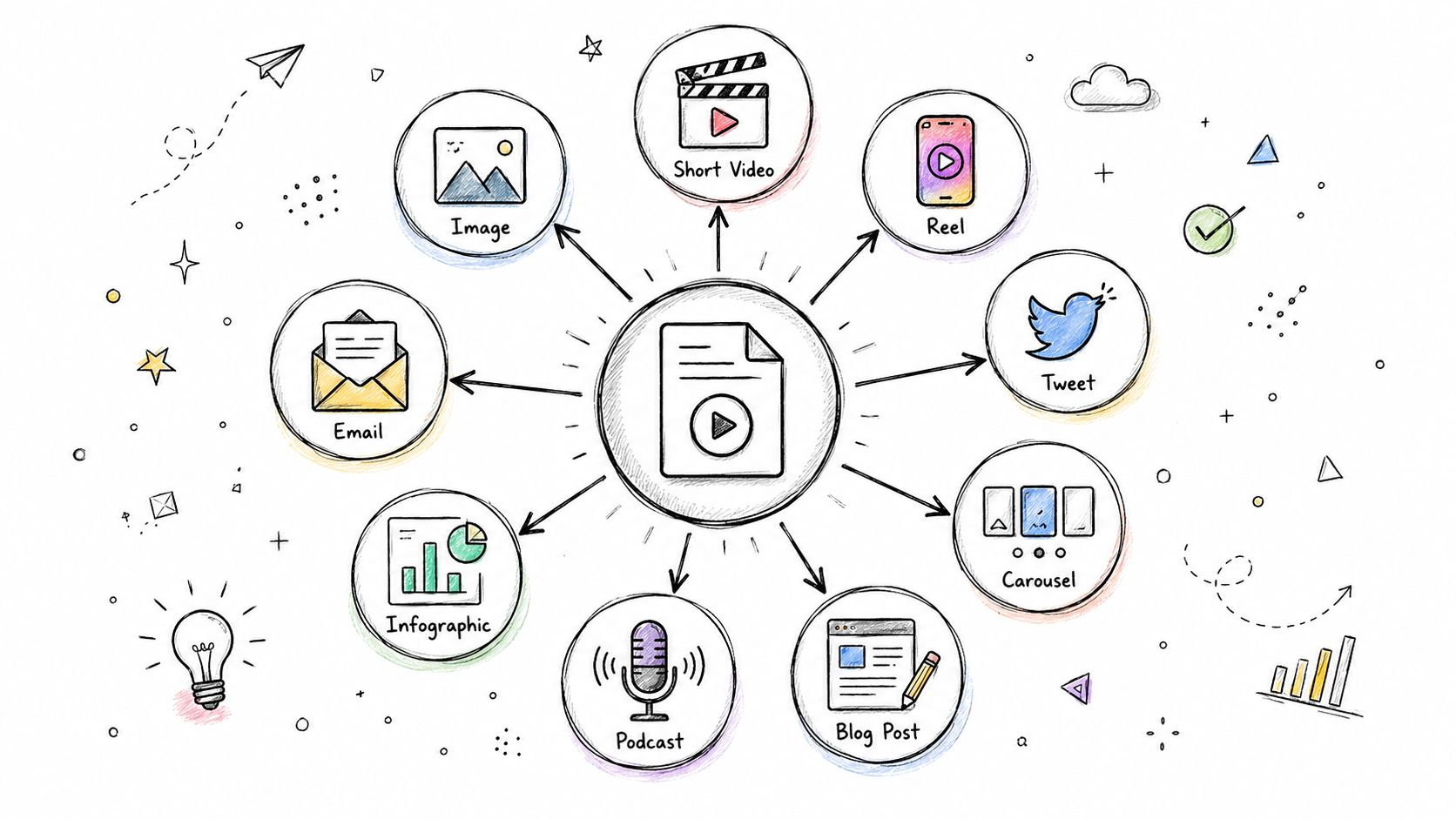 A hand-drawn illustration showing a central video file icon branching out into various digital content types.
Build a hub-and-spoke pipeline
A practical flow looks like this: long-form source in, transcription, clip extraction, caption generation, per-platform formatting, then queued distribution. Descript, OpusClip, FFmpeg scripts, and your own metadata layer can all fit into that chain.
What matters is preserving lineage. Every derivative post should know which parent asset it came from. That makes debugging easier, and it makes analytics much more useful later.
Many generic guides stop short regarding platform-specific considerations. Tufts points out that platforms expect distinct formats and cadences, and notes that posting frequency varies by platform, such as daily on Twitter and 1–3 times per week on Facebook, but most guides don't explain how an automation layer should enforce those differences while adapting the same source content for many destinations at once. That blind spot is especially painful for no-code builders and AI agents, as described in these platform-specific social media best practices from Tufts.
If you want a deeper operational pattern, this content repurposing strategy guide is a solid companion.
A useful walkthrough helps make that concrete:
The mistake is treating repurposing as copy-paste. The better approach treats it as transformation with rules.
7. 7. Aggregate Analytics via API to Guide Strategy
If your team checks analytics by opening eight tabs and eyeballing what “felt good” this week, you don't have a measurement system. You have vibes.
Pull performance data into one store. Postgres is enough for plenty of teams. BigQuery is fine if you already live there. The point is to compare posts across platforms in one place, with one naming scheme and one content ID model.
One reporting layer changes better decisions
This gets more important as channel mix expands. Coursera's roundup of social media best practices, citing Statista data, notes that in 2026 Facebook remains the most-used platform among marketers globally at 83%, followed by Instagram at 78%, and 26% of marketers plan to explore direct social commerce features such as Instagram Shops. If your stack spans major networks plus commerce workflows, fragmented reporting quickly becomes the bottleneck.
A useful reporting model includes:
Normalized content identifiers: Tie every platform post back to one campaign or source asset.
UTM discipline: Use consistent tags so traffic and conversions map cleanly downstream.
Regular polling jobs: Fetch analytics on a schedule rather than relying on manual exports.
Don't optimize for the loudest dashboard. Optimize for patterns you can compare consistently.
What works is monthly review against a centralized dataset. What doesn't work is changing strategy because one post had a good Tuesday.
8. 8. Plan with a Calendar, Publish with an Automation
Creative planning and delivery should not live in the same mental bucket. When they do, teams either plan beautifully and miss deadlines, or ship constantly and lose editorial quality.
A rolling calendar fixes that. Airtable, Notion, or even a disciplined Google Sheet can work as the source of truth. The scheduler reads approved rows, not half-formed ideas from a chat thread.
Separate editorial planning from delivery
I like a simple model: editorial team owns themes, hooks, and approval status. The automation layer owns timestamps, variants, and publishing retries. That separation cuts decision fatigue and avoids last-minute scrambling.
You can keep the calendar lean:
Use clear statuses: Draft, approved, scheduled, published, failed.
Tag content buckets: Tutorials, product updates, behind-the-scenes, customer stories.
Reserve manual slots: Leave room for reactive posts without breaking the queue.
If you're connecting planning tools to notifications and workflows, this guide on how to streamline business with Zapier and Slack is relevant for the operational side.
The best systems make the publishing engine boring. That's a compliment.
9. 9. Code an 80/20 Value-to-Promotion Ratio
A queue that turns into nonstop product promotion will hurt output quality even if every API call succeeds. Social accounts need useful material between asks.
The cleanest way to enforce that is in code. Sprout Social's guidance includes the 80/20 rule, where 80% of content should educate, entertain, or inspire and 20% should focus on direct conversion or promotion. Since I'm not reusing that link, I'll keep the point qualitative here: your queue should contain a lot more value content than direct asks.
Enforce the mix in your queue
This is easy to model if your content database has a type field. Mark items as value or promo, then validate the next scheduled batch before enqueueing. If too many promotional posts cluster together, block or reshuffle them.
A few implementation ideas:
Add policy checks before scheduling: Reject sequences that lean too heavily promotional.
Prefer evergreen value assets: Tutorials and explainers give you reusable inventory.
Let promotions piggyback on value: Publish the helpful how-to first, then the ask later.
I've found this works best when the rule is visible in tooling, not buried in a strategy doc. Humans forget. Queues don't.
10. 10. Unify Your Stack. Abstract Away the API Chaos
After a while, the pattern becomes obvious. The hard part isn't making one successful post. The hard part is surviving every platform's slightly different auth, media rules, rate behavior, and review process without dedicating an engineer to social publishing forever.
That's why the ultimate best practice is abstraction. Not blind abstraction that hides everything, but a layer that normalizes the repetitive headaches while still exposing enough detail for retries, observability, and debugging.
The abstraction layer is the real best practice
Two ugly realities push teams here fast. First, app review can drag for months if you integrate major platforms directly. This overview of social publishing infrastructure notes that PostPulse provides pre-verified Meta, TikTok, and Google apps so developers can connect accounts via standard OAuth and start the same day instead of waiting through 3–6 months of platform-specific review queues. Second, some providers already handle the ugly token and media edges you don't want to own.
That's what makes a unified publishing layer attractive for apps, no-code workflows, and AI agents. One integration surface can accept platform-specific captions, schedule jobs, emit webhooks, and keep platform quirks out of your product code. If you want the app-centric version of that approach, this all social media in one app overview shows the shape of it.
PostPulse fits naturally here because it's built for this exact problem. Not as a generic social dashboard, but as infrastructure for developers who want publishing inside their own product or workflow.
10-Point Social Media Posting Best Practices Comparison
Practice | 🔄 Implementation Complexity | ⚡ Resource Requirements | ⭐ Expected Outcomes | 📊 Ideal Use Cases | 💡 Key Advantages & Tips |
1. Post When Your Audience Is Actually Online | Moderate, analytics + per-account scheduling and timezone handling | Historical engagement data, scheduling system, platform analytics | Higher initial visibility and engagement velocity | Teams optimizing timing across time zones and platforms | Automate scheduling, A/B test times, stagger for global audiences |
2. Master Native Video (and Container-Based Publishing) | High, transcoding pipelines, container flows, robust error handling | Bandwidth, storage/CDN, transcoding tools, multiple aspect exports | Significantly higher native engagement and richer watch metrics | Video-first creators and brands distributing natively across platforms | Export multiple aspect ratios, implement state machine for container states |
3. Maintain a Consistent Cadence to Manage Rate Limits | Low–Moderate, content calendar + job queue to smooth publishing | Content calendar, queue system (e.g., BullMQ), production discipline | Predictable follower growth; avoids API throttling | Brands seeking steady growth and safe API usage | Start at ~3 posts/week, batch-create content, keep a 2-week buffer |
4. Send Platform-Specific Captions to Avoid Truncation | Moderate, supports caption variants per platform and copy workflows | Copywriting time, caption variants storage, A/B testing setup | Better engagement and preserved message across platforms | Multi-platform campaigns where copy clarity matters | Lead with a hook, pass platform-specific variants via API, test hooks weekly |
5. Prioritize First-Hour Engagement (Human-in-the-Loop) | Moderate–High, real-time notifications and human monitoring | Team availability, webhook/notification system, moderation tools | Increased distribution from early replies and higher reach | Product launches, conversation-driven posts, high-priority content | Schedule when humans can respond, notify Slack, prioritize first ~20 replies |
6. Repurpose One Asset into a Dozen Platform-Native Posts | High, clip extraction, transcription, templating and metadata tracking | Clipping/transcoding tools (Descript/OpusClip/FFmpeg), automation pipeline | Higher content velocity and improved ROI on production effort | Creators with long-form hub content who want scale | Use repurposing templates, stagger variants, include source_content_id |
7. Aggregate Analytics via API to Guide Strategy | High, many API clients, normalization and BI aggregation | Engineering for ETL, database/BI (Postgres/BigQuery), UTM tagging | Data-driven strategy, clear content-performance insights | Teams making cross-platform decisions and ROI analysis | Cron weekly fetches, normalize engagement rates, tag links with UTMs |
8. Plan with a Calendar, Publish with an Automation | Moderate, integrate calendar (Airtable/Notion) with publishing automation | Calendar tool, no-code/automation platform, batch-production process | Reduced decision fatigue and consistent publishing cadence | Teams that batch-produce content and want predictable output | Start simple (Airtable/Sheet), reserve ~20% for spontaneity, use scheduling endpoints |
9. Code an 80/20 Value-to-Promotion Ratio | Low, tagging/enforcement logic in calendar/queue | Content taxonomy and a field to track type ('value' vs 'promo') | Stronger audience trust and better long-term engagement | Brands prioritizing organic relationship building over constant promos | Enforce via queue rules, measure engagement to fine-tune ratio |
10. Unify Your Stack: Abstract Away the API Chaos | Low for integrators (use unified API), High if building from scratch | Unified publishing service or engineering to build abstraction layer | Streamlined publishing, lower maintenance, clearer error handling | SaaS products or teams wanting a single integration point | Use a unified API (e.g., PostPulse), pass platform-specific variants, integrate webhooks |
Stop Fighting APIs, Start Shipping Features
Most social publishing pain has nothing to do with writing content. It comes from operational complexity that sits between your app and the final post.
You need scheduling that respects platform cadence instead of one global clock. You need native media handling that can survive asynchronous processing and format differences. You need queueing that smooths bursts, webhook events that bring humans into the first hour of engagement, and analytics pipelines that tell you what actually worked across channels. Then you need to keep all of that alive while OAuth tokens expire, APIs change behavior, and users expect every post to publish on time.
That's why the strongest social media posting best practices for developers look different from generic marketing advice. They're less about “post better content” and more about system design. Build idempotent publish jobs. Persist platform IDs. Model multi-step video workflows explicitly. Separate editorial planning from delivery. Store platform-specific caption variants. Keep humans involved where authenticity matters, especially in replies. Use automation for the repetitive parts, not the parts that require judgment.
There's also a clear build-versus-buy line here. If social publishing is your core product, maybe you do want to own every edge case. Many organizations, however, do not. Instead, they seek the feature, not the maintenance burden. They want their users to connect accounts, publish reliably, and move on.
That's where unified infrastructure starts to make more sense than hand-rolling integrations forever. A provider that already handles OAuth refresh, rate limit retries, media normalization, and shifting platform requirements provides an immediate advantage. PostPulse is a practical example of that. It abstracts the ugly parts without forcing you into a generic consumer workflow, which is why it fits apps, automations, and AI agents well.
The end state is simple. Your product ships posts reliably. Your team spends time improving content systems and user experience instead of chasing token failures and flaky publish states. And when social platforms change something next quarter, you're not rebuilding half your integration under deadline.
That's the ultimate win. Less time maintaining brittle connectors. More time shipping features users notice.
If you're building social publishing into a product, workflow, or AI agent, PostPulse is the kind of infrastructure that removes a lot of recurring pain. It supports publishing to Instagram, TikTok, YouTube, LinkedIn, X, Threads, Bluesky, Facebook, and Telegram through one integration surface, with REST API access, official n8n and Make.com nodes, and an MCP server for autonomous agents. It's especially useful if you want white-label account connections, don't want to wait through platform app audits, and would rather spend engineering time on your core product than on token refresh logic, media formatting, and API drift.
About the Author

Founder of PostPulse — a social media scheduling platform for creators and teams. Software engineer with a passion for building developer tools and simplifying complex API integrations across social media platforms.