Social Media Platform Integration: Dev Guide
Published on · Updated on
Tags:
A lot of teams hit the same wall the same way. A PM says, “Can we let users publish to social from our app?” and it sounds like a tidy feature. Then you open the docs, wire the first OAuth flow, post one image successfully, and realize you didn't add a feature. You adopted a fleet of third-party systems that all break in different ways.
The pain isn't just API syntax. It's token expiry that shows up after launch, review queues that block your roadmap, media rules that differ per platform, and silent failures that only surface when a customer asks why yesterday's post never went out. Social media platform integration looks small in the ticket. In production, it's infrastructure.
That pressure keeps growing because users don't live on one network anymore. As of April 2026, the average social media user engages with 6.52 distinct platforms monthly, which makes separate one-off integrations harder to justify over time (Backlinko social media usage data). If your users are planning content across several channels, your backend has to behave like a translation layer, not a single-platform client.
Content creation is now the easy part. If your team needs help generating drafts before you solve delivery, a tool like Prompt Builder for social media managers is useful upstream. The hard part is getting those posts through auth, validation, upload, status polling, and platform quirks without waking up your engineers every week.
Table of Contents
So You Need to Publish to Social Media
The request usually lands as “add social sharing,” but that phrase hides several separate systems. Are you publishing immediately or scheduling? Is the user connecting one account or many? Are you supporting images only, or video, carousel, threads, stories, shorts, and drafts? Every answer multiplies complexity.
The first version often works just enough to fool you. You authenticate one test account, send one clean payload, and get a success response. Then real users arrive with expired grants, mismatched permissions, business accounts that changed state, videos that need different encoding, and platform-specific review requirements you never budgeted for.
The feature request that turns into a platform problem
I've seen teams treat this like a frontend integration. Add some buttons, grab a token, call a publish endpoint. That works until your app has to support multiple customers, each with multiple social accounts, each expecting reliable delivery.
At that point, social media platform integration stops being a connector and starts being a control plane. You need to manage:
User identity across vendors so one connected account doesn't poison another
Credential lifecycle because “connected” today doesn't mean valid next month
Media normalization so one upload can satisfy very different platform requirements
Operational visibility so support can answer “what failed and why?” without reading raw API logs
Most integrations don't fail on the happy path. They fail in the handoff between “auth succeeded” and “the customer assumes this is reliable.”
What breaks your optimism
The frustrating part is that every platform is internally reasonable and externally inconsistent. One platform wants a multi-step media container flow. Another accepts a direct upload. Another gives you an opaque error that can mean auth, content policy, or account state. A few are easy to prototype and hard to maintain.
That's why teams get stuck. They don't need another API wrapper. They need an architecture that isolates platform churn from the rest of the product.
The Core Challenges of Social Media Integration
When engineers say social media integration is painful, they usually mean four different pain classes. It helps to split them apart, because each one breaks at a different layer of your system. It's comparable to plumbing in four houses built by four contractors who never spoke to each other. The water still flows, but every pipe thread is different.
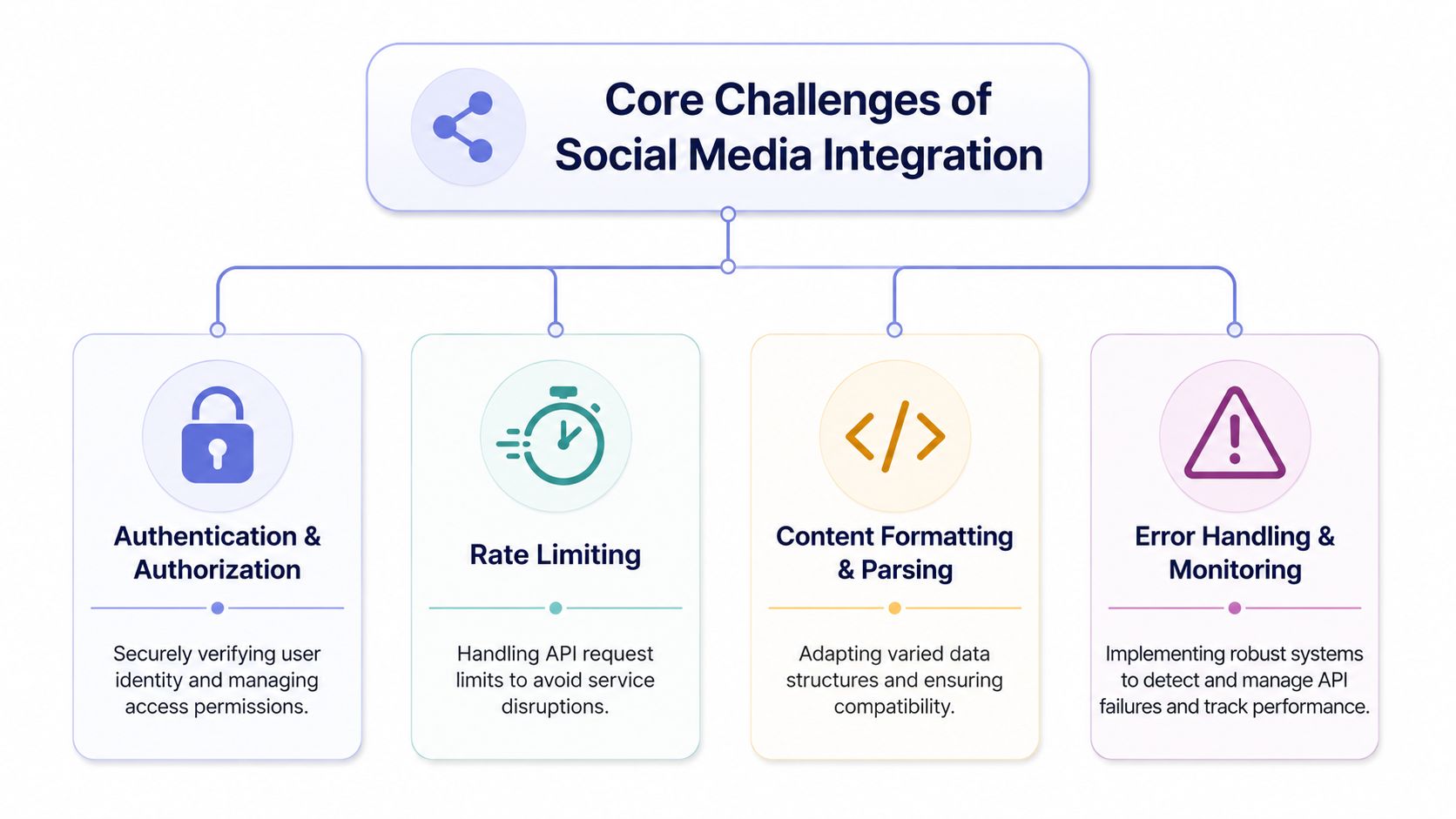 A diagram outlining the four core challenges of social media integration including security, rate limiting, formatting, and monitoring.
Authentication is only the first trap
Authentication gets all the attention because it breaks fast and visibly. Each platform has its own scopes, token exchange rules, app setup steps, and permission review realities. A “connected account” UI checkbox doesn't mean much unless you also track token age, granted scopes, account type, and reconnect status.
Then rate limiting shows up. Not just request caps, but per-endpoint behaviors and retries that need platform-aware handling. If you don't centralize that logic, your queue workers become a pile of ad hoc conditionals.
A few practical rules help:
Treat auth state as domain data. Don't store only a token. Store the platform account identifier, token issue timing, refresh eligibility, granted scopes, and last known health.
Build retries around idempotency. A publish retry should not create duplicate posts when the first request partly succeeded.
Separate user-facing status from transport status. “Queued,” “uploaded,” “processing,” and “published” are not the same thing.
If you're also responsible for analytics and post-state visibility, that side of the stack matters too. A good reference point is this look at social media reporting workflows, because publishing and reporting usually end up sharing the same account and permission model.
Publishing is only one side of the integration. Products that also need to retrieve profiles, posts, comments, audience insights or creator-authorized reach and impressions can use Phyllo's social data API infrastructure to normalize these read workflows across platforms instead of maintaining a second set of platform-specific integrations.
Formats and async flows break naive designs
The next layer is content formatting and media handling. One platform accepts a payload your backend already has. Another wants a different aspect ratio, metadata shape, or codec expectations. A simple “publishPost(content)” function starts to fray once video enters the picture.
Asynchronous operations make it worse. A publish call may not publish anything yet. It might create a media container, start processing, return a job identifier, and require a later status check before the post becomes real.
If your architecture assumes every publish request is synchronous, it will lie to your product team and confuse your users.
That leads to the fourth pillar. Error handling and monitoring. Social APIs fail in ways that don't map cleanly to one enum. Some failures are transient. Some are account problems. Some are policy or permission issues. You need logging that preserves platform responses, plus alerting that spots unusual failure patterns before support tickets teach you about them.
A sturdy mental model is this:
Challenge | What usually goes wrong |
Auth and authorization | Tokens expire, scopes are missing, account state changes |
Rate limiting | Retries amplify failures, queues back up, workers thrash |
Formatting and parsing | Media passes local validation but fails platform-specific checks |
Monitoring and error handling | Failures stay opaque until customers report them |
Once you see those as separate systems, debugging gets much less emotional. You stop asking, “Why is social broken?” and start asking, “Which layer failed?”
Navigating Authentication and Token Lifecycles
Teams often don't get burned by OAuth because they skipped the docs. They get burned because the docs describe the protocol, while production failures happen in the lifecycle around it.
To ground this, here's a visual flow of the moving parts:
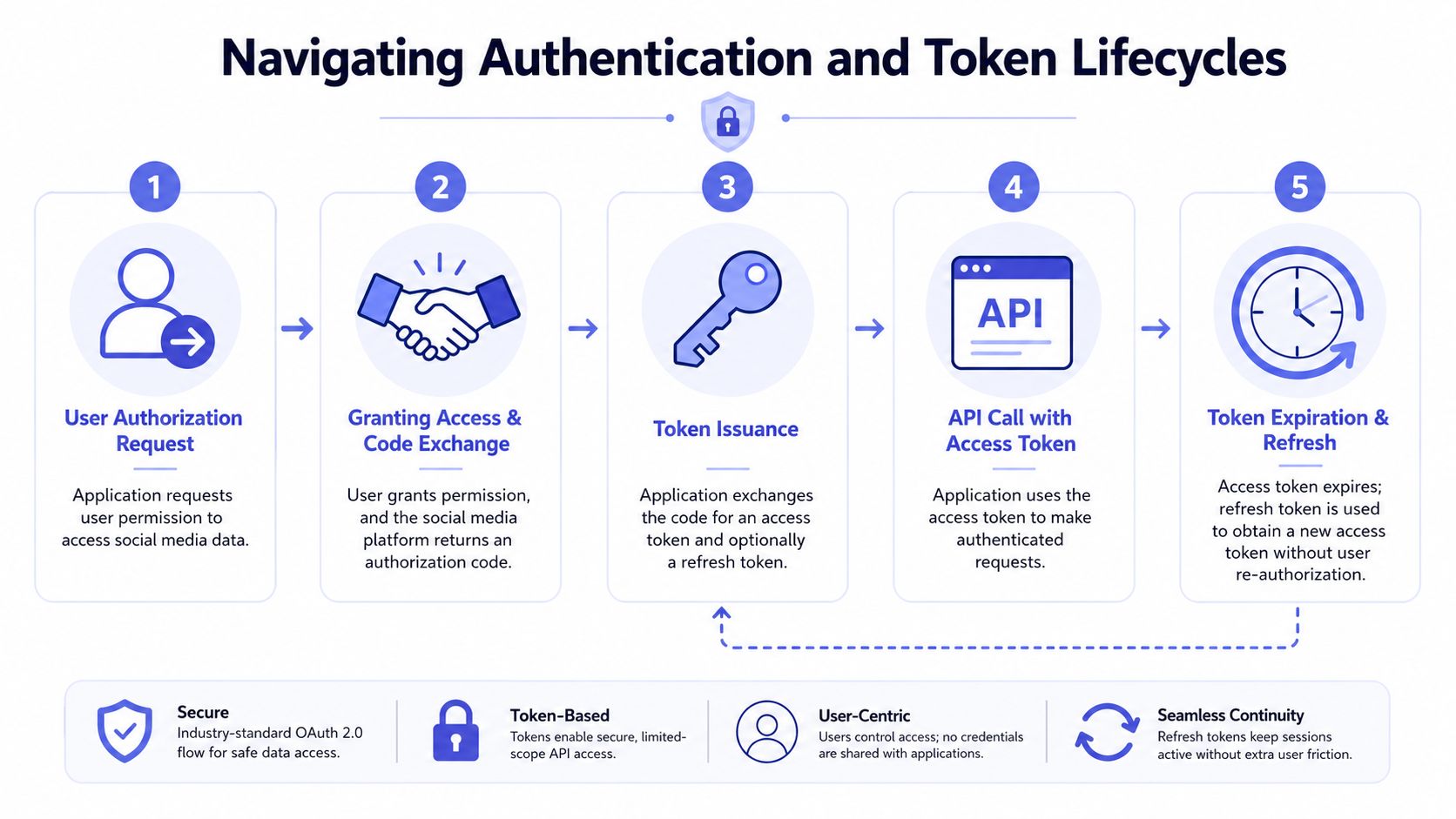 A five-step infographic explaining the OAuth 2.0 authentication process for social media platform integration.
OAuth 2.0 is the industry standard for delegated authorization, using JWTs to manage stateless sessions, and this stack is critical for high-scale platforms that must handle millions of authenticated API calls per second without repeated database lookups on each request (AgileEngine on social app auth stacks). That sounds abstract until your queue workers are authenticating constantly and auth latency becomes part of your publish latency.
Why tokens seem to die at the worst time
What developers usually mean by “my token expired after an hour” is one of several different problems:
You stored a short-lived token and never exchanged it.
You assumed refresh works the same way across APIs.
You scheduled refresh too early or too late.
The user changed something about the account and invalidated the token mid-cycle.
The hard part is that all four can present as “invalid OAuth access token.”
If you're building around Instagram, the details matter. Instagram long-lived access tokens expire exactly 60 days after issuance, and the refresh endpoint only accepts tokens that are at least 24 hours old but not yet expired (Make community discussion of Instagram token reauthorization). If you refresh successfully, the new validity window starts from the refresh date, not the original issue date.
Later in the flow, request shape matters too. The Instagram Graph API refresh endpoint must be a GET request to https://graph.instagram.com/refresh_access_token, and grant_type must be set to ig_refresh_token with the long-lived token passed as the access_token query parameter (Fishtank guide to renewing Instagram access token). A valid token with the wrong method or grant type still fails.
The Instagram refresh details that actually matter
There's another trap that wastes days. Not every Instagram token can be refreshed. Meta's documented distinction matters here. The refresh operation is not supported for Instagram Basic Display API tokens, only for Instagram User Graph API tokens. If you built on the wrong API family, automatic refresh isn't available and the account must re-authenticate when the token expires (Reshmee Auckloo on Basic Display vs Graph refresh behavior).
Business Instagram tokens add one more operational wrinkle. They typically last between 60–90 days, and they can be revoked early if the user changes their password, switches from Business to Creator, or removes app permissions from Facebook settings (Later help on Instagram authentication token behavior).
Practical rule: build refresh jobs, but also build immediate re-auth flows. Scheduled refresh alone won't save you from account-state changes.
For teams working through Meta-specific edge cases, this breakdown of the Meta OAuth token lifecycle is worth keeping nearby.
A lot of auth bugs disappear once you model tokens as expiring credentials with policy and account dependencies, not as static secrets.
What production auth looks like
Reliable auth systems usually share the same habits:
Store token metadata, not only secrets. You need issued time, expected expiry, refresh eligibility, permission context, and last refresh attempt.
Refresh before the cliff, not at the cliff. Leave room for retries and transient failures.
Fail loudly for reconnect cases. If a password change or permission removal invalidates the grant, surface that immediately in product and ops.
Instrument auth separately from publishing. Otherwise publish failures mask authentication decay.
Put differently, auth is not setup. It's a recurring workflow.
Here's a solid walkthrough if you want a video refresher before implementing the state machine:
Choosing Your Integration Path Build vs Buy vs Aggregator
Once you understand the moving parts, the strategic question gets easier. There are really three paths. Build direct. Use a unified aggregator API. Or stay mostly in no-code tooling and accept its constraints. Teams often frame this as build vs buy, but that's too simple. The maintenance burden and app review overhead are different on each path.
The three paths teams actually take
Build direct (DIY) is the heroic engineer route. It gives you maximum control and the most platform-specific surface area. You own OAuth setup, token refresh behavior, queue semantics, media processing, API version changes, and every odd edge case. If social publishing is your core product, that control might be worth it. If it's a feature, you're probably creating a permanent side quest for your team.
Use an aggregator API when your product needs multi-platform publishing but social infrastructure is not your primary moat. A unified social media API architecture can reduce platform integration work by 6–12 months because it collapses distinct OAuth flows and rate-limit schemes into one REST surface, and it can reduce developer maintenance time by about 80% in production environments (Zernio on unified social media APIs). That's the difference between shipping a capability and adopting a department.
It also changes the review story. The same source notes that most white-label success cases bypass audits by using pre-verified apps integrated into unified APIs, reducing deployment from 6 months to 3 days. That matters more than many teams realize. App review doesn't just slow launch. It blocks sales, demos, onboarding, and customer trust.
There's a related problem on the data side. Plenty of teams need publishing and data access in the same roadmap. If that's your stack, this guide to social media scraping is a useful complement because ingestion and publishing often end up sharing the same platform governance concerns.
Use no-code tools when speed matters more than deep control. Make.com and n8n can be a good fit for internal workflows, campaign automations, and lower-volume publishing. But you still need to understand where responsibility lives. No-code doesn't remove platform quirks. It just moves them into nodes, connectors, and scenario errors.
Integration Strategy Comparison Build vs Aggregator vs No-Code
Criteria | Build Direct (DIY) | Use Aggregator API (e.g., PostPulse) | Use No-Code (e.g., Make.com) |
Time to market | Slowest. You build auth, media handling, retries, and platform logic yourself | Faster. One normalized API surface replaces many vendor-specific ones | Fast to prototype, slower when workflows become complex |
Development cost | Highest engineering cost up front and ongoing | Lower internal build cost, vendor cost shifts to service fees | Lower engineering cost, but workflow maintenance grows over time |
Maintenance burden | Highest. API changes and token issues land on your team | Lower. Platform churn is abstracted behind the unified layer | Medium. Connector behavior can still break and needs debugging |
App review hell | You face it directly | Often reduced when using pre-verified app infrastructure | Depends on connector path and what the tool abstracts |
Product flexibility | Highest theoretical control | High for publishing use cases, less control over internals | Limited by connector features and workflow model |
Operational visibility | Whatever you build | Depends on vendor plus your own telemetry | Depends on the tool's logs and your workflow discipline |
For many organizations, the hidden cost isn't code. It's recurring uncertainty. A direct integration can be technically elegant and still be the wrong business call if your roadmap depends on reliability more than ownership.
I'd put the decision this way. Build direct when platform behavior itself is core IP. Use an aggregator when publishing is a product capability. Use no-code when the workflow matters more than the infrastructure.
Typical Implementation Patterns and Code
The easiest way to understand the trade-off is to compare code shape. Native integrations aren't just “more lines.” They create different failure modes, different retry models, and different support burdens.
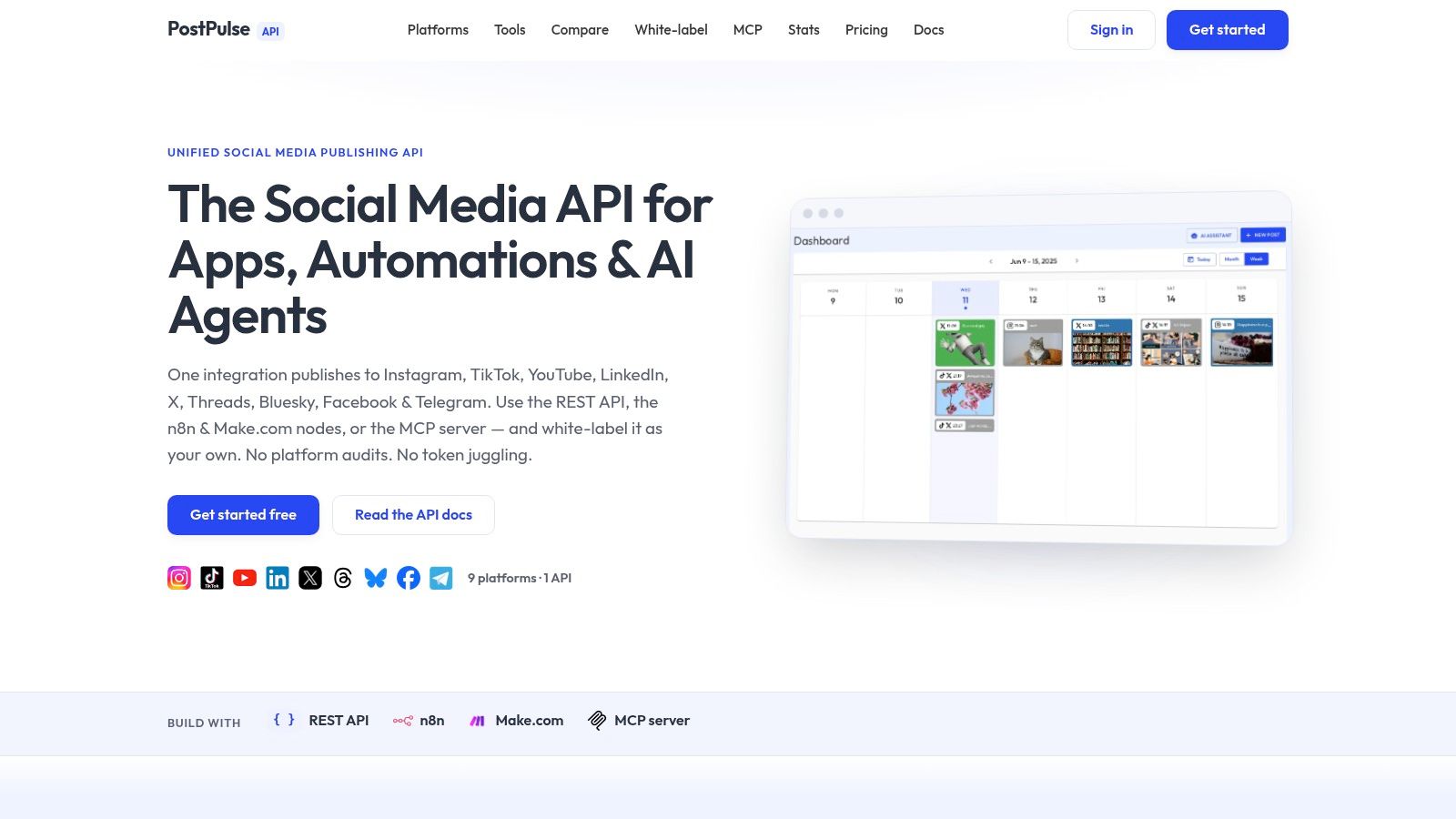 Screenshot from https://post-pulse.com
What native multi-platform publishing looks like
If you post the same video to Instagram, TikTok, and YouTube through native APIs, your backend usually has to juggle different request contracts and different state transitions. In pseudo-code, it often looks something like this:
That's already simplified. Real code also carries account selection, per-platform validation, transcoding branches, retry policies, error normalization, and webhook or polling logic.
Native code gives you control. It also gives you three separate incident categories for one user action.
If your team is automating rather than building a full app, example workflow patterns like these n8n social publishing workflows can help clarify where orchestration ends and platform complexity begins.
What a unified publishing call looks like
With a unified layer, the application code changes shape. Instead of orchestrating every platform-specific step, your app sends intent and lets the integration layer translate it:
This is the practical reason aggregator platforms exist. They centralize OAuth, refresh handling, rate-limit behavior, media adaptation, and platform-specific response mapping behind one surface. In that category, PostPulse is one example. It exposes a REST API for developers, official n8n and Make.com nodes for automation builders, and an MCP server for AI agents that need autonomous publishing across supported platforms.
That architectural shift matters more than syntax elegance. Your app stops being a bundle of vendor-specific state machines and becomes a client of one publishing system. That's easier to test, easier to document, and far easier to support when customers connect several accounts.
Compliance Migration and Launch Readiness
A working publish call is not the finish line. Production readiness starts when you ask uncomfortable questions about token storage, consent, auditability, account migration, and failure handling.
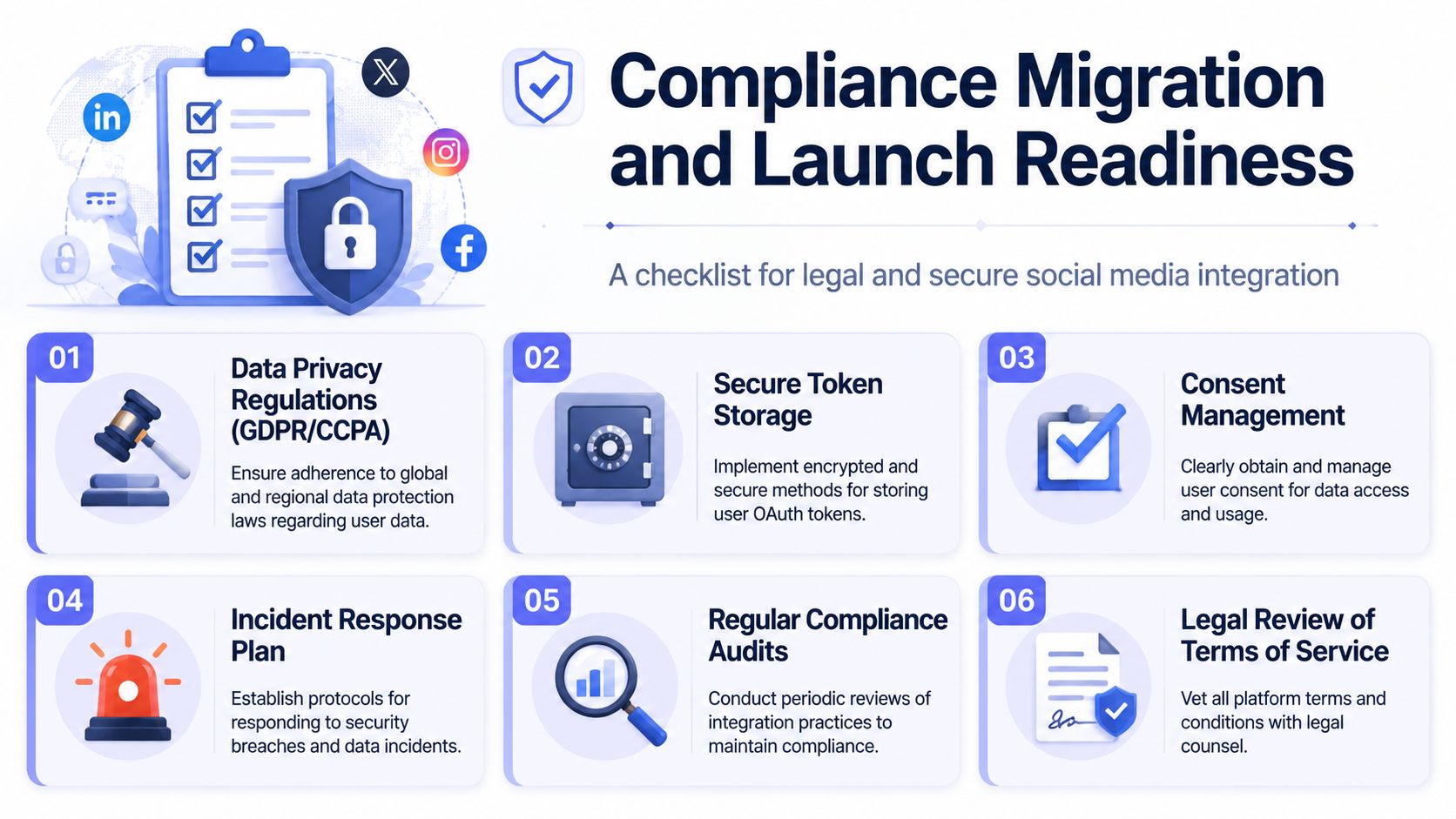 A checklist infographic titled Compliance Migration and Launch Readiness for secure social media integration.
What senior teams check before launch
If you store user OAuth credentials, legal and security reviews shouldn't happen after release. They need to shape the design. Teams usually know this in theory, but it gets skipped because publishing feels like a feature, not a data-handling subsystem.
My pre-launch checklist looks like this:
Secure token storage. Encrypt stored credentials, restrict operator access, and define exactly which services can decrypt them.
Consent and revocation handling. Users need a clear path to disconnect accounts, and your system should stop processing after revocation.
Platform terms review. Product, engineering, and legal should agree on what data you store, how long you retain it, and how you respond to deletion requests.
Operational alerting. Silent auth failures need alerts, not just log lines.
Business Instagram tokens are a good example of why this matters. They can be revoked early if the user changes their password, switches profile types, or removes app permissions, so a scheduled refresh every 60 days can still fail and force immediate re-OAuth (Later Instagram token overview)).
Compliance problems rarely start with a breach. They start with an engineer assuming a connected account will stay connected.
Migration without breaking customer accounts
Migration is where many teams get reckless. They move from DIY to a unified provider, or from one workflow tool to another, and assume tokens can easily be copied over. Sometimes they can't. Sometimes they shouldn't.
A safer migration plan usually includes:
Inventory every connected account by platform, scope, and token health.
Segment users by migration path so you know who needs silent transfer, who needs re-auth, and who needs manual support.
Run parallel publish verification on a small cohort before broad rollout.
Prepare reconnect UX in advance because some accounts will need it no matter how careful you are.
Keep a rollback path until status, logs, and user reports stay clean.
Launch readiness is mostly discipline. The code is only half the system. The other half is how your team handles the day a platform changes behavior without asking for your permission.
The Smartest Path to Multi-Platform Publishing
If you enjoy platform work, building direct integrations is a fun technical challenge. I mean that sincerely. There's good engineering in auth state machines, queue design, media pipelines, webhook processors, and error normalization.
But for most companies, that isn't the right optimization. They need reliable publishing across multiple networks, not an internal team dedicated to social API archaeology. The actual cost shows up after the first demo, when tokens age out, platform rules shift, customer accounts drift, and every new channel adds another branch to the maintenance tree.
That's why the unified approach usually wins. It turns scattered platform logic into one integration surface, one operational model, and one set of product assumptions. You still need to design for failures. You still need monitoring and reconnect flows. But you stop rebuilding the same plumbing for every network.
Before you write a single line of OAuth code, do the honest math. Count engineering time, review delays, support load, and the opportunity cost of maintaining vendor-specific behavior. If social publishing is a feature and not your core moat, a unified API path is usually the cleaner decision.
If you want a practical way to avoid separate platform audits, token lifecycle maintenance, and per-network publishing logic, take a look at PostPulse. It gives developers one integration surface for publishing to multiple platforms through a REST API, official automation nodes, or an MCP server, which is often a better fit than building and maintaining every native connection yourself.
About the Author

Founder of PostPulse — a social media scheduling platform for creators and teams. Software engineer with a passion for building developer tools and simplifying complex API integrations across social media platforms.