Unify All Social Media in One App: The 2026 Developer Guide
Published on
Tags:
You ship a feature that posts to social media. It works in staging. It even works for your first users. Then one morning support starts forwarding screenshots. A connected account stopped publishing without warning. Another one returns an auth error. A third says the post was accepted, but it never appeared anywhere.
That's usually the moment developers realize “all social media in one app” isn't a UI problem. It's an integration problem, an operations problem, and eventually an ownership problem. You're not just building a composer. You're volunteering to manage OAuth flows, permission scopes, media processing quirks, review queues, webhook drift, and the constant low-grade churn of external APIs.
The market pressure behind this is obvious. By April 2026, there were 5.79 billion social media user identities worldwide, and the typical user actively uses 6.5 different social platforms each month, according to DataReportal's social media usage overview. If you're building any product with publishing, engagement, or brand workflows, fragmentation is the default environment.
Table of Contents
The Dream and the Nightmare of Social APIs
The dream is simple. One composer. One account connection flow. One publish button. Your users connect Instagram, LinkedIn, TikTok, YouTube, Facebook, X, Threads, Bluesky, maybe Telegram, and your app handles the rest.
The nightmare starts when each platform means a different auth flow, a different media pipeline, and a different failure mode. One API wants a direct media upload. Another wants a multi-step container flow. Another accepts the request but finishes processing later. Another changes a field name and your serializer starts lying to you.
I've found that teams underestimate the boring parts first. They focus on “can we hit the endpoint?” when the primary concern is “can we keep this integration healthy for the next year?” That's where token refresh jobs, retry logic, dead-letter queues, and API version tracking become the actual product.
Practical rule: If your feature depends on five social APIs, you're running five external change streams whether you planned for them or not.
For teams trying to understand what a sane integration surface should look like, a good platform API reference is useful because it shows how a unified layer can normalize operations developers otherwise have to map by hand.
This is also why version discipline matters more than generally expected. If you don't have a plan for contract changes, your social layer turns brittle fast. A solid guide to API versioning best practices is worth reviewing before you expose any public publishing endpoint.
Two Architectures for Unifying Social Media
There are two broad ways to build all social media in one app. They look similar in a product mockup, but under the hood they're very different bets.
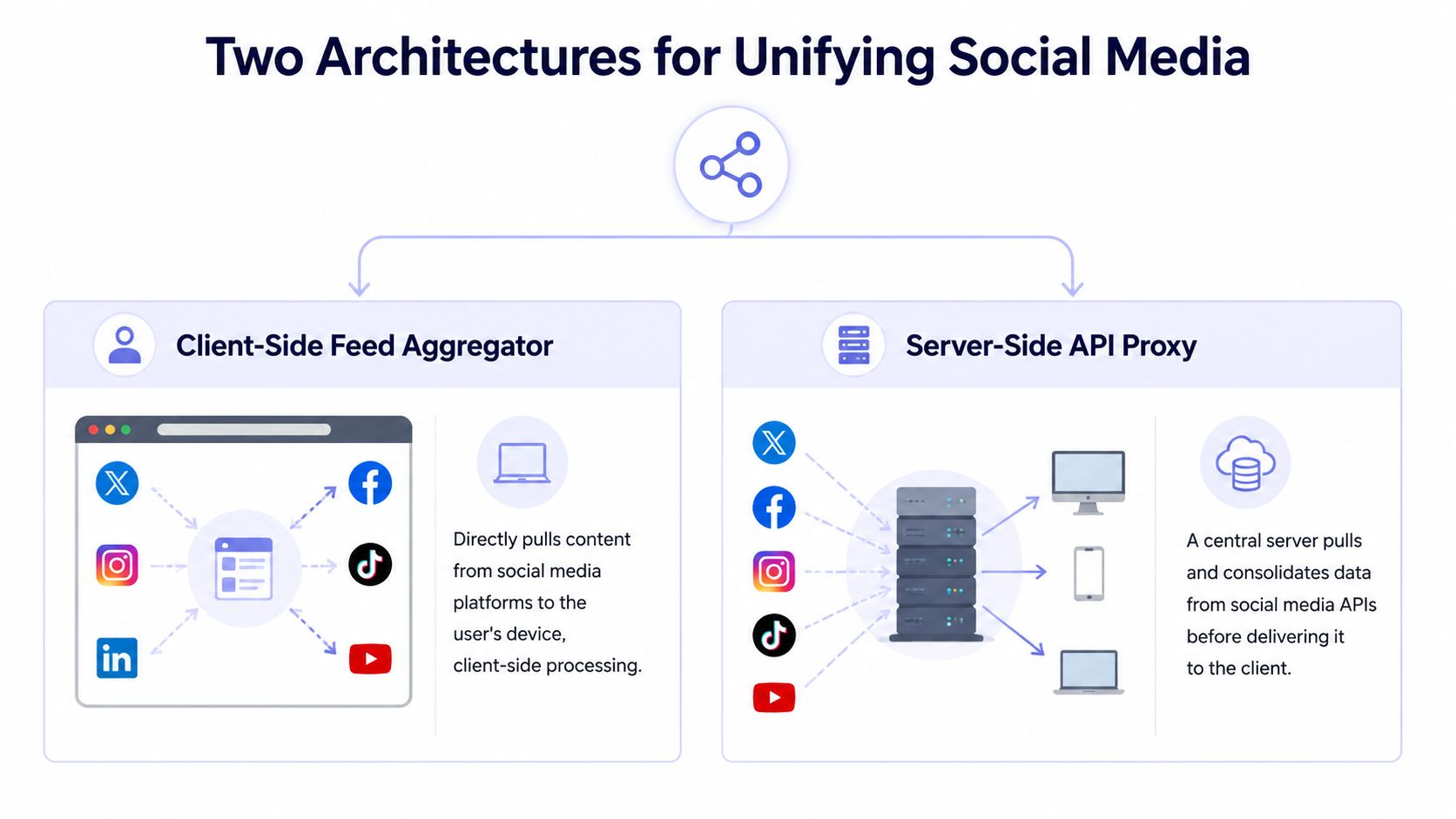 A diagram comparing client-side feed aggregator and server-side API proxy architectures for unifying social media platforms.
Client-side aggregation
This is the “personal newspaper” model. The app pulls content from multiple networks and renders it for one user in one interface. Think unified reading, light engagement, maybe simple notifications.
It sounds attractive because the UI story is clean. In practice, it inherits every read-side inconsistency from every platform. Pagination differs. Objects differ. Permissions differ. Even basic concepts like what counts as a post, comment, thread, or conversation can drift platform by platform.
This architecture can work for consumption-heavy products, but it's a rough fit for serious business workflows. You don't want token logic, field mapping, and platform-specific edge cases sitting in clients where you can't centrally patch behavior.
Server-side publishing
This is the “central printing press” model. Your app sends intent to a backend layer, and that backend handles identity, content transformation, delivery, retries, and status.
That approach maps much better to operational products. A technically sound implementation treats the system as a federated publishing and identity layer with microservices architecture, autoscaling cloud infrastructure, and event-driven data pipelines, as described in AgileEngine's breakdown of social media app architecture and scaling choices. The reason is practical, not fashionable. Posting, inboxing, and analytics don't fail the same way, so they shouldn't have to scale the same way either.
A simple comparison makes the trade-off clearer:
Architecture | Best for | Main weakness |
Client-side aggregator | Reading and lightweight cross-platform views | Hard to normalize data and auth behavior at scale |
Server-side publishing platform | Business workflows, scheduling, analytics, moderation | More backend complexity up front |
Put the unstable parts behind a server boundary. That's how you keep external API weirdness from leaking into every client release.
For most developer tools and SaaS products, the second path is the one that survives contact with real users.
The API Integration Gauntlet You Must Run
The hard part isn't making one successful API call. The hard part is building a system that still works after platform auth changes, schema drift, and review friction pile up.
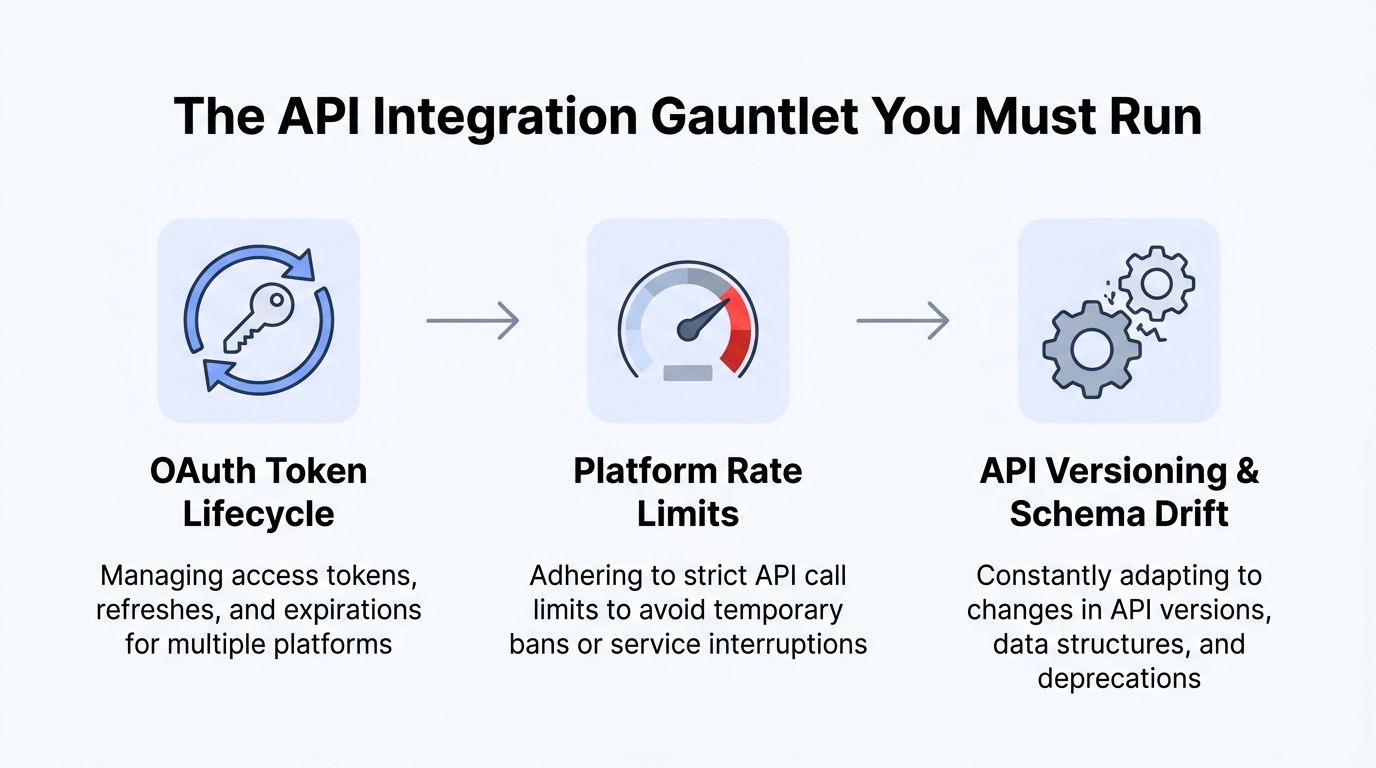 A diagram illustrating the three major challenges of API integration: OAuth token lifecycle, platform rate limits, and versioning.
Auth is the first trap
OAuth looks standardized until you implement it across multiple providers. Then you discover each platform has its own interpretation of scopes, token exchange, expiration behavior, refresh flow, and app review requirements.
If you're building broad social coverage, Meta is the center of gravity. Statista reports that Meta owns four of the largest social platforms, each with more than 1 billion monthly active users, in its global social network ranking. That means your Meta integration quality often determines whether your “all in one” story feels real or half-finished.
Common auth work that teams forget to budget for:
Token storage: You need encrypted storage, rotation procedures, and clear revocation handling.
Refresh orchestration: Background jobs must renew credentials before users notice failures.
Scope drift: New features often need new permissions, which means reconnect flows and user education.
Failure messaging: “Authentication failed” is useless. Users need to know whether they should reconnect, reauthorize, or just retry later.
For adjacent API work, I like seeing how other teams document integration rough edges. This guide for AI video API integration is a good example of explaining implementation reality instead of pretending every external API behaves cleanly.
Content models don't line up
Publishing parity is where unified products usually get exposed. Every platform claims to support posting. That doesn't mean they model media, drafts, or publish status the same way.
Instagram-style container workflows are a classic example. You submit one object, poll another state, and only later get something publishable. That's manageable in isolation. It gets ugly when your product promise is “publish everywhere from one click” and one destination behaves like a job queue while another behaves like a direct write.
The API surface you expose should answer practical questions clearly:
Did the post get accepted or published?
Is media processing still pending?
Which destinations succeeded?
Which ones are retryable?
Which failures require a user action?
A unified API that doesn't normalize status transitions is just moving complexity around.
Platform review is product work
Review processes are where many internal builds stall. You don't just write code. You collect screencasts, explain user flows, justify permissions, revise copy, and wait through feedback that's often brief and hard to action.
That's one reason teams buy instead of build. If you already know you want a single publishing backend, reviewing a normalized surface like the PostPulse API docs is often more useful than spending months proving your own app to every platform separately.
Four Paths to Publishing Everywhere
A team usually reaches this decision after the first integration hurts. One platform publishes immediately. Another needs media preprocessing. A third passes review, then changes an endpoint six weeks later. At that point, "all social media in one app" stops sounding like a UI problem and starts looking like an architecture choice with ongoing maintenance costs.
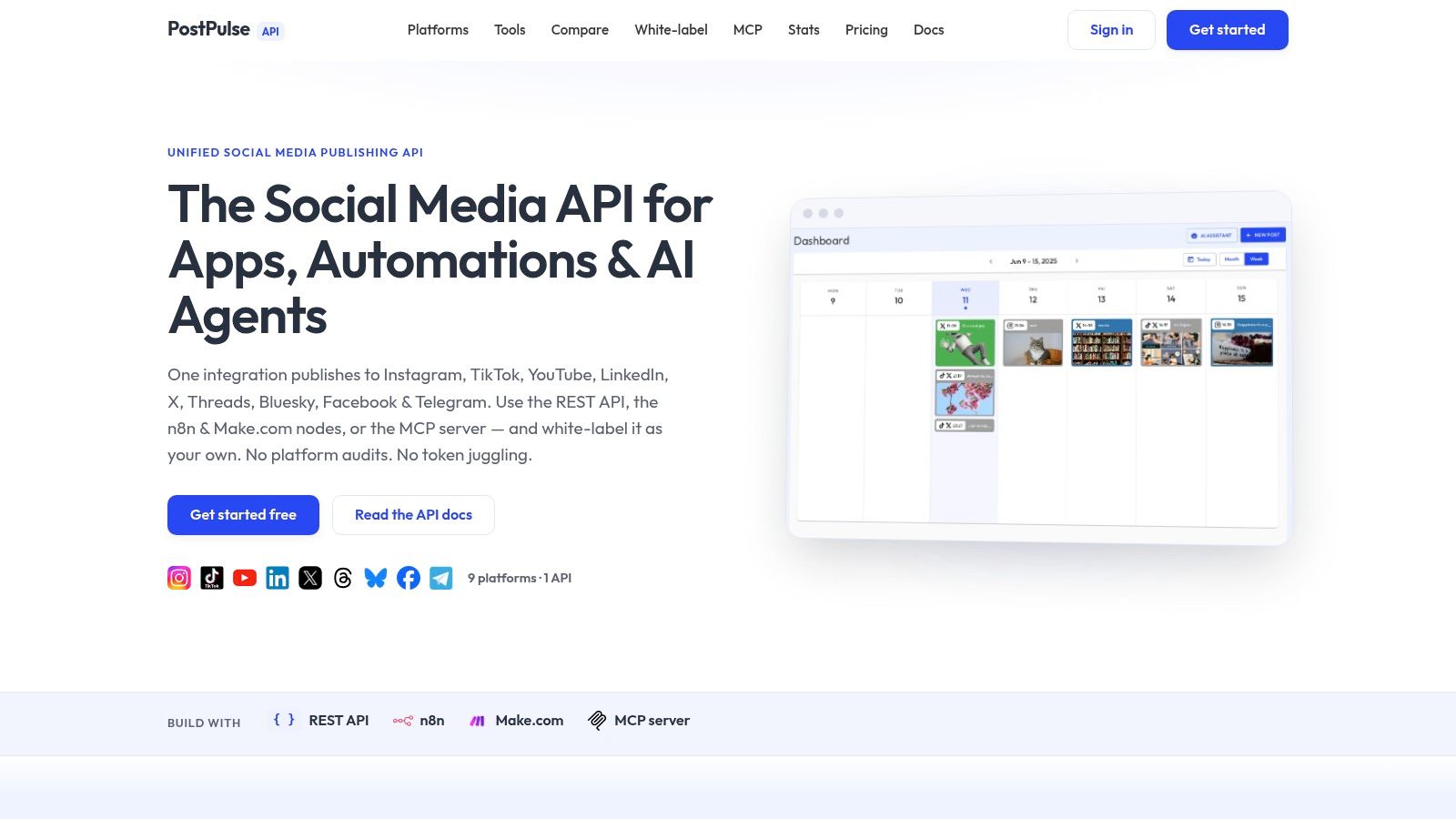 Screenshot from https://post-pulse.com
Direct REST API
Direct API integration fits product teams that already own their app shell, user model, billing, queueing, and permissions. The goal is simple. Keep the social layer programmable and push platform-specific behavior behind one normalized interface.
This path makes sense for a CMS, CRM, internal operations tool, or creator product where publishing is one feature among many. It is usually the fastest buy option for engineering teams that want control over product UX without signing up to maintain every social connector themselves.
Instagram is a good test case because it exposes the actual work quickly. Teams dealing with media constraints, delayed publish states, and retry behavior should review a practical guide to auto-publishing to Instagram with the right media and status handling before wiring it into a scheduler.
No-code and low-code workflows
No-code routes fit operators who need output, not a developer platform. Agency teams, lifecycle marketers, and internal automation owners often care about triggers, approvals, and content routing more than SDK design.
Tools like n8n and Make let teams publish from spreadsheets, CMS events, or asset pipelines without building a service that polls status and retries failures. The trade-off is control. Once the workflow needs per-platform validation, tenant isolation, custom scheduling rules, or detailed publish telemetry, many teams end up rebuilding logic outside the automation tool anyway.
Some requests for "all social media in one app" are really requests for coordination across channels and systems. This explanation of multi channel marketing meaning is useful if the requirement is orchestration rather than a single composer.
AI agent protocols
Agent-driven publishing is a different problem from human-driven publishing. The interface has to be explicit enough that software can choose a destination, prepare the payload, read the result, and decide whether to retry or ask for help.
That means clear primitives matter more than a polished dashboard. Good APIs expose operations like create draft, attach media, validate destination requirements, publish, and fetch job status. If the publishing layer hides too much behind one vague endpoint, agents fail in ways that are hard to debug and harder to trust in production.
White-label embedded publishing
White-label publishing is the closest thing to building it yourself without building every integration from scratch. SaaS teams choose it when social posting needs to feel native inside their own product, with branded connection flows, embedded compose screens, and callbacks that fit existing account and workspace models.
It also carries the highest expectations. Users assume your support team can explain every reconnect issue, every rejected asset, and every partial publish across tenants. I would only build this path internally if social publishing were core to the product and the roadmap had room for long-term maintenance. Otherwise, the hidden cost shows up later in token refresh bugs, platform policy changes, and customer support overhead, not in the first sprint estimate.
Key Security and UX Considerations
Most failed social integrations don't fail because developers can't hit endpoints. They fail because the surrounding system is weak. Token handling is sloppy, reconnect flows confuse users, and the composer acts like every platform wants the same payload.
Token custody is real risk
The second you let users connect social accounts, you're handling credentials with real business impact. A broken refresh flow isn't just a bug. It can interrupt a launch, miss a scheduled campaign, or block a customer support queue.
That changes the engineering standard. Teams need to know:
Who can access stored credentials
How revocation is detected
What happens after reconnect
Which actions are fully server-side and which depend on user session state
A lot of teams build the happy path and postpone the rest. That's backwards. Credential lifecycle is the product.
If you don't want to become a token management company, don't accidentally become one.
Good UX hides platform weirdness
Users don't care that one network wants a thumbnail first, another wants a container object, and a third rejects the media for a subtle formatting issue. They care that the app said “scheduled” and the post didn't go out.
The best UX patterns are boring on purpose:
Connection flows that explain permissions clearly instead of dumping users into a generic OAuth redirect.
Composer validation before publish so users see likely platform conflicts early.
Destination-aware feedback that shows which platforms succeeded, failed, or still process asynchronously.
Editable retries so users can fix one broken destination without rebuilding the whole post.
A smart composer also needs opinionated fallbacks. If one caption format won't fit every destination cleanly, let users override per platform. “One post everywhere” is useful. “One payload no matter what” is how you ship brittle UX.
How to Evaluate a Unified Social API
By the time teams decide to buy, they've already paid some tuition. They've built enough of the integration to discover where the bodies are buried. That's good. It makes vendor evaluation much easier.
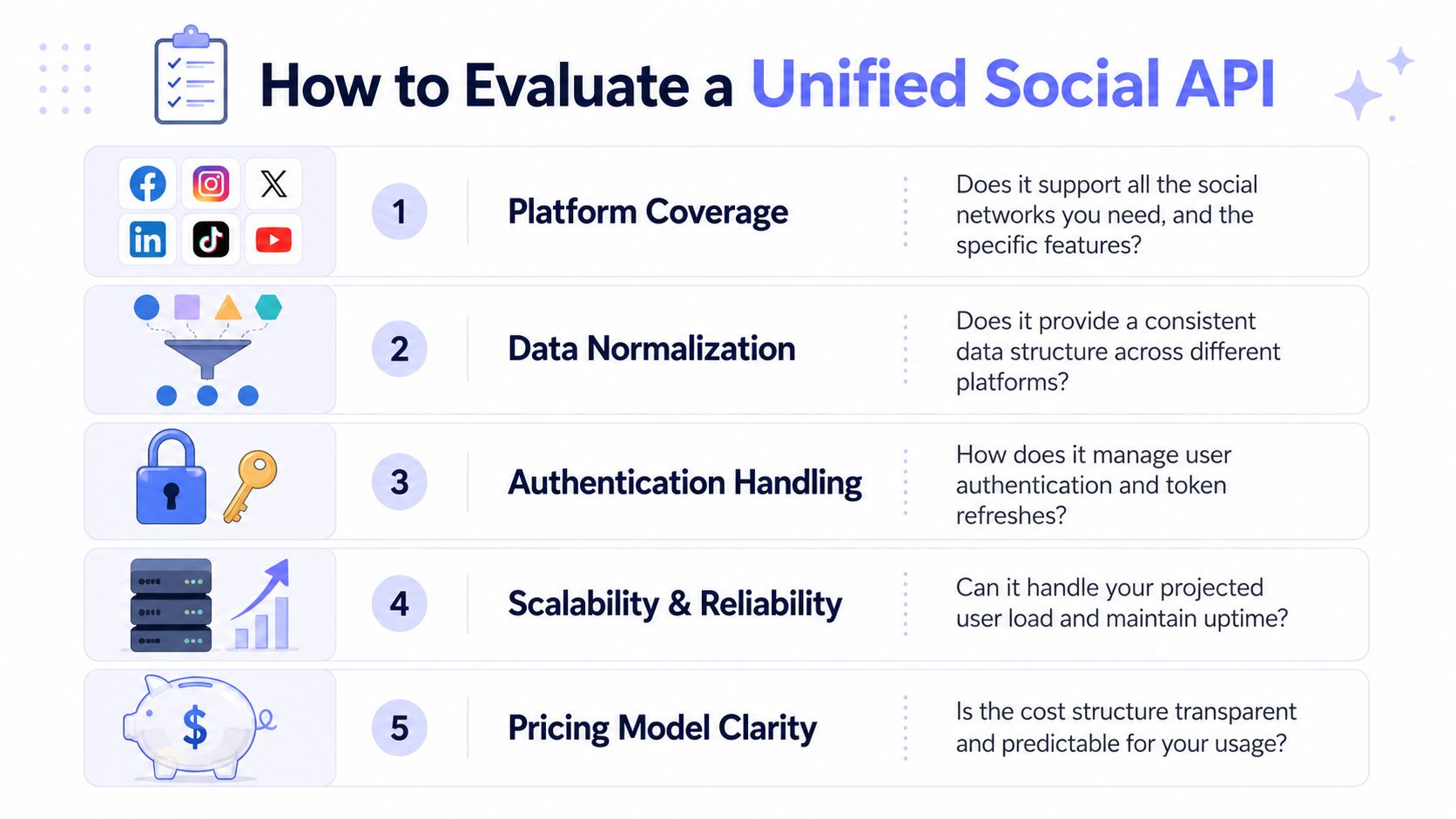 A checklist infographic detailing five essential factors for evaluating a unified social media API service.
What to inspect in the API surface
Start with the abstraction quality. A unified API should reduce complexity, not hide it so thoroughly that debugging becomes impossible.
Zernio's analysis of all-in-one social tooling argues that most products fail because they focus only on publishing, while operational pain spans messaging, analytics, comments, DMs, moderation, and ads. That's the key reason a unified layer should act more like a control plane than a scheduler, as discussed in this review of apps that post to all social media.
Use a checklist like this:
Check | What good looks like |
Platform coverage | The platforms you need are supported, and the supported actions are explicit |
Data normalization | Similar operations use consistent object shapes and status fields |
Auth handling | Token refresh and reconnect flows are part of the platform, not your backlog |
Error quality | Responses tell you whether to retry, reconnect, edit content, or wait |
Operational breadth | The roadmap goes beyond publishing into the workflows users actually struggle with |
What to inspect in the business model
Technical fit matters first. Pricing model fit matters right after. A lot of products die because the integration is fine, but the economics break once you have more users, more destinations, or more tenants.
Look for clarity on:
Billing unit: per post, per account, per seat, or platform fee
White-label support: whether branded user flows are native enough
Support boundary: who handles platform-side failures and user reconnect issues
Change management: how API version changes and deprecations are communicated
A good unified social API should lower both engineering effort and operational uncertainty. If it only changes where the pain shows up, keep looking.
Conclusion Your Next Steps as a Builder
If you're still deciding whether to build your own all social media in one app stack, ask a narrower question. Do you want to own social publishing as a product differentiator, or are you just trying to ship a feature your users already expect?
If social plumbing isn't your business, building every integration yourself is usually a tax, not an advantage. The first launch might feel manageable. The maintenance burden is what gets expensive. Tokens expire. APIs drift. Reviews drag on. Users blame your product, not the platform.
For developers, the practical next step is to test a unified API with one real use case. Pick a single workflow, connect one account, publish one post, then inspect how the system reports status, errors, and reconnect needs.
For no-code builders, do the same thing in an automation tool. Choose a trigger you already use, wire it to a social publishing action, and see how much custom glue you still need. That tells you quickly whether you're buying an advantage or just buying another wrapper.
Frequently Asked Questions
Can I use a publishing API to build a feed reader
Usually not.
Publishing APIs are built for outbound actions: create a post, upload media, schedule delivery, connect accounts, and report publish status. A feed reader solves a different engineering problem. It has to fetch inbound content, normalize different feed formats, handle read state, filtering, ranking, and rendering. Those systems look related from the outside, but the permissions, data models, and rate limits are different enough that one rarely substitutes for the other.
What about DMs, comments, and analytics
That is where the build vs. buy decision gets expensive.
Publishing is often the first milestone because it is the easiest feature to demo. Messaging, moderation, and analytics are where platform scope expands fast. Different endpoints, different approval requirements, different retention rules, different user expectations. A product can claim to be an all social media in one app and still leave your team stitching together inboxes, comment workflows, and reporting by hand.
Evaluate those features separately. If your users need social operations, ask what happens after the post goes live.
Is using a third-party unified API compliant
It can be, if the provider is using official platform APIs and approved authorization flows.
The practical question is whether the integration path is approved and maintained. That includes how auth is handled, how permissions are requested, how account reconnects work, and who absorbs platform API changes when they land. For teams that do not want to own every app review, token refresh edge case, and breaking API update themselves, a unified API can be the more conservative engineering choice.
If the goal is to ship social publishing without turning your roadmap into API maintenance, PostPulse is the kind of buy option worth evaluating. It gives developers, automation builders, and AI agent teams one integration surface, so the team can spend time on product logic instead of platform plumbing.
About the Author

Founder of PostPulse — a social media scheduling platform for creators and teams. Software engineer with a passion for building developer tools and simplifying complex API integrations across social media platforms.