The 10 Best Social Media Automation Tools for 2026
Published on · Updated on
Tags:
You know the drill. You wire up one platform, get OAuth working, finally post a test image, then the next network wants a different media flow, a different token lifecycle, a different review process, and a different failure mode that isn't obvious from the dashboard. The annoying part isn't scheduling. It's everything around scheduling: token refreshes, app reviews, media validation, webhook edge cases, and figuring out whether a post failed because of your code, the tool, or the platform.
That's why most roundups of social media automation tools miss the point for developers. They compare calendars and analytics, but skip the stuff that burns engineering time. If you're building publishing into a product, an internal tool, an automation stack, or an AI agent, the key question is simpler: which tool reduces platform-specific pain without boxing you into a brittle setup later?
This list focuses on that layer. You'll still see the mainstream platforms, because some teams need governance, approvals, and reporting. But the lens here is API access, automation surface area, white-label options, and operational headaches. If your work starts upstream with planning, pair this with a best content planning and publishing software roundup.
Table of Contents
1. PostPulse
 PostPulse
You start with a simple feature request. "Let users publish to Instagram, LinkedIn, and TikTok from inside our app." A few weeks later you're dealing with OAuth edge cases, expired tokens, media validation failures, and platform review queues you never planned to own.
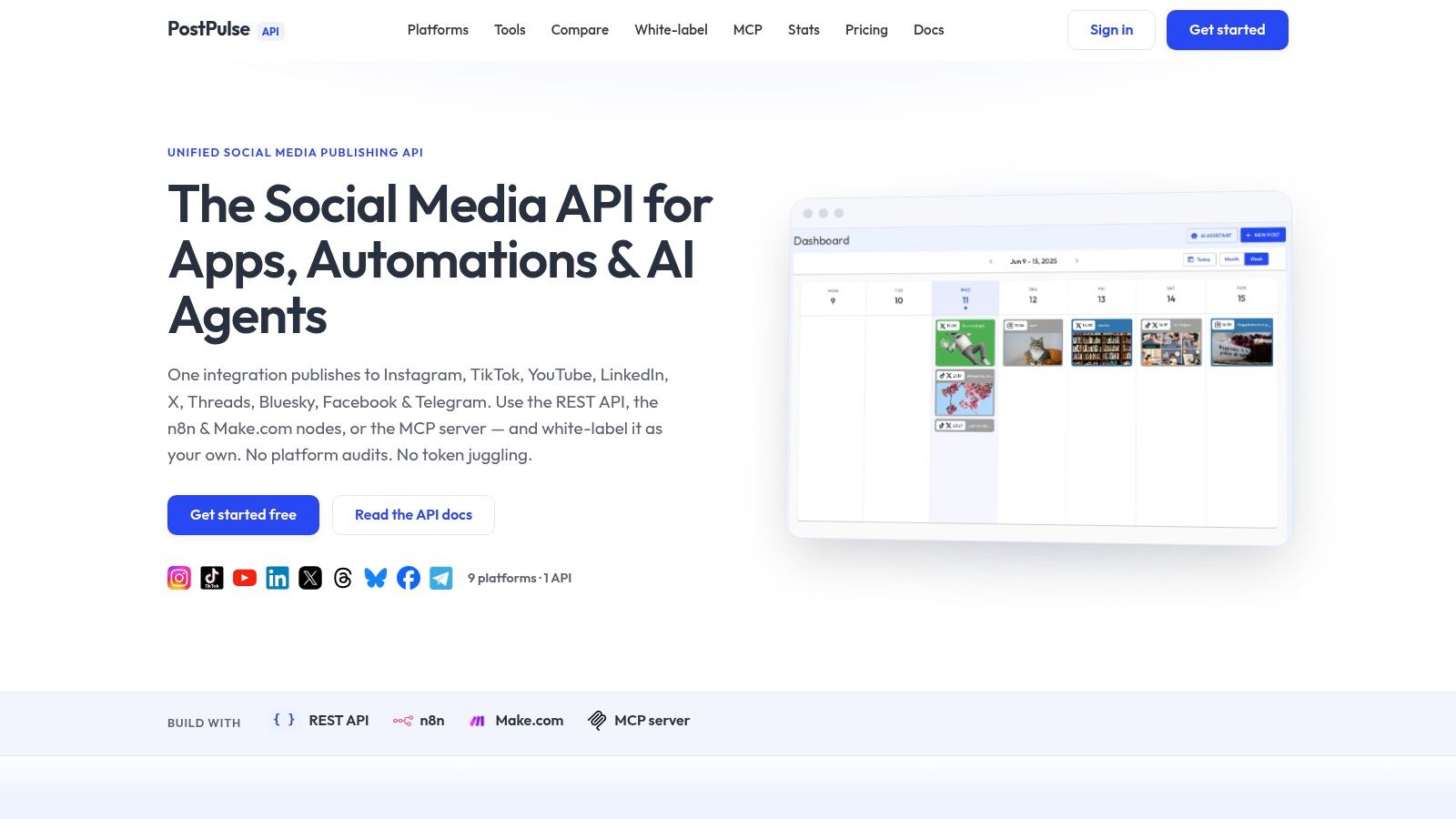
PostPulse is built for that exact mess. Instead of acting like another scheduler for a marketing team, it gives developers a publishing layer that sits between their product and the social platforms. One integration covers Instagram, TikTok, YouTube, LinkedIn, X, Threads, Bluesky, Facebook Pages, Telegram, and Pinterest through PostPulse, with access paths that fit different stacks: REST API, an official n8n node, a Make.com app, and an MCP server for agent-driven workflows.
The practical benefit is clear. PostPulse handles OAuth, token refresh, rate limits, media requirements, and the API changes that tend to break homegrown integrations after launch. It also owns the verified apps, which removes a lot of the review and compliance work that slows teams down on Meta, TikTok, and Google properties.
Why developers reach for it first
The strongest reason to pick PostPulse is white-label support. SaaS teams and agencies can let customers connect accounts under their own brand and keep the publishing flow inside the product experience. That's a different category of value than operator-first tools, which are often fine for internal teams but awkward to embed cleanly.
It also supports several integration styles without forcing one workflow on everyone. If you're shipping inside your own app, use the API. If your ops team already runs automations in n8n or Make, those entry points exist too. If you want a side-by-side view of how that developer-first model differs from a traditional social suite, the PostPulse vs. Hootsuite comparison for white-label publishing is the useful comparison to check.
Pricing is easier to reason about than a lot of tools in this category. Private-label usage is pay-as-you-go per publication or per connected account on monthly or annual billing. White-label access starts with a platform fee plus a per-active-account charge, and the company notes that startup fees may be waived for products still in beta.
Practical rule: If the goal is to add social publishing to your product, buying the abstraction is usually cheaper than maintaining every platform integration yourself.
Teams building workflow automation also get usable entry points beyond the raw API. The n8n workflow examples for social automation are a good starting point for queue-based posting, approval chains, or agent-triggered publishing.
Where the trade-off shows up
The trade-off is dependency. You are choosing to rely on PostPulse for platform coverage, compliance upkeep, and long-term maintenance of those integrations. That saves a lot of engineering time up front, but it also means part of your product surface depends on a third-party roadmap and support quality.
Cost can also change shape as volume grows. For lower-volume products, the model is easy to justify because it replaces a pile of integration work. At higher throughput, or when you manage a large number of active customer accounts, it's worth modeling the numbers against the cost of owning more of the stack yourself.
2. Hootsuite
 Hootsuite
Hootsuite is the classic answer when a team wants one place for scheduling, engagement, approvals, and broader social operations. It isn't the tool I'd reach for first if the requirement is white-label publishing inside your app, but it remains one of the more complete operator-facing social media automation tools for large marketing teams. You can review current plans and product positioning on Hootsuite.
What stands out is scope. Hootsuite combines scheduling, a collaborative calendar, a unified inbox, saved replies, and paid social workflows in one environment. That breadth is useful when the people using the tool aren't just developers or automators, but content teams, managers, and client-facing staff who need governance.
Best fit
This is a good fit when process matters as much as publishing. Teams with approvals, role separation, and multi-person operations often prefer a mature suite over a lighter automation-first product. Hootsuite also layers in AI writing assistance, which can help content teams move faster without leaving the platform.
Hootsuite works best when your bottleneck is coordination, not integration.
The downside is familiar. Per-seat pricing tends to get uncomfortable as more people need access, and pricing detail can feel less transparent than tools with simpler per-channel or usage-based models. If you're trying to decide between a traditional suite and a developer-first abstraction, the Hootsuite vs PostPulse comparison is useful for framing the difference.
3. Sprout Social
Sprout Social sits a little differently from Hootsuite. It feels more opinionated around reporting, service workflows, and enterprise polish. If a team wants publishing, engagement, analytics, and listening in one place, with a cleaner tier story than some older platforms, Sprout is often on the shortlist. Its current plans are outlined on Sprout Social pricing.
The Smart Inbox is part of the appeal. So are advanced reports, competitor insights, and higher-tier access patterns that support larger teams with more formal requirements. In practice, Sprout tends to make sense when the social team needs visibility and structured reporting as much as it needs automation.
Where it shines
I usually think of Sprout as strong for mid-market and enterprise teams that don't want to assemble their stack from separate tools. Publishing is only part of the story. The attraction is workflow quality, support expectations, and analytics that can travel upward to managers and stakeholders without much cleanup.
That said, Sprout isn't the cheapest path if seat count grows. Some of the more advanced listening and analytics capabilities also sit higher in the stack, so it's worth checking whether the plan you want is the plan you need. For operations-heavy teams, that trade-off can still be worth it.
4. Buffer
Buffer has stayed relevant because it doesn't pretend to be something it's not. It's a clean publishing tool with a gentle learning curve, transparent pricing, and enough API and automation surface to be useful without becoming a giant enterprise suite. You can see its current plan structure on Buffer pricing.
For solo operators, small teams, and developers who want documented access without a lot of ceremony, that's appealing. Buffer supports a broad set of networks, offers a free plan, includes an AI assistant, and keeps the core publishing experience straightforward. It also works well when you need a browser extension, mobile workflow, and a simple queue that doesn't fight you.
Why it stays popular
The biggest strength is low friction. You can get accounts connected, queue content, and hand the tool to a non-technical teammate without much explanation. Buffer also tends to be easier to budget because the pricing model is clearer than many suite-style products.
Buffer is often the right answer when "simple and stable" matters more than "deep and expansive."
The trade-off is depth. Analytics are lighter than what you'd get from enterprise-focused platforms, and collaboration controls usually matter more once a team starts growing. If you're helping a smaller company choose between simple schedulers, this guide to social media management tools for small business gives the right context.
5. Later
 Later
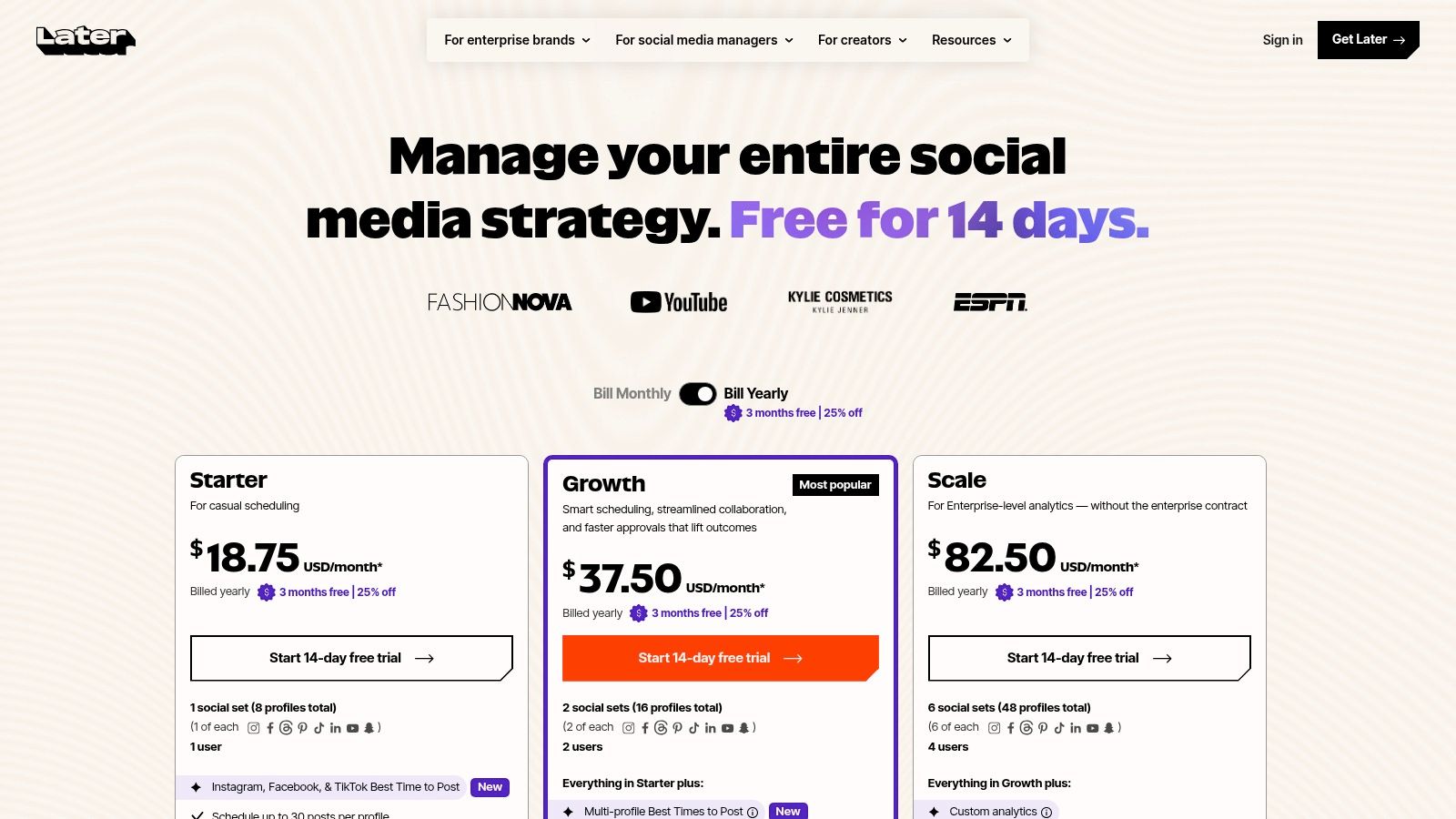
LaterLater is the one I tend to associate with visual planning first and platform abstraction second. That's not a knock. For brands centered on Instagram, TikTok, and short-form content, the visual calendar and mobile-friendly workflow can be more valuable than raw API flexibility. The current product packaging lives on Later pricing.
Its Social Sets model is useful once you understand it. Best Time to Post, Smart Scheduling, approvals, inbox access on higher tiers, and competitor benchmarking on upper plans make it practical for creator-led brands and marketing teams that think in assets, campaigns, and content cadence rather than engineering surfaces.
Best for visual workflows
Later works best when the people driving the workflow care about previews, timing, and media-heavy planning. It feels built for teams that need to see the content lineup, not just automate it. If your process starts with a visual content calendar, it usually feels more natural than a utility-first scheduler.
The trade-off is that lower tiers can be restrictive, and some of the more advanced capabilities stay reserved for higher plans. That's common in this category, but it's more noticeable when teams start with a creator use case and then grow into heavier reporting or collaboration needs.
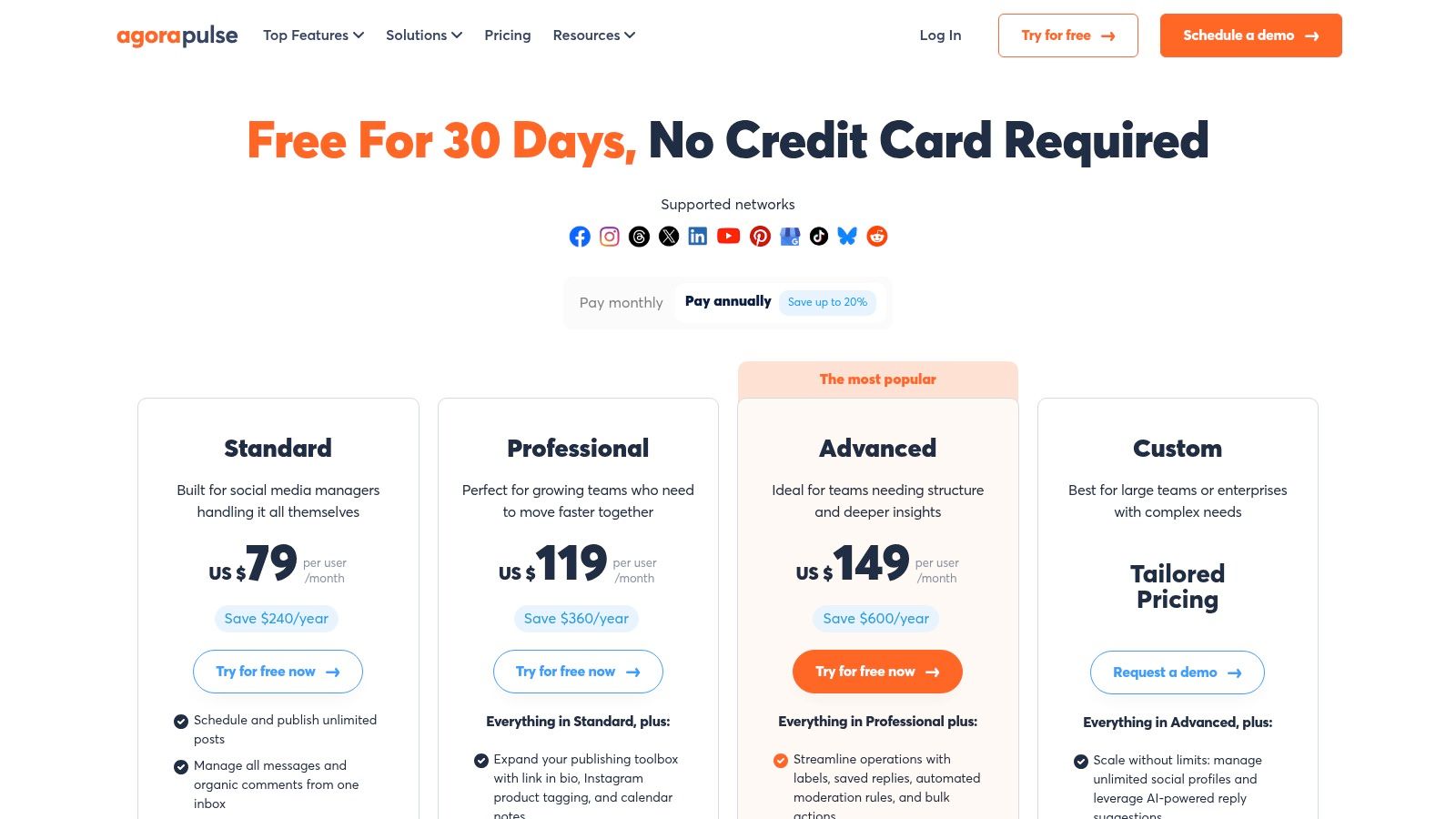
6. Agorapulse
 Agorapulse
Agorapulse has a practical feel to it. It covers scheduling, inbox management, reporting, and optional listening without trying to look flashy. For agencies and growing internal teams, that combination is often enough. You can review current tiers on Agorapulse pricing.
Where it tends to land well is moderation. A unified inbox, saved replies, team assignments, and client-friendly reporting give it a strong operations angle. If your day-to-day involves responding, routing, and reporting, Agorapulse can feel more immediately useful than a platform that's heavier on planning than execution.
Team workflow angle
This is a strong pick when multiple people touch the same accounts and someone needs to keep the inbox organized. It supports structured work better than bare-bones publishing tools, and the reporting is polished enough for recurring client communication.
The trade-off is the per-user model. Once teams get larger, that cost shape changes quickly. Some of the features advanced teams care about also sit behind higher plans or add-ons, so it pays to map your process before assuming the base offering covers the whole workflow.
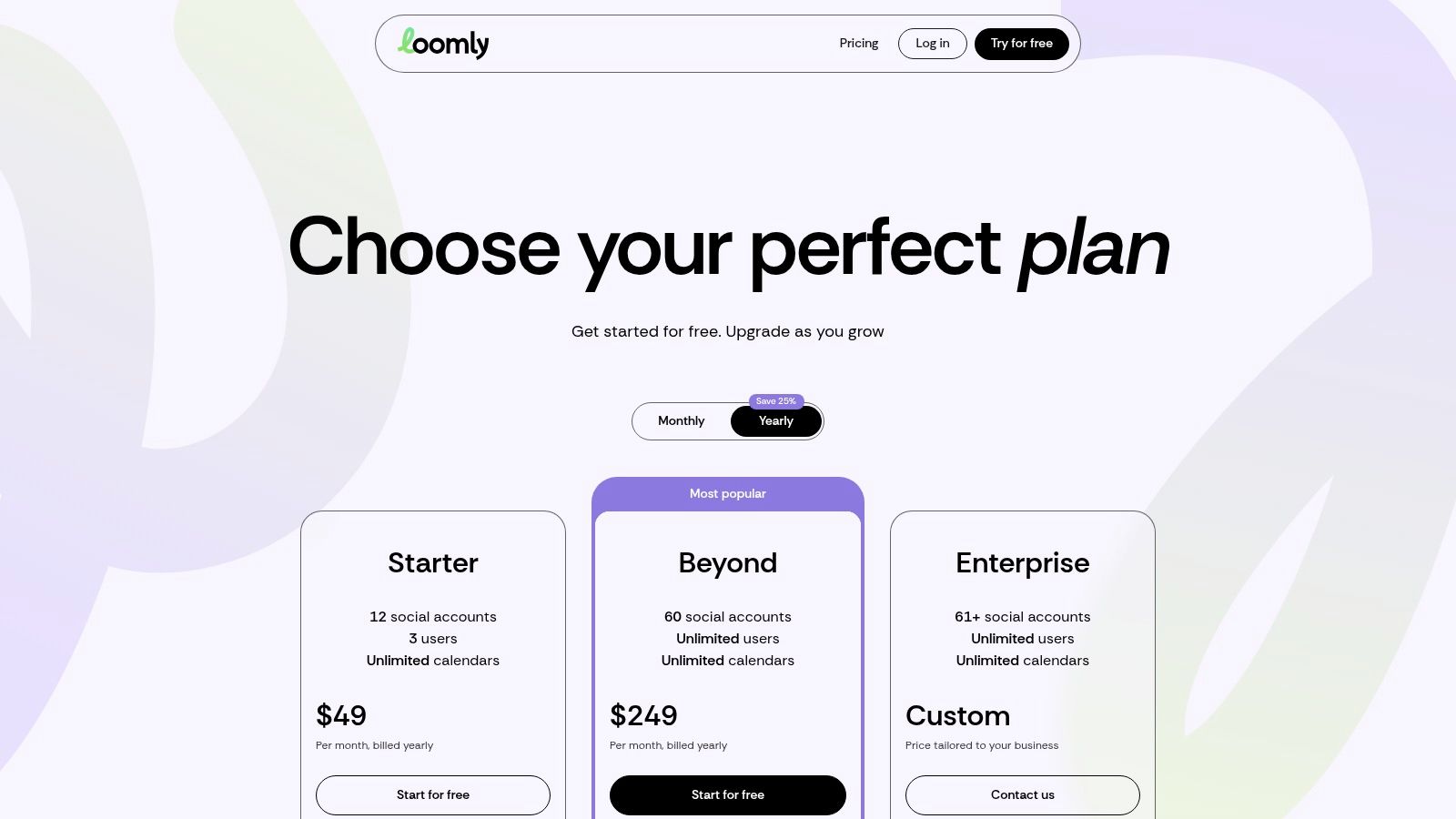
7. Loomly
 Loomly
Loomly is a planner's tool. If your team needs structure, review paths, and calendar discipline more than heavy listening or ad workflows, Loomly makes sense fast. Its pricing and packaging are outlined on Loomly pricing.
The interface leans into planning and approvals. Roles, approval chains, scheduled reporting, AI help, and captioning are all oriented around getting content through a predictable process. That's valuable for teams moving from ad hoc posting to a real operation with owners and review steps.
What it does well
Loomly is easy to explain to stakeholders. Content lives on a calendar, people know who approves what, and the workflow feels explicit. That simplicity is underrated when a team is formalizing operations and doesn't want to overbuy an enterprise suite.
Where it gets less compelling is on deeper listening, broader paid social capability, and some of the more advanced surfaces larger teams may expect. There's also a noticeable jump between certain tiers, so it's worth checking whether your next needed feature forces a bigger upgrade than you planned.
8. Publer
 Publer
Publer earns attention by being flexible where many tools are rigid. It has a free tier, supports many networks, and lets you scale around connected accounts and team members instead of pushing everyone into fixed bundles. The product overview starts at Publer.
That billing model isn't glamorous, but freelancers and small teams often love it once they understand it. Bulk scheduling, RSS automations, evergreen recycling, analytics, and unlimited workspaces make it capable well beyond its price-conscious reputation.
Budget-friendly automation
Publer is one of the better fits when you manage multiple brands with uneven activity. You can add or remove accounts without feeling like you're buying a whole new platform tier every time. The automation features are also stronger than many people expect at this end of the market.
If your posting engine is built around recurring content, RSS intake, and batch operations, Publer can cover a lot of ground without enterprise overhead.
The trade-off is that the pricing logic can feel unfamiliar at first. Teams used to neat fixed plans may need a minute to model the configuration they want. Some advanced analytics and AI-oriented features also push upward, so the value story depends on where your workflow sits today.
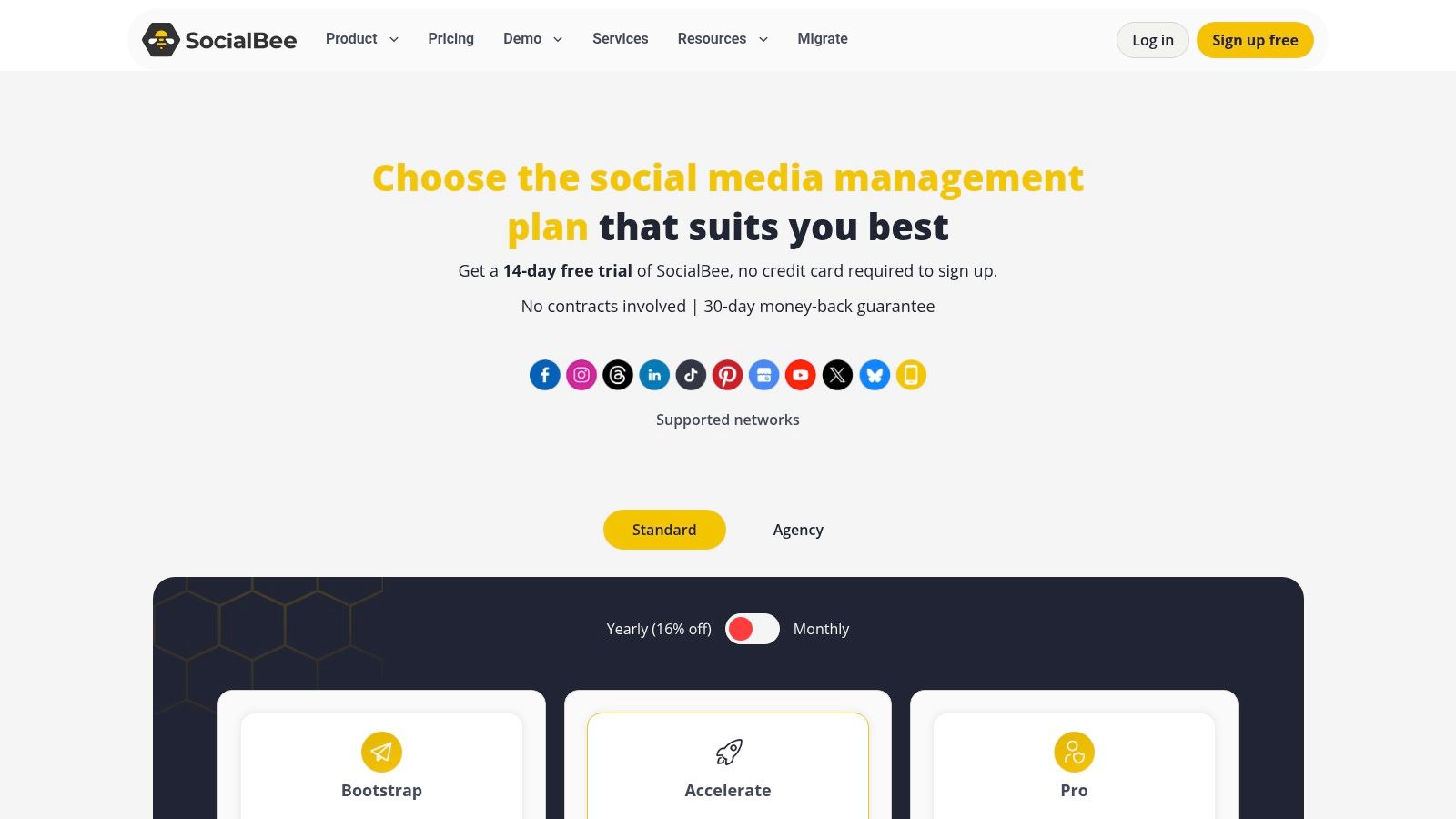
9. SocialBee
 SocialBee
SocialBee is built around consistency. If your strategy depends on category-based queues, evergreen recycling, and making sure content keeps flowing even when nobody manually fills the calendar every day, it has a clear point of view. Its plans are available on SocialBee pricing.
That queue-first model is useful for consultants, creators, and smaller agencies that want to systematize output. AI Copilot, asset integrations, CSV import, approvals, and inbox features on higher tiers round out the package without turning it into a heavyweight enterprise platform.
The queue-first approach
Some tools assume you'll plan every post individually. SocialBee assumes you'll define streams of content and keep them running. That's a better match for teams with repeatable formats, educational series, recurring promotions, or a stable editorial mix.
The downside is that inbox and collaboration depth aren't as strong as in more enterprise-oriented products. That's fine for many smaller teams. It becomes limiting when support, escalation, and cross-functional review workflows start to matter as much as scheduling itself.
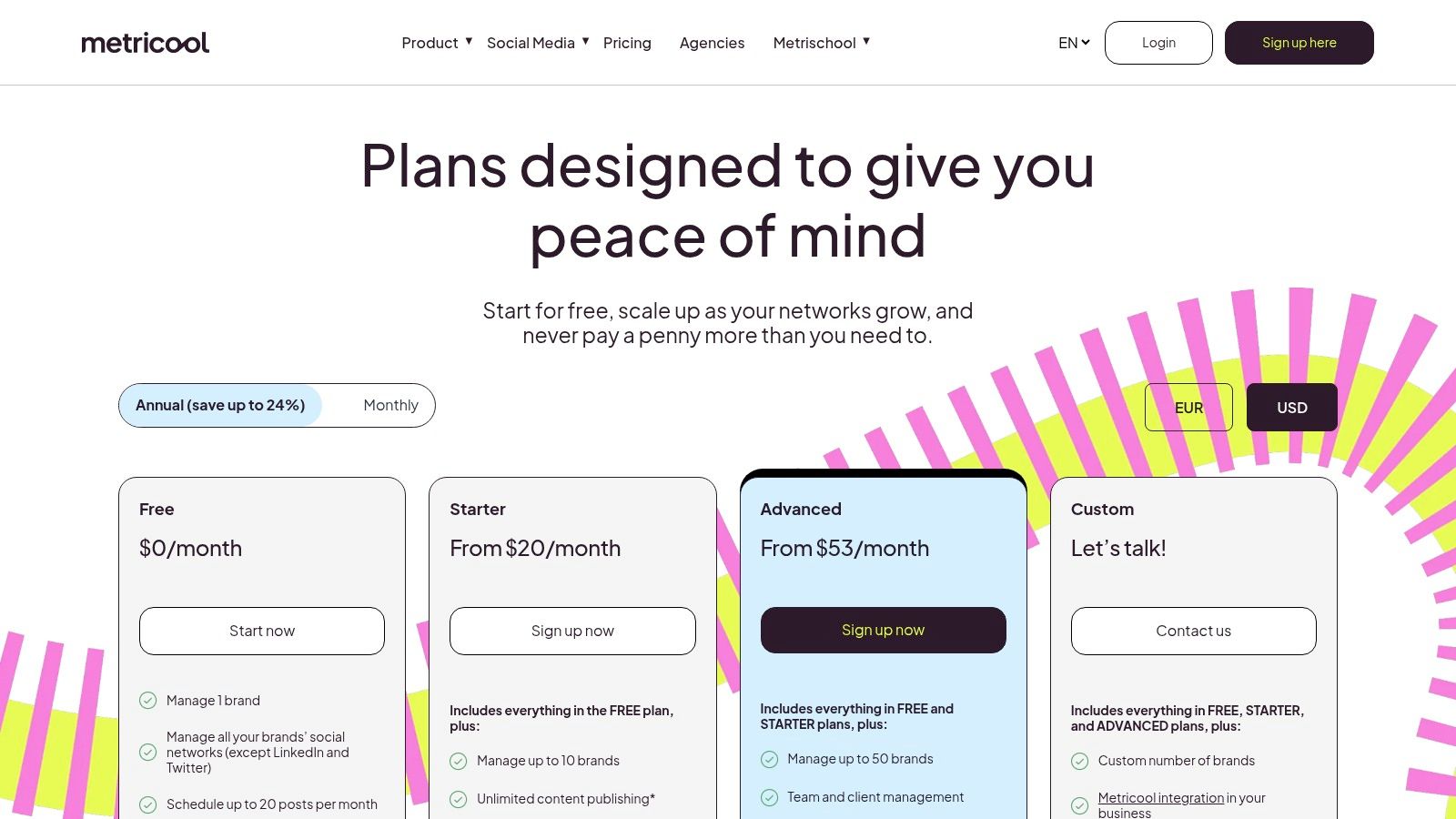
10. Metricool
 Metricool
Metricool is the pick for people who care about analytics almost as much as posting. It combines scheduling with competitor tracking, ads integration, reporting, and stronger data export paths than many tools in its class. You can check the current packaging on Metricool pricing.
Brand-based pricing is part of the appeal, especially for agencies. Instead of focusing only on seats, Metricool maps more naturally to multi-brand work. It also offers API access, Looker Studio connectivity, and automation hooks through integrations like Zapier and Make, which gives technical teams more room than pure scheduler tools.
Analytics-heavy choice
Metricool is strongest when reporting isn't an afterthought. If clients or stakeholders expect regular exports, competitor views, and a wider performance picture, it usually punches above its category. The scheduler is solid, but the reporting layer is what makes it stand out.
The trade-off is complexity in plan mapping. Brand counts, region-specific pricing differences, and tier-restricted add-ons mean you should spend time matching the plan to your actual portfolio before committing. For analytics-driven teams, that effort usually pays off.
Top 10 Social Media Automation Tools Comparison
Platform | Core features | UX & Quality (★) | Pricing & Value (💰) | Target audience (👥) | Unique selling points (✨) |
PostPulse 🏆 | One REST API → 10 networks; n8n/Make/MCP; white‑label OAuth | ★★★★☆, developer‑first, reliable | 💰 $0.20/publication or $5/mo per account (or $48/yr); White‑label $200/mo + $1/active acct | 👥 App developers, no‑code builders, AI agents, indie/internal tools | ✨ Verified apps (skip audits); handles OAuth/limits; unified multi‑platform publish; white‑label UX |
Hootsuite | Scheduler, unified inbox, ads & listening | ★★★★☆, mature enterprise UX | 💰 Per‑seat tiers; can be costly at scale | 👥 Large teams, agencies needing governance | ✨ Full‑stack suite with paid social & listening |
Sprout Social | Publishing, engagement, deep reporting | ★★★★☆, strong analytics & SLAs | 💰 Per‑user pricing; higher tiers for analytics | 👥 Mid‑market & enterprise teams | ✨ Advanced reports, Smart Inbox, competitor insights |
Buffer | Simple scheduler, API, Start Page | ★★★★☆, lightweight, clear UX | 💰 Free plan; per‑channel / affordable paid tiers | 👥 Solo creators, small businesses, cost‑sensitive teams | ✨ Transparent pricing, easy setup, documented API |
Later | Visual planner, IG/TikTok workflows, UGC tools | ★★★★☆, visual & mobile‑friendly | 💰 Tiered plans with post caps on lower tiers | 👥 Visual brands, creators focused on short‑form video | ✨ Visual calendar, Social Sets, Creator‑centric features |
Agorapulse | Publishing, unified inbox, reporting | ★★★★☆, strong moderation & reporting | 💰 Per‑user model; free plan + 30‑day trial | 👥 Agencies & growing teams with client reporting needs | ✨ Client‑ready reports, inbox moderation workflows |
Loomly | Calendar‑driven planning, approvals | ★★★★☆, clean collaboration UX | 💰 Transparent monthly/annual pricing; tier jumps | 👥 Teams formalizing content ops & approvals | ✨ Roles/approvals, scheduled reporting, AI assist |
Publer | Bulk scheduling, RSS, evergreen recycling | ★★★★☆, value‑focused | 💰 Very affordable; modular by accounts/members | 👥 Freelancers, small teams, budget‑aware users | ✨ Unlimited workspaces, granular billing, bulk tools |
SocialBee | Category queues, recycling, AI Copilot | ★★★★☆, automation‑first | 💰 Competitive tiers with generous profile counts | 👥 Creators, consultants, agencies needing consistent output | ✨ Category‑based queues, Canva/Unsplash integrations |
Metricool | Scheduler + strong analytics & ads tracking | ★★★★☆, analytics‑forward | 💰 Brand‑based pricing; API & Looker connector on advanced plans | 👥 Agencies, brands needing multi‑brand reporting | ✨ Competitor tracking, Looker Studio & export tools |
Final Thoughts
You usually feel the pain before you can name it. A team starts by looking for a scheduler, then ends up stuck in approval chains, brittle integrations, expired tokens, and platform rules that change mid-build.
That is why the right choice depends less on posting features and more on where the actual constraint sits.
Teams trying to improve internal coordination, approvals, and stakeholder reporting will usually get more value from Hootsuite, Sprout Social, Agorapulse, Loomly, or Metricool. Those products are built to support process. Teams that care more about affordable publishing and a cleaner day-to-day experience will often lean toward Buffer, Later, Publer, or SocialBee, depending on whether the priority is simplicity, visual planning, flexible pricing, or evergreen scheduling.
Developers often have a different problem. The hard part is not the content calendar. It is handling OAuth across multiple networks, keeping refresh logic stable, passing platform review, validating media correctly, and dealing with API edge cases that only show up in production. If you are embedding social publishing inside a SaaS product, API quality, white-label options, and integration maintenance matter more than a polished calendar.
PostPulse is the clearest fit for that use case, as noted earlier. It reduces the amount of platform-specific work your team has to own, and it supports the delivery paths developers already use, including direct API integrations, automation tools, and agent-style workflows. The white-label support also matters in real products. Users should feel like they are using your app, not getting redirected into someone else's tool.
There is still a real trade-off. If publishing infrastructure is core product IP, owning more of the stack can be the right call. You get tighter control and fewer vendor dependencies, but you also accept ongoing maintenance work around auth changes, app audits, and network-specific behavior.
A practical test helps. Decide whether your team should spend the next six months improving content operations, building product features, or maintaining publishing infrastructure. The best tool is the one that matches that answer.
If you're also building out creator workflows beyond social posting, this guide to automating YouTube for creators is a useful companion read.
About the Author

Founder of PostPulse — a social media scheduling platform for creators and teams. Software engineer with a passion for building developer tools and simplifying complex API integrations across social media platforms.