10 Social Media Management Tools for Small Business (2026)
Published on
Tags:
Sick of Juggling Social Media APIs? There's a Better Way.
Trying to publish to five platforms sounds simple until the platform details show up. One token expires after about an hour, another needs refresh handling, another changes review requirements, and X puts hard caps in the API that can break a workflow you thought was stable. For a small business, that's not a content problem. It's an integration problem.
That's why most roundups miss the point. They compare shiny calendars and AI caption boxes, but skip the stuff that burns time: OAuth churn, app approval friction, analytics gaps, inbox reliability, and whether a tool is built for humans, builders, or both. If you're evaluating social media software recommendations, the question isn't just which UI looks nicest. It's which product reduces operational drag.
The specific platforms also matter. Based on average monthly active user data from 2025, Facebook, YouTube, and Instagram ranked as the top three social platforms globally in Nextiva's social media trends overview. For most small businesses, that means your tool needs to handle those platforms well before it does anything clever elsewhere.
This list gets to the point. These are 10 solid social media management tools for small business, reviewed from the angle that usually gets ignored: what works when you have limited time, messy workflows, and no appetite for babysitting social APIs every week.
Table of Contents
1. Buffer
Buffer stays popular for a reason. It's one of the easiest tools to hand to a founder, office manager, or junior marketer without a long onboarding cycle. The queue model is straightforward, the calendar is clean, and the product doesn't bury simple scheduling under enterprise workflow jargon.
It's also a good reminder that not every small business needs a heavyweight suite. If your core job is publishing reliably across a handful of channels, Buffer does that well, and its pricing page is easy to reason about on the fly at Buffer pricing. If you're weighing it against a more API-first option, this Buffer comparison from PostPulse is useful.
Where Buffer works best
Buffer makes the most sense when adoption speed matters more than reporting depth. Teams get a unified queue and calendar, best-time suggestions, analytics that scale with plan level, a community inbox for comments and DMs, and a lightweight AI helper for drafts and variations.
The trade-off is familiar. Per-channel pricing feels friendly at the start, then gets less friendly when a business accumulates lots of profiles across brands, locations, or experiments.
Best for lean teams: Non-specialists usually understand Buffer quickly.
Best for simple publishing: Queue-based posting is still one of the least error-prone ways to stay consistent.
Less ideal for deep governance: Advanced approvals and reporting live higher up the pricing stack.
Practical rule: If one person handles social and nobody needs custom reporting, Buffer is often enough. If three people need approvals, inbox ownership, and layered analytics, you'll start feeling the ceiling.
Buffer also benefits from a broader trend toward easier adoption. Research on social media marketing tool adoption found that simple interfaces and perceived value were strongly associated with use, while customer support had the strongest causal impact on success in this PMC study on social media marketing adoption factors. Buffer generally aligns with that first half of the equation: low friction, clear workflows, fast time to value.
2. Later
 Later
LaterLater is what I'd pick when the content process starts with visuals, not copy. If the team thinks in grids, media libraries, creator assets, and campaign look-and-feel, Later usually feels more natural than a generic scheduler.
That matters for small retail brands, cafés, salons, and creator-led businesses because Instagram and Facebook are often the actual battleground. As noted earlier, those platforms sit near the top of overall platform reach, and local businesses often do better by focusing where visual discovery already happens instead of trying to be active everywhere.
Best fit
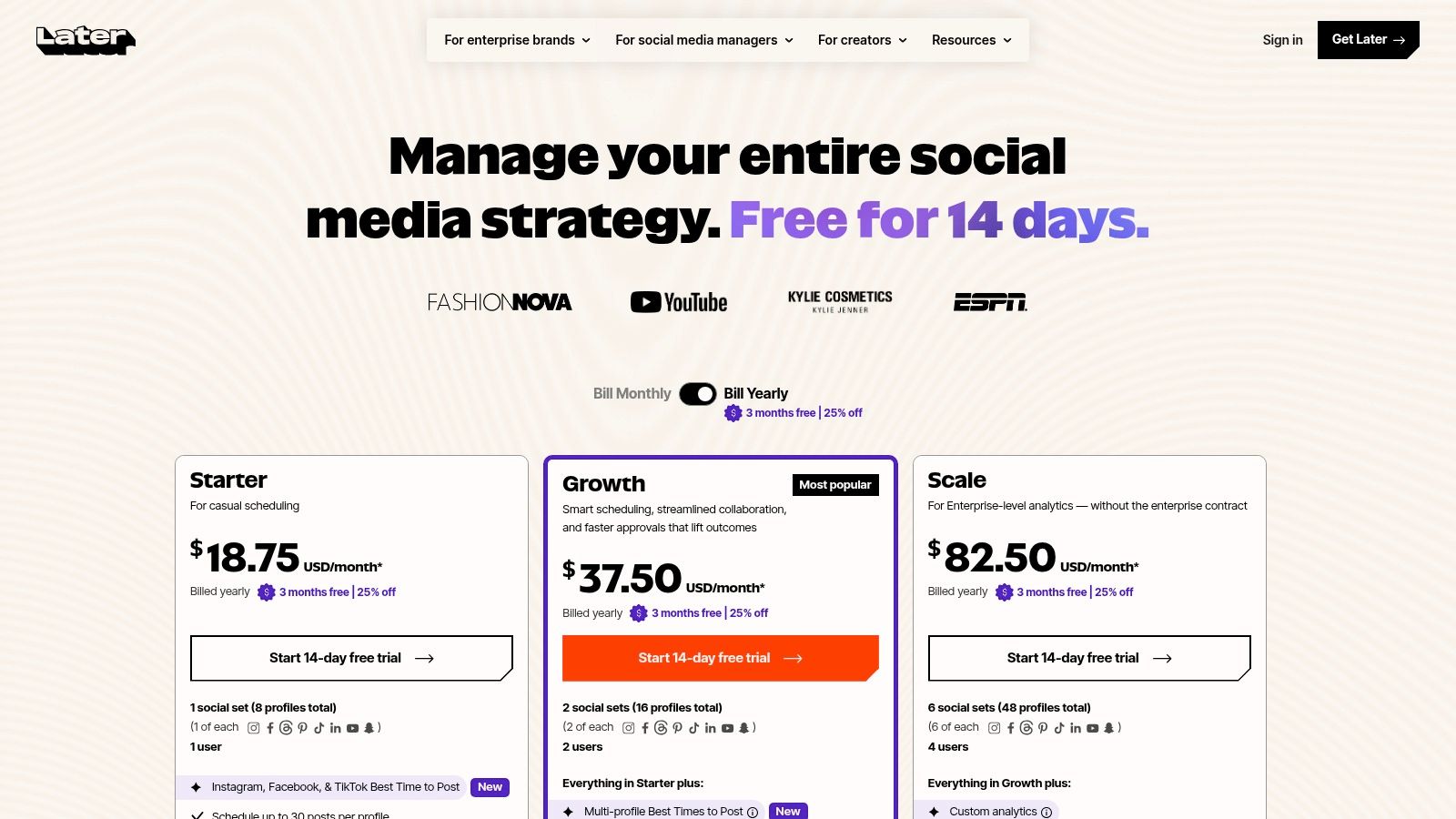
Later is strong for Instagram and TikTok-first planning. Its visual calendar, media library, Canva export flow, AI caption assistance, social set organization, and Link in Bio tooling make it better suited to content teams than to developers who want a programmable surface. You can inspect the current plans at Later pricing, and this Later comparison from PostPulse helps if you're deciding between visual planning and integration-first publishing.
A few practical notes:
Strong for visual review: Stakeholders can approve a post based on how the feed looks, not just what the caption says.
Good growth path: Social sets make sense when each brand needs one profile per major network.
Watch the plan boundaries: Some analytics, listening, and forecasting features sit on higher tiers.
Later is for teams that care about what the calendar looks like before they care about how the API works underneath.
That isn't a criticism. It's the point of the product. If your bottleneck is organizing UGC, planning campaigns, and keeping a consistent visual identity, Later solves the right problem. If your bottleneck is automating post generation from a CRM, CMS, or AI agent, you'll probably outgrow it faster.
3. SocialPilot
 SocialPilot
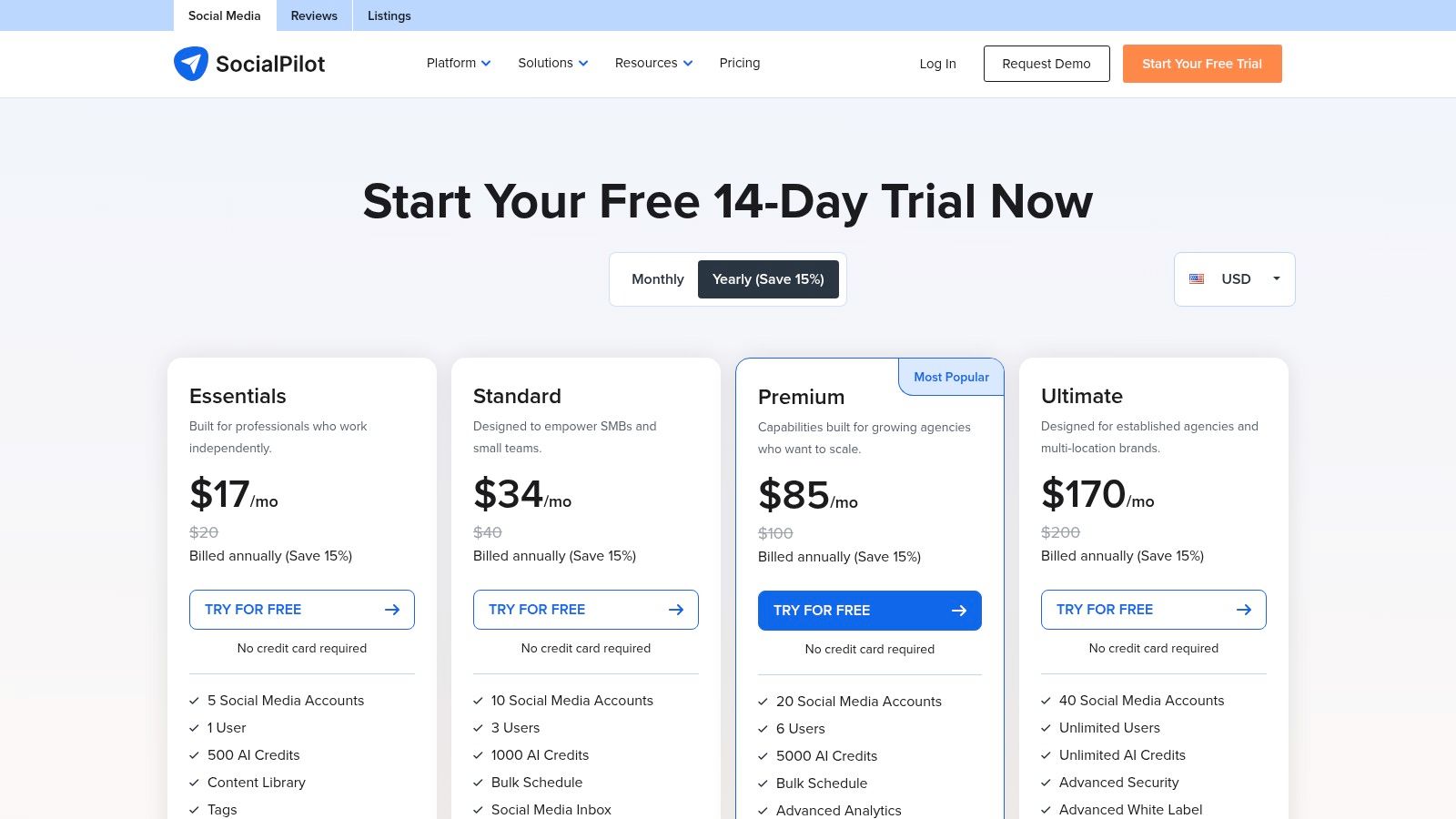
SocialPilot is the tool I see shortlisted when a team says, “We need more accounts and users, but we're not paying enterprise money.” That's its lane. It's practical, broad, and more generous than many mainstream competitors when you need to manage a bigger profile footprint.
You can review the current packaging at SocialPilot pricing and compare workflow trade-offs in this SocialPilot comparison from PostPulse.
Why teams pick it
SocialPilot gives you bulk scheduling, a content library, approvals, inbox features, analytics, white-label reporting on higher tiers, and support for platforms like Threads, Bluesky, and Google Business. It also layers in AI helpers such as AI Pilot and AI Scheduler, which is useful if the team wants assistive features without rebuilding the workflow around AI.
Where it stands out is simple: capacity. Small agencies, franchises, multi-location businesses, and service teams often need more account coverage than “starter” products allow.
Better for account-heavy setups: It stretches further before cost pressure shows up.
Useful for client work: White-label reports help when clients want deliverables, not screenshots.
Less polished than premium suites: The UI is functional. You won't confuse it with a design-forward product.
There's also a pricing conversation most comparison posts skip. Many small businesses overpay because per-seat licensing punishes growth, while usage-based or account-based models map more cleanly to real operational needs, as argued in Cloud Campaign's discussion of small business social media tool pricing. SocialPilot doesn't fully escape that industry pattern, but it usually feels less cramped than tools that get expensive the moment a second collaborator joins.
4. Zoho Social
 Zoho Social
Zoho Social makes the most sense when you already live inside Zoho. On its own, it's a solid all-rounder with publishing, monitoring, a social inbox, reporting, approvals, and bulk scheduling. In a Zoho stack, it becomes more valuable because the handoff into CRM and support workflows is cleaner than what you get from a standalone scheduler.
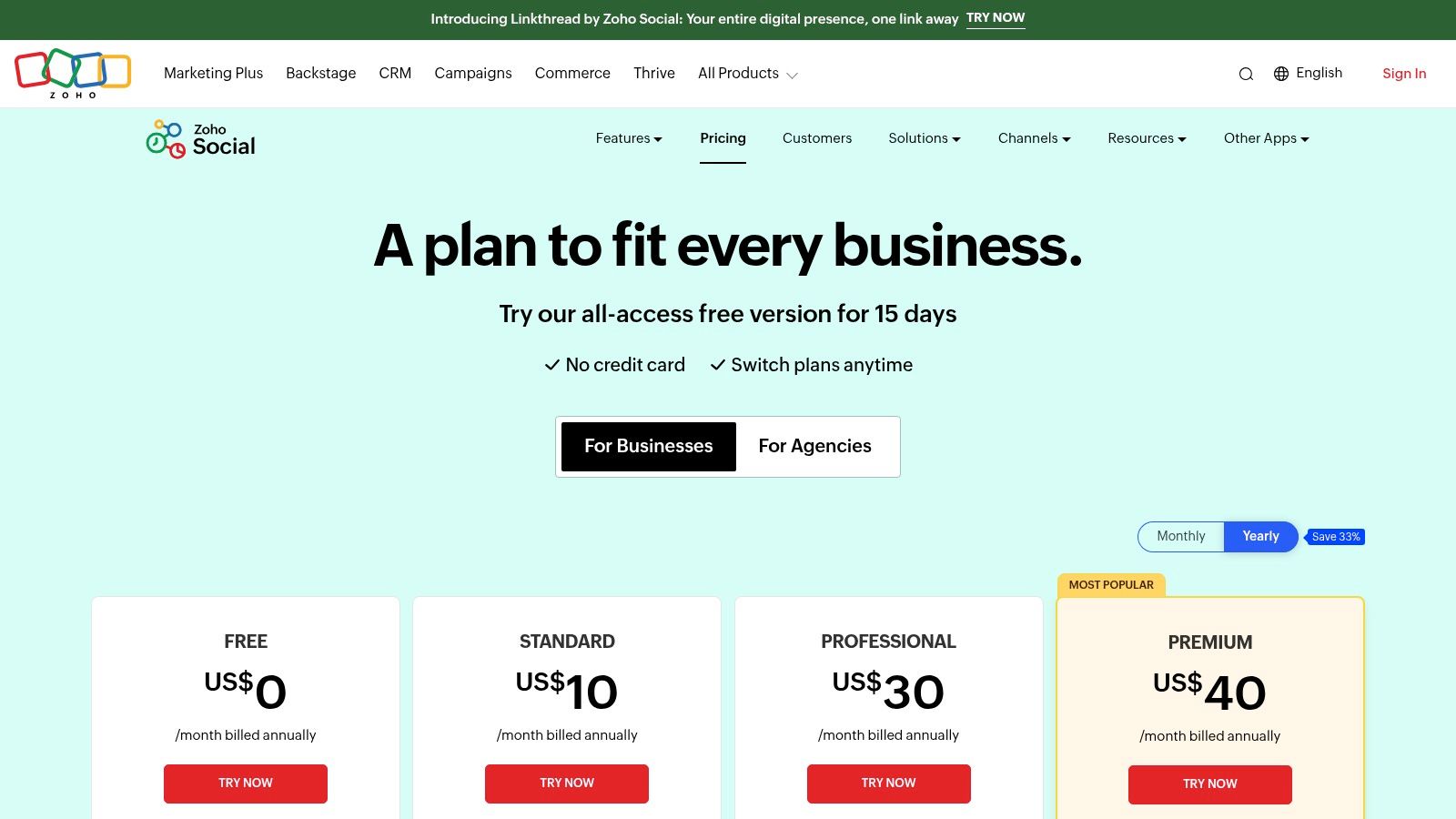
The product details are at Zoho Social pricing.
Where it fits
Zoho packages around brands, which works well for companies managing separate business units, locations, or client environments. Paid tiers expand channel coverage and offer more of the collaboration and reporting stack. Integrations with Zoho CRM and Zoho Desk are the main reason to care.
This is the kind of tool that rewards ecosystem buyers.
Good fit for existing Zoho users: Fewer disconnected systems.
Good for service businesses: CRM connection matters when social leads need follow-up.
Mild downside: Pricing presentation can feel inconsistent depending on region and currency.
A lot of small businesses don't need the prettiest UI. They need fewer handoffs. Zoho Social is valuable when the person answering a social message also needs customer history, support context, or CRM visibility without jumping between tabs.
If your team already uses Zoho apps, Zoho Social is rarely the exciting choice. It's often the sensible one.
5. Loomly
 Loomly
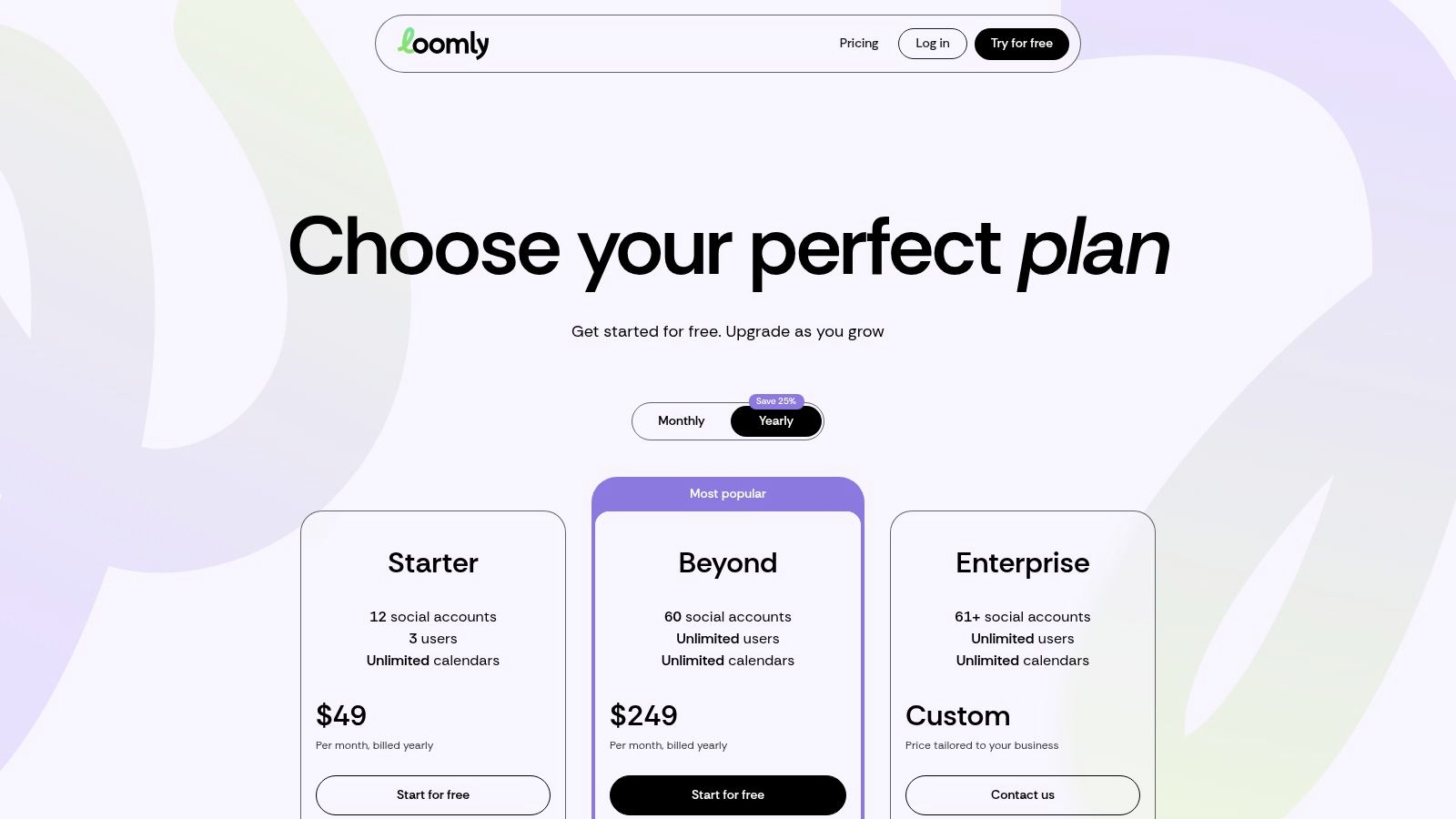
Loomly is what I'd call a content operations tool disguised as a social scheduler. That's a compliment. It's built for small teams that need structure around planning, review, approval, and scheduled reporting, but don't want the complexity of an enterprise suite.
You can check the live plans at Loomly pricing.
What it does well
The value is in the editorial workflow. You get a visual calendar, post ideas, role-based approvals, AI assistant features, caption generation, best-time suggestions, analytics, and integrations such as Slack, Microsoft Teams, and Canva import. For a team with recurring campaigns and a few stakeholders who always want to “quickly review” content before it goes out, Loomly keeps the process from turning into chat chaos.
It's less compelling as a listening or engagement-first platform. The inbox side is lighter than tools that are built around customer interaction.
Best for approvals: Clear role boundaries reduce accidental publishes.
Best for content cadence: The calendar is easy to scan and manage.
Less ideal for support-heavy brands: If social is a customer service channel, look elsewhere first.
The nice thing about Loomly is that it makes process visible. That sounds minor until a business grows from one person posting manually to a team where copy, design, and approvals all live in different places. That's when a tool with plain, structured workflow beats one with more features but murkier handoffs.
6. Metricool
 Metricool
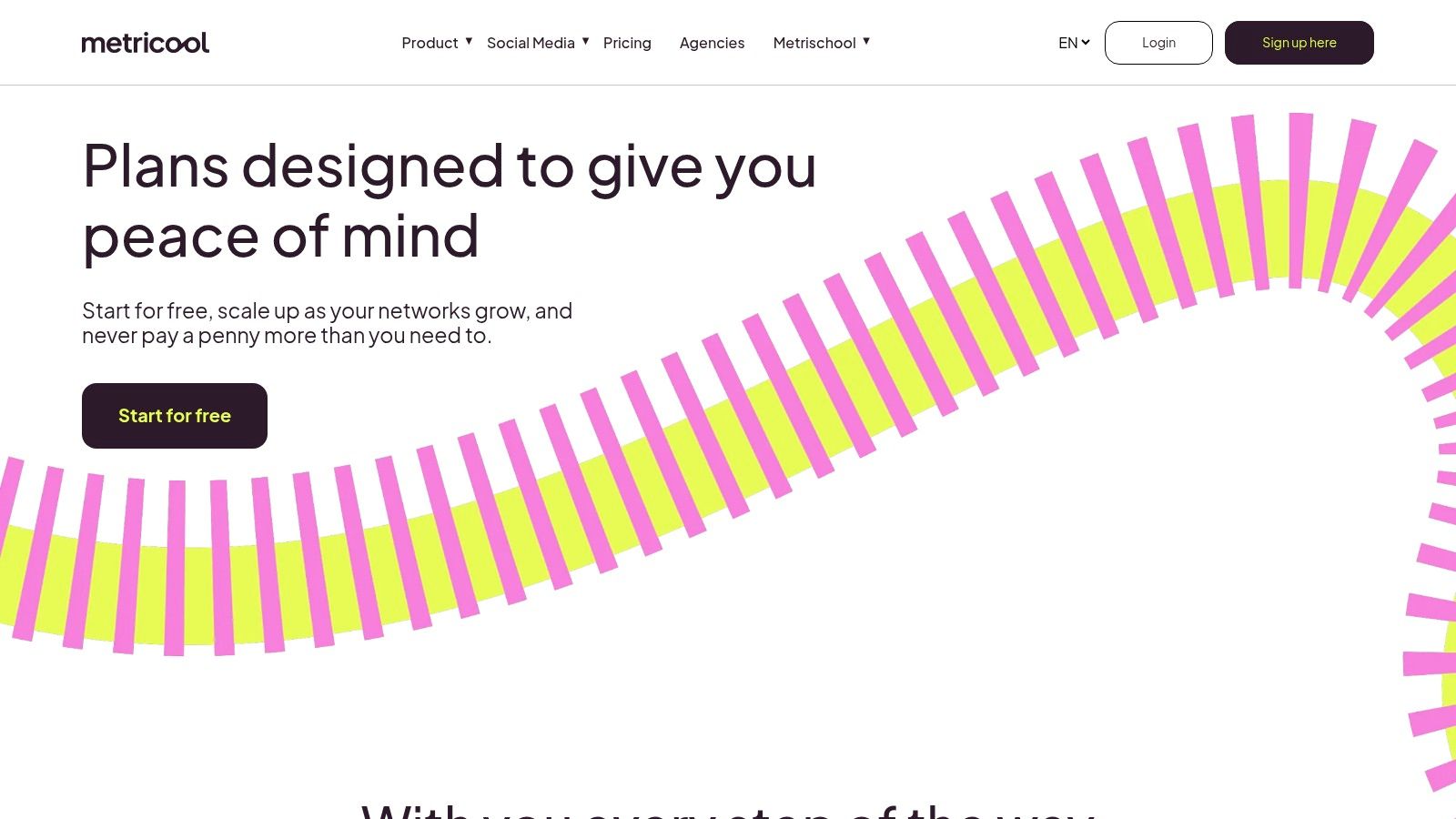
Metricool is broader than a pure social scheduler. It covers publishing, analytics, reporting, competitor tracking, ad monitoring, and connectors that reduce how much manual reporting your team has to do every month. That makes it especially useful for agencies, franchises, and multi-location operators who care as much about reporting as posting.
Current plan details live at Metricool pricing.
Reporting is the real reason to buy it
A lot of tools say they have analytics. Metricool is one of the few in this group where reporting feels central to the product rather than bolted on after publishing. Looker Studio connectivity, customizable reports, white-label options on custom plans, and automation hooks make it a better fit for businesses that need to move data around, not just view it in-app.
That lines up with the broader shift toward analytics-led strategy. Hootsuite's Social Trends Report 2025 says 41% of organizations have been testing social media personalization strategies in Hootsuite's small business social media guidance. The practical takeaway isn't “buy more AI.” It's “use the analytics you already have to decide what to post, when to post it, and whether it supports real business goals.”
Strong for reporting-heavy teams: Less spreadsheet cleanup.
Good for agencies: Brand-based tiers map well to client portfolios.
Needs careful setup: Brand limits and plan packaging can take a minute to understand.
If your monthly routine includes exporting PDFs, rebuilding dashboards, and stitching ad and social performance together by hand, Metricool earns a serious look.
7. Agorapulse
 Agorapulse
Agorapulse is the one to look at when the pain isn't publishing. It's replies. Teams that manage comments, ad feedback, DMs, and shared ownership usually care less about queue design and more about whether the inbox is fast, sortable, and sane.
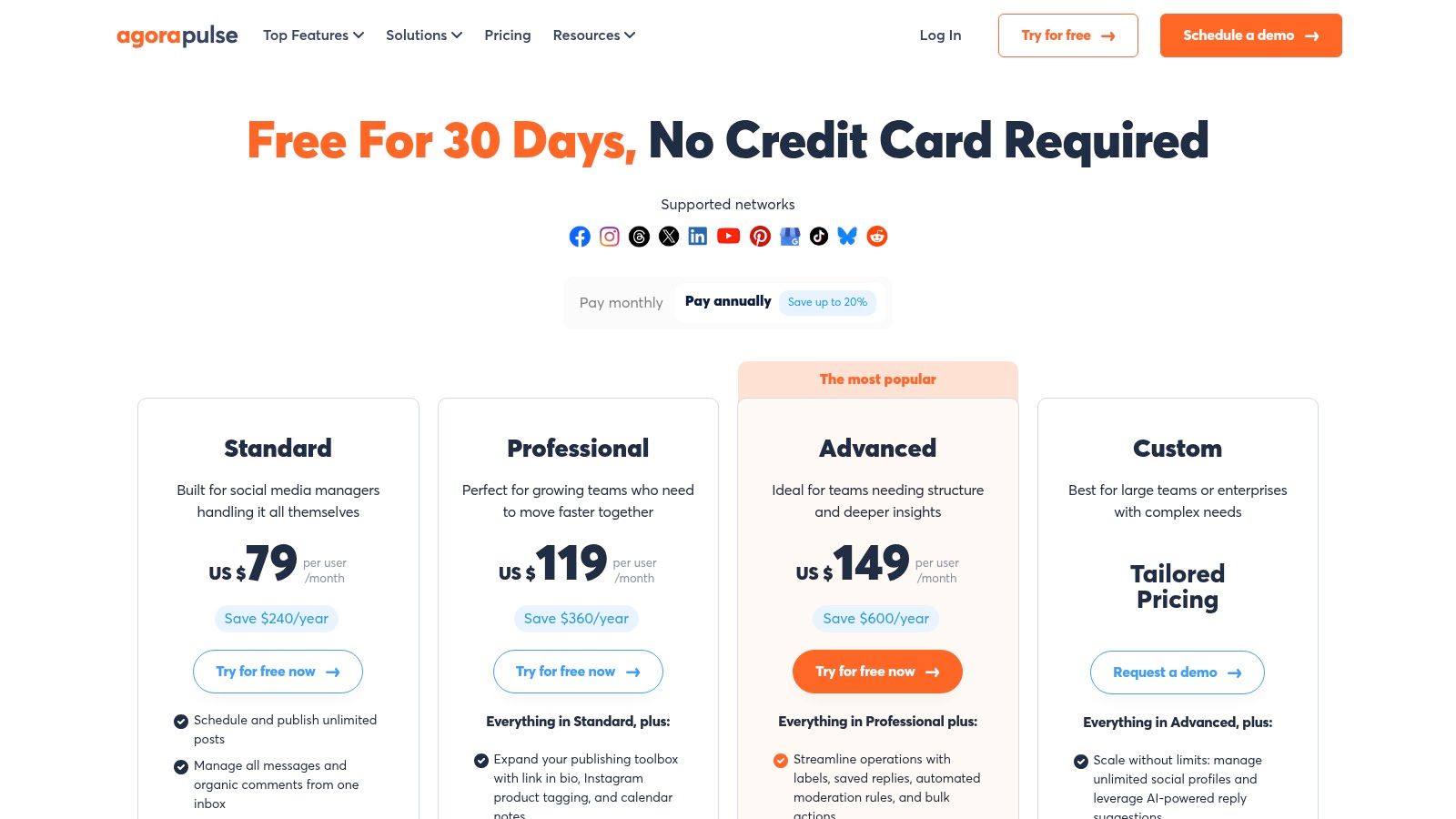
Its plans are listed at Agorapulse pricing.
Inbox-heavy teams will care about this
The unified inbox is the draw. Agorapulse supports automation, bulk actions, moderation for ad comments, publishing queues, bulk upload, team calendars, labeling, and exportable reporting. For businesses where social is partly marketing and partly support, those workflow tools matter more than another AI caption prompt.
Its per-user pricing model is clear, but solo operators may find it expensive compared with simpler tools. Teams, on the other hand, often justify the cost once multiple people need to collaborate without stepping on each other's work.
A strong inbox saves more time than a fancy scheduler when your posts generate actual customer interaction.
The larger market trend supports why tools like this keep getting stronger. The global social media management market is projected to reach $39.14 billion in 2026 and $164.52 billion by 2034, with a projected CAGR of 19.70%, according to Fortune Business Insights on the social media management market. More businesses are consolidating publishing, analytics, and engagement because juggling separate tools wastes too much operator time.
8. Sendible
 Sendible
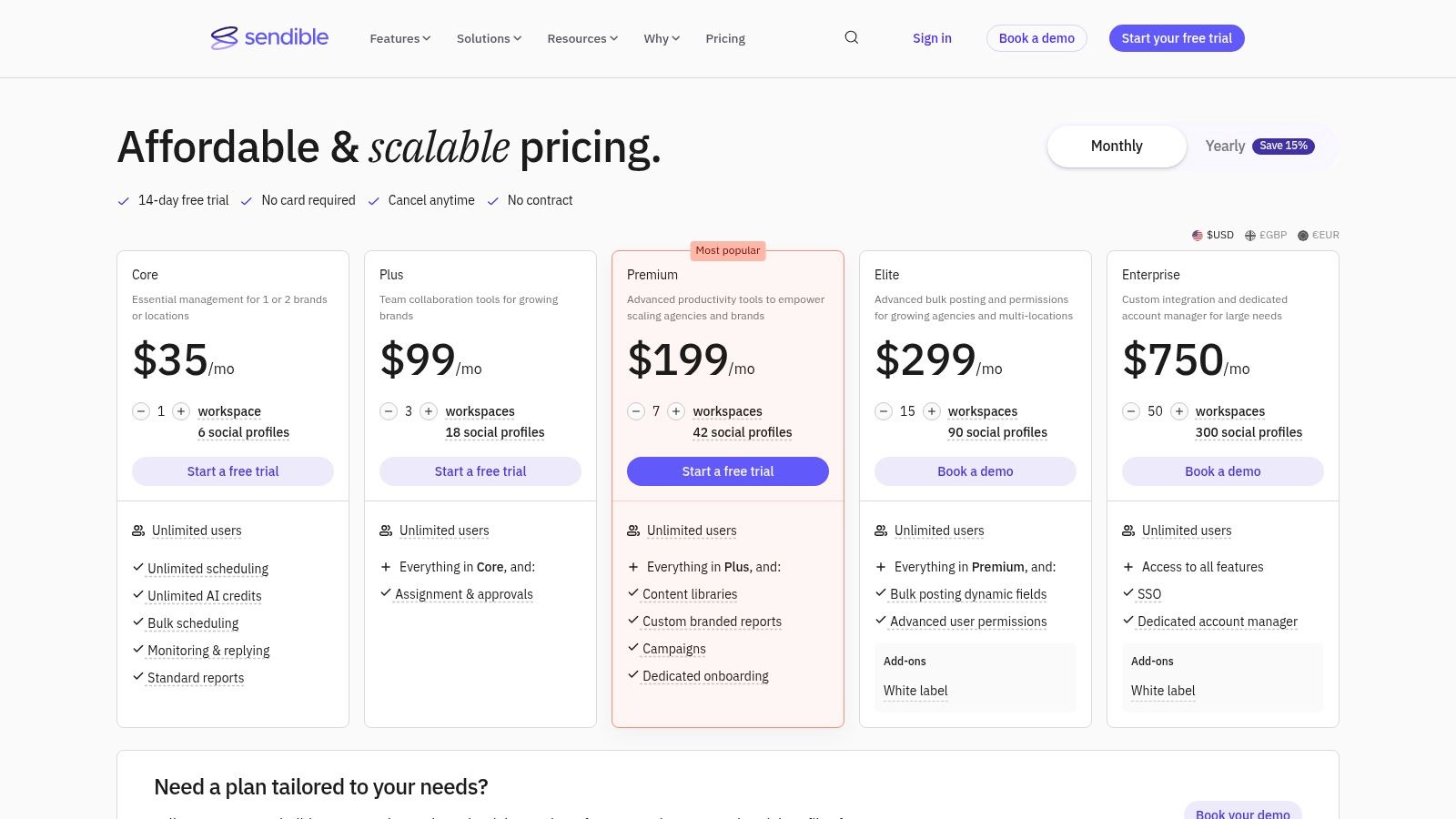
Sendible is organized around workspaces, and that design choice tells you who it's for. Agencies, multi-location businesses, and any team that wants a clean separation between brands, calendars, reports, and settings will usually understand Sendible quickly.
You can inspect current options at Sendible pricing.
Who should shortlist it
The workspace model is the core offering here. Yes, Sendible includes publishing, engagement, reporting, cloud storage integrations, and Zapier support. But the reason to shortlist it is that unlimited users and workspace-based organization map neatly to client or location-based operations.
That matters because the market is shifting toward automation and AI-assisted workflows, but many tools still aren't especially friendly to agentic or no-code setups. One industry discussion highlighted a gap where many social tools still don't offer native MCP or API support for AI integration, even as marketing teams increasingly adopt AI agents for content workflows in Zapier's overview of social media management tools.
Best for collaborator-heavy teams: Unlimited users can be useful.
Best for agency structure: Workspaces are cleaner than forcing every client into one shared environment.
Less ideal for tiny budgets: Pricing skews upmarket.
Sendible isn't the cheapest way to schedule posts. It's a cleaner way to keep lots of people from making a mess.
9. Sprout Social
Sprout Social is premium software with premium assumptions. It expects that your team cares about reporting, governance, role-based access, cases, workflows, CRM integrations, and review management enough to pay for them. If that's true, it's a strong product. If it isn't, the cost will feel excessive fast.
Its current plans are on Sprout Social pricing.
When the premium price makes sense
Sprout's strengths are mature reporting, collaboration, and operational control. The Smart Inbox is polished, the calendar and approval flows are dependable, and the broader account and workflow model scales well for multi-user teams. Add-ons for listening and premium analytics deepen the stack if your social operation is already advanced.
The trade-off is exactly what you'd expect: per-user pricing adds up, and some of the most attractive capabilities sit outside the base package.
There's a deeper technical angle here too. Platform trust, secure data sharing, customer support, and perceived value all influence social media marketing success, and support quality in particular has an outsized effect on user outcomes, as noted earlier in the adoption research. Sprout tends to appeal to buyers who want that higher-touch, lower-risk feeling, even if it costs more.
For a small business, Sprout Social only makes sense when social is already important enough to justify process. If your team is still figuring out whether posting three times a week is sustainable, start with something lighter.
10. Hootsuite
 Hootsuite
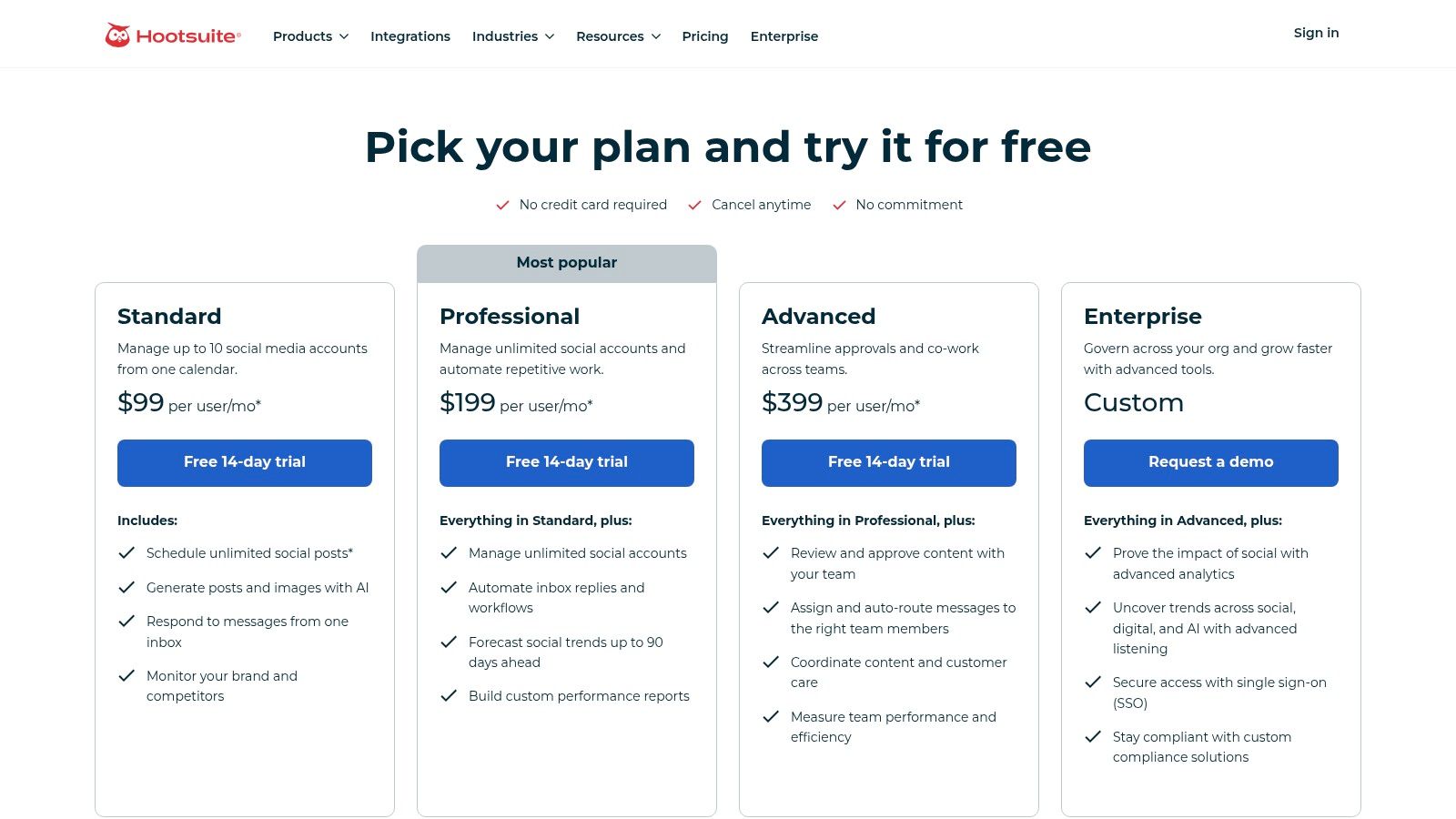
Hootsuite is old enough to have baggage and mature enough to have depth. That combination can be good or bad depending on what you need. If you want a feature-rich platform with multi-network scheduling, approvals, team assignments, a unified inbox, embedded AI helpers, and a broad integration ecosystem, Hootsuite still belongs on the shortlist.
Live plan details are at Hootsuite plans.
The practical trade-off
The upside is breadth. Hootsuite can serve a small business and still leave room to grow into more formal workflows. The downside is that you pay for that breadth, and the platform can feel heavier than simpler tools built just for publishing.
For developers, the bigger point is that no UI tool really removes the underlying platform mechanics. It only abstracts them. Meta page access tokens are short-lived by default, around one hour, but can be extended to exactly 60 days, as documented through Meta token debugging references summarized in Rocket Marketing's write-up on Facebook page access tokens. TikTok OAuth tokens run much longer, with a documented duration of 365 days in Metricool's token duration reference for social networks. X adds another wrinkle because the free tier has a hard monthly posting cap of 500 posts and strict API call limits, described in Postproxy's review of platform API rules and X limits.
If your workflow depends on uninterrupted automation, token policy matters more than the scheduler UI.
That's the part many buyers learn late. Hootsuite is a capable manager. It just can't rewrite the platform rules underneath it.
Top 10 Social Media Management Tools Comparison
Product | ✨ Unique features | 👥 Target audience | 💰 Pricing / value | ★ Quality (UX & analytics) | 🏆 Best for |
Buffer | Channel-based queues, collaborative inbox, lightweight AI ✨ | Small businesses & solo marketers 👥 | 💰 Free → Essentials/Team; per‑channel pricing | ★★★★ clean, easy to adopt | Quick, simple scheduling |
Later | Visual calendar, media library, Link‑in‑Bio, Forecasting (Scale) ✨ | Brands & creators (IG/TikTok‑first) 👥 | 💰 Creator tiers; Starter limits posts | ★★★★ visual planning & UX | Visual content planning |
SocialPilot | Bulk scheduling, white‑label reports, AI Scheduler ✨ | SMBs & agencies managing many profiles 👥 | 💰 Strong account‑to‑$ ratio; plans 5–40+ | ★★★★ value‑focused | Cost‑efficient multi‑account management |
Zoho Social | CRM/Desk integrations, brand packaging, social inbox ✨ | Zoho stack users & agencies 👥 | 💰 Affordable; regional pricing varies | ★★★★ solid all‑rounder | Tight Zoho ecosystem fit |
Loomly | Editorial workflows, role approvals, AI assistant ✨ | Small teams needing approvals & collaboration 👥 | 💰 Clear, predictable plans (per account/user) | ★★★★ collaboration & approvals | Editorial workflow & approvals |
Metricool | Looker Studio connector, ad tracking, custom reports ✨ | Multi‑location businesses & agencies 👥 | 💰 Brand‑based tiers; strong reporting value | ★★★★ reporting & analytics | Reporting & dashboarding |
Agorapulse | Unified inbox, automation, exportable/white‑label reports ✨ | Mid‑market teams needing collaboration 👥 | 💰 Per‑user pricing; includes profiles on plans | ★★★★★ best‑in‑class inbox & reporting | Unified inbox & team workflows |
Sendible | Client workspaces, unlimited users, profile bundles ✨ | Agencies with many clients & collaborators 👥 | 💰 Workspace/agency pricing; unlimited users | ★★★★ client‑focused UX | Agency client workspaces |
Sprout Social | Smart Inbox, rich reporting, add‑on Listening ✨ | SMBs that prioritize analytics & workflows 👥 | 💰 Premium per‑user; add‑ons for Listening | ★★★★★ enterprise‑grade reporting | Analytics & enterprise workflows |
Hootsuite | App marketplace, embedded AI helpers, broad integrations ✨ | SMB → Enterprise needing integrations 👥 | 💰 Higher entry price; add‑ons common | ★★★★ mature, feature‑rich | Ecosystem & integrations |
Your Next Move Integrate Once, Publish Everywhere
Choosing among social media management tools for small business comes down to where your friction lies. If the problem is adoption, Buffer is still one of the easiest places to start. If the problem is visual planning and campaign organization, Later is more natural. If you need more accounts without jumping straight to enterprise pricing, SocialPilot is a sensible middle ground. If your business already runs on Zoho, Zoho Social gets stronger the more of that ecosystem you use. If approvals and editorial workflow are the primary bottleneck, Loomly earns its spot.
Metricool stands out when reporting and data movement are the main job. Agorapulse is strongest when the inbox matters as much as publishing. Sendible makes sense for workspace-heavy setups with a lot of collaborators. Sprout Social is for teams that already know they need premium governance and reporting. Hootsuite remains a broad, mature option, but it works best when you're comfortable paying for ecosystem depth.
The pattern across all of them is simple. Most tools are still built around a human operator sitting in a dashboard, dragging posts around a calendar, replying in an inbox, and checking analytics later. That's fine for many small businesses. It's not ideal if you're building a product, an internal tool, or an automation layer that needs social publishing as infrastructure.
That developer angle matters more now because social workflows are getting pulled into AI agents and no-code automation. Short-lived tokens across major platforms often expire after about an hour, while refresh tokens for services like Meta and Zoom have a 90-day window according to Thomson Reuters developer documentation on managing token expiration. Even when a management platform hides some of that complexity, somebody still has to own reauthorization logic, failure recovery, API version drift, and rate-limit behavior. Small teams usually don't want that job.
So the decision is really between two models.
Use a classic management tool if you want a finished workspace for people. That means calendars, approvals, inboxes, reports, and UI-first collaboration.
Use a unified publishing layer if you're trying to build once and push content everywhere through software. That means one API surface, automation hooks, and token handling you don't have to maintain yourself.
That's why the best tool isn't the one with the longest feature list. It's the one that removes the most friction from your actual workflow. For many small businesses, that's a simple scheduler with decent analytics. For developers and builders, the greatest advantage usually comes from avoiding direct platform integration work in the first place.
If you're done babysitting OAuth flows, app reviews, and platform-specific publishing logic, PostPulse is the cleaner route. It's built for apps, automations, and AI agents that need social publishing without managing each platform separately. You can publish through one REST API, the official n8n and Make.com integrations, or an MCP server, and it supports Instagram, TikTok, YouTube, LinkedIn, X, Threads, Bluesky, Facebook, and Telegram. The practical win is simple: one integration, token handling included, with private-label and white-label options depending on whether you're shipping an internal workflow, a SaaS product, or a branded client experience.
About the Author

Founder of PostPulse — a social media scheduling platform for creators and teams. Software engineer with a passion for building developer tools and simplifying complex API integrations across social media platforms.