Instagram API Documentation Guide for Graph API Reference
Published on
Tags:
You create a container, wait for it to finish, and still get an OAuthException when you try to publish. Or a token that worked yesterday suddenly expires, while a version change makes an old endpoint return an unfamiliar error. That's the practical reality behind most searches for Instagram API documentation. The difficult part usually isn't sending an HTTP request. It's choosing the supported account model, permissions, token path, API version, and recovery logic before production exposes the gaps.
The migration history explains why older tutorials cause so much confusion. Meta announced on September 4, 2024 that the Instagram Basic Display API would be deprecated, and its documentation says that, starting December 4, 2024, every request to that API returns an error message. The official announcement is documented in Meta's Instagram Basic Display API notice.
Table of Contents
Introduction to Instagram API Documentation
A developer following an older tutorial might still see Basic Display endpoints, personal-account terminology, or references to legacy documentation. That path is no longer a safe foundation for a new integration. Meta removed and redirected the legacy Instagram API developer documentation into the newer Instagram Platform documentation, so the current task is less about finding a forgotten endpoint and more about identifying which product and account model the endpoint supports.
The shutdown created a roughly three-month transition window, from Meta's deprecation announcement to the documented error response for all Basic Display requests. That window was enough for teams to migrate, but it wasn't enough to make careless assumptions safe. Any product that still treats personal, non-professional Instagram accounts as interchangeable with business or creator accounts needs an architectural review.
Practical rule: Start with the account type and supported product, not with the endpoint name copied from a search result.
For business and creator workflows, the modern path is the Instagram Platform and Instagram Graph API. That affects authentication, permission requests, publishing, analytics, and moderation. It also affects maintenance. Meta versions its Graph API, and independent documentation summaries tracking Meta's changelog describe a rolling retirement schedule of roughly two years for Graph API versions. Treat an integration as an actively maintained dependency, not a one-time connector.
This guide focuses on the implementation details that tend to break: version migration, token lifecycles, permission validation, asynchronous media containers, error recovery, and the point where a unified publishing layer such as PostPulse can reduce cross-platform plumbing. The official references remain the authority, but a working integration also needs operational habits that the reference pages don't always make obvious.
Understanding Key Concepts of Graph API
The Instagram Graph API is a versioned REST-style interface for professional Instagram workflows. Meta describes it as an interface that “enables businesses and creators to manage their presence on Instagram from your app,” as shown in the official Instagram API product documentation. The wording matters because it defines the intended users of the modern stack. You're building for businesses and creators, not reviving the retired Basic Display model.
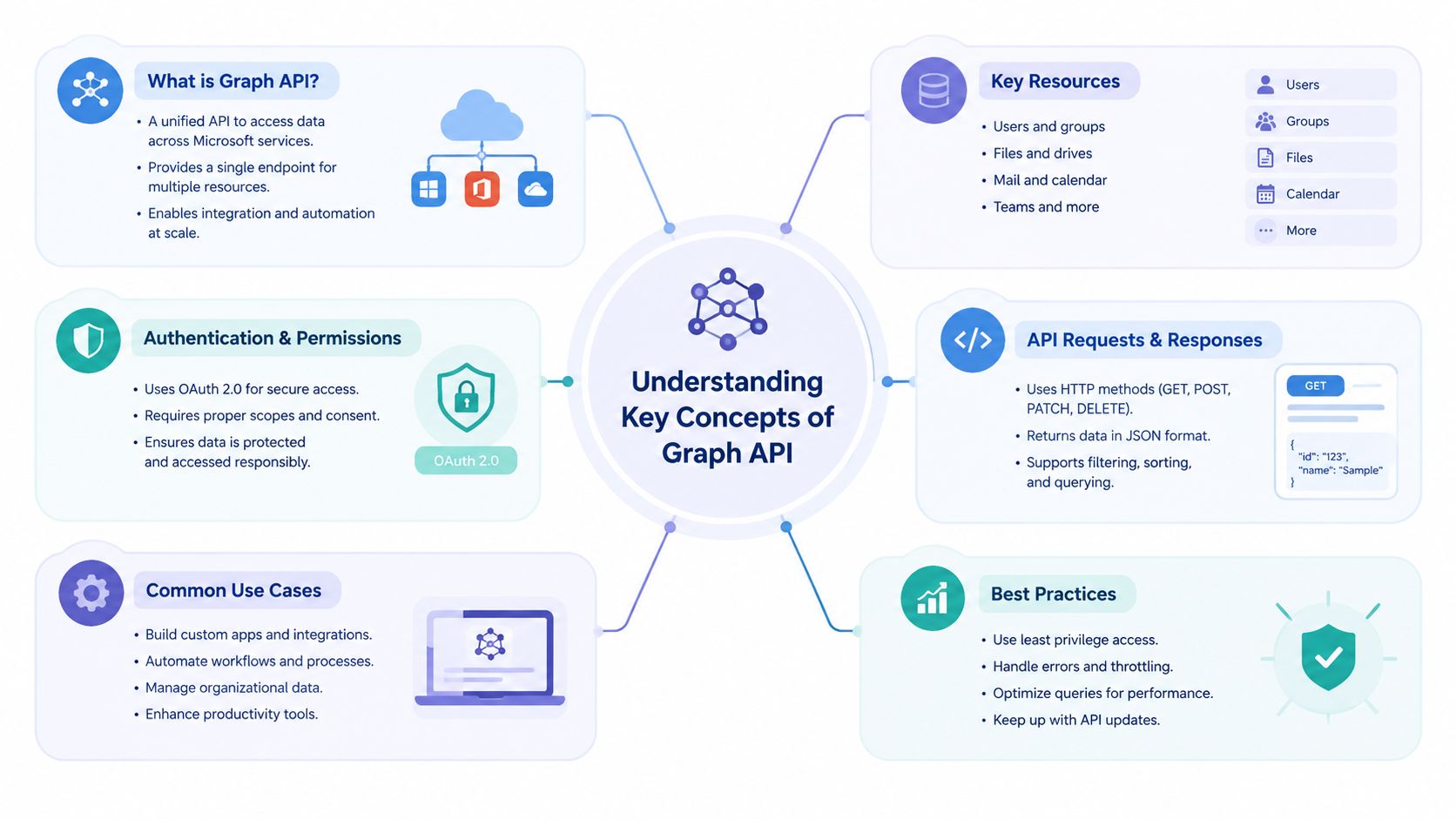 A mind map infographic illustrating the key concepts of Microsoft Graph API including resources, authentication, and best practices.
Versioned resources
Meta labels endpoints with a version prefix such as v22.0. That prefix should be visible in your client configuration rather than scattered through application code. A central version setting makes migrations reviewable, lets you test a new version beside the current one, and keeps generated URLs consistent across media, insights, and moderation calls.
The version prefix isn't a promise that the integration can remain unchanged indefinitely. Meta's documentation ecosystem has expanded into a broader Instagram Platform set, while the Basic Display path has already been retired. The practical implication is straightforward: monitor the changelog, record the version used by each request, and test before a retirement deadline forces an emergency release.
Containers and asynchronous publishing
Publishing uses a container lifecycle. Your application first creates a media container, checks its status, and only then publishes it. This design means a successful container-creation response doesn't necessarily mean that Instagram has accepted the final post.
A production publisher should model the operation as a state machine:
Create a media container.
Poll the container status until it's ready or fails.
Publish the ready container.
Record the resulting media identifier and delivery state.
That model is especially important for video, where processing can remain incomplete while the rest of your application continues running.
Account and business context
The supported account model shapes more than login. Some advanced workflows require the app user to be an administrator of the Business Manager that owns the Instagram Shop. If your feature involves assets managed through Business Manager, make that relationship explicit during onboarding and validation instead of discovering it after a publish request fails.
The same principle applies to response handling. A Graph API response can contain identifiers, status fields, paging data, or an error object. Your integration should preserve the request context, endpoint version, account identifier, and response body in structured logs, while filtering credentials and tokens. That record turns a vague OAuthException into an actionable diagnosis.
Managing Authentication and Token Lifecycle
A migration can fail before the first publish request. An old Instagram API integration may still have stored tokens, outdated redirect settings, or assumptions about login that no longer match the supported flow. Treat OAuth as an operating lifecycle, with secure exchange, expiry-aware storage, refresh handling, and a clear repair path when access is revoked.
Start with application configuration
Create the Meta app, configure the Instagram product and login settings, and register the exact redirect URI used by the application. Even a small difference between the configured URI and the callback sent in the authorization request can stop the flow. Keep the value in configuration and reuse it consistently across environments.
Request only the permissions required by the feature. The authorization URL should carry the app identifier, redirect URI, requested scopes, and a state value. Validate state when the user returns so the callback belongs to an authorization transaction initiated by your application.
A conceptual authorization request looks like this:
GET https://www.facebook.com/dialog/oauth?client_id={app-id}&redirect_uri={redirect-uri}&scope={scopes}&state={state}
The callback returns a code. Exchange it on the server, never in a browser-exposed client, and place the resulting token in protected storage. For teams replacing deprecated Instagram integrations, compare each implementation step with the official token setup documentation instead of carrying forward assumptions from the old API.
Track both token lifetimes
Meta's Instagram API documentation states that tokens from the business login flow are short-lived and valid for 1 hour, while tokens from the App Dashboard are long-lived and valid for 60 days. This distinction belongs in the data model, not only in deployment notes.
Store the issue time, expiry time, account association, granted permissions, and last refresh result. Check token health before a publishing workflow starts. A background job can find tokens approaching expiry and attempt the documented refresh path while each token remains eligible.
For implementation details on expiry metadata and reauthorization, see this Meta OAuth token lifecycle guide.
Refresh before requests fail
Meta documents that a long-lived user access token can be refreshed only when it is not expired, at least 24 hours old, and the app user has granted the instagram_graph_user_profile permission. A successful refresh restores validity for another 60 days, according to Meta's long-lived access token reference.
A refresh worker should:
Read the stored token and expiry metadata.
Confirm that the token meets the documented age condition.
Attempt refresh before expiry.
Atomically replace the token and expiry data.
Alert when refresh fails.
Mark the account for reauthorization when refresh is no longer possible.
Never place access tokens in request traces. For token errors, retain the error code, endpoint, account context, and correlation identifier, while filtering credentials from logs. PostPulse can then use the same connection state when coordinating cross-platform publishing, rather than discovering an expired Instagram authorization during a customer's publish attempt.
Configuring Permission Scopes and Roles
A valid token isn't automatically a token with the right capabilities. Permissions describe what your application may do, while app roles determine who can test the integration during development. Confusing those two layers creates the familiar situation where a developer account works and a real customer account fails.
Map each feature to a permission
Build a permission matrix before implementing endpoints. Typical Instagram Graph API capabilities use permissions such as:
instagram_basicfor basic Instagram account and media access.instagram_content_publishfor content publishing.instagram_manage_insightsfor insights-related workflows.instagram_manage_commentsfor comment management.instagram_manage_messagesfor messaging-related workflows.pages_show_listandpages_read_engagementwhere the onboarding flow needs Page context to discover the connected Instagram account.business_managementwhen your product specifically operates on assets through Business Manager.
Don't request every available scope “just in case.” Broad permission requests make consent harder to understand and increase the review surface. Ask for the smallest set that matches the feature, then add a permission when the product needs it.
Separate roles from production access
Meta app roles such as Admin, Developer, and Tester help you develop and test with assigned users. They don't replace production permission approval. A role can explain why a test account succeeds, but it doesn't prove that a customer's authorization will grant the same capability.
When you prepare a production review, describe the user action, the requested permission, the exact API feature it enables, and the screen where the user benefits. Keep the demonstration focused. Reviewers need to understand the relationship between the requested scope and your product's behavior.
Validate the grant immediately
After authorization, make a small validation call that confirms the account identity and the permissions your application expects. Store the returned account identifier and granted-scope information with the connection record. If a required permission is absent, stop onboarding and show a corrective message before the user attempts to publish or retrieve insights.
A useful diagnostic sequence is:
Confirm the token belongs to the expected app.
Confirm the token is unexpired.
Confirm the Instagram account is the expected professional account.
Compare granted scopes with the feature's permission matrix.
Call a low-risk resource endpoint.
Enable the feature only after validation succeeds.
This approach turns missing permissions into an onboarding problem instead of a production incident.
Navigating Rate Limits and API Versioning
Rate-limit handling belongs in the client library, not in a last-minute exception handler. Your code should inspect response metadata, classify failures, delay retries, and avoid sending duplicate requests while a previous operation remains unresolved. The exact ceiling depends on the endpoint and usage context, so don't copy a limit from an unrelated guide and treat it as universal.
Version migration creates a separate operational risk. Meta's changelog records Graph API endpoint changes applied on April 21, 2025, while Marketing API changes had a January 21, 2026 deadline, as documented in the version 22.0 changelog. Those dates show why a migration calendar needs endpoint ownership, test coverage, and a rollback plan.
Retirement schedule
The supplied official material establishes a rolling retirement model, but it doesn't provide a complete deadline table for every version. Don't invent deadlines that aren't published. Use a tracking table like this in your engineering workspace and fill each row from the current Meta changelog before committing to a release.
API Version | Retirement Deadline |
Current production version | Verify in the current Meta changelog |
Next migration target | Verify in the current Meta changelog |
Legacy version in use | Verify in the current Meta changelog |
At runtime, capture the version in telemetry. During upgrades, compare response schemas, deprecated fields, pagination behavior, permission requirements, and publishing status transitions. A version upgrade is a product change when customers depend on analytics or scheduled publishing.
For practical retry and throttling design, see this API rate-limit implementation guide. Use exponential backoff for transient failures, add jitter to prevent synchronized retries, and make publishing requests idempotent at your application layer so a timeout doesn't create an accidental duplicate.
Detailed Graph API Endpoints Reference
Deprecated Instagram APIs often fail during migration because teams update paths without redesigning the publishing lifecycle. Organize endpoint work around the action your application performs, then record the Instagram account identifier, media type, access token, requested fields, permissions, and response state. PostPulse can use the same endpoint sequence for cross-platform publishing while keeping platform-specific failures visible instead of hiding them behind a generic “published” status.
Media creation and publishing
The Graph API publishing flow uses three calls:
Operation | Method and path | Purpose |
Create container |
| Creates a media container |
Check status |
| Checks container readiness |
Publish |
| Publishes the ready container |
The official Instagram publishing reference documents this sequence. The creation request supplies media fields such as an image or video URL, caption, and media type. Status polling determines whether the container can proceed. The final request publishes the container identifier returned by creation.
A cross-platform scheduler should model these as separate states. Store the container ID, current status, target account, and source job ID. A timeout during creation or publishing must not automatically trigger a second submission. PostPulse workflows can keep the shared job state consistent while applying Instagram's container-specific checks.
Carousel publishing requires child containers first. Create the parent carousel container with those child identifiers, and keep the parent and children in one internal job record. A failed child can prevent the parent from publishing. For video, persist the latest observed status and stop polling after a terminal failure.
Reading media and insights
Media collection requests use the Instagram user identifier and a selected fields list. Request only fields that the product displays or stores. Narrow selections reduce parsing work and make field changes easier to detect during migrations.
Insights requests use a media or account identifier, depending on the reporting level. Verify each metric's current definition and continuity rules before building historical dashboards. Meta's changelog notes that impressions metrics differ for media created before and after July 2, 2024. Historical reporting therefore needs an explicit compatibility decision rather than a silent merge.
Comments and moderation
Comment workflows read comments associated with media, then apply an allowed moderation action. Record the initiating user or service, media ID, comment ID, request version, and resulting response. Avoid retaining personal data that the moderation audit does not require.
Check permissions before exposing moderation controls. For customers connecting several accounts, calculate capabilities for each connection. One authorized account does not authorize every account.
Business asset dependencies
Advanced operations can depend on Business Manager relationships. Meta's publishing documentation states that product-tagging containers may require the app user to administer the Business Manager that owns the Instagram Shop. Validate that relationship during setup and return a product-specific explanation when it is missing.
Teams building search, recommendations, or content classification around endpoint data can review OpenAI embeddings best practices. Keep external API retrieval separate from downstream indexing, so a change in Instagram fields does not corrupt the semantic search layer.
Working with Request and Response Examples
Examples are valuable only when they reflect the container lifecycle. A request that creates a container is not the same operation as a request that publishes it, and your test fixtures should preserve that distinction.
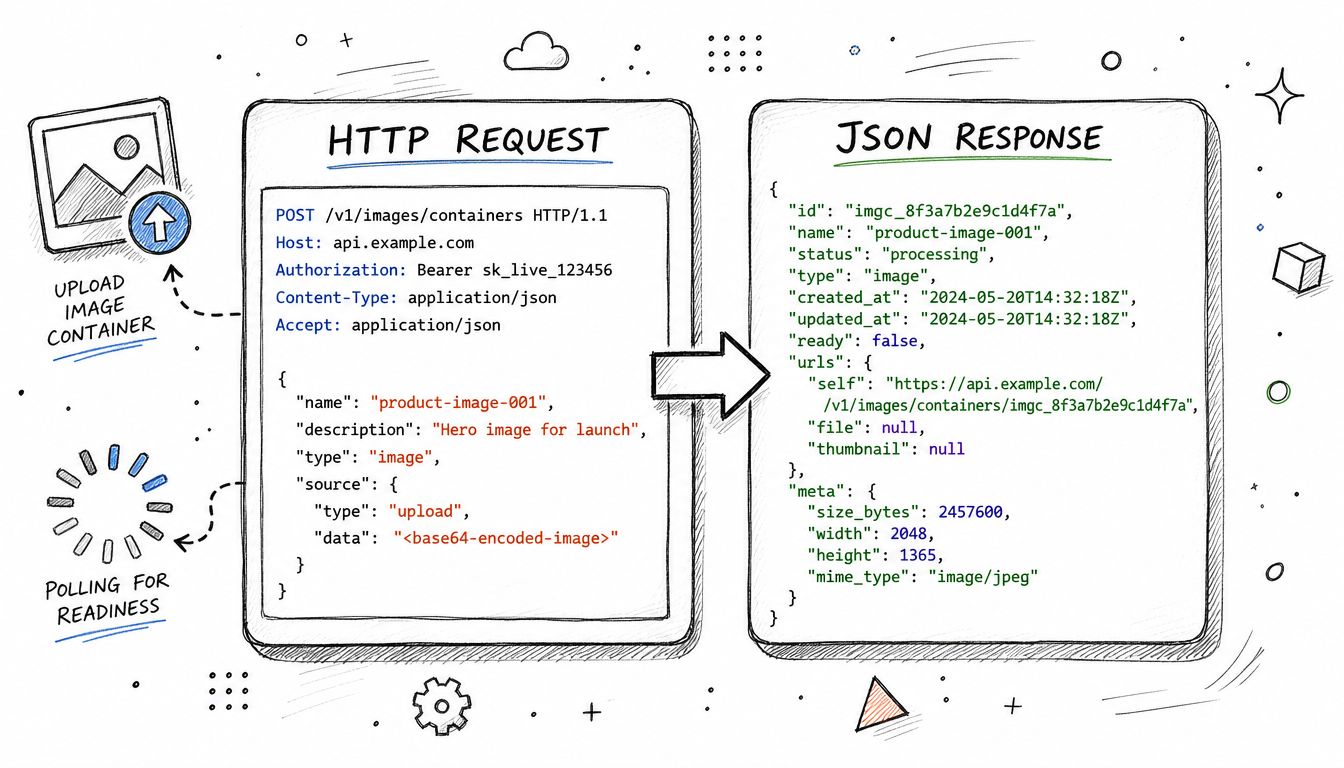 A technical diagram illustrating the HTTP POST request and JSON response cycle for uploading image containers to an API.
Create an image container
A server-side request can look like this:
`POST
Request parameters:
image_url=https://cdn.example.com/image.jpg&caption=New%20release&access_token={user-access-token}
A successful response contains a container identifier:
{"id":"{ig-container-id}"}
Keep that identifier with your internal publishing job. Don't treat the request as complete until the status check and publish operation have succeeded.
Poll the container
Check readiness with:
`GET
A response might look like:
{"status_code":"FINISHED"}
Your polling worker should use bounded retries and a delay rather than a tight loop. If the status remains nonterminal, keep the job pending. If the API returns a terminal failure or an authentication error, move the job to a recoverable failure state and preserve the response for diagnosis.
Publish the ready container
Once the status is ready, publish it with:
`POST
Request parameters:
creation_id={ig-container-id}&access_token={user-access-token}
The response returns the published media identifier:
{"id":"{ig-media-id}"}
For a Reel, the same lifecycle applies, but the container includes the appropriate video media type and source URL. Test video processing with a fixture that remains in a pending state long enough to exercise the worker, then test success and terminal failure separately.
Mock the boundaries
Mock the HTTP client at the boundary, not the business logic that interprets the response. Create fixtures for:
Container creation success.
Container readiness in progress.
Container readiness failure.
Publish success.
Expired token.
Missing permission.
Retryable server response.
The test should assert that your worker never calls media_publish before the status is ready. It should also assert that a timeout doesn't blindly create a second container without checking the existing job record.
Handling Common Error Responses and Recovery Patterns
A resilient integration treats an error response as a typed event. The HTTP status helps classify the problem, but the Meta error payload, request context, and account state determine the recovery action. Store the error code and message, but redact access tokens and other credentials before logging.
Client and schema errors
A 400-class response usually means the request needs attention. Common causes include a malformed path, missing required parameter, invalid media source, unsupported field, or a container that isn't ready. Retrying the same request without changing its inputs only creates noise.
Return a clear internal error such as INVALID_MEDIA_INPUT or CONTAINER_NOT_READY, preserve the original response, and show the operator which stage failed. Schema failures should open an engineering issue when they appear after a version change.
Permission and authentication failures
A 403-class response points toward authorization or access. Recheck the token, account association, granted scopes, app mode, and required business relationship. Don't immediately ask the user to reconnect if the token is valid but the requested permission was never granted. Explain the missing capability and send the user through the appropriate consent or review path.
An expired or revoked token deserves a separate state, such as REAUTH_REQUIRED. That state should disable new publishing jobs while preserving queued content so the user can reconnect without losing work.
Throttling and transient faults
A 429 response indicates that the client must slow down. Read the available usage information, pause according to a backoff policy, and avoid retrying every queued job simultaneously. A shared queue with per-account pacing is safer than independent workers that all react to the same failure.
A 500-class response can be transient, but you still need bounded retries. Use exponential delays with jitter, stop after a defined attempt policy, and alert when failures continue. Never retry a publish operation blindly after an ambiguous timeout. First check whether the container was already published or whether the job has a recorded media identifier.
Recovery rule: Retry safe reads more freely than state-changing operations. For publishing, persist intent and inspect state before creating another side effect.
Publishing Content via PostPulse Workflows
Direct Graph API integration gives you control, but it also leaves your team responsible for OAuth, token storage, version migrations, container polling, retries, and every additional social platform. A unified layer can be useful when the product needs cross-platform publishing and the team would rather keep those platform-specific workflows behind one internal interface.
PostPulse provides a unified REST API along with official n8n and Make.com nodes. Its product positioning is to let apps, automations, and AI agents publish across supported social platforms through one integration surface. For an engineering team, the key architectural question is whether the abstraction preserves the controls you need, including account connection status, scheduled job state, delivery errors, and per-platform media rules.
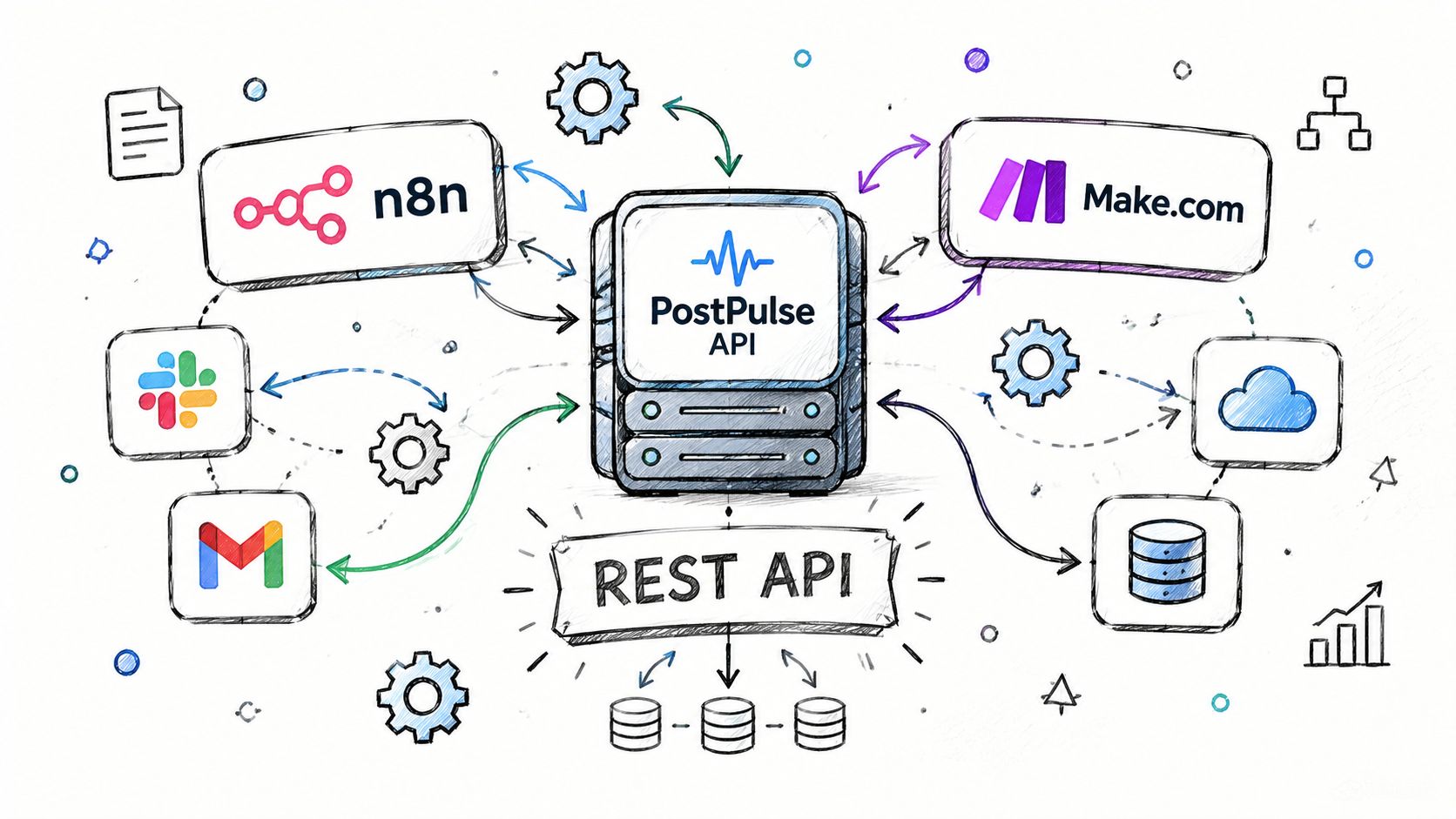 A diagram illustrating the PostPulse API ecosystem connecting various platforms like n8n, Make, Slack, Gmail, and databases via REST API.
Use the REST surface
A typical workflow starts with an account connection, then submits content and a target platform through the provider's API. Keep your own publication record even when the provider handles the downstream Instagram lifecycle. Store your content identifier, target account, scheduled time, provider job identifier, and final delivery state.
A complete application still needs validation before submission:
Confirm the connected account is active.
Confirm the media type is supported by the destination.
Validate the scheduled timestamp and content payload.
Submit one publication job.
Consume the resulting status through the provider's documented mechanism.
Surface platform-specific failures to the operator.
The abstraction reduces repeated platform code, but it doesn't eliminate the need for observability. You still need to know whether a failure occurred during account authorization, media preparation, downstream publishing, or status delivery.
Build an n8n workflow
In n8n, connect the PostPulse node after your content-generation or approval step. Map the caption, media URL, destination account, and scheduled time from earlier nodes. Add a branch for success and failure, then send the failure branch to the team's preferred alerting destination.
For content approval, place a human review node before the publishing action. For recurring campaigns, store the source content and destination account in a database node, then let the workflow create a publication job only after the approval condition is true.
Build a Make.com scenario
A Make.com scenario can follow the same shape: trigger, prepare content, call the PostPulse module, and route the result. Add a filter that prevents empty media URLs or missing destination accounts from reaching the publication step. Preserve the returned job identifier in a data store so later runs can reconcile delivery without creating duplicates.
The provider's integration guides are the practical starting point for its REST, n8n, and Make.com workflows. Choose this approach when reducing platform-specific maintenance is more valuable than controlling every direct Graph API request. Choose direct integration when Instagram is the only target and your product requires low-level access to Meta-specific resources.
Quick Reference Cheat Sheet
Modern stack: Instagram Platform and Graph API support business and creator workflows.
Publishing lifecycle: create media, poll the container status, then publish it.
Token validity: Business Login and long-lived token durations follow Meta's current documentation.
Refresh condition: Refresh only an unexpired, eligible token with the required permission; confirm current requirements before implementation.
Maintenance: Track version changes, permission grants, container states, and retry outcomes.
PostPulse consolidates authentication, token refresh, container handling, and cross-platform publishing through REST, n8n, and Make.com integrations. It gives teams a practical path from deprecated Instagram APIs to maintainable workflows, while official documentation remains the authority for endpoint behavior and limits.
About the Author

Founder of PostPulse — a social media scheduling platform for creators and teams. Software engineer with a passion for building developer tools and simplifying complex API integrations across social media platforms.