Auto Publish Instagram: Developer Guide 2026
Published on June 12, 2026
Tags:
Your scheduler says “published.” Instagram says nothing. No post, no usable error, just a vague failure somewhere between OAuth, account permissions, and a media container that never became ready.
That's the part most happy-path tutorials skip. Instagram auto publishing isn't hard because sending a POST request is hard. It's hard because the request that looks like “publish this image” is a stateful workflow with account-type restrictions, linked Facebook assets, token handling, and async processing that punishes sloppy retry logic.
That friction matters because Instagram is still one of the biggest targets for automation. Industry reporting projects roughly 3 billion monthly active users by 2026, says about 65% of social media users have Instagram profiles, and reports users spend around 73 minutes per day on the app, which explains why so many teams keep trying to automate it despite the pain points (Instagram usage and audience figures).
If you're trying to auto publish Instagram content from your app, an internal tool, n8n, Make.com, or a queue worker you wrote yourself, the failures usually come from the same few places. Bad account setup. Wrong assumptions about what “publish” means in the API. Expired tokens. Unsupported formats. Missing readiness checks. This is also why token handling deserves separate attention when you're dealing with Meta's auth flows, especially if you've already run into short-lived access issues in production. A deeper breakdown of that problem is in Meta OAuth token lifecycle.
Table of Contents
Why Your Instagram Automation Keeps Breaking
The usual failure pattern looks like this. Your worker receives a scheduled job, uploads metadata, gets back something that looks valid, and marks the task complete. Then the post never appears because Instagram wasn't ready for the final publish step, or the account didn't have the right publishing path in the first place.
That mismatch catches a lot of developers because Instagram doesn't behave like a simple “create post” API. You're not sending content directly to a feed in one shot. You're creating an object that Instagram still needs to process, and your system has to respect that state machine.
The API punishes optimistic assumptions
A lot of broken automations come from code that assumes one successful response means the content is live. It doesn't. A successful request might only mean Instagram accepted the media for processing.
Practical rule: Treat every Instagram publish request as asynchronous until you've confirmed the content is actually ready to be published.
The second trap is auth. Teams often discover this only after everything works in local testing for a short period and then starts throwing OAuthException errors in production. That isn't random. It's what happens when token lifecycle handling is treated as an afterthought.
Silent fallback behavior is real
Another annoying pattern is when a tool claims it supports Instagram scheduling, but what it really means is “we'll send a push notification to finish the post manually if direct publishing isn't available.” That's not useless, but it's not auto publishing Instagram content in the way most developers mean it.
You can usually trace these failures back to a few root causes:
Wrong account type because the Instagram account is still personal.
Missing Facebook Page linkage so Meta won't grant the permissions needed for direct publishing.
No container polling so your app publishes too early.
Weak retry logic that retries the wrong step and duplicates work.
Format assumptions where a workflow that works for feed posts fails for another content type.
The fix isn't a clever workaround. The fix is understanding the mechanics and building around them.
The Unskippable Account Setup Checklist
Before touching code, verify the account configuration. Most “Instagram API is broken” debugging sessions end with a permissions or account-linking issue.
For direct auto publishing, the operational setup is not optional. The account must be converted to a Business profile and linked to a Facebook Page, otherwise many tools fall back to notification-based posting instead of direct publishing (Instagram auto-post setup requirements).
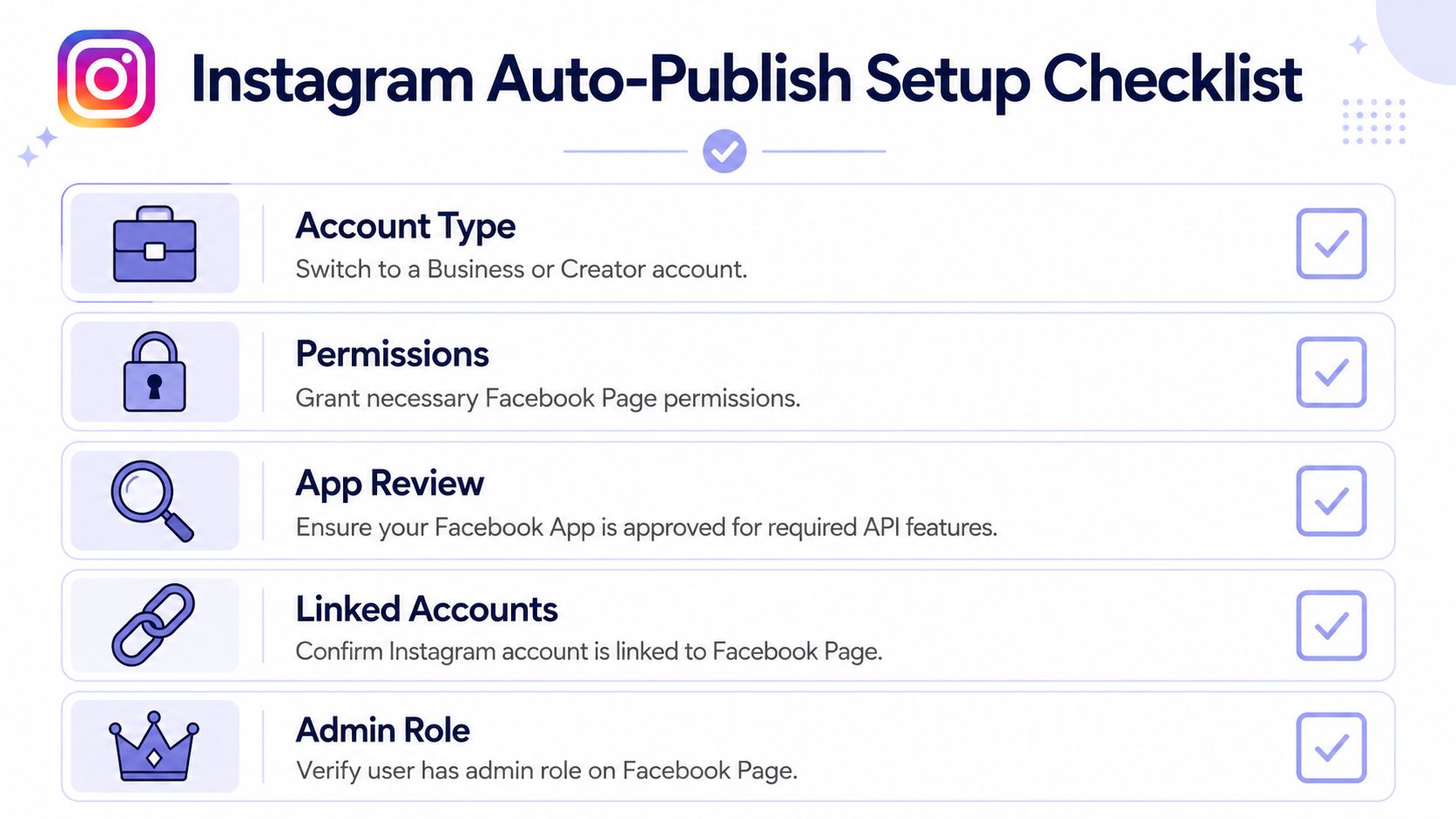 A checklist for setting up Instagram auto-publishing, featuring steps like account type and Facebook permissions.
What to verify before you debug anything else
If you skip this checklist, you can waste hours debugging request payloads that were never the problem.
Use a Business or Creator account Personal accounts are where many automation projects die. If the account isn't professional, your “auto publish Instagram” flow often won't be a direct-publish flow at all.
Link the Instagram account to a Facebook PageThis is the non-obvious part. Developers often think the scheduler UI or the OAuth login is enough. It isn't. Meta uses account linkage and Page permissions as part of the publishing path.
Confirm the user has the right Page roleThe account can be linked correctly and still fail if the authenticating user lacks the right admin-level access on the connected Facebook Page.
Check app permissions during authIf your app requests too little, publishing fails later in a way that looks unrelated to auth. If your app requests the right scopes but the user connection is stale, you get the same result.
Why this fails so often in real projects
A common pattern is that one account works and another doesn't, even though both look identical in your UI. The hidden difference is usually on the Meta side. One is properly connected through the Page relationship and one isn't.
Instagram direct publishing depends more on Meta account relationships than on your scheduling interface.
That's why support teams so often ask users to reconnect accounts. It sounds simplistic, but many failures are configuration failures masquerading as content or API failures.
A practical preflight checklist
Use this before every new account onboarding flow:
Account type checkConfirm the Instagram profile is professional, not personal.
Page linkage checkConfirm the Instagram account is linked to the intended Facebook Page.
Permission checkConfirm the authenticating user granted the permissions your publish flow requires.
Role checkConfirm the user has sufficient control over the linked Page.
Authorization freshness checkReconnect if the account was linked long ago and your stored auth state may no longer match current permissions.
If you're building a SaaS product, this is worth making visible in your onboarding UI. Don't just throw “publish failed.” Show which prerequisite is missing.
Understanding the Instagram Container Workflow
This is the part that trips up even experienced API developers. Instagram publishing follows a container-based workflow. You don't upload media and instantly get a live post. You create a media container, wait for it to become ready, and only then send the publish call.
That two-step pattern is the benchmark for effective automation. The workflow is: send the image or video URL plus caption to create a media container, then wait until the container is ready, then publish using the returned container ID (container workflow walkthrough).
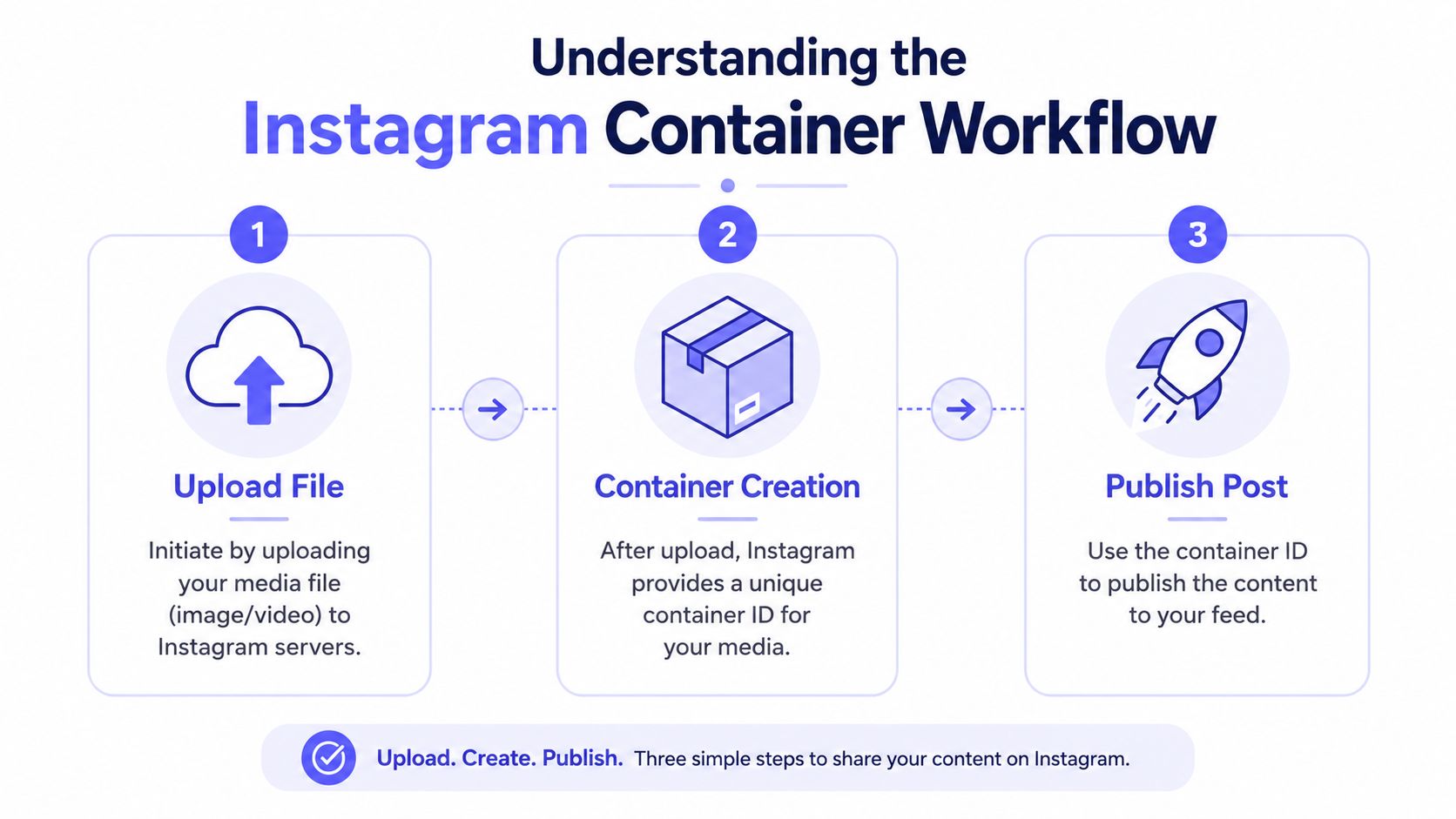 An infographic showing the three-step Instagram container workflow for publishing content: upload, container creation, and publish post.
A deeper implementation-oriented explanation lives in this write-up on Instagram container-based publishing, but the important part is the mental model. Think of the first request as “register this media for processing,” not “publish this now.”
Step one creates a pending asset, not a post
The first API call usually feels deceptively complete because you get an ID back. That ID is not the final post. It's a handle to a server-side object Instagram is still processing.
If your code treats that response as success and moves on, you'll mark jobs complete before the platform has finished ingesting the media.
Step two is polling, not wishful thinking
Once the container exists, your system needs to wait for readiness. At this point, a lot of low-effort wrappers break. They send the create request and then attempt publishing too quickly.
What your worker should do instead:
Store the container ID in a durable job record.
Poll the container status on a schedule.
Stop early on terminal failure instead of retrying forever.
Publish only after readiness is confirmed.
If your publish logic doesn't model state, it will eventually fail in production even if it looks fine in a demo.
Step three is a separate publish action
Only after readiness should you call publish with the container ID. This separation matters because it changes how you design your queue and retries.
A resilient worker treats these as distinct operations:
Operation | What your system should assume |
Create container | Media accepted for processing, not yet publishable |
Check status | State may still be pending or may fail |
Publish container | Final step that should only happen after readiness |
Why race conditions show up so easily
Developers who are used to synchronous content APIs often put the whole flow in one request cycle. That works until media processing takes longer than expected. Then your publish call happens too early, and your logs make it look like Instagram randomly failed.
The right approach is job-based orchestration. Create the container in one task, persist its state, then hand off readiness checks to a worker or scheduled poller. Don't keep this inside a fragile web request if you can avoid it.
Carousels and video make the pain more obvious
Single-image posts can lull you into false confidence because they may process quickly. Carousels and video usually expose workflow weaknesses faster. If your system doesn't handle intermediate state well, these formats reveal it immediately.
That's why I'd treat media state transitions as the core of the integration, not a side detail. Instagram's publishing API is really a small workflow engine. Your code should act like it knows that.
Choosing Your Instagram Automation Method
Once you understand the mechanics, the implementation choice gets clearer. There are three common paths: direct Meta API integration, no-code or low-code orchestration, and a unified publishing API.
They all can work. They just fail in different ways.
Direct API gives control and work
If you integrate with Meta directly, you control the request lifecycle, storage model, retries, and observability. That's valuable if Instagram publishing is a core product feature and you need custom behavior.
The cost is maintenance. You own token lifecycle handling, account onboarding complexity, async job state, and any API changes that affect your integration.
This path usually makes sense when:
Publishing is product-critical and not just a side feature.
You need custom workflow control around scheduling or moderation.
Your team can support auth and API maintenance over time.
No-code tools reduce coding, not complexity
n8n and Make.com make the workflow more visible, which is useful. You can express the container creation, delay, status check, and publish sequence without writing every line yourself.
The catch is that visual workflows can hide weak error handling. A flow that looks elegant in the editor may still need durable state, replay safety, and better failure alerts than the default nodes provide.
No-code removes boilerplate. It doesn't remove platform constraints.
Unified APIs trade control for speed
A unified API abstracts the ugly parts. Instead of integrating each social platform separately, you publish through one surface and let the provider manage the platform-specific differences.
That gets more attractive when your real goal isn't just Instagram. A lot of teams are trying to streamline content creation workflow across several destinations, not build a one-off Instagram bot.
One example is PostPulse, which provides a single REST API plus n8n, Make.com, and MCP integration paths for publishing across multiple platforms. In practice, that means the container logic, token handling, and platform differences can sit behind one integration surface instead of living in your app code.
Instagram automation method comparison
Method | Setup Effort | Maintenance Level | Handles Token Refresh | Multi-Platform Ready |
Direct Meta API | High | High | No, you own it | No, per-platform work |
n8n or Make.com | Medium | Medium | Depends on workflow and connector | Partial, depends on connected apps |
Unified API | Low to medium | Low to medium | Usually abstracted by provider | Yes, designed for it |
Which one I'd choose in practice
If I'm building a product where social publishing is the core feature and I need deep Instagram-specific behavior, I'd consider direct integration.
If I'm shipping an internal automation quickly, I'd use n8n or Make.com, but only if I can still model retries, logging, and delayed publish checks properly.
If I need Instagram plus TikTok, YouTube Shorts, Threads, LinkedIn, Facebook Pages, Bluesky, or Telegram from the same system, I'd avoid rebuilding each platform's auth and publishing quirks myself. That's where unified infrastructure starts making more engineering sense than “owning the stack.”
Common Failures and How to Fix Them
Automation isn't “set it and forget it” here. It's “set it up correctly, monitor it, and expect edge cases.”
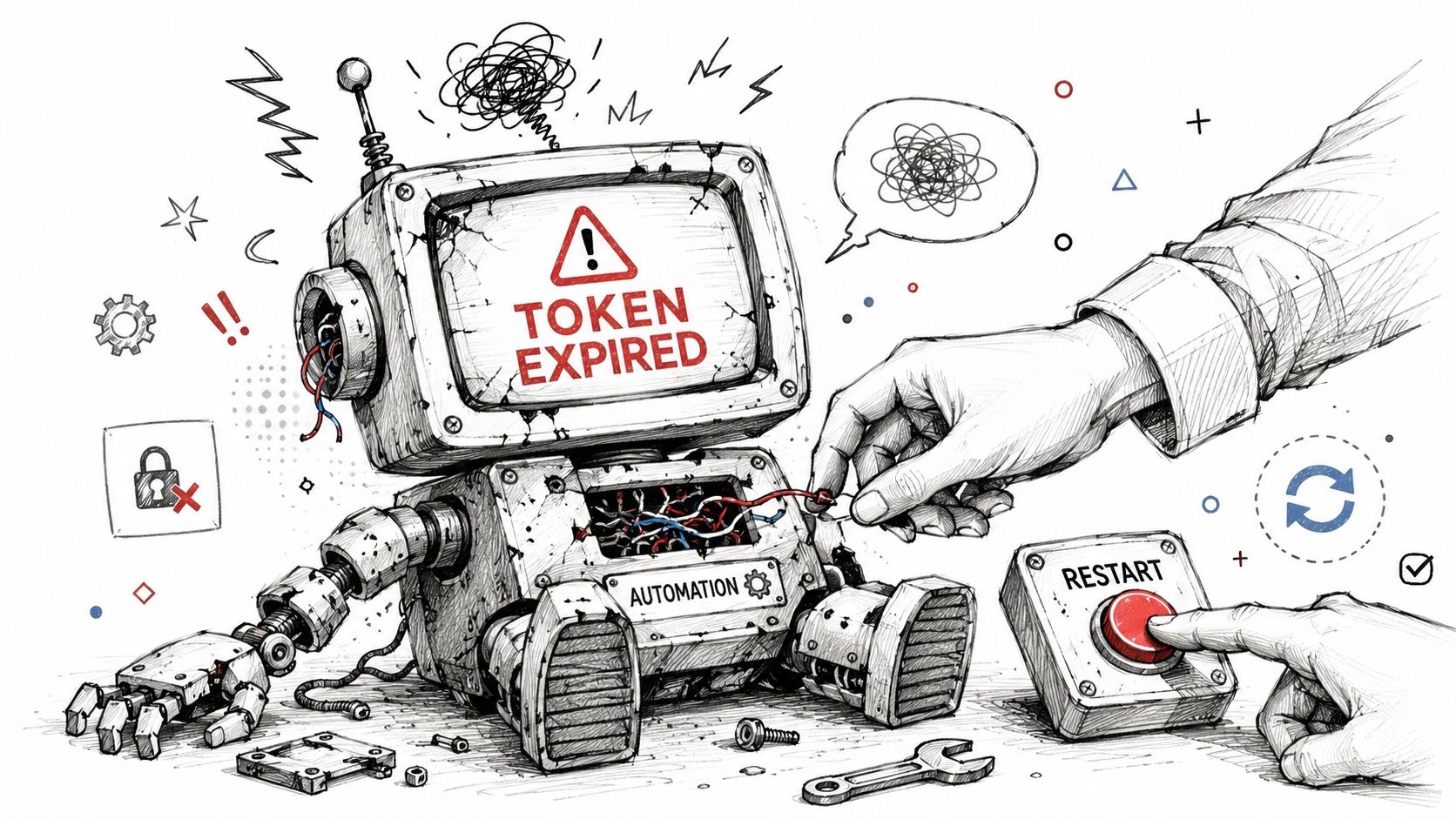 A hand restarting a broken robot display showing the error message token expired for automation processes.
Some limitations are easy to miss until they break a real workflow. Auto-posting is generally limited to Business and Creator accounts, may require a linked Facebook Page for some features, can exclude some formats such as Stories for certain account types, and one provider notes a 25 API-published posts per 24 hours cap, with carousels counting as one post (Instagram auto-post restrictions and quota notes).
Token errors aren't random
If your integration works and then suddenly starts failing with auth errors, don't chase caption formatting or media payloads first. Investigate token state.
In production, token problems usually come from one of three things:
Stored credentials are stale after the user changed something in Meta account settings.
Refresh logic is missing or unreliable so the system keeps trying to publish with an expired token.
Reconnect flows are weak so the user can't easily repair the account relationship.
The fix is operational, not cosmetic. Track token freshness, surface reconnect prompts early, and separate auth failure handling from content validation failures.
Containers that never seem to finish
When a media container sits in progress too long, developers often react by hammering the publish endpoint harder. That usually makes things worse.
A better pattern:
Validate media before submission so your worker isn't waiting on assets that should have been rejected earlier. A dedicated media validation checklist helps here.
Set a timeout policy for polling instead of waiting forever.
Record terminal states clearly so support can see whether the issue was media, permissions, or publication timing.
A stuck container is usually a workflow problem or an input problem. It's rarely fixed by pressing “publish” again.
Format support is uneven
Many product promises can become misleading. Your system may auto-publish photos, carousels, and Reels successfully, then fail or fall back for another format.
That doesn't mean the whole integration is broken. It means “supports Instagram” is too broad a claim unless you specify which account types and content formats you support in production.
A short walkthrough of Instagram automation failure patterns is worth watching if you're troubleshooting queue behavior and auth edge cases:
The posting cap changes queue design
That 25 API-published posts per 24 hours detail matters more than it first appears. It means you need quota-aware scheduling if you publish at scale.
A few practical responses:
Queue by account, not just globally.
Reserve headroom for manual or urgent posts.
Coalesce retries carefully so repeated failures don't consume your daily budget unnecessarily.
Treat carousels correctly in your accounting, since they count as one post in that documented provider guidance.
If your system ignores these constraints, it may work in testing and become unreliable the moment a busy account starts publishing frequently.
Building a Production-Ready Publishing System
A script that succeeds once isn't a system. A production-ready auto publish Instagram pipeline needs durable state, predictable retries, media validation, and a clear account repair path when auth breaks.
Instagram also shouldn't be treated as an isolated endpoint anymore. Recent coverage and product docs increasingly frame Instagram automation as part of broader cross-posting to YouTube Shorts, TikTok, Threads, and other destinations, which reflects a shift from “how do I auto-post to Instagram?” toward “how do I automate an Instagram-first workflow across channels?” (cross-posting trend in publishing tools).
The system design that holds up better
I'd build around a job model with explicit states such as queued, container-created, processing, ready-to-publish, published, and failed. That sounds boring, but it prevents the usual support nightmare where your database says success and Instagram says nothing.
Your production baseline should include:
Stable public media URLs so Instagram can fetch the asset reliably.
Idempotent job handling so retries don't create duplicate posts.
Clear failure categories for auth, media, permission, quota, and publish-state errors.
Per-account scheduling logic so one noisy customer account doesn't create collateral failures for others.
Security matters more than most prototypes admit
A lot of social publishing tools start as side projects, and the secrets handling often reflects that. If your service stores platform credentials, refresh tokens, or signing secrets, treat that as production infrastructure, not a convenience blob in environment variables forever. This guide on how to protect API keys is a useful reference for tightening that side of the system.
Think distribution engine, not Instagram bot
The bigger design shift is architectural. If your users create one short-form asset and expect it to land on multiple networks, then your real product isn't an Instagram scheduler. It's a distribution engine with platform adapters.
That changes what “done” looks like. Done means your ingestion layer accepts one asset package, your validation layer checks platform-specific constraints, your queue manages per-destination publish jobs, and your observability tells you exactly where any given post failed.
The hard part isn't sending content to Instagram. The hard part is building a system that keeps publishing when tokens expire, formats vary, and users expect one workflow to feed multiple channels.
If you want that without owning every platform integration yourself, PostPulse is one option to evaluate. It gives apps, automations, and AI agents a single publishing surface for Instagram and other social platforms through a REST API, official n8n and Make.com nodes, or an MCP server, which is useful when the problem is no longer just Instagram but the whole cross-platform pipeline.
About the Author

Founder of PostPulse — a social media scheduling platform for creators and teams. Software engineer with a passion for building developer tools and simplifying complex API integrations across social media platforms.