
API Key Management: A Developer's Survival Guide
Published on
Tags:
You're probably dealing with one of these right now. A key sitting in a .env file copied across three services. A mobile app with a credential you can't easily replace. A white-label SaaS product where one tenant's mistake could leak another tenant's access. Or an automation workflow that works great until a token expires, a platform changes something, and your logs become the only witness.
That's why API key management stops being a boring security checklist item the moment your system gets real users, multiple environments, background jobs, and third-party integrations. The simple advice, “just put it in an environment variable,” works for a toy service. It starts breaking down in distributed systems, multi-tenant platforms, and autonomous agent workflows where secrets move across containers, CI/CD pipelines, task runners, and customer-specific contexts.
The frustrating part is that teams often don't fail because they ignore security completely. They fail because they use a pattern that sounds reasonable, then scale into a shape that pattern was never designed to handle.
Table of Contents
The Nightmare Scenario We All Fear
A developer ships a quick fix late at night. The patch is tiny. The review is fast. Buried in that commit is a production API key.
At first nothing looks wrong. The repo might even be private, which gives everyone a false sense of safety. Then the alerts start. Unexpected API usage. Background jobs firing from places they shouldn't. A cloud bill that makes no sense. If the key touches infrastructure, data, or a billing-backed service, the damage moves fast.
This happens because secrets leak through ordinary engineering work. Someone hardcodes a key to unblock local testing. A teammate copies that file into a debugging branch. CI logs echo a variable during a failed deploy. A client app ships with an embedded credential because “we'll replace it later” turns into production.
Practical rule: If a secret can be copied by a human, logged by a tool, or bundled into a client artifact, you should assume it will eventually leak.
The scary part isn't just the mistake. It's the delay between exposure and detection. Teams usually discover key compromise indirectly. Usage spikes. A third-party vendor sends a warning. A customer sees failures because rate limits got burned by someone else. By then, you're no longer doing prevention. You're doing incident response.
Why this slips through normal development
Most engineering workflows optimize for speed and repeatability, not secret isolation. That's fine until the same key gets reused across environments, shared between services, or handed to scripts that nobody fully owns anymore.
A few patterns make the risk much worse:
Shared credentials across services mean one leaked key grants access to far more than intended.
Long-lived secrets turn a single exposure into an open-ended breach window.
Weak ownership means nobody knows which systems still depend on a key, so rotation becomes risky and slow.
Client-side embedding makes revocation painful because deployed apps don't update on your timeline.
Private repos are not secret managers. They're version control with a better permissions model.
Good API key management starts with admitting something uncomfortable. The “temporary” shortcut is usually the exact thing that turns a manageable system into a cleanup project.
What Exactly Is an API Key
An API key is a credential an application uses to identify itself to another service. It's usually a long random string, but the string itself isn't the whole story. The full meaning of that key is determined by the permissions, scopes, rate limits, billing linkage, and ownership rules attached to it.
A useful mental model is a hotel keycard. It doesn't make you the hotel owner. It doesn't prove you're a human user in the way a password might. It grants access to a specific room or set of services under specific rules. That's why API keys are often used for server-to-server access, internal services, automation scripts, and third-party integrations.
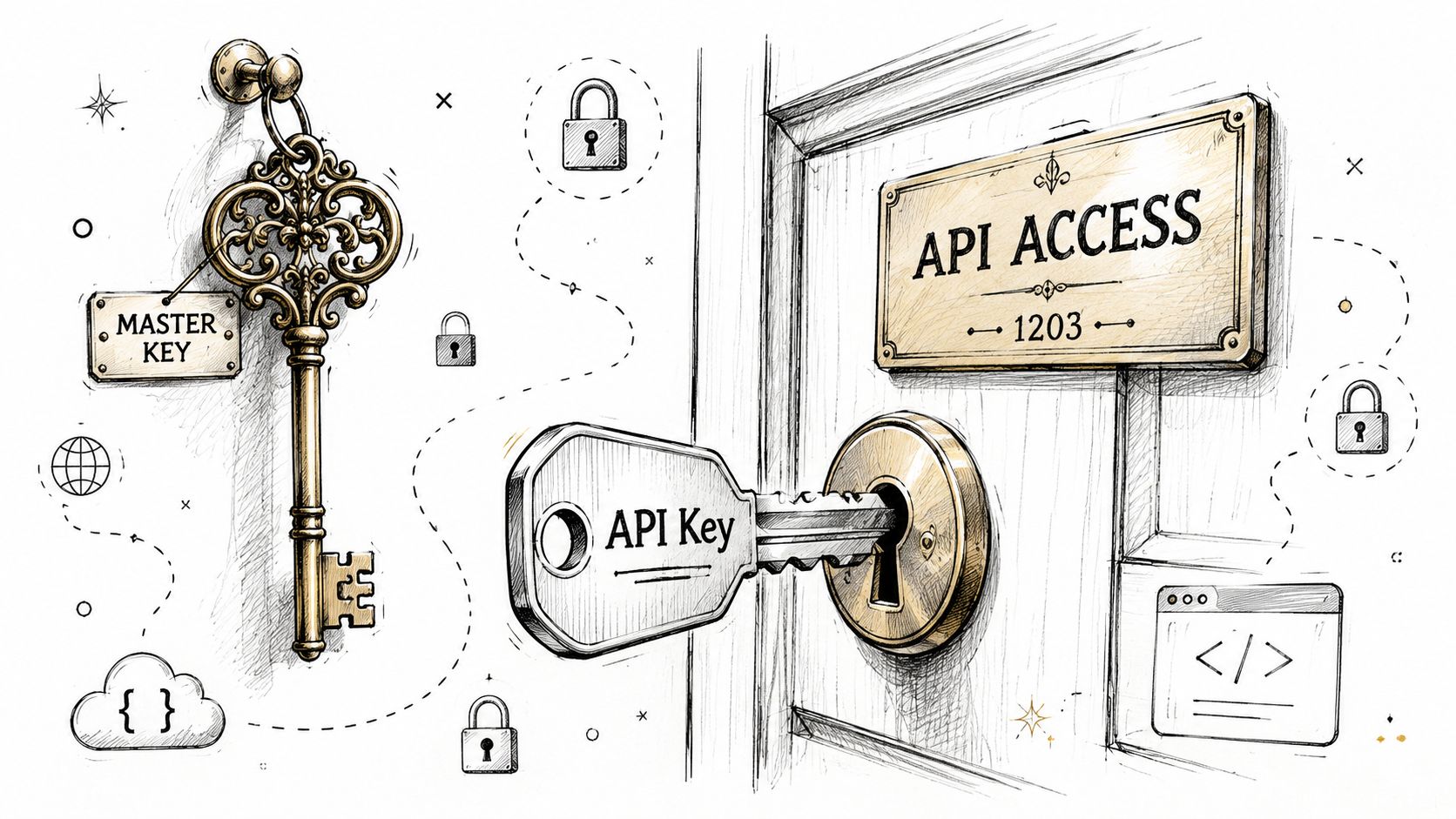 A detailed illustration showing a master key and an API key being used to unlock access.
What the key actually represents
When a service receives an API key, it usually uses it to answer a few questions:
Who is calling this endpoint?
What is this caller allowed to do?
How should this usage be billed or rate-limited?
Which project, tenant, or environment owns this request?
That last part matters more than people think. In real systems, a key often doubles as an operational identity. It affects logs, quotas, alerts, and incident response. If you can't map a key to a clear owner and use case, it's already mismanaged.
How it differs from passwords and OAuth tokens
A password usually authenticates a user. An OAuth token usually represents delegated access, where a user or system grants permission for a limited time and scope. An API key is simpler, but that simplicity is exactly why teams misuse it.
Here's the practical distinction:
Credential | Primary purpose | Typical actor | Common lifespan |
Password | User authentication | Human user | Long-lived unless changed |
API key | Application identification and access | Service or app | Often long-lived |
OAuth token | Delegated authorization | User or workload | Usually short-lived |
That simplicity is why keys spread everywhere. They're easy to create, easy to pass around, and easy to forget.
A key doesn't need to be “admin” to be dangerous. If it can spend money, read data, publish content, or trigger workflows, it matters.
In social integrations, AI workflows, and background automation, developers often reach for API keys because they're the fastest path to a working request. That's fine when the key stays server-side, scoped tightly, and managed properly. It becomes a problem when a key starts acting like a permanent passport inside a system that keeps changing around it.
The True Cost of a Leaked API Key
Friday, 6:12 PM. A support engineer notices usage spikes on a customer tenant that should be quiet. Finance sees a cloud bill climbing by the minute. Ten minutes later, rate limits start tripping across unrelated workloads because one leaked key is being replayed through valid API paths. In a distributed system, that kind of failure rarely stays isolated.
A leaked key creates three incidents at once. Security has to contain access. Operations has to keep production stable. Customer-facing teams have to explain why legitimate traffic is getting throttled or why data may have been exposed.
Recent incident analysis found that the average direct cost of a single exposed API key incident is $650,000, excluding indirect costs like reputational damage, according to Travis Arnold's breakdown of exposed API key incidents. The image below cites $4.24 million for the average cost of a broader data breach tied to exposed API keys. Those numbers are not the same metric. The smaller figure refers to direct incident costs for exposed-key events. The larger figure reflects full breach impact, which can include legal response, customer notification, downtime, recovery work, and long-tail business damage.
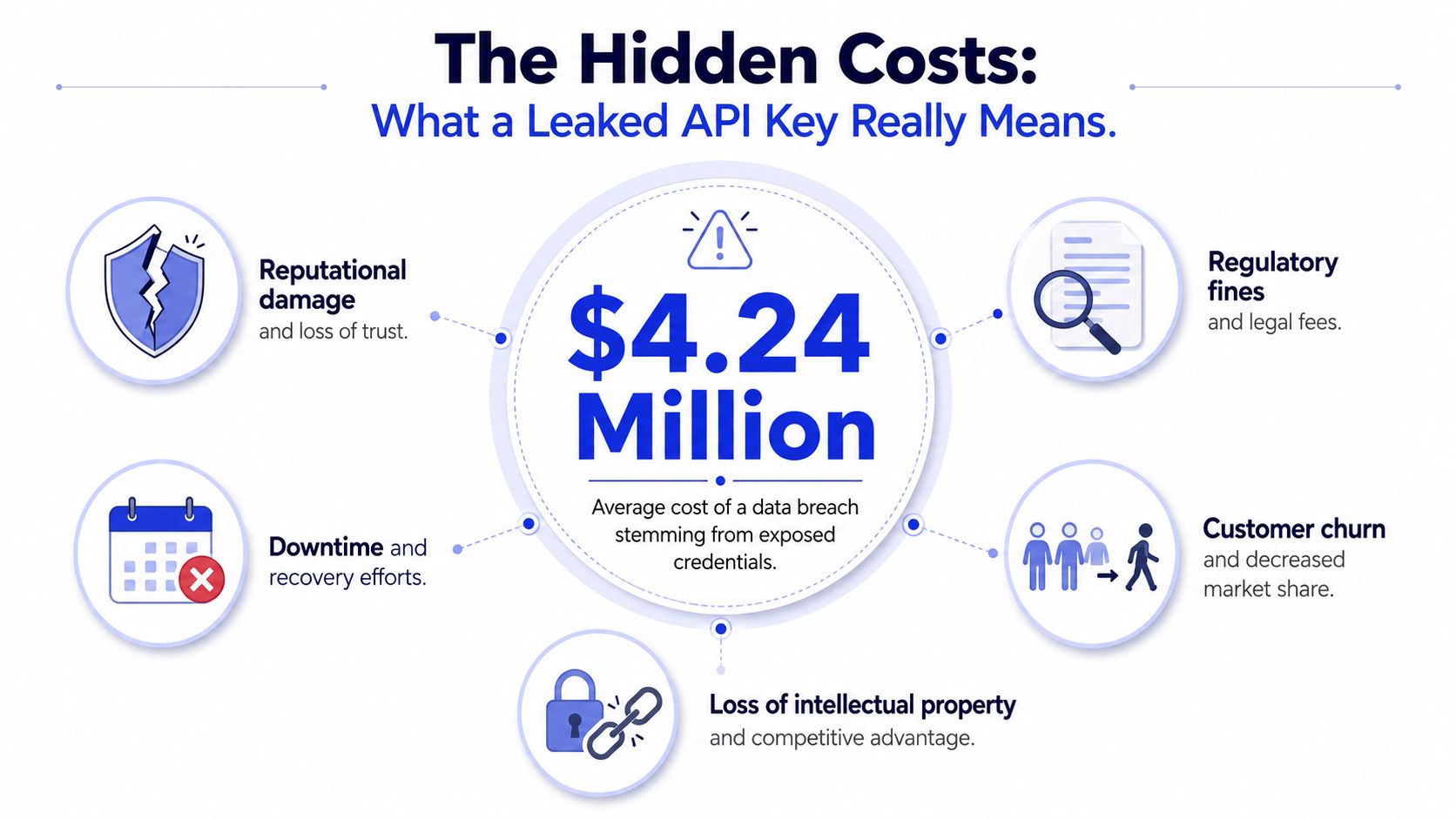 An infographic showing that the average cost of a data breach from exposed API keys is $4.24 million.
The classic leak path
Hardcoded keys still cause expensive incidents because the failure spreads faster than teams expect. A developer pastes a secret into source code to get a service working, commits it, and plans to clean it up later. That key now exists in git history, local clones, CI runners, code search indexes, support bundles, and sometimes copied snippets in tickets or chat.
Deleting the latest commit does not remove those copies.
The quieter leak path
Build and deployment systems leak secrets in less obvious ways. A failed step prints environment variables. A debug flag logs request headers. A test harness writes full API responses to artifacts. Teams often lock down source repositories more carefully than pipeline logs, which means production credentials end up visible to a wider internal audience than intended.
That matters more in multi-tenant SaaS and white-label products, where one credential may sit behind tenant routing, provisioning jobs, admin automations, or partner-specific integrations. A single leak can cross customer boundaries even if the original service looked narrow in scope.
The client-side trap
Secrets shipped into mobile apps, desktop clients, browser bundles, or autonomous agent runtimes should be treated as recoverable by anyone determined enough to inspect them. Environment variables help on servers. They do nothing once the credential has to live inside software you do not control.
Simple advice breaks down in agent workflows, embedded integrations, and white-label deployments, as teams often need a brokered model instead of a raw provider key on the client. Good API docs for credential exchange and scoped access patterns reduce the odds that integrators fall back to copying a master key into the wrong place.
Attackers also do not need to exploit your system through obviously malicious traffic. If they have a valid key, they can look like a customer, a worker process, or a background job.
Billing abuse shows up first when the key can call paid models, storage APIs, or high-volume external services.
Data exposure follows when the key can read tenant records, internal logs, exports, or webhook payloads.
Operational fallout hits when attackers burn quotas, poison downstream workflows, or trigger rate limits that affect real users.
Incident scope expands fast when nobody can answer which service owns the key, which tenants it can touch, and what automations depend on it.
The key that hurts you most is usually not the most privileged one. It is the one wired into enough systems that you cannot rotate it cleanly under pressure.
I have seen teams treat leaked keys as a narrow secret-rotation task and miss the core problem. In modern systems, a key often sits inside job schedulers, partner connectors, tenant provisioning flows, and support tooling. Rotation can break production if ownership is fuzzy. Slow rotation leaves the attacker inside longer. Neither option is cheap.
That is why teams that want to secure your SaaS application cannot treat API keys like static config. In distributed systems, they behave more like long-lived machine identities with spending power, data access, and blast radius.
Secure API Key Management Best Practices
A usable API key management system has four parts. Generate strong keys. Store them outside code. Limit what each key can do. Rotate and monitor them automatically. If one of those parts is weak, the whole setup becomes fragile.
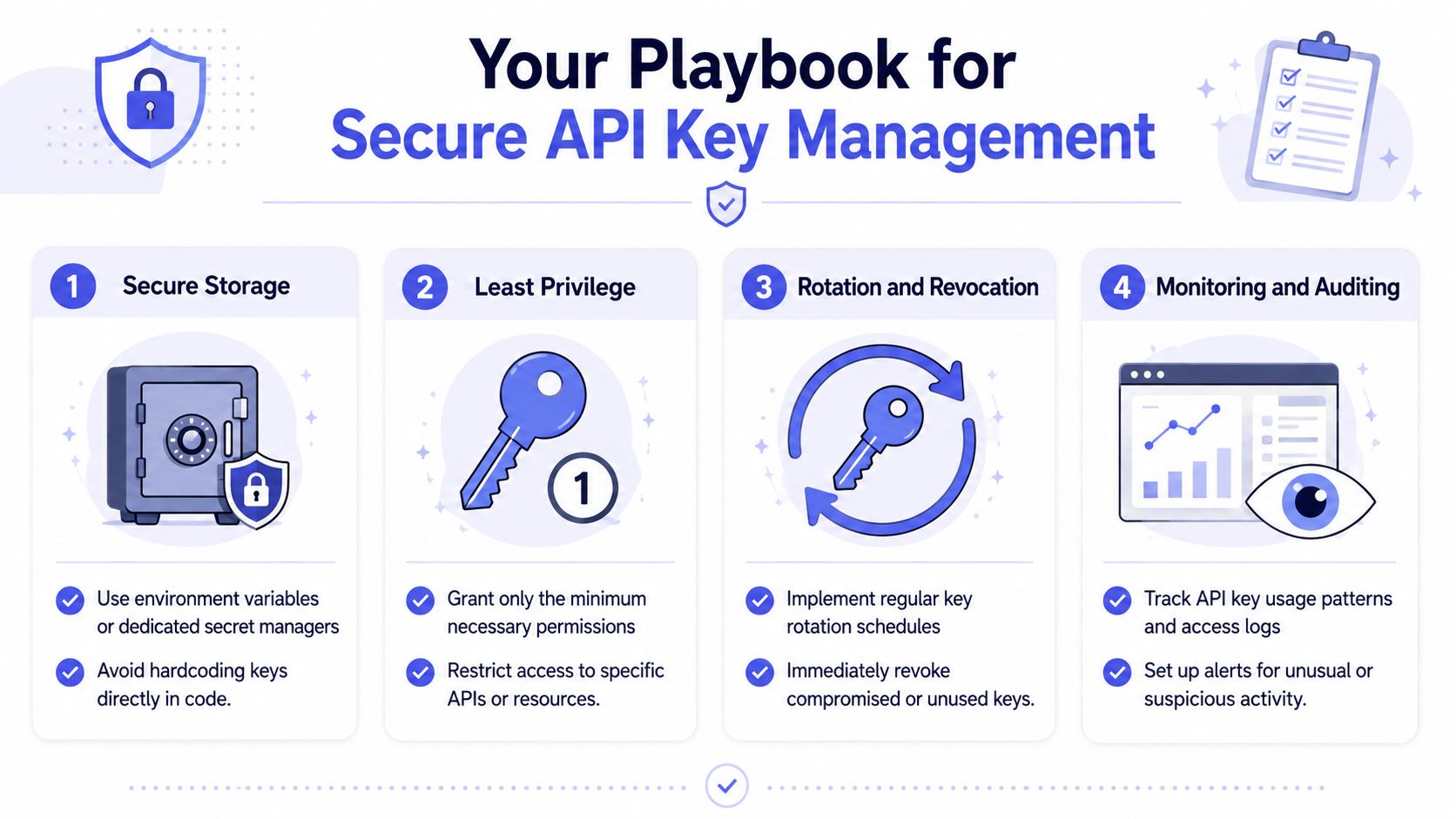 An infographic titled Your Playbook for Secure API Key Management outlining four best practices for developers.
Start with generation, not storage
A weak key is a broken secret before you even deploy it. Keys should be generated with cryptographically secure random number generators and have a minimum entropy of 256 bits, typically resulting in keys of at least 32 characters, as described in Lucid's secure API key management guidance.
That sounds obvious, but teams still hand-roll tokens, reuse identifiers as credentials, or let non-security tooling generate secrets with unclear randomness guarantees.
Do this instead:
Use platform-native secret generation from a cloud KMS, HSM-backed service, or a vetted secrets manager.
Separate environments so dev, test, and prod never share the same credential.
Assign keys per service and endpoint where practical, so compromise stays local.
Storage is a system design choice
Environment variables are better than hardcoding. They are not the final answer.
For single-service deployments, env vars are often acceptable as a transport mechanism into runtime. In larger systems, they become messy quickly because secrets get copied into container specs, task definitions, CI settings, and support scripts. You lose lineage. You lose auditability. You eventually lose confidence about who can read what.
Dedicated secret stores like HashiCorp Vault, AWS Secrets Manager, and cloud KMS-backed patterns solve a different class of problem. They centralize access, encrypt secrets at rest, and log retrieval events. That gives you an actual control plane instead of a pile of injected strings.
If you're hardening a customer-facing product, it also helps to secure your SaaS application with testing that looks at how secrets move through real deployments, not just how they're documented in architecture diagrams.
A good API surface should also make secret ownership cleaner. When you're designing integrations, the PostPulse API docs are a useful example of why clear integration boundaries matter. The less secret sprawl your architecture creates, the easier your key management becomes.
Scope keys like you expect compromise
Least privilege sounds like policy language. In practice it's blast-radius control.
Give each service the smallest possible permission set. Don't reuse one “super key” for background jobs, web requests, support tooling, and analytics exports. Split by function. Split by environment. Split by tenant if your platform is multi-tenant and customer isolation matters.
Design principle: Every key should answer two questions quickly. Who owns it, and what exact actions should it perform?
That answer should be visible in naming, metadata, and audit logs.
Rotation has to be automatic
Manual rotation usually dies in the backlog because people are afraid of breaking dependencies they can't fully map. That's a process smell.
For high-privilege keys, API7 recommends automated rotation schedules based on privilege level, with high-privilege keys rotated weekly or daily and low-privilege keys rotated monthly. If one key in a rotation chain is compromised, related keys should be revoked immediately.
Later-stage systems should go further than calendar rotation. Static API keys in AI agent workflows increase breach risk by 40% because they stay exposed for their full lifetime, according to GitGuardian's guidance on secrets management for agent workflows. Short-lived tokens issued through workload identity and secrets proxies cut that exposure window down dramatically.
Here's the embedded video overview before the monitoring piece, because implementation details matter:
Monitoring is how you catch the weird stuff
Logging key creation isn't enough. You need usage monitoring that tracks request volume, geography, and error patterns per key. Alerts should fire when a key starts calling unfamiliar resources, appears from unexpected locations, or suddenly behaves like a batch job when it used to be interactive traffic.
A practical baseline looks like this:
Log every access attempt to the secret store, not just successful retrievals.
Tag usage by key identity so anomaly detection has clean dimensions.
Scan for exposed secrets continuously in commits, build artifacts, Docker layers, and CI logs.
Revoke unused keys instead of leaving them around “just in case.”
This is the difference between having secrets and managing secrets.
Tooling and Automation Patterns for Scale
The painful jump in API key management usually happens when the system becomes multi-tenant. A single app becomes many customer contexts. One deployment becomes many containers, workers, and automation flows. Secrets stop being configuration and start becoming inventory.
Why env vars stop being enough
Environment variables are fine for injecting a secret into one process with a short path from deploy system to runtime. They're weak when the same variable gets replicated across containers, preview environments, CI jobs, and support tooling.
That's not just a theoretical concern. A 2024 NIST report found that 74% of enterprise API key leaks in multi-platform SaaS environments occur because environment variables are shared across containers or exposed in CI/CD logs, as summarized in Serverion's write-up on API key management pitfalls. The same discussion points out that most guidance doesn't address tenant-scoped key delegation well.
That gap shows up fast in white-label products. If one worker process can see keys for every tenant, your trust boundary is already too wide. If support staff can dump env vars for debugging, you have no clean audit trail. If your automation platform reuses the same secret across all customer accounts, one leak can become a cross-tenant incident.
What secrets managers actually buy you
HashiCorp Vault, AWS Secrets Manager, and Google Secret Manager give you more than encryption. They give you policy, retrieval controls, versioning, and audit logs tied to identities.
That changes the operating model:
Approach | Works for | Main weakness | Better pattern |
| Local dev, simple services | Easy to copy, hard to audit | Keep local only, never as source of truth |
Encrypted config files | Controlled deployments | Rotation friction | Use for bootstrapping, not lifecycle management |
Secrets manager | Multi-service production | More setup complexity | Best default for serious systems |
Workload identity plus short-lived creds | High-security distributed systems | Requires platform support | Best for reducing long-lived secret exposure |
In practice, the setup I trust most looks like this: a service authenticates with workload identity, retrieves a short-lived credential from a central manager or proxy, uses it briefly, and never stores the raw secret in code, container images, or customer-visible runtimes.
For teams building social publishing or multi-platform automation, the integration surface itself matters too. The complexity of platform-specific auth flows is one reason unified layers exist. If you want a good example of the integration headaches that stack up across providers, this article on social media platform integration complexity captures the architectural burden well.
Scanning and policy enforcement
Even good storage patterns fail if nobody scans for leaks.
Tools like GitGuardian and truffleHog are useful because they catch the boring mistakes humans keep making. A leaked key in a commit, a Docker layer, or a CI artifact often isn't the result of some elite attacker. It's just an engineer moving fast with incomplete guardrails.
A decent scaled setup includes:
Pre-commit and CI scanning for known secret patterns.
Policy checks that block builds when production keys appear in the wrong context.
Tenant-aware secret paths so apps retrieve only the credentials relevant to the current tenant.
Revocation hooks tied to deploy events, anomaly alerts, or configuration changes.
The trade-off is complexity. Secrets managers, scanners, and workload identity systems add operational overhead. But the alternative is pretending a scattered pile of environment variables is a security architecture.
API Keys vs OAuth A Practical Comparison
A lot of authentication confusion comes from treating API keys and OAuth tokens as interchangeable. They aren't.
An API key is usually the right fit when your application itself is the actor. Think internal services, machine-to-machine communication, backend jobs, or a controlled server-side integration. OAuth is usually the right fit when a human user is granting your app permission to act on their behalf.
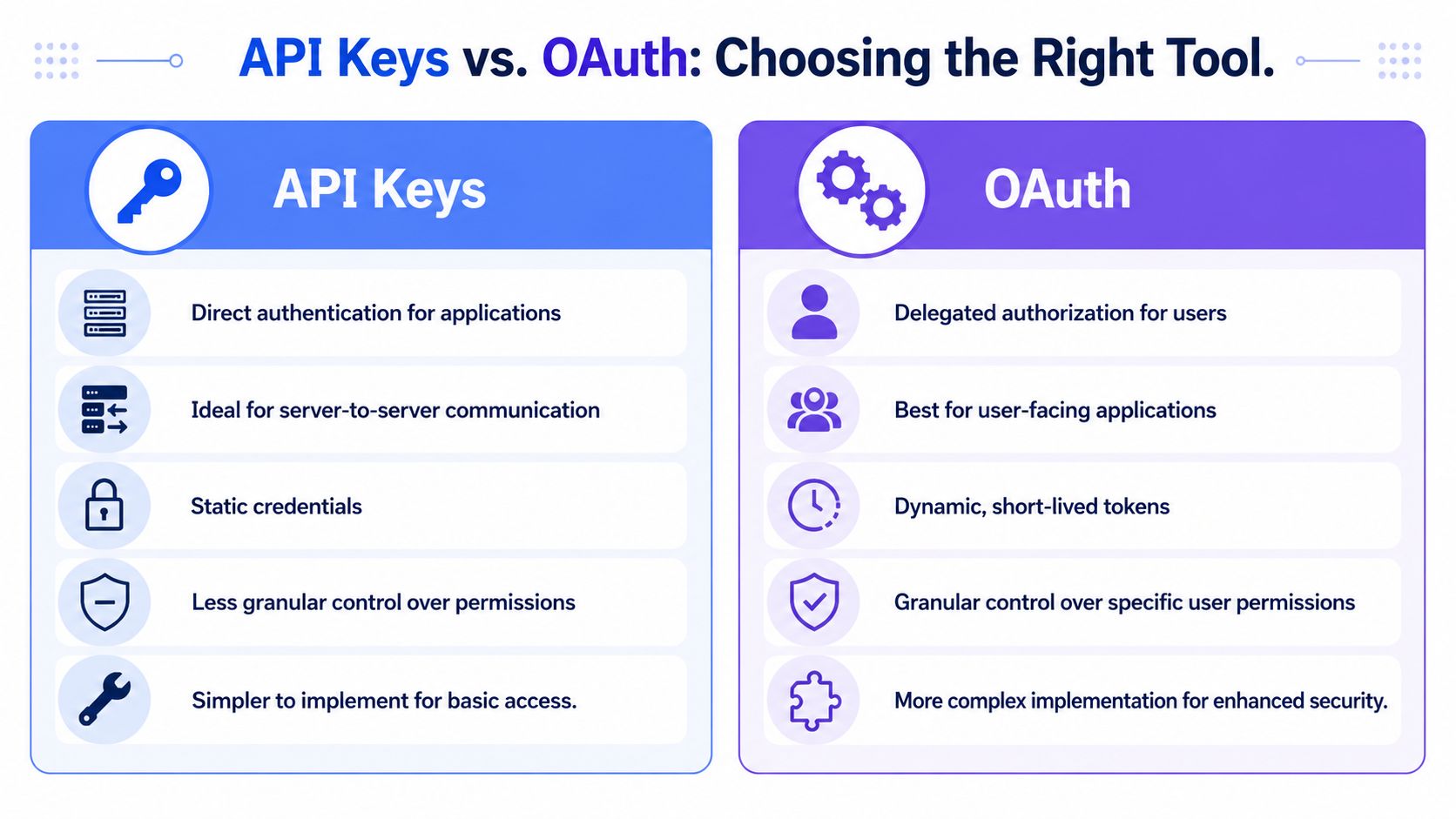 A comparison chart showing the differences between API Keys and OAuth for application security and authorization.
Use the right primitive for the job
Static API keys are simple, and that simplicity is attractive. But in agent workflows and distributed systems, static credentials stay exposed for too long. As noted earlier, GitGuardian reports that static API keys increase breach risk by 40% in AI agent workflows, and recommends short-lived tokens derived from workload identity via secrets proxies that log access events and reduce exposure time to minutes in well-designed systems.
OAuth adds complexity. You deal with consent screens, token refresh, scopes, and lifecycle management. But you gain something API keys usually can't provide cleanly: narrow, delegated, revocable access that aligns with a specific user or account.
That matters a lot for social platforms. If you're handling user-linked publishing flows, long-lived static app credentials are usually the wrong abstraction. Token lifecycle is part of the job. The practical details become clearer when you look at a platform-specific explainer like this guide to the Meta OAuth token lifecycle.
Use API keys when your server is the principal. Use OAuth when the user is the principal. If you blur that line, cleanup gets expensive.
API Key vs. OAuth 2.0 Token at a Glance
Criterion | API Key | OAuth 2.0 Access Token |
Primary use case | Application identification | Delegated user authorization |
Typical actor | Service, backend job, internal tool | User-approved app or workload acting on a user's behalf |
Lifespan | Often long-lived unless rotated | Usually short-lived |
Scope control | Often broader and simpler | Usually more granular |
User interaction | None | Usually includes consent flow |
Operational burden | Lower at first | Higher, but safer for delegated access |
Best fit | Server-to-server communication | User-facing integrations and account-linked actions |
The key point isn't that OAuth is always better. It isn't. It's that a long-lived static secret is a bad substitute for delegated authorization.
Your Incident Response Playbook for Leaked Keys
It's 2:13 a.m. A tenant reports strange activity. Cloud spend is climbing, an automation job is firing against the wrong accounts, and someone finds an API key in a CI log from yesterday's failed deploy. In a distributed system, that key might not map to one service or one customer. It may sit inside a worker, a white-label integration, a background sync, or an agent workflow that can fan out across multiple tenants in minutes.
You will not prevent every leak. You can prevent a leaked key from turning into a multi-system incident if the response path is already clear.
Salt Security's State of API Security report has repeatedly shown that API incidents are common enough that teams should treat them as an expected operational event, not a rare edge case. Once a key is exposed, speed matters more than having a perfect forensic timeline.
Containment first
Revoke the key immediately.
If hard revocation will break production, disable it and fail over to a replacement credential with tighter limits. That only works if you already know which service owns the key, which tenants depend on it, and what downstream jobs will start failing. In multi-tenant SaaS, weak ownership metadata turns a simple revoke action into a guessing game. In white-label products, it gets worse because the same leak can affect customer-specific branding layers, webhooks, and partner API calls that look unrelated on paper.
Containment usually means more than one action:
Revoke or disable the exposed key.
Rotate adjacent secrets that were stored, logged, or deployed with it.
Pause high-risk automations, agent runs, and background jobs that can amplify abuse.
Add temporary blocks for suspicious IPs, regions, or endpoints if the provider gives you that control.
Teams hesitate here because they are afraid of collateral damage. That hesitation is the bill for loose key inventory and weak dependency mapping.
Figure out blast radius
After access is cut off, work the logs in parallel with service owners. Do not just ask, “Was this key used?” Ask what authority the key had and how far that authority could travel.
Check four things first:
Usage shifts: spikes, off-hours traffic, or patterns that do not match the owning service
Execution context: new IPs, regions, runtimes, containers, user agents, or partner environments
Tenant exposure: whether requests crossed customer boundaries, touched white-label instances, or triggered shared workflows
Secondary effects: downstream writes, billing consumption, queue growth, data exports, or webhook replay
Simple environment-variable advice proves insufficient. In agent workflows and distributed job systems, one leaked key can trigger actions indirectly through tools, schedulers, and connectors that never stored the secret themselves. If your team does not already have roles and escalation paths written down, this guide on creating an incident response plan is a useful reference.
Fix the cause, not just the key
Rotation closes the immediate hole. Root cause work decides whether you see the same incident again next month.
If the secret came from source control, add secret scanning and remove the workflow that let developers test with live production credentials. If it showed up in CI logs, fix log redaction, masked variables, and debug practices. If a mobile app, browser client, or white-label frontend held the key, the architecture is wrong. Move the call server-side, issue short-lived scoped credentials, or put a broker in front of the upstream API.
I have seen teams declare success after rotation, then get hit again because the same key pattern still existed in another repo, another tenant-specific deployment, or another automation template. Static secrets spread unnoticed in systems that copy configuration across environments.
Document the timeline, affected systems, tenant impact, root cause, and the control you are adding so the same class of leak is harder to repeat. A calm post-incident review is part of API key management. It is how you stop one leaked key from teaching the same lesson twice.
About the Author

Founder of PostPulse — a social media scheduling platform for creators and teams. Software engineer with a passion for building developer tools and simplifying complex API integrations across social media platforms.