How to Share Instagram Story: A Developer's Guide 2026
Published on June 13, 2026
Tags:
You tap the paper-airplane icon under a post, expecting the usual Instagram flow, and the one option you need isn't there. No Add to story. No explanation. Just a share sheet that feels arbitrarily incomplete.
That's the part most guides skip. They show the happy path, but they don't help when Instagram's rules, account settings, or product quirks get in the way. If you're trying to figure out how to share Instagram Story content reliably, the underlying problem usually isn't the tap sequence. It's understanding why one post can be reshared, another can't, and why a repost that technically works can still look bad enough to hurt engagement.
Table of Contents
The Frustration with Sharing Instagram Stories
The annoying part about Instagram Stories isn't learning the UI. It's that the UI often implies a feature exists everywhere when it really depends on visibility, permissions, and the specific content you're trying to reshare.
That matters because Stories aren't a niche behavior. Instagram Stories have more than 500 million daily active viewers, and one analysis found that posting 1 to 7 Stories in a day is the most effective range because completion starts dropping after that. Once brands go past seven slides, completion fell to below 70%, according to this analysis of Instagram Story viewing behavior. So when a reshare fails, or when a reshare looks lazy and tanks retention, it's not a small UX problem. It's a distribution problem.
A common failure pattern looks like this:
You try to reshare a public-looking post and the option is missing.
You can reshare it, but the draft looks weak. Tiny post card, generic background, no visual hierarchy.
You get tagged in a Story and expect to edit it the same way as a feed-post reshare, but the controls behave differently.
You want to automate Story publishing and discover that the in-app workflow and the API workflow are two completely different worlds.
Practical rule: If Instagram sharing feels inconsistent, assume there's a hidden constraint before you assume you're tapping the wrong thing.
I've seen builders make the same mistake users make. They treat Story sharing like one feature. It isn't. It's a cluster of related behaviors: feed-to-Story resharing, tagged Story resharing, DM sharing, Facebook cross-posting, and programmatic publishing. Each has its own constraints, and Instagram doesn't surface those constraints clearly enough in the product.
That's why the useful question isn't only how to share Instagram Story content. It's also why sharing fails, what you can control, and when the platform won't allow the action you want.
Your Guide to Manually Sharing Content to Stories
Manual sharing is still the baseline. Even if you're building tooling later, you need a clean mental model of how Instagram expects users to reshare content in-app.
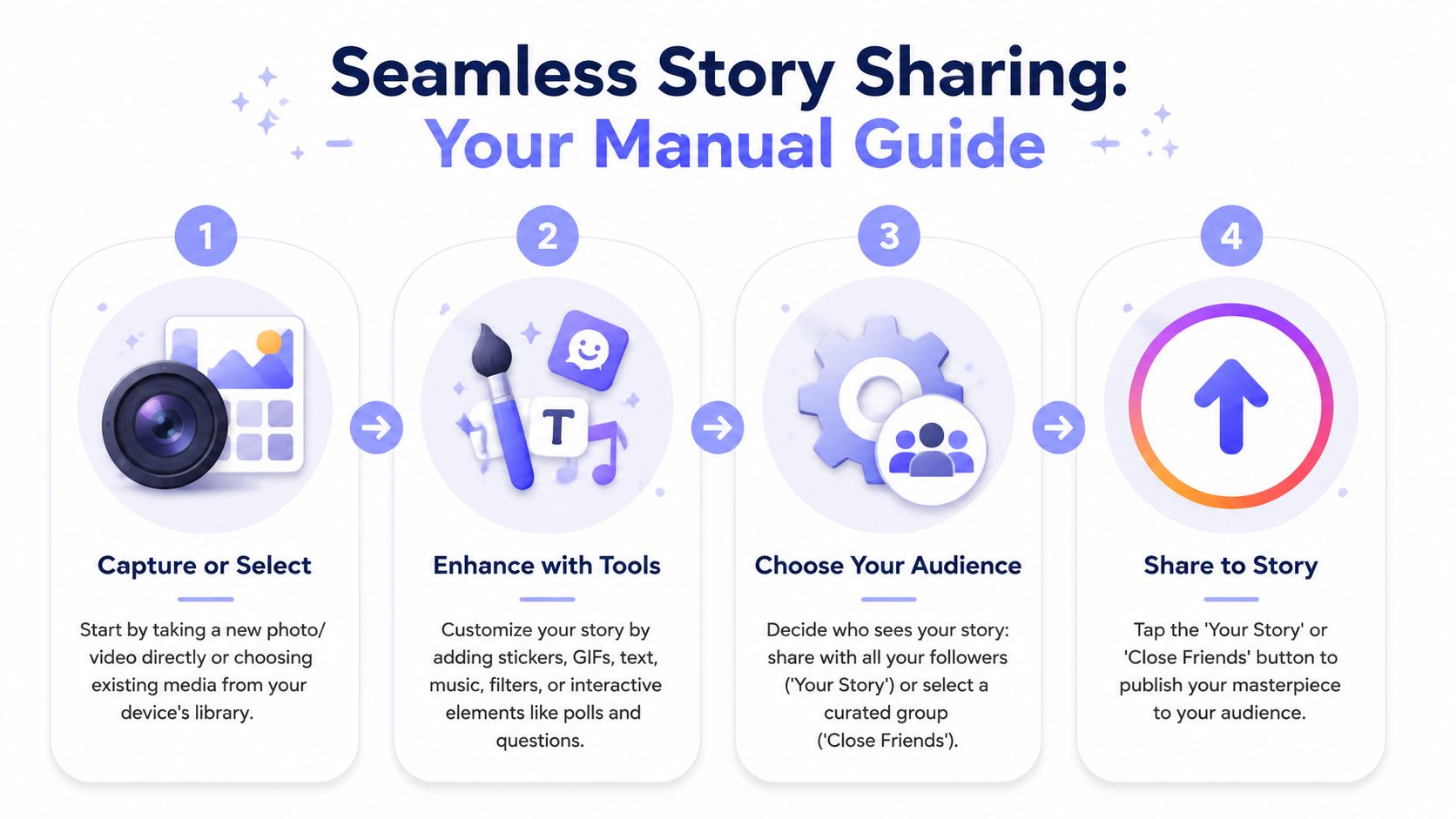 A four-step infographic guide explaining the process of capturing, editing, choosing an audience, and sharing Instagram stories.
Share a feed post to your Story
The standard path is straightforward. Open the post in the Instagram app, tap the paper-airplane share icon, choose Add to story, edit the draft, then tap Your Story to publish. If you're resharing someone else's content, the post needs to come from a public account, as described in Buffer's walkthrough for adding an Instagram post to your Story.
The mechanics are simple. The quality part is not.
When Instagram drops a feed post into the Story editor, the default draft often needs work. Before publishing, adjust the composition so the repost doesn't look like an afterthought:
Resize intentionally: Don't leave the post floating awkwardly in the middle if it makes the canvas feel empty.
Use text sparingly: Add context that gives people a reason to tap through.
Check contrast: If the background color fights the post thumbnail, the whole Story looks noisy.
Keep the tap target obvious: If the point is to drive users back to the original post, don't bury it under stickers.
Recent creator guidance also shows Instagram adding more visual treatment options for reposted content, including cleaner and more full-screen presentation styles. The practical takeaway is simple. A repost is no longer just a repost. You need to decide how it should look.
Reshare a Story you were tagged in
This is a different flow from feed-post sharing. If someone mentions your account in their Story and their settings allow it, Instagram typically surfaces a direct reshare option in your messages.
The easiest way to think about it is this: feed-post resharing starts from the post itself, while tagged Story resharing usually starts from the notification thread or DM entry point. You open the mention, add it to your Story, then customize the draft.
People get confused because the editing behavior can feel narrower than a fresh Story draft. That's normal. You're working from a referenced Story object, not from a clean canvas.
Send Story content in DMs
Sometimes you don't want to publish to your Story at all. You just want to pass content to one person or a small group.
In that case, use the same share icon and send it through Instagram DMs instead of posting it publicly. This works well when you want feedback before publishing, or when the content makes more sense as a direct recommendation than as a broad Story.
A good manual workflow is often two-step. First send it privately, then publish only if the framing works.
If you're assembling more complex visual sequences, especially photo-heavy ones, this quso.ai guide for creators on adding multiple photos to an Instagram Story is a useful reference because it focuses on layout mechanics rather than just the obvious tap path.
Cross-post Instagram Stories to Facebook
If you publish on both Instagram and Facebook, automatic cross-posting removes one repetitive step. In Instagram's account settings, you can connect the relevant Facebook Page and enable Story sharing across accounts.
This isn't a universal fix for every brand workflow. Some teams want different creative for each platform. But if your Story format is already platform-neutral, automatic cross-posting is the lowest-friction option.
Use it when:
Scenario | Manual reposting | Auto cross-posting |
Same creative works on both platforms | Slower | Better |
Platform-specific copy matters | Better | Risky |
Fast daily publishing matters most | Friction-heavy | Better |
Troubleshooting Why You Cannot Share a Story
The missing option usually isn't random. It's usually permission logic.
 A line drawing of a young person confused while looking at an Instagram story sharing options menu.
The missing Add to story button usually means a permission problem
Most mainstream tutorials stop after saying "tap Add to story." That advice is incomplete. Instagram's own help guidance acknowledges that feed posts can be added to Stories, but the actual behavior also depends on account settings and sharing permissions, which is exactly where many users get stuck. That's the gap highlighted in Instagram Help Center guidance on adding posts to Stories.
The first thing to check is visibility. If the source content comes from a private account, the platform won't treat it like public content that can be broadly reshared in the same way. The second thing to check is whether the original poster allows resharing at all. Some users disable resharing behavior in settings, and Instagram doesn't always explain that cleanly from the receiver side.
Treat this like a debugging checklist
If you can't share a post or Story, run through these causes in order:
Account privacy: Private accounts create the most common limitation.
Source settings: The original account may have disabled sharing behavior.
Content type mismatch: A feed post, a Story mention, and a Reel don't all expose the same entry points.
App-state weirdness: Instagram's mobile app occasionally hides options until a restart or update clears stale UI state.
This is the same kind of diagnostic mindset you'd use when debugging OAuth issues. Start with permissions, then object type, then client state. If you're already dealing with Meta auth in your own product, the token side has its own set of traps, and this breakdown of the Meta OAuth token lifecycle is worth keeping nearby.
The platform rarely tells users "you can't do this because the other account disabled it." It just removes the affordance and leaves you guessing.
That's why "how to share Instagram Story" questions often turn into support questions. The action is visible only when the account relationship, privacy model, and content settings line up.
Automating Story Publishing with an API
Manual sharing is fine for a creator account. It becomes a bottleneck fast when you're building a scheduler, an internal tool, or an agent that needs to publish reliably.
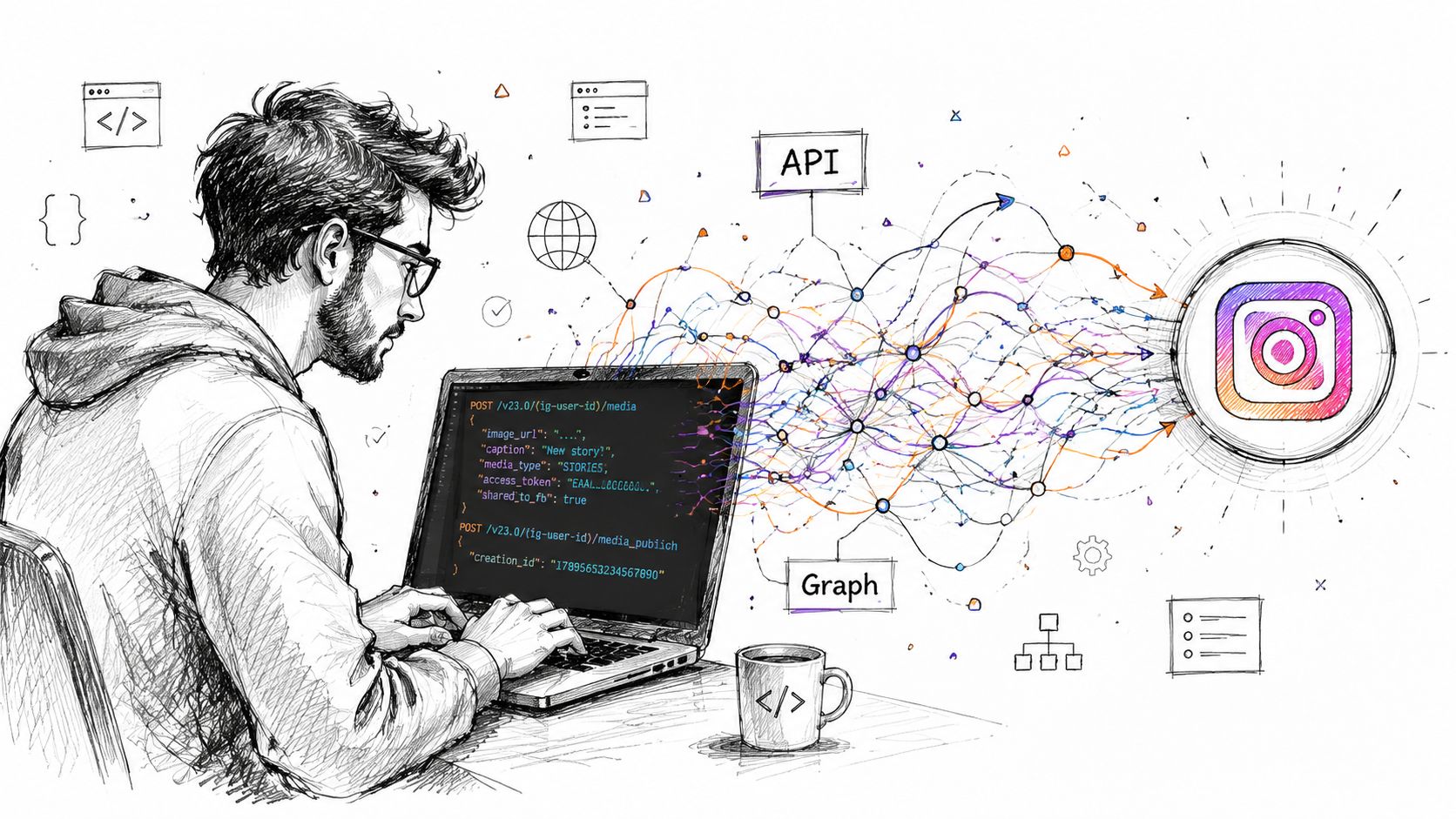 A developer coding an Instagram API integration on a laptop, connecting data streams to the platform.
The official flow is rarely the hard part on paper
On paper, Instagram Story publishing via API sounds manageable. In practice, the friction comes from orchestration.
You create media, create a container, wait for the platform to finish processing, then publish. The rough sequence is easy to describe. The messy part is that your app has to manage asynchronous state correctly. If you publish too early, the request fails. If you poll poorly, you waste retries or introduce flaky timing.
That mismatch frustrates developers because the product problem sounds simple. "Post this Story." The implementation problem is not simple. It's a state machine.
What breaks in real implementations
The brittle parts usually aren't the HTTP calls themselves. They're everything around them:
Polling logic: Your worker needs to know when to retry, when to stop, and how to surface intermediate failures.
Media readiness: The container may exist before the media is ready to publish.
Operational visibility: If a job stalls, your logs need to tell you where it stalled.
User expectations: End users think they triggered one action, not a multi-stage background workflow.
If you've run into the container side of Instagram publishing already, this write-up on Instagram container-based publishing captures the shape of the problem well.
A better pattern for builders
For builders, the best architecture is usually to abstract the platform-specific choreography behind one internal publish action. That can sit behind a REST endpoint, an n8n workflow, a Make scenario, or an agent tool call. The exact transport matters less than the contract.
A practical implementation model looks like this:
Accept a single publish intent from the caller.
Validate media and account eligibility before touching the downstream platform.
Run the container lifecycle asynchronously behind the scenes.
Return a clean status object to the caller so they don't need to understand Instagram internals.
Treat Story publishing as a job system, not a synchronous button click.
That's the difference between a demo integration and one that survives production traffic. The user asks to publish a Story. Your system should absorb the complexity instead of leaking the platform's workflow back into the product surface.
Best Practices for High-Engagement Stories
A repost that technically works can still underperform because it feels lazy, cluttered, or visually off. That's the hidden half of how to share Instagram Story content well.
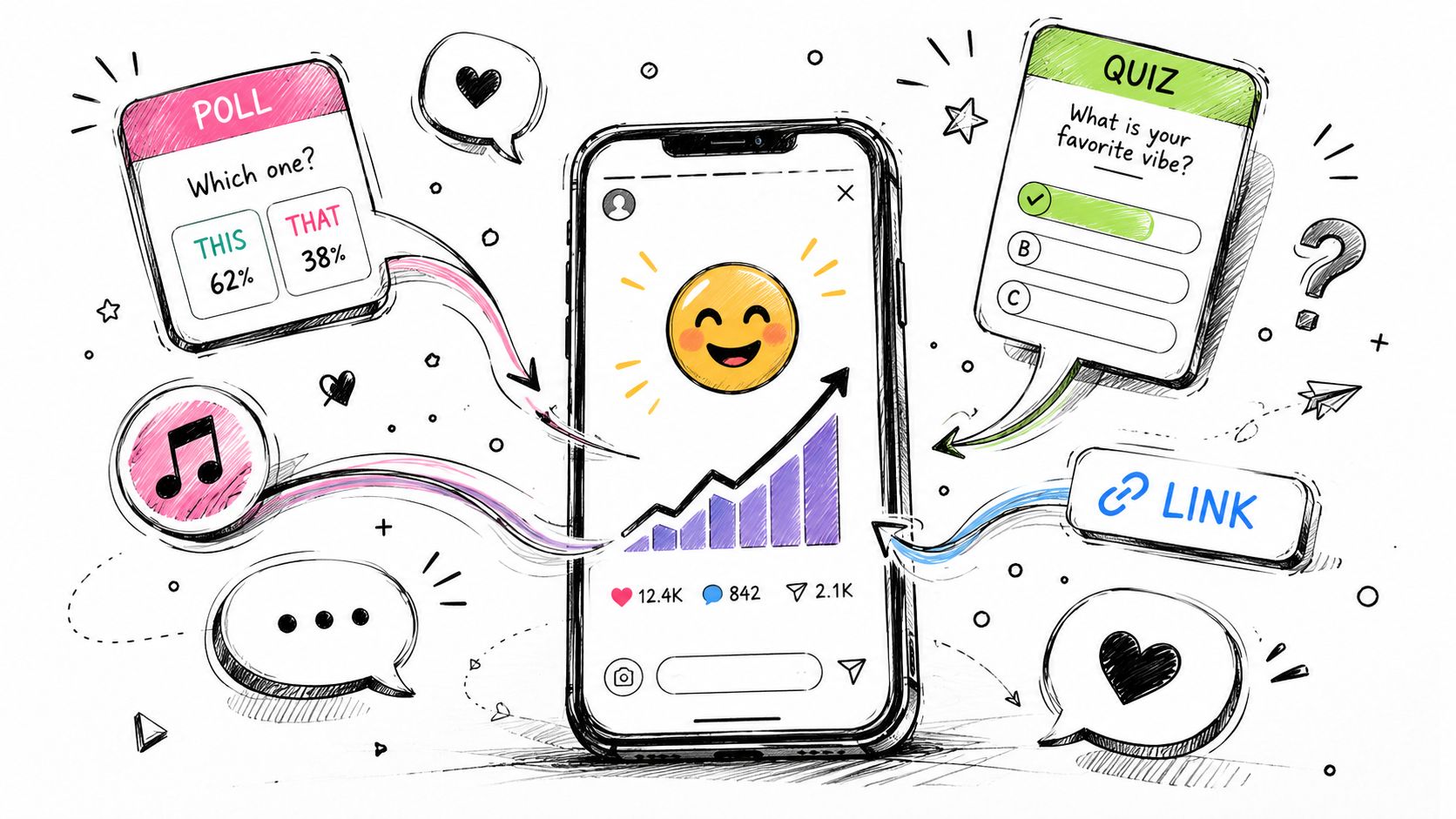 A hand-drawn illustration showing a smartphone with various social media engagement tools like polls, quizzes, and links.
Design the repost before you publish it
Instagram has expanded the visual presentation of reposted Story content, with cleaner-looking reshares and more full-screen or borderless treatments shown in creator guidance such as this walkthrough of newer Story presentation options. That shift matters because the old default look often signaled low effort.
Use the editor like a layout tool, not just a share confirmation screen.
Lead with context: Tell viewers why the repost matters before asking them to tap.
Use interactive elements carefully: Polls, questions, sliders, and stickers work best when they reinforce the original content instead of competing with it.
Keep branding consistent: Fonts, color choices, and spacing should feel like your account, not Instagram's default draft.
Add a destination on purpose: If the Story should drive action, resources like these tools to add links to Instagram Stories can help you plan the call-to-action layer more cleanly.
Aesthetic quality isn't vanity. It changes whether a repost feels native to your Story sequence.
Keep the sequence tight
The biggest Story mistake isn't under-posting. It's overloading the viewer with too many weak frames. Earlier, I referenced the completion drop that shows up when brands push beyond a tighter Story count. The practical implication is simple. Publish fewer slides, and make the first ones carry the load.
That also affects sequencing:
What works | What usually fails |
Strong opening frame | Generic repost cover |
One clear action | Multiple competing stickers |
Repost plus added context | Repost with no framing |
Visual consistency | Random backgrounds and fonts |
If you're measuring Story performance in a broader reporting stack, tie those creative choices back to reach and view behavior rather than guessing from aesthetics alone. This guide on Instagram impressions is useful for thinking about what your Story got in front of, versus what merely looked polished in the editor.
A quick visual example helps here:
Frequently Asked Questions About Sharing Stories
Can I see who shared my post to their Story
Instagram doesn't reliably expose a universal viewer-friendly list of everyone who shared your post to their Story in the way many users expect. In practice, you should assume visibility is limited and feature-dependent rather than count on a complete audit trail.
Does Instagram notify people when I share their content
It depends on the type of share and the context around it. Tagged Story mentions are more likely to create a visible notification path because you're part of the original interaction. Standard feed-post resharing behaves differently. If notification matters to your workflow, test the exact content type instead of assuming all shares behave the same way.
Why do some Reels look awkward when shared to Stories
Usually it's a format mismatch. The original asset may have been designed for a different presentation mode, and the Story editor is trying to fit that into a Story canvas with limited room for clean framing. When that happens, crop and composition become more important than the share action itself.
Why does the option appear for one post but not another
Because Instagram's sharing behavior isn't uniform across all content. Privacy settings, original account permissions, and content type all influence whether the share affordance appears.
Should I use manual sharing or automate it
Use manual sharing when the Story needs hand-tuned creative decisions. Automate when volume, consistency, or product workflows matter more than one-off editing inside the app.
If you're building a product, automation, or agent that needs to publish Stories without exposing all of Instagram's platform quirks to the user, PostPulse is worth a look. It gives you one publishing surface for multiple social platforms through a REST API, official n8n and Make.com integrations, and an MCP server, so you can spend your time on product logic instead of maintaining platform-specific posting flows.
About the Author

Founder of PostPulse — a social media scheduling platform for creators and teams. Software engineer with a passion for building developer tools and simplifying complex API integrations across social media platforms.