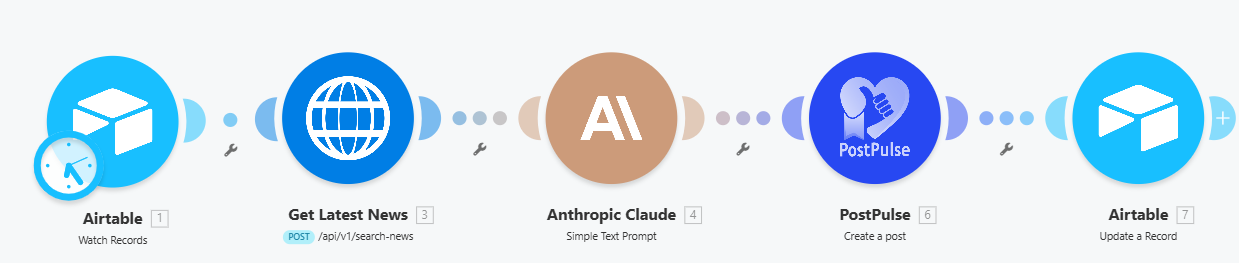
Make Money With Telegram Channel: Send Breaking News to Telegram Channel with Make.com
Published on
Tags:
Monetizing a Telegram channel in 2026 is one of the easiest side hustles around. Create a Telegram channel, build a large subscriber base and as long as your channel is dedicated to either news, IT, finance and real estate, you'll be able to easily monetize your channel and earn $3,000 - $5,000 a month. News channels are the easiest to create, but they're one of the most exhausting however, because you're going to have to constantly keep up with the latest news, create a post in telegram and post it every single day.
While you can do this manually, in this article, we're going to show you how to effortlessly build an automation in Make the gets the latest news, turns them into Telegram posts for your channel, and schedules them everyday in PostPulse.
ScreenShot Tool -20260420062413Tools Used
Make
Airtable
Claude
Dumpling AI
PostPulse
Step 1: Setup Airtable Trigger
 ScreenShot Tool -20260420072047
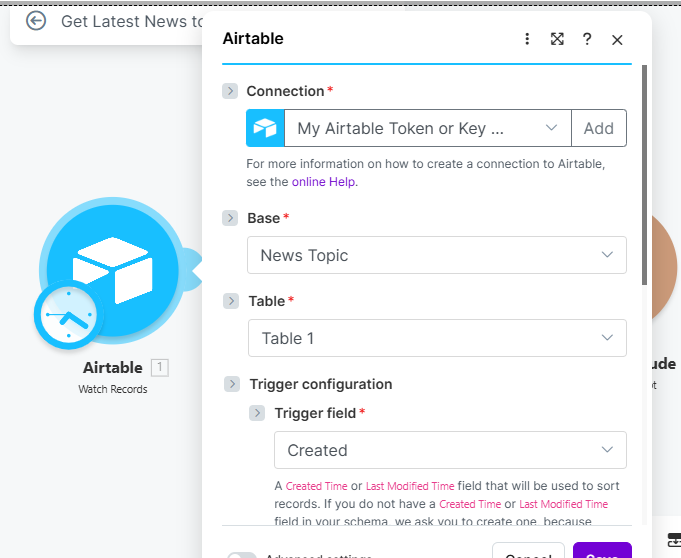
We'll kick off our workflow by using an Airtable Trigger. We're doing this because we're changing our news topic every week, and an Airtable base will allow us to create a new record any day of the week, for any topic of our choice, and our automation will still run exactly as planned. In our Airtable base, we only have 2 fields:
Topic Name: Where we'll update our search query.
Scheduled?: The status of our automation.
Created: The creation date of our row.
Our trigger field is going to be the Created field.
Step 2: Get Financial News with Dumpling AI
 ScreenShot Tool -20260420072507
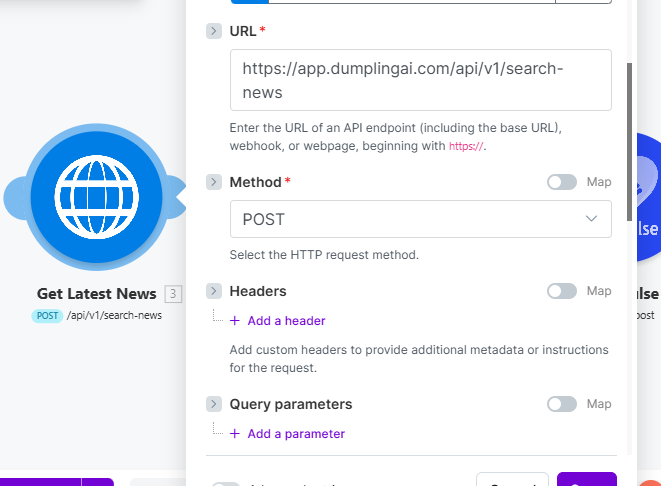
For our next step, we're using the HTTP module. We're going to make an API call to Dumpling AI using the search news endpoint to get news articles related to our topic. We'll use the Topic Name field from Airtable as our search query.
Step 3: Generate Telegram Post with Claude
 ScreenShot Tool -20260420131215
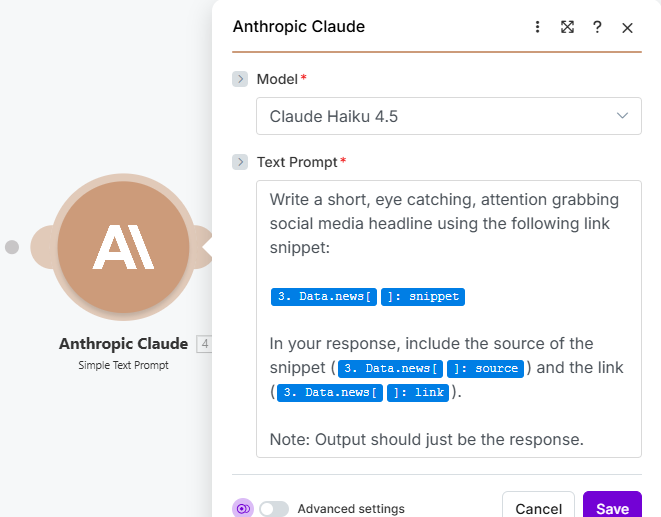
For our next step, we’re going to add the Claude module to our workflow and use it to generate our headline. The source of our content is going to be the news articles we retrieve from Dumpling AI. In the Anthropic module, we'll use the Claude Haiku 4.5 model, and we're generating attention grabbing, catchy headlines, the kind that will grab the attention of subscribers on a first read, we'll also include our news source and snippet. We’re using Anthropic's Claude module for the purpose of this demonstration, but for your build, you can use any chat model of your choice, like ChatGPT, Gemini or Grok.
Step 4: Schedule Post in PostPulse
ScreenShot Tool -20260420131215Once we've got our news post, we want to setup a schedule that sends our post to our Telegram channel everyday. To do that, we're going to use the PostPulse module in Make to schedule our post.
For this step, you’ll need a PostPulse account. Once you’ve opened up an account you can head over to the developer dashboard and Create a New App, when creating a new app, you’ll need an application name and a redirect URL for Oauth.
Note: Use this redirect URL for Make applications = https://www.make.com/oauth/cb/postpulse
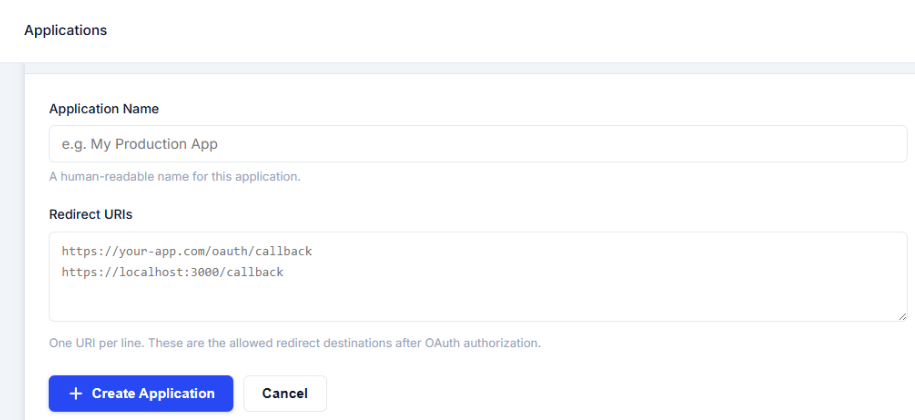 make-image-12
Once you’ve created an application, you’ll be given a Client ID and a Client Secret key, copy these and paste them in the PostPulse module in Make.
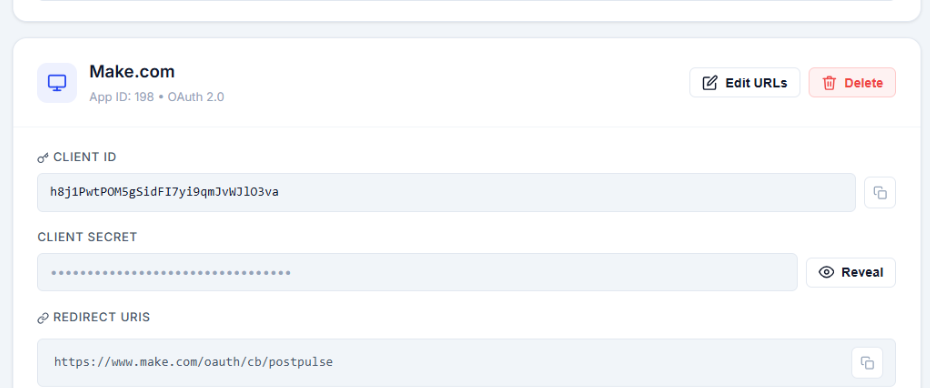 make-image-09
Because we want to schedule a new post everyday; In our Scheduled Time field, we’re going to switch to the calendar tab and add a formula.
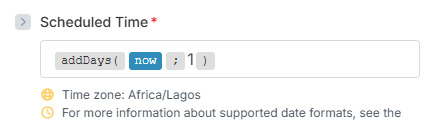 ScreenShot Tool -20260420133831 (1)
The formula we’ll be using is the addDays formula; this will allow us to add a day to our calculations, or in this case our schedule. So when we switch on our automation, and schedule it to run everyday, our formula is going to add an extra day each and every time our scenario runs, scheduling our next post for the next day each and every time.
Since we're sending our posts to Telegram, we'll have to take an extra step before we're ready for our automation to send posts to our channel.
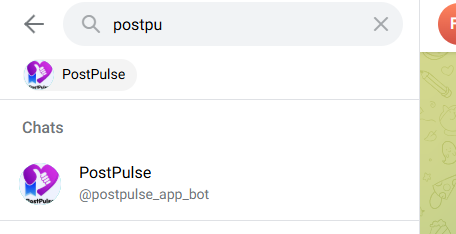 ScreenShot Tool -20260312224122
In Telegram, we're going to add the PostPulse bot to the channel of our choice. This will allow PostPulse to recognize what channel we want to send our posts to, you can do this for as many channels as you wish.
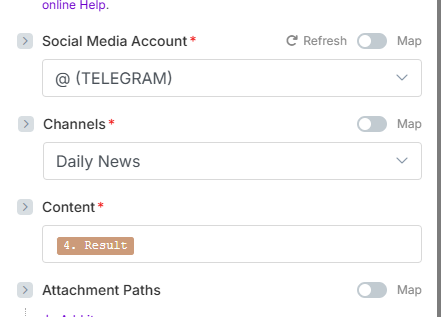 ScreenShot Tool -20260420140154
Once you've done that, you should be able to see your desired Telegram channel in a dropdown option. Once you've selected that, all that's left to do is to map our the results from our Claude module that you'd like to send to your channel.
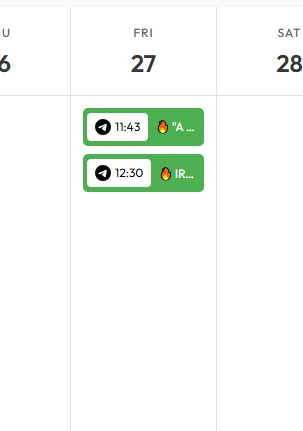 ScreenShot Tool -20260420141742
Follow these steps successfully and you'll be able to view your scheduled Telegram posts in your PostPulse dashboard.
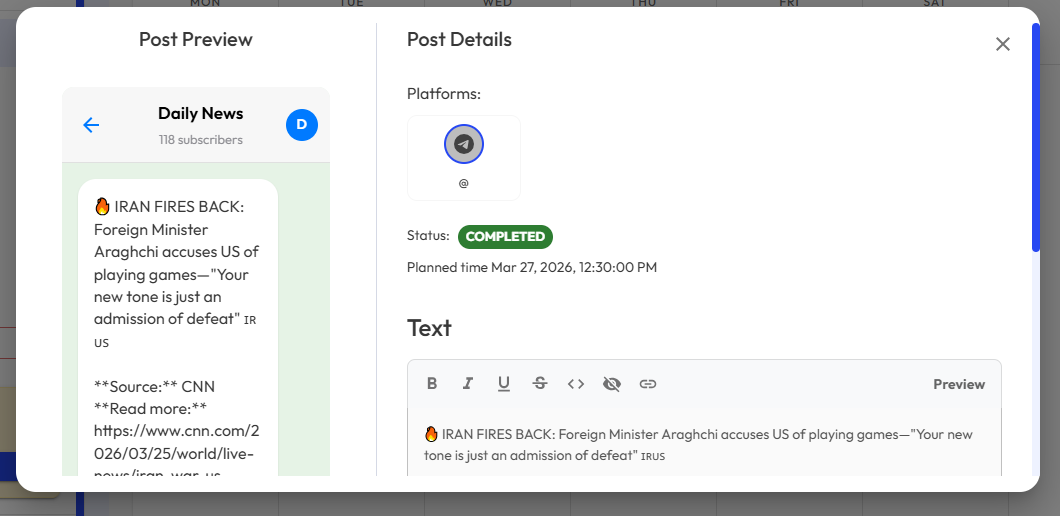 ScreenShot Tool -20260420143836 (1)
If you’re interested in this automation, you can find a copy of this workflow below and use it as a template.
About the Author