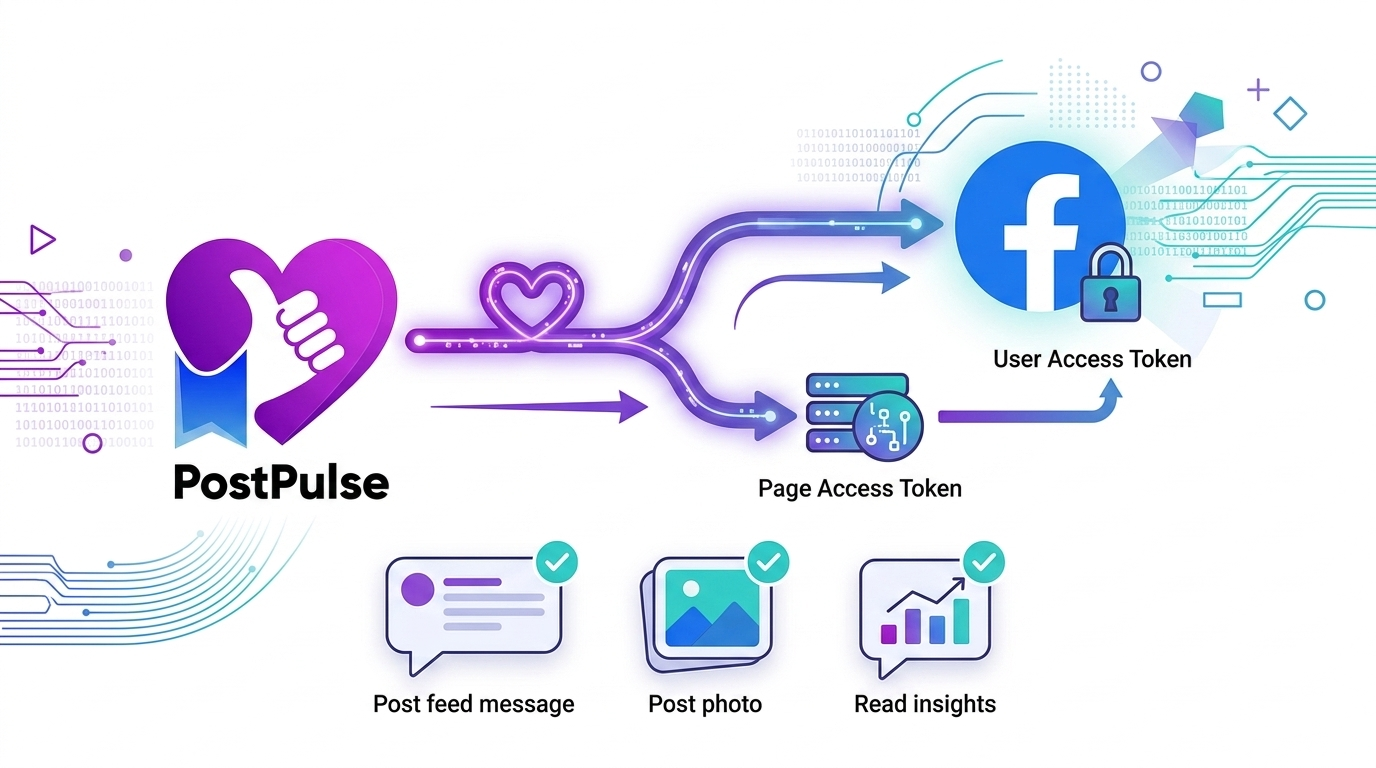
Facebook Page Tokens: The Extra Step Everyone Misses
Published on
Tags:
You have a long-lived user token, you call the publish endpoint, and Facebook says "nope — you need a Page Access Token." What?
The Problem
This is probably the #1 gotcha after solving the token lifecycle from the previous article. You've done everything right — exchanged your authorization code, upgraded to a long-lived token, and your token is valid for 60 days. Then you try to post to a Facebook Page and get hit with:
{
  "error": {
    "message": "A page access token is required to request this resource.",
    "type": "OAuthException",
    "code": 210
  }
}
Here's what's going on: a user token and a page token are not the same thing. Your user token proves who you are. But to act on behalf of a Page (post, read insights, manage comments), you need a token that represents that Page. And each Page the user manages has its own, separate access token.
The good news? Getting it is a single API call. The bad news? Almost nobody tells you about it.
Prerequisites
A valid long-lived user access token (see Part 1: Meta OAuth Token Lifecycle)
A Facebook App with these permissions approved:
- pages_show_list — to list the Pages a user manages via /me/accounts (required for Step 1) - pages_manage_posts — to create and publish posts - pages_read_engagement — to read Page content, comments, and reactions - public_profile — granted by default
The user must be an admin or editor of the Page they want to manage
Step-by-Step
Step 1 — Get the User's Pages
This is the call that gives you everything:
curl -G "https://graph.facebook.com/v23.0/me/accounts" \
  -d "access_token={long_lived_user_token}"
Response:
{
  "data": [
    {
      "id": "123456789",
      "name": "My Cool Brand",
      "access_token": "EAAI...page_token_here...",
      "category": "Software Company",
      "tasks": [
        "ADVERTISE",
        "ANALYZE",
        "CREATE_CONTENT",
        "MANAGE",
        "MODERATE"
      ]
    },
    {
      "id": "987654321",
      "name": "My Side Project",
      "access_token": "EAAI...different_page_token...",
      "category": "Product/Service",
      "tasks": [
        "ADVERTISE",
        "ANALYZE",
        "CREATE_CONTENT",
        "MANAGE"
      ]
    }
  ]
}
Each page in the data array comes with its own access_token. That's the Page Access Token you need.
💡 Key insight: If your user token is long-lived, the page tokens returned here are long-lived too — and long-lived Page access tokens have no expiration date. They only stop working if they're invalidated (the user changes their password, removes the app, revokes a permission, or loses their role on the Page). You don't need a separate exchange step for page tokens.
Step 2 — Pick the Right Page
If the user manages multiple Pages, you need to match the correct one. In your app, you'll typically let the user select which Page they want to post to, then store the id alongside the page's access_token.
The matching logic is straightforward — filter the response by page ID:
page_token = response.data
  .filter(page => page.id === target_page_id)
  .access_token
Step 3 — Use the Page Token for All Publishing
Now use the page access token (not the user token) for all operations on that Page:
Publish a text + link post:
curl -X POST "https://graph.facebook.com/v23.0/{page_id}/feed" \
  -d "message=Check out our latest update!" \
  -d "link=https://example.com/blog-post" \
  -d "access_token={page_access_token}"
Publish a photo post:
curl -X POST "https://graph.facebook.com/v23.0/{page_id}/photos" \
  -d "url=https://example.com/image.jpg" \
  -d "caption=Our new product!" \
  -d "access_token={page_access_token}"
Response:
{
  "id": "123456789_456789123"
}
That's it. The id in the response is the post ID on the Page.
Step 4 — Fetch Page Insights (Optional)
You can also use the page token to read engagement metrics:
curl -G "https://graph.facebook.com/v23.0/{post_id}/insights" \
  -d "metric=post_impressions,post_engaged_users,post_reactions_by_type_total" \
  -d "access_token={page_access_token}"
Reading post-level insights requires the read_insights permission (in addition to a Page token with pages_read_engagement).
Common Pitfalls
Using the user token instead of the page token — This is the #1 mistake. You'll get error code 210 every time. All publishing and insights calls need the page token, not the user token.
Assuming one token works for all Pages — Each Page has its own access token. If a user manages 5 Pages, you get 5 different tokens from
/me/accounts. You must use the correct one for each Page.
Not storing the page token — You don't need to call
/me/accountsbefore every post. Fetch the page tokens once during authorization, store them, and reuse. Derived from a long-lived user token, they carry no time-based expiry — but treat them as revocable and re-fetch if calls start returning auth errors.
Missing permissions —
pages_manage_postsis required for publishing, and it requires Facebook App Review for production use. In development mode, it only works for users who have a role on the app.
Forgetting the `tasks` array — The response includes a
tasksfield showing what the user can do on each Page. If the user can't performCREATE_CONTENT(orMANAGE) on the Page, they can't publish — check thetasksarray before attempting to post.
TL;DR — The Full Flow
┌─────────────────────────────────────────────────┐
│           You Already Have This                  │
│  (from Part 1: Meta OAuth Token Lifecycle)       │
│                                                  │
│   Long-Lived User Token (60 days)                │
└──────────────────────┬──────────────────────────┘
                       │
                       ▼
         GET /me/accounts?access_token={user_token}
                       │
                       ▼
        ┌──────────────────────────────┐
        │   Response: List of Pages     │
        │                              │
        │   Page A                     │
        │     id: "111..."             │
        │     access_token: "EAA..."   │
        │                              │
        │   Page B                     │
        │     id: "222..."             │
        │     access_token: "EAA..."   │
        └──────────────┬───────────────┘
                       │
                  Pick the right page
                       │
                       ▼
        ┌──────────────────────────────┐
        │  Use PAGE token (not user)   │
        │  for all Page operations:    │
        │                              │
        │  POST /{page_id}/feed        │
        │  POST /{page_id}/photos      │
        │  GET  /{post_id}/insights    │
        └──────────────────────────────┘
Note: a Page access token derived from a long-lived user token has no expiration date — it keeps working until the user revokes access, changes their password, or loses their role on the Page.
About PostPulse
PostPulse handles page token management automatically — when you connect your Facebook account, it fetches and stores page tokens for all your Pages, refreshes them alongside your user token, and always uses the right token for each operation. Try PostPulse →
About the Author

Founder of PostPulse — a social media scheduling platform for creators and teams. Software engineer with a passion for building developer tools and simplifying complex API integrations across social media platforms.